Solargraph: Questions about documentation output
Hi! Wonderful work so far, and my biggest want, seems to be something that's 90% of the way there, but maybe just the teensiest bit not quite.
It appears that solargraph, does parse and fetch documentation for the current workspace.
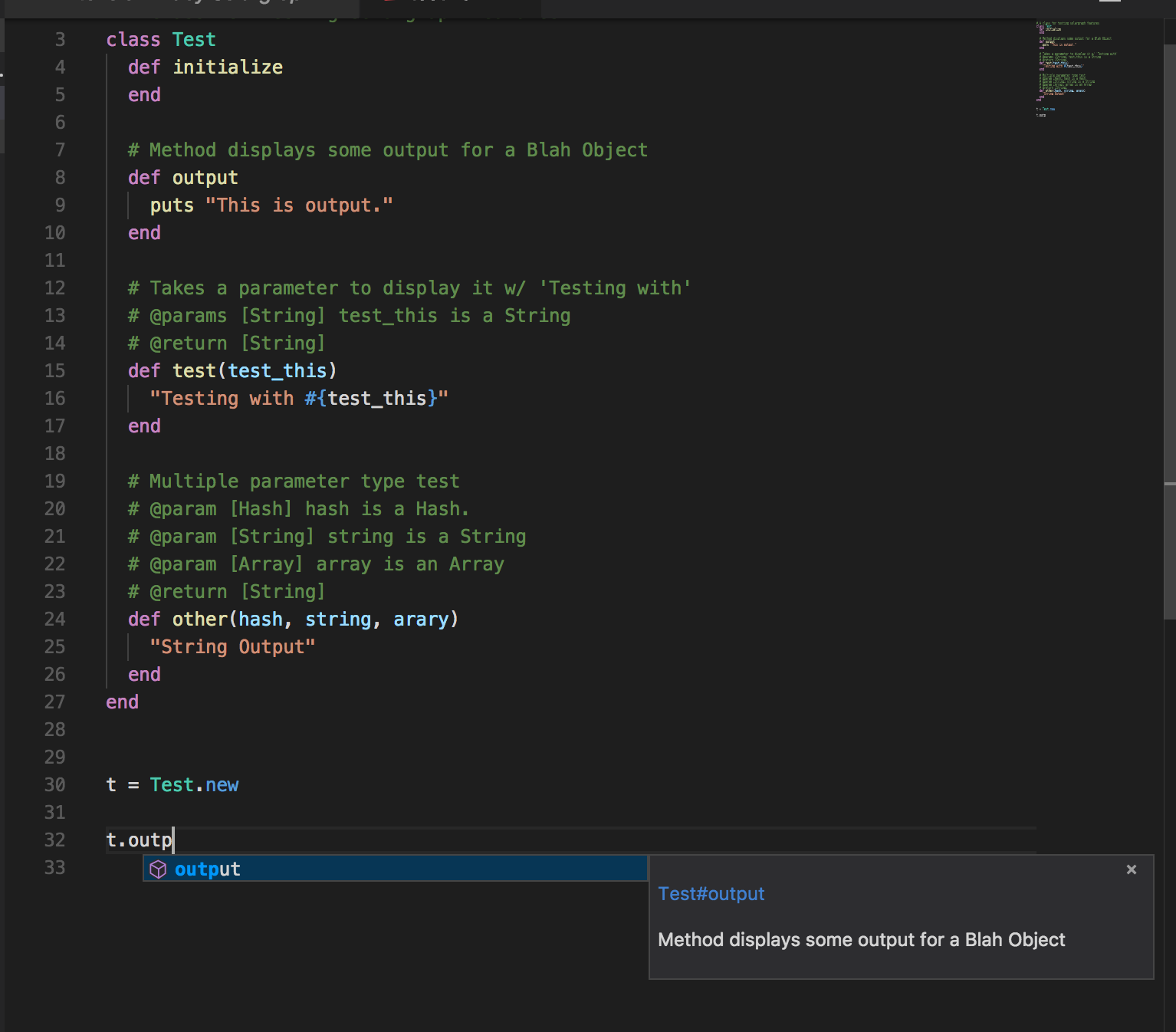
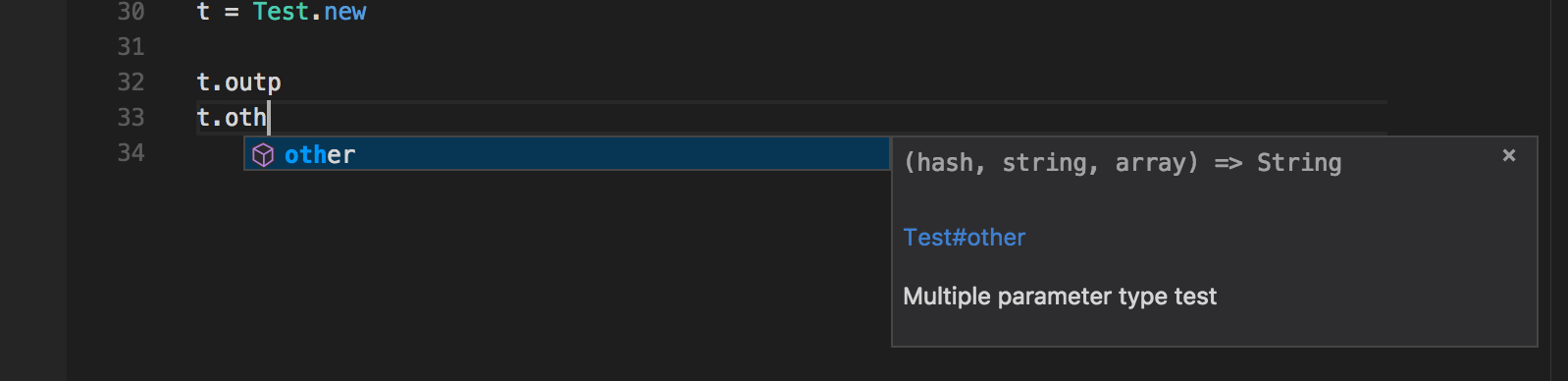
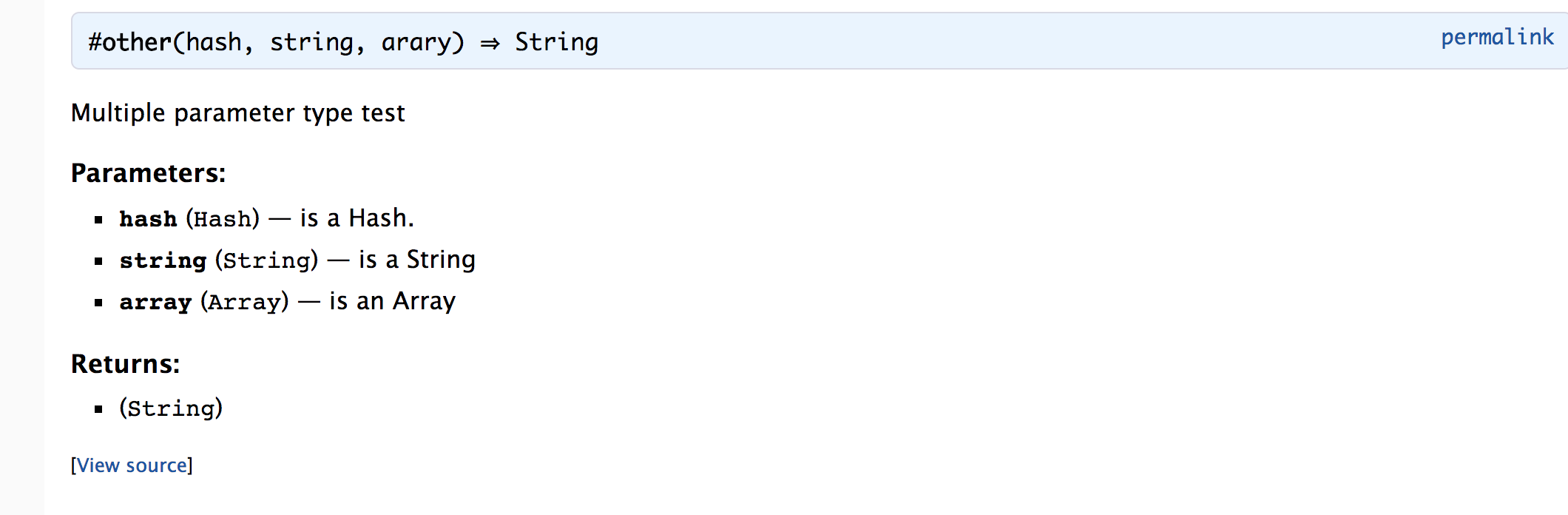
However, this output, isn't quite the same as what Yard is capable of telling you.
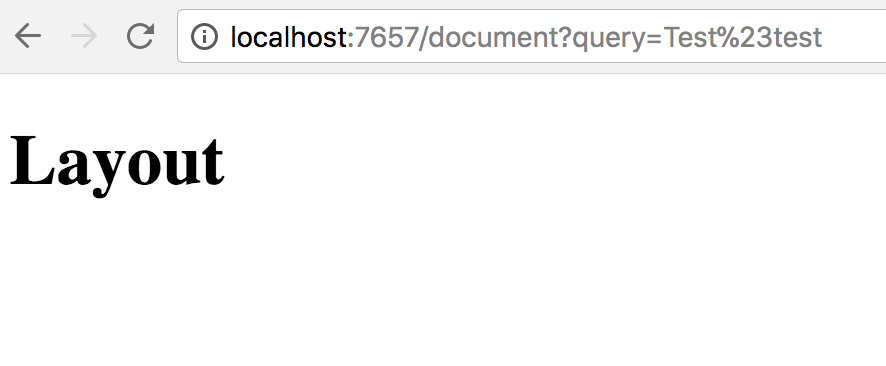
As well, when manually attempting to query the server for my own code's methods. I am unable to get solargraph to return documentation. Is this because solargraph is not responsible for this output in the vscode-solargraph plugin?
I do notice, that when able to fetch documentation, for example, a core library method. I get a response structured like the following.
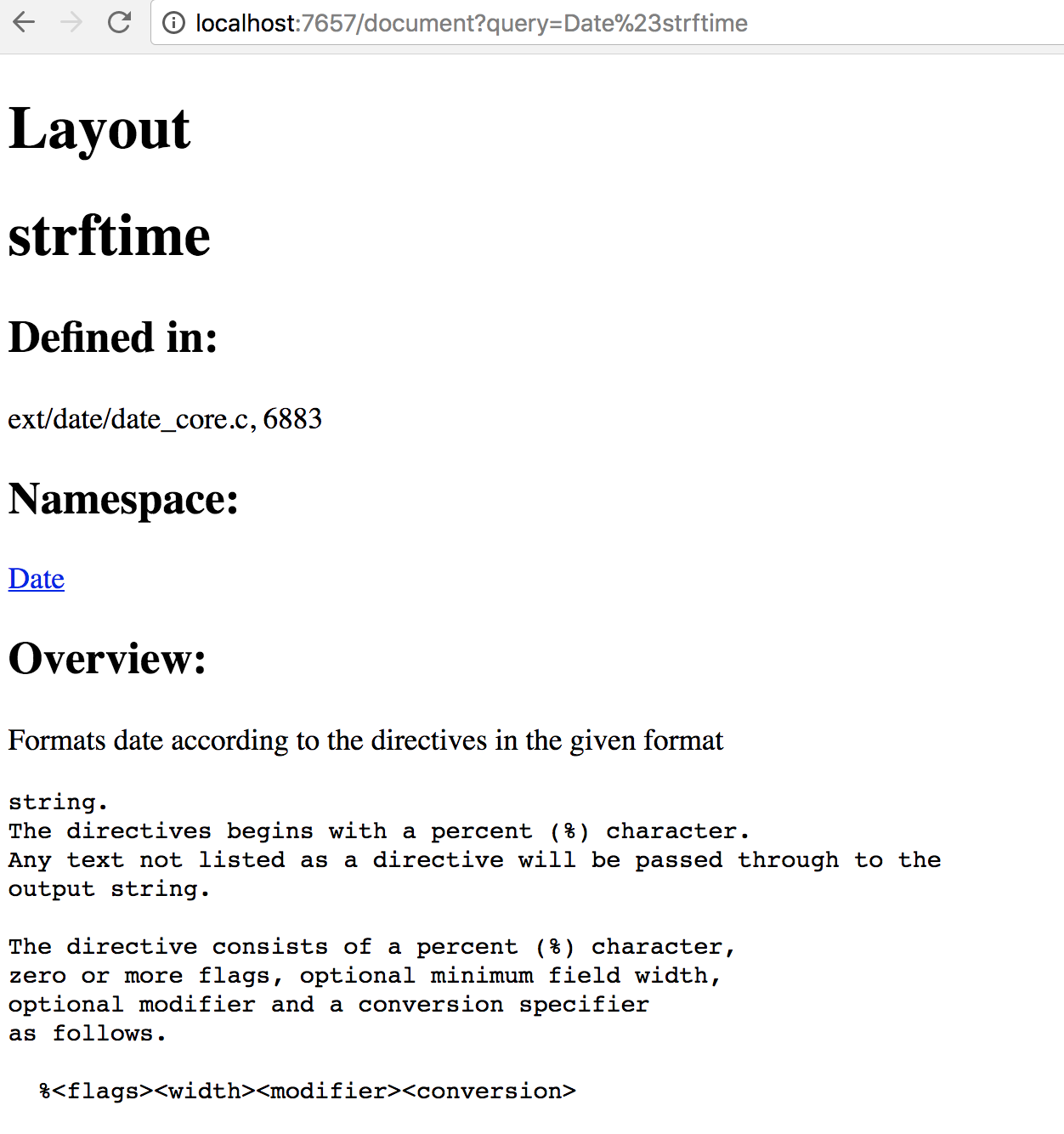
which shows in the vscode-solargraph plugin as:
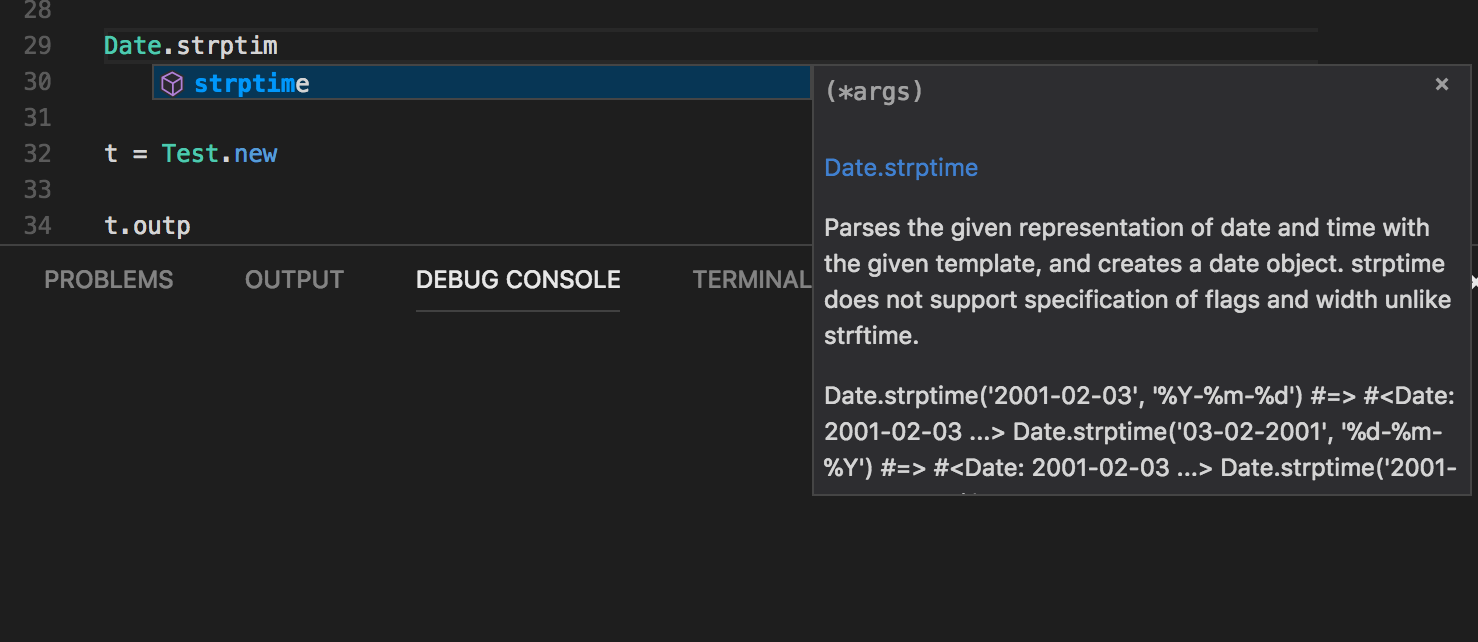
So, after the hopefully clear explanation of the results i'm getting, the two things i'm after. Can you add parsing of the @param tag to what is returned by the documentation so I can get the param types when they're available?
Also, what am I doing wrong that I can't seem to fetch documentation from my own code with a manual query of the server, if it's obvious, I mean.
Thanks!
 powder
All 7 comments
Thanks, @powder!
- It definitely makes sense to include the
@paramtags in the inline documentation. I've added it to the roadmap.
I've avoided displaying the full YARD documentation inline because it seemed like overkill, but I'm open to more discussion of what belongs there.
The documentation view templates that ship with the Solargraph gem are woefully out of date. The VSCode extension uses its own templates. If you haven't seen the extension's documentation pages, there's a command to display them.
- Run "Search Ruby Documentation" from the command palette (or ctrl+shift+r)
- Enter a class or method name (e.g.,
String,upcase, orString#split) - You should get search results that link to matching document pages.
You should also be able to open the document pages from the links in the inline documentation, such as the links to Test#output and Date.strptime in your screenshots' completion item results.
The gem's outdated views: https://github.com/castwide/solargraph/tree/master/lib/solargraph/views
The extension's custom views: https://github.com/castwide/vscode-solargraph/tree/master/views
The gem's views should provide at least a minimum functional display of documentation results. Yet another item on the to-do list.
 castwide
on 29 Mar 2018
castwide
on 29 Mar 2018
👍 Always a plus! I'll have to investigate a little further on the templates and such.
I am still having trouble figuring out why my manual queries won't match for things lile Test#output, is there something i'm missing when starting solargraph server by hand or an extra parameter that needs to be passed for it find the doc page for that?
I'm still reading and diving around the code, perhaps i'll slowly wrap my head around it enough that i might be able to contribute some of this. :)
powder
on 29 Mar 2018
The server needs to be told which directory to map. The VSCode extension automatically does it based on the open workspace. When you start the server manually, you need to pass a POST /prepare request with a workspace parameter.
The server endpoints are documented here: https://github.com/castwide/solargraph/blob/master/SERVER.md
You might be interested to know that the next major version of the gem will support the language server protocol. There's a language-server branch in the repo with the current progress. It uses a socket transport instead of the web server. There's also a corresponding update in progress for the VSCode extension.
I suspect the web server will stay in the library, but it might change significantly to keep it in step with the rest of the codebase.
castwide
on 29 Mar 2018
Ah, that's the step I was missing, thanks!
powder
on 29 Mar 2018
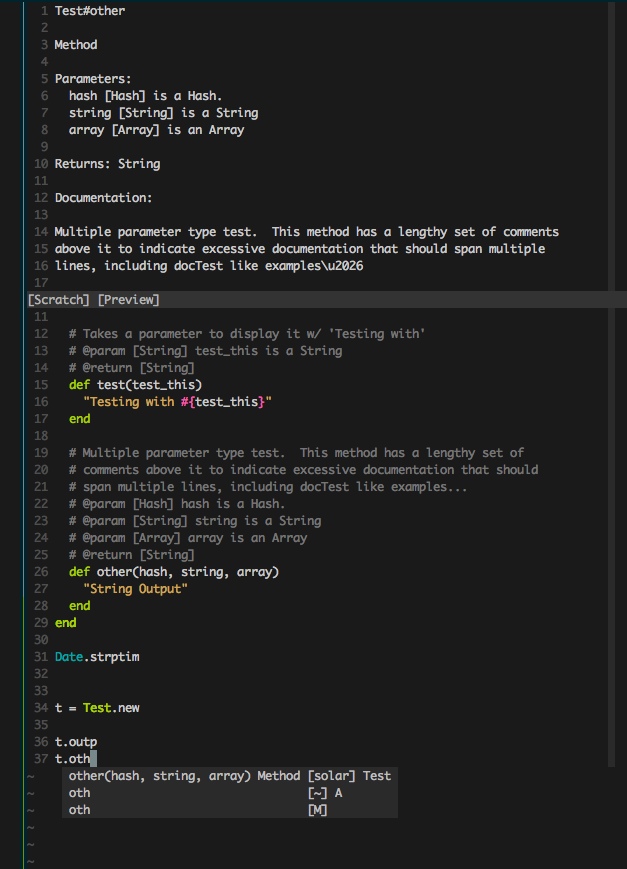
Just wanted to drop a note here, I've achieved my current end goal, it does still need some work, but I found the with_all option in the documentation. That gets me a bit more info, and does include the params bit I was after. So after a lot of hacking of Python which I'm not very good at, I ended up with the following in vim. Thank you for the help and guidance!
powder
on 30 Mar 2018
Heads up regarding gem version 0.18.0: The new support for LSP is now the recommended way to integrate Solargraph. More information here: https://github.com/castwide/solargraph/blob/master/LANGUAGE_SERVER.md
I'll continue to support the legacy web server for now, but it's liable to change, and LSP is likely to provide a much better user experience.
castwide
on 4 Apr 2018
With the immediate need solved, and finding the info I wanted is at least somewhat available and the idea of parsing the docs at least somewhat planted, this issue is no longer needed. Thank you again for the information, gonna go ahead and close it for now. :)
powder
on 13 Apr 2018
Related issues
 dgutov
·
5Comments
castwide
·
3Comments
dgutov
·
5Comments
castwide
·
3Comments
 patilarpith
·
5Comments
patilarpith
·
5Comments
 Shougo
·
4Comments
castwide
·
4Comments
Shougo
·
4Comments
castwide
·
4Comments