Snyk: [🐛] Could not detect supported target files
node -v: v14.7.0npm -v: 6.4.7snyk -v: 1.370.1 (standalone)- OS: OSX macOS Catalina 10.15.6
- Command run: import projetc from Github in dashboard/web
Expected behaviour
I expect I could import this project: https://github.com/Drjacky/OMDbMultiplatform
Actual behaviour
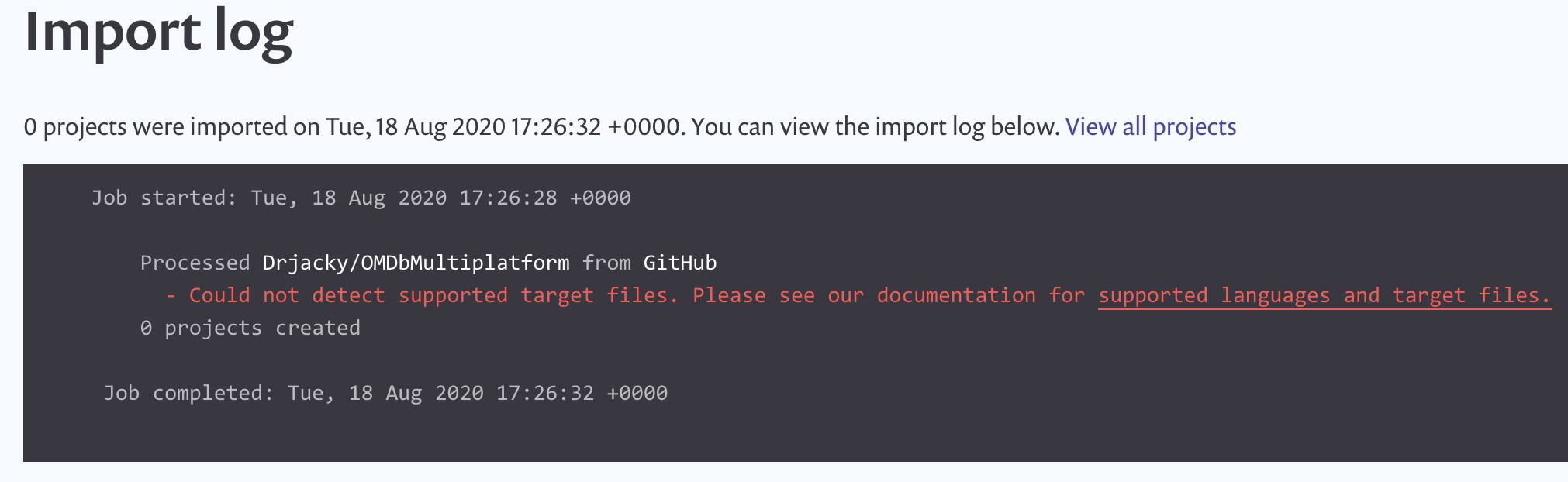
It shows an error:
- Could not detect supported target files. Please see our documentation for supported languages and target files.
Steps to reproduce
Try to import https://github.com/Drjacky/OMDbMultiplatform.
It contains swift and kotlin languages
Screenshots
 Drjacky
All 3 comments
hi @Drjacky unfortunately the message you are seeing is correct neither *.swift or build.gradle.kts are supported via Github import in UI.
You can use the CLI to scan Kotlin applications and for Swift we only at the moment support CocoaPods lock files.
 lili2311
on 18 Aug 2020
lili2311
on 18 Aug 2020
hi @Drjacky unfortunately the message you are seeing is correct neither
*.swiftorbuild.gradle.ktsare supported via Github import in UI.You can use the CLI to scan Kotlin applications and for Swift we only at the moment support CocoaPods lock files.
why had not you supported "build.gradle.kts" files in Github import to UI yet?
 realhuseynov
on 19 Feb 2021
realhuseynov
on 19 Feb 2021
@realhuseynov Sorry, I didn't get your question/solution!
Drjacky
on 20 Feb 2021
Related issues
 digigarlab
·
3Comments
digigarlab
·
3Comments
 alexanderkozlenko
·
6Comments
alexanderkozlenko
·
6Comments
 spilliton
·
4Comments
spilliton
·
4Comments
 flymecca
·
4Comments
flymecca
·
4Comments
 alvaropinot
·
6Comments
alvaropinot
·
6Comments