Expected Behavior (or desired behavior if a feature request)
Select one or more assets from the "All Assets" page.
Click "Go"
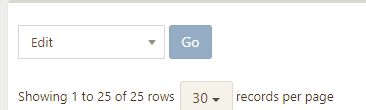
Select desired Location from drop down
SAVE
Successfully update the locations of selected asset(s).
Actual Behavior
Result:
Info: No fields were selected, so nothing was updated.
This happens when one device is checked, or multiple devices. I am able to successfully edit location one device at a time by clicking the yellow pencil/EDIT button from Asset List, or by clicking an individual asset and navigating to top right "Actions" dropdown button and clicking "Edit Asset"
Please confirm you have done the following before posting your bug report:
- [ ] I have enabled debug mode
- [X] I have read checked the Common Issues page
Provide answers to these questions:
- Is this a fresh install or an upgrade?
Upgrade - Version of Snipe-IT you're running
Version v4.1.6-pre - build 2963 (master) - Version of PHP you're running
7.0.22-0ubuntu0.16.04.1 - Version of MySQL/MariaDB you're running
5.4.29 - What OS and web server you're running Snipe-IT on
16.04.1 / Apache2 - What method you used to install Snipe-IT (install.sh, manual installation, docker, etc)
install.sh - WITH DEBUG TURNED ON, if you're getting an error in your browser, include that error
n/a - What specific Snipe-IT page you're on, and what specific element you're interacting with to trigger the error
Described above, but the /hardware page (Main Asset List webpage) - Confirm whether the error is reproduceable on the demo: https://snipeitapp.com/demo.
CONFIRMED, same result on demo.
 MSTigers
All 24 comments
4482 suggests this is fixed but I believe I'm running the latest and still have the issue. Don't see it referenced anywhere in https://github.com/snipe/snipe-it/releases.
MSTigers
on 30 Nov 2017
I can't reproduce this at all - can you reproduce on the demo? Is it possible some files didn't get pulled over when you upgraded?
 snipe
on 30 Nov 2017
snipe
on 30 Nov 2017
I reproduced it on the demo, yeah. I just snapped a quick video if it. I can attach it if you want it.
MSTigers
on 30 Nov 2017
If you wouldn't mind, that would be great
snipe
on 30 Nov 2017
Specifically, can you also reproduce it on the develop demo? That has the very latest code, auto-pushed when we do a push to the develop branch. https://develop.snipeitapp.com (admin/password)
snipe
on 30 Nov 2017
Just confirmed also did not work on that demo link either.
Video:
https://drive.google.com/open?id=1a1NVME-VE4dP89jf-tFACTSsidTz_tzf
MSTigers
on 30 Nov 2017

snipe
on 30 Nov 2017
Try again. Think there was an extra level of security there preventing it even with link. Sorry about that.
MSTigers
on 30 Nov 2017
Thanks! Got it now - investigating the issue
snipe
on 30 Nov 2017
I believe that last push fixes the issue - can grab latest from develop, or try on the develop demo?
snipe
on 30 Nov 2017
OK it works now in develop demo.
Though in review, it looks like the 'default location' is the only thing that can be changed. Updating through the bulk method will update the "Default Location" but not the current location. (Yay! This was previously NOT working.)
Through bulk edit I chose Default Location Edport which now correctly works.
Asset - 703231790
Location | West Abraham
-- | --
Default Location | Edport
So it appears it is working now! Bulk edit will allow default location to update successfully.
My latest statement about default location vs. location (implied "current") more likely a feature/request as opposed to a bug though since it seems to be working now.
MSTigers
on 30 Nov 2017
Well, when you edit an asset normally, you can't edit the location, since if it's checked out, it adopts the location of whatever/whoever it's checked out to. So not sure how we would execute it. To program it is very simple, but what does that mean for user's experience?
For example:
- I have an asset that's RTD location is San Diego.
- I check it out to Los Angeles, so the asset's location now switches to LA
- I bulk edit assets, including that one, and change the Location (NOT RTD location) to New York City.
When I look back at that asset, I may be wondering why it's pointing at NYC, since there's no non-bulk way to edit an asset's location directly.
I can implement the location update very easily - I just worry about how confusing that will be for folks, and whether we're going to end up generating a lot more tickets because of this unusual behavior.
snipe
on 30 Nov 2017
That makes complete sense, it was just something I noticed from my original intentions vs. when I was doing it in demo mode.
A quick summary of what I'm doing on my end. I have a teacher and a business lab in her classroom. I did not want to assign 25 desktops to her as a user. I previously created a fake user "business lab" and assigned them to it. This works mostly, but it doesn't generate quantities in the /locations page (which is really cool, btw!)
I wanted to bulk edit and add those to the newly created location "business lab" so that they will quantify in the /locations page.
The demo and my setup will be different, so when I update mine it should be fine. Additionally, I can just edit fake user "business lab" location and any time I assign devices to it it'd populate the location.
tl;dr - good point, you're right! I jumped the gun replying. The demo setup and my setup are different. I won't be bulk editing locations of devices that are currently assigned to a user that would be different than the default location of said asset.
MSTigers
on 30 Nov 2017
Hmm... Is there a reason you couldn't checkout to location (the lab) with her as the manager of the lab?
snipe
on 30 Nov 2017
This works mostly, but it doesn't generate quantities in the /locations page (which is really cool, btw!)
It actually should be doing that, though. Checking out to user changes the location_id (not the rtd_location_id) to the currently checked out user's location.
snipe
on 30 Nov 2017
Presently the asset category required "_Because this asset category requires acceptance, it cannot be checked out to another asset or to a location._"
I don't see why not though. We've still not officially launched Snipe-IT yet, so it's in 'development' stage for our facility.
I made a new asset category, say "Lab Desktop" which do not require the acceptance. Works like a charm without the fake user.
MSTigers
on 30 Nov 2017
Aha... Is the asset acceptance on that category a critical need?
snipe
on 30 Nov 2017
Not for lab computers! :)
MSTigers
on 30 Nov 2017
Hm - but that means you need to create a separate category for them. I don't like that.
snipe
on 30 Nov 2017
The point of making acceptance a category-level thing was to reduce clicks/mistakes in workflow. But the normalization nerd in me feels weird about you having two "Desktop" categories, one with acceptance and one without. I mean I guess if it doesn't bother you, it's fine, but I want to think about how to handle this moving forward.
Really though, that restriction on not-checking-out to assets/location if it requires acceptance was more or less a stopgap to prevent weird email errors for things that don't have email addresses. It's a short term solution and we'll be removing that restriction as soon as we can get all of that notification stuff sorted out for once and for all.
snipe
on 30 Nov 2017
This works mostly, but it doesn't generate quantities in the /locations page (which is really cool, btw!)
It actually should be doing that, though. Checking out to user changes the location_id (not the rtd_location_id) to the currently checked out user's location.
I think the miscommunication here is that prior to most of this conversation, that fake user didn't have a location yet. Otherwise it most likely would have.
Hm - but that means you need to create a separate category for them. I don't like that.
I agree, it would be nice to keep the category as-is. That would be a lot more flexible to real scenarios.
It's not a deal breaker, BUT, it would be pretty nice if you could assign it to a location thus overriding the acceptance requirement. Alternatively check _if_ there is a manager for that location, that the acceptance be sent to them. This can be done automatically, "check if there's a manager then send it; otherwise, it just does it."
Could even throw a prompt into it: "You're about to assign an asset that requires an EULA acceptance to a location. If this location has a manager, would you like to send the EULA to them?"
MSTigers
on 30 Nov 2017
I'm going to create a new ticket, since we're going off-topic a little here. Closing this one for now, since I believe we've resolved the original issue, but am definitely interested in discussing these latest bits with you (and others.)
Could even throw a prompt into it: "You're about to assign an asset that requires an EULA acceptance to a location. If this location has a manager, would you like to send the EULA to them?"
I like this idea, and I think it's the direction we wanted to go in. We just have a bunch of refactoring to do in the checkout/notifications stuff first. It's a bit of a mess, and the newer version of the framework we're on makes a lot of that easier, but decoupling that stuff is tricksy.
snipe
on 30 Nov 2017
Sounds good! I will keep an eye out for it and will happy to provide any input where I can.
MSTigers
on 30 Nov 2017
Here you go: https://github.com/snipe/snipe-it/issues/4545 :)
snipe
on 30 Nov 2017
Related issues
 grimstoner
·
65Comments
grimstoner
·
65Comments
 dahiya81
·
61Comments
dahiya81
·
61Comments
 itscsquared
·
70Comments
itscsquared
·
70Comments
 dubs3c
·
82Comments
dubs3c
·
82Comments
 hiboucochon
·
57Comments
hiboucochon
·
57Comments