Smarthome: eclipse runs old code
eclipse runs always old old, even if I saved it and clean, build project again. I tried also to reinstall eclipse.
I am using latest version stable release of eclipse and i have imported all openhab2 and eclipse smarthome repos when i installed it. (except openhab 1 addons)
I tried this:
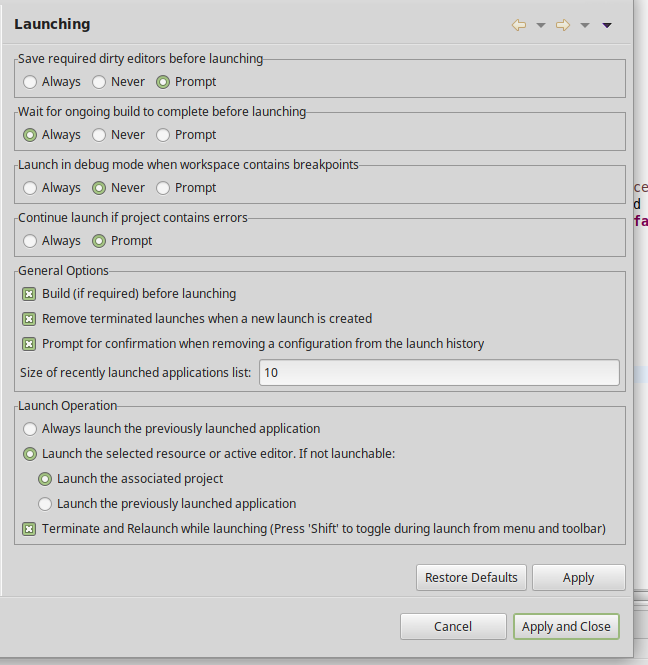
Window --> Preferences --> Run/ Debug --> Launing Window:
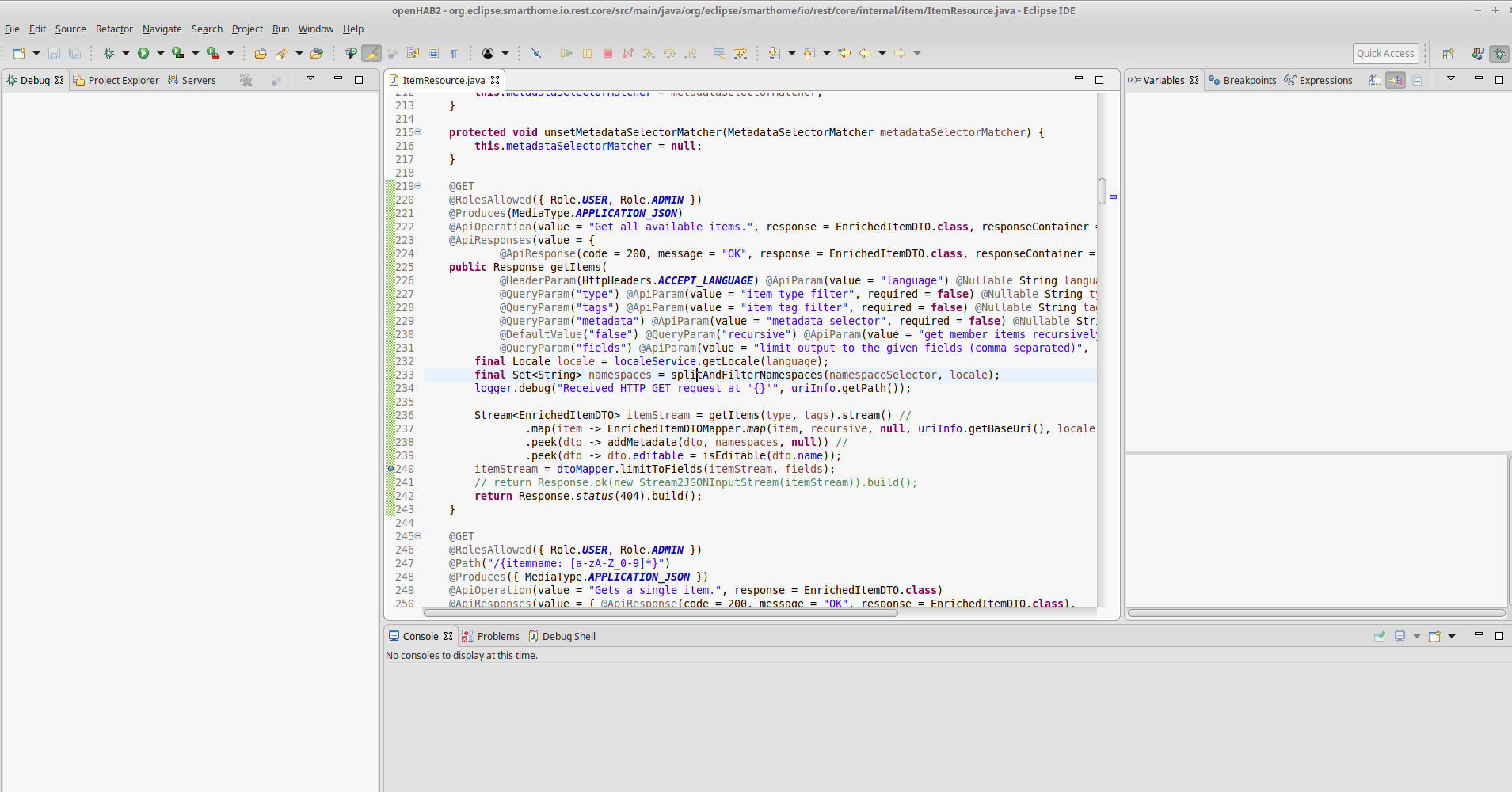
Here is the updated file:
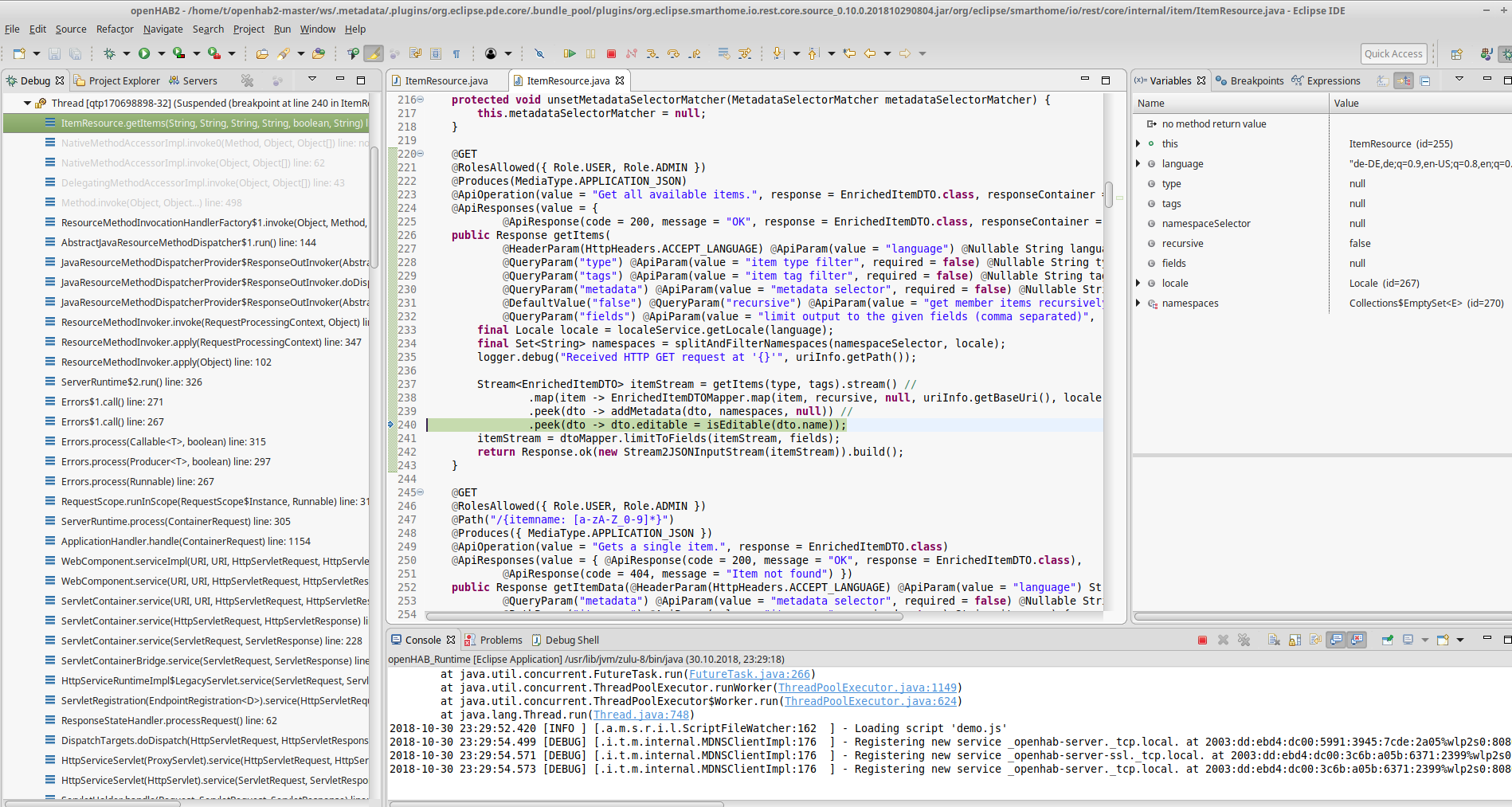
When i debug it and breaks on a breakpoint. It opens a new tab with the old code.
This is how i debug it:
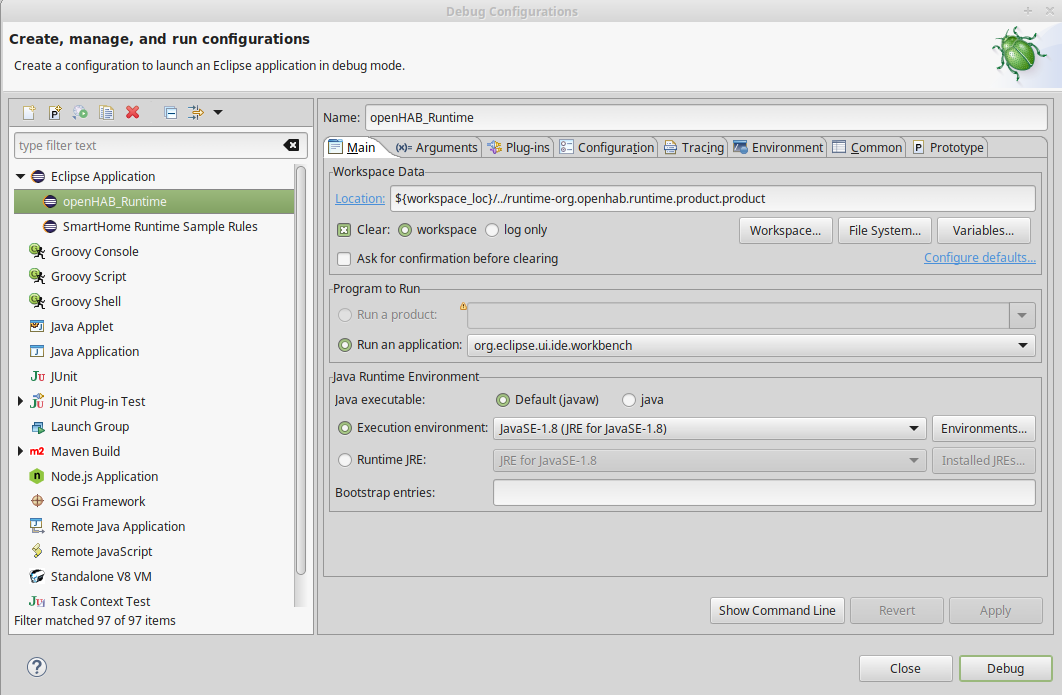
and then click on debug
 guitar9
All 2 comments
As you seem to use the openHAB IDE and not the ESH IDE, this issue does not belong here. Better place to ask for support is at the openHAB forum at https://community.openhab.org/.
In your case, you need to look a the "Plug-ins" tab of the launch window and select the projects from your workspace that you want to use in the launch. By default, the launch config uses the officially released bundles from the target platform.
 kaikreuzer
on 31 Oct 2018
kaikreuzer
on 31 Oct 2018
@kaikreuzer thank you that was the problem
guitar9
on 31 Oct 2018
Related issues
 sjsf
·
7Comments
sjsf
·
7Comments
 maggu2810
·
4Comments
maggu2810
·
4Comments
 binderth
·
4Comments
binderth
·
4Comments
 bodiroga
·
10Comments
bodiroga
·
10Comments
 cbfief
·
4Comments
cbfief
·
4Comments
Most helpful comment
As you seem to use the openHAB IDE and not the ESH IDE, this issue does not belong here. Better place to ask for support is at the openHAB forum at https://community.openhab.org/.
In your case, you need to look a the "Plug-ins" tab of the launch window and select the projects from your workspace that you want to use in the launch. By default, the launch config uses the officially released bundles from the target platform.