Slider: Custom handle doesn't work
Custom handle doesn't seem to work.
Here's the code, also available on codesandbox:
import React from "react";
import ReactDOM from "react-dom";

import Slider from "rc-slider/lib/Slider";
import "rc-slider/assets/index.css";

const Handle = () => <span style={{fontSize: '3rem'}}>*</span>;

function App() {
  return (
    <div style={{ paddingTop: "30vh" }}>
      <Slider handle={Handle} />
    </div>
  );
}

const rootElement = document.getElementById("root");
ReactDOM.render(<App />, rootElement);
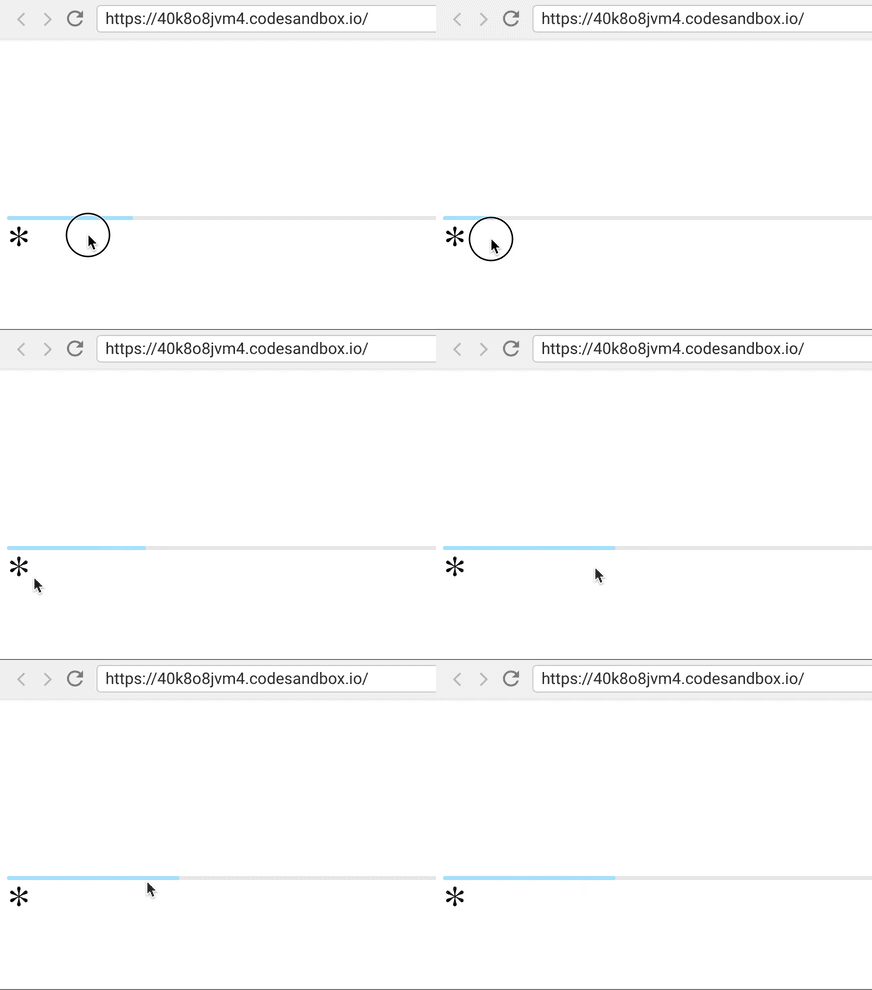
Here's the experience so far:
 mvasin
👍6
All 2 comments
The handle prop is quite low-level. It expects you to implement the Handle functionality yourself on your custom Handle.
But, you can use the existing Handle component and pass your custom children to it:
import Slider, { Handle } from 'rc-slider'

<Slider
    handle={ (handleProps) => {
        return (
            <Handle { ...handleProps }>
                <MyAwesomeComponent />
            </Handle>
        )
    }}
 />
 draperunner
on 10 Jan 2019
draperunner
on 10 Jan 2019
👍4
The code suggested by @draperunner works well. This issue can be closed now.
 cseas
on 6 Jan 2021
cseas
on 6 Jan 2021
Was this page helpful?
0 / 5 - 0 ratings
Related issues
 jeznag
·
6Comments
jeznag
·
6Comments
 OlivierCo
·
5Comments
OlivierCo
·
5Comments
 nitroamos
·
4Comments
nitroamos
·
4Comments
 sonovice
·
7Comments
sonovice
·
7Comments
 koenvo
·
5Comments
koenvo
·
5Comments
Most helpful comment
The
handleprop is quite low-level. It expects you to implement the Handle functionality yourself on your custom Handle.But, you can use the existing Handle component and pass your custom children to it: