Slider: Styling the circular dots?
Hi,
My code for the slider looks like this:
<Slider.Range
            min={xMin}
            max={xMax}
            defaultValue={defaultValue}
            range={true}
            tipFormatter={this.tipFormatter}
            marks={marks}
            onAfterChange={this.setBrushValues}
            trackStyle={[{ backgroundColor: styles.color.main}]}
            />
But I can't change the colors of the dots, so I can't match the styling 100% to the rest of my page. Do you have any suggestions on what I should do? Thanks!

 raubreywhite
All 14 comments
use markStyle,please read the api doc and example.
 paranoidjk
on 19 Jun 2017
paranoidjk
on 19 Jun 2017
I don't see any way to style the dot, only the mark text.
 TrevorHinesley
on 20 Jun 2017
TrevorHinesley
on 20 Jun 2017
my mistake,use handleStyle https://github.com/react-component/slider/blob/master/examples/range.js#L144
do you feel the api doc in readme not describe very clear?
paranoidjk
on 20 Jun 2017
Hi,
I tried this:
<Slider.Range
            min={xMin}
            max={xMax}
            defaultValue={defaultValue}
            range={true}
            tipFormatter={this.tipFormatter}
            marks={marks}
            onAfterChange={this.setBrushValues}
            trackStyle={[{ backgroundColor: styles.color.main}]}
            handleStyle={[{ backgroundColor: 'yellow' }, { backgroundColor: 'gray' }, { backgroundColor: 'red' }]}
            />
And it only lets me style the big circles, not the small circles.

raubreywhite
on 20 Jun 2017
Also
<Slider.Range
            min={xMin}
            max={xMax}
            defaultValue={defaultValue}
            range={true}
            tipFormatter={this.tipFormatter}
            marks={marks}
            onAfterChange={this.setBrushValues}
            trackStyle={[{ backgroundColor: styles.color.main}]}
            handleStyle={[{ color: 'red' }, { backgroundColor: 'gray' } ]}
            />
Doesn't let me change the outside color of the big circles...
raubreywhite
on 20 Jun 2017
@raubreywhite
I can not understand what's your problem. The handleStyle will be applied to the handle props.style, so you can change what ever you like.
paranoidjk
on 20 Jun 2017
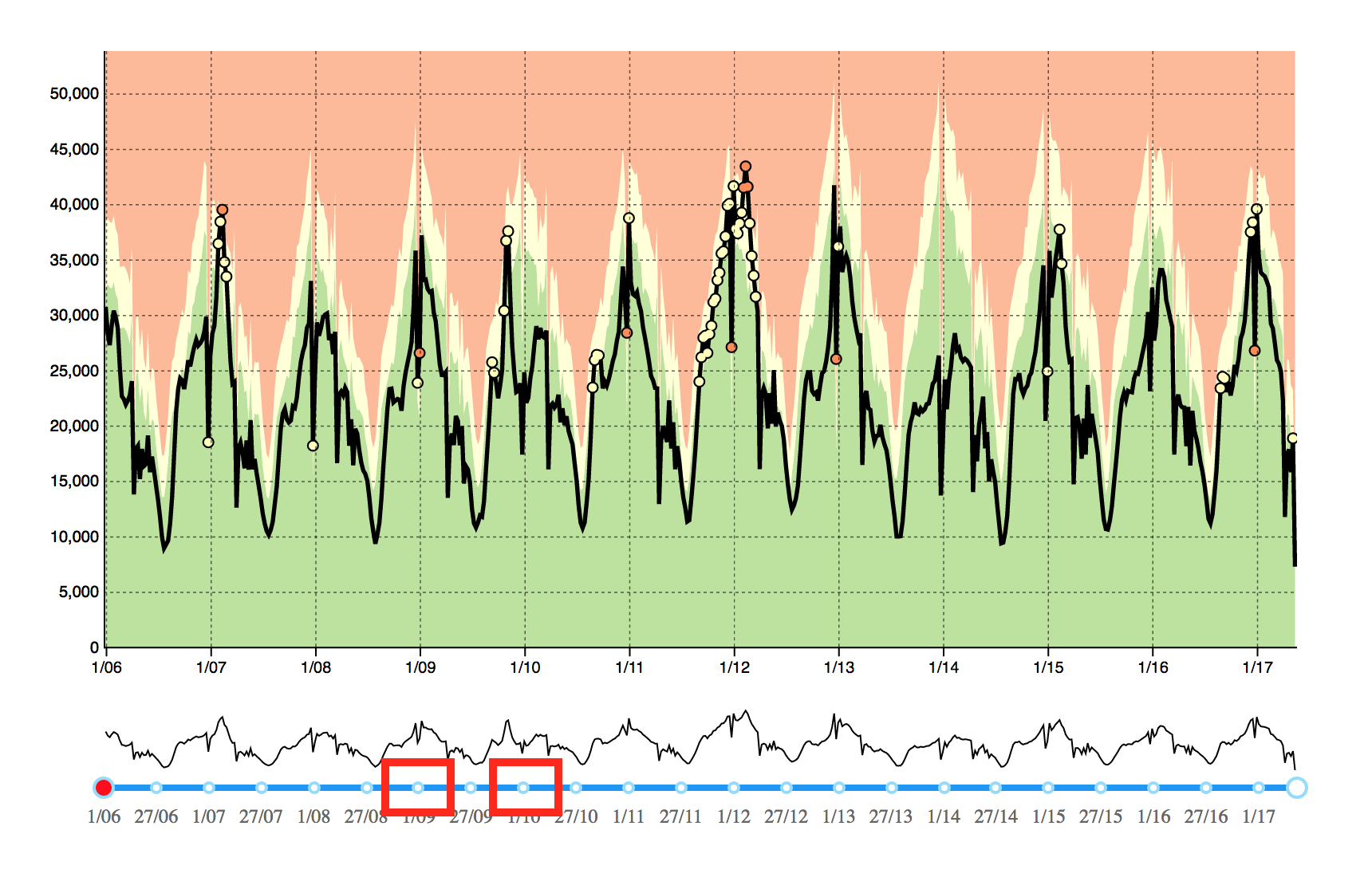
I need to change the color of the small blue circles (highlighted here). Also I need to change the handle's outline color (currently light blue).
raubreywhite
on 20 Jun 2017
@raubreywhite see the Multi Range with custom track and handle style demo, http://react-component.github.io/slider/examples/range.html, code is at here.
The handleStyle api is a array of style object, so you can change any style you like.
If you still got problems... Please give a codepen demo to show me where you stuck in ,thanks.
paranoidjk
on 20 Jun 2017
I figured it out, I needed to overwrite your css with:
.rc-slider-dot-active {
border-color: #2196f3 !important;
}
Thank you! :-)
raubreywhite
on 20 Jun 2017
nope...
Override css is just one way.
What i say is https://github.com/react-component/slider/blob/master/examples/range.js#L142
 <Range count={3}
  defaultValue={[20, 40, 60, 80]}
  pushable
  handleStyle={[{ backgroundColor: 'yellow', borderColor: '#2196f3'  }, { backgroundColor: 'gray' }]}
/>
Yes, but that only colors the inside of the circles, not the outside. And it doesn't color the circles corresponding to the marks.
raubreywhite
on 20 Jun 2017
but that only colors the inside of the circles
Still get confused by you. handleStyle={[{ borderColor: '#2196f3' }] will change the border color.
And it doesn't color the circles corresponding to the marks.
The handleStyle[] will be applied to handle style follow the array index order.
paranoidjk
on 20 Jun 2017
handleStyle is the way to go but it dosen't change the :active pseudo class style
 MaxiSantos
on 25 Jan 2018
MaxiSantos
on 25 Jan 2018
as @MaxiSantos mentioned can we get support to change styles of pseudo classes
 shravyaRB
on 5 Nov 2019
shravyaRB
on 5 Nov 2019
Related issues
 ka7eh
·
6Comments
ka7eh
·
6Comments
 ihhha
·
4Comments
ihhha
·
4Comments
 gpinhey
·
6Comments
gpinhey
·
6Comments
 johnb8005
·
6Comments
johnb8005
·
6Comments
 nmccrea-db
·
5Comments
nmccrea-db
·
5Comments
Most helpful comment
handleStyle is the way to go but it dosen't change the :active pseudo class style