Slick: Blue border on click in Chrome
I'm getting blue outlines around each slide when clicking on a carousel in Chrome.

The fix is very easy:
.slick-list {
    outline: none;
}
Or possibly this, if there is risk of this getting overwritten:
.slick-list {
    outline: none !important;
}
I'm not familiar with the organization of this project, so I'll let someone more involved decide where to make this change (or whether it should be changed at all).
 daveyjones
All 22 comments
:weary:
It's been noted/raised many times.
Thanks for contributing! :) -- hope it didn't cause you too much trouble.
 simeydotme
on 23 Jul 2015
simeydotme
on 23 Jul 2015
On a current project I actually needed
.slick-slide {
outline: none !important;
}
to get rid of the blue border.
 pesh2000
on 23 Jul 2015
pesh2000
on 23 Jul 2015
Seems like it is back. But this fixes it:
.slick-slide:focus {
outline: none;
}
 asadkn
on 9 Aug 2015
asadkn
on 9 Aug 2015
I had links inside my slides, so this worked for me:
.slick-slide {
&:focus, a {
outline: none;
}
}
(by the way this is LESS, not CSS so it looks slightly different)
 dhstack
on 15 Aug 2015
dhstack
on 15 Aug 2015
Thanks @dhstack :)
 dinglestein
on 18 Nov 2015
dinglestein
on 18 Nov 2015
I obliterated this using:
.slick-slide, .slick-slide *{
outline: none !important;
}
 Jtmichel
on 11 Mar 2016
Jtmichel
on 11 Mar 2016
Brilliant, thanks @Jtmichel I was pulling my hair out with this one.
 samwilliscreative
on 5 Apr 2016
samwilliscreative
on 5 Apr 2016
@Jtmichel thanks I fixed.
 Sitronik
on 8 Apr 2016
Sitronik
on 8 Apr 2016
thanks... it worked for me in another project ...
 fahimiali
on 2 Dec 2016
fahimiali
on 2 Dec 2016
Easy: .slick-slider * { outline: none; }
 bengalamx
on 22 Jun 2017
bengalamx
on 22 Jun 2017
please where should i put this code... .slick-slider * { outline: none; } .. ive go the same problem but not in carousel but after closing img lightbox. Blue border copy anchor and image .. i want get rid of that.
 Perezo123
on 7 Oct 2017
Perezo123
on 7 Oct 2017
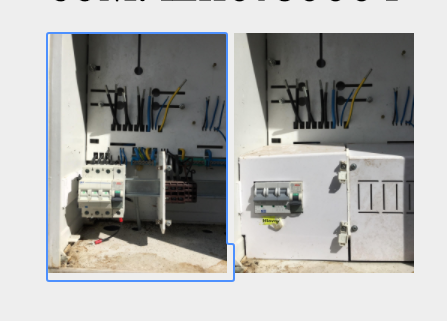
@Perezo123 can you send a URL or screenshot to example?
Jtmichel
on 23 Oct 2017
for example here ..
Perezo123
on 23 Oct 2017
The atomic solution is:
.slick-slide, .slick-slide *{
outline: none !important;
}
...but if you can send me a URL to this I can take a closer look.
Jtmichel
on 25 Oct 2017
here is url: http://adelek.sk/telgart/brezno.html
Perezo123
on 25 Oct 2017
@Perezo123 I navigated to the page but I don't see a slider, just a list of lightboxed items. I tried to call slick in the console but it doesn't seem to think it's a function. Is this the same as what you're seeing?
Jtmichel
on 26 Oct 2017
yes it is the same ... but like i said before i had this problem after closing img lightbox ... not with carousel :P i use here fancybox plugin but after closing image i had still that annoying blue outline all over "a" and "img"
Perezo123
on 26 Oct 2017
.container a { outline: 0; } will do the trick.
Jtmichel
on 26 Oct 2017
thanks this works perfect :P
Perezo123
on 26 Oct 2017
.slick-slide div {
  outline: none;
}
 mehnich
on 12 Dec 2019
mehnich
on 12 Dec 2019
I'm using angular 8 and ng-bootstrap 5.
You can apply this:
.carousel:focus {
outline: none;
}
 avinashmishra26
on 10 Jul 2020
avinashmishra26
on 10 Jul 2020
Write this to your css file
.slick-slide div {
outline: none;
}
 Vince-vegas
on 10 Jul 2020
Vince-vegas
on 10 Jul 2020
Related issues
 yangkennyk
·
3Comments
yangkennyk
·
3Comments
 jeremymandel
·
3Comments
jeremymandel
·
3Comments
 rahi-rajeev
·
3Comments
rahi-rajeev
·
3Comments
 Luneya
·
3Comments
Luneya
·
3Comments
 Libig
·
3Comments
Libig
·
3Comments
Most helpful comment
I obliterated this using:
.slick-slide, .slick-slide *{ outline: none !important; }