Slate: Accentuated characters with ^ or ¨ are broken on Safari
On Safari 12.0.2, french keyboard
"slate-react": "0.19.3"
"slate": "0.42.2"
When I type ^ or ¨ before a letter it is not taken into account, I expect to generate a î or ï (useful for french words)
It works fine in firefox or chrome.
The problem appears on slatejs official exemple (cf. gif below) as in my setup (copy of rich text example)
I have not error in safari dev console
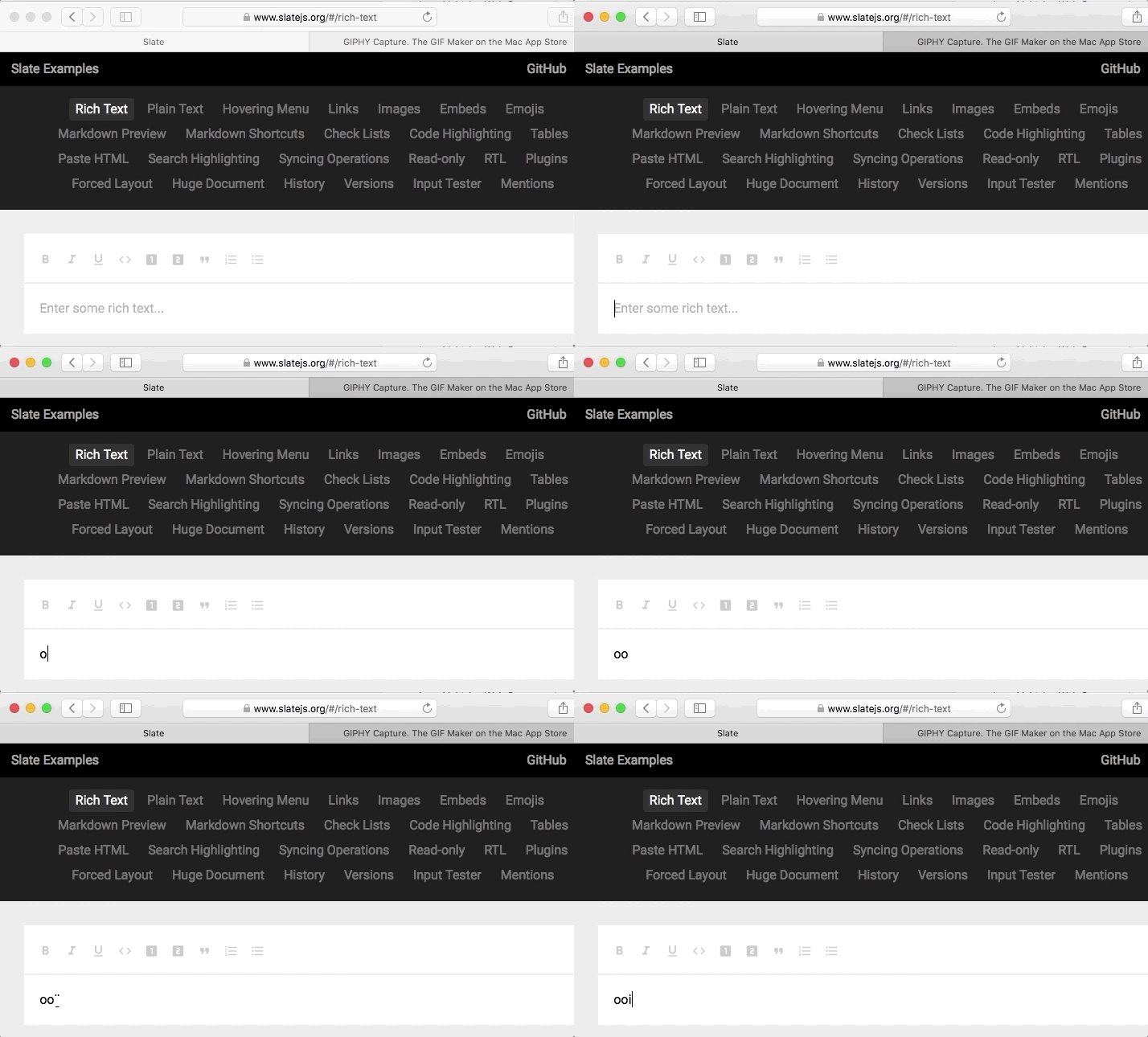
It seems different from #1319 since it doesn't raise any error
Thanks for your help and slate.js project, I worked on it for a few days and it's great !
 nicolaslecrique
All 2 comments
For me it's also happening with ` and ´.
I'm using version 0.44.7 but in https://www.slatejs.org/#/rich-text it also happens
 jordiponsllaurado
on 11 Jan 2019
jordiponsllaurado
on 11 Jan 2019
I believe that this may be fixed by https://github.com/ianstormtaylor/slate/pull/3093, which has changed a lot of the logic in Slate and slate-react especially. I'm going to close this out, but as always, feel free to open a new issue if it persists for you. Thanks for understanding.
 ianstormtaylor
on 28 Nov 2019
ianstormtaylor
on 28 Nov 2019
Related issues
ianstormtaylor
·
3Comments
 ezakto
·
3Comments
ezakto
·
3Comments
 AlexeiAndreev
·
3Comments
AlexeiAndreev
·
3Comments
 bengotow
·
3Comments
bengotow
·
3Comments
 YurkaninRyan
·
3Comments
YurkaninRyan
·
3Comments
Most helpful comment
For me it's also happening with ` and ´.
I'm using version 0.44.7 but in https://www.slatejs.org/#/rich-text it also happens