Slate: Editor scrolls on every keypress when inside a scrollable container
Do you want to request a feature or report a bug?
bug
What's the current behavior?
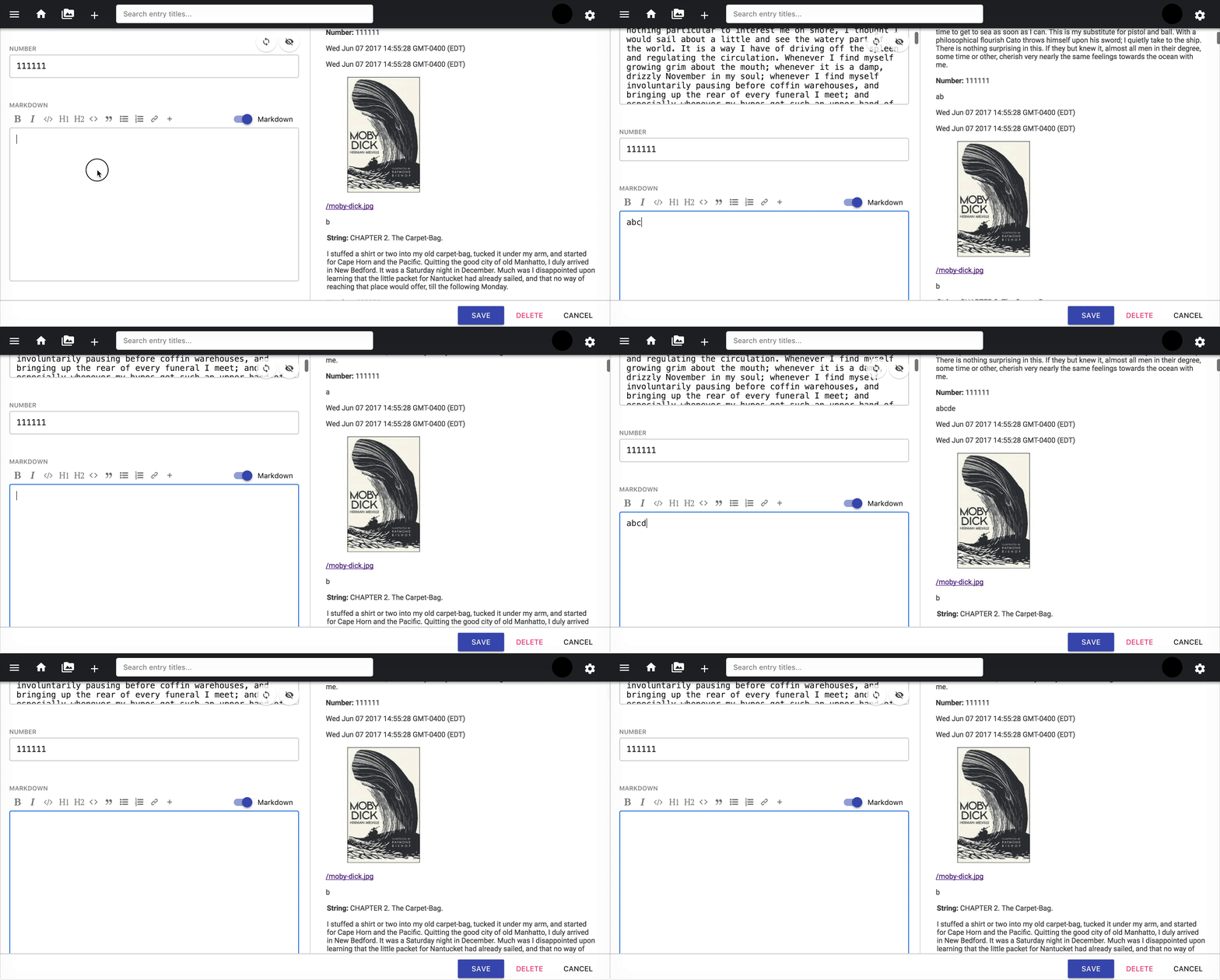
When the editor is within a scrollable container (that isn't the window), scroll position jumps on every keypress.
Regression introduced in #1383.
https://jsfiddle.net/fj9dvhom/6/
What's the expected behavior?
No scroll jumping.
 erquhart
All 15 comments
Looking into a fix for this.
erquhart
on 17 Nov 2017
@ianstormtaylor on further review, it may be best to revert #1383. It was made off of #1032, but it actually made the behavior outlined in that issue worse - the OP was about scroll not happening, but that case now also jumps as mine does.
Here's an updated fiddle using the #1032 repro case in the updated fiddle template:
https://jsfiddle.net/fj9dvhom/7/
Opening a PR to revert.
erquhart
on 17 Nov 2017
Looks like its setting the container outside the editor area as the scroller. Maybe an issue with findScrollContainer(). Do you have that area you are typing in set to overflow-y: scroll?
 RobertDaleSmith
on 17 Nov 2017
RobertDaleSmith
on 17 Nov 2017
There's a fiddle above reproducing the original issue from #1032 with the new regression - it's just setting overflow-y: auto on the editor.
erquhart
on 17 Nov 2017
Oh the fiddle sets the <Editor> itself to overflow-y: auto. In my case I have a wrapping <div> container around the <Editor> with overflow-y: auto; set on that parent div.
RobertDaleSmith
on 17 Nov 2017
Same problem with slate-react 0.10.16.
Solved when changing this calculations in scroll-to-selection.js:
yOffset = scrollTop - scrollerRect.top
xOffset = scrollLeft - scrollerRect.left
to
yOffset = scrollTop
xOffset = scrollLeft
 kib357
on 18 Nov 2017
kib357
on 18 Nov 2017
Yep, that's the net result of reverting #1383, which is the purpose of #1417 - feel free to review/test that PR, it'll make it easier to get merged.
erquhart
on 19 Nov 2017
If this is reverted then how do we correctly make the editor scrollable within a container? Without this fix my editor scrolls to the end on every key press.
RobertDaleSmith
on 19 Nov 2017
Your PR fixed your use case, but broke things that worked prior - the path should be first revert, and then open a new PR that works for everyone.
erquhart
on 19 Nov 2017
Totally agree, just curious on starting work on a solution.
RobertDaleSmith
on 19 Nov 2017
Ah, gotcha - I'm really not sure, to be honest, haven't looked into that use case. Is it possible to change your markup to avoid this issue?
erquhart
on 20 Nov 2017
I switched things around in my project so its just like the fiddle in #1032. I set <Editor className="myEditor" /> and overflow-y:scroll for that class and I get the same scroll issue. If the height of the containing content is larger than my set height of myEditor then every key stroke scrolls myEditor element to the end.
RobertDaleSmith
on 20 Nov 2017
@RobertDaleSmith I think for your use case. we can try something around detecting absolute positioning of the scroll-able container? since from what I remember you have a specific use case on a modal with absolute positioning
 isubasti
on 20 Nov 2017
isubasti
on 20 Nov 2017
I don't think my use-case is that one off. I just want the content area under the toolbar to have a fixed height and to scroll similar to how React Draft WYSIWG behaves for example. (https://jpuri.github.io/react-draft-wysiwyg/#/)
RobertDaleSmith
on 20 Nov 2017
Have not had a chance to dig deep into a better solution. But will dabble this evening and see if I can brew up a better solution that works for everyone.
RobertDaleSmith
on 20 Nov 2017
Related issues
 varoot
·
3Comments
varoot
·
3Comments
 ianstormtaylor
·
3Comments
ianstormtaylor
·
3Comments
 JSH3R0
·
3Comments
JSH3R0
·
3Comments
 YurkaninRyan
·
3Comments
YurkaninRyan
·
3Comments
 yalu
·
3Comments
yalu
·
3Comments
Most helpful comment
Your PR fixed your use case, but broke things that worked prior - the path should be first revert, and then open a new PR that works for everyone.