Slate: onInput loose selection and inserting in random place
Do you want to request a feature or report a bug?
report a bug
What's the current behavior?
using browser spell check on rich text example on a text that has mark on chrome seems to loose selection and inserting the text on weird place. there are two behaviours on this depending on where it is performed.
- text got replaced(looks like its correct) but it is not inside a span and when you try to delete it, it will break

- possibly related to the first one as well and as it loose the selection when it should technically have a mark, it encounters https://github.com/ianstormtaylor/slate/issues/1271

tested on safari and it works fine. on Safari it doesn't seem to run onInput and that seems to be the problem.
Upon debugging it, it goes to onInput on chrome and returning after this line
const point = findPoint(anchorNode, anchorOffset, state) because point is null
What's the expected behavior?
text got replaced while preserving current active marks
 isubasti
All 17 comments
isubasti
on 23 Oct 2017
@ianstormtaylor is this potentially related to a compatibility issues that affect firefox mentioned in https://github.com/ianstormtaylor/slate/issues/714 which now affect chrome as well?
isubasti
on 23 Oct 2017
@ianstormtaylor this seem to only happens in chrome.
It works fine on safari.
I also tried removing the spellcheck overwrite for firefox and it seems to works fine as well.
Do you remember what's the firefox's compatibility issue was since it might be the same one and it has been fixed on newer version of firefox?
isubasti
on 27 Oct 2017
Hey @isubastiCadmus I'm honestly not sure. Is this the same as #909?
 ianstormtaylor
on 27 Oct 2017
ianstormtaylor
on 27 Oct 2017
Seems that the findPoint util for deriving native selection returns wrong result, I'm not confident enough for a PR, while I may bring a writeup explaining this.
 doodlewind
on 29 Oct 2017
doodlewind
on 29 Oct 2017
@ianstormtaylor not sure if it is the same as #909 but it insert the next outside the span instead of replacing the text(first gif). @doodlewind yes it is either findPoint deriving native selection returns wrong result or chrome change the behaviour of context menu and resulting in slate loosing its selection(onBlur got triggered?)
isubasti
on 29 Oct 2017
@doodlewind any pointers on where I should start if I want to make a PR?
isubasti
on 1 Nov 2017
This now crashes in findDOMRange instead. http://recordit.co/VdwvtBxDXQ
 CameronAckermanSEL
on 8 Mar 2018
CameronAckermanSEL
on 8 Mar 2018
@ianstormtaylor @CameronAckermanSEL @isubasti
Hi, I set a break-point to understand what is happening after rendering. It seems very strange about the rendered dom after editor change
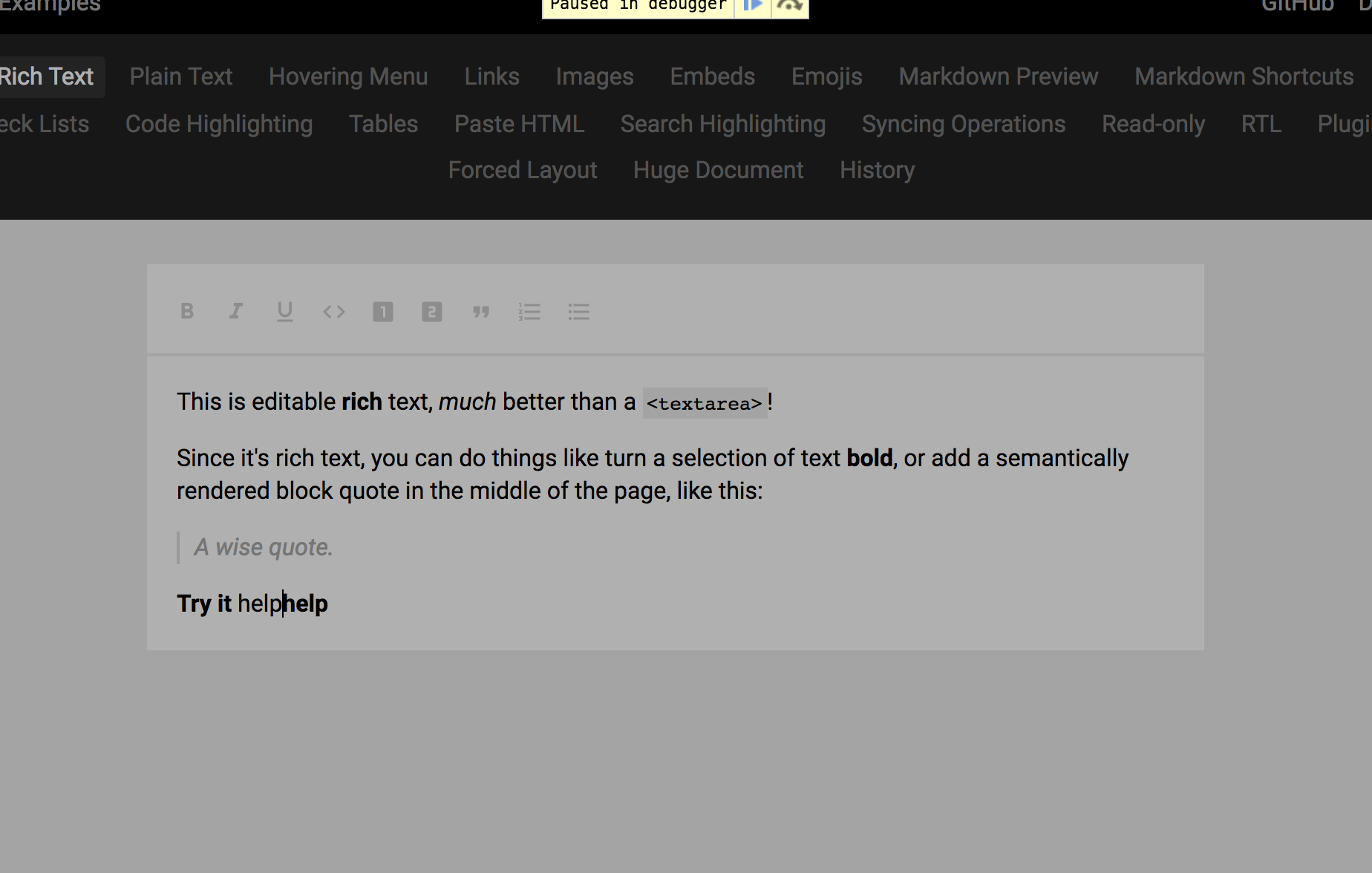
 zhujinxuan
on 8 Mar 2018
zhujinxuan
on 8 Mar 2018
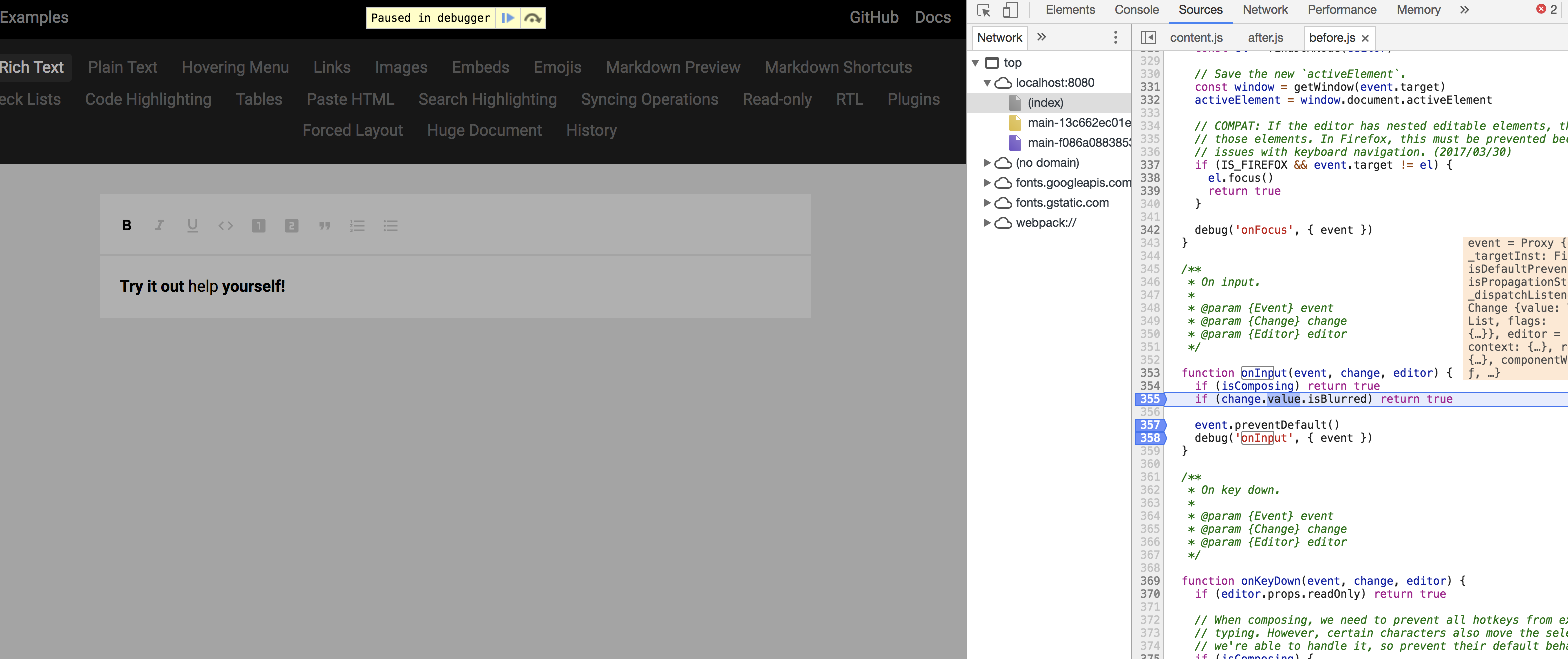
This is a shot during the before.js/onInput
zhujinxuan
on 8 Mar 2018
I find the reason; but I am not sure how to solve it in a neat way:
https://stackoverflow.com/questions/32298064/preventdefault-not-working-in-on-input-function
preventDefault is not working with input events
zhujinxuan
on 8 Mar 2018
It seems DraftJs's solution about it is to reset nodeValue...
https://github.com/facebook/draft-js/blob/master/src/component/handlers/edit/editOnInput.js
Too complex, I give up. lol
zhujinxuan
on 8 Mar 2018
Update:
- in content.js; componentDidUpdate find that
this.props.editor.value.document.text==='help'
zhujinxuan
on 8 Mar 2018
@zhujinxuan nice find.I believe if this problem is fixed then problems on Android & IME might be solved, fingers crossed
isubasti
on 9 Mar 2018
I think it is fixed in https://github.com/ianstormtaylor/slate/pull/1695
Would you like to have a test?
zhujinxuan
on 9 Mar 2018
seems to be fixed by #1695. Tried to enable spellcheck on firefox as well but no luck. It kinda looked like it's working but then when you start typing, it is not on the right position
isubasti
on 13 Mar 2018
Seems like this is fixed in newer versions of Slate. But if anyone is experiencing this, feel free to open another issue with reproduction case.
ianstormtaylor
on 8 Aug 2018
Related issues
 ezakto
·
3Comments
ezakto
·
3Comments
 Slapbox
·
3Comments
Slapbox
·
3Comments
 yalu
·
3Comments
yalu
·
3Comments
 chriserickson
·
3Comments
chriserickson
·
3Comments
 JSH3R0
·
3Comments
JSH3R0
·
3Comments