Slate: Weird behaviour when inserting links
At the link example I'm having some weird behaviour in Safari and Chrome. If you clear out the example, and add a link with the text the cursor is inserted before the word on Safari, but after the word on Chrome.
Now if I hit enter after a link, type a word and select that word and hit backspace it only deletes the last letter and not the entire (selected) word. Even after clearing everything this behaviour continues where it only deletes the last character of a selection.
Another weird thing I noticed is that if you empty the example, type a word, select it, add a link and then hit enter again. After that type another word, select that and add a link to it, it does not notice the selection and asks for text in addition to a URL.
 rovansteen
All 2 comments
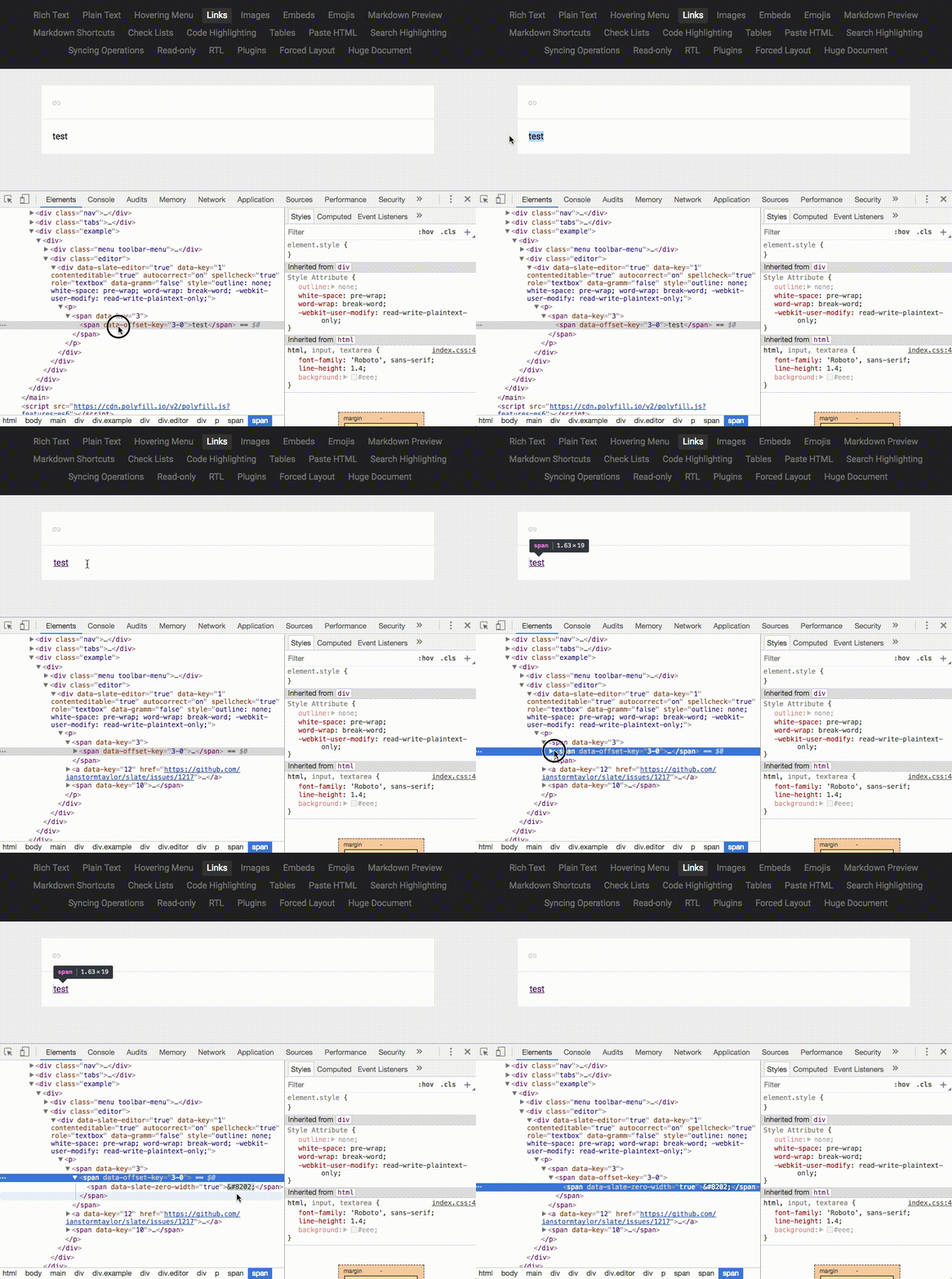
I got the same issue while trying to insert a custom inline node using change.insertInline. A Zero-Width-Joiner is inserted alongside an inline node. When you move your cursor over that Zero-Width-Joiner character and get state.marks, an exception is thrown:
Uncaught TypeError: Cannot read property 'marks' of undefined
    at Document.getMarksAtRangeAsArray
Gif showing the Zero-Width-Joiner character appearing in the Links example:
 ashutoshrishi
on 19 Oct 2017
ashutoshrishi
on 19 Oct 2017
As far as I can tell, the Zero-Width-Joiner is inserted correctly, but what's broken is the cursor position. Right after inserting the link there are two possible positions for the cursor right after the link: 1) inside the link inline node, and 2) outside of the link inline node (inside the zero-width-joiner). (There is an identical problem at the beginning of the link too.)
 AlexeiAndreev
on 19 Oct 2017
AlexeiAndreev
on 19 Oct 2017
Related issues
 ianstormtaylor
·
3Comments
ianstormtaylor
·
3Comments
 adrianclay
·
3Comments
adrianclay
·
3Comments
 chrpeter
·
3Comments
chrpeter
·
3Comments
 yalu
·
3Comments
yalu
·
3Comments
 gorillatron
·
3Comments
gorillatron
·
3Comments
Most helpful comment
I got the same issue while trying to insert a custom inline node using
change.insertInline. A Zero-Width-Joiner is inserted alongside an inline node. When you move your cursor over that Zero-Width-Joiner character and getstate.marks, an exception is thrown:Gif showing the Zero-Width-Joiner character appearing in the Links example: