Skript: Local variables making RAM going to 0 (dev37c)
Yesterday I updated from a old version of skript to dev37c.
Today I noticed huge lag spikes. Then I realised the RAM was reaching 0. When I start the server, the RAM starts decreasing slowly until 0mb when lag spikes occur.
I made a RAM Dump and I found that +90% of the RAM was because of skript, specifically it was about local variables.
 YellowZaki
All 18 comments
This doesn't really mean anything without us seeing how you're handling local variables in your scripts. I've never heard of anyone else having this issue so for all we know you're generating a ton of local variables with laggy, high frequency events.
 TheBentoBox
on 30 Sep 2018
TheBentoBox
on 30 Sep 2018
I have been using Skript 2.2-dev29 for months and I hadn't have any problems. The ram issue comes from yesterday and the only changes I made yesterday on the server were updating Skript and SKQuery, I'll try downgrading SkQuery to see if something changes.
YellowZaki
on 30 Sep 2018
Some old Skript versions do have memory leaks, but I didn't think dev37c was one of those. If it is, I wonder how most users have not noticed anything.
If this happens without addons, I could take a look at heap dump.
 bensku
on 30 Sep 2018
bensku
on 30 Sep 2018
I attach some screenshots of the memory dump, if it helps.


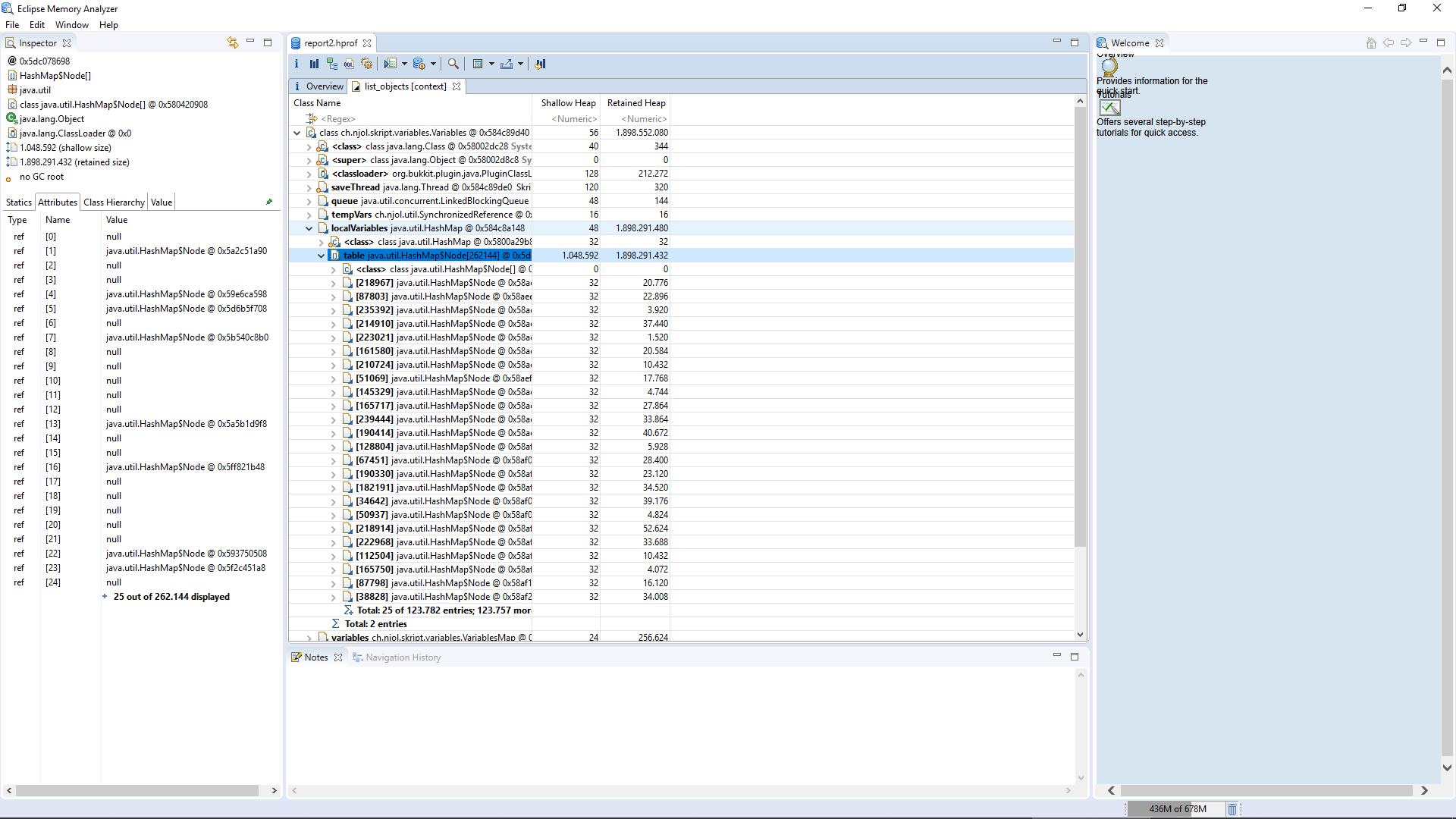
YellowZaki
on 30 Sep 2018
That bug should not exist on dev37b, are you sure it is that version? Might also be caused by addons, please try running without them and see if memory is still leaking.
bensku
on 30 Sep 2018
The same thing happens without addons. But I have noticed something.
On older skript versions, a large portion of RAM is occupied by local variables too. But when RAM goes down to ~50mb, it goes up to the max value again, instead of dropping to 0mb and lagging the server (dev37).
YellowZaki
on 5 Oct 2018
Could you try to pinpoint which script, if any, causes this to happen, and send it here? Sadly, I have no idea how to reproduce this issue.
bensku
on 6 Oct 2018
Hello,
@bensku i have a similar problem and i'm also using dev37c
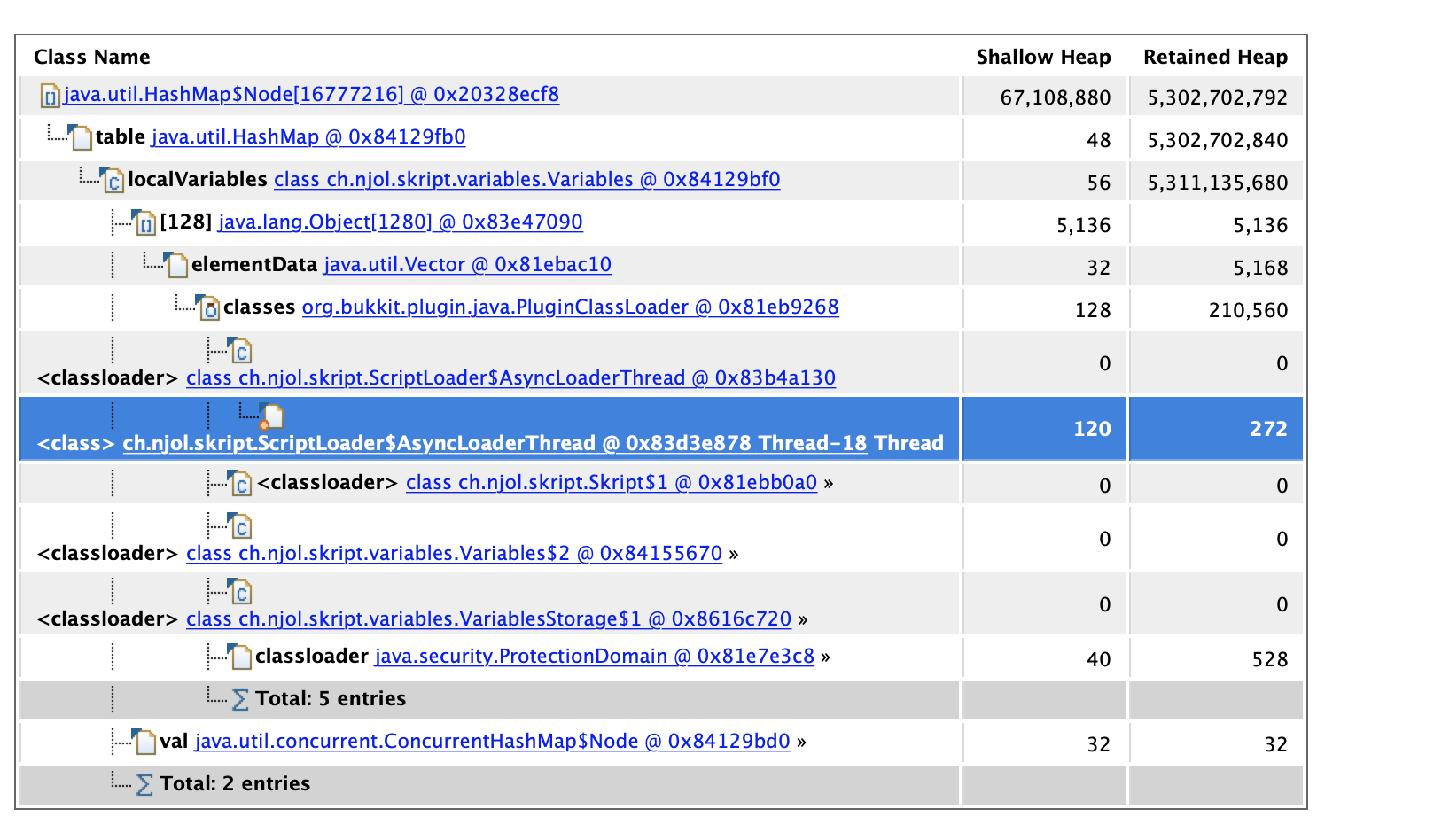
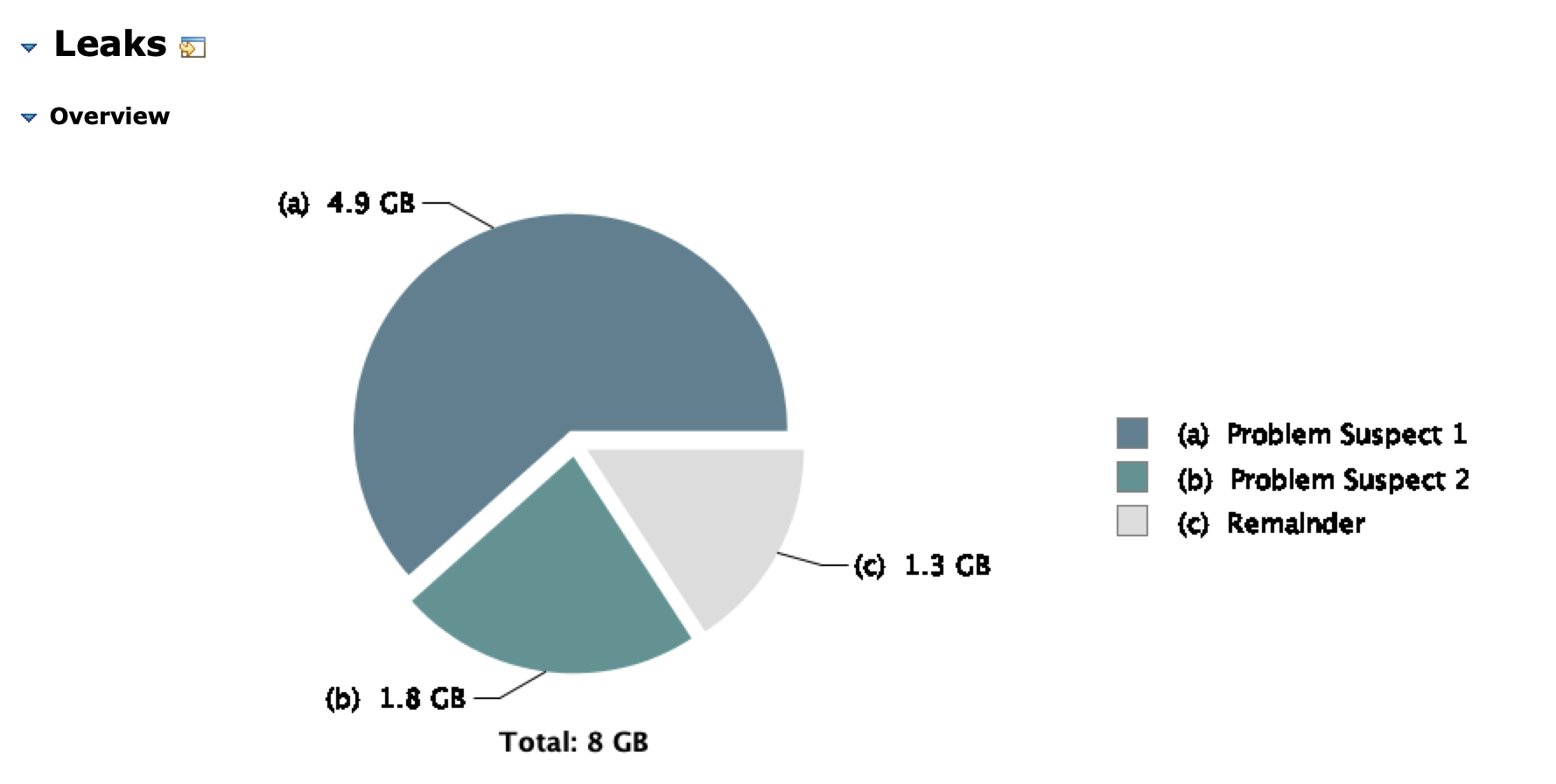
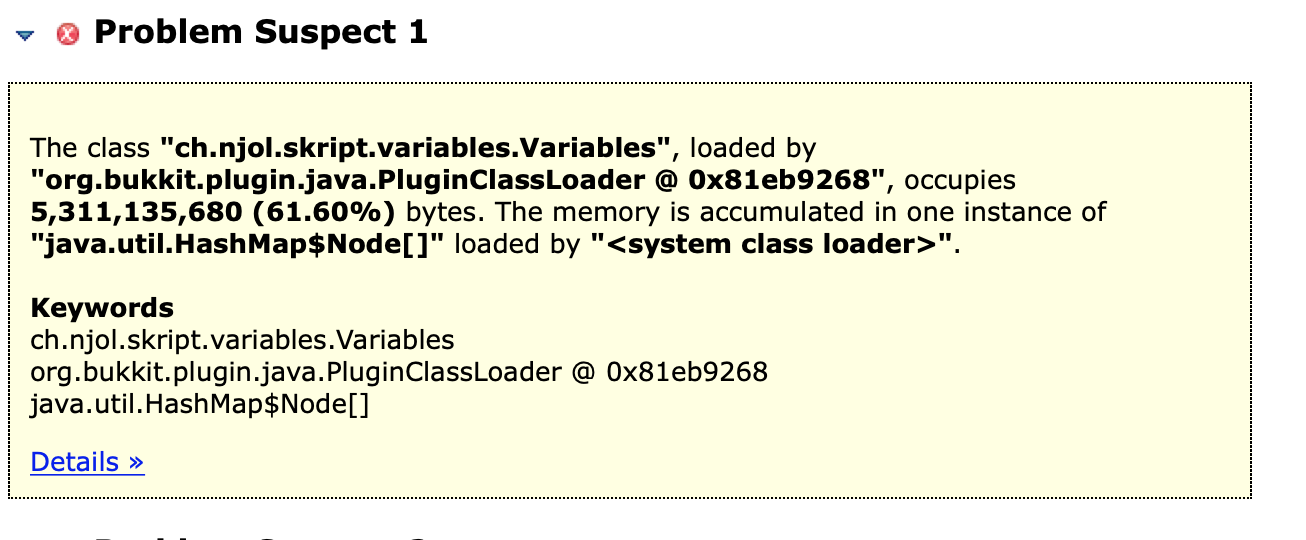
the server has been on for 8 hours. variables.csv weighs 7mb while there are 150 people on the server. the server now uses 15gb of RAM.
on join:
  send request to "xxxxx" # ~50 variables, json like this: https://pastebin.com/raw/inFdiGg8
  map json last response's body to {player::%player%::*}

on quit:
  delete {player::%player%::*}
 Feerko
on 9 Oct 2018
Feerko
on 9 Oct 2018
Hmm, I have variables like this:
{player::%player%::profile::exp}
{player::%player%::stats::kills}
...
maybe delete {player::%player%::*}
doesn't remove {player::%player%::*::*} and that's the reason.
Feerko
on 9 Oct 2018
i think i found it
function var():
  loop 100 times:
    set {test::%loop-num-1%} to loop-num-1
    loop 100 times:
      set {test::%loop-num-1%::%loop-num-2%} to random number between 11111111 and 99999999

command /test:
  trigger:
    loop 100 times:
      var()
      delete {test::*}
      wait 1 tick
@Feerko You're correct that nested lists are not removed. That is because Skript doesn't really support nested lists... This is not a bug, although with next variable system supporting nested lists would be nice.
OP is having a problem with local variables causing a memory leak. I've yet to see any anything I could use to reproduce this.
bensku
on 9 Oct 2018
@bensku What can I do with this? Within 2 hours my server consumes 10GB of RAM.
Feerko
on 9 Oct 2018
@Feerko Iterate through lists before deleting and delete your "sublists" too.
In the other news, I identified a problem with periodical events causing local variables to slowly leak. It may fix this issue.
bensku
on 9 Oct 2018
Iterate through lists before deleting and delete your "sublists" too.
Last I recalled, iterating over a list which contains sub-lists does not iterate over the indices representing those sub-lists, so this wouldn't work. Maybe my info is wrong or outdated, though.
TheBentoBox
on 9 Oct 2018
Tried, doesn't work. RAM grows and grows. When the server reaches Xmx, the CPU usage drastically increases, tps drops a lot and crash server.
Removing variables does not free RAM. I've tried everything.
Feerko
on 9 Oct 2018
@TheBentoBox You can add non-list keys in addition to list keys, and then iterate over them.
Not tested, but something like
function var():
  loop 100 times:
    set {test::%loop-num-1%} to loop-num-1
    loop 100 times:
      set {test::%loop-num-1%} to true
      set {test::%loop-num-1%::%loop-num-2%} to random number between 11111111 and 99999999

command /test:
  trigger:
    loop 100 times:
      var()
      loop {test::*}:
        delete {test::%loop-index%::*}
      delete {test::*}
      wait 1 tick
New release is out. Could someone check if this still occurs?
bensku
on 13 Oct 2018
Closing in a few days unless someone still has this issue.
bensku
on 22 Oct 2018
Related issues
 Eryk1983S
·
3Comments
Eryk1983S
·
3Comments
 Misio12320
·
3Comments
Misio12320
·
3Comments
 ghost
·
3Comments
ghost
·
3Comments
 Anoniempje1234
·
3Comments
Anoniempje1234
·
3Comments
 jaylawl
·
3Comments
jaylawl
·
3Comments
Most helpful comment
@Feerko Iterate through lists before deleting and delete your "sublists" too.
In the other news, I identified a problem with periodical events causing local variables to slowly leak. It may fix this issue.