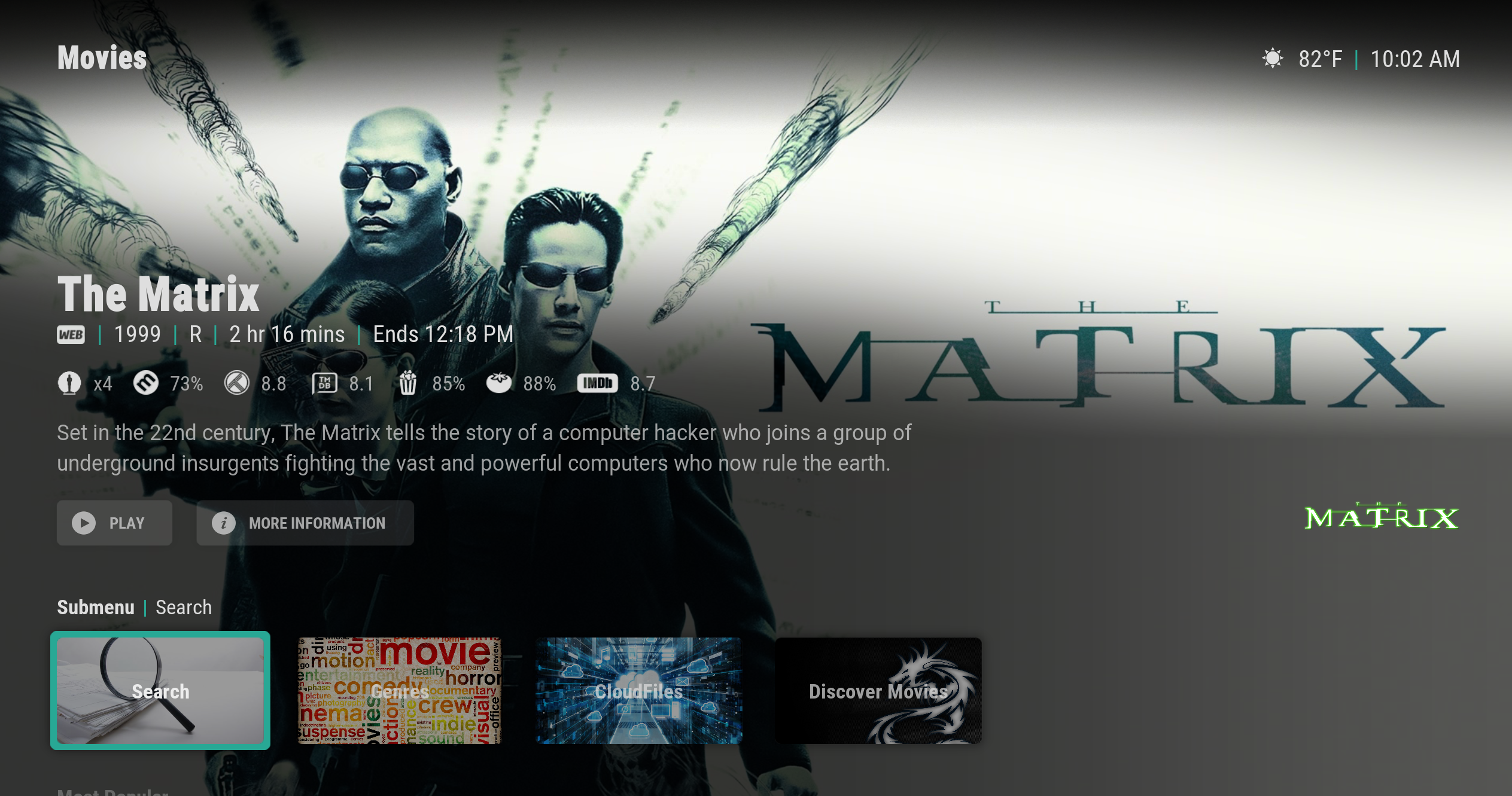
Skin.arctic.horizon: [Feature] - Submenu itemlayout backgrounds
As requested by @SerpentDrago here: https://github.com/jurialmunkey/skin.arctic.horizon/issues/269#issuecomment-686084229
 jurialmunkey
All 7 comments
to be clear , i would request it can be user set backgrounds . so you wouldn't need to supply them .
Thanks
 SerpentDrago
on 3 Sep 2020
SerpentDrago
on 3 Sep 2020
Oh yeah definitely user set backgrounds for submenu.
jurialmunkey
on 3 Sep 2020
As long as the "icon only" submenu doesn't get lost... I prefer a more minimal approach 😅
 drinfernoo
on 3 Sep 2020
drinfernoo
on 3 Sep 2020
Definitely - Keeping the submenu background set to none will keep it as it currently is. Only will change if you set a background
jurialmunkey
on 4 Sep 2020
and option to set NO icon also so it would only show label + background ?
the way this is done in auramod is the user sets it to the icon called "none" , but i dont' know if there is prob a better way
SerpentDrago
on 4 Sep 2020
^^^ Done and done.
Set single image background for submenu to use. Set to None to remove. Don't use multi-image because it won't work since controls are not persistent between itemlayout and focusedlayout (i.e. it would show a different image as soon as focused).
First icon in the icons folder is a blank icon called _none.png. Set this icon to clear the icon and center text.
Also works in showcase hub.
jurialmunkey
on 4 Sep 2020
bad ass ! thanks
SerpentDrago
on 4 Sep 2020
Related issues
 juanma-cvega
·
6Comments
juanma-cvega
·
6Comments
 onlytanmoy
·
3Comments
SerpentDrago
·
5Comments
onlytanmoy
·
3Comments
SerpentDrago
·
5Comments
 Blurayx
·
5Comments
Blurayx
·
3Comments
Blurayx
·
5Comments
Blurayx
·
3Comments
Most helpful comment
Definitely - Keeping the submenu background set to none will keep it as it currently is. Only will change if you set a background