Skin.arctic.horizon: [Bug] UpNext script

Hi @jurialmunkey my system language is spanish, maybe is the reason i can't see that but seems $LOCALIZE[31227] don't work for me, in AZ2 you have "upnext strings" in the label of "Object_Info_Title". Why you don't use it here?
 taoxtrece
All 7 comments
Because the up next strings force the highlight colour to be pink. I need to be able to edit it to match the actual highlight colour in the skin.
Have you added a translation strings.po to the skin? You're probably missing that string from your localization.
 jurialmunkey
on 22 Mar 2020
jurialmunkey
on 22 Mar 2020
Not for now but can made it if you need it
taoxtrece
on 22 Mar 2020
Well it works fine for me if I switch to Spanish:
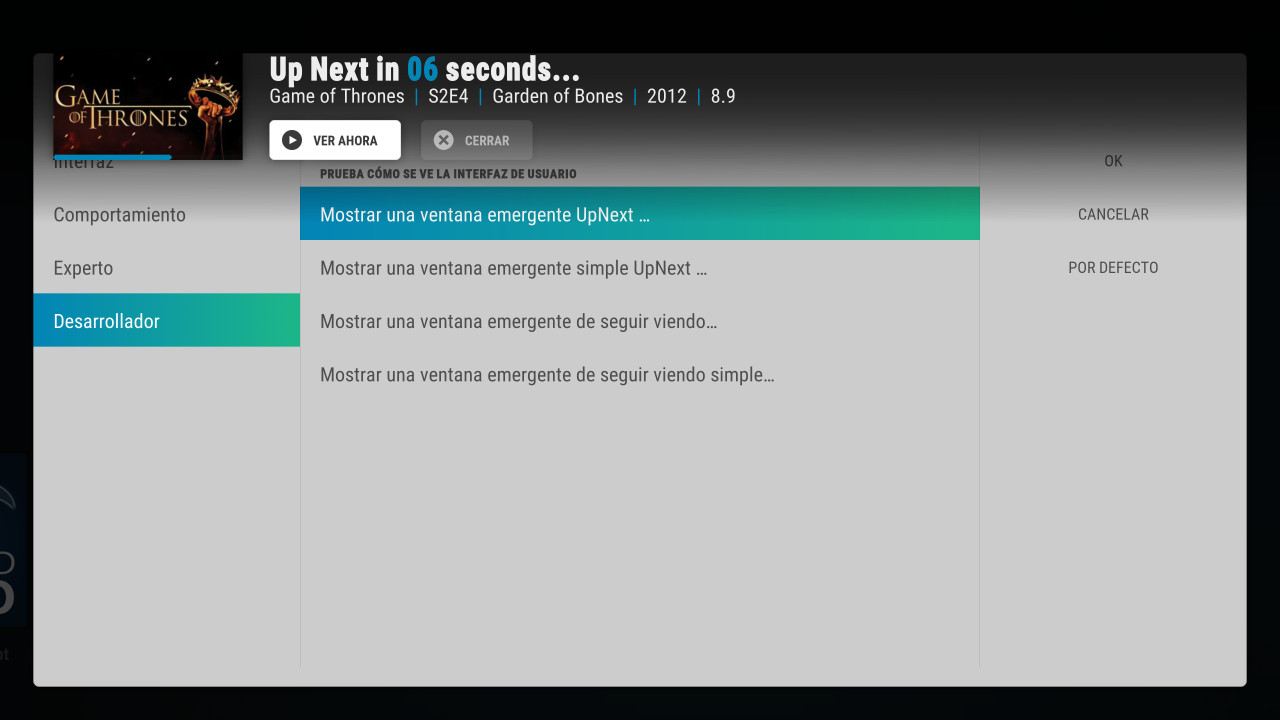
Only reason it wouldn't work is if you have added your own localization file or there was some issue when you were updating the skin.
jurialmunkey
on 22 Mar 2020
@jurialmunkey As mentioned in the AZ2 forum thread, it appears that localization in the test dialog is somehow different than the actual dialog in use: https://forum.kodi.tv/showthread.php?tid=339791&pid=2932521#pid2932521
I don't know that that's what's happening here, but I thought I'd point it out.
 drinfernoo
on 22 Mar 2020
drinfernoo
on 22 Mar 2020
Yep can be the reason with plus ten versions installed from the version 0.1.9 lol tomorrow i try with a clean setup
@drinfernoo in the last thread i sent the correct files to @jurialmunkey ;)
taoxtrece
on 22 Mar 2020
Still works when playing:

jurialmunkey
on 22 Mar 2020
Works with a clean install, but in english, im going to made a translation, when you have the final strings.po i will made another one no problem
taoxtrece
on 22 Mar 2020
Related issues
 Blurayx
·
4Comments
Blurayx
·
5Comments
Blurayx
·
4Comments
Blurayx
·
4Comments
Blurayx
·
5Comments
Blurayx
·
4Comments
 jweinr
·
7Comments
Blurayx
·
4Comments
jweinr
·
7Comments
Blurayx
·
4Comments
Most helpful comment
Still works when playing: