Description
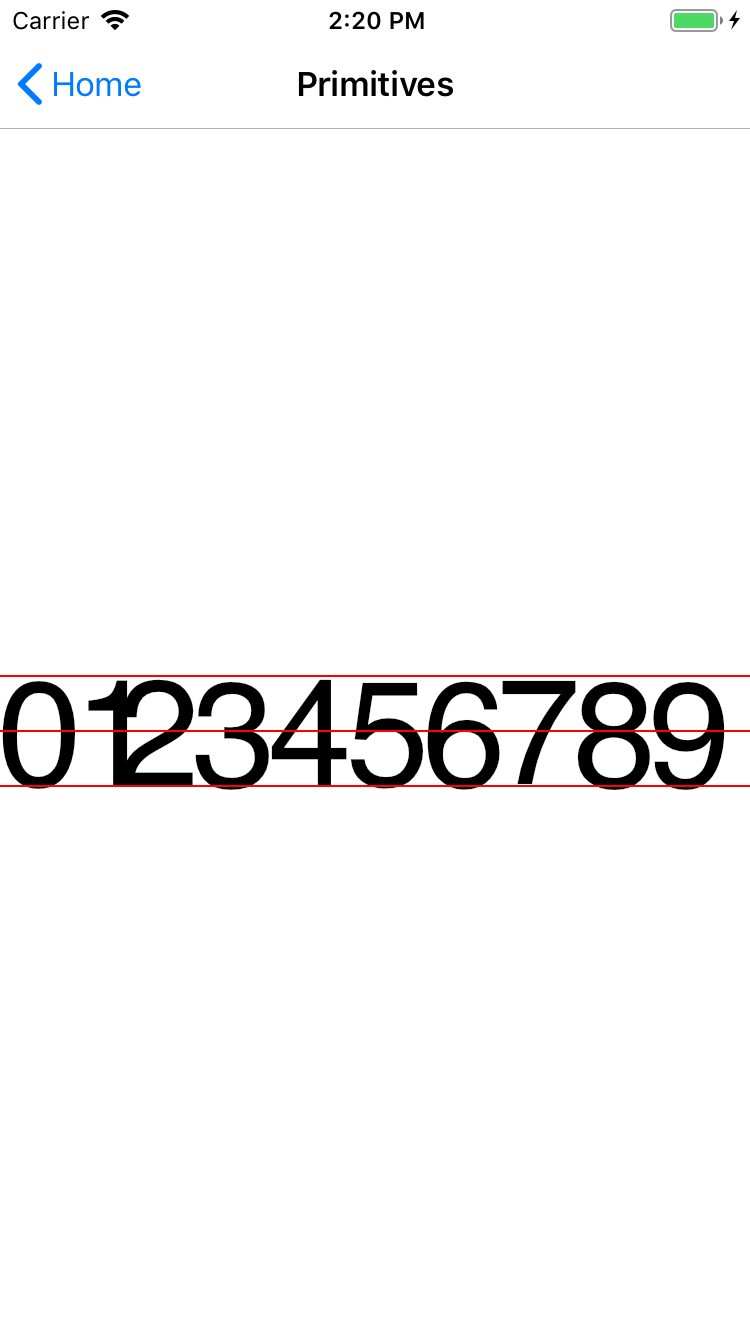
I am trying to draw a grid with text inside each cell. The text does NOT seem to line up vertically. I created a test program which shows the issue. I print out the numbers 0 through 9. I use their measured widths to space them horizontally and I use their measured heights to place them vertically. All of the numbers use the same font size and do not have anything that should be drawn below the baseline. Therefore, I would expect every number to measures exactly the same in height. But the output of the code below shows that 3, 6, 8, and 9 all measure slightly bigger than the others. and I use the measurements from number 0 to draw horizontal red lines for visual comparison. Surprisingly, even 0 doesn't line up correctly with the red lines even though the red lines are calculated from number 0.
Code
    private void HandlePaintCanvas(object sender, SKPaintSurfaceEventArgs e)
    {
        SKSizeI canvasSize = e.Info.Size;
        e.Surface.Canvas.DrawColor(SKColors.White);
        using (SKPaint p = new SKPaint { IsAntialias = true, StrokeWidth = 2, Typeface = SKTypeface.FromFamilyName("sans-serif"), TextSize = 150, TextAlign = SKTextAlign.Center }) {
            float left = 40;
            float midCanvasY = canvasSize.Height / 2;
            float zeroHeight = 0;
            for (int i = 0; i < 10; i++) {
                string text = "" + i;
                SKRect textBounds = SKRect.Empty;
                p.Color = SKColors.Black;
                p.Style = SKPaintStyle.Fill;
                p.MeasureText(text, ref textBounds);
                if (i == 0)
                    zeroHeight = textBounds.Height;
                Console.WriteLine("" + i + ": " + textBounds.Height);
                SKPoint textLoc = new SKPoint(left, midCanvasY);
                e.Surface.Canvas.DrawText(text, textLoc.X, textLoc.Y + textBounds.Height / 2, p);
                left += textBounds.Width;
            }
            float topZeroY = midCanvasY - zeroHeight / 2;
            float bottomZeroY = midCanvasY + zeroHeight / 2;
            p.Color = SKColors.Red;
            p.Style = SKPaintStyle.Stroke;
            e.Surface.Canvas.DrawLine(0, topZeroY, canvasSize.Width, topZeroY, p);
            e.Surface.Canvas.DrawLine(0, midCanvasY, canvasSize.Width, midCanvasY, p);
            e.Surface.Canvas.DrawLine(0, bottomZeroY, canvasSize.Width, bottomZeroY, p);
        }
    }
Expected Behavior
I expect all of the numbers to line up vertically AND within the red lines.
Actual Behavior
see attached picture and console output here showing the different calculated heights for each number:
0: 110
1: 107
2: 108
3: 111
4: 108
5: 109
6: 111
7: 106
8: 112
9: 111
Basic Information
- Version with issue: 1.60.3
- Last known good version: none
- IDE: Visual Studio for Mac 7.6.11.9
- iOS: 12.2.1.10
- Target Devices:
- iPhone 8 12.1 simulator
- iPhone X device
Screenshots
 scastria
All 2 comments
I had a look and I think I see what is happening. This may have to do with not enough docs, but what is happening is maybe not the most intuitive.
The values returned by the measure text come in two parts:
- the return value is the width of the character, including the "padding" around the character to stop them overlapping when they are drawn.
- the bounds value is the "tight" rectangle that the character wil fit in RELATIVE to the baseline.
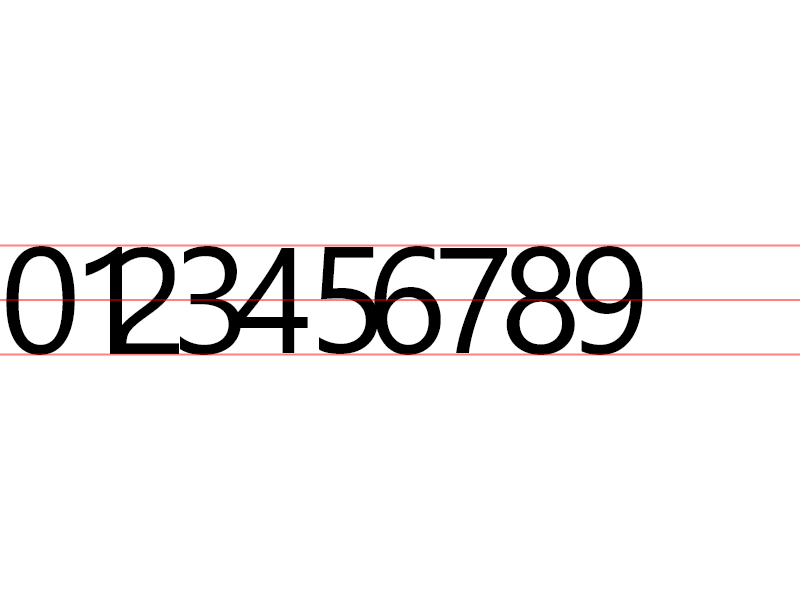
Text drawing in SkiaSharp is not from the bottom of the text, but the "baseline". This means that some letters will hang below (such as y). However, this is also the case with other characters. As you noticed, the "round" characters (0, 3, 5, 6, 8, 9) they overlap just a few pixels. This is all to to with the font, and how the characters were designed.
To see this, just write the text as normal, ie Drawtext("0123456789"), and you will see that they ALSO overlap. So, if you are wanting to draw text as normal, then the overlap is as designed.
BUT...
If you want to make the characters line up perfectly, then you have to look a little closer at the values of the rect bounds. For example, my character "0" reports the bounds as:
- X = 6
- Y = -107
- W = 69
- H = 109
This means that the top-most pixel of the character is 107 pixels ABOVE the baseline, and the height is 109. If you do the math (or use the Bottom property), you can see that Y+H=-107+109=2! This means that the bottom most pixel is 2 pixels BELOW the baseline. The same thing is true for the left and right. With an X of 6, this means that the character starts 6 whole pixels before you expected.
So, what does this mean? Well, if you want the character to line up perfectly, you have to adjust the baseline when drawing. This means that when you draw the text, you move the character up by the amount that is below the baseline.
In the case of your example, you would do something like this on the draw: canvas.DrawText(text, x, y + bounds.Bottom, paint) I just did that for your code, and they line up perfectly. Keep in mind, if you were to draw a character with an intentional overhang, such as the letter "y", your character would be moved all the way up and in line with the others.
Hope this explains all the numbers to you!
 mattleibow
on 15 Nov 2018
mattleibow
on 15 Nov 2018
Thanks! I guess the docs did say all of that but I just didn’t think through the implications of what I was reading.
scastria
on 15 Nov 2018
Related issues
 N-Olbert
·
3Comments
N-Olbert
·
3Comments
 Ponant
·
4Comments
Ponant
·
4Comments
 loketha
·
4Comments
loketha
·
4Comments
 ReactorScram
·
3Comments
ReactorScram
·
3Comments
 dsadlowski
·
3Comments
dsadlowski
·
3Comments