Skeletonview: Cannot round corners of Labels
Hi,
I have _labels_ and a _text View_ and I try to use the properties
".linesCornerRadius = 10"
and
".lastLineFillPercent = 100"
but nothing change.

What did you expect to happen?
Is there any way to have the skeleton of labels and text views like this?

Thanks.
SkeletonView Environment
SkeletonView version: 'https://github.com/Juanpe/SkeletonView.git', :branch => 'feature/Allow_updating_skeleton_layers'
Xcode version: 10.2.1
Swift version: 4.0
 hrosado20
All 18 comments
are you setting masksToBounds to false for your labels somewhere?
 ohserezha
on 16 Jul 2019
ohserezha
on 16 Jul 2019
Hi @hrosado20, please, could you use the last version (1.8)?
 Juanpe
on 24 Aug 2019
Juanpe
on 24 Aug 2019
I have this issue, even by using version 1.8
 hashem-intelligentb
on 29 Aug 2019
hashem-intelligentb
on 29 Aug 2019
I've found an answer. You need to declare .linesCornerRadius and lastLineFillPercent before you call showAnimatedGradientSkeleton().
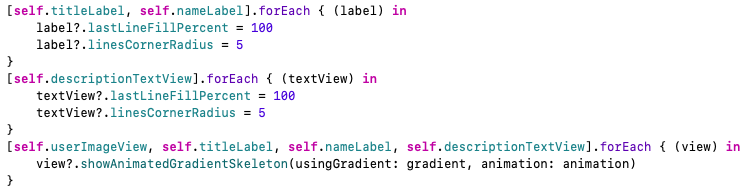
I hope this example I made with a collection view can help you 👍
SkeletonExample.zip
Thanks everyone!
 hrool20
on 5 Sep 2019
hrool20
on 5 Sep 2019
Same, I'm also experiencing this issue.
Using version SkeletonView v1.8.1
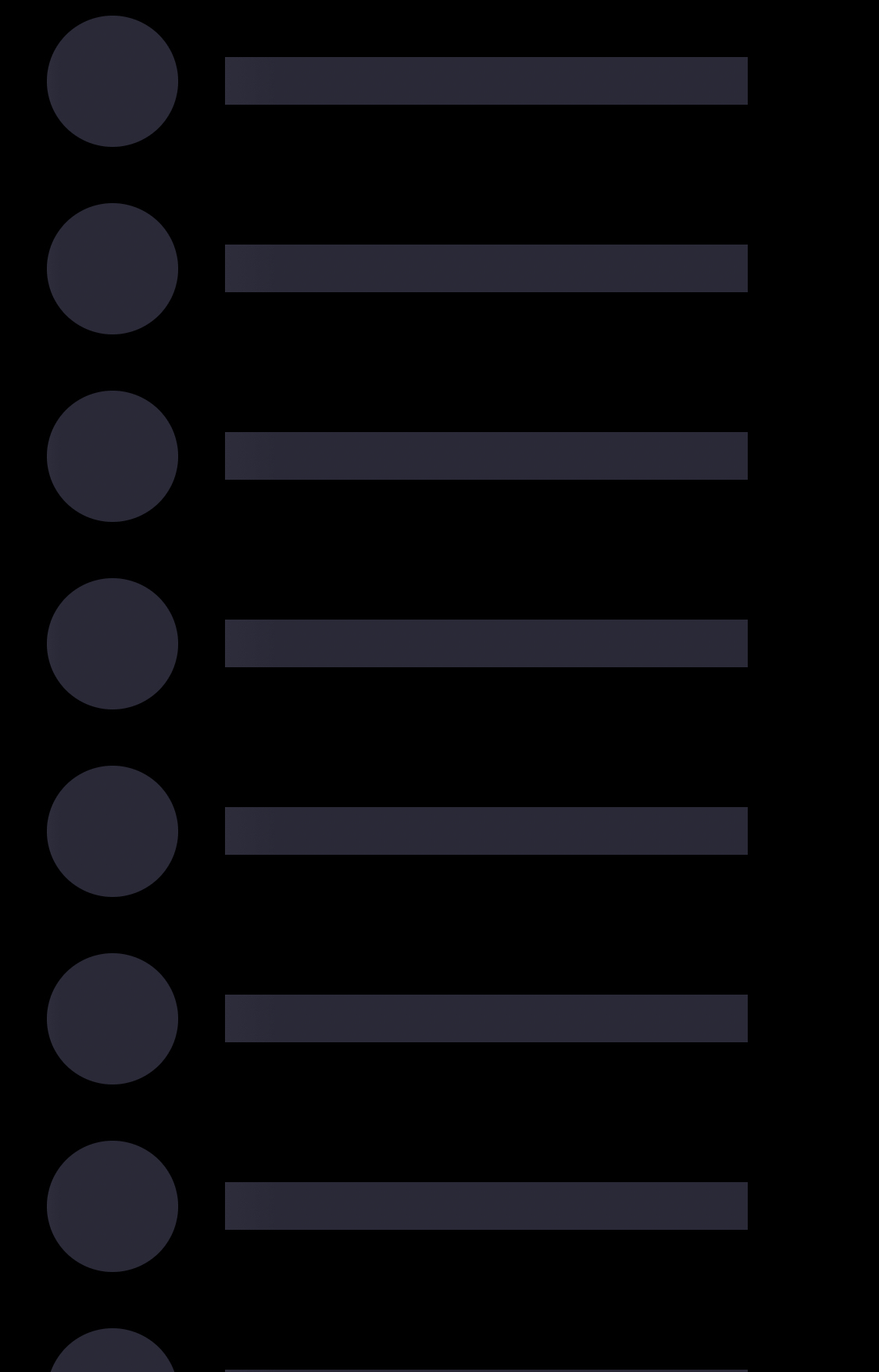
I can confirm the label's layer has masksToBounds = true and that I'm setting linesCornerRadius and lastLineFillPercent before calling showAnimatedGradientSkeleton().
label.layer.masksToBounds = true
label.lastLineFillPercent = Int.random(in: 20...70)
label.linesCornerRadius = 5
label.showAnimatedGradientSkeleton(
    usingGradient: SkeletonGradient(baseColor: .powderGrey),
    transition: .crossDissolve(0.2))
 gapl
on 11 Sep 2019
gapl
on 11 Sep 2019
Hi @gapl, just to clarify, now, it's not possible to modify the appearance of one specific view, you only can modify the default skeleton appearance, and to do this, your code should look like this:
SkeletonAppearance.default.multilineLastLineFillPercent = Int.random(in: 20...70)
SkeletonAppearance.default.multilineCornerRadius = 5

label.showAnimatedGradientSkeleton(usingGradient: SkeletonGradient(baseColor: .powderGrey), transition: .crossDissolve(0.2))
Documentation should be updated to reflect that in that case. Here is the anchored link to the specific part that references it: Link
gapl
on 12 Sep 2019
@Juanpe I tried the approach you mentioned with default skeleton appearance and I'm still getting the same result. Label is constrained to a full width and skeleton covers its entirety, regardless of the value I enter for SkeletonAppearance.default.multilineLastLineFillPercent. My label's masksToBounds is set to true.
gapl
on 12 Sep 2019
Hi all, sorry for the confusing, actually you can do that:
label.lastLineFillPercent = Int.random(in: 20...70)
label.linesCornerRadius = 5
There was a bug related to this :(
I've released a new version (1.8.2). Please, update your pod and tell me if it's fixed or not.
Thanks
Juanpe
on 13 Sep 2019
Thanks for the update. I tried it out and it still doesn't work. I'm using labels inside a collection view cell if that makes a difference.
gapl
on 13 Sep 2019
Additionally, v1.8.2 introduced a bug in laying out collection view cells with skeleton animations enabled. The cells "animate in" from top left corner of the collection view and they all have the same frame origin. I can provide a recording later, if you're unable to reproduce.
gapl
on 13 Sep 2019
@gapl Same issue. After updating to newer version it still doesn't work.
 d1mster
on 17 Sep 2019
d1mster
on 17 Sep 2019
@gapl Same issue. After updating to newer version it still doesn't work.
+1, @Juanpe are there any stable version that we can downgrade to now? I was coming from 1.6.1 -> 1.8.2, all my skeleton views are broken
 kikikiktai
on 17 Sep 2019
kikikiktai
on 17 Sep 2019
Hi, you can use version 1.8, but...what do you exactly mean when are you saying all your skeleton views are broken? please, could you provide more info about that?
Thanks
Juanpe
on 17 Sep 2019
@Juanpe I was using UIView.tag to manually change the height of some UILabels, after updating to 1.8.2 the specific line heights doesn't work anymore, but I saw your comment above saying that specific view's appearance won't work now so it's fine. The main problem now is the corner radius won't work. I'm also using labels inside a collection view cell. Great library btw :D
kikikiktai
on 17 Sep 2019
Rounded corners work for my labels in UICollectionViewCells on 1.8.1 but are broken on 1.8.2 for me.
But yes, this is truly a great library! Thanks! ✨
 jordanpichler
on 20 Sep 2019
jordanpichler
on 20 Sep 2019
This issue has been automatically marked as stale because it has not had recent activity. It will be closed if no further activity occurs. Thank you for your contributions.
![stale[bot] picture](https://avatars3.githubusercontent.com/in/1724?v=4&s=40) stale[bot]
on 19 Nov 2019
stale[bot]
on 19 Nov 2019
Hi all, this problem has been fixed in version 1.8.4 :)
Juanpe
on 12 Feb 2020
Related issues
 son
·
4Comments
son
·
4Comments
 macistador
·
6Comments
macistador
·
6Comments
 normand1
·
3Comments
normand1
·
3Comments
 raphaklr
·
5Comments
raphaklr
·
5Comments
 ghost
·
7Comments
ghost
·
7Comments
Most helpful comment
Rounded corners work for my labels in UICollectionViewCells on 1.8.1 but are broken on 1.8.2 for me.
But yes, this is truly a great library! Thanks! ✨