Skeletonview: Problem with position of mask
@Juanpe
What did you do?
Use your project in my app :)
What did you expect to happen?
This will work perfectly :)
What happened instead?
Something weird :)


Steps to reproduce the behavior
Don't worry, I changed your example, added my cell and this still not work. Without skeleton tableView look good, but with animated skeleton some of views in cell have problems.
Can you help me fix this ? :) My app has complicated logic and unfortunately I need this and others cells AS IS :/
SkeletonView Environment
SkeletonView version: 1.0.4
Xcode version: 9.1
Swift version: 4
 kszuba
All 11 comments
Hi @kszuba, I'm going to check :)
Thanks
 Juanpe
on 30 Nov 2017
Juanpe
on 30 Nov 2017
Hi @Juanpe,
have you had time to check the error?
kszuba
on 10 Jan 2018
I also find it's not working well. I'm going to write my own since that would probably take as much time as debugging what's going on. Too bad, because the concept/code looks good.
 jbweimar
on 14 May 2018
jbweimar
on 14 May 2018
Hi @kszuba, I've checked your project and could be a problem with constraints? Actually, SkeletonView only take account constraints of width and height. Maybe in the future, I'll need to improve how to use the constraints to calculate the right frame.
Juanpe
on 14 May 2018
FYI, I'm doing it a different way. It might not be entirely economical, but for my use-case it works fine. I just hold an extra UIView in each UIView extension that resizes itself to its parent. This way, the skeleton will always be the size of the view that contains dummy data. This is nice if you change orientation and your label changes size (the skeleton will also change size).
jbweimar
on 14 May 2018
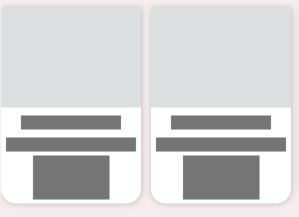
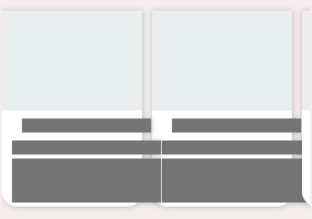
I just want to give my input here just in case someone gets in my same situation. Using trailing / leading constrains was making problems with the Skeleton View. As @Juanpe mentioned using direct width + height was the only way to go around it. I tried to update constraints, setNeedsLayout, making a subclass of UILabel, nothing worked, so here is what happened after doing the direct width/height.
 Wilsonilo
on 11 Jul 2018
Wilsonilo
on 11 Jul 2018
This lib does not work well for SnapKit. With setting direct height and width, the position of the skeletonView does not work properly.
 LeeWong
on 29 Jul 2018
LeeWong
on 29 Jul 2018
me too
 q351941406
on 12 Sep 2018
q351941406
on 12 Sep 2018
A year on, the problem has not been solved
q351941406
on 13 Sep 2018
This issue has been automatically marked as stale because it has not had recent activity. It will be closed if no further activity occurs. Thank you for your contributions.
![stale[bot] picture](https://avatars3.githubusercontent.com/in/1724?v=4&s=40) stale[bot]
on 27 Aug 2019
stale[bot]
on 27 Aug 2019
This issue has been automatically marked as stale because it has not had recent activity. It will be closed if no further activity occurs. Thank you for your contributions.
stale[bot]
on 26 Oct 2019
Related issues
 kimsonwong
·
6Comments
kimsonwong
·
6Comments
 guidev
·
4Comments
guidev
·
4Comments
 kak2008
·
4Comments
kak2008
·
4Comments
 barankaansert
·
3Comments
barankaansert
·
3Comments
 macistador
·
6Comments
macistador
·
6Comments
Most helpful comment
Hi @kszuba, I've checked your project and could be a problem with constraints? Actually, SkeletonView only take account constraints of width and height. Maybe in the future, I'll need to improve how to use the constraints to calculate the right frame.