Skaffold: Skaffold doesn't clean up docker images and containers, even after skaffold delete
Docker images and containers aren't cleaned up, even after skaffold delete.
Expected behavior
Docker images and containers are always cleaned up
Actual behavior
Docker images and containers remain, creating clutter and wasting disk space.
Information
- Skaffold version: 1.0.1
- Operating system: WSL/Ubuntu
- Contents of skaffold.yaml:
apiVersion: skaffold/v1
kind: Config
build:
  artifacts:
  - image: wpwoodjr/skaffold-example
deploy:
  kubectl:
    manifests:
      - k8s-*
Steps to reproduce the behavior
- a clonable repository with the sample skaffold project
skaffold dev
3.
$ skaffold delete
Cleaning up...
$ docker images
REPOSITORY                                   TAG                         IMAGE ID            CREATED              SIZE
wpwoodjr/skaffold-example                    v1.0.0-99-g76329282-dirty   f114e803c18e        About a minute ago   7.55MB
<none>                                       <none>                      b194da296faa        About a minute ago   352MB
<none>                                       <none>                      3becf4eba644        About a minute ago   352MB
wpwoodjr/skaffold-example                    <none>                      7d3f4d732d94        About a minute ago   7.55MB
wpwoodjr/skaffold-example                    <none>                      bd97e61581b3        3 minutes ago        7.55MB
<none>                                       <none>                      00d2083cdc3a        3 minutes ago        352MB
$ docker container ls --all
CONTAINER ID        IMAGE               COMMAND                  CREATED              STATUS                          PORTS               NAMES
ab871d1c9543        006db2142190        "/bin/sh -c 'go buil…"   About a minute ago   Exited (0) About a minute ago                       sleepy_heisenberg
8817f86b2057        9bf3f697f21d        "/bin/sh -c 'go buil…"   2 minutes ago        Exited (0) About a minute ago                       silly_tu
0be4dbd317b7        965ea09ff2eb        "/bin/sh -c '#(nop) …"   3 minutes ago        Created                                             sharp_mayer
af261bb76430        35640187355a        "/bin/sh -c 'go buil…"   3 minutes ago        Exited (0) 3 minutes ago                            stupefied_cartwright
 wpwoodjr
All 18 comments
Thanks for opening @wpwoodjr - can you try with skaffold dev --no-prune=false --cache-artifacts=false ? skaffold delete only deletes things on the cluster. It does not remove containers - however it can prune images (if artifact caching is turned off). See https://skaffold.dev/docs/pipeline-stages/cleanup/
 balopat
on 27 Nov 2019
balopat
on 27 Nov 2019
Even with:
$ skaffold dev --no-prune=false --cache-artifacts=false --no-prune-children=false
I still see this image left by Skaffold:
$ docker images
REPOSITORY                                   TAG                   IMAGE ID            CREATED             SIZE
<none>                                       <none>                e88252ff92cb        30 seconds ago      352MB
Also, if there is any kind of error, will cleanup still happen? For instance if Skaffold fails to login to the registry?
It's my opinion that image/container cleanup should happen by default when Skaffold rebuilds something. For the most part, what good are the older containers and images?
Also, no-prune=false? Why not prune=true? And why the need for the pruning flags and also a cache-artifacts flag?
Sorry for all the questions but I find this to be very confusing and not intuitive.
wpwoodjr
on 27 Nov 2019
Adding discuss label to bring this up for discussion.
 tstromberg
on 30 Apr 2020
tstromberg
on 30 Apr 2020
When a build is cancelled, Skaffold may not cleanup currently.
The second issue may be an extra bug.
tstromberg
on 4 May 2020
Same issue here.
After stopping skaffold dev not a single pod, service or deployment is deleted.
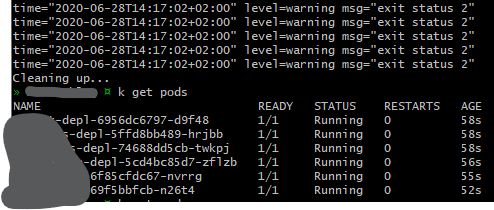
Anyone has some more information?
Also tried running skaffold dev --no-prune=false --cache-artifacts=false, didn't do anything.
 MichielS-1848709
on 28 Jun 2020
MichielS-1848709
on 28 Jun 2020
@michielswaanen is this reproducible? Could you try running with the -v debug flag to provide more detail?
Basically on termination, Skaffold runs kubectl delete.
 briandealwis
on 20 Jul 2020
briandealwis
on 20 Jul 2020
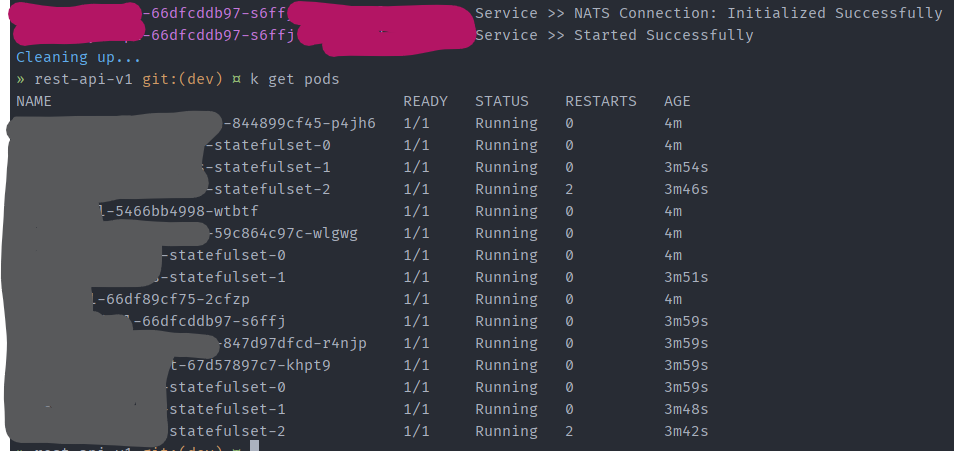
@briandealwis So I tried running skaffold dev -v debug (I'm not sure if that's what you meant?). Nothing notably happened when I killed skaffold.
MichielS-1848709
on 20 Jul 2020
@michielswaanen would it be possible to save that log, redact any sensitive information, and attach it here?
And could you please describe your setup? It looks many of your pods are from stateful sets — we’re the stateful sets removed?
Aside: that screenshot doesn’t look like it's run with -v debug as there should be much more logging output from Skaffold.
briandealwis
on 21 Jul 2020
@briandealwis Sorry it took me so long, but here you have some more information.
I did some testing and it looks like the automatic delete failure is not project-specific. I ran Skaffold on a different project that is much smaller (the absolute minimum for a k8s setup) and it still didn't do the automatic delete after I hit ctrl + c.
skaffold delete works like a charm, so no issues with the command itself.
It looks many of your pods are from stateful sets — we’re the stateful sets removed?
Indeed, I've a couple of StatefulSets running in my project, like every other Kubernetes object, these doesn't get removed either.
Off topic
I noticed that my terminal (Git Bash) doesn't display colors. I tried running skaffold dev on Powershell & cmd, and they got the same coloring issue.
Only when I use skaffold dev -v debug it displays the colors nicely. Is this a known issue? Both Powershell & cmd have the same coloring issue.
Is this a known issue?
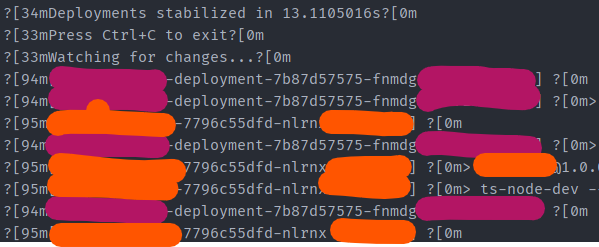
Aside: that screenshot doesn’t look like it's run with -v debug as there should be much more logging output from Skaffold.
Regarding this comment; I'm 100% sure that this was run in -v debug mode, otherwise I wouldn't be able to see the colors 😉
would it be possible to save that log, redact any sensitive information, and attach it here?
I will look into it.
System info
OS: Windows 10 (Pro)
Terminal: Git Bash
Skaffold version: v1.12.1 (installed via chocolatey)
Docker version: Docker version 19.03.8, build afacb8b
Kubernetes version:
# Client
Client Version: version.Info{Major:"1", Minor:"16+", GitVersion:"v1.16.6-beta.0", GitCommit:"e7f962ba86f4ce7033828210ca3556393c377bcc", GitTreeState:"clean", BuildDate:"2020-01-15T08:26:26Z", GoVersion:"go1.13.5", Compiler:"gc", Platform:"windows/amd64"}

# Server
Server Version: version.Info{Major:"1", Minor:"16+", GitVersion:"v1.16.6-beta.0", GitCommit:"e7f962ba86f4ce7033828210ca3556393c377bcc", GitTreeState:"clean", BuildDate:"2020-01-15T08:18:29Z", GoVersion:"go1.13.5", Compiler:"gc", Platform:"linux/amd64"}
Seems to be a duplicate of #1907 and #4058.
briandealwis
on 28 Jul 2020
@briandealwis I've looked into the code and I saw that it's using SIGINT to determine if the process is getting killed or not. But Windows does not support SIGINT, could this be the cause?
https://stackoverflow.com/questions/813086/can-i-send-a-ctrl-c-sigint-to-an-application-on-windows
MichielS-1848709
on 28 Jul 2020
@michaelbeaumont i am going to close this as dupe of #4058. Can we move the discussion there?
 tejal29
on 28 Aug 2020
tejal29
on 28 Aug 2020
@michielswaanen I think you're meant here.
 michaelbeaumont
on 28 Aug 2020
michaelbeaumont
on 28 Aug 2020
@michaelbeaumont i am going to close this as dupe of #4058. Can we move the discussion there?
Sure!
@michielswaanen I think you're meant here.
Thanks ;)
MichielS-1848709
on 28 Aug 2020
@michaelbeaumont i am going to close this as dupe of #4058. Can we move the discussion there?
Sure!
@michielswaanen I think you're meant here.
Thanks ;)
Not sure #4058 is the same issue, I reported this one as an issue under WSL, #4058 seems to be about bash shell. @michaelbeaumont @tejal29
wpwoodjr
on 29 Aug 2020
I've hidden the side-conversation from @michielswaanen's issue as it wasn't directly related to this issue. @michielswaanen could you please open separate issues for what you've seen, if the problems still continue with the latest Skaffold?
briandealwis
on 8 Sep 2020
@wpwoodjr I think your initial issue was caused by not disabling --cache-artifacts as your followup shows a single image remaining.
Could you please describe how you're building and deploying images? It looks like you're building locally with the Docker builder, and pushing the images to Docker Hub. Where is your cluster? The reason I ask is that the Docker daemon will not delete images if they are still actively in use.
It would be helpful if you could give a set of steps you're following so that we could try to reproduce your case.
briandealwis
on 8 Sep 2020
@briandealwis Sorry I'm not able to pursue this right now. Thanks for the reply.
wpwoodjr
on 9 Sep 2020
Related issues
 Hudsonzp
·
4Comments
Hudsonzp
·
4Comments
 kdevu
·
3Comments
kdevu
·
3Comments
 stanislav-zaprudskiy
·
4Comments
stanislav-zaprudskiy
·
4Comments
 Morriz
·
3Comments
Morriz
·
3Comments
 garvincasimir
·
4Comments
garvincasimir
·
4Comments
Most helpful comment
Even with:
I still see this image left by Skaffold:
Also, if there is any kind of error, will cleanup still happen? For instance if Skaffold fails to login to the registry?
It's my opinion that image/container cleanup should happen by default when Skaffold rebuilds something. For the most part, what good are the older containers and images?
Also,
no-prune=false? Why notprune=true? And why the need for the pruning flags and also a cache-artifacts flag?Sorry for all the questions but I find this to be very confusing and not intuitive.