Sitespeed.io: Sitespeed 7.0.0-alpha.2 hanging in DEBUG: [root] Converting video to viewable format.
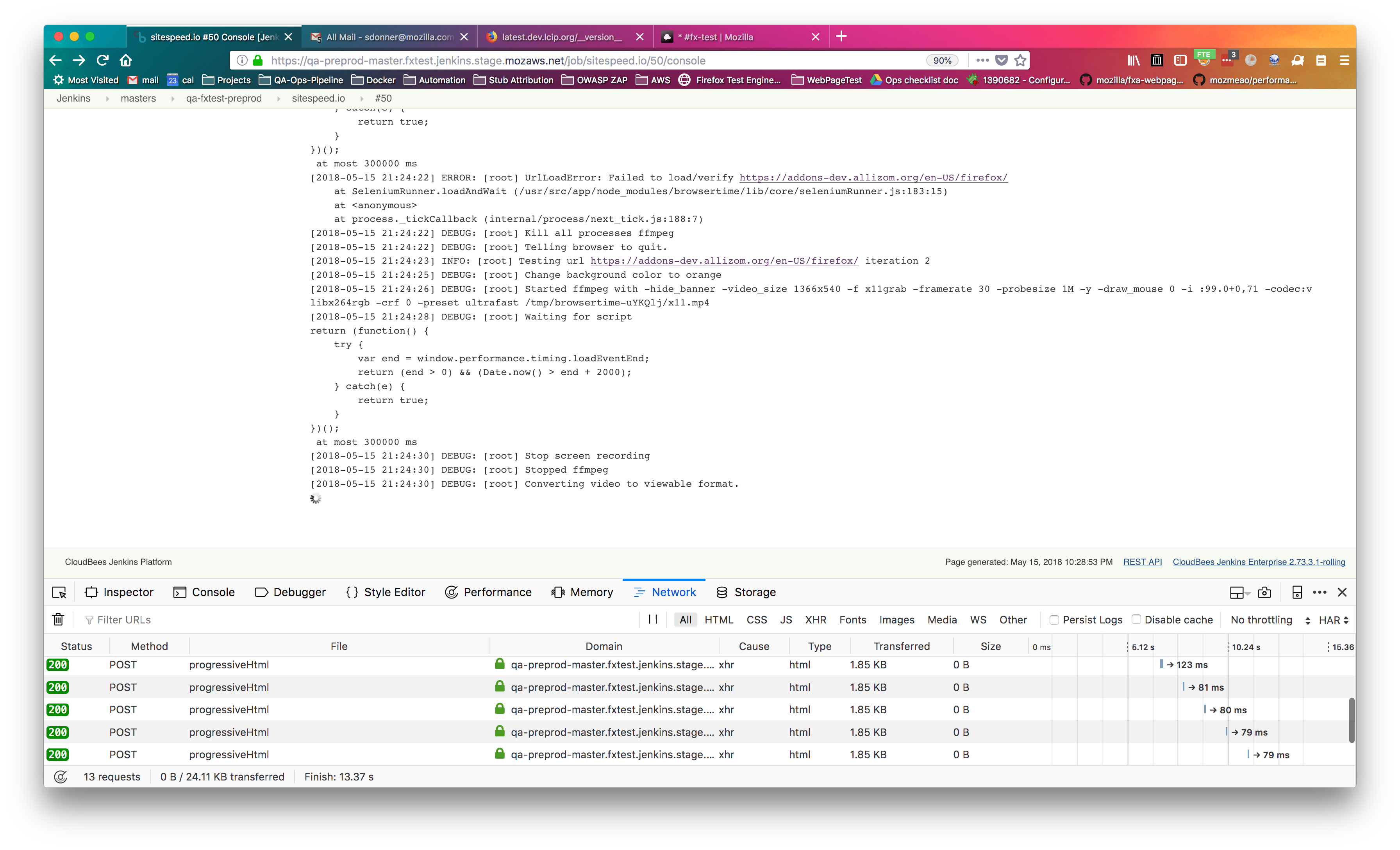
Hello! I was trying out 7.0.0-alpha.2 today, and it's still hanging on this line:
[2018-05-15 21:24:30] DEBUG: [root] Converting video to viewable format.
I'm running with the following commands in Jenkins:
docker pull sitespeedio/sitespeed.io:7.0.0-alpha.2
docker run --rm --privileged --shm-size=1g -v ${WORKSPACE}:/sitespeed.io sitespeedio/sitespeed.io:7.0.0-alpha.2 --outputFolder output $TARGET_URL -b firefox --debug -v
I've attached a screenshot of it in Jenkins, as well as the full logfile.
 stephendonner
All 21 comments
Hey @stephendonner thanks for the report!
There's two errors, I will look at why it hangs and try to reproduce. The first error in the log is that the URL hasn't loaded. In Browsertime 3 we switched default pageLoadStrategy to use none from normal. I wonder if that could be the original problem? Can you help me by trying again and adding one extra flag --browsertime.pageLoadStrategy normal swicthing back to the old one? The normal strategy means that Selenium gets back into control after the onLoad event. None means you get it right away (then we ourselfes wait on the onload). If that works I'll swicth back to use normal mode.
Best
Peter
 soulgalore
on 16 May 2018
soulgalore
on 16 May 2018
Ohh I could actually reproduce the error (not loaded), but the loadStrategy didn't help. Let me look into it.
Btw you can skip running --privileged it could be some old documentation left somewhere that needs to be changed.
soulgalore
on 16 May 2018
It works when running standalone nodejs (both stable/beta/nightly) and rolling back to old Firefox 54 in Docker. But for FF beta-3 61 it fails. I wonder if it could have something to do with the popup. I'll have a look again tonight.
soulgalore
on 16 May 2018
No the problem was like this: In Browsertime 3.0 we introduced JavaScript navigation (instead of WebDriver). For Chrome it seems that waiting 1s before navigation has started is enough but for Firefox (at least in Docker) you need to wait longer (that was the case in your situation @stephendonner ). I've updated so wait longer for Firefox to get ready. Released 7.0.0-alpha.3 just now.
soulgalore
on 16 May 2018
@soulgalore thanks, as always; and I'll see if I can find and fix the doc(s) which referenced --privileged!
stephendonner
on 16 May 2018
Hrm; just tried with 7.0.0-alpha.3, and have the same/similar issue:
Started by user [email protected]
Building remotely on centos7-1-qatest-slave.fxtestpreprod.jenkins.stage.mozaws.net (qatest linux centos7) in workspace /home/jenkins/workspace/sitespeed.io
[sitespeed.io] $ /bin/sh -xe /tmp/jenkins5530068799061461655.sh
+ docker pull sitespeedio/sitespeed.io:7.0.0-alpha.3
Trying to pull repository docker.io/sitespeedio/sitespeed.io ...
7.0.0-alpha.3: Pulling from docker.io/sitespeedio/sitespeed.io
a48c500ed24e: Already exists
1e1de00ff7e1: Already exists
0330ca45a200: Already exists
471db38bcfbf: Already exists
0b4aba487617: Already exists
709e6490e769: Already exists
c561822e3940: Already exists
ea7a7df2e153: Pulling fs layer
1721c83866c6: Pulling fs layer
467ea52c5bab: Pulling fs layer
306641970802: Pulling fs layer
2459a6557fd4: Pulling fs layer
9c8a2b1e9620: Pulling fs layer
3782303c335c: Pulling fs layer
32b45ba5ddfa: Pulling fs layer
b7b560065986: Pulling fs layer
258309367bfb: Pulling fs layer
fba946290b1e: Pulling fs layer
306641970802: Waiting
36302b9e8cb3: Pulling fs layer
f07ff996eade: Pulling fs layer
6b673b4c0392: Pulling fs layer
0858057ef382: Pulling fs layer
2459a6557fd4: Waiting
e75b9c66d9f6: Pulling fs layer
dc51d70ffecd: Pulling fs layer
9c8a2b1e9620: Waiting
1e6e17c40530: Pulling fs layer
32b45ba5ddfa: Waiting
f07ff996eade: Waiting
3782303c335c: Waiting
6b673b4c0392: Waiting
b7b560065986: Waiting
258309367bfb: Waiting
36302b9e8cb3: Waiting
fba946290b1e: Waiting
0858057ef382: Waiting
e75b9c66d9f6: Waiting
dc51d70ffecd: Waiting
1e6e17c40530: Waiting
ea7a7df2e153: Verifying Checksum
ea7a7df2e153: Download complete
306641970802: Verifying Checksum
306641970802: Download complete
467ea52c5bab: Verifying Checksum
467ea52c5bab: Download complete
2459a6557fd4: Verifying Checksum
2459a6557fd4: Download complete
ea7a7df2e153: Pull complete
9c8a2b1e9620: Download complete
3782303c335c: Download complete
b7b560065986: Verifying Checksum
b7b560065986: Download complete
258309367bfb: Verifying Checksum
258309367bfb: Download complete
32b45ba5ddfa: Verifying Checksum
32b45ba5ddfa: Download complete
fba946290b1e: Download complete
f07ff996eade: Verifying Checksum
f07ff996eade: Download complete
6b673b4c0392: Verifying Checksum
6b673b4c0392: Download complete
0858057ef382: Verifying Checksum
0858057ef382: Download complete
e75b9c66d9f6: Verifying Checksum
e75b9c66d9f6: Download complete
dc51d70ffecd: Verifying Checksum
dc51d70ffecd: Download complete
36302b9e8cb3: Verifying Checksum
36302b9e8cb3: Download complete
1e6e17c40530: Verifying Checksum
1e6e17c40530: Download complete
1721c83866c6: Verifying Checksum
1721c83866c6: Download complete
1721c83866c6: Pull complete
467ea52c5bab: Pull complete
306641970802: Pull complete
2459a6557fd4: Pull complete
9c8a2b1e9620: Pull complete
3782303c335c: Pull complete
32b45ba5ddfa: Pull complete
b7b560065986: Pull complete
258309367bfb: Pull complete
fba946290b1e: Pull complete
36302b9e8cb3: Pull complete
f07ff996eade: Pull complete
6b673b4c0392: Pull complete
0858057ef382: Pull complete
e75b9c66d9f6: Pull complete
dc51d70ffecd: Pull complete
1e6e17c40530: Pull complete
Digest: sha256:05a448f09735734366809467aa20d60c53920f15ffdb828869c51ad22095e5d2
+ docker run --rm --privileged --shm-size=1g -v /home/jenkins/workspace/sitespeed.io:/sitespeed.io sitespeedio/sitespeed.io:7.0.0-alpha.3 --outputFolder output https://addons-dev.allizom.org/en-US/firefox/ -b firefox --debug -v
Google Chrome 66.0.3359.181
Mozilla Firefox 61.0
[2018-05-16 21:51:37] INFO: [sitespeedio] Versions OS: linux 3.10.0-514.16.1.el7.x86_64 nodejs: v8.11.1 sitespeed.io: 7.0.0-alpha.3 browsertime: 3.0.4 coach: 2.0.2
[2018-05-16 21:51:38] INFO: [sitespeedio.plugin.messagelogger] {
  "uuid": "b4d88600-6e78-415d-95f4-0ebf8929b16e",
  "type": "sitespeedio.setup",
  "timestamp": "2018-05-16T21:51:38+00:00",
  "source": "queueHandler"
}
[2018-05-16 21:51:38] INFO: [sitespeedio.plugin.messagelogger] {
  "uuid": "37fe5772-a8ac-4632-adb9-79c19253e760",
  "type": "browsertime.setup",
  "timestamp": "2018-05-16T21:51:38+00:00",
  "source": "browsertime"
}
[2018-05-16 21:51:38] INFO: [sitespeedio.plugin.messagelogger] {
  "uuid": "0e800711-7323-49d6-bb1f-90f6fffa527d",
  "type": "browsertime.config",
  "timestamp": "2018-05-16T21:51:38+00:00",
  "source": "browsertime",
  "data": {
    "screenshot": true,
    "screenshotType": "png"
  }
}
[2018-05-16 21:51:38] INFO: [sitespeedio.plugin.messagelogger] {
  "uuid": "49fc76a3-adb1-43ba-9ca0-3ee374f1274a",
  "type": "browsertime.config",
  "timestamp": "2018-05-16T21:51:38+00:00",
  "source": "coach",
  "data": {
    "coach": true
  }
}
[2018-05-16 21:51:38] INFO: [sitespeedio.plugin.messagelogger] {
  "uuid": "e8b2ff0e-be1a-4f5c-87d6-babde0c927d1",
  "type": "url",
  "timestamp": "2018-05-16T21:51:38+00:00",
  "source": "url-reader",
  "data": {},
  "url": "https://addons-dev.allizom.org/en-US/firefox/",
  "group": "addons-dev.allizom.org"
}
[2018-05-16 21:51:38] INFO: [sitespeedio.plugin.browsertime] Starting firefox for analysing https://addons-dev.allizom.org/en-US/firefox/ 3 time(s)
[2018-05-16 21:51:38] INFO: [root] Testing url https://addons-dev.allizom.org/en-US/firefox/ iteration 1
[2018-05-16 21:51:41] DEBUG: [root] Change background color to orange
[2018-05-16 21:51:42] DEBUG: [root] Started ffmpeg with -hide_banner -video_size 1366x540 -f x11grab -framerate 30 -probesize 1M -y -draw_mouse 0 -i :99.0+0,71 -codec:v libx264rgb -crf 0 -preset ultrafast /tmp/browsertime-stTkgj/x11.mp4
[2018-05-16 21:51:45] DEBUG: [root] Waiting for script
return (function() {
    try {
        var end = window.performance.timing.loadEventEnd;
        return (end > 0) && (Date.now() > end + 2000);
    } catch(e) {
        return true;
    }
})();
 at most 300000 ms
[2018-05-16 21:51:46] DEBUG: [root] Stop screen recording
[2018-05-16 21:51:46] DEBUG: [root] Stopped ffmpeg
[2018-05-16 21:51:46] DEBUG: [root] Converting video to viewable format.
Also, did you want me to remove --privileged from https://github.com/search?q=org%3Asitespeedio+privileged&type=Code or just certain files?
stephendonner
on 17 May 2018
Thanks for testing again @stephendonner ! From the log it seems like the first error (navigating to the page) is fixed, so far so good.
I haven't looked into the other thing yet (that it got stuck), I couldn't reproduce yesterday. But I didn't look through that code either. What base OS are you using?
No you don't need to fix those privileged: some are from an old repo, when we push the next version we can remove it. I've checked through the docs at www yesterday and they are ok now. I'll update the readme for the docker container later today.
Thanks again!
soulgalore
on 17 May 2018
@stephendonner could you try again when you have time? I've added some more logging and a try catch but I couldn't see anything wrong with the code, but if you could run and catch the log it would be really helpful. I haven't done a release but if you can try our autobuild:
docker run --rm --privileged --shm-size=1g -v ${WORKSPACE}:/sitespeed.io sitespeedio/sitespeed.io-autobuild:latest --outputFolder output $TARGET_URL -b firefox --debug -v
The build should be ready in 5 min.
It hangs waiting on ffmpeg to convert the video to a better format, I haven't seen that error before. @tobli can you see something suspicious?
soulgalore
on 17 May 2018
@soulgalore absolutely; sorry for the delay! Here's the full log, so far: https://gist.github.com/stephendonner/486337f21d0548fd8798dce94807940a
Snippet:
[2018-05-17 21:53:36] DEBUG: [root] Started ffmpeg with -hide_banner -video_size 1366x540 -f x11grab -framerate 30 -probesize 1M -y -draw_mouse 0 -i :99.0+0,71 -codec:v libx264rgb -crf 0 -preset ultrafast /tmp/browsertime-5Ihu3y/x11.mp4
[2018-05-17 21:53:39] DEBUG: [root] Waiting for script
return (function() {
    try {
        var end = window.performance.timing.loadEventEnd;
        return (end > 0) && (Date.now() > end + 2000);
    } catch(e) {
        return true;
    }
})();
 at most 300000 ms
[2018-05-17 21:53:41] DEBUG: [root] Stop screen recording
[2018-05-17 21:53:41] DEBUG: [root] Stopped ffmpeg
[2018-05-17 21:53:41] DEBUG: [root] Converting video to viewable format with args ["-i","/tmp/browsertime-5Ihu3y/x11.mp4","-c:v","libx264","-crf",23,"-preset","medium","-vf","format=yuv420p","/sitespeed.io/output/pages/addons-dev.allizom.org/en-US/firefox/data/video/1.mp4"]
Thanks @stephendonner hmm no luck there but it looks like it could help by turning off stdin, we missed that https://stackoverflow.com/questions/16523746/ffmpeg-hangs-when-run-in-background
I'll make a patch later today. Thanks for taking the time to try things out.
soulgalore
on 18 May 2018
@soulgalore anytime!
stephendonner
on 18 May 2018
There's a new version on Docker hub, just make sure you pull the latest again.
docker pull sitespeedio/sitespeed.io-autobuild:latest
docker run ...
Annoying that I cannot reproduce. The fix is ignoring stdin for ffmpeg when we convert the videos, hope that it will make things better.
soulgalore
on 18 May 2018
Thanks, @soulgalore - it's now running and failing, but at least doesn't hang any longer!
Full log: https://gist.github.com/stephendonner/9966d3b3dad2ee9da08b818297881c50
stephendonner
on 18 May 2018
Ah ok thanks again @stephendonner . Wanted to check, are you sure that you cleaned the result dir before you run so you don't have the old data there? The error looks like the video failed because it already exists (since when we set the output dir, we disable the unique directory structure by date. We should maybe add a check for that.
soulgalore
on 18 May 2018
Yep that is the problem, I can reproduce it now. So either if you try to clean the output dir, or use one of Jenkins build number environment variables so each run has it own folder.
I'll do a couple of things: First, try to fix the original problem, then I'll update the Jenkins doc and better help when you set --outputFolder.
soulgalore
on 18 May 2018
Yeah, sorry; just back from lunch. That's definitely the issue.
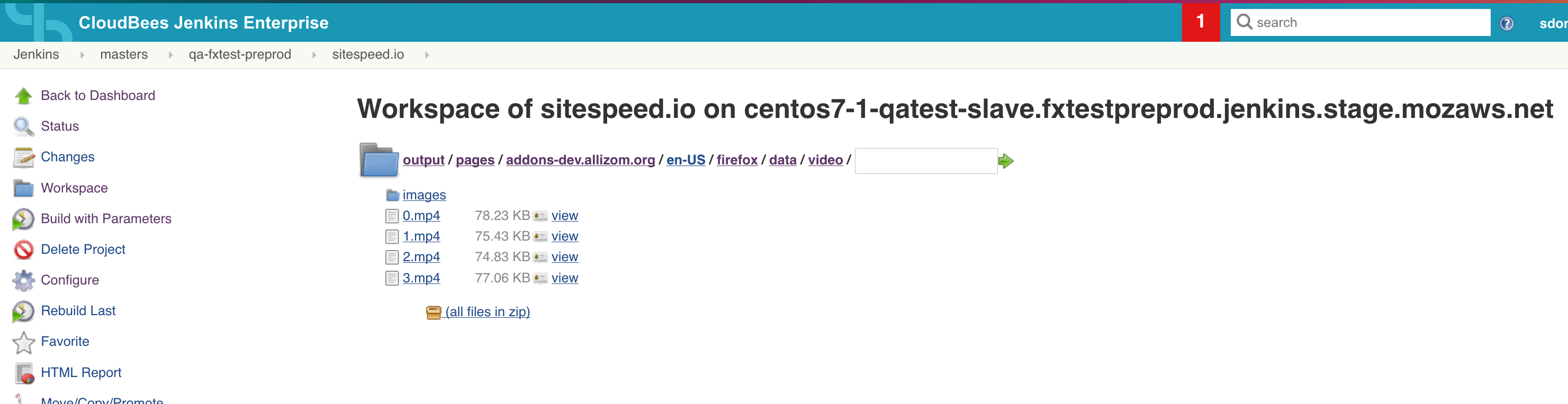
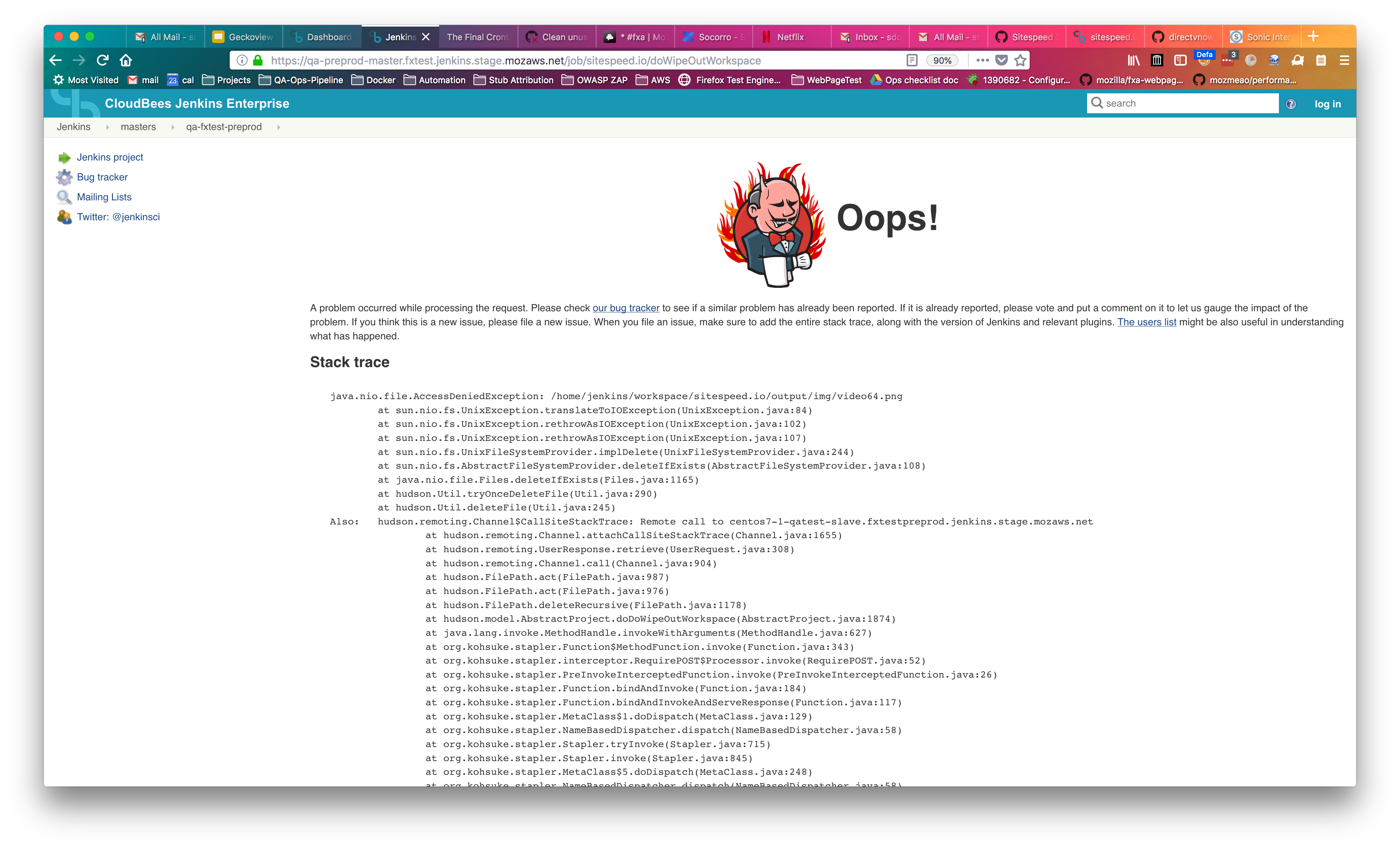
- We get an exception when I try to manually delete the workspace
- I don't see an option to "Clear workspace [before|after] build," for this job, as I've seen in others
- Trying now to work around this issue more, but am running out of time before PTO!
stephendonner
on 18 May 2018
No problem, I'm releasing a fix in a couple of minutes. 1000*thanks again for spending the time :)
soulgalore
on 18 May 2018
Pretty confident now that I fixed it when I could reproduce the issue so I released a new alpha: 7.0.0-alpha.4
soulgalore
on 18 May 2018
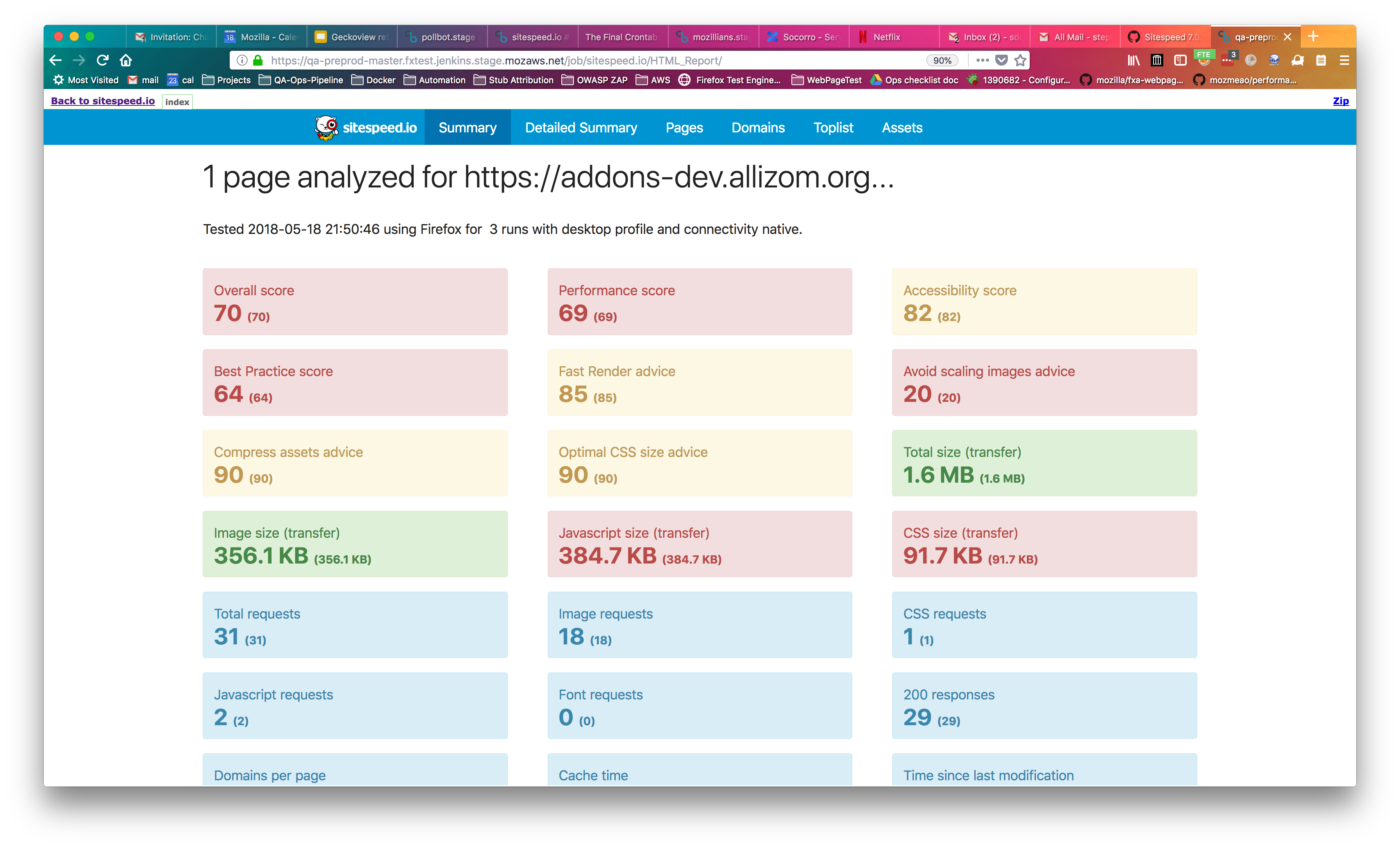
@soulgalore confirmed FIXED; thanks!
https://gist.github.com/stephendonner/8856e3c2e1f3db6cf2074a44a8f36b7a
stephendonner
on 18 May 2018
Great thanks for testing!
soulgalore
on 19 May 2018
Related issues
 gajus
·
9Comments
gajus
·
9Comments
 Nuoky
·
6Comments
Nuoky
·
6Comments
 gfoxCartrawler
·
4Comments
gfoxCartrawler
·
4Comments
 LuisOsv
·
8Comments
LuisOsv
·
8Comments
 thebennos
·
10Comments
thebennos
·
10Comments