Site-kit-wp: Implement API to check module activation requirements
Site Kit modules may have certain requirements that need to be fulfilled before they can be activated. For example, AdSense requires that no AdBlocker is currently enabled. There should be a general way to centrally handle these requirement checks.
_Do not alter or remove anything below. The following sections will be managed by moderators only._
Acceptance criteria
API
- When registering a module in JavaScript, it should be possible to provide a function that checks whether all requirements for using the module are fulfilled. The default should be a function that returns
true.
- The function should be able to return an error object with what specifically is missing.
- There should be a selector on the
core/modulesstore that returns whether a given module can be activated, based on the new module registration argument. This function should return a boolean.
- Before calling the registration argument function, it should first check whether all the module's dependencies are activated. The error message in such a case should be
You need to set up %1$s to gain access to %2$s(translatable of course).
- Before calling the registration argument function, it should first check whether all the module's dependencies are activated. The error message in such a case should be
- There should be another selector on the
core/modulesstore that returns the specific error why a given module cannot be activated, ornullotherwise.
UI / legacy component migration
- In the UI in Site Kit Settings where a module can be activated, the new datastore selectors should be relied upon.
- The
googlesitekit.SetupModuleShowLinkfilter should be removed. - Instead of
blockedByParentModule, the button should be disabled solely based on the return value from the newcore/modulesselector, which per the above includes the dependency logic. - The button link should always remain as
Set up %s, even when it's disabled. Instead, the potential error message should be displayed instead of theModuleSettingsWarningcomponent, with similar UI as the current only usage (AdSense module'sAdBlockerWarningcomponent) should be.
- The
- Similar as above, all usages of
ModuleSettingsWarningshould be replaced with relying on the new selector and displaying an error from there. TheModuleSettingsWarningcomponent should be removed entirely. - The
SetupModulecomponent should be refactored to a functional component and the file should be renamed to match the component name. It should then be moved intoassets/js/components/settings.
Usage update
(The only module currently using this is AdSense, so this is all that needs to be migrated.)
- The AdSense module should make use of the new registration argument to register a function that returns an error when an AdBlocker is detected. The error message should be
Ad blocker detected, you need to disable it in order to set up AdSense. - The AdSense module's usage of the
googlesitekit.SetupModuleShowLinkandgooglesitekit.ModuleSettingsWarningfilters should be removed, as it is now covered by the new module registration argument above.
Implementation Brief
API
- Add function argument called
checkRequirementsto theregisterModuleaction with a default value() => true.
- This function should return an error object or true.
- Add
checkRequirementsResultsto thebaseInitialStateobject with a an empty object as the default value. - Create a new
receiveCheckRequirementsErroraction inbaseActions
- Payload is a map of
{ moduleSlug: error } - Type:
RECEIVE_CHECK_REQUIREMENTS_ERROR
- Payload is a map of
- Add case for
RECEIVE_CHECK_REQUIREMENTS_ERRORto thebaseReducerobject to update state with error message for the module.
- i.e
state.checkRequirementsResults[ module ] = error
- i.e
- Create a new
receiveCheckRequirementsSuccessaction inbaseActionsthat accepts the module slug
- Payload:
{ moduleSlug } - Type:
RECEIVE_CHECK_REQUIREMENTS_SUCCESS
- Payload:
- Add case for
RECEIVE_CHECK_REQUIREMENTS_SUCCESSto thebaseReducerobject to update the state withtrue
- i.e
state.checkRequirementsResults[ module ] = true
- i.e
- Add a new
canActivateModuleselector:
- accepts module slug as parameter
- If
state.checkRequirementsResults[ module ] === undefined, returnundefined
- If
- if
state.checkRequirementsResults[ slug ]is null, returntrue, otherwisefalse
- accepts module slug as parameter
Add a new
canActivateModuleresolver:This should be an a
asyncgenerator ascheckRequirementsmay require API calls etc.- This pseudo-code concept _should_ work but will need to be tested:
async function* canActivateModule( slug ) {
    const module = getModule(slug);
    const checkResult = await module.checkRequirements();
    if ( checkResult ) { // It worked.
        yield receiveCheckRequirementsSuccess( slug )
    } else {
        yield receiveCheckRequirementsError( checkResult );
    }
}
accepts module
slugas a parameter- gets dependencies from using
getModule( slug ) - confirm that each dependency is active using
isModuleActive( slug )
- If any dependencies are in-active, generate an error message:
You need to set up {dependency moduleName 1}, {dependency moduleName 1}, {...} to gain access to {moduleName}( should be marked for translation )- yield
baseActions.receiveCheckRequirementsErrorpassing the slug and error message as the payload.
- If any dependencies are in-active, generate an error message:
- Call the
checkRequirementsfunction argument
- If the result is an object,
- yield
baseActions.receiveCheckRequirementsErrorpassing the slug and error message as the payload.
- yield
- If the result is an object,
- Add new
getCheckRequirementsStatus( slug )selector
- accepts module
slugas a parameter - If
state.checkRequirementsResults[ module ] === undefined, returnundefined - Returns null or error if it exists in state.
- accepts module
UI Legacy component migration
- Remove the
googlesitekit.SetupModuleShowLinkfromassets/js/components/setup-module.jsandassets/js/modules/adsense/index.legacy.js - In
assets/js/components/setup-module.js
- Refactor
SetupModuleto a functional component. - Update
blockedByParentto becanActivateModuleand is based on the results of the newgetModuleCanBeActivatedselector. - Remove the conditional button message so that the button message is always
Set up %s - Remove the
ModuleSettingsWarningcomponent - Add inline logic to check
getModuleModuleActivationErrorand display any errors using the same UI found inassets/js/modules/adsense/components/common/AdBlockerWarning.js
- Refactor
- Ensure that any other instances of
ModuleSettingsWarningare refactored ( this list may not be exhaustive ) :
assets/js/components/modules-list.jsassets/js/components/setup-module.jsassets/js/components/notifications/module-settings-warning.jsassets/js/components/settings/module-setup-incomplete.jsassets/js/modules/adsense/index.jsassets/js/modules/adsense/components/dashboardassets/js/modules/adsense/components/dashboard/LegacyDashboardEarnings.js
- Remove the
ModuleSettingsWarningcomponent. - Rename the
SetupModulecomponent file toSetupModule.jsand move it intoassets/js/components/settings. Update all import references accordingly.
Usage Update
- The AdSense module needs to be registered using the API instead of the current filter approach
- Add the new
moduleRequirementsMetargument to the AdSense registration code.
- Use logic to determine if AdSense can be activated from
assets/js/modules/adsense/components/common/AdBlockerWarning.js - Error message should be
Ad blocker detected, you need to disable it in order to set up AdSense.
- Use logic to determine if AdSense can be activated from
- Remove the
googlesitekit.ModuleSettingsWarningfilter fromassets/js/modules/adsense/index.js - Remove the
googlesitekit.SetupModuleShowLinkfromassets/js/modules/adsense/index.legacy.js
Test Coverage
- Add appropriate tests to
modules.test.js. - Ensure that all current tests pass as expected.
Visual Regression Changes
- No VRT changes anticipated.
QA Brief
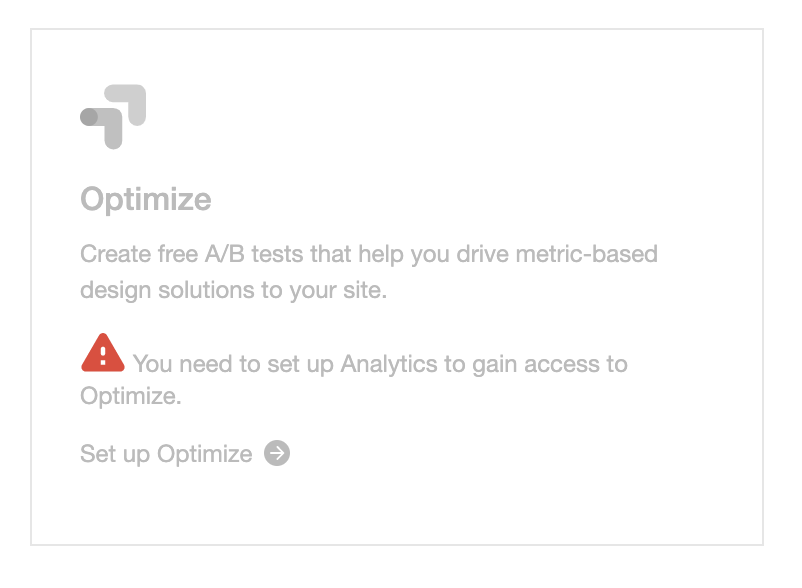
As we need to polyfill some of the code, we need to test on iOS safari (iphone or ipad) this url: /wp-admin/admin.php?page=googlesitekit-settings#connect with Analytics and Optimize modules disabled. If the error message looks like the attached screenshot "You need to set up Analytics to gain access to Optimize.", the QA test has passed.
Changelog entry
- Add support for
checkRequirementsargument toregisterModuleaction ofcore/modulesstore, which allows to block a module from being activated until certain requirements are met.
 felixarntz
All 16 comments
Related: Because of the removal of the two legacy filters, this will simplify considerations when defining #1623.
felixarntz
on 5 Oct 2020
@ryanwelcher
Add function argument called
moduleRequirementsMetto the registerModule action
I don't think we need to include the term "module" in the name since all of the store is module-specific. Maybe checkRequirements would be a more suitable name, since the function can return more than a simple boolean value?
Add new
getModuleCanBeActivatedselector
I think a more intuitive name would be canActivateModule.
Dispatch
receiveError()from the datastore for each dependency that is inactive:
Two things regarding this:
- The selector (and this issue entirely) shouldn't use
receiveError(I don't think that's even possible from a selector), the requirement check errors should be handled internally in the store.receiveErroris for "unexpected" errors like failed API calls etc., not expected errors like module requirements not being fulfilled, which is a normal circumstance during regular plugin usage. - It shouldn't return one error per missed dependency, it should rather return a single error including the list of all module names that still need to be activated. Also note that the string should include module names (so that it is a human-readable error message) instead of module slugs.
- Add new
getModuleModuleActivationErrorselector
- accepts module slug as parameter
- uses getErrorForSelector()
- selectorName:
getModuleCanBeActivated
- args:
[ module: moduleSlug]
See above, this shouldn't use the error store part. This selector can almost work the same way as the canActivateModule selector, except that it should return null|error rather than true|false as its result. The common parts can probably be put into some internal utility function or auxiliary selector so that we don't add duplicate code. (Also the selector name shouldn't include "Module" twice, probably a typo.)
The rest of the existing IB overall looks good, it just requires some naming adjustments based on the above feedback. I'm a bit worried about the estimate which seems low - maybe closer to a 19, what do you think? Especially because we'll also need tests, at least for the new selectors - can you add something about that to the designated IB area?
felixarntz
on 19 Oct 2020
@ryanwelcher
Add
moduleActivationErrorto the baseInitialState object with a default value ofnull.
This will need to be used for all modules, so it should use a plural for its name. Potentially the initial value could already be an empty object, since we'll only need to check for state.moduleActivationErrors[ moduleSlug ] anyway. Probably we should rather call this checkRequirementsResults though (see below).
Create a new
receiveActivationErroraction tobaseActions
I think this name indicates that this would be an error from _activating_ the module, but it's actually an error from _checking_ whether the module can be activated. Maybe receiveCheckRequirementsError?
More importantly, we also need to be able to differentiate whether the check was successful (true) or whether it has not run yet (undefined), so we'll need to store more than just the error - in case of success we'll need to store that as well. Maybe we can also add something like receiveCheckRequirementsSuccess( moduleSlug ) that just stores true for the module?
This actually leads me to something I missed in my previous review, the selectors need to return undefined when the checks haven't run yet (i.e. when the resolver is not resolved):
if
state.moduleActivationErroris null, returntrue, otherwisefalse
Returns null or error if it exists in state
Both of these should alternatively return undefined if state.checkRequirementsResults[ module ] === undefined.
felixarntz
on 23 Oct 2020
@felixarntz IB updated.
I have also changed the name of the selector to getCheckRequirementsStatus to better reflect that it can either return and an error object, true or undefined.
 ryanwelcher
on 27 Oct 2020
ryanwelcher
on 27 Oct 2020
IB ✅
felixarntz
on 27 Oct 2020
A few questions on IB: API
1) Are we sure that the resolver canActivateModule should be an async generator?
2) In the pseudocode for the resolver const checkResult = await module.checkRequirements();. If checkResult is true, how does this tie in: If any dependencies are in-active, generate an error message: You need to set up {dependency moduleName 1}, {dependency moduleName 1}, {...} to gain access to {moduleName} ( should be marked for translation )
Here's what I have for the resolver:
const baseResolvers = {
    // Removed irrelevant resolver for this comment.
    *canActivateModule( slug ) {
        const registry = yield Data.commonActions.getRegistry();
        const module = registry.select( STORE_NAME ).getModule( slug );

        const inactiveModules = [];
        module.dependencies.forEach( ( dependencySlug ) => {
            const dependedentModule = registry.select( STORE_NAME ).getModule( dependencySlug );
            if ( ! dependedentModule.active ) {
                inactiveModules.push( dependedentModule.name );
            }
        } );
        const formatter = new Intl.ListFormat('en', { style: 'long', type: 'conjunction' });
        const checkResult = yield module.checkRequirements();
        if ( inactiveModules.length ) {
            /* translators: Error message text. 1: A flattened list of module names. 2: A module name. */
            const errorMessage = sprintf( __( 'You need to set up %1$s to gain access to %2$s.', 'google-site-kit' ), formatter.format( inactiveModules ), module.name ); // @TODO: What do we do with this errorMessage?

        }

        if ( checkResult === true ) {
            yield baseActions.receiveCheckRequirementsSuccess( slug );
        } else {
            yield baseActions.receiveCheckRequirementsError( checkResult );
        }
    },
};
 ivankruchkoff
on 2 Nov 2020
ivankruchkoff
on 2 Nov 2020
@ivankruchkoff
Are we sure that the resolver
canActivateModuleshould be an async generator?
We don't have any async generators in the codebase yet, so I'm not sure if this would work or not. Resolvers are always run asynchronously and support asynchronous execution so that wouldn't be a problem, but only that await may not work as expected and shouldn't be necessary since async actions are "awaited" by the control flow. What would definitely work however would be to use an action that has a control to await the given function which may be asynchronous. Controls always await a promise and return the resolved value as the result of the calling yield so we may need to add a utility action for this (to Data.commonActions) but something like this would work:
commonActions.await = function* ( value ) {
   yield { type: AWAIT, payload: { value } };
}
//
commonControls[ AWAIT ] = ( { payload } ) => payload.value;
The AWAIT type has no significance of its own. The control is what does the actual awaiting.
Then in the resolver we can simply await it with the action
const checkResult = yield Data.commonActions.await( module.checkRequirements() );
Alternatively, we could just add an action + control for this directly to core/modules similar to how we proxy submitChanges through the store, by adding a checkRequirements( slug ) action that selects the module and calls the function with the control to await it.
This would be a little simpler in its use:
const checkResult = yield coreModules.actions.checkRequirements( slug );
The difference here being that we need access to the "raw" action to yield in order to get the async behavior otherwise you end up with the same problem as before since dispatch(...).someAction() will return a promise. I would opt for the latter here if it isn't substantially more effort.
As an aside and suggested change to the ACs here – since the module's checkRequirements function is an internal function that is handled by the datastore and only needs to validate the module's requirements, I would suggest that this function should _throw_ in the case of an error rather than return it. Then the return value is irrelevant since we only care about the error.
Then that becomes a bit more simple as well:
const module = registry.select( STORE_NAME ).getModule( slug );
try {
    module.checkRequirements();
    registry.dispatch( STORE_NAME ).receiveCheckRequirementsSuccess( slug );
} catch ( error ) {
    registry.dispatch( STORE_NAME ).receiveCheckRequirementsError( slug, error );
}
@felixarntz how does this sound to you?
In the pseudocode for the resolver
const checkResult = await module.checkRequirements();. IfcheckResultis true, how does this tie in: If any dependencies are in-active, generate an error message:You need to set up {dependency moduleName 1}, {dependency moduleName 1}, {...} to gain access to {moduleName} ( should be marked for translation )
The checkRequirements function is independent of the module dependencies check, which should happen first per the ACs:
Before calling the registration argument function, it should first check whether all the module's dependencies are activated. The error message in such a case should be
You need to set up %1$s to gain access to %2$s(translatable of course).
I think the confusion here is that the IB includes this under the section for the resolver (after the pseudo code), but it belongs in the (registry) selector. Only the async state-based logic belongs in the resolver where if the module's checkRequirements function returns an error, it would receive that into the store; that's the only thing a resolver can be used for (fetching and receiving data).
Regarding your question in the code you shared:
const errorMessage = sprintf( __( 'You need to set up %1$s to gain access to %2$s.', 'google-site-kit' ), formatter.format( inactiveModules ), module.name ); // TODO: What do we do with this errorMessage?
This error would be received into the store as mentioned in the IB:
yield
baseActions.receiveCheckRequirementsErrorpassing the slug and error message as the payload.
This may be a bit confusing because I think there is a typo in the definition of this action above where it describes the payload as Payload is a map of { moduleSlug: error}, but I think it may have intended to be { moduleSlug, error }.
cc: @ryanwelcher ?
I hope that clarifies things a bit @ivankruchkoff – let me know if you have any further questions.
 aaemnnosttv
on 3 Nov 2020
aaemnnosttv
on 3 Nov 2020
I have a draft PR (#2335 ) addressing most things except point 1) ModuleSettingsWarnings.
1) ModuleSettingsWarning
For Ensure that any other instances of ModuleSettingsWarning are refactored ( this list may not be exhaustive ) :
- assets/js/components/modules-list.js
- assets/js/components/setup-module.js
- assets/js/components/notifications/module-settings-warning.js
- assets/js/components/settings/module-setup-incomplete.js
- assets/js/modules/adsense/index.js
- assets/js/modules/adsense/components/dashboard
- assets/js/modules/adsense/components/dashboard/LegacyDashboardEarnings.js
The way we call ModuleSettingsWarning is as follows: <ModuleSettingsWarning slug={ slug } context="settings" />. It seems that we need to know what the error message is in each of those locations to changing the error message approach, see e.g. https://github.com/google/site-kit-wp/pull/2335/files#diff-7700ce4c015949d94e5e350df03d24bccd10e05eb0ebbe3922ec9dd72d406affR114
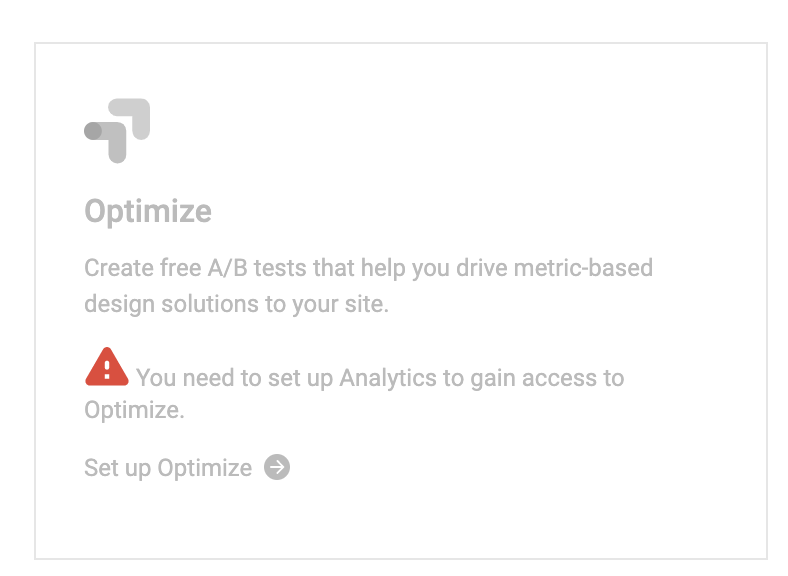
2) VRT Updates
We need to update reference images for /wp-admin/admin.php?page=googlesitekit-settings#connect, it will look like this:
3) receiveCheckRequirementsError
Payload is a map of { moduleSlug: error}, but I think it may have intended to be { moduleSlug, error }.
{ slug1: error1, slugN: errorN } works here.
https://github.com/google/site-kit-wp/pull/2335/files#diff-730069ff939870d1e1640e27bfe2b107916e1c80b45f1c210a7f90118279cc8dR82
4) Async generators
Per the last comment from @aaemnnosttv, went with an await action which allows for async generators, implementation in https://github.com/google/site-kit-wp/pull/2335/files#diff-b3ea8602cdf2f21d6abe95fcbd8ef93606933940cd1b17d55341c2a5147db9cdR276
5) checkRequirements changes for AC
@felixarntz your thoughts on proposed AC changes from @aaemnnosttv in the previous comment?
...Then that becomes a bit more simple as well:
const module = registry.select( STORE_NAME ).getModule( slug );
try {
    module.checkRequirements();
    registry.dispatch( STORE_NAME ).receiveCheckRequirementsSuccess( slug );
} catch ( error ) {
    registry.dispatch( STORE_NAME ).receiveCheckRequirementsError( slug, error );
}
@ivankruchkoff I've done an initial review on the draft PR and left some comments that hopefully clarify a few things.
The way we call
ModuleSettingsWarningis as follows:<ModuleSettingsWarning slug={ slug } context="settings" />. It seems that we need to know what the error message is in each of those locations to changing the error message approach, see e.g. https://github.com/google/site-kit-wp/pull/2335/files#diff-7700ce4c015949d94e5e350df03d24bccd10e05eb0ebbe3922ec9dd72d406affR114
I think we can solve this by modifying ModuleSettingsWarning as described in the ACs so that it displays the error automatically. In other words, based on the slug prop, that component can then call getCheckRequirementsStatus( slug ) and if it returns something (i.e. there is an error), output the message from that error. Otherwise, it should return null.
Everywhere where we need to render a ModuleSettingsWarning then, we can either just render it (since it will return null anyway if there is no error) or wrap it in a ! canActivateModule (just to be "double-safe").
We need to update reference images for /wp-admin/admin.php?page=googlesitekit-settings#connect, it will look like this:
👍
Payload is a map of { moduleSlug: error}, but I think it may have intended to be { moduleSlug, error }.
{ slug1: error1, slugN: errorN }works here.https://github.com/google/site-kit-wp/pull/2335/files#diff-730069ff939870d1e1640e27bfe2b107916e1c80b45f1c210a7f90118279cc8dR82
Yes the IB is a bit odd there indeed, the purpose of the action should be to receive a single error object (note that these should be objects like we use elsewhere for errors, that maybe wasn't clear from the ACs), so we don't need to have any kind of map of errors. I think the action signature should be receiveCheckRequirementsError( slug, error ), and then the payload can be { slug, error }.
Per the last comment from @aaemnnosttv, went with an
awaitaction which allows for async generators, implementation in https://github.com/google/site-kit-wp/pull/2335/files#diff-b3ea8602cdf2f21d6abe95fcbd8ef93606933940cd1b17d55341c2a5147db9cdR276
That sounds like a good solution to me.
@felixarntz your thoughts on proposed AC changes from @aaemnnosttv in the previous comment?
...Then that becomes a bit more simple as well:
const module = registry.select( STORE_NAME ).getModule( slug );
try {
    module.checkRequirements();
    registry.dispatch( STORE_NAME ).receiveCheckRequirementsSuccess( slug );
} catch ( error ) {
    registry.dispatch( STORE_NAME ).receiveCheckRequirementsError( slug, error );
}
Good suggestion, let's rely on throwing error objects then. In that case, the checkRequirements function should either throw an exception or do nothing (i.e. it shouldn't return anything).
felixarntz
on 9 Nov 2020
Just a note that I'm moving back to Execution to resolve VRT issues.
ivankruchkoff
on 10 Nov 2020
Resolved VRT issues, updated 3 VRT reference screenshots due to text changes.
ivankruchkoff
on 12 Nov 2020
QA Update: ❌
@ivankruchkoff please note my observations below.
GA and Optimize was not activated.
Tested on a site that previously had SK activated, but I reset and reconnected before commending the QA.
- For this test, Browserstack was used. On an iOS device (iPhone 12 and iPad 8) and Safari, the
Optimizemodule does not appear as in the screenshot. Screenshot - As a second check, I also looked at Safari on MacOS, and the same applies. - Screenshot
This was tested on the develop branch.
 wpdarren
on 1 Dec 2020
wpdarren
on 1 Dec 2020
@wpdarren thanks for the update.
I was able to repro. Put out a fix in #2470
ivankruchkoff
on 2 Dec 2020
Separate PR to address https://github.com/google/site-kit-wp/pull/2470#discussion_r534406753 in #2471 to avoid making other changes prior to release.
ivankruchkoff
on 3 Dec 2020
@ivankruchkoff Can you open a separate issue for this one with the goal to consistently format item lists? You can then assign the PR to that one.
felixarntz
on 3 Dec 2020
QA Update: Pass ✅
- On an iOS device (iPhone 12 and iPad 8) and Safari, the Optimize module appears as in the screenshot. Screenshot
- As a second check, I also looked at Safari on MacOS, and the same applies. -
Screenshot
wpdarren
on 3 Dec 2020
Related issues
 theeducatedbarfly
·
4Comments
theeducatedbarfly
·
4Comments
 tofumatt
·
3Comments
felixarntz
·
4Comments
tofumatt
·
5Comments
aaemnnosttv
·
3Comments
tofumatt
·
3Comments
felixarntz
·
4Comments
tofumatt
·
5Comments
aaemnnosttv
·
3Comments
Most helpful comment
Separate PR to address https://github.com/google/site-kit-wp/pull/2470#discussion_r534406753 in #2471 to avoid making other changes prior to release.