Site-kit-wp: Display errors correctly in module setup/setting flows
Bug Description
Currently, error handling in module setup flows is rudimentary, with only the last single error being displayed. The bigger problem though is that if an error occurs for the main request that is used to determine whether the setup should be in loading state, the loading bar will just keep going, and the error will never be displayed.
_Do not alter or remove anything below. The following sections will be managed by moderators only._
Acceptance criteria
- The
createErrorStorefunction should be expanded so that the store includes a newgetErrors()selector, which returns an array of all errors in the store. It should also include ahasErrors()selector which returns a boolean based ongetErrors(). - There should be a new
ErrorNoticecomponent inassets/js/components/ErrorNotice.jswhich behaves similarly to the existingStoreErrorNoticecomponent (i.e. including the logic for whether or not to returnnull), except that:
- It receives an
errorobject as prop instead of thestoreName. - It displays the passed
errorinstead of getting it from the store.
- It receives an
- The existing
StoreErrorNoticeshould internally rely onErrorNotice, simply passing the retrievederror. - There should be a
StoreErrorNoticescomponent inassets/js/components/StoreErrorNotices.jswhich behaves similarly like theStoreErrorNoticecomponent (see #1749), except that it displays potentially multiple errors, using the newgetErrors()selector on the store passed. If ashouldDisplayErrorprop is provided, every error should be run through it (as well as the other checks likeisPermissionScopeError) to see if it should be displayed. Then the component should display all errors using anErrorTextcomponent for each.
- Instead of replicating the logic which is now handled by the
ErrorNoticeabove, it should render a<ErrorNotice>for every error.
- Instead of replicating the logic which is now handled by the
- Every module's
ErrorNoticecomponent should be renamed toErrorNoticesand use the newStoreErrorNotices. All references should be updated to use that component.
Implementation Brief
createErrorStore additions
- Add a new
selectors.getErrorswhich returnsObject.values( state.errors )as well asstate.errorif set in a single array
- Because
errorsmay already containerror, the list should be reduced to a list of unique errors based onerror.codeanderror.message
- Because
selectors.hasErrorsalready exists, but it should be updated to usegetErrorsrather than the current logic which does not account forstate.error
New components
- Create a new
ErrorNoticecomponent inassets/js/components/ErrorNotice.js
- Should accept an optional
errorobject as a prop - Everything else is the same as
StoreErrorNotice, except theerroris sourced from the prop, rather than the store - This component should include the same logic for returning
nullas is currently present inStoreErrorNotice
- Should accept an optional
- Create a new
StoreErrorNoticescomponent inassets/js/components/StoreErrorNotices.jsas a multi-error-capable variant ofStoreErrorNotice
- Requires a
storeNameprop to be provided - Should accept the same
shouldDisplayErrorprop asErrorNotice - Selects all errors from the store using the new
getErrorsselector - Map the errors into
ErrorNoticecomponents, passing through theerrorandshouldDisplayErroras props
- Requires a
Changes to existing components
- Update
StoreErrorNoticeto useErrorNoticeinternally, passing through theerrorfrom the store as a prop - Rename
assets/js/modules/adsense/components/common/ErrorNotice.jstoErrorNoticesand be updated to use the newStoreErrorNoticesinternally - Update references to
StoreErrorNoticeinmodules/*/componentsto useStoreErrorNoticesinstead
Tests
It seems that createErrorStore was introduced without tests so this would be a good time to add them for all existing selectors and actions (see existing create-*-store.test.js for examples)
actions.receiveErroractions.clearErrorselectors.getErrorForSelectorselectors.getErrorForActionselectors.getErrorselectors.hasErrors- Add Jest tests for the added
getErrorstocreateErrorStore - Add Jest tests for
StoreErrorNoticeandStoreErrorNoticescomponents
QA Brief
- Install the developer/helper plugin as documented here:
https://sitekit.withgoogle.com/documentation/using-site-kit-on-a-staging-environment/ - Go to the "Developer Settings" page for Site Kit.
- Enter an invalid URL for the "Custom Site URL" field.
- After saving, clear the browser's session storage
- Go to the dashboard and for the "Search Funnel" section, there will be only error displayed compared to 2 similar errors previously.
Changelog entry
- Improve error handling during module setup and editing module settings so that any API errors are displayed.
 felixarntz
All 17 comments
@felixarntz
For the condition whether to display a progress bar, JS components that are used in module setup or module settings must not rely on selectors returning
undefinedwhich have a resolver. Whenever a selector has a resolver, such logic should rely onhasFinishedResolutionfor the selector instead.
While this makes sense in general, I'm not sure it makes sense to include as part of this issue. Is it related to the error component changes?
 aaemnnosttv
on 26 Aug 2020
aaemnnosttv
on 26 Aug 2020
@aaemnnosttv
While this makes sense in general, I'm not sure it makes sense to include as part of this issue. Is it related to the error component changes?
The problem is that in _some_ of the module setup components currently if an error occurs the user is never informed about it and instead continues to see the progress bar. This is because the ErrorNotice component is only used in a sub-component which isn't even rendered though because of relying on the data to be there (i.e. the request to be successful). Such components should instead rely on the resolver so that, if an error occurs, the progress bar disappears and the user instead sees the error message.
Otherwise the IB LGTM, but I think this should be added as part of this issue.
felixarntz
on 27 Aug 2020
@felixarntz I've updated the IB to include those changes but I'm a bit concerned that the size of the scope is making this not such a good first issue anymore, even though I don't think there is anything about what needs to be done is overly complex.
It might make more sense to split some of this into separate GFI issues:
- Add tests for
createErrorStore - Update conditionals used for early return with
based on data selected from the datastore
Then the remaining items in this issue would depend on the above two, but those would have no dependencies of their own and each issue would have a more well-defined scope. This will also help keep the size of the changes down during review which always helps 😄
If you agree and the IB otherwise looks good, I think we can slice this up accordingly, consider the IBs done and move them all right to the backlog.
aaemnnosttv
on 27 Aug 2020
@aaemnnosttv IB LGTM. Regarding your last comment, let's split out the part of updating the progress bar logic, since that is actually entirely unrelated (it's not even blocked by this). I think the changes around the error store component should be kept together in here. Assigning this back to you just for a final pass and potential update of the estimate.
felixarntz
on 9 Sep 2020
@felixarntz this looks better now, thanks for splitting that out. I've brought the estimate down one notch as a result which looks better for a GFI 👍 I think most of the effort here will be around the tests as the datastore and component changes should be fairly easy to implement.
Moving this forward as IB ✅ as we discussed yesterday as there are no other changes to the IB.
aaemnnosttv
on 10 Sep 2020
@asvinb would you please add a QA Brief to the issue above? Let me know if you have any questions about what's needed there, but it just needs to outline any relevant info/steps as to how this should be QA'd.
aaemnnosttv
on 22 Sep 2020
@asvinb would you please add a QA Brief to the issue above? Let me know if you have any questions about what's needed there, but it just needs to outline any relevant info/steps as to how this should be QA'd.
@aaemnnosttv QA brief added
 asvinb
on 22 Sep 2020
asvinb
on 22 Sep 2020
@aaemnnosttv @asvinb Since #2033 is more critical than this and therefore needs to be in this release (but originally was waiting for this to be done in order to add a few extra tests), let's add test coverage for the new clearErrors and clearError as part of this issue.
felixarntz
on 24 Sep 2020
Tested
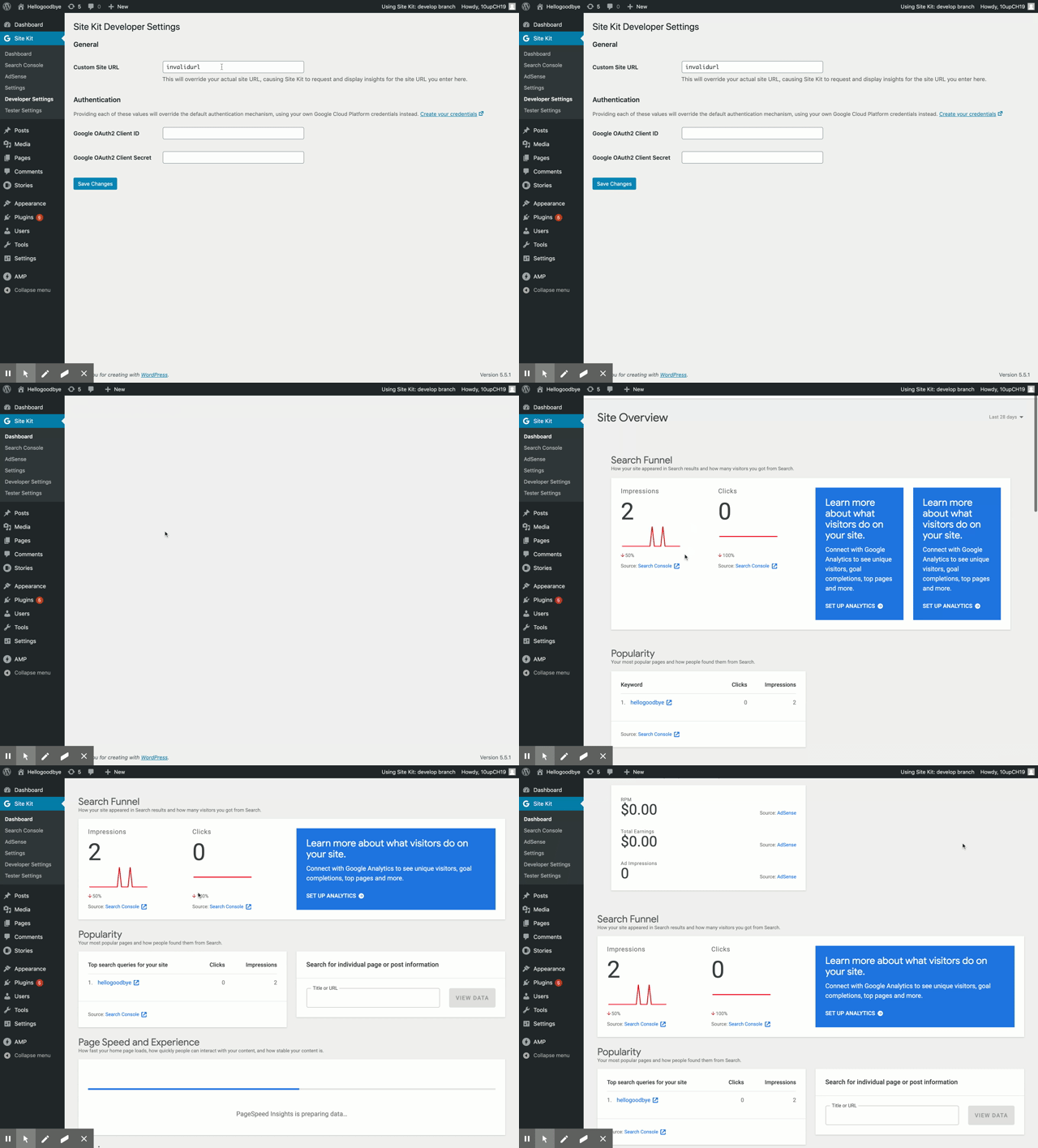
Installed, activated and setup SK. Installed and activated the developer/helper plugin.
Adjusted the Custom Site URL field to an invalidurl, saved and checked both widget and non widget search console. No errors displayed.
Sending back to @asvinb for adjustments
 cole10up
on 19 Oct 2020
cole10up
on 19 Oct 2020
@cole10up I just deleted my cookies and local storage and errors are displayed for the widgets as per screenshot below:
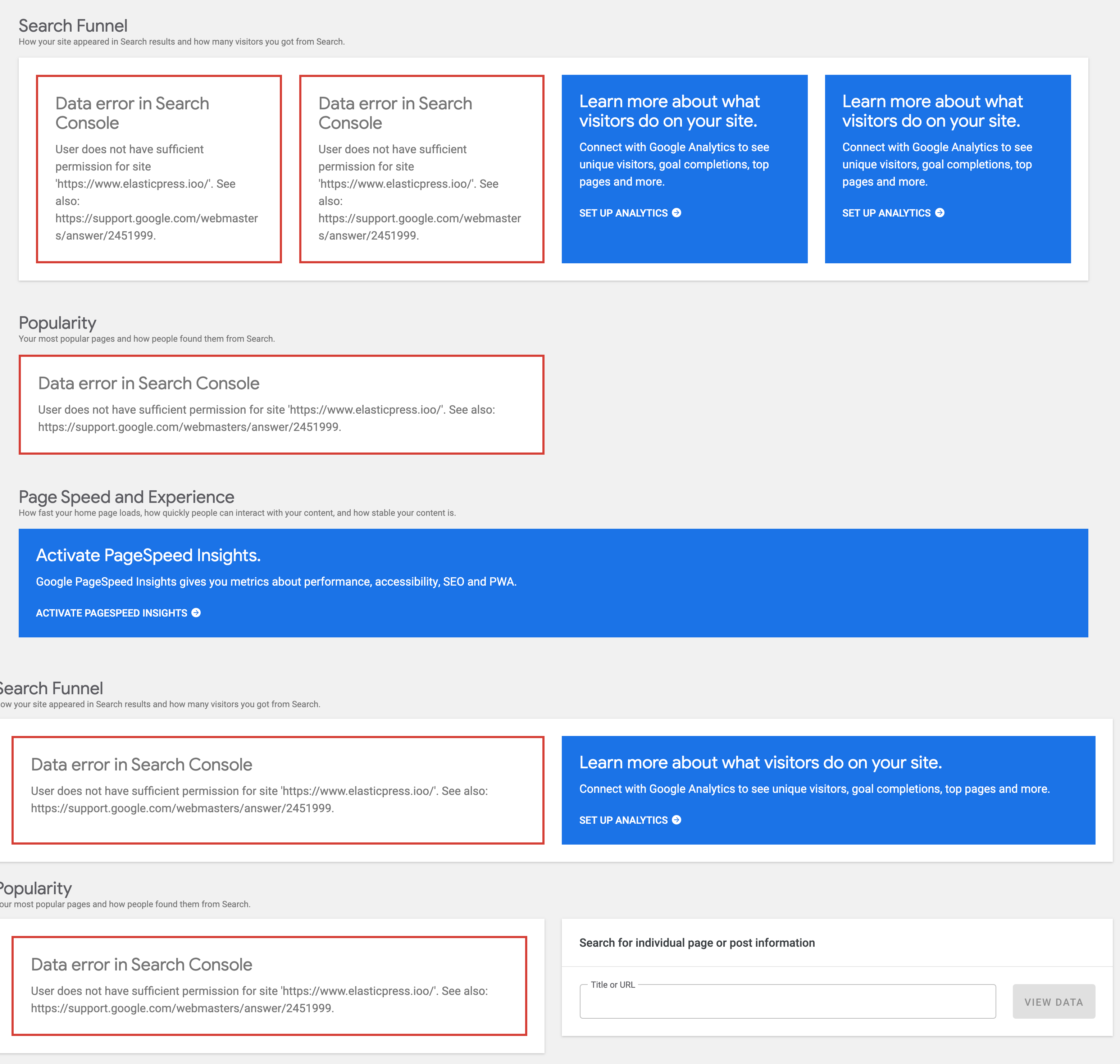
@aaemnnosttv Can you confirm the data is cached and we need to clear the cookies/local storage?
asvinb
on 20 Oct 2020
@asvinb that looks correct to me. Simply changing the custom URL won't trigger different requests to be made for most components on the dashboard because they use false for the url in their requests which results in the same cache key and uses the reference URL from the server side at the time of the request. That means that any existing data for these requests from a previous custom URL would be used. Given the QAB doesn't mention this, I can see why @cole10up sent it back, but to answer your question - yes the cache needs to be flushed after changing the custom URL 👍
aaemnnosttv
on 20 Oct 2020
@asvinb I've updated the QAB to include the missing step. Assigning back to @cole10up for a second pass.
aaemnnosttv
on 20 Oct 2020
Retested after clearing session storage:
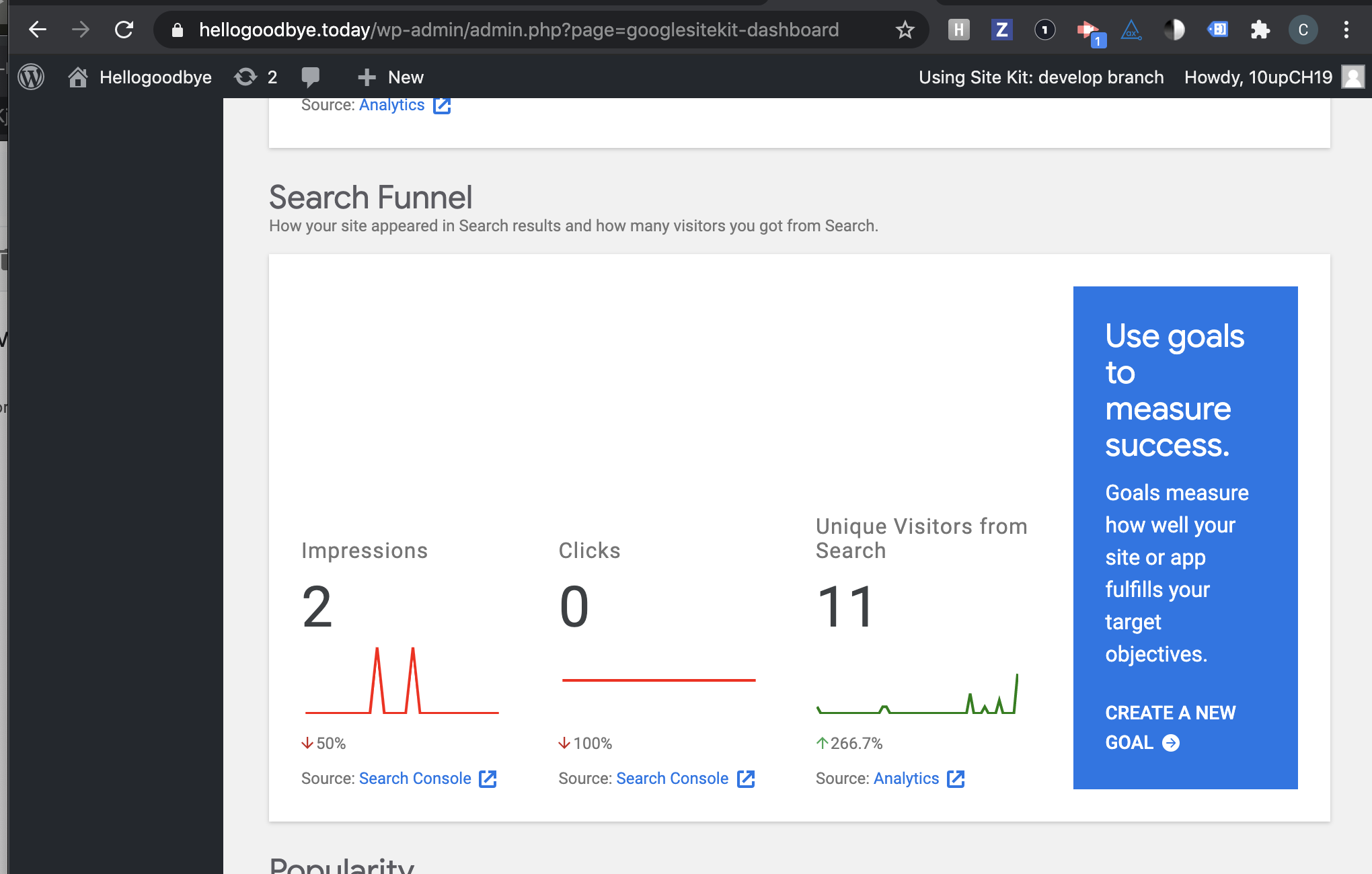
Still unable to reproduce this.
I tried to clear the entire page cache after saving the invalid URL which then prompts me to relogin and still no errors. I also installed a plugin to clear my session storage after saving the invalid URL, navigating to the dashboard, still no errors.
cole10up
on 22 Oct 2020
@asvinb @aaemnnosttv I'm not sure I follow the thinking behind the QA Brief steps - how do the changes in this issue affect the dashboard widgets and the errors they display? In my understanding the changes here only affect module setup flows: If there are API errors, now _all_ errors should show instead of just the last one. At a minimum, this part is not currently covered in the QA Brief.
felixarntz
on 22 Oct 2020
Yeah you're right @felixarntz – I got mixed up with the original QAB which didn't include the setup components.
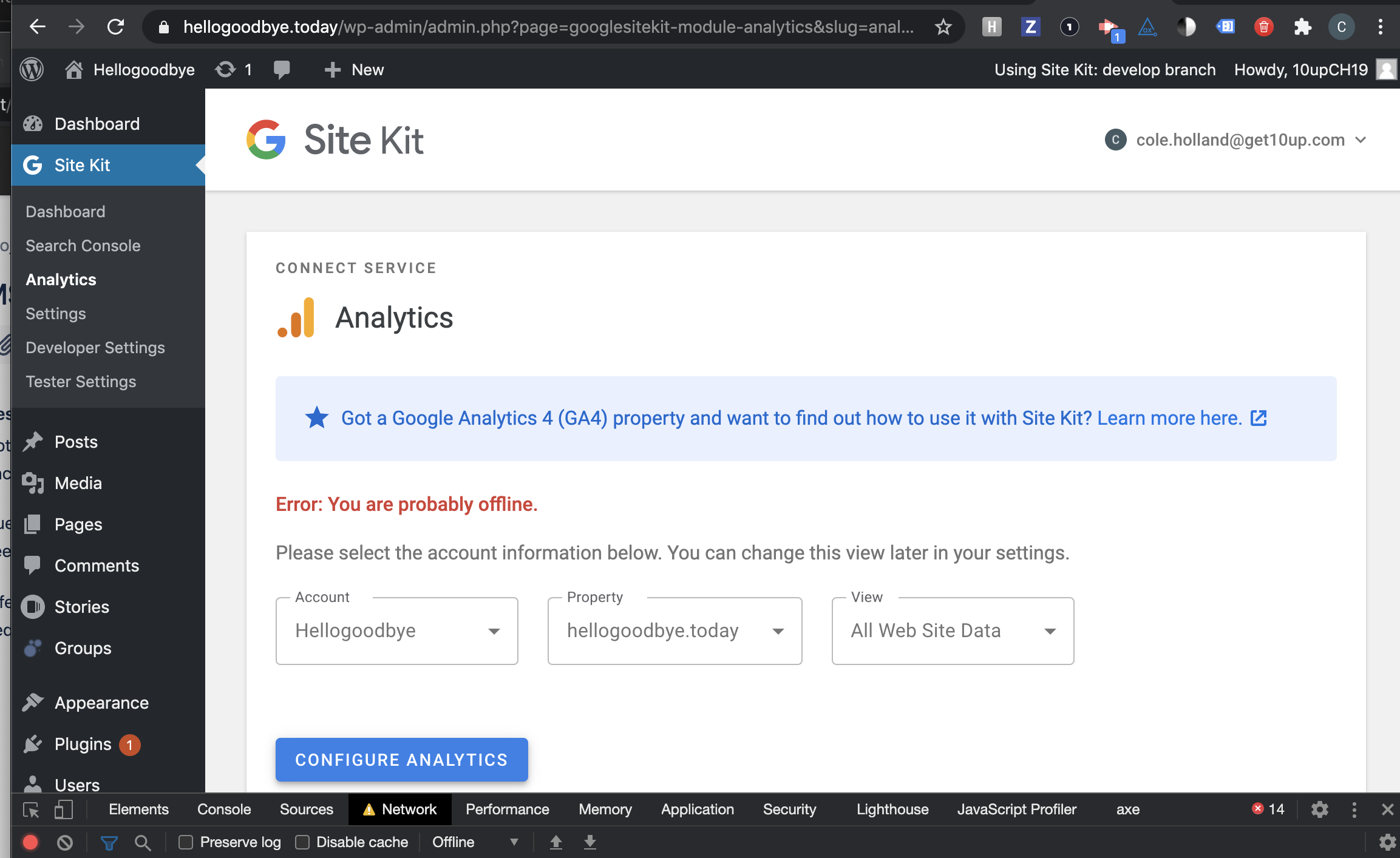
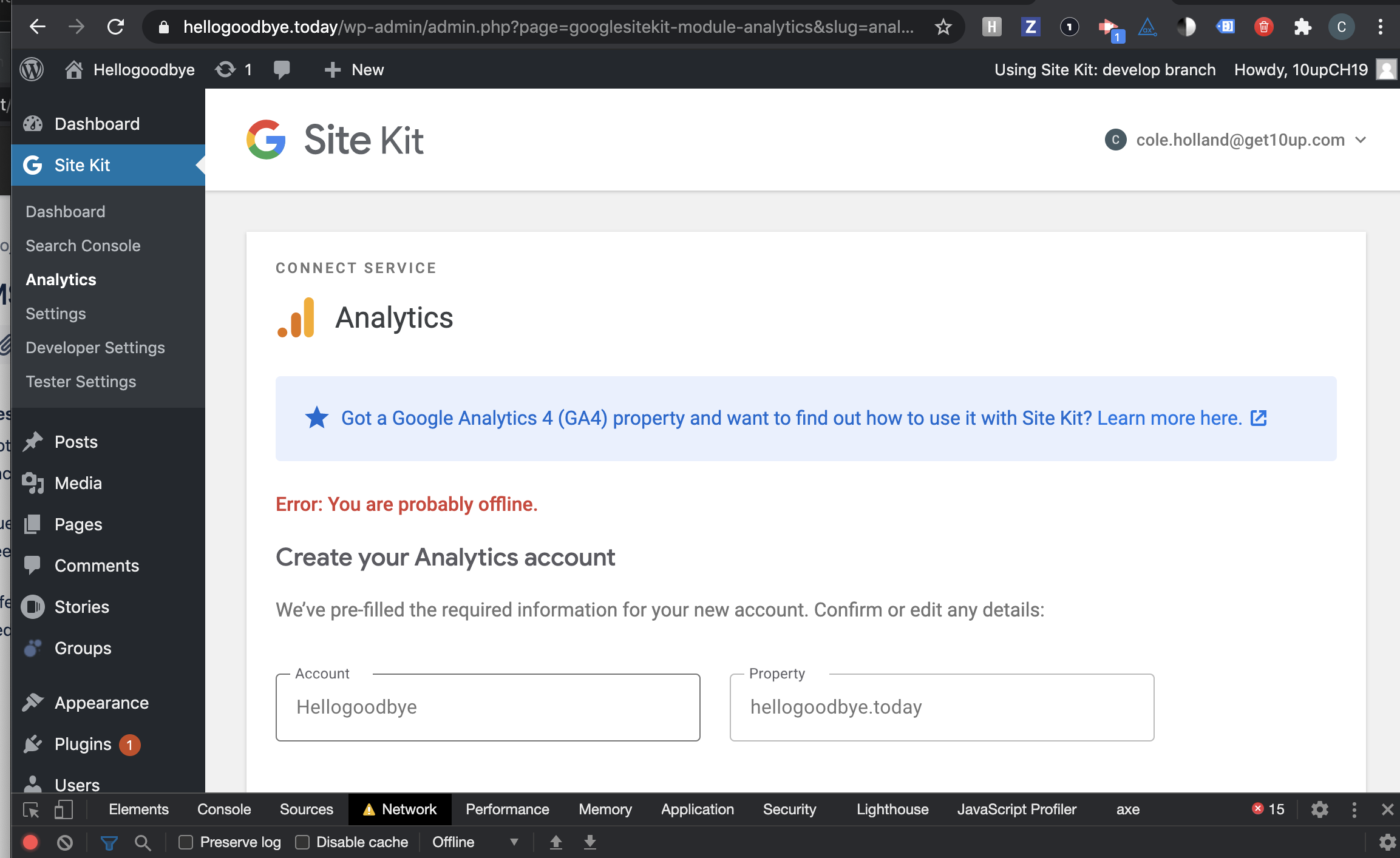
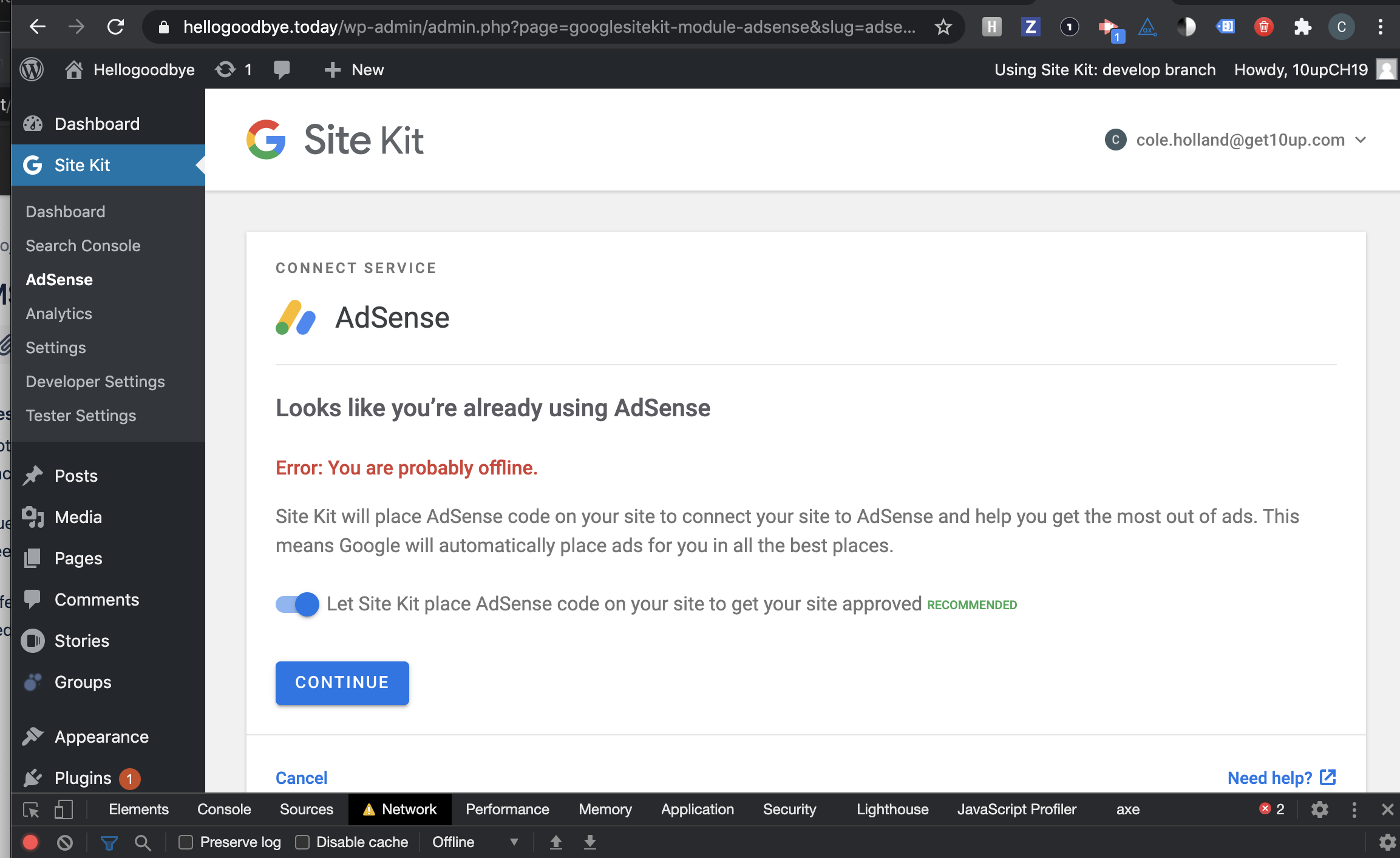
I think the easiest way for @cole10up to verify this is to load the setup for a particular module, and then set the network connection to "Offline" in the browser. Then make different selections in the component which trigger requests that will cause an error to be shown for each unique request.
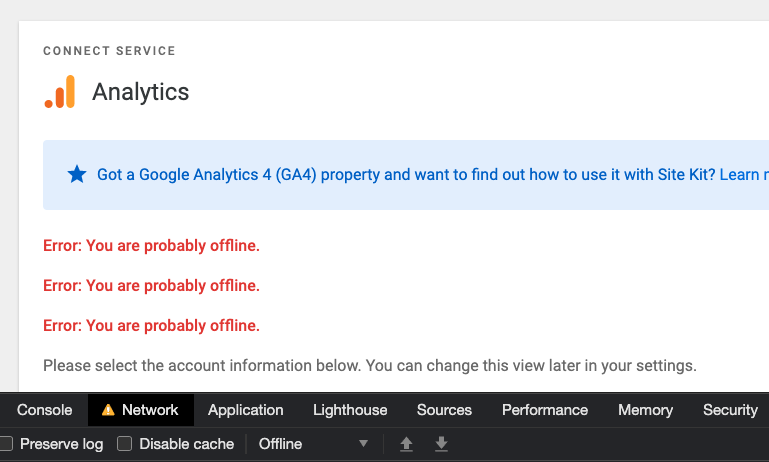
It's not ideal I think because the errors all have the same message (and wouldn't work for Optimize), but it does show multiple.
Alternatively, we can dispatch receiveError from the console with different arguments to see each one shown in the component.
What do you think?
aaemnnosttv
on 22 Oct 2020
Retested
Installed, activated and setup latest release candidate for SK. Navigated to Analytics module in offline mode and clicked the Configure button:
Ran a series of tests around other setup items in offline mode:
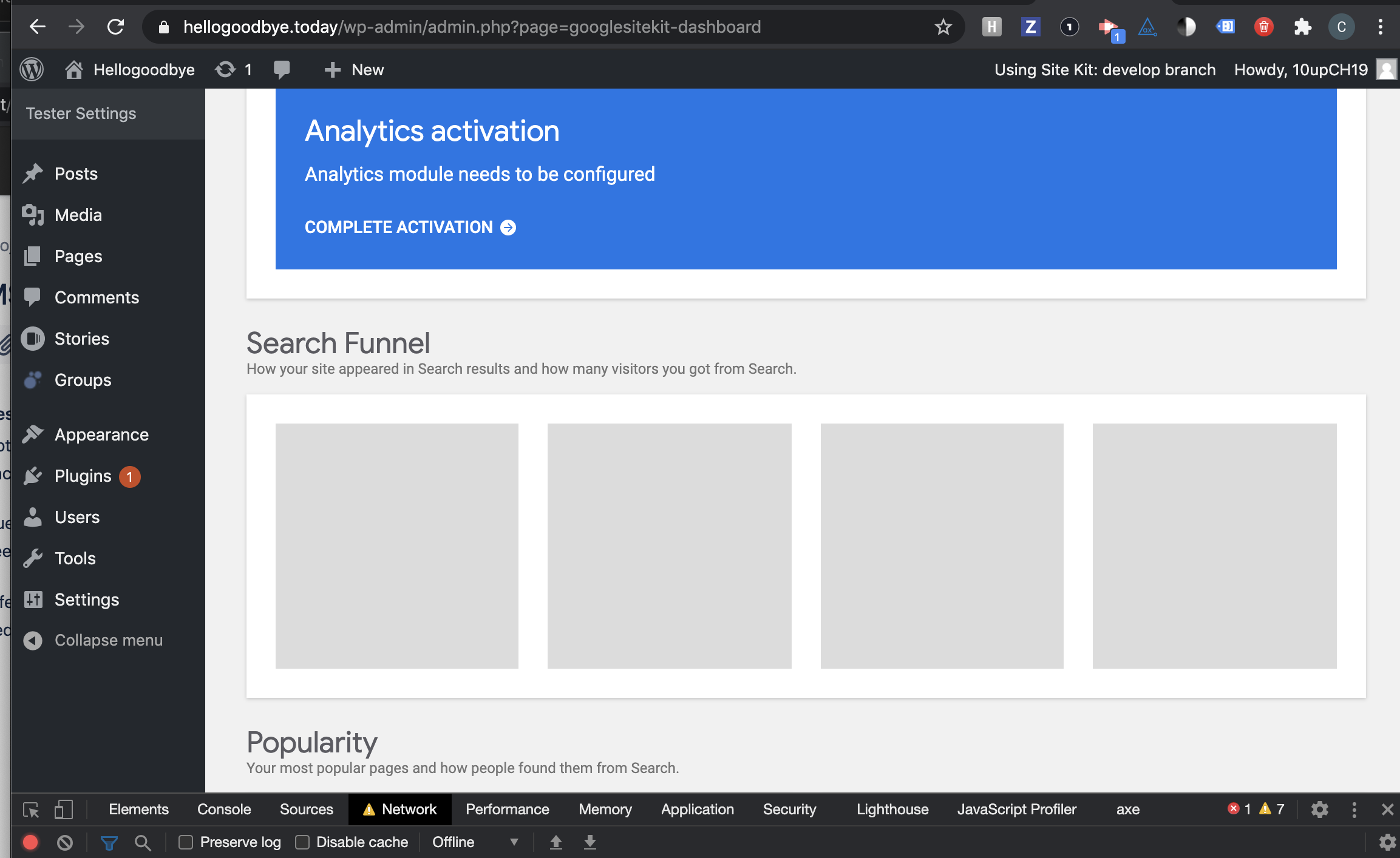
Tried changing the date filter on the dashboard in offline mode, no error displayed:
Thoughts @aaemnnosttv or @felixarntz ?
cole10up
on 23 Oct 2020
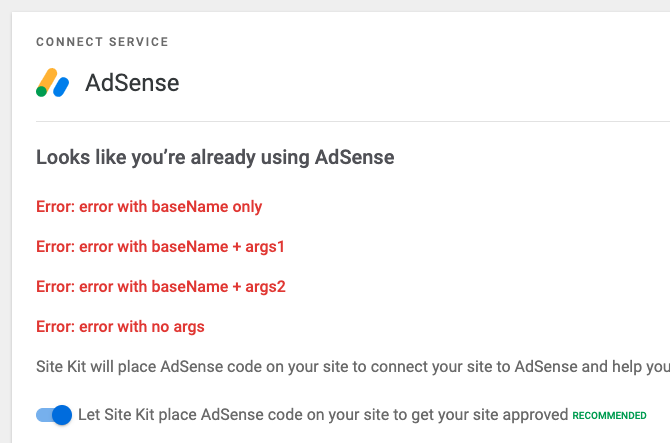
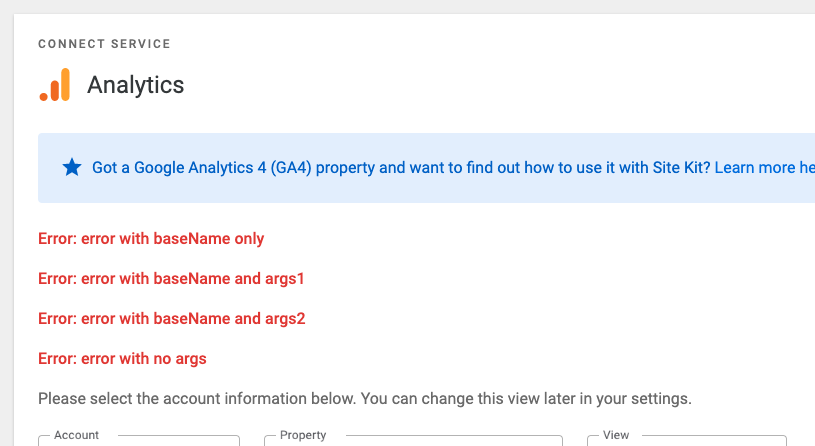
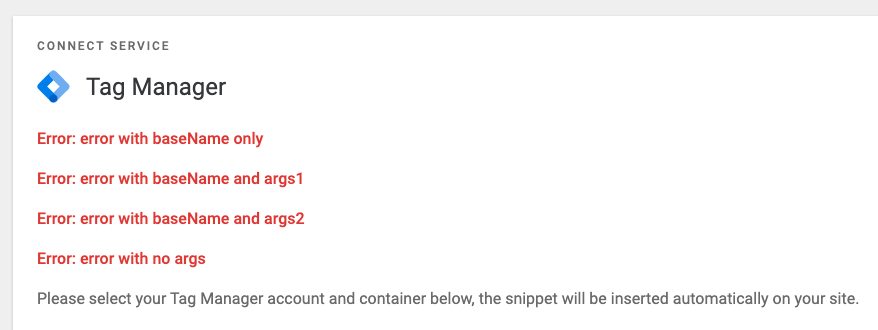
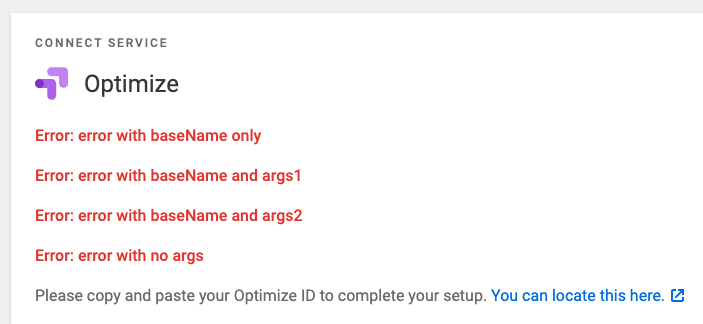
QA ✅
Received multiple different errors manually for each module and verified they all displayed in the module's setup component.
aaemnnosttv
on 23 Oct 2020
Related issues
 tofumatt
·
3Comments
tofumatt
·
3Comments
 tunakode
·
4Comments
aaemnnosttv
·
4Comments
tofumatt
·
5Comments
tunakode
·
4Comments
aaemnnosttv
·
4Comments
tofumatt
·
5Comments
 theeducatedbarfly
·
4Comments
theeducatedbarfly
·
4Comments