Site-kit-wp: Improve messaging to connect versus configure Site Kit for site admins who have not originally done the Site Kit configuration
Bug Description
I'm one of multiple admins on a Newspack site using Site Kit. The other admin has originally configured Site Kit and connected it to the Newspack site. When I now go to the Site Kit UI in the backend of WordPress, the messaging seems to indicate that Site Kit has not yet been set up – when in fact what I need to do is connect with my Google account to the site (this doesn't feel very intuitive and the messaging doesn't indicate what needs to happen).
The disconnects and confusion I experience:
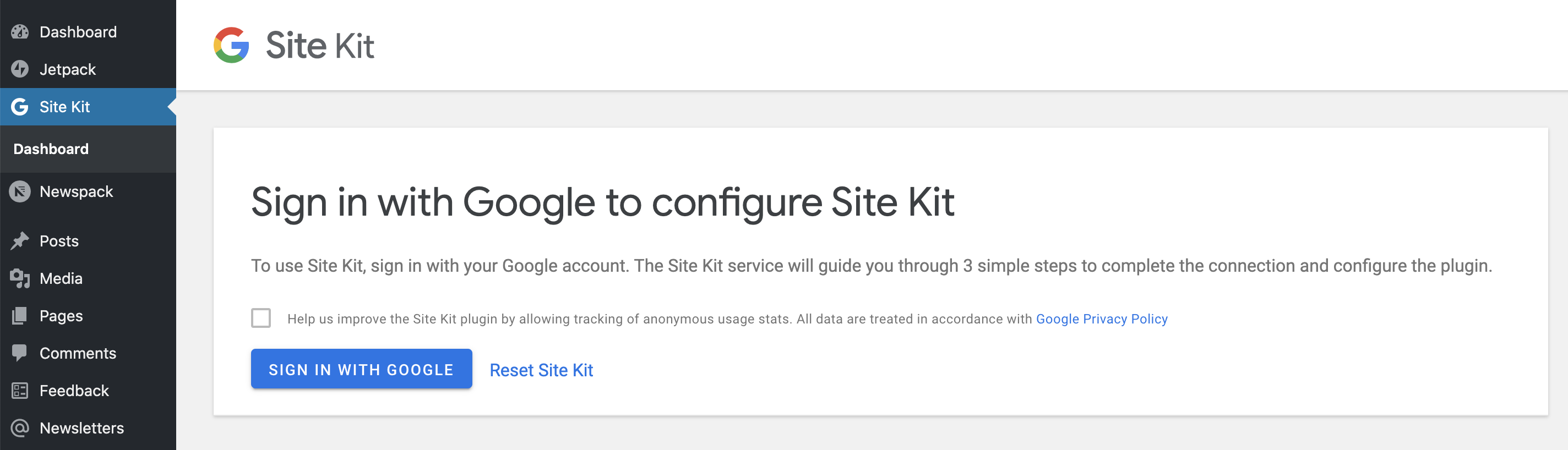
A. The first time I (a site admin who was not the person who configured Site Kit) go to Site Kit, I see messaging that says "Configure Site Kit," and I become confused and worried that the site was never set up properly
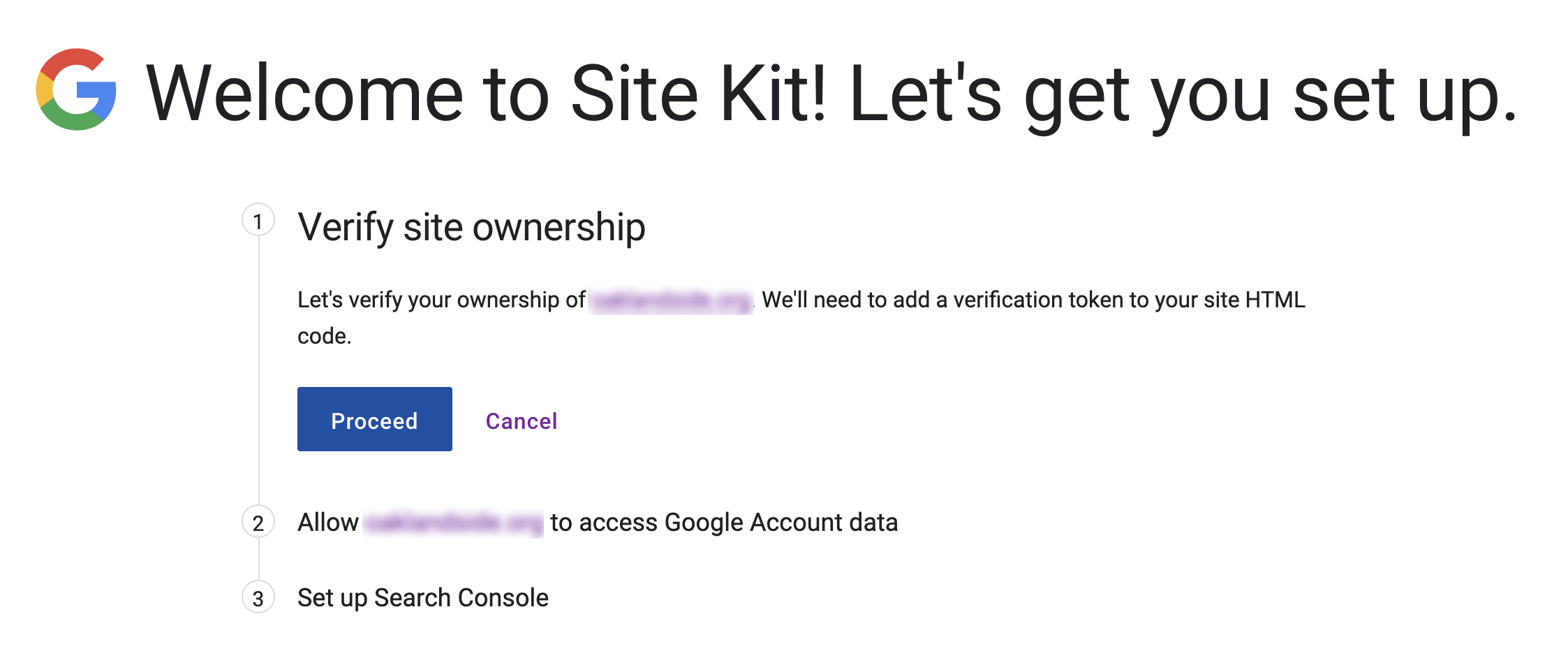
B. I am afraid to click the button "Sign in with Google" because I fear I will connect the site with my personal Google Analytics account, not the official one for the publication
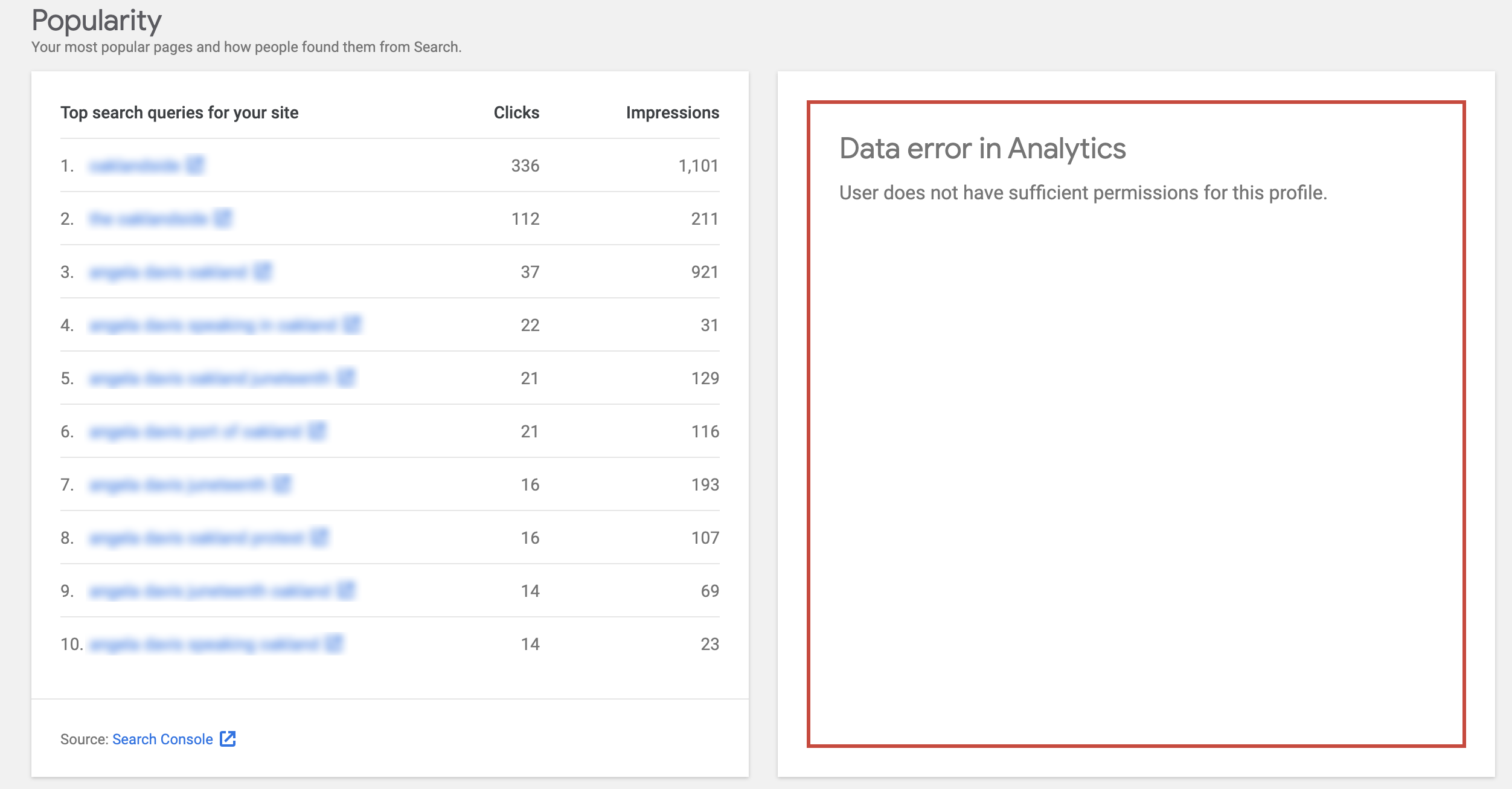
C) Even after I went through the flow to connect, I am confused because I can't see Analytics, which is because I hadn't been added to the publication's GA – this however makes sense.
Steps to reproduce
- Go to Site Kit UI screen in the WordPress backend
- I land on the screen "Sign in with Google to configure Site Kit" (see below) – I'm worried Site Kit has never been configured
- Click on "Sign in with Google"
- I land on the screen "Welcome to Site Kit! Let's get you set up" (see below) – I'm worried I'm connecting the site to my personal Google Analytics account and not the publication's
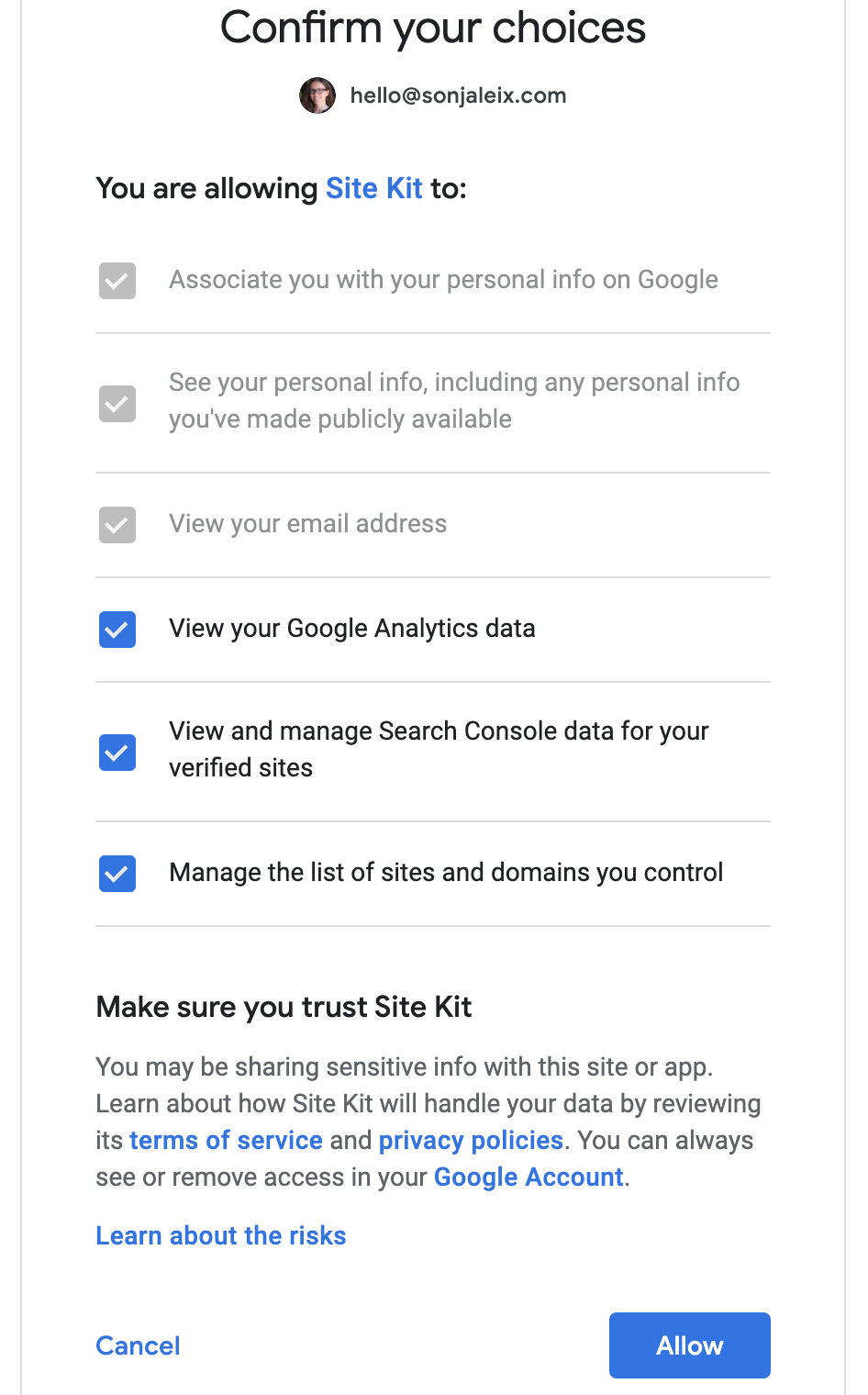
- Next screen has me "confirm my choices" (see below), which makes me wonder how this data is shared with the publication site
- After setup is complete and I arrive back at the WordPress site I see a "Data error in Analytics" and some language around not having access – which is because I have not yet been added to the publication's Google analytics account. This makes sense to me since I'm aware of that.
Screenshots
Step 1:
Step 3:
Step 4:
Step 5:
Conclusion
To improve the user experience and reduce confusion, I would recommend to adjust the messaging on some of the UI screens to clarify that Site Kit has been set up and configured, and that the next step is to connect via my Google account, rather than being met with a "configure Site Kit" messaging.
_Do not alter or remove anything below. The following sections will be managed by moderators only._
Acceptance criteria
- The
core/siteJS data store should expose (viacore/site/data/connectionAPI route) ahasConnectedAdministrators: Returns the boolean value of a newhasConnectedAdministratorsin API response.
- Should run a user query whether there are any administrator users who have a Site Kit access token.
- The logic for the setup (splash) screen to determine whether the current user
isSecondaryAdminshould be updated (currently just looks atisResettablewhich is not really accurate):
- It should be
hasConnectedAdministrators.
- It should be
- The copy for secondary administrators in the Site Kit setup (splash) screen should be updated:
- Heading: _Connect your Google account to Site Kit_
- Text: _Site Kit has already been configured by another admin of this site. To use Site Kit as well, sign in with your Google account which has access to Google services for this site (e.g. Google Analytics). Once you complete the 3 setup steps, you'll see stats from all already activated Google products._
- For secondary administrators, the "Reset" button should not be displayed.
- The
SetupUsingProxyJS component should use datastores instead of_googlesitekitLegacyData, except forerrorMessageandcanSetup.
These two cases should be annotated with TODO comments to migrate in the future.
Auxiliary datastore changes
- The
core/sitestore should have new selectors based on info from_googlesitekitBaseData:
getProxySetupURLgetProxyPermissionsURL
- The three proxy fields
usingProxy,proxySetupURL, andproxyPermissionsURLshould always be present in_googlesitekitBaseData. If not using the proxy, they should befalse/''/''respectively.
Implementation Brief
- Add a new
HasConnectedAdminsSettingclass for handling the value used forhasConnectedAdmins
- Manages a new option:
googlesitekit_has_connected_admins, a boolean value - When
HasConnectedAdmins->get()is called, if the option does not exist, it should query the users to populate it and set the value for next time
(similar to how a transient might be used) - In it's
registermethod, it should register a listener for user meta deletion
- If the deleted meta's
meta_keyis a meta key forOAuth_Client::OPTION_ACCESS_TOKEN, callHasConnectedAdmins->delete()
This will cause the value to be refreshed whengetis called next
- If the deleted meta's
- See below for a starting point for this class
- In the method which queries users:
- See
Migration_1_3_0::get_authenticated_usersfor an example of a similar query - Query users with role
administrator - The query should be limited to 1 user
- If a user is found, return
1otherwise0
- See
- Manages a new option:
- Instantiate
HasConnectedAdminsas a property inAuthentication, similar toProfileandFirstAdmin
- Register it in
Authentication::register()
- Register it in
- Update the REST Route definition in
Authenticationforcore/site/data/connectionto include ahasConnectedAdminskey in the response
- The value for the new key can be sourced from
$this->has_connected_admins->get()
- The value for the new key can be sourced from
ConnectedAdmins starting point
<?php

use Google\Site_Kit\Core\Authentication\Clients\OAuth_Client;
use Google\Site_Kit\Core\Storage\Options_Interface;
use Google\Site_Kit\Core\Storage\Setting;
use Google\Site_Kit\Core\Storage\User_Options_Interface;

class HasConnectedAdmins extends Setting {
    const OPTION = 'googlesitekit_has_connected_admins';

    protected $user_options;

    /**
    * ConnectedAdmins constructor.
    *
    * @param Options_Interface $options
    * @param User_Options_Interface $user_options
    */
    public function __construct( Options_Interface $options, User_Options_Interface $user_options ) {
        parent::__construct( $options );
        $this->user_options = $user_options;
    }

    public function register() {
        parent::register();

        $access_token_meta_key = $this->user_options->get_meta_key( OAuth_Client::OPTION_ACCESS_TOKEN );

        add_action(
            'deleted_user_meta',
            function ( $meta_ids, $object_id, $meta_key ) use ( $access_token_meta_key ) {
                if ( $meta_key === $access_token_meta_key ) {
                    $this->delete();
                }
            },
            10,
            3
        );
    }

    public function get() {
        // If the option doesn't exist, query the fresh value, set it and return it.
        if ( ! $this->has() ) {
            return $this->query_connected_admins();
        }

        return (bool) parent::get();
    }

    private function query_connected_admins() {
        $has_connected_admins = /* do query ...*/ true;
        $this->set( $has_connected_admins );
        return $has_connected_admins;
    }
}
core/site
- Add a new
hasConnectedAdminsregistry selector which returns the value fromgetConnection - Should we add a selector for
proxySetupURLtocore/sitesince this is also in_googlesitekitBaseDataand used inSetupUsingProxy?
assets/js/components/setup/setup-proxy.js
- Update
SetupUsingProxyto be wrapped withwithSelectwhen exported, passing the following selected data as props:
hasConnectedAdmins: select( core/site ).hasConnectedAdmins()isConnected: select( core/site ).isConnected()isResettable: select( core/site ).isResettable()siteURL: select( core/site ).referenceSiteURL()proxySetupURL: select( core/site ).proxySetupURL()(see question above)
- Annotate use of legacy globals for
errorMessageandcanSetupwith TODO comments for future refactoring
_All other use of legacy globals should be refactored with datastore data viawithSelectand props above_ - Update conditional rendering of
ResetButtonto also render ifhasConnectedAdmins
QA Brief
- Install, activate and configure Google Site Kit plugin
- Create a new admin user and switch to that admin
- Go to the Site Kit dashboard
- You should see the following:
- Heading: _Connect your Google account to Site Kit_
- Text: _Site Kit has already been configured by another admin of this site. To use Site Kit as well, sign in with your Google account which has access to Google services for this site (e.g. Google Analytics). Once you complete the 3 setup steps, you'll see stats from all activated Google products._
Changelog entry
- Clarify messaging on initial setup screen for secondary users who need to connect to Site Kit.
 sonjaleix
All 13 comments
Noting the language of "Let's verify your ownership of xyz.com" might be confusing to a second admin who doesn't "own" the domain at all. What we mean here right now is is "verify your Admin (or "write"?) access to xyz.com".
 adamsilverstein
on 1 Jul 2020
adamsilverstein
on 1 Jul 2020
Lots of good points here.
- Definitely makes sense to rephrase the initial screen (step 1 here) to clarify what's happening is actually just connecting the second admin's account to Site Kit, which has already been set up.
- We don't control what's displayed on the OAuth screens (step 4 in the original description), so that copy will remain as-is.
- Regarding site verification (step 3) -- @adamsilverstein AFAIK we will still place a verification file or token for every admin, regardless of whether they're the second one, so they can get access to SC stats. Can you confirm if that's the case?
Wording change for the initial screen that kicks off the entire process for second admins:
Heading: _Connect your Google account to Site Kit_
Text: _Site Kit has already been configured by another admin of this site. To use Site Kit as well, sign in with your Google account which has access to Google services for this site (e.g. Google Analytics). Once you complete the 3 setup steps, you'll see stats from all already activated Google products._
- Replace the "reset" functionality with "disconnect" functionality (only affects that specific admin).
- Don't display "disconnect Site Kit" link for any user who sees this screen for the first time.
cc @felixarntz we discussed the "reset button" point ^ in detail last week -- let me know if you have any additional comments on this one.
 marrrmarrr
on 6 Jul 2020
marrrmarrr
on 6 Jul 2020
@marrrmarrr Yes, we'll need to verify ownership for all users that use Site Kit, with a verification token as necessary.
I've provided ACs based on the wording you outlined. One small thing is we should probably say "another user" rather than "another admin" - while the latter is right now more accurate, we should make the wording account for that non-admins would be able to use the plugin too (just without administrative permissions). While that is not the case right now, most parts of it are already built as if it was possible so we're more future-proof. Also, technically in WordPress you just need certain Site Kit permissions, developers could modify that so that you don't need to be an admin etc.
Secondary users should never actually see the Reset button if someone else is already using the plugin. Having thought about this further, there is no use-case for allowing "Disconnect" here, since if they were connected they would never end up here anyway.
 felixarntz
on 6 Jul 2020
felixarntz
on 6 Jul 2020
@felixarntz regarding the logic for hasConnectedAdministrators it seems like this should be covered by First_Admin / googlesitekit_first_admin, although this seems to be set improperly by Authentication::inline_js_setup_data, rather than in something like OAuth_Client::authorize_user which I think would make more sense.
Should we update this to store the user ID of the first admin Site Kit is actually set up with and base the logic on this instead of the user query?
 aaemnnosttv
on 14 Jul 2020
aaemnnosttv
on 14 Jul 2020
@aaemnnosttv
@felixarntz regarding the logic for
hasConnectedAdministratorsit seems like this should be covered byFirst_Admin/googlesitekit_first_admin, although this seems to be set improperly byAuthentication::inline_js_setup_data, rather than in something likeOAuth_Client::authorize_userwhich I think would make more sense.
I think that's different, the goal of hasConnectedAdministrators is to check whether there are currently any administrators with an access token, while googlesitekit_first_admin is just a single user ID that does (intentionally) not get unset if you disconnect. So it might still be set although there is no connected user.
Your suggestion to move the logic makes sense, that is however already part of #1743, since it's not really needed here when we don't rely on googlesitekit_first_admin.
We may also want to rename the isSecondaryAdmin variable for clarity; this is really about not resetting while someone else with admin privileges is connected.
felixarntz
on 14 Jul 2020
@aaemnnosttv IB mostly sounds good to me, I think there's one detail we should change: In your current approach the option is more like a boolean to check whether there are any such administrators (it just checks for one). We should probably call the option googlesitekit_has_connected_admins to indicate this. If it was googlesitekit_connected_admins, I'd expect it to e.g. contain an array of user IDs.
felixarntz
on 15 Jul 2020
@felixarntz IB updated.
One question remains there: should we add proxySetupURL as a selector to the core/site store?
aaemnnosttv
on 16 Jul 2020
@aaemnnosttv IB ✅
Yes, good point, let's add the following selectors to core/site:
getProxySetupURLgetProxyPermissionsURL
At the moment, the base data _may not_ include these values (if not using proxy). This also applies to the usingProxy field itself, which is already exposed via a selector, however behaves slightly weird right now, because it would only return true or undefined. Let's modify the PHP implementation of Authentication::inline_js_base_data so that these three fields are always present. If not using proxy, they should be false / an empty string respectively. Added this to the ACs.
felixarntz
on 20 Jul 2020
@marrrmarrr one suggestion regarding the wording currently in the ACs:
Once you complete the 3 setup steps, you'll see stats from all already activated Google products.
I think we can remove the word "already" here as it reads a bit more naturally without it since that's implied by the past tense of "activated" 🙂
What do you think?
aaemnnosttv
on 27 Jul 2020
@aaemnnosttv SGTM!
marrrmarrr
on 27 Jul 2020
This one has proxy URLs missing in the core/site info store - not sure how this didn't fail tests before; taking a look now.
aaemnnosttv
on 4 Aug 2020
Tested
Installed, activated and setup latest develop SK.
Created a new admin:
Logged in as the new admin:
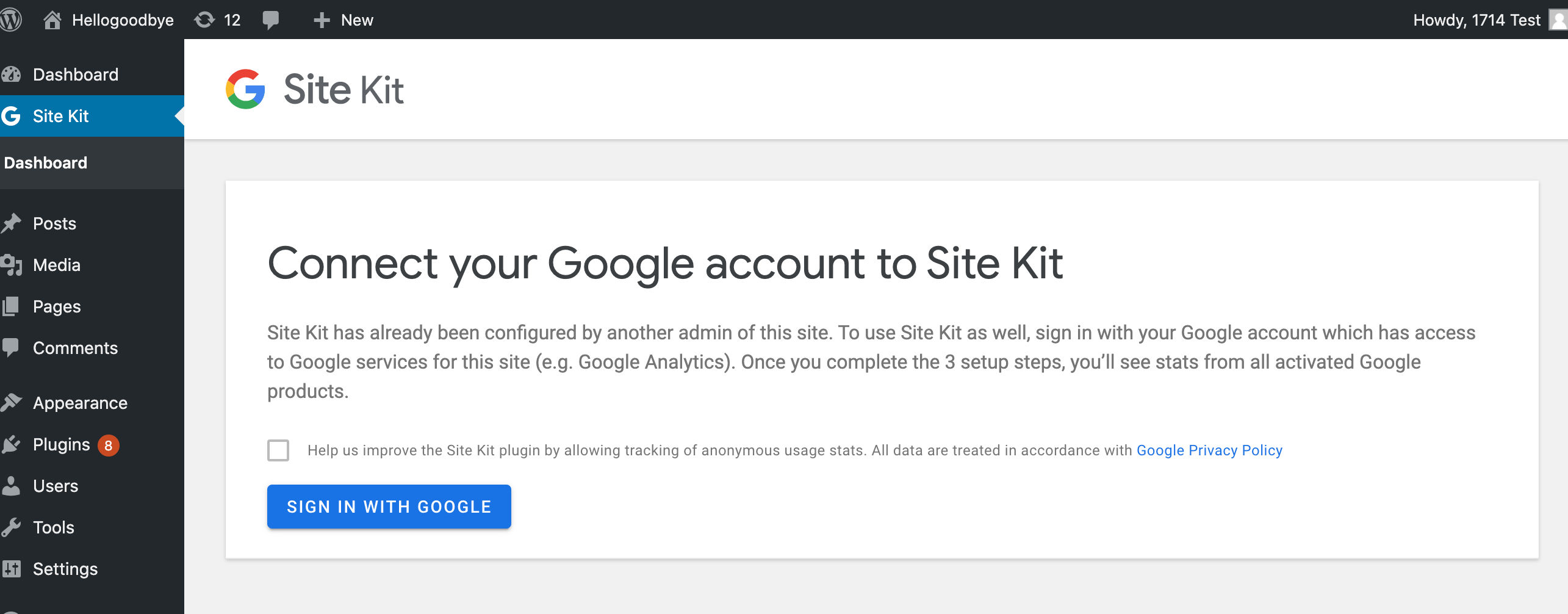
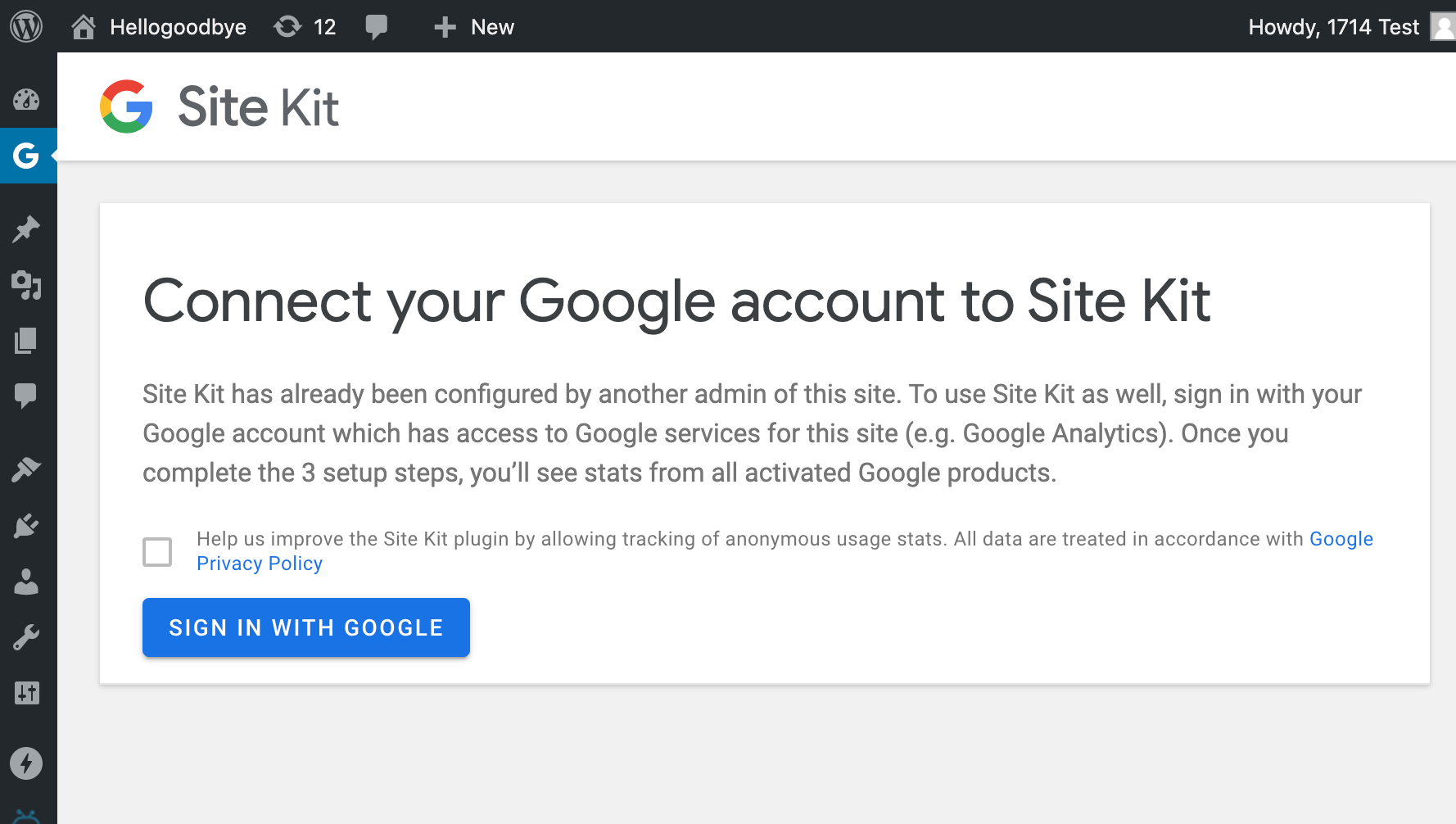
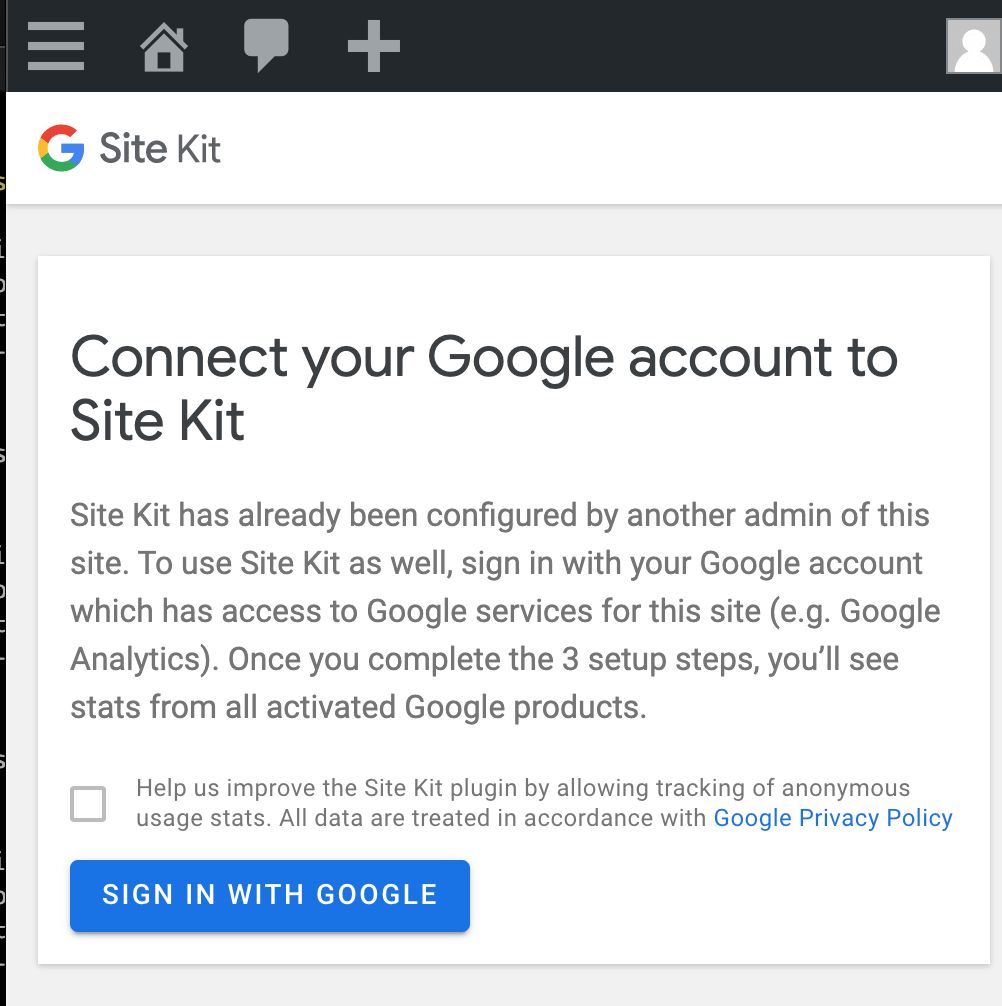
Confirmed new message
Checked browser sizes:
Confirmed functionality of setup as new admin:
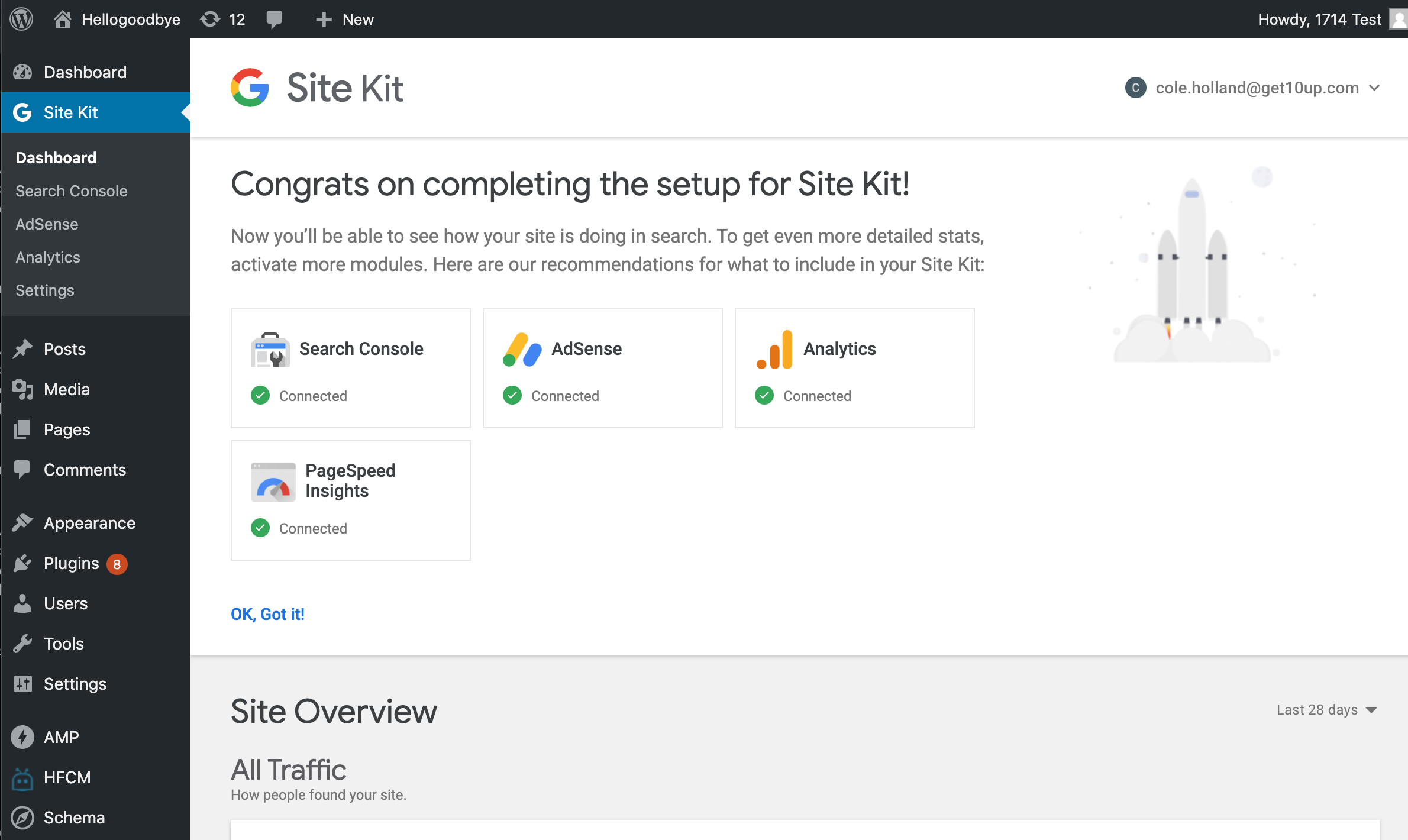
Passed QA ✅
 cole10up
on 7 Aug 2020
cole10up
on 7 Aug 2020
Looks great! The messaging is much clearer! 👏
sonjaleix
on 7 Aug 2020
Related issues
 jsmshay
·
3Comments
aaemnnosttv
·
5Comments
aaemnnosttv
·
5Comments
aaemnnosttv
·
4Comments
felixarntz
·
4Comments
jsmshay
·
3Comments
aaemnnosttv
·
5Comments
aaemnnosttv
·
5Comments
aaemnnosttv
·
4Comments
felixarntz
·
4Comments