Site-kit-wp: missing_delegation_consent notice appears when accessing any tab
Since updating to Site Kit 1.9.0 a missing_delegation_consent notice appears in the dashboard when accessing any of the services, which all have connected status:
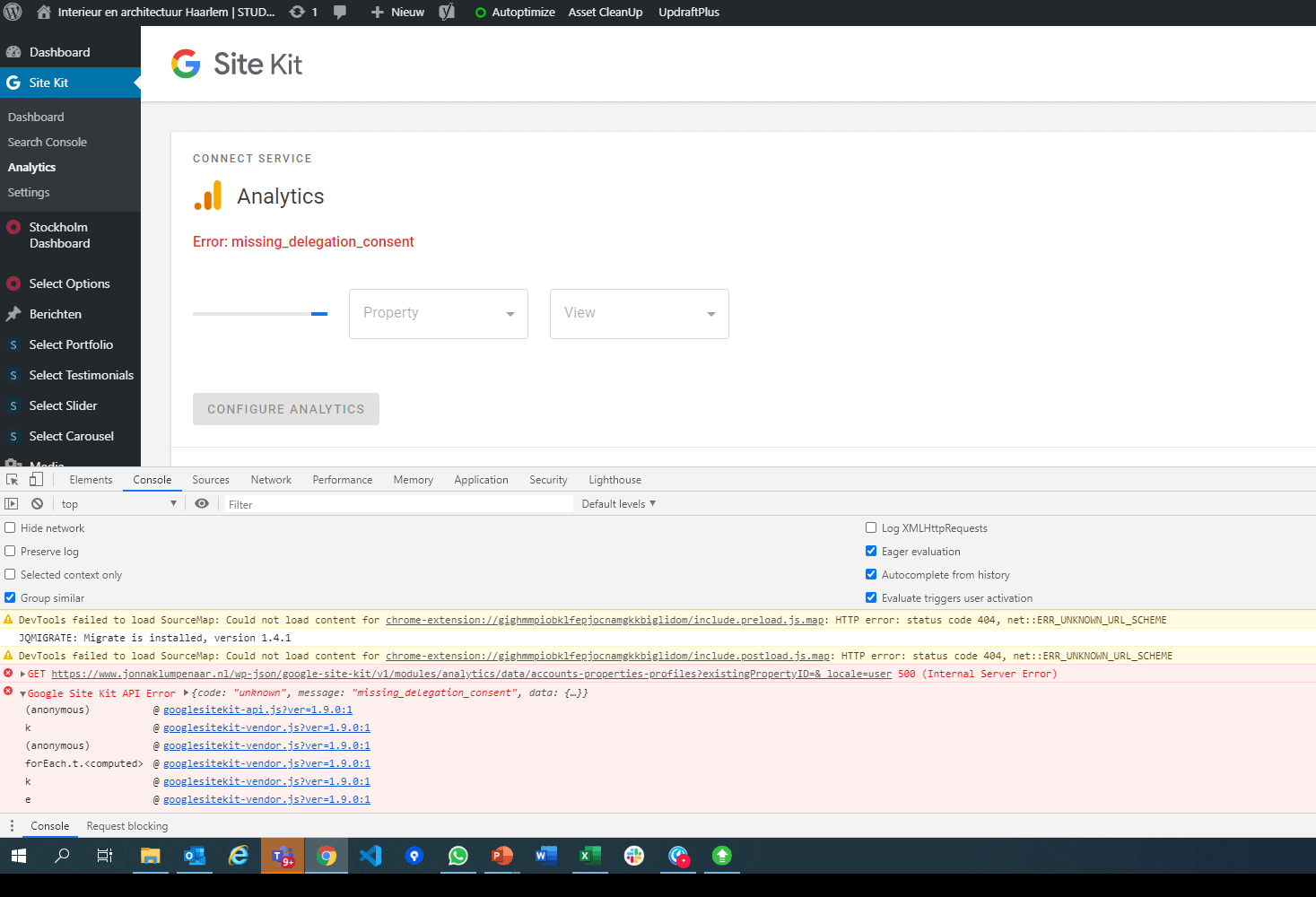
WordPress support topic: https://wordpress.org/support/topic/missing_delegation_consent/
Site Health
### wp-core ###

version: 5.4.1
site_language: nl_NL
user_language: nl_NL
permalink: /%postname%/
https_status: true
user_registration: 0
default_comment_status: closed
multisite: false
user_count: 1
dotorg_communication: true

### wp-paths-sizes ###

wordpress_path: /www
wordpress_size: 1,73 GB (1852872689 bytes)
uploads_path: /www/wp-content/uploads
uploads_size: 434,69 MB (455801632 bytes)
themes_path: /www/wp-content/themes
themes_size: 36,23 MB (37992823 bytes)
plugins_path: /www/wp-content/plugins
plugins_size: 135,12 MB (141682202 bytes)
database_size: 20,48 MB (21479424 bytes)
total_size: 2,34 GB (2509828770 bytes)

### wp-dropins (1) ###

advanced-cache.php: true

### wp-active-theme ###

name: Stockholm Studio (stockholm-studio)
version: 5.1.8.1570992005
author: Select Themes
author_website: http://demo.select-themes.com
parent_theme: Stockholm (stockholm)
theme_features: automatic-feed-links, post-formats, post-thumbnails, title-tag, editor-style, menus, StockholmQodeSidebar, widgets
theme_path: /www/wp-content/themes/stockholm-studio

### wp-parent-theme ###

name: Stockholm (stockholm)
version: 5.2.1
author: Select Themes
author_website: http://demo.select-themes.com
theme_path: /www/wp-content/themes/stockholm

### wp-themes-inactive (1) ###

Twenty Twenty: version: 1.3, author: het WordPress team

### wp-plugins-active (20) ###

Asset CleanUp: Page Speed Booster: version: 1.3.6.4, author: Gabriel Livan
Async JavaScript: version: 2.20.03.01, author: Frank Goossens (futtta)
Autoptimize: version: 2.7.2, author: Frank Goossens (futtta)
Cache Enabler: version: 1.3.5, author: KeyCDN
Duplicator: version: 1.3.34, author: Snap Creek
Flying Pages by WP Speed Matters: version: 2.4.1, author: Gijo Varghese
Health Check & Troubleshooting: version: 1.4.4, author: The WordPress.org community
Leverage Browser Caching: version: 1.9, author: Rinku Yadav
Mailster - Email Newsletter Plugin for WordPress: version: 2.4.10, author: EverPress
Post Hit Counter: version: 1.3.2, author: Hugh Lashbrooke
Redirection: version: 4.8, author: John Godley
ShortPixel Image Optimizer: version: 4.18.1, author: ShortPixel
Simple Custom Post Order: version: 2.5.0, author: Colorlib
Site Kit by Google: version: 1.9.0, author: Google
Slider Revolution: version: 6.1.5, author: ThemePunch
Stockholm Core: version: 1.2.1, author: Select Themes
UpdraftPlus - Backup/Restore: version: 1.16.25, author: UpdraftPlus.Com, DavidAnderson
WPBakery Page Builder: version: 6.1, author: Michael M - WPBakery.com (latest version: 6.2)
WP Retina 2x: version: 5.6.0, author: Jordy Meow
Yoast SEO Premium: version: 14.2, author: Team Yoast

### wp-plugins-inactive (5) ###

Analytify - Google Analytics Dashboard: version: 3.0.0, author: Analytify
Analytify Pro: version: 2.1.2, author: WPBrigade
Search Console: version: 2.0.7, author: Tropicalista
Site Health Tool Manager: version: 1.1, author: William Earnhardt
Yoast SEO: version: 14.2, author: Team Yoast

### wp-media ###

image_editor: WP_Image_Editor_GD
imagick_module_version: Not available
imagemagick_version: Not available
gd_version: bundled (2.1.0 compatible)
ghostscript_version: unknown

### wp-server ###

server_architecture: Linux 4.19.101-stretch980030 x86_64
httpd_software: Apache
php_version: 7.3.18 64bit
php_sapi: fpm-fcgi
max_input_variables: 5000
time_limit: 120
memory_limit: 256M
max_input_time: 60
upload_max_size: 128M
php_post_max_size: 128M
curl_version: 7.52.1 OpenSSL/1.0.2u
suhosin: false
imagick_availability: false
server-headers:
    date: Mon, 08 Jun 2020 11:18:29 GMT
    server: Apache
    expires: Wed, 11 Jan 1984 05:00:00 GMT
    cache-control: no-cache, must-revalidate, max-age=0
    content-type: text/html; charset=UTF-8
    x-transip-backend: web565
    x-transip-balancer: balancer0
htaccess_extra_rules: true

### wp-database ###

extension: mysqli
server_version: 10.1.44-MariaDB-1~stretch
client_version: mysqlnd 5.0.12-dev - 20150407 - $Id: 7cc7cc96e675f6d72e5cf0f267f48e167c2abb23 $

### wp-constants ###

WP_HOME: https://www.jonnaklumpenaar.nl
WP_SITEURL: https://www.jonnaklumpenaar.nl
WP_CONTENT_DIR: /www/wp-content
WP_PLUGIN_DIR: /www/wp-content/plugins
WP_MAX_MEMORY_LIMIT: 256M
WP_DEBUG: false
WP_DEBUG_DISPLAY: true
WP_DEBUG_LOG: false
SCRIPT_DEBUG: false
WP_CACHE: true
CONCATENATE_SCRIPTS: undefined
COMPRESS_SCRIPTS: undefined
COMPRESS_CSS: undefined
WP_LOCAL_DEV: undefined

### wp-filesystem ###

wordpress: writable
wp-content: writable
uploads: writable
plugins: writable
themes: writable

### google-site-kit ###

version: 1.9.0
php_version: 7.3.18
wp_version: 5.4.1
reference_url: https://www.jonnaklumpenaar.nl
amp_mode: no
site_status: connected-site
user_status: authenticated
active_modules: site-verification, search-console, analytics, pagespeed-insights
required_scopes:
    openid: ✅
    https://www.googleapis.com/auth/userinfo.profile: ✅
    https://www.googleapis.com/auth/userinfo.email: ✅
    https://www.googleapis.com/auth/siteverification: ✅
    https://www.googleapis.com/auth/webmasters: ✅
    https://www.googleapis.com/auth/analytics.readonly: ✅
search_console_property: https://www.jonnaklumpenaar.nl/
analytics_account_id: none
analytics_property_id: none
analytics_profile_id: none
analytics_use_snippet: yes
Additional Context
- Services have connected status
- Error appears for all connected services
_Do not alter or remove anything below. The following sections will be managed by moderators only._
Acceptance criteria
In the regular error handlers for setup errors, Site Kit should show meaningful messages for the following error codes, which will occur if the respective requirement to connect to Site Kit is no longer met (e.g. could be that the user got unverified by someone, or in the meantime revoked their delegation consent via proxy Permissions screen)
missing_verification:
_Looks like the verification token for your site is missing. To fix this, redo the plugin setup._
"Redo the plugin setup" should link to the correct step in the setup flow.missing_delegation_consent:
_Looks like your site is not allowed access to Google account data and can't display stats in the dashboard. To fix this, redo the plugin setup._
"Redo the plugin setup" should link to the correct step in the setup flow.missing_search_console_property:
_Looks like there is no Search Console property for your site. To fix this, redo the plugin setup._
"Redo the plugin setup" should link to the correct step in the setup flow.
Anywhere (in refactored codebase only) an API request is issued, if an exception is thrown with one of the above three (this can happen when on-the-fly refreshing the access token fails), the same message from above should be displayed in the UI, alongside a similar link to the proxy setup which includes the returned
codefrom the error (used to identiify the failed attempt and land on the right step on the proxy).
Implementation Brief
- Modify
OAuth_Client::get_error_message()to include cases for the above three error codes, returning the message from the ACs. - Modify
Authentication::get_authentication_oauth_error_notice()to always callOAuth_Client::get_error_message(); the if-else condition for whether there is a proxy access code should only affect the second part displayed after the error message, which has the correct link (as it already currently is, if proxy code available, link directly to the proxy, otherwise link to splash screen). Adjust the wording to use the second sentence of the ACs ("To fix this, redo the plugin setup."). - Modify
Module::exception_to_error()to explicitly check for whether the exception is aGoogle_Proxy_Code_Exception. If so, callOAuth_Client::get_error_message()to get the correct message, then return aWP_Errorthat includes:
- the original
missing_*string as error code - the error message returned as error message
- a 401
statusin error data - the correct proxy setup URL including the access code present in the exception as
reconnectURLin error data (seeAuthentication::get_authentication_oauth_error_notice()for how that is assembled)
- the original
- Modify the various
ErrorNoticecomponents in JS to check if the error includesdata.reconnectURL. If so, include "To fix this, redo the plugin setup." (from ACs) after the error where "redo the plugin setup" links to that URL.
QA Brief
- Set up Site Kit using the proxy as usual
- Connect a service like Analytics
- Open a new tab and navigate to the Site Kit dashboard
- Click on your user in the header and select "Manage Sites" from the dropdown to go to the permissions management screen on the proxy
- Click the button to "Remove access" for the site you are using
- Important: close the browser tab - do not click "Back" to go back to your site as this will trigger a disconnect
- Now we need to trigger the access token to be refreshed which happens automatically on-demand when it expires (after 1hr)
- To skip this 1hr wait time, we need to update the user meta for your user to tell Site Kit that the token should already be expired
- Run
wp user meta set <user> wp_googlesitekit_access_token_expires_in 1where<user>is your WP username, user ID or email
- Clear the session storage
- Reload the Site Kit dashboard
- See error notices with links to "redo the plugin setup"
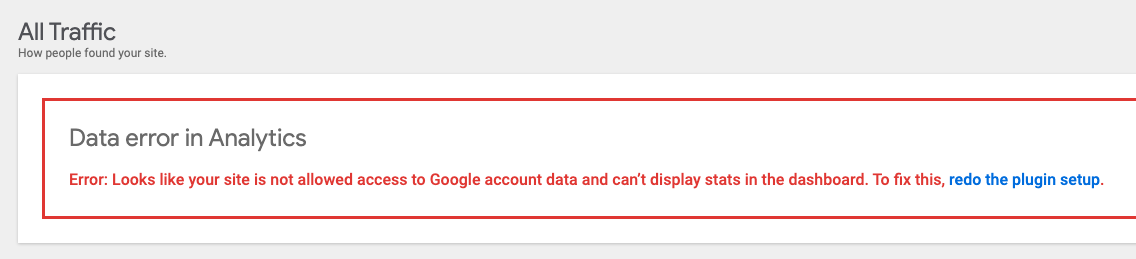
Changelog entry
- Handle error conditions more gracefully when refreshing access token fails due to e.g. the user having revoked access previously, providing the user with a link to resolve the problem.
 jamesozzie
All 10 comments
update: user had a different URL registered on the proxy. Confirming details with user. Resetting the plugin solved it for this user and another user who reported in the same topic.
 ernee
on 13 Jun 2020
ernee
on 13 Jun 2020
Let's look into how we can improve error messaging here anyway, the current behavior isn't very helpful.
 felixarntz
on 19 Jun 2020
felixarntz
on 19 Jun 2020
@aaemnnosttv IB is ready for review, I'll work with @marrrmarrr in defining the exact messages.
felixarntz
on 19 Jun 2020
@felixarntz - this looks good, just one point to clarify in the IB here:
Modify the various
ErrorHandlercomponents in JS to check if the error includesdata.reconnectURL. If so, include a link after the error message with label "Re-authenticate with Google".
ErrorHandler is our error boundary component which displays the stack trace when an error is not caught by other components. I think you mean the ErrorNotice components which are used for displaying the error state in the datastore?
 aaemnnosttv
on 8 Jul 2020
aaemnnosttv
on 8 Jul 2020
@aaemnnosttv Yes that's correct. I've updated the IB and also added some clarification related to the wording from the ACs (the copy containing the link should be adjusted to match the second sentence from the messages in the ACs; the error messages themselves should then only be the first part of that).
felixarntz
on 8 Jul 2020
@felixarntz @marrrmarrr I think the language regarding "redo the plugin setup" could be improved but that's a minor detail. Like the error data indicates, I think it might be more clear that the user needs to reconnect through the Site Kit service. I feel like "redo the plugin setup" sounds more like what you would need to do after performing a full reset which is not the case.
Moving this forward since this shouldn't affect the effort if the wording were to change.
IB ✅
aaemnnosttv
on 14 Jul 2020
@felixarntz I just added a QA brief for this and one amendment I think we may want to make here would be to display one of the header error notifications as well, e.g.
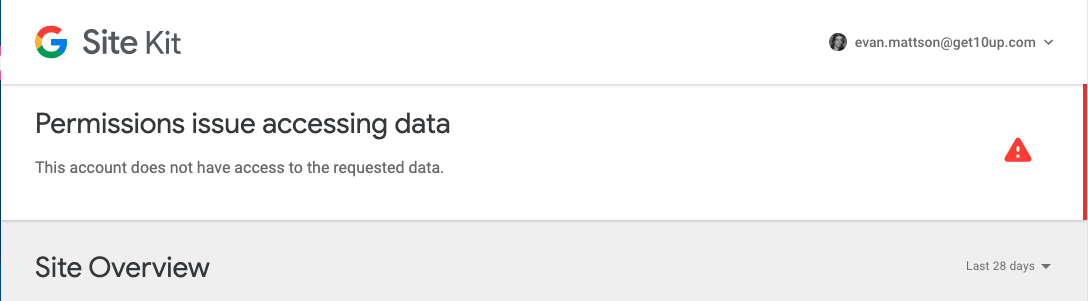
Also, one thing I noticed is that when accessing Analytics via settings edit, the progress bar never stops loading because the component is waiting for accounts to not be undefined. You can still click cancel and then you'll see the error in the settings view, but we might want to address cases where we conditionally show loading as long as someData === undefined rather than wait for a resolver to finish. This does not happen for the Setup.
aaemnnosttv
on 29 Jul 2020
@aaemnnosttv Good point! It's okay for now to move forward without this, but I added #1848 to improve.
felixarntz
on 30 Jul 2020
Tested
Installed latest SK, activated and setup Analytics.
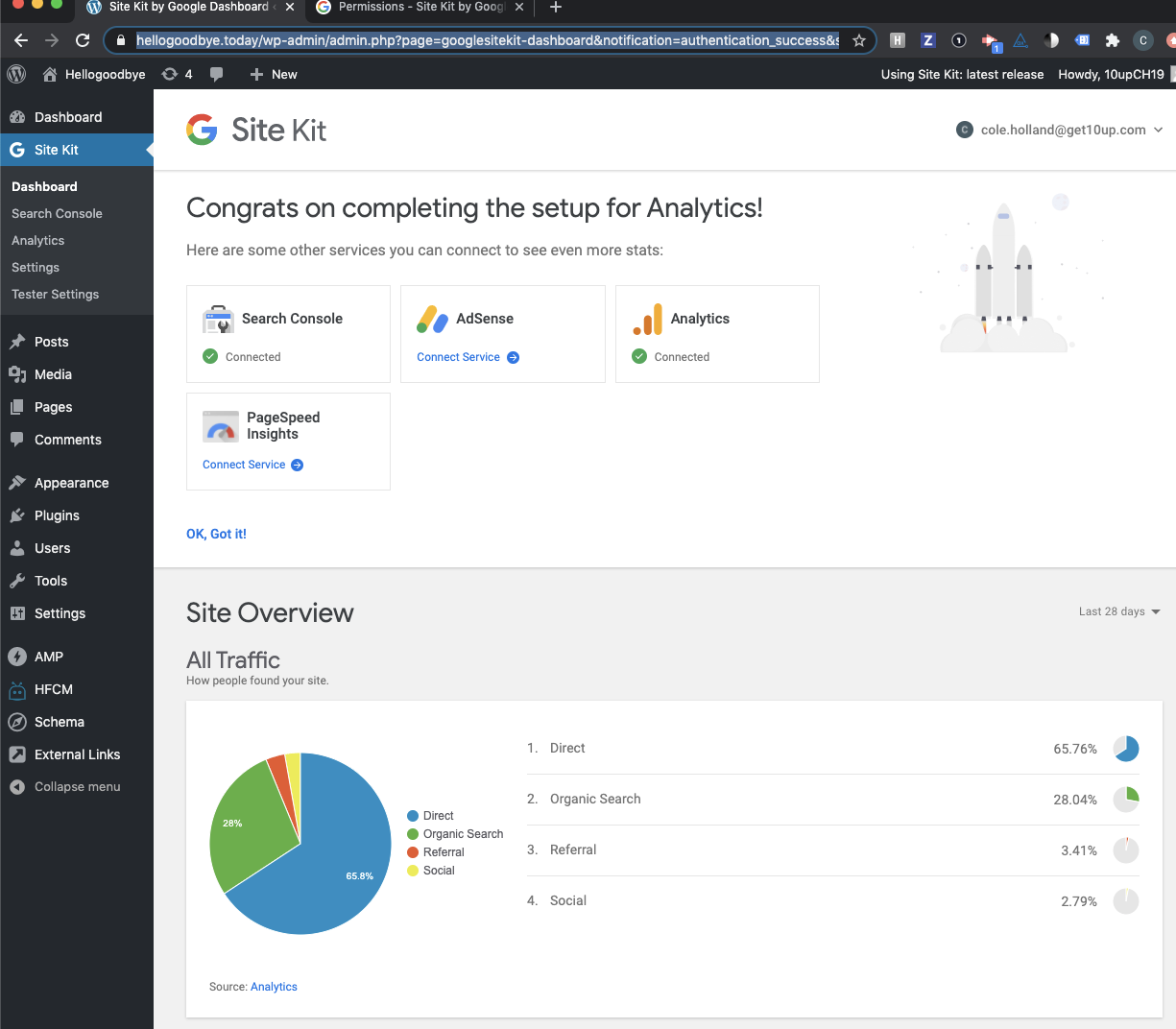
In a new tab clicked manage sites and removed access to this site:
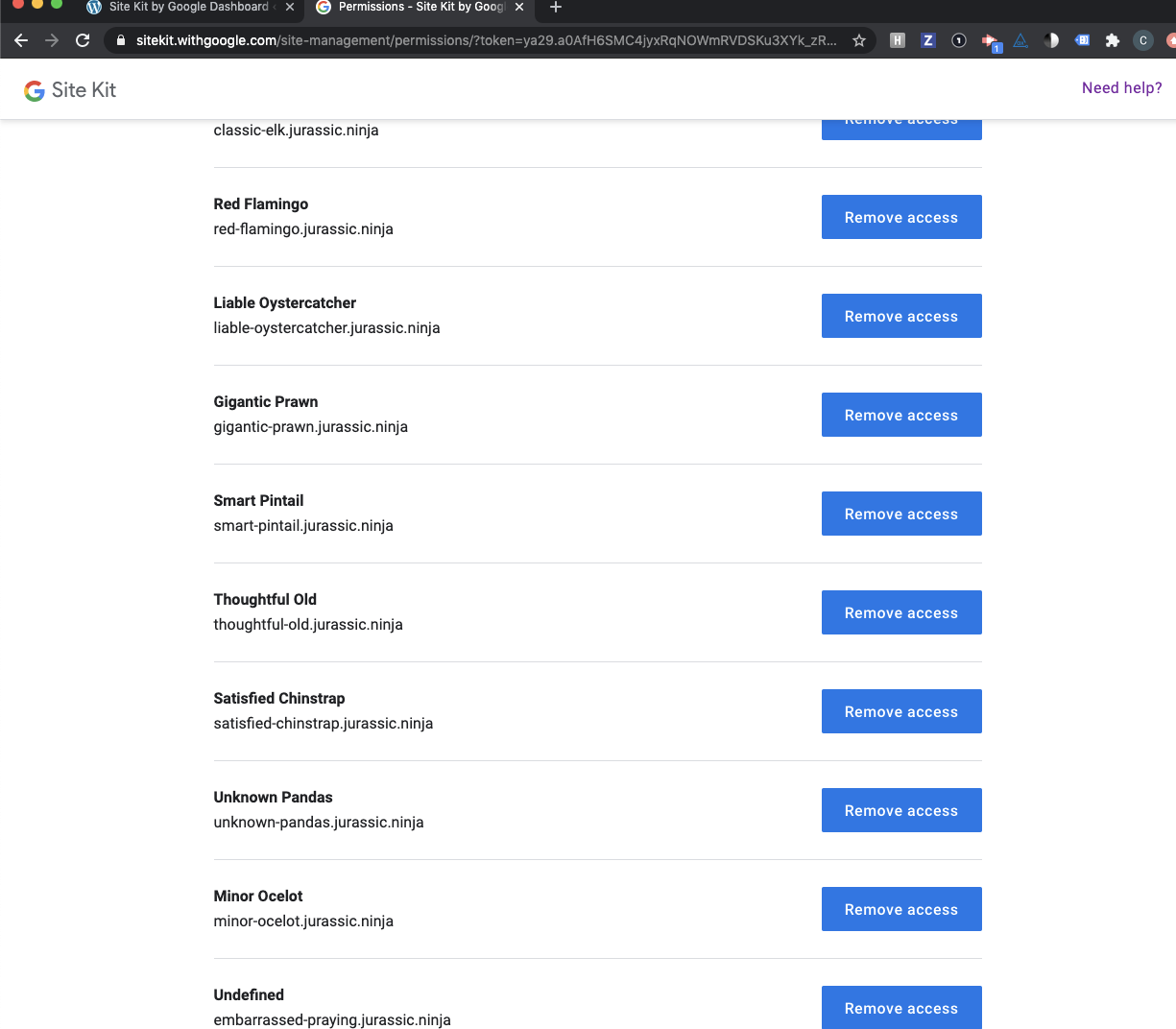
Closed the browser tab:
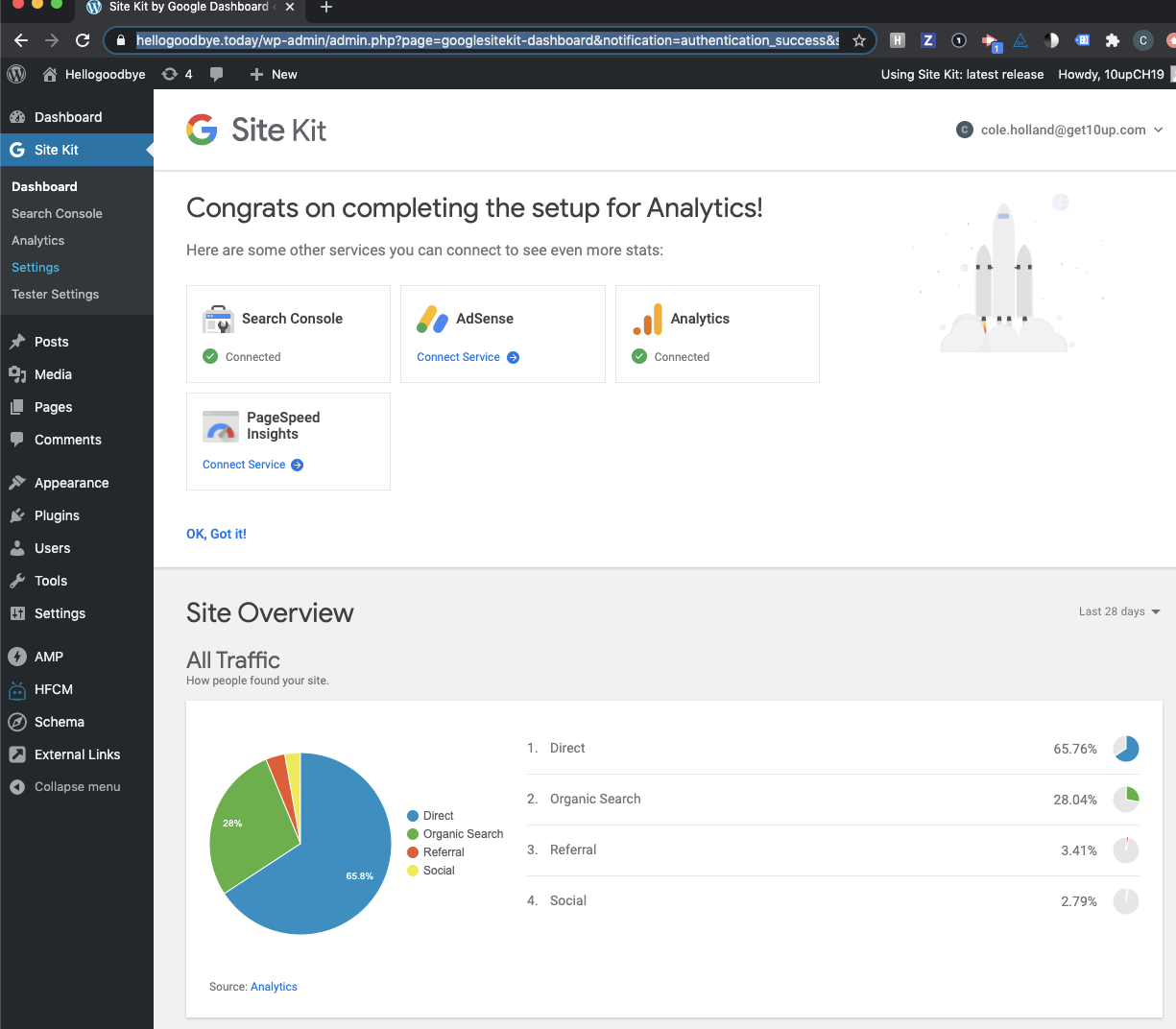
Triggered access token and cleared session storage:
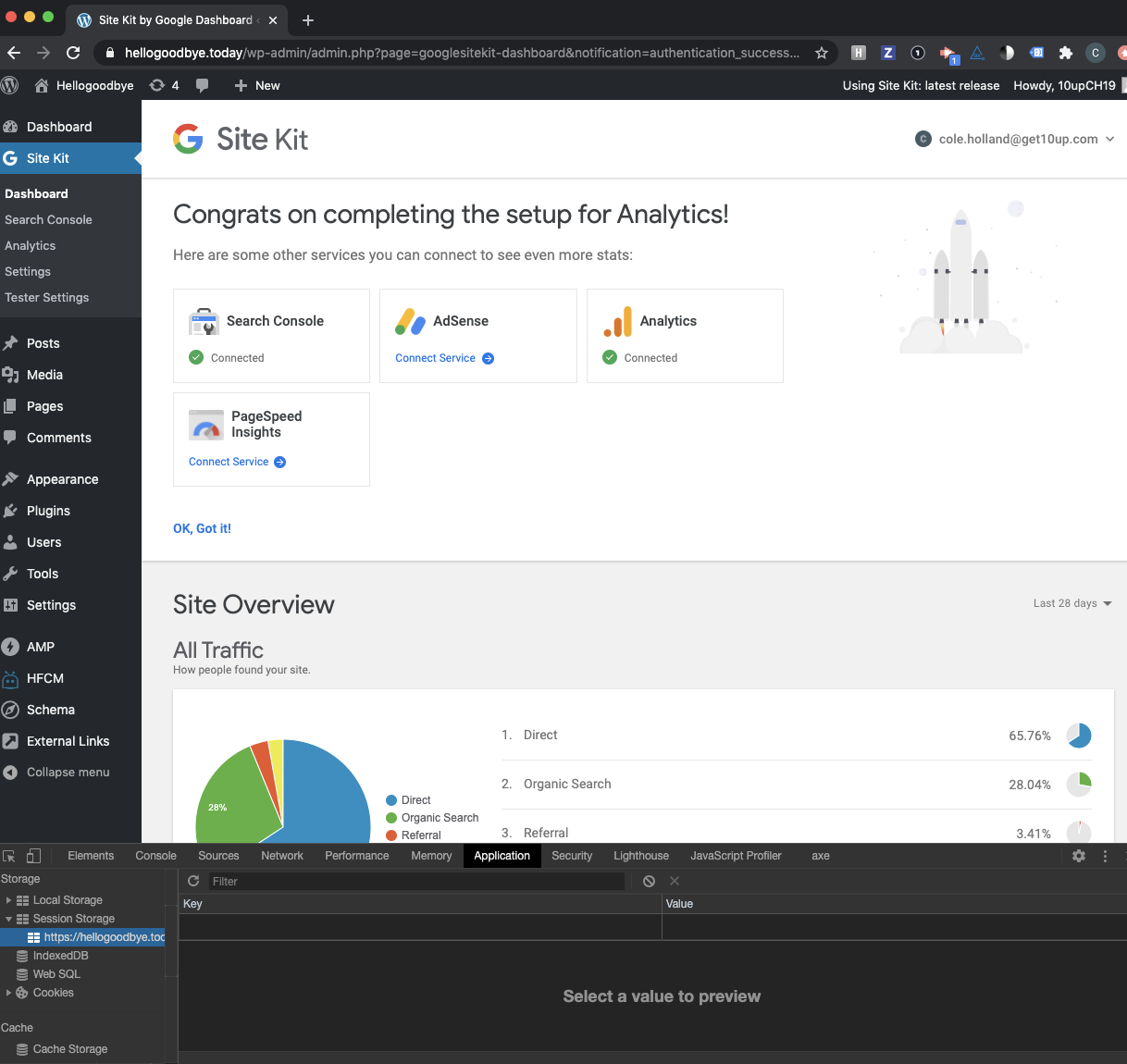
Notice:
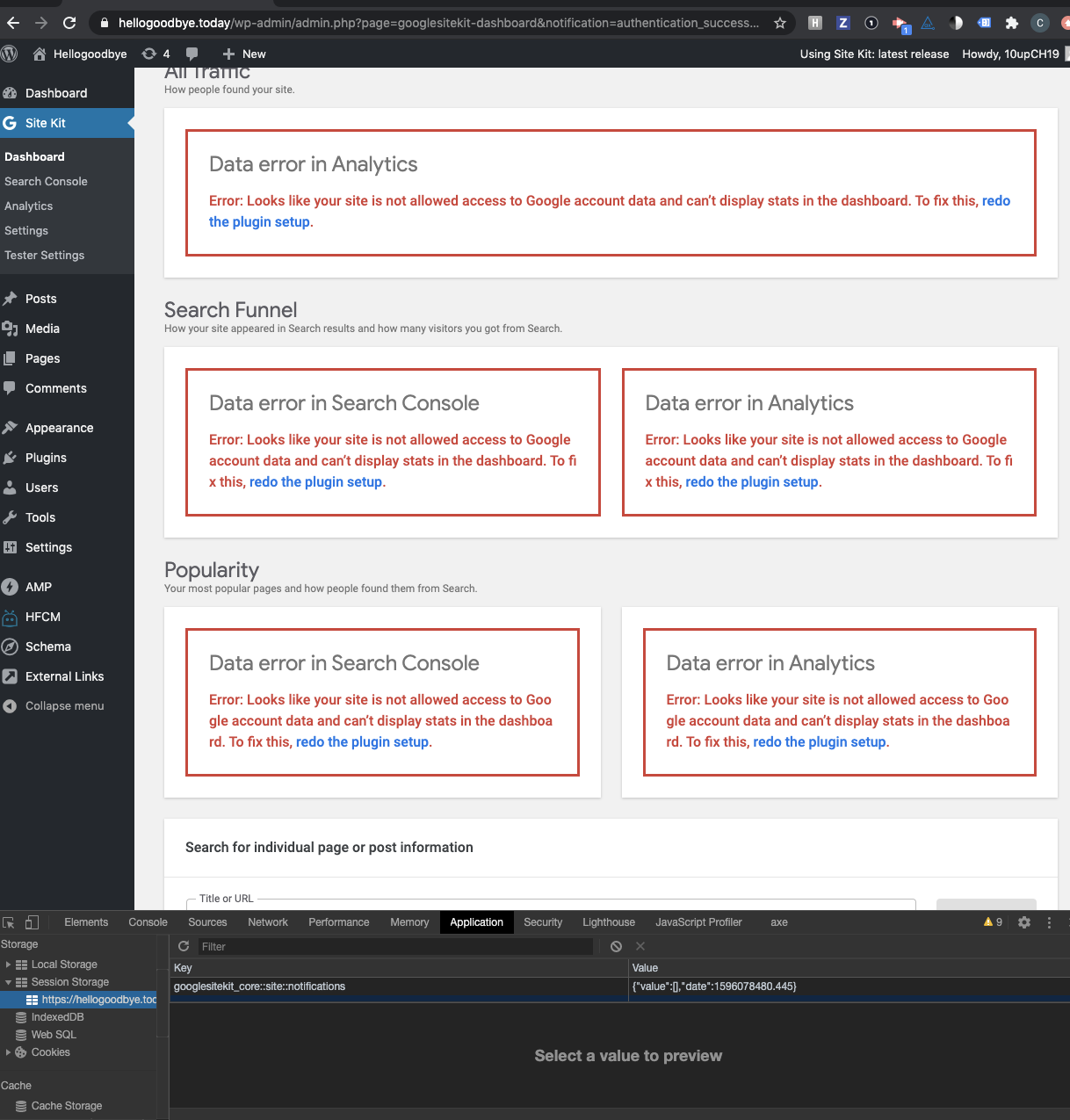
Notice word wrapping is a bit goofy for the smaller boxes:
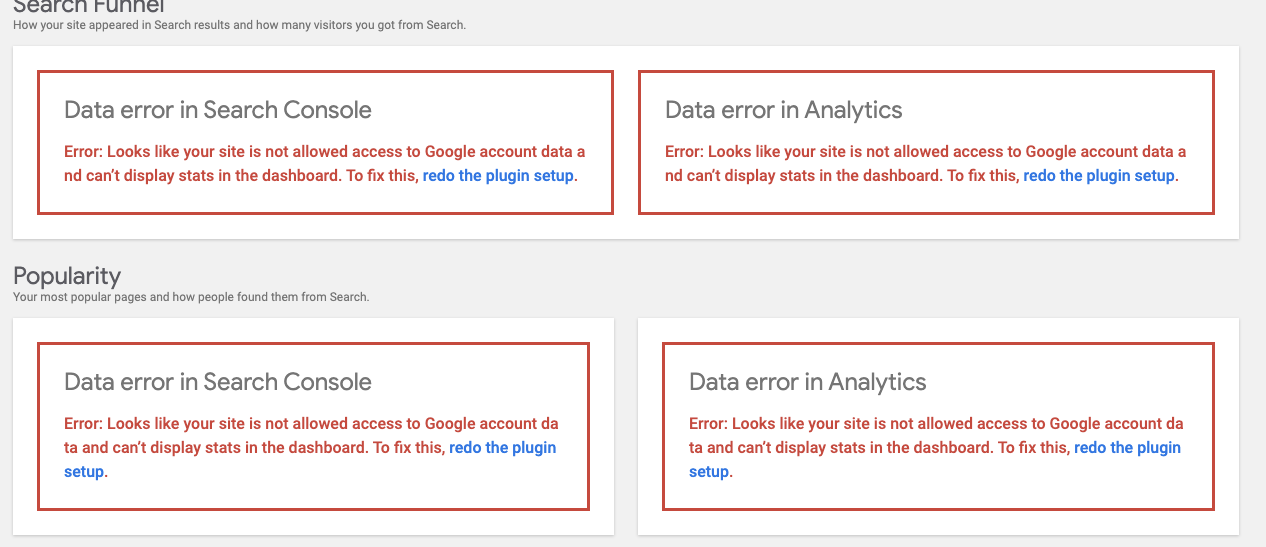
Also should we be redoing the plugin settings for search console?
Confirmed clicking the 'redo plugin setup' link functions properly and user is able to redo the plugin setup properly
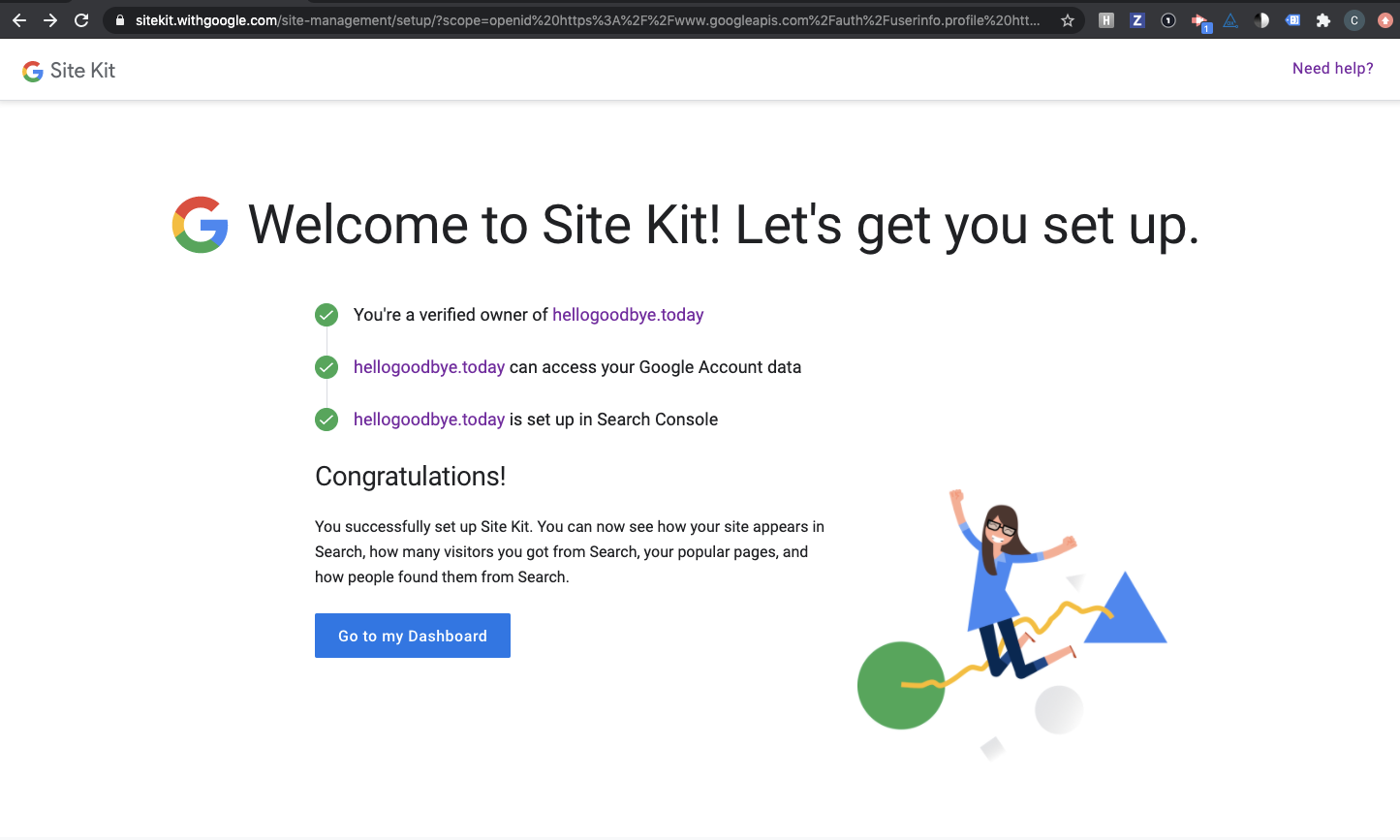
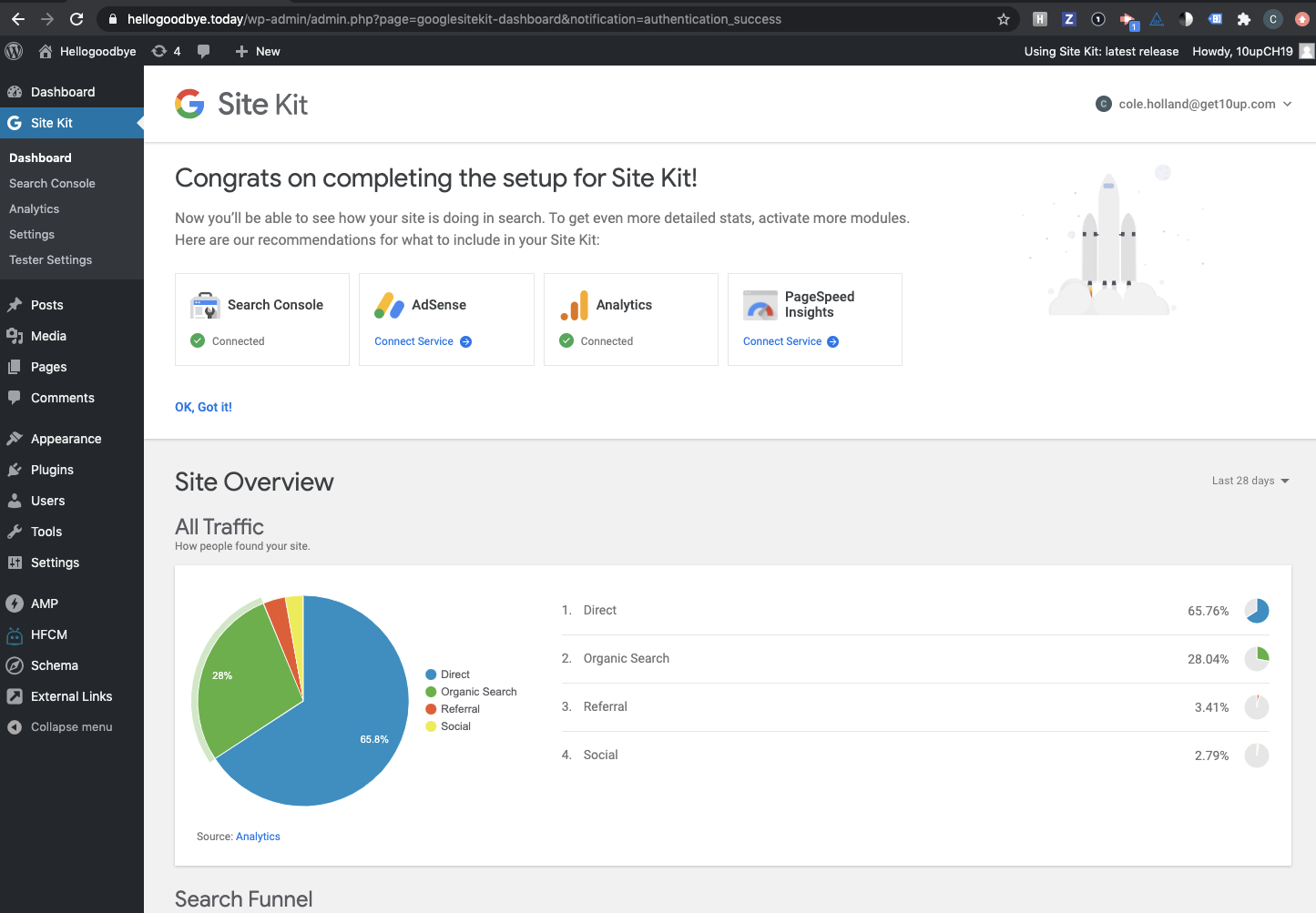
@aaemnnosttv
 cole10up
on 30 Jul 2020
cole10up
on 30 Jul 2020
Ran another Scenario targeting module setup
Started Analytics setup flow:
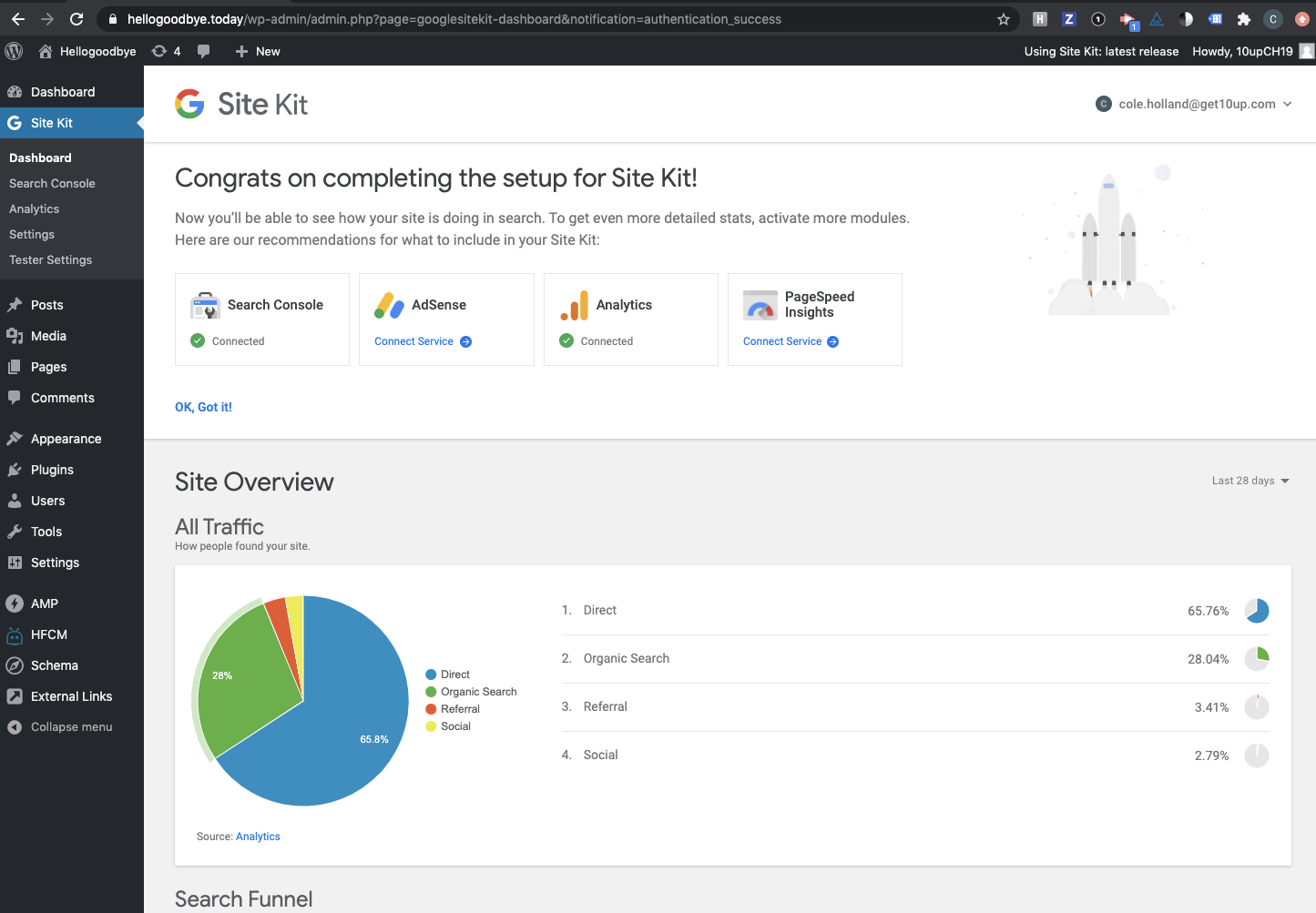
Removed the site from 'Managed sites' page and let the token expire
Notice:
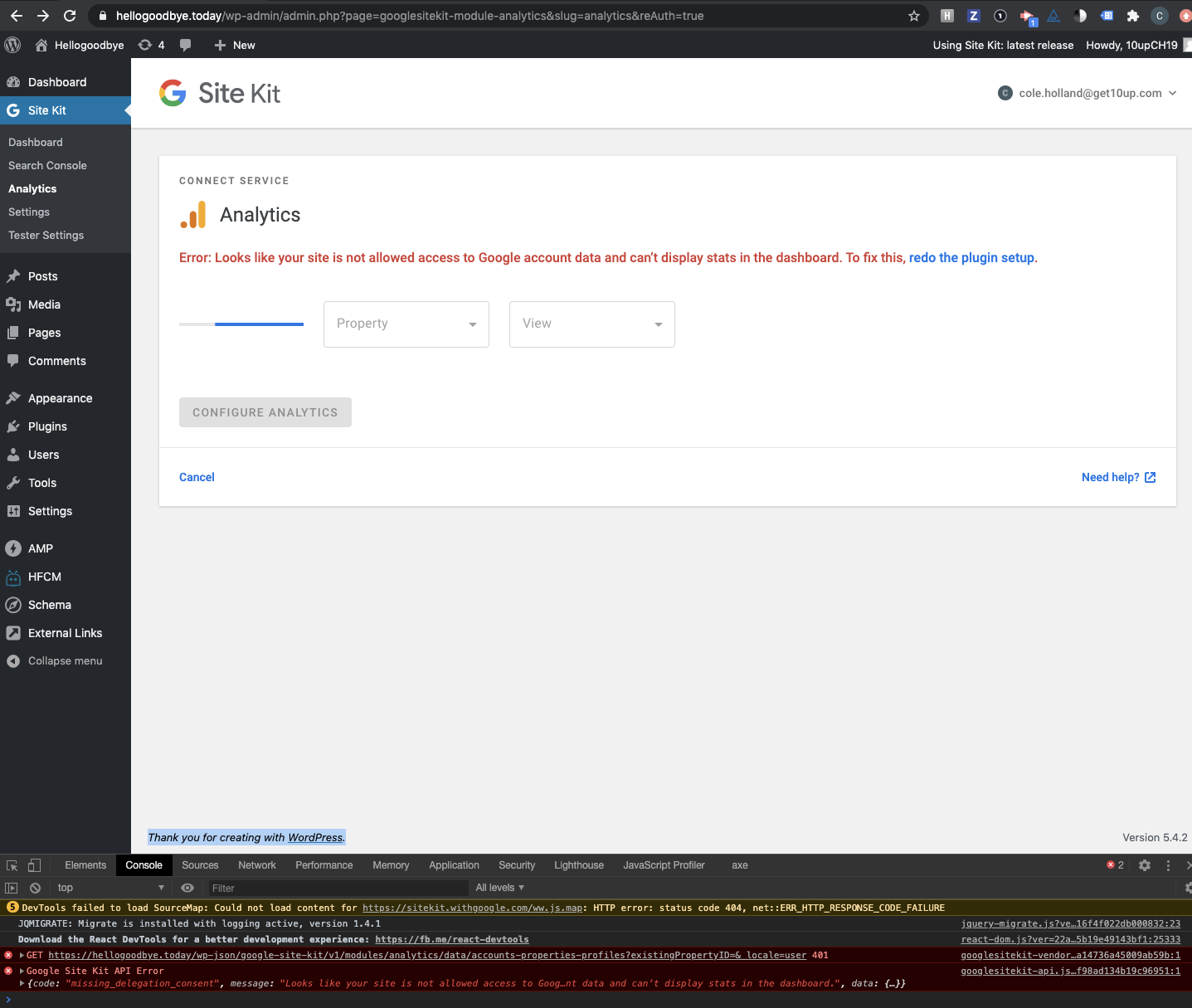
Confirmed 'redo the plugin setup' functions properly
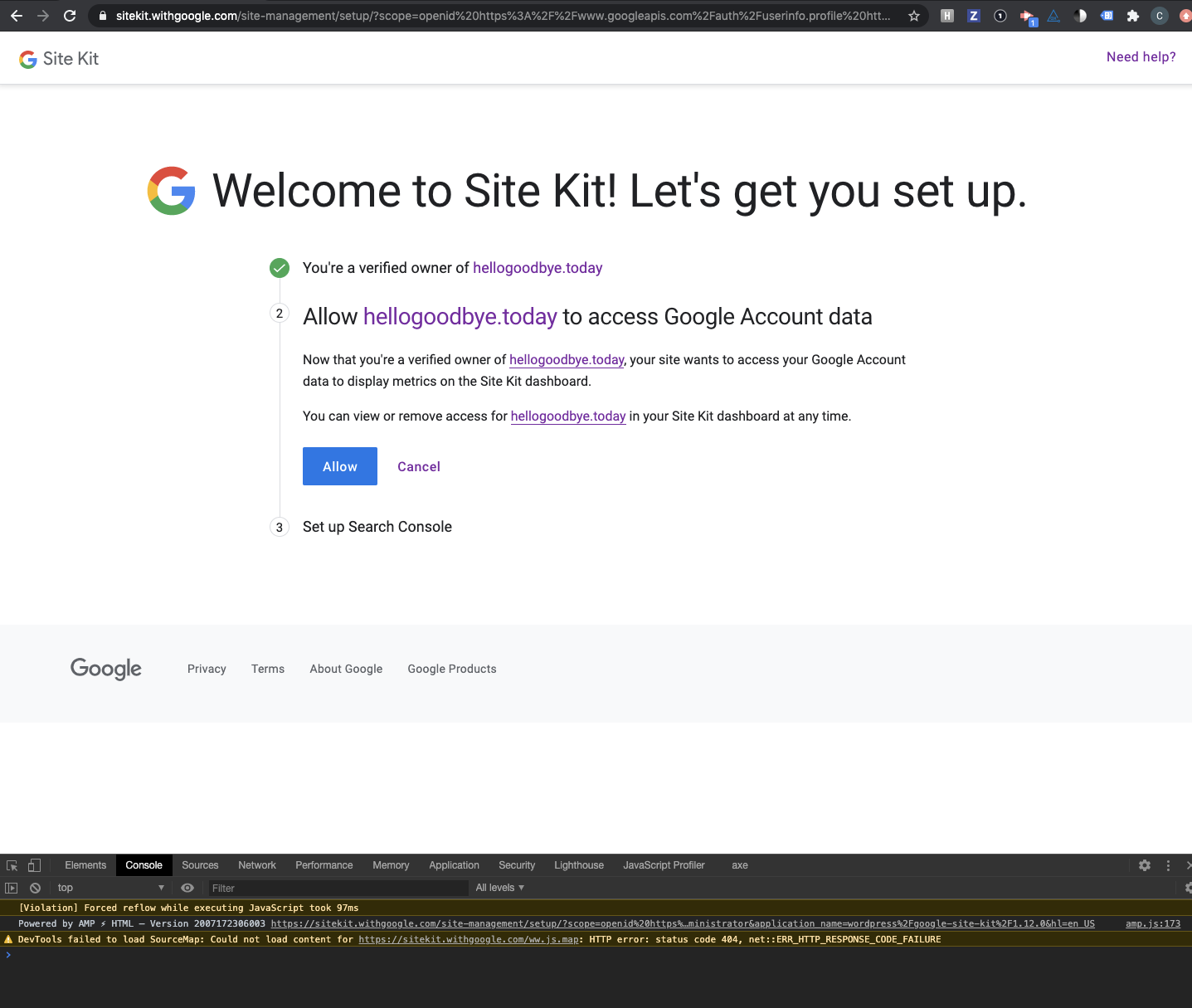
Passed QA ✅
cole10up
on 30 Jul 2020
Related issues
 jsmshay
·
3Comments
aaemnnosttv
·
3Comments
jamesozzie
·
3Comments
jsmshay
·
3Comments
aaemnnosttv
·
3Comments
jamesozzie
·
3Comments
 Loganson
·
5Comments
Loganson
·
5Comments
 quangbahoa
·
5Comments
quangbahoa
·
5Comments