Site-kit-wp: Update available notification dot appears in WP admin dashboard after already updating to latest version
Bug Description
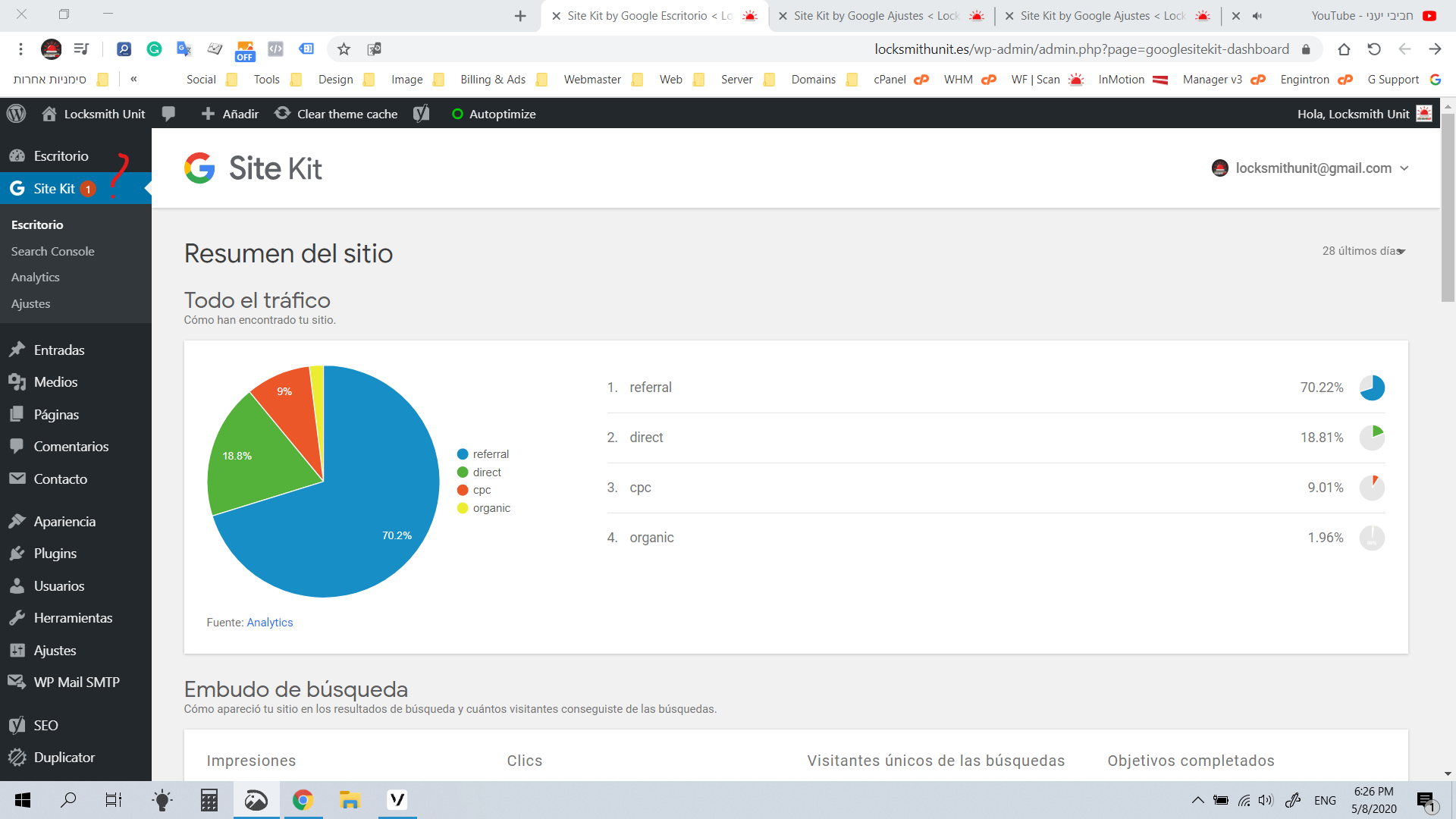
From the user admin panel the red update notification dot within the Site Kit tab appears. When checking for updates there is no Site Kit update available, with the latest version already installed
Original Support topic:
- https://wordpress.org/support/topic/the-pluging-show-a-update-in-the-admin-bar-but-no-update
- Site: https://locksmithunit.es/
Screenshots
Additional Context
- Admin dashboard seems to use RTL formatting (in admin site only)
- Additional 2 users reported the same issue
- Awaiting Site Health information / further info
_Do not alter or remove anything below. The following sections will be managed by moderators only._
Acceptance criteria
- Fix publisher win notifications to show up again (see #1781).
Implementation Brief
- See #1781.
- One of the problems there was that the logic to display the notification counter would cause the logic to display the actual notifications to be unhooked, inconsistently resulting in the counter without any indication why. Basically, with publisher win notifications broken, anytime a user would see the notification dot, there would have been a publisher win notification on the dashboard as well.
QA Brief
Changelog entry
- Fix notification bubble on Site Kit menu so that it only displays if there are actual notifications available.
 jamesozzie
All 10 comments
Users noted in this topic that in an incognito window the notification does not appear.
 ernee
on 21 May 2020
ernee
on 21 May 2020
Closing as this issue no longer persists. Most likely caching issue as per this fixing WordPress article.
Checking from incognito window, clearing cache or temporarily deactivating caching plugins provided resolution for all impacted users.
jamesozzie
on 21 May 2020
A user followed up that the issue still persists for them, so reopening the issue for further investigation.
ernee
on 21 May 2020
Also have this issue. It's been present since I started using Site Kit a couple of weeks ago. Bugs me because it's distracting.
The notification disappears when there actually is an update for Site Kit and you execute it, only to return shortly thereafter. Minutes, IIRC.
Please note that in the original screenshot the "updates" icon is not present in the top toolbar, but the notification badge on Site Kit is. So, it doesn't seem to be a WP issue and the WordPress.org article linked by jamesozzie doesn't seem applicable.
Don't have caching plugins, not active, and not installed.
Willing to help by providing more information if you need it, and by trying stuff to help diagnose. (I'm now a writer/marketer, but in my previous career I was a developer for 30+ years.)
Update:
Badge disappeared just now when I navigated to "Appearance | Themes". Returned when I went back to the Dashboard. Remains / returns when navigating to Posts. But disappears when opening Pages. AFAICT the badge only shows on Dashboard and Posts, and Site Kit itself of course.
 marjanvenema
on 6 Jun 2020
marjanvenema
on 6 Jun 2020
I have the same problem. This is very annoying.
 genryd
on 11 Jun 2020
genryd
on 11 Jun 2020
I've also had this same problem since I installed the module a month or so back. Subscribing for updates.
 icarnaghan
on 20 Jun 2020
icarnaghan
on 20 Jun 2020
I think this issue created after the latest google site kit update.
please check previous version files and try to update them
 jayendrasinhrajput
on 6 Jul 2020
jayendrasinhrajput
on 6 Jul 2020
I might be missing something, but my understanding is that this notification bubble is not for updates, but for wins and alerts from individual modules.
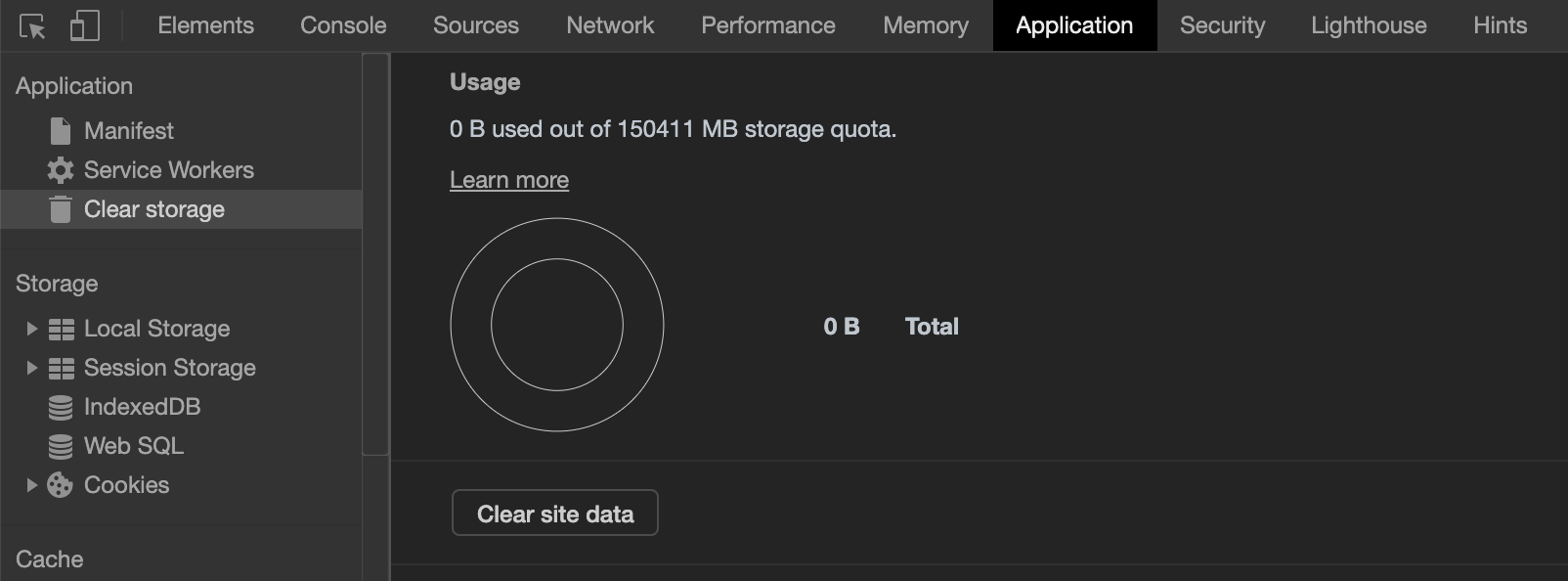
Curious to hear whether clearing local storage fixes this.
To clear storage in Chrome, go to your WordPress admin, and open the browser's developer tools (press F12). Then head over to the "Application" tab and click on "Clear site data". The screen looks like this:
 swissspidy
on 9 Jul 2020
swissspidy
on 9 Jul 2020
@swissspidy no that is not the case !
I tried it already but did not help
jayendrasinhrajput
on 10 Jul 2020
I've tested this after the fixes from #1781, and they indeed resulted in this working correctly again. The notification bubble wasn't actually incorrectly displaying - the problem was that the actual notification that the counter indicated had _not_ been displaying.
This should be fixed in the upcoming release alongside the notification fixes.
cc @jamesozzie @ernee @LuckynaSan @marrrmarrr
 felixarntz
on 21 Jul 2020
felixarntz
on 21 Jul 2020
Related issues
 jsmshay
·
3Comments
jsmshay
·
3Comments
 theeducatedbarfly
·
4Comments
theeducatedbarfly
·
4Comments
 quangbahoa
·
5Comments
quangbahoa
·
5Comments
 Loganson
·
5Comments
felixarntz
·
4Comments
Loganson
·
5Comments
felixarntz
·
4Comments