Site-kit-wp: Allow changing the site name on authentication service
Bug Description
Users are presently unable to modify the name listed under "Manage Sites" >
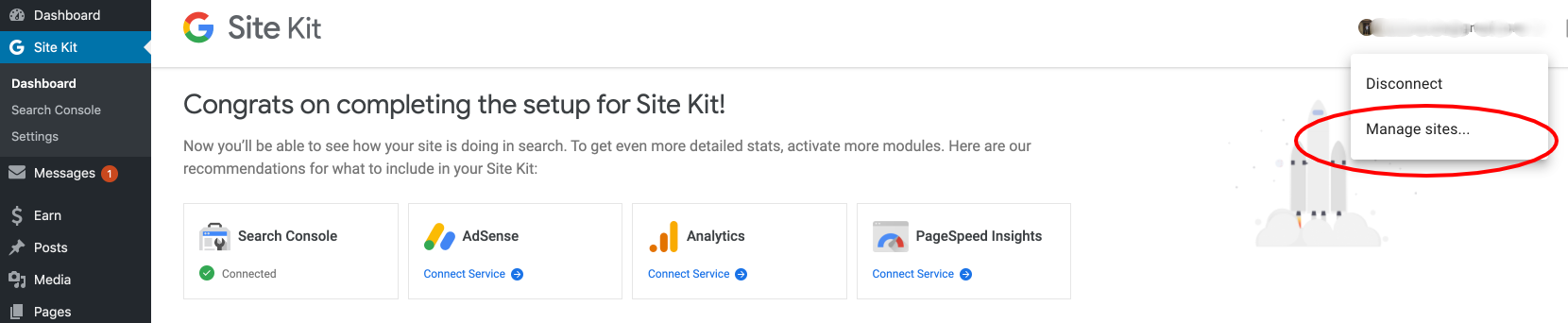
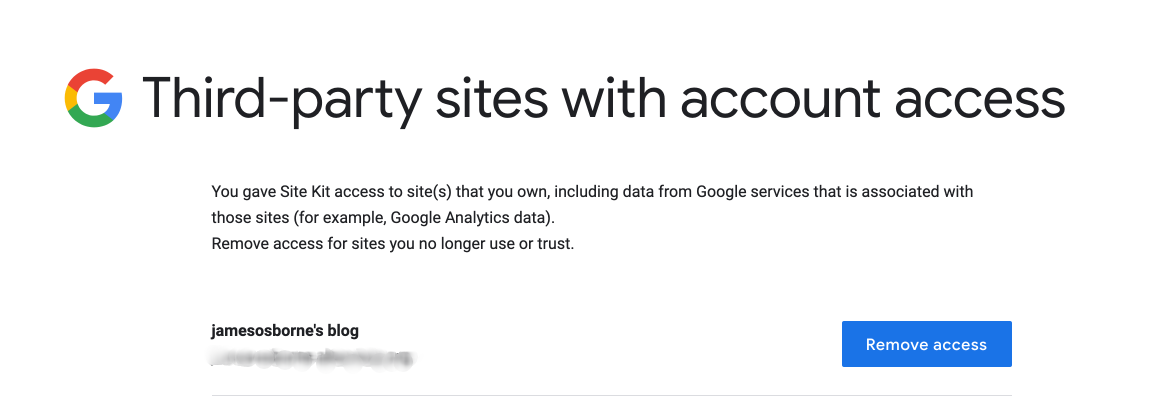
The initial "Site Name" is also used after the following:
- Revoking access (via Site Kite dashboard > Manage Sites > Remove Access > Reset Site Kit
- Changing "Site Name" in a users WP General Settings
- Revoking access via https://myaccount.google.com/permissions?pli=1
- Attempting setup once more
Original support topic:
https://wordpress.org/support/topic/change-the-site-name/
_Do not alter or remove anything below. The following sections will be managed by moderators only._
Acceptance criteria
- Changes to the Site Title should be synchronized to the authentication service on-the-fly
Implementation Brief
- In
Authentication::register(), add the same$option_updatedcallback ontoupdate_option_blogname, just like the existing ones for home + site URL
QA Brief
Changelog entry
- Update registered site name on authentication service when it is updated in WordPress.
 jamesozzie
All 6 comments
@jamesozzie this name should be updated automatically now any time their Site URLs change:
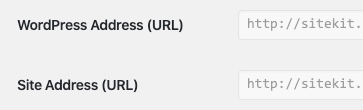
@felixarntz perhaps we should extend this functionality to include changes to the Site Title as well?
 aaemnnosttv
on 17 Apr 2020
aaemnnosttv
on 17 Apr 2020
Escalating to execution 👍
aaemnnosttv
on 20 Apr 2020
IB ✅
 felixarntz
on 20 Apr 2020
felixarntz
on 20 Apr 2020
Tested
Pull down develop, navigated to dashboard -> Manage sites
- Revoked access
- Settings->Admin Settings->Reset Site Kit
- Changed "Site Name" in a users WP General Settings
- Setup Site Kit again
- Revisited Manage sites and the "Site Name" had changed
Passed QA ✅
 ShahAaron
on 30 Apr 2020
ShahAaron
on 30 Apr 2020
@ShahAaron the steps you took here would pass QA before this issue was worked on so this isn't quite ready for Approval yet.
Please try the following:
- Set up Site Kit
- Change "Site Title" in Settings > General
- From Site Kit dashboard, click on "Manage Sites" from the user's dropdown in the Site Kit header to navigate to the authentication service
- See new site title reflected in the list of sites on the authentication service
The key difference is that the site title should be synchronized with the authentication service without setting up again.
aaemnnosttv
on 30 Apr 2020
@aaemnnosttv I probably didn't explain what I did very well
This time I strictly followed your steps and the new site title was shown on the list of sites for the authentication service
ShahAaron
on 30 Apr 2020
Related issues
 tofumatt
·
5Comments
tofumatt
·
5Comments
 marrrmarrr
·
5Comments
marrrmarrr
·
5Comments
 quangbahoa
·
5Comments
felixarntz
·
4Comments
felixarntz
·
4Comments
quangbahoa
·
5Comments
felixarntz
·
4Comments
felixarntz
·
4Comments
Most helpful comment
@jamesozzie this name should be updated automatically now any time their Site URLs change:
@felixarntz perhaps we should extend this functionality to include changes to the Site Title as well?