Site-kit-wp: Search Console Tag Manager Verification fails with Site Kit's container snippet
Bug Description
When trying to verify a site in Search Console using the Google Tag Manager method, Site Kit's Tag Manager container snippet fails and is flagged as being in the wrong location on the page:

Related support topic: https://wordpress.org/support/topic/gsc-says-google-tag-manager-snippet-is-in-the-wrong-location/
Steps to reproduce
- Set up Site Kit, connect to Tag Manager, and insert Site Kit's container snippet on a site.
- Use a secondary Google account that is not a verified owner to add the site as a new property from Search Console.
- Attempt verification from the Search Console account using the Google Tag Manager method (note the secondary Google account must be given Publish permission for the Tag Manager container).
- See the above notification that ownership verification failed.
Additional Context
- PHP Version: 7.3.16
- OS: MacOS
- Browser: Chrome
- Plugin Version: 1.6.0
- Device: MacBook Air
The documentation has code placement requirements for this verification method. Testing an alternate method to insert the container (i.e. plugin) provided successful verification.
See also #721
_Do not alter or remove anything below. The following sections will be managed by moderators only._
Acceptance criteria
- GTM container code should be placed in the correct part of the page to ensure that verification succeeds via this method.
Implementation Brief
- Add an additional hook in
Tag_Manager::registerfor invokingprint_gtm_no_json thewp_body_openaction
Thewp_body_openfunction and its corresponding action were only introduced in WP 5.2 so we need to keep the existing action as well.
Because of this, we likely can't support this method for older WP or themes that don't implement this hook properly. - Add a new private
did_gtm_no_jsproperty toTag_Manager - Bail early in
print_gtm_no_jsifdid_gtm_no_jsis set - Set
did_gtm_no_jsinprint_gtm_no_jswhen invoked the first time
QA Brief
Changelog entry
- Place Tag Manager snippet for non-JavaScript support after opening
bodytag as commonly expected.
 ernee
ernee
All 2 comments
IB ✅
We should also use a very early priority on wp_body_open - there's no guarantee we're the earliest, but let's do our best. WordPress is terrible with this anyway, I'm perfectly fine with using something like -9999 :)
 felixarntz
on 10 Apr 2020
felixarntz
on 10 Apr 2020
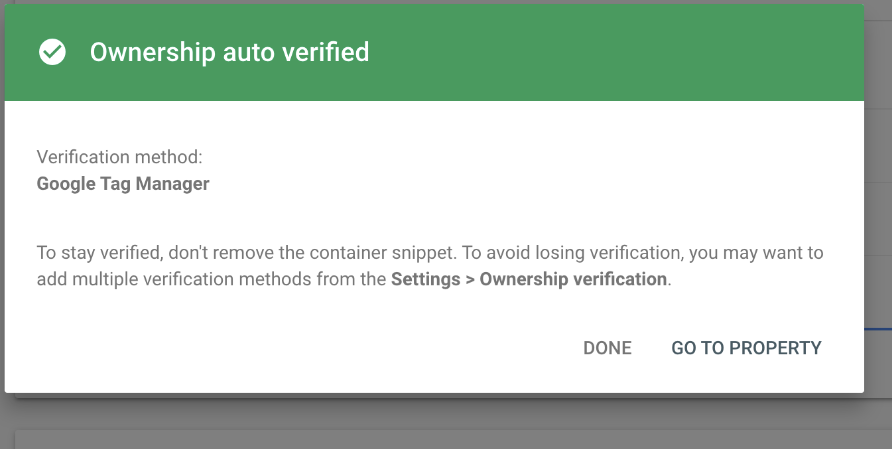
Tested the fix with @ernee
Installed SK 1.7.1 zip, activated and connected Tag Manager and inserted Site Kit's container snippet on hellogoodbye.today
Setup a non verified secondary google account and verified from the Search Console account using the Google Tag Manager.
Notice:
Passed QA ✅
 cole10up
on 23 Apr 2020
cole10up
on 23 Apr 2020
Related issues
felixarntz
·
4Comments
felixarntz
·
4Comments
 marrrmarrr
·
5Comments
marrrmarrr
·
5Comments
 quangbahoa
·
5Comments
quangbahoa
·
5Comments
 tunakode
·
4Comments
tunakode
·
4Comments
Most helpful comment
Tested the fix with @ernee
Installed SK 1.7.1 zip, activated and connected Tag Manager and inserted Site Kit's container snippet on hellogoodbye.today
Setup a non verified secondary google account and verified from the Search Console account using the Google Tag Manager.
Notice:

Passed QA ✅