Site-kit-wp: Fix inconsistencies in standalone GA tracking script
Bug Description
In certain cases where we're not in a full Site Kit context, the plugin uses a "standalone tracking script" (via Tracking::print_standalone_event_tracking_script()) exposing a global window.sendAnalyticsTrackingEvent instead of relying on the sendAnalyticsTrackingEvent function from our JS infrastructure (assets/js/util/standalone.js). The main problem (apart from duplicate code) is that the "PHP-generated" version is different from the main one, and limited, which results in slightly inconsistent data in GA.
We should streamline this so that we only have one piece of code for the tracking script.
I see three possible approaches:
- Either we introduce a
googlesitekit-standalone-tracking.jsthat simply imports the function fromstandalone.jsand exports it onwindow. This would be close to how our PHP implementation works today, while fixing the inconsistencies. The script would need to rely ongooglesitekit_admin(which is globally loaded throughout the admin anyway) to havewindow._googlesitekitBaseavailable. - Or we introduce a
googlesitekit-tracking.jsthat going forward would be the _only_ way to send tracking events. It would expose the function onwindow.googlesitekit. Any code that needs to send tracking events, should then rely on it.
- It would for example become a dependency of
googlesitekit_admin. - The data on
window._googlesitekitBaseshould become a "virtual asset" (see #1004) and then a dependency ofgooglesitekit_adminandgooglesitekit-tracking. - We should also introduce a
googlesitekit-gtagasset that enqueues the script, and agooglesitekit-gtag-config"virtual asset" that prints the JS configuration.
- It would for example become a dependency of
- Or we move the entire responsibility more to JS, with a single
googlesitekit-tracking.jsthat also takes care of adding (or removing)gtagon the fly.
- In addition to exposing the main tracking function on
window.googlesitekit, it should also expose three functionsenableTracking(),disableTracking(), andIsTrackingEnabled(). - These functions should be used throughout the entire codebase to track events and to react on users opting in to or out from tracking, and to check whether tracking is enabled.
window.googlesitekitTrackingEnabledshould becomewindow._googlesitekitTrackingEnabledand only be read to populate the initial value ofgooglesitekit.isTrackingEnabled().
- In addition to exposing the main tracking function on
_Do not alter or remove anything below. The following sections will be managed by moderators only._
Acceptance criteria
New tracking module
- There should be a
assets/js/util/tracking/index.jsfile. - The script should export the following functions:
enableTracking(): sets the internal flag for tracking enabled to true and, if not yet in the page, dynamically loads thegtagscript and configures it (both of this is currently in PHP'sTracking::print_gtag_script(); the tracking ID should be taken fromwindow._googlesitekitBase.trackingIDwhere it is already present)disableTracking(): sets the internal flag for tracking enabled to false and, if present in the page, dynamically removes thegtagscript and ensures the globalgtagfunction is no longer usablesendTrackingEvent( eventCategory, eventName, eventLabel = '', eventValue = '' ): should basically replace the currentsendAnalyticsTrackingEventfunctionisTrackingEnabled()returns the current value of the internal flag for tracking enabled
- On load, the script should run some bootstrap logic to set itself up:
- Populate the initial value of the internal flag for tracking from
window._googlesitekitBase.trackingEnabled(this value should replace the currentwindow.googlesitekitTrackingEnabled) - If that initial value is true, immediately call
enableTracking()so thatgtagis available right away
- Populate the initial value of the internal flag for tracking from
- The module file should not handle making API calls to e.g. change the stored setting value - it should be agnostic of the storage mechanism, the setting should be handled by the respective pieces of code that do this already today.
- The module file should not depend on any third-party code, i.e. it should be like the functions in
util/standalone.js. This is important so that it can be included ingooglesitekit-admin.jswithout significantly increasing the file size.
Migrating existing logic
- All scripts that currently call
sendAnalyticsTrackingEvent()or checkwindow.googlesitekitTrackingEnabledshould instead rely on the new module functions. - All duplicate logic currently in place to set up
gtag(from PHP and JS) should be removed and adjusted to rely on the new functions. - There should no longer be
window.googlesitekitTrackingEnabledorsendAnalyticsTrackingEvent(see above). - The PHP
Trackingclass should be simplified by removing now unused parts.
Implementation Brief
- Create a new
assets/js/util/tracking/index.jsmodule which exports functions making up the internal tracking API - In addition to those mentioned in the AC, a
bootstrap()function should also be exported to set the intial state
- This function should be called internally when the module is loaded, the funtion is only exported for testing
- Call
enableTracking()ordisableTracking()based on_googlesitekitBase.trackingEnabled
enableTracking()should be async, which resolves once the script is on the page and loaded- Should inject
https://www.googletagmanager.com/gtag/js?id=TRACKING_IDif not present on the page (give this a uniquedata-googlesitekit-gtagattribute so it is safe to select)
- Should inject
disableTracking()can simply set the internal flag tofalsewhich will prevent any tracking call from being dispatched (no need to touch globalgtagfunction as it isn't Site Kit specific)
Migration
- Remove
Tracking::print_gtag_script - Remove
Tracking::print_standalone_event_tracking_script - Remove
sendAnalyticsTrackingEventfromstandalone.js - Update
<Optin> - Update
assets/js/googlesitekit-adminbar-loader.js
QA Brief
- Opt-out of anonymous usage stats
- Navigate to a Site Kit screen
- Ensure there is no
script[data-googlesitekit-gtag]
_You can search for this verbatim in the Chrome elements tab
(see screenshot below for example when found)_ window._googlesitekitDataLayershould not exist
- Ensure there is no
- Navigate to a screen which has a tracking opt-in, such as the splash page or Admin Settings
- Ensure above script tag is not on the page
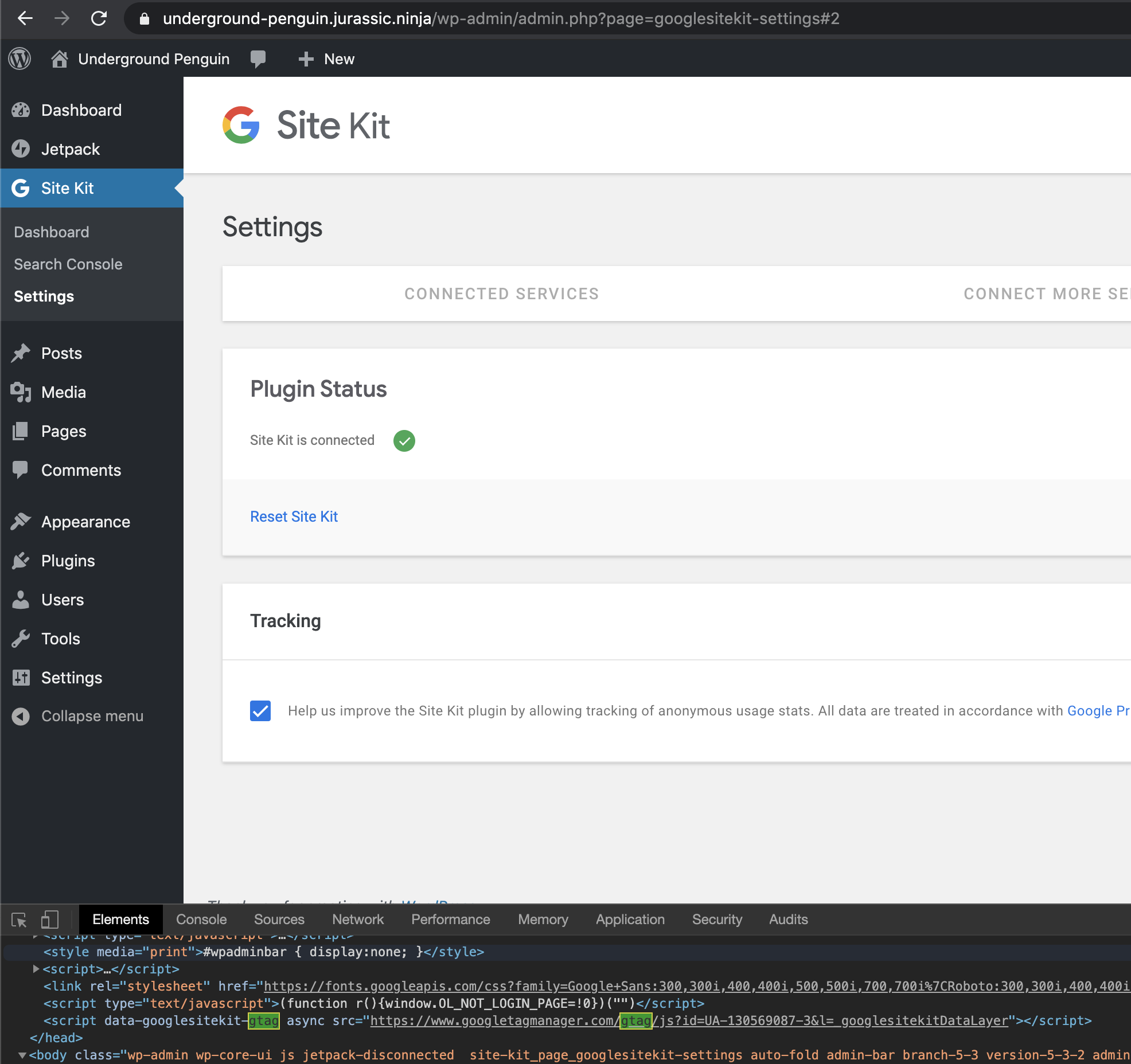
- Check the checkbox to enable tracking
- Without reloading the page, ensure the above script tag IS on the page now
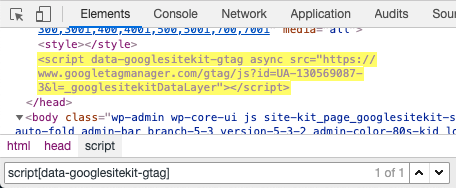
window._googlesitekitDataLayershould now exist, and contain a few elements
- Once opted-in, navigate to a Site Kit screen
- Reload the page
- Ensure the above script tag IS on the page now
window._googlesitekitDataLayershould exist, and contain a few elements
Changelog entry
- Standardize GA tracking snippets and inconsistent data passed in events by introducing a proper tracking API in JavaScript.
 felixarntz
All 10 comments
I'm definitely a fan of the last two approaches—the third one where all tracking is handled by JS and there's one place that takes responsibility for adding/removing/checking for the actual tracking code being loaded makes the most sense to me. It reduces the complexity of using/disabling/enabling the tracking code and will prevent duplicate code.
 tofumatt
on 17 Jan 2020
tofumatt
on 17 Jan 2020
@felixarntz I'm in favor of the pure JS options as well. One question I have though is why would we expose this as a new standalone script/asset or global? We no longer dispatch any tracking events from outside of our React apps, so this could just as easily be handled just as any other module. Is there a reason why it should also be exposed globally?
Also, this issue should address #714 as well.
 aaemnnosttv
on 20 Jan 2020
aaemnnosttv
on 20 Jan 2020
@aaemnnosttv Good point! I see Tracking::print_standalone_event_tracking_script() is still called, but the script is actually no longer used right? In this case, we should indeed eliminate that function. Exposing the tracking script individually was based on me thinking we would still need it in this scenario - if that is not the case, we should drop the method and not have a googlesitekit-tracking.js and instead just implement this module to be used internally.
felixarntz
on 21 Jan 2020
Correct. That function is called but the global function is no longer used as it was only used in the Activation component. All the remaining usage I see is internally in our bundles, so there should be no reason left to keep this around.
Are you suggesting that googlesitekit-tracking.js would then be the name of the internal module? Why not have a assets/js/util/tracking module which exports the functions defined above? I don't think an additional entrypoint is necessary.
aaemnnosttv
on 21 Jan 2020
@aaemnnosttv
Are you suggesting that
googlesitekit-tracking.jswould then be the name of the internal module?
No I meant that file should not exist, there would just be an internal module like you're suggesting. I've updated the ACs with this.
The only important thing here is that this module should remain free of 3P dependencies, mainly because of its relevance for googlesitekit-admin.js. I wonder whether we can somehow, in the overall project, flag such files easily. What do you think to have an assets/js/standalone folder (so the new module would become assets/js/standalone/tracking)? Maybe there's a more suitable term than standalone, but I think it would be useful in the long term to have a distinct place for pieces of code that should have minimal dependencies (like e.g. what is currently in util/standalone.js).
felixarntz
on 21 Jan 2020
The IB here sounds good, just a few little points to make:
Should inject https://www.googletagmanager.com/gtag/js?id=TRACKING_ID if not present on the page (give this an ID so it is easy to select)
Adding an ID to a script tag, as I recall, creates a global variable with the same name as the ID attribute. It might be safer to use something like data-id or even just data-sitekit="tracking" or something like that, to reduce the chance something like id="gtag" overrides/conflicts with existing global variables.
Another question: is there any reason to remove the script instead of just disabling it? When we bootstrap/enable the script dynamically adding it to the page makes sense, but once we've added it there's not much benefit to removing the script for the rest of the life of the page over disabling the tracking events from being sent—that part is already done in our API, so it might reduce complexity not to bother removing the script tag.
tofumatt
on 21 Jan 2020
Thanks for the suggestion @tofumatt. I'll update the IB to use a different selector strategy.
As for your other question, I did mention this in the IB
disableTracking()can simply setwindow.gtagto a no-op function
- No need to remove gtag js as it is already loaded in memory if on the page
aaemnnosttv
on 22 Jan 2020
Ah, whoops, I must've just missed it, my bad! Though setting window.gtag to something else might make re-enabling the script after it's been disabled awkward—we'll be overwriting someone else's global.
I think it would be safest/less complex if disableTracking() only prevented our code from calling out to the window.gtag APIs, but didn't modify them in any way.
tofumatt
on 22 Jan 2020
IB ✅
felixarntz
on 22 Jan 2020
Tested
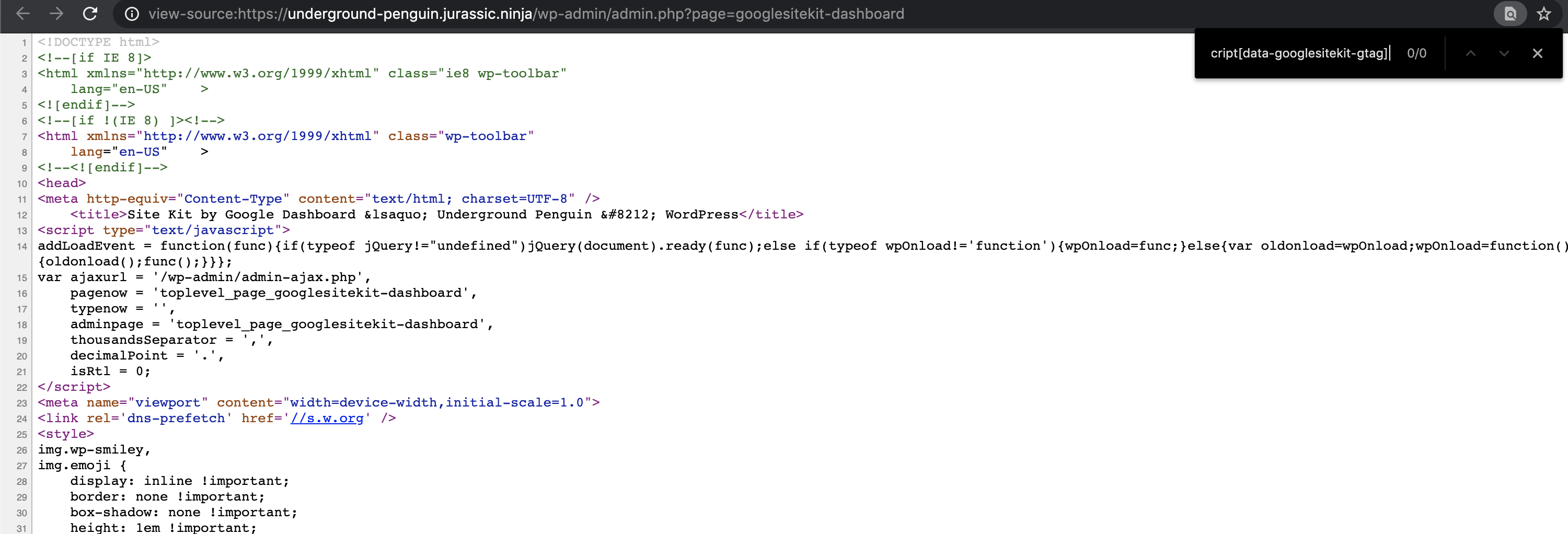
Setup SK without opt-in for tracking
Navigated to SK dashboard and searched for script[data-googlesitekit-gtag]
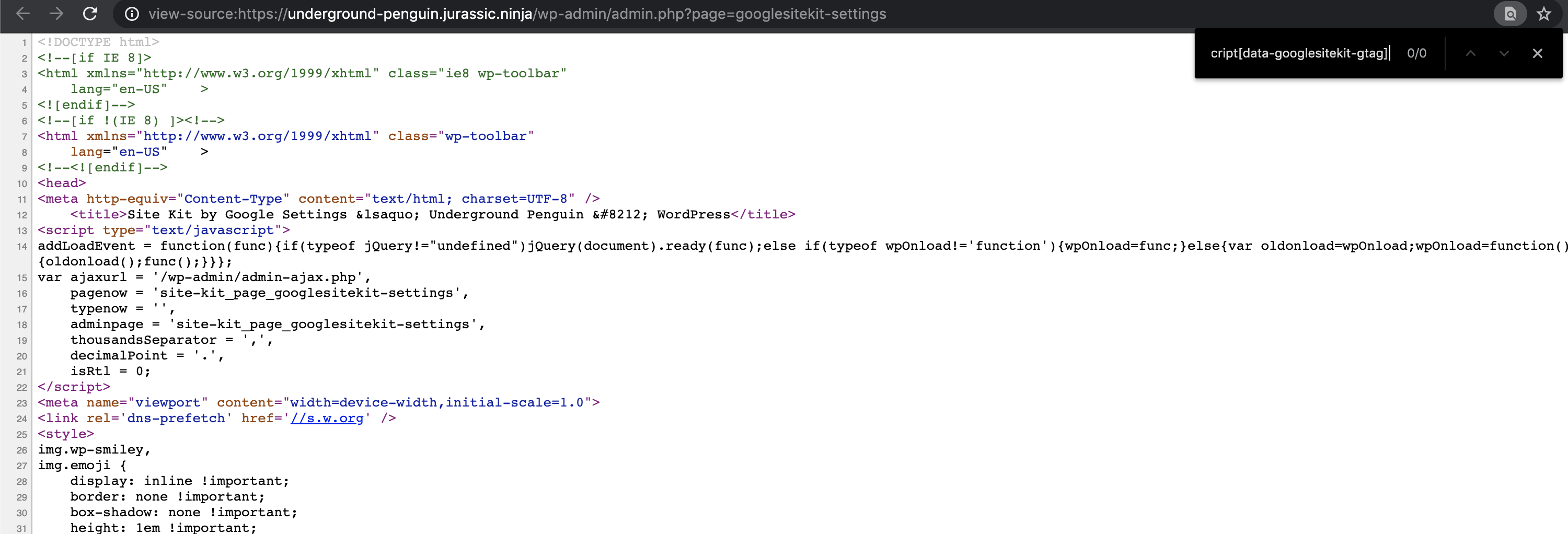
Navigated to Admin settings and searched for script[data-googlesitekit-gtag]
Navigated to admin and confirmed opt in without refreshing page shows the tag
Navigated to SK dashboard and confirmed script is there
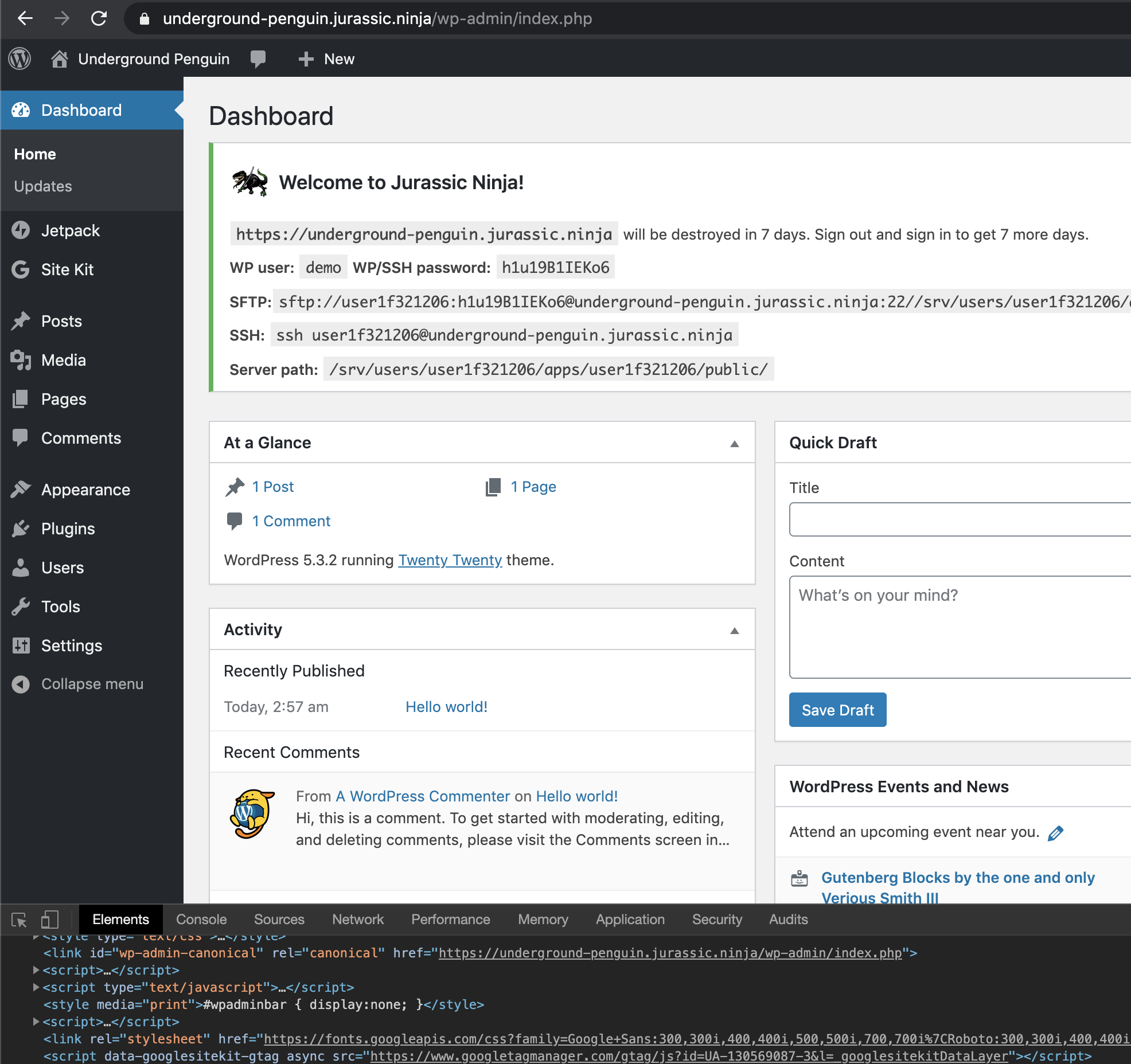
Passed QA ✅
 cole10up
on 13 Feb 2020
cole10up
on 13 Feb 2020
Related issues
 tunakode
·
4Comments
aaemnnosttv
·
5Comments
aaemnnosttv
·
3Comments
tunakode
·
4Comments
aaemnnosttv
·
5Comments
aaemnnosttv
·
3Comments
 marrrmarrr
·
5Comments
marrrmarrr
·
5Comments
 theeducatedbarfly
·
4Comments
theeducatedbarfly
·
4Comments
Most helpful comment
Thanks for the suggestion @tofumatt. I'll update the IB to use a different selector strategy.
As for your other question, I did mention this in the IB