Site-kit-wp: No Advanced option when app is not verified
After updating to the most recent version of sitekit 1.0.0-rc.1 it requires you to re authenticate. Typically we get the 'app is not verified' screen and per instructions you just click on advanced to proceed ... however there is no advanced link to click on which does not allow me to continue ... any ideas why and how to fix?
 smithb252011
All 28 comments
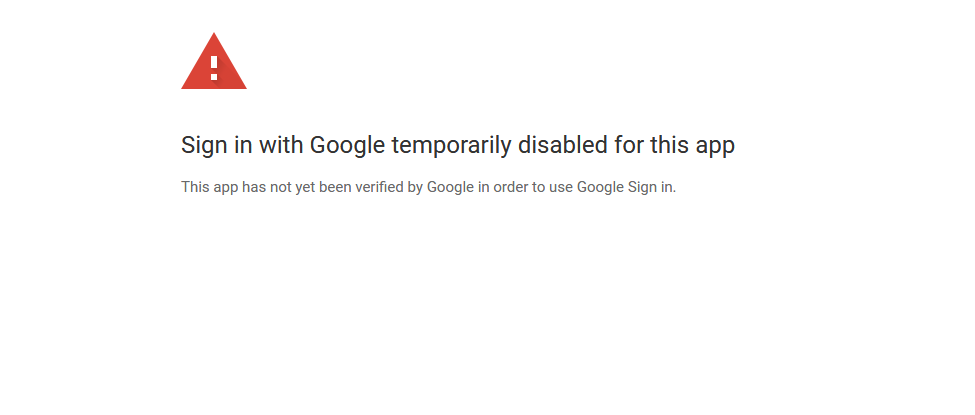
Yes Same Issue with Me, Not Able to verify it "Sign in with Google temporarily disabled for this app"
 aditya58singh
on 23 Oct 2019
aditya58singh
on 23 Oct 2019
same goes here
 koki1010
on 23 Oct 2019
koki1010
on 23 Oct 2019
Same Here but only analytics is out of order others are working well enough.
 speedfreakhorror
on 23 Oct 2019
speedfreakhorror
on 23 Oct 2019
Thanks for the report @smithb252011 @aditya58singh @koki1010 !
Could you let me know if:
- you are logged into the Google account that you used previously for authentication?
- deactivating/ reactivating the plugin and restarting the setup process resolves this for you?
 ernee
on 23 Oct 2019
ernee
on 23 Oct 2019
@ernee Yes Using the same Google account which was used for authentication.
- I have tried deactivating, removing cache and restarting the process but same error is coming.
aditya58singh
on 23 Oct 2019
Having the same issue too. Sent over instructions to a client to install for analytics and tag manager. Hopefully this gets resolved soon.
 ambks
on 23 Oct 2019
ambks
on 23 Oct 2019
@speedfreakhorror were you able to complete the initial re-authentication?
Also, do you have any further details about your analytics? Is there an issue with the display or any other issue?
Thanks for the follow up @aditya58singh and for your report @ambks!
I'm not able to recreate the issue currently. However, to rule as much out, could you try restarting the setup process in an incognito or alternate browser?
ernee
on 23 Oct 2019
Same here. All was working well before, after the upgrade, all services shoed OAuth error. Then, reset Sitekit data, but now I can't authenticate as it says Google signin is disabled for the unverified app.
 nikolay
on 23 Oct 2019
nikolay
on 23 Oct 2019
I have deleted the plugin and reinstall, I was able to connect Search Console but not able to connect analytics SHOWING Sign in with Google temporarily disabled for this app
I tried different browser also.... @ernee
aditya58singh
on 23 Oct 2019
Also, do you have any further details about your analytics? Is there an issue with the display or any other issue?
I have been having issues with the analytics on this site: websitesbykts.com. They were there when I was using the plugin Analytify and now with sitekit. Here's what I am seeing:
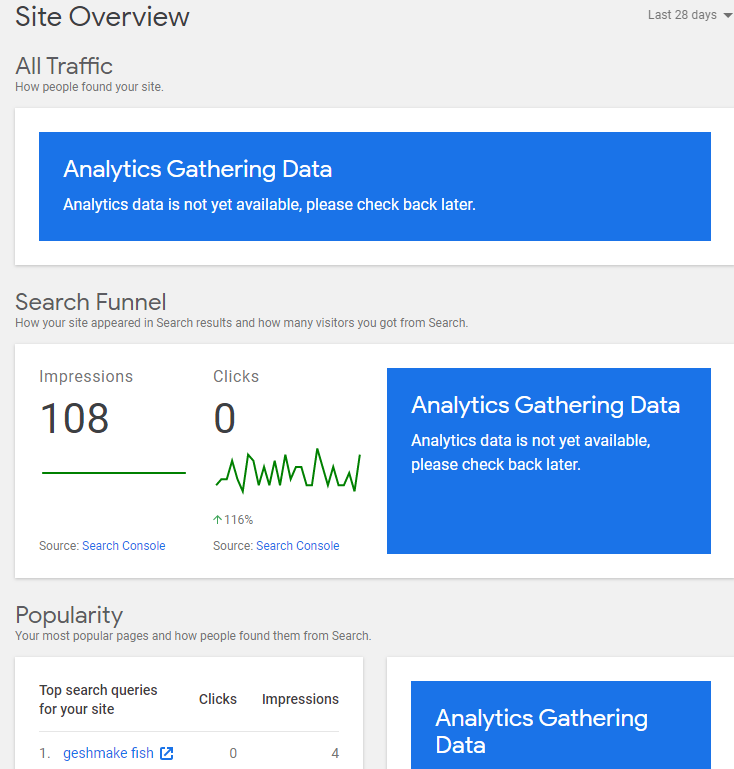
The analytics dashboard (https://analytics.google.com) also warns that I have zero visitors - which is not true, since I've gotten spam email via a contact form on the site.
I suspect the performance issue I am having is NOT related to the SiteKit plugin, since it has behaved as I describe above.
I'm actually going to a WP Meetup this evening and plan to discuss the site issue then.
 Jack-ongithub
on 23 Oct 2019
Jack-ongithub
on 23 Oct 2019
Same error:
Sign in with Google temporarily disabled for this app
This app has not yet been verified by Google in order to use Google Sign in.
After update 1.0.0-rc.1 / disabling and enabling the plugin, but can't fix it. Different browsers, doesn't fix it either.
 caigealder
on 23 Oct 2019
caigealder
on 23 Oct 2019
I signed out after the update to see if that would fix it but it did not ... Tried a different browser but nothing... Cleared cookies... Nothing.... I cannot use site kit at all because it is back to the original setup as though I've just installed the plugin. Tried going back to the previous beta version... Still same issue
smithb252011
on 23 Oct 2019
I am disappointed by Google for releasing an RC that's totally untested and fails for everybody immediately after an upgrade!
nikolay
on 23 Oct 2019
Appreciate this information @aditya58singh, @caigealder, @smithb252011, @nikolay, and @jack-ongithub !
This issue did not occur in our testing. We're looking into this further and appreciate your patience as we find a resolution.
It would be helpful to confirm when you see the error screen ( example: _Start setup -> go to new screen -> click "sign in with Google" button -> error_):
@aditya58singh it appears you were able to get through the initial authentication with Search Console now, but experience the issue with Google Analytics currently?
@caigealder, @smithb252011, and @nikolay it sounds like you weren't able to proceed at the initial re-authentication?
@jack-ongithub were you able to get through the initial re-authentication step or is this issue with the analytics display something that occurred before the recent update?
Thanks again everyone. I'll provide updates as soon as possible.
ernee
on 23 Oct 2019
@Jack-ongithub were you able to get through the initial re-authentication step or is this issue with the analytics display something that occurred before the recent update?
I was having Analytics issues with a previous plugin (Analytify) and then with Site Kit, as well as on the Google console. So that is not a Site Kit issue.
Updating to RC got me to here:
https://accounts.google.com/signin/oauth/danger?authuser=*... (shortened)
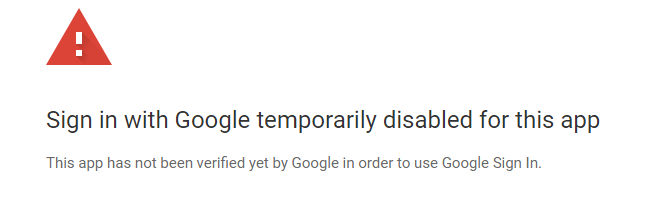
I have restored the back up I made before updating and am back to the beta release.
Jack-ongithub
on 23 Oct 2019
Same issue -- there is no Advanced option.
This current snafu aside, sending WordPress users into the maze-way of App Verification, API screens, etc is going to be a disaster. I recommend you create a simplified one page app for SiteKit to collect and process anything required. 1/10th of 1 percent of WordPress users will find their way to Github.
 dmccan
on 23 Oct 2019
dmccan
on 23 Oct 2019
Same error after update today.
 alexandreangelis
on 23 Oct 2019
alexandreangelis
on 23 Oct 2019
Hi everyone, thanks for the reports and screenshots! We've identified the root cause of the issue and we're working on a fix for the authentication service.
(As @dmccan mentioned, the goal of the authentication service is to take care of the entire setup on behalf of the user. We released this version to see if there might be any issues with it...and what do you know, there are some. 😬)
Meanwhile, for everyone who upgraded to 1.0.0-rc.1 and got blocked from completing setup, we've released version 1.0.0-rc.1.1, which will revert to the previous mechanism for generating credentials.
You can re-do the setup flow and continue using the plugin as usual.
Sorry for the extra work and thanks for your patience while we work on a fix!
 marrrmarrr
on 23 Oct 2019
marrrmarrr
on 23 Oct 2019
Thanks for the follow up @Jack-ongithub. When I inspect websitesbykts.com, I'm not seeing the Google Analytics snippet in the source code. That could be the source of the issue with the data not populating in the dashboard and on the analytics platform. If you've configured Site Kit to insert the snippet/tag for you, feel free to open another issue and we'll investigate it.
ernee
on 23 Oct 2019
@ernee I just got back from a WP Help Desk Meetup - the problem I brought was the lack of indications of visitors. The fix we implemented was manually putting the snippet into the theme header. After that, the console's realtime panel saw a test visitor. However, still not seeing it in the Home display. It does show 7 visitors if I narrow it to today.
I put the plugin into the website over a month ago. I think I asked it to do whatever it could / should /would, which would have included placing the snippet. As I reported above, however, this was not the first analytics plugin I had on the site and I had the same problem with the previous one.
Based on that, should this become another SiteKit issue, or is it somehow either a website or a more general Google Analytics issue.
I appreciate your picking up on this!
Jack-ongithub
on 24 Oct 2019
@speedfreakhorror were you able to complete the initial re-authentication?
Also, do you have any further details about your analytics? Is there an issue with the display or any other issue?
Thanks for the follow up @aditya58singh and for your report @ambks!
I'm not able to recreate the issue currently. However, to rule as much out, could you try restarting the setup process in an incognito or alternate browser?
@ernee yes prior to these new changes analytics worked, now there is no tracking.
now i see:
Issue accessing data
You need to reauthenticate your Google account.
When click for reauthentication i see Unverified App Screen. When proceeding with this i get the error Sign in with Google temporarily disabled for this app. As written there should have been Advanced option. But i do not see any.
speedfreakhorror
on 24 Oct 2019
@Jack-ongithub thanks for the update. Yes, open a new issue so we can investigate your particular case regarding Site Kit.
@speedfreakhorror have you been able to update the plugin to 1.0.0-rc.1.1, which restores the previous authentication method? Could you try that and also try connecting to Analytics? Let me know if you are able to proceed and see tracking.
ernee
on 24 Oct 2019
I can confirm that after updating to 1.0.0-rc.1.1 I was able to get back up and running. I had to recreate Oauth but good to go now.
smithb252011
on 24 Oct 2019
@ernee it showed it has worked but analytics says gathering data from yesterday with no changes.
speedfreakhorror
on 25 Oct 2019
I currently have the same issue with multiple installations. There is no advanced button and deactivating the plugin didn't help.
 neverything
on 25 Oct 2019
neverything
on 25 Oct 2019
Solved it the following way:
- Update to RC 1.1
- Deactivate the plugin
- Reactivate the plugin
- Run the process again
- Success 💯
neverything
on 25 Oct 2019
@neverything thanks for the update. Glad it's back up.
@speedfreakhorror thanks for the update too. Could you try to disconnect and reconnect the Analytics connection?
If the data from Analytics is still not displaying, feel free to open a new issue and we'll investigate further.
ernee
on 25 Oct 2019
Hi everyone, quick update that a new version 1.0.0-rc.2 is now available that should resolve this issue. Update at your convenience. Open a new issue if you should have any questions or concerns. Thanks again!
ernee
on 29 Oct 2019
Related issues
 quangbahoa
·
5Comments
quangbahoa
·
5Comments
 Loganson
·
5Comments
Loganson
·
5Comments
 theeducatedbarfly
·
4Comments
theeducatedbarfly
·
4Comments
 quindo
·
5Comments
quindo
·
5Comments
 felixarntz
·
4Comments
felixarntz
·
4Comments
Most helpful comment
Solved it the following way: