Site-kit-wp: Start Setup button on plugin activation does not link anywhere
Bug Description
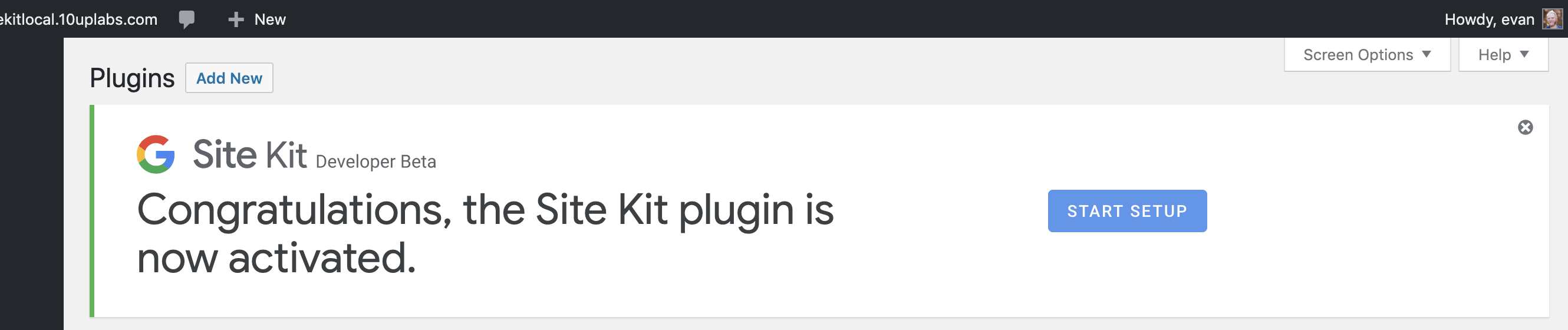
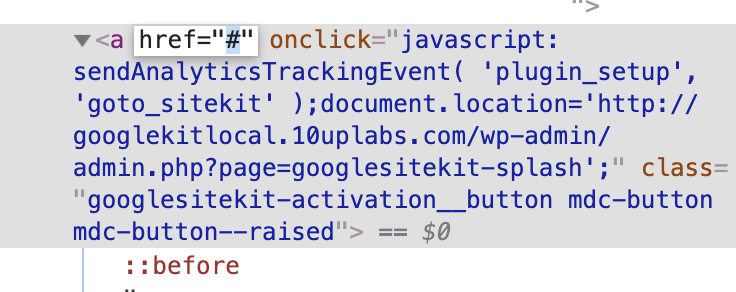
When you activate the plugin there is a "Congratulations" notice that contains a "Start Setup" button that should link to the start screen, but it does not link anywhere. The link has an href attribute of "#" rather than a link to a setup page.
Steps to reproduce
- Install plugin
- Activate plugin
- See congrats notice display
- Click button in notice
Expected behavior
As a user, I would expect to find the button link me to a setup or start screen.
Screenshots
Additional Context
- PHP Version: 7.2
- OS: mac
- Browser chrome (all)
- Plugin Version: Developer Beta
- Device: macbook
_Do not alter or remove anything below. The following sections will be managed by moderators only._
Acceptance criteria
- If the proxy is being used (see
OAuth_Client::using_proxy()in https://github.com/google/site-kit-wp/pull/614/files#diff-48c8b1490a8befd13ca3a60d4be2b7fcR559), the link should point to the proxy (seeOAuth_Client::get_proxy_setup_url()in https://github.com/google/site-kit-wp/pull/614/files#diff-48c8b1490a8befd13ca3a60d4be2b7fcR581)
Implementation Brief
- Add a new
\Google\Site_Kit\Core\Util\Activation::get_setup_url()method
return OAuth_Client::using_proxy ? OAuth_Client::get_proxy_setup_url() : $splash_url
- Update "Start Setup" link href in
\Google\Site_Kit\Core\Util\Activation::get_activation_noticeto use a URL instead of#
- Use result of
get_setup_url()forhref - Update
onClickhandler to only dispatch the event tracking request
- Use result of
Changelog entry
- Fix semantic issue with button in plugin activation banner not properly linking to the setup screen.
 circlecube
All 7 comments
Testing this issue some more and the onload document.location is working. Troubleshooting to reproduce again now.
circlecube
on 27 Jun 2019
I believe the issue occured when the page had not fully loaded and perhaps the analytics library had not yet loaded. Tested with adblock enabled and disabled and once page loads the button is functional. There is an opportunity to ensure the button fails gracefully though.
circlecube
on 27 Jun 2019
The link has an href attribute of "#" rather than a link to a setup page.
This is not really accessible and should be fixed IMO.
 swissspidy
on 23 Sep 2019
swissspidy
on 23 Sep 2019
@felixarntz given that this button will now need to point to the Site Kit Service, do you want to repurpose this issue for changing the link to point to there?
 marrrmarrr
on 10 Oct 2019
marrrmarrr
on 10 Oct 2019
@aaemnnosttv Let's not expose a new method for this because the non-proxy version will go away. We can run the logic directly in Activation.
Otherwise, IB looks good ✅
 felixarntz
on 21 Oct 2019
felixarntz
on 21 Oct 2019
This is covered by #691 but I think it's fine to just review #673—if it gets through code review this issue can also move to QA.
 tofumatt
on 24 Oct 2019
tofumatt
on 24 Oct 2019
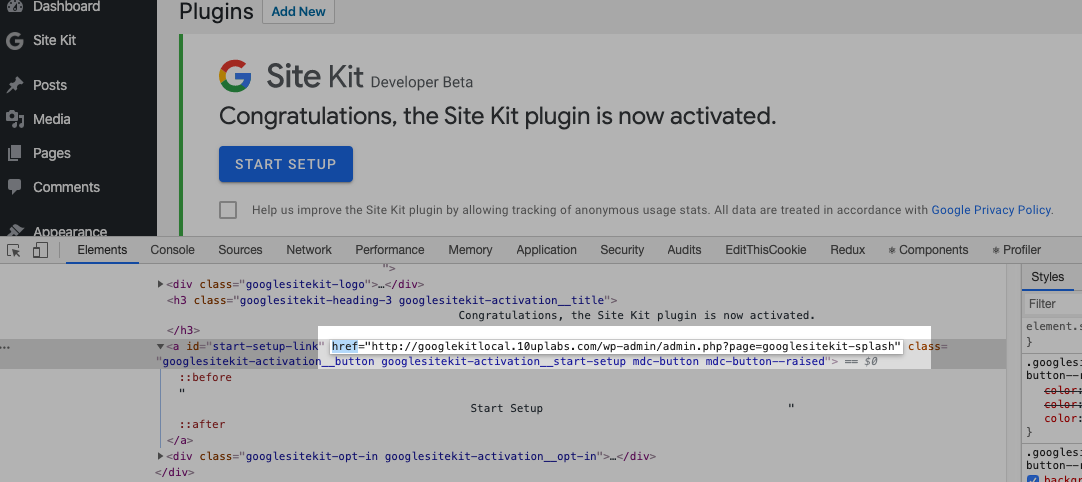
I verified the link here looks correct and based on the Issue I am moving this to Approval.
Testing Procedure
- Enable Plugin.
- Check source code for welcome banner, verifying button links to correct URL.
 adamsilverstein
on 28 Oct 2019
adamsilverstein
on 28 Oct 2019
Related issues
tofumatt
·
3Comments
 jsmshay
·
3Comments
jsmshay
·
3Comments
 quangbahoa
·
5Comments
quangbahoa
·
5Comments
 aaemnnosttv
·
5Comments
aaemnnosttv
·
5Comments
 quindo
·
5Comments
quindo
·
5Comments