Site-kit-wp: Enabling Site Kit plugin breaks AMP
Describe the bug
Enabling site kit plugin breaks the AMP version of the site. It just showing 49 years ago, article tags and categories.
To Reproduce
Steps to reproduce the behavior:
- Install Site Kit plugin and configure it
- Install AMP plugin By AMP Project Contributors
- Try accessing AMP page of the site
- See error
Screenshot

System Information (please complete the following information):
- PHP Version: 7.2.19
- Browser: chrome
- Plugin Version 1.0.0-beta.1
_Do not alter or remove anything below. The following sections will be managed by moderators only._
Changelog entry
- Fix PHP notices being thrown on AMP reader mode when Analytics or Tag Manager snippet is not inserted.
Acceptance criteria
- Activate the AMP plugin and configure it to use Reader mode in its settings screen.
- Configure Site Kit's Analytics module. In Site Kit > Settings, ensure the snippet is not inserted.
- Open a single post in the frontend and click on "AMP" in the admin bar to view its AMP version.
- Verify that no PHP notices are being thrown and the page renders correctly.
- Start setup of Site Kit's Tag Manager module, but then immediately bail out (e.g. by going to another WordPress page), so that the setup is flagged as incomplete.
- Open a single post in the frontend and click on "AMP" in the admin bar to view its AMP version.
- Verify that no PHP notices are being thrown and the page renders correctly.
 amitmalewar
All 11 comments
@amitmalewar Thanks for the context, would you be able to let me know what plugins you are using in addition to AMP and Site Kit, or is possible share your site URL? Site Kit operates in the backend, it shouldn't affect AMP endpoints so there could be conflict. But let me know so we can take a look.
 jamesozzie
on 20 Jun 2019
jamesozzie
on 20 Jun 2019
@jamesozzie AMP gives error only when we configure Analytics feature in Google Kit.
Site URL: https://www.infophilic.com
Plugins:
- Akismet
- Jetpack
- AMP
- Classic editor
- Contact Form 7
- Imagify
- Redirection
- Infophilic
- Subscribe to Comments Reloaded
- tagDiv composer
- Thirsty Affiliates
- Vaultpress
- WP Coupons
- WP Mail SMTP
- WP Rocket
- Yoast SEO
amitmalewar
on 20 Jun 2019
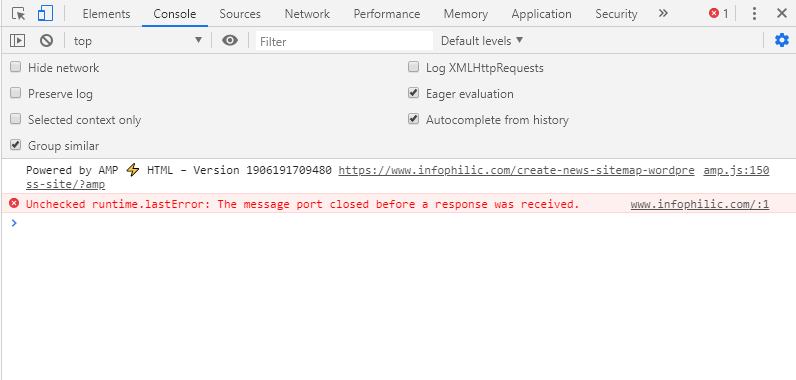
I am unable to see any AMP urls at the moment. Do you have a staging site you can use to deactivate some of your other plugins to test, and with AMP active are you seeing any errors using Chrome dev tools?
jamesozzie
on 20 Jun 2019
@jamesozzie Please check now, I have re-enabled Site Kit plugin.
amitmalewar
on 20 Jun 2019
@amitmalewar It looks like it's a problem with a plugin conflicting with your AMP plugin. Your AMP URLs do not follow the standard URL pattern (there is a / at the end of each AMP URL).
Have you installed any plugin other than Site Kit recently, or changed any settings in your active plugins? If possible please deactivate (temporarily) some of the other plugins you are using to see if your AMP works as normal (starting with the ones you recently updated or installed).
jamesozzie
on 20 Jun 2019
@amitmalewar Thanks for the info. I am able to recreate the same issue. I will mark it for escalation.
To Reproduce
Steps to reproduce the behavior:
- Install the latest version of the official AMP plugin (1.2.0)
- Installer Site Kit 1.0.0-beta.1
- Active Reader mode AMP
- Visit AMP version of a post or page
Screenshots
http://recordit.co/fjjVBqLKo0
System Information (please complete the following information):
- PHP Version: 7.2
- Host OS: Linux
- Plugin Version: 1.0.0-beta.1
Additional context
No errors logged in console. Same issue arises with any theme active and no plugins other than AMP and Site Kit
jamesozzie
on 25 Jun 2019
@amitmalewar The problem seems to only realise when Analytics is connected but the snippet is not inserted via Site Kit. Can you confirm? Deactivating Analytics also results in in AMP working as normal in reader mode.

jamesozzie
on 25 Jun 2019
@jamesozzie Yes, it crashed AMP only when we enable Analytics option. Without Analytics AMP works fine.
amitmalewar
on 25 Jun 2019
Thanks for highlighting @amitmalewar. It is being worked on at the moment. You can disable the snippet insertion for the moment, or activate Analytics via any alternative method while it's being prioritized.
jamesozzie
on 27 Jun 2019
I noticed while addressing the issue that a similar problem can occur with Tag Manager in AMP reader mode. Both are addressed by #79. I updated acceptance criteria accordingly.
 felixarntz
on 28 Jun 2019
felixarntz
on 28 Jun 2019
This QA'ed and the issue is fixed. closing.
 ivankristianto
on 3 Jul 2019
ivankristianto
on 3 Jul 2019
Related issues
felixarntz
·
4Comments
 aaemnnosttv
·
3Comments
felixarntz
·
4Comments
aaemnnosttv
·
3Comments
felixarntz
·
4Comments
 theeducatedbarfly
·
4Comments
theeducatedbarfly
·
4Comments
 Loganson
·
5Comments
Loganson
·
5Comments