Describe the bug
Unable to install sinon.js from few days.
To Reproduce
Steps to reproduce the behavior:
run the following command
npm i sinon
Error:
npm i sinon
npm ERR! code ETARGET
npm ERR! notarget No matching version found for just-extend@^3.0.0
npm ERR! notarget In most cases you or one of your dependencies are requesting
npm ERR! notarget a package version that doesn't exist.
npm ERR! notarget
npm ERR! notarget It was specified as a dependency of 'nise'
npm ERR! notarget
Expected behavior
sinon latest version should be installed.
Screenshots
If applicable, add screenshots to help explain your problem.
Context (please complete the following information):
Tried by installing other versions of sinon for example
npm i [email protected]
 arankhem
All 10 comments
@mantoni, can you help here please
arankhem
on 6 Sep 2018
Please don’t tag maintainers in issues, we get plenty of e-mail already.
The issue you’re experiencing is most likely in your local system. Try clearing your npm cache and make sure your npm is a recent version. Older versions do not understand scopes
 mroderick
on 6 Sep 2018
mroderick
on 6 Sep 2018
Cleared npm cache using npm cache clean --force
verified npm cache using npm cache verify
Npm version on my machine is 6.4.1 (latest)
My local machine is window
Facing the same issue in other local machines as well
arankhem
on 6 Sep 2018
getting this:
npm install --save-dev sinon
npm ERR! Unexpected end of JSON input while parsing near '..."mochify":"^5.6.1","m'
 promosjotte
on 6 Sep 2018
promosjotte
on 6 Sep 2018
I am bit confused here
Latest version of just-extend is 1.1.27. see here
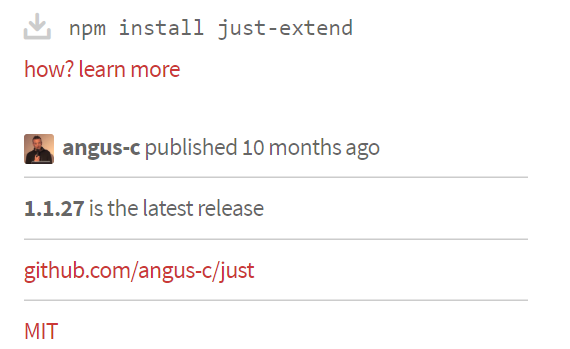
Below is the screenshot from semver version calculator
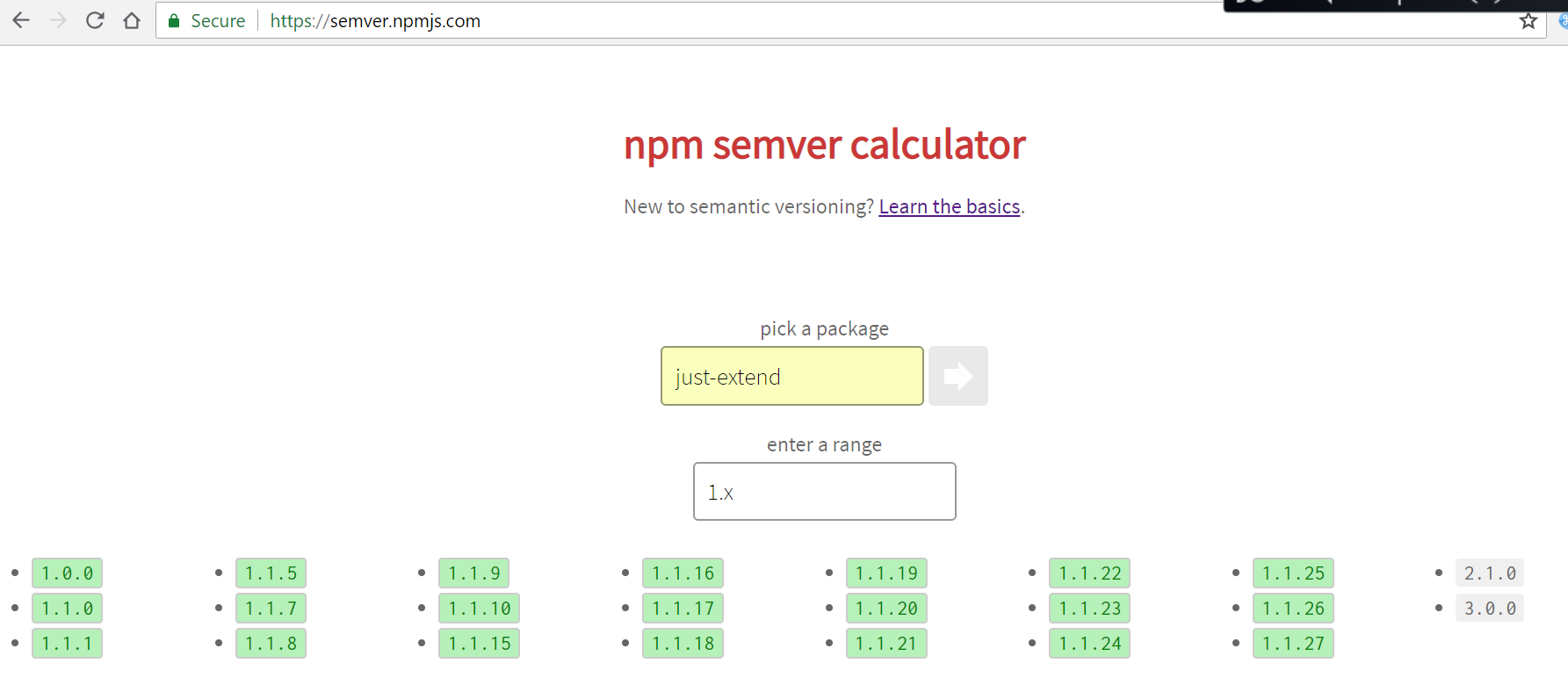
And here in nice we are using just-extend^3.0.0 in package.json
And when i am doing npm install just-extend@latest it is installing
- [email protected]
updated 1 package in 17.501s
And when i am doing npm install nise@latest am getting below error (latest version is 1.4.4)
npm install nise@latest
npm ERR! code ETARGET
npm ERR! notarget No matching version found for just-extend@^3.0.0
npm ERR! notarget In most cases you or one of your dependencies are requesting
npm ERR! notarget a package version that doesn't exist.
npm ERR! notarget
npm ERR! notarget It was specified as a dependency of 'nise
And when i am doing npm install [email protected] it is getting installed
- [email protected]
added 7 packages from 14 contributors in 30.33s
Because here in [email protected] you are using [email protected].
@team, can you please correct this
arankhem
on 6 Sep 2018
@arankhem The site you linked to, is not an official site. Probably an old internal mirror. I also suspect it's an internal HP site (where you work?) since I cannot connect to it. Use the official site, npmjs.com, to see version 3, released 3 weeks ago. Also, the semver calculator is clearly showing it to the left.
If your NPM has problems finding it, I suspect your local settings is at fault. Maybe you or your local administrator has overridden the NPM main registry setting (pointing it to the HPE site?). No idea. I can't debug a Windows installation or a package to which I don't have access. Otherwise, please see https://github.com/sinonjs/nise/issues/64#issuecomment-419221001
@promosjotte are you also running Windows? We need to find what is in common. Usually, issues like this are fixed by removing node_modules and running npm install again. None of our builds have failed due to this, but two reports on the same issue might point to a Windows issue, if that is a common nominator.
 fatso83
on 6 Sep 2018
fatso83
on 6 Sep 2018
Also, the both of you; have you tried removing node_modules and reinstalling?
fatso83
on 6 Sep 2018
OK, tried this on a fresh Windows Server 2016 install. No problems. Installed with flying colors. Closed as cannot reproduce. I would inspect your local machines and/or any overrides for NPM registries. Try to redo the steps in a non-corporate environment, with a clean slate (mkdir tmp; cd tmp; npm init; npm i nise;)
fatso83
on 6 Sep 2018
Can you remove that hpe link please i posted here by mistake. I have updated the link in my comment
arankhem
on 7 Sep 2018
I have edited @fatso83's comment to remove the link
mroderick
on 7 Sep 2018
Related issues
 kbirger
·
3Comments
kbirger
·
3Comments
 fearphage
·
3Comments
fearphage
·
3Comments
 OscarF
·
4Comments
OscarF
·
4Comments
 tinganho
·
3Comments
tinganho
·
3Comments
 akdor1154
·
4Comments
akdor1154
·
4Comments
Most helpful comment
Please don’t tag maintainers in issues, we get plenty of e-mail already.
The issue you’re experiencing is most likely in your local system. Try clearing your npm cache and make sure your npm is a recent version. Older versions do not understand scopes