Simplewall: Filename based rule - revisited.
@dima-lisolyub That's a lot like #136 and cannot be easily handled, since the Windows Filtering Platform only allows full paths to a single executable.

It would require that simplewall monitors all filesystem changes in the specified folder and adds a rule as soon as a new executable pops up in the folder. It's possible, but probably not a small thing to implement.
@tokariu AFAIK it's simply not possible with the sort of rules that can be created for the Windows Filtering Platform.
don't know if it is possible, since Windows Firewall doesn't support this.
https://github.com/henrypp/simplewall/issues/136
https://github.com/henrypp/simplewall/issues/379
https://github.com/henrypp/simplewall/issues/307
Impossible why? If the WFP can't cope with it why not handle it inside the application? The first quote right here suggests it's possible.
Receive callback, about to show notification popup -> perform simplewall™ pathname rule check™ -> check passes, auto mark allow or whatever the user sets.
 UNDEFINED-BEHAVIOR
All 3 comments
i think this can be done by driver so app should have driver
rule path with * (C:\ProgramData\Avira\AntivirusTEMP\SELFUPDATE**\update.exe)can be created in netlimiter program.but on that program filter should be created manually too!
and that program wont write such wfp rule in registry i think
 hesss5
on 23 Jun 2019
hesss5
on 23 Jun 2019
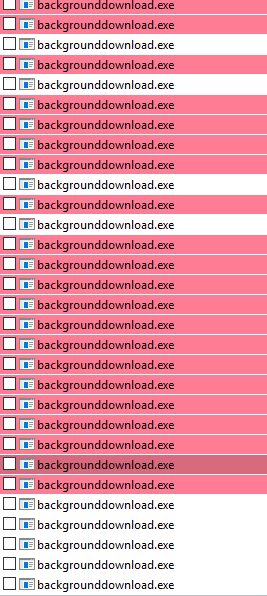
aaaaaaaaaaaaaaaaa
UNDEFINED-BEHAVIOR
on 12 Sep 2019
Rules are still strict. No wildcards or masking etc.
 henrypp
on 25 Sep 2019
henrypp
on 25 Sep 2019
Related issues
 privacyguy123
·
4Comments
privacyguy123
·
4Comments
 pwn0r
·
3Comments
pwn0r
·
3Comments
 TontyTon
·
3Comments
TontyTon
·
3Comments
 ltGuillaume
·
3Comments
ltGuillaume
·
3Comments
 Jtasiu
·
4Comments
Jtasiu
·
4Comments