Version: 2.0.18, 64-bit (Unicode) on Windows 10
After running for some time the menu suddenly looks like this:
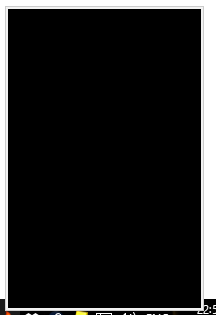
Hovering over the different options reveals them:
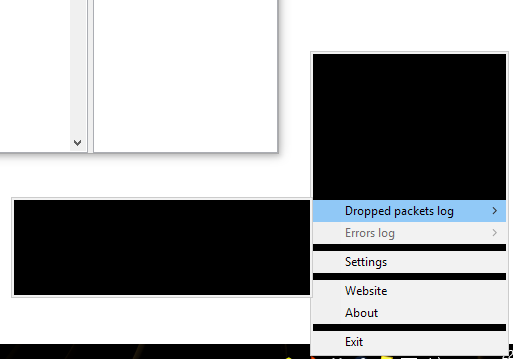
The program refuses to open, when double clicking the tray icon the window briefly appears and then disappears. Notifications doesn't appear at all. Restarting the program fixes the problem. It can happen multiple times per day.
Btw thank you for creating such a nice firewall! This is exactly what i have been looking for in a long time.
 seihtam
All 15 comments
It' happens. I try to fix this, but no promises.
 henrypp
on 1 Nov 2017
henrypp
on 1 Nov 2017
Same here. What's more, sometimes it even corrupts other elements, like the Start button and taskbar. Memory leak? Plus the occasional crash upon start-up.
 ltGuillaume
on 2 Nov 2017
ltGuillaume
on 2 Nov 2017
Same here for Windows 7 x64 but in my case this bug appears when i wake up my pc from sleep mode (but not every time)
 GHosTiKuS
on 3 Nov 2017
GHosTiKuS
on 3 Nov 2017
I recognize such behavior when returning from standby/hibernation from Firefox (Master password dialog sometimes misses text field and buttons). Could be something alike. I just tried when returned from hibernation, but this time it worked. So it's not easily reproduced.
ltGuillaume
on 3 Nov 2017
2.1.2 have lot of fixes about this, so check it.
henrypp
on 21 Nov 2017
I unfortunately still have this issue on 2.1.3
seihtam
on 25 Nov 2017
Memory leak?
No. Race condition.
henrypp
on 26 Nov 2017
What with 2.1.4 version, people?
henrypp
on 27 Nov 2017
Hi, I'm not sure yet since it happens randomly but it seems it's fixed. Thanks for your amazing work, your software is now even more perfect. You deserve a donation. =)
EDIT : I confirm it hasn't buged a single time since the last update. :D
 Tom4tot
on 30 Nov 2017
Tom4tot
on 30 Nov 2017
I had problems (while in a remote desktop session with simplewall running on the remote system, might have to do with it): parts of the notification remained visible, even though the popup was closed. It wouldn't pop up as a complete notification dialog again either, just pieces of it.
ltGuillaume
on 30 Nov 2017
@ltGuillaume screenshot?
henrypp
on 30 Nov 2017
Will do asap.
ltGuillaume
on 30 Nov 2017
I haven't experienced this bug after switching to 2.1.4
seihtam
on 2 Dec 2017
After returning a remote system from hibernation and accessing it via Remote Desktop, I don't see anything other than the tray icon: no tooltip when hovering the icon, no menu when right-clicking it, and no window when double-clicking it.
ltGuillaume
on 10 Dec 2017
I think this issue can be closed now, I have not experience this bug after upgrading to 2.1.4. If ltGuillaume's issue is still present then a new issue should be opened, I don't think it's related to this issue.
seihtam
on 20 Feb 2018
Related issues
 p-groarke
·
4Comments
p-groarke
·
4Comments
 Chaython
·
4Comments
Chaython
·
4Comments
 pwn0r
·
4Comments
pwn0r
·
3Comments
pwn0r
·
4Comments
pwn0r
·
3Comments
 Jtasiu
·
4Comments
Jtasiu
·
4Comments