Simplenote-electron: Duplicated Characters/Text on Mobile Browser
When typing in a text in the title and hitting newline, it will duplicate the title on the next line.
Typing a word in the body content also duplicate the word/characters and produce some other errors related to cursor.
User's exact word of report:
I typed "BETA" for the title and hit newline. It duplicated "BETA" on the next line. I tried to type "Unusable" and it typed "UNUUNNUUUUNUUUUUN..." as I tapped the Shift Key and tried to enter other characters or control keys like Backspace besides "U" or "N".
Per @dmsnell comment here:
looks like maybe something on the mobile browser is creating multiple cursors and then edits apply twice.
Expected
There should be no duplicate words or lines.
Observed
Words/characters become duplicated. Some other cursor-related functions also don't work.
Reproduced
- Start a New Note.
- Enter "BETA" in the Title.
- Tap Newline.
- IT (the BETA) entered "BETA" on the new line.
- Tap Backspace to (try to) erase "BETA" and IT didn't. Instead IT entered what we see on the screenshot below which resulted from multiple taps on only Backspace.
(The screenshot appears to show several Newlines which I may have entered after the second "BETA" which I then followed with a series of only Backspaces.)
Screenshot:

Another screenshot that shows the other errors:

Where did you see the bug
- System Make and Model: Moto g5 Plus
- OS: Android
- OS version: 8.1.0
- Browser version (if applicable): Firefox Daylight 80.1.3 and Chrome 85.0.4183.81
- Simplenote app version: current https://staging.simplenote.com/
User noted that it works on https://app.simplenote.com/ (meaning the issue doesn't happen there).
Reported on 3317478-zen
 erricgunawan
All 5 comments
Just noting I can't duplicate on Firefox / iOS so far, might be something Android specific?
 codebykat
on 22 Sep 2020
codebykat
on 22 Sep 2020
We may want to ask about the red navigation and status bars in the screenshots. That can indicate that the device has Battery Saver enabled, which can affect how all apps on the device work. The red navigation and status bars could be something else for their specific device, but clarifying that may help with troubleshooting.
 theck13
on 22 Sep 2020
theck13
on 22 Sep 2020
I have asked them about Battery Saver mode.
cc @erricgunawan
 msilbers
on 27 Sep 2020
msilbers
on 27 Sep 2020
Ah, I missed this, sorry. Thanks, both @theck13 and @msilbers!
erricgunawan
on 28 Sep 2020
Battery Saver mode turned off with the following test results but these were tested on https://app.simplenote.com.
Using Chrome 85.0.4183.127 and https://app.simplenote.com/login/, I started a New Note. I typed "Chrome 8" and Simplenote wouldn't accept any more characters. See screenshot. I wanted to type "Chrome 85.0.4183.127".
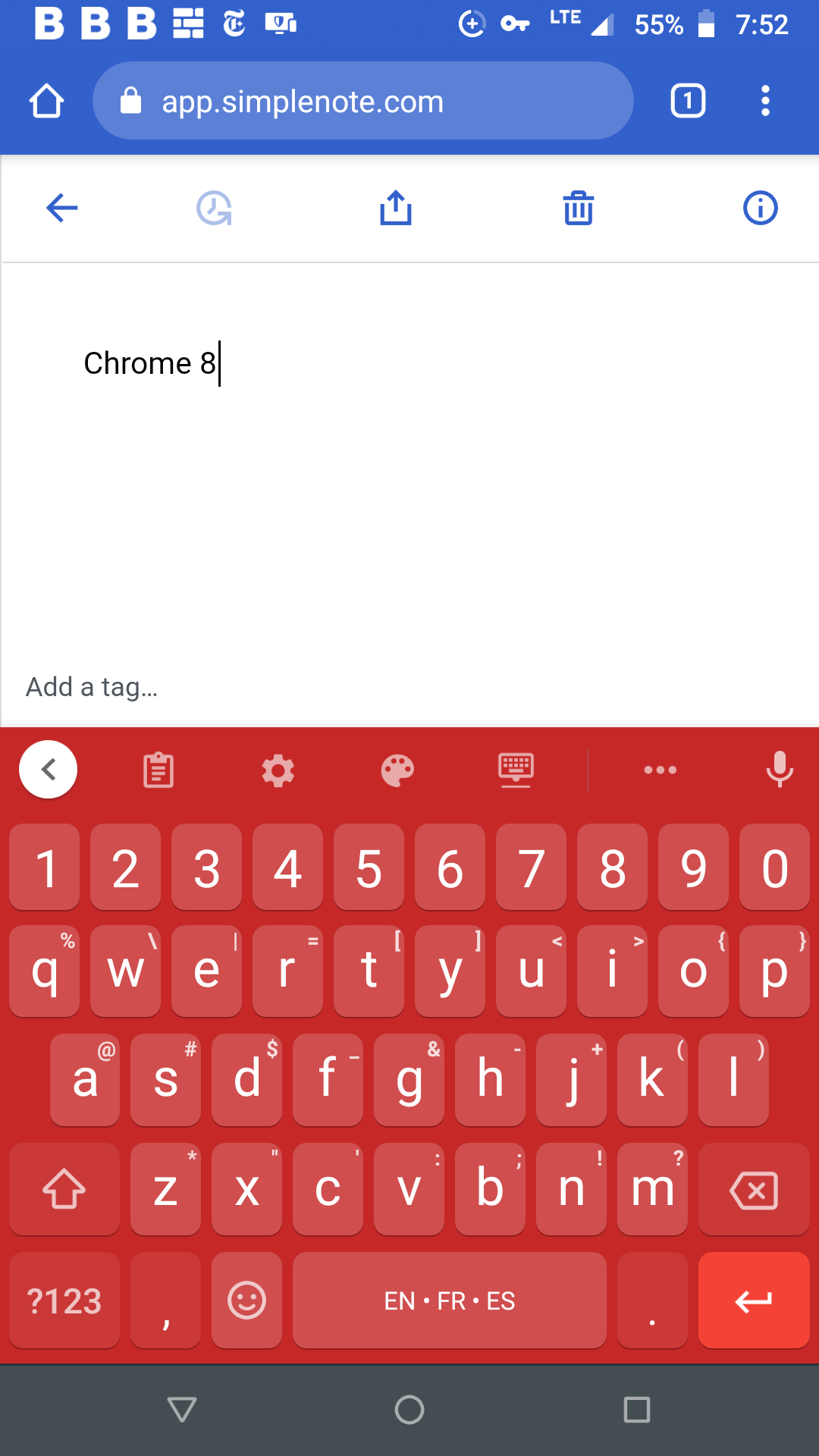
Replicated on OPPO Reno 4, Android 10, and Chrome 85.0.4183.127 and it looks like there are two cursors on screen after I started typing on the new note. Video recording: https://d.pr/v/k1Nnk9
Using Firefox Daylight 81.1.1 and https://app.simplenote.com/login/, I started a New Note. I typed "Firefox " and Simplenote added the second "Firefox" when I typed the " " (space). I didn't try to type any more characters. Then I was interrupted and when I returned the keyboard was gone and couldn't be opened. See screenshot. I wanted to type "Firefox Daylight 81.1.1".
Lastly, I repeated the above with Firefox and typed only "Firefox Daylight" and Firefox provided the rest.
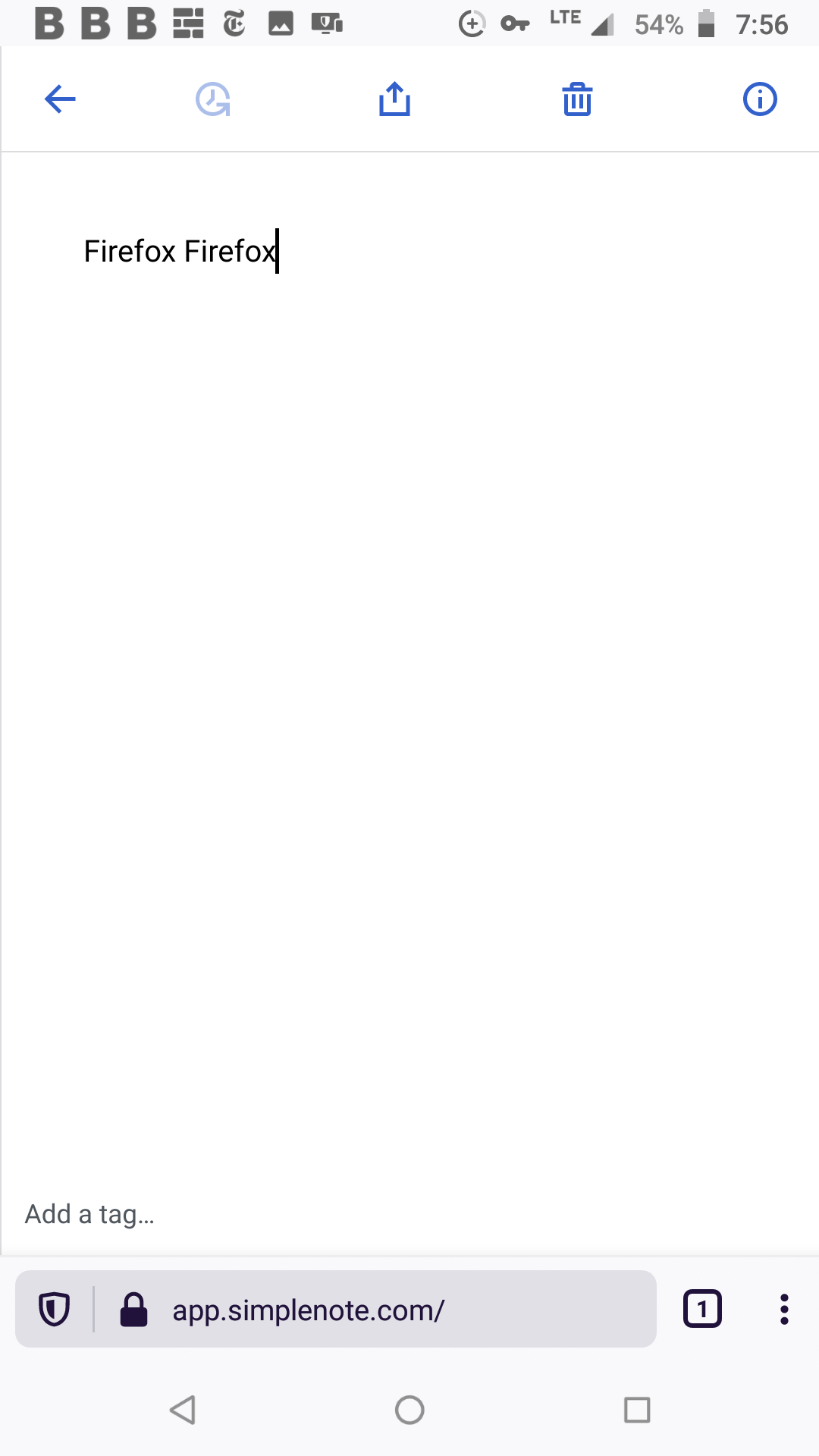
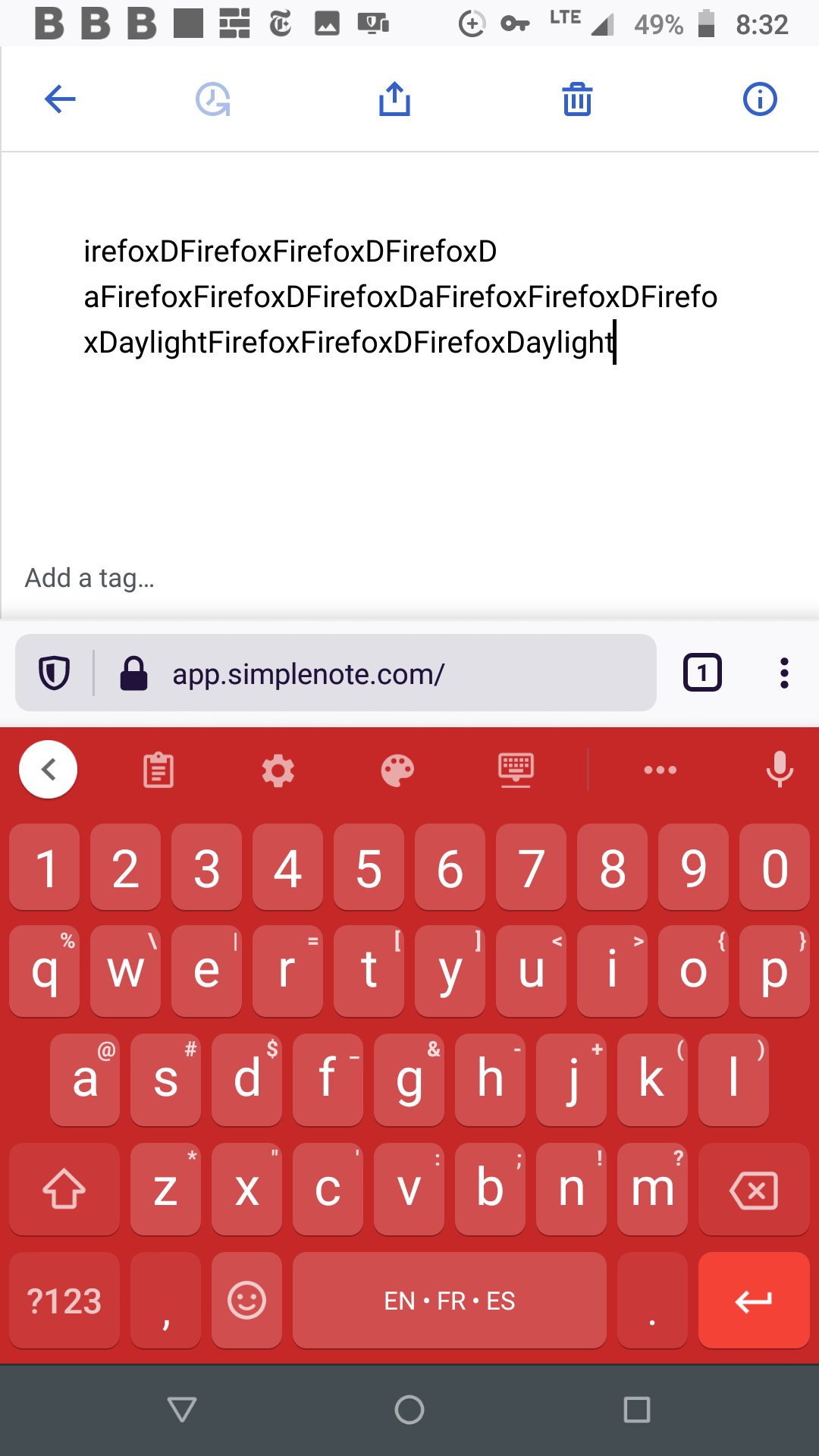
Replicated on OPPO Reno 4, Android 10, and Firefox Daylight 81.1.1. Video recording: https://d.pr/v/nuebR8
 reginabally
on 28 Sep 2020
reginabally
on 28 Sep 2020
Related issues
 moniuch
·
3Comments
moniuch
·
3Comments
 segeeslice
·
3Comments
segeeslice
·
3Comments
 Sushubh
·
4Comments
Sushubh
·
4Comments
 RCDCL5
·
3Comments
RCDCL5
·
3Comments
 rachelmcr
·
3Comments
rachelmcr
·
3Comments