Simplenote-electron: Error when manualy trying to update
Expected
When I select Help - Check for updates from the menu I expect if there is a new version the update process to begin
Observed
Empty box with title 'Update Simplenote' shows up.
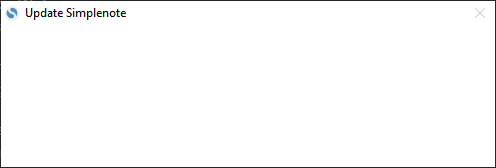
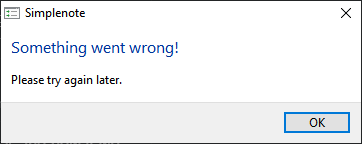
It closes after few seconds and an error message pops up:
System info
|Make|Model|OS Version|App Version|
|---|---|---|---|
|Custom built|Intel|Windows 7|1.15.0|
 gozzoo
All 13 comments
I just ran into the same error.
When I am on the latest stable version (1.15.1) or the latest beta version (1.16.0-beta1) it works as expected:
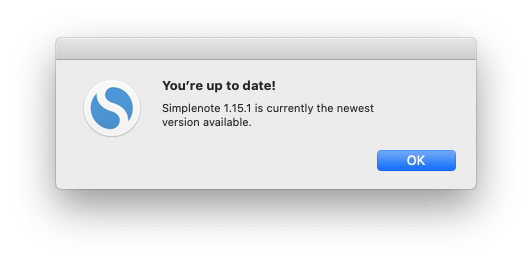
But when I try to check for updates on a previous stable release I see the same "Something went wrong!" error noted above.
Reproduced on Macbook Pro macOS 10.15.4 with 1.14.0 and 1.15.0. cc @belcherj
 rachelmcr
on 21 Apr 2020
rachelmcr
on 21 Apr 2020
I worked with another user in tickets who was stuck on Windows 1.15 but reported it was fixed when they installed the 1.15.1 executable.
 codebykat
on 23 Apr 2020
codebykat
on 23 Apr 2020
@codebykat that might be true, but there is no way for me to upgrade to 1.15.1 because:
- if I try to do it trough the app I get the error which is this issue itself
- if I go to https://simplenote.com/ and try to download the windows version from there I can only get 1.15.0. This is the actual link:
https://github.com/Automattic/simplenote-electron/releases/download/v1.15.0/Simplenote-win-1.15.0.exe
gozzoo
on 23 Apr 2020
Hi @gozzoo,
That note was more for our team to help narrow down the investigation, sorry for any confusion. The 1.15.1 version is still in beta, so for now it's not yet the one listed on simplenote.com, but if you'd like to verify the fix, you can download it directly from here: https://github.com/Automattic/simplenote-electron/releases/download/v1.15.1/Simplenote-win-1.15.1.exe
codebykat
on 23 Apr 2020
@belcherj Is this something we can fix in the older versions, or should we just let folks know that they will need to manually upgrade?
codebykat
on 2 May 2020
TBH, I am not sure. I was unable to get the error message to determine what went wrong. If we get any more reports I will dig deeper. I think for now if the number of reports is limited then we can ask users to manually upgrade.
 belcherj
on 11 May 2020
belcherj
on 11 May 2020
Just to confirm, the issue is still presnet in 1.15.1.
I had installed 1.15.1 by downloading it manually and when 1.16 became available exactly the same thing happened again - when checking from the menu for update the error message showed up.
gozzoo
on 11 May 2020
Thank you, I will look into this deeper to determine why this is occurring.
belcherj
on 11 May 2020
@belcherj were you able to find anything more about this one? I confirmed I still see the error when I check for updates (tested on macOS 10.15.4) with these versions:
- Simplenote Electron 1.17.0-beta1
- Simplenote Electron 1.17.0-beta3
- Simplenote Electron 1.16.0
The only time checking for updates worked was to get the "You're up to date!" message when I'm on the latest production/beta version:
- Simplenote Electron 1.17.0
- Simplenote Electron 1.18.0-beta1
But of course that's not so useful for actually getting the updates. :)
rachelmcr
on 5 Jun 2020
Isn't this supposed to be kind of important providing that people can not upgrade, unless they reinstall the application.
What's the purpose of releasing new versions if most people can not upgrade to them?
gozzoo
on 9 Jun 2020
Still having this issue with 1.20.0.
I will now manually install 1.21.1.
 countfak
on 21 Aug 2020
countfak
on 21 Aug 2020
Another report here:
3600755-zen
Windows 10 Professional versions:
Version 2004 (OS Build 19041.685) and Version 20H2 (OS Build 19042.685)
· The current version of the Simplenote app
installed is Simplenote 2.0.0
· The exact steps you take to update the app
Simplenote 2.0.0 was installed as Administrator
Opened the App with User + Password credentials
Clicked Help > Check for Updates
Simplenote Popup Window is displayed
Window Name: Simplenote
1st text line In blue: Something went wrong!
2nd text line: Please try again later.
OK Button to confirm the message and close the Popup Window
The folder “C:\Users\
 rossanafmenezes
on 4 Jan 2021
rossanafmenezes
on 4 Jan 2021
Let's track any ongoing issues in #2251. Folks who are on 2.0 had a known issue and will need to manually upgrade. It should be fixed from 2.1 onwards.
codebykat
on 6 Jan 2021
Related issues
 Sushubh
·
4Comments
Sushubh
·
4Comments
 RCDCL5
·
3Comments
RCDCL5
·
3Comments
 abhijithvijayan
·
4Comments
abhijithvijayan
·
4Comments
 damamasss
·
4Comments
damamasss
·
4Comments
 guarani
·
3Comments
guarani
·
3Comments
Most helpful comment
I just ran into the same error.
When I am on the latest stable version (1.15.1) or the latest beta version (1.16.0-beta1) it works as expected:
But when I try to check for updates on a previous stable release I see the same "Something went wrong!" error noted above.
Reproduced on Macbook Pro macOS 10.15.4 with 1.14.0 and 1.15.0. cc @belcherj