Simplenote-electron: Shift+DownArrow doesn't work on a line above a checklist item
Steps to reproduce
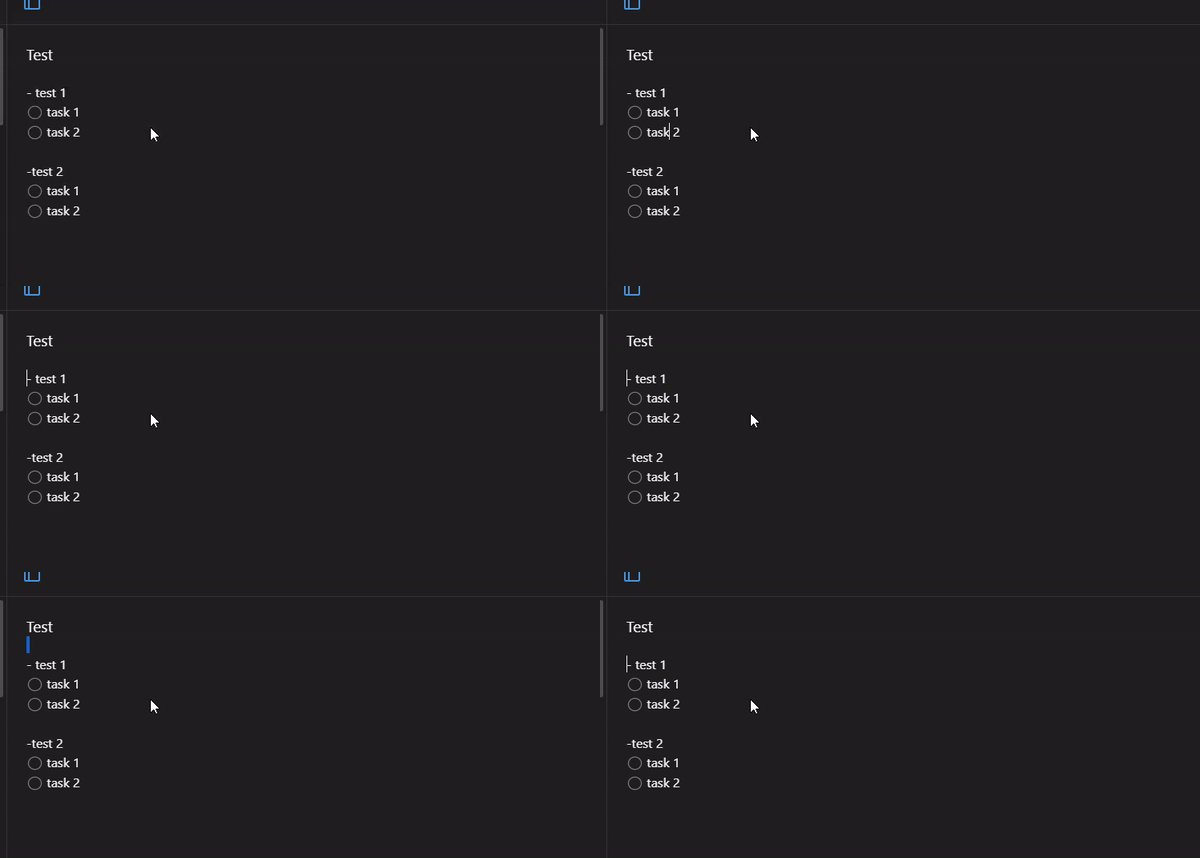
- Create note
- Create strcture of note with checklist
- Try to select text under cursor
What I expected
Selected text
What happened instead
Cant select
Simplenote version
1.4.1
OS version
Win 10 x64 1909
Screenshot / Video
 laskin82
All 5 comments
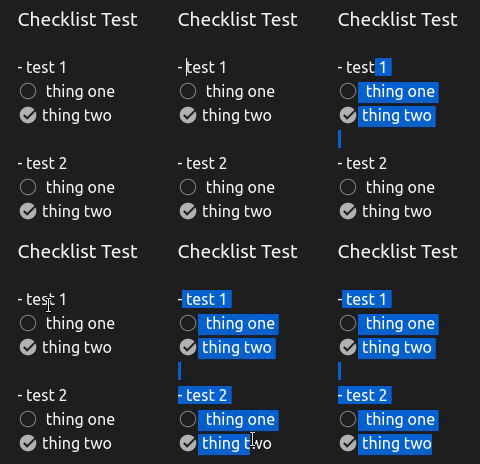
I can duplicate this, it seems to be specific to the checkboxes. I noticed that if you move the cursor over so that you wouldn't select a checkbox it works okay until you encounter another group of checkboxes (since the cursor is back at the beginning of the line).
It works fine if you select by clicking and dragging over text, it only seems to be a problem when using shift + arrow keys.
 qualitymanifest
on 15 Feb 2019
qualitymanifest
on 15 Feb 2019
I got it. I just do not use the mouse and work mostly from the keyboard when editing a note.
laskin82
on 15 Feb 2019
I understand, I’m just providing more details about what works/doesn’t work
qualitymanifest
on 15 Feb 2019
This is caused by the fact that technically, the caret cannot be positioned at offset 0 when a checkbox is at the beginning of the line. A fix will likely require a listener on Shift+DownArrow that calculates an adjusted caret position.
For keyboard users, a temporary workaround is to use Opt+Shift+RightArrow instead.
 mirka
on 15 Feb 2019
mirka
on 15 Feb 2019
Resolved in #2148
 dmsnell
on 22 Sep 2020
dmsnell
on 22 Sep 2020
Related issues
 tavilla61
·
4Comments
tavilla61
·
4Comments
 sean185
·
4Comments
sean185
·
4Comments
 hindsholm
·
4Comments
hindsholm
·
4Comments
 moniuch
·
3Comments
moniuch
·
3Comments
 rbreaves
·
3Comments
rbreaves
·
3Comments