Simplebar: Vertical scrollbar appears when unneeded
I've noticed that when height of container is set to 100% and scrollbar is set to auto-hide, then scrollbar still appears when I hover over element, even if it's not possible to scroll any content inside of it...
 MattCCC
All 11 comments
I have the same problem... Would be nice to have an answer...
 danimanca
on 20 Nov 2017
danimanca
on 20 Nov 2017
I can't reproduce this issue. Is it on a specific browser or every browsers?
Could you give more details or better, provide a jsfiddle with the issue happening? You can use this one as a base: https://jsfiddle.net/Grsmto/57obe5w2/1/
 Grsmto
on 26 Nov 2017
Grsmto
on 26 Nov 2017
Sorry for late answer. So, I run a few tests and can't reproduce the exact effect. I discovered that .simplebar-scrollbar is sometimes smaller than .simplebar-track.vertical element but it's impossible to scroll it. Also .vertical has a visibility set to "visible" what causes the problem. It may be because of height 100% on parent elements. I'm still trying to reproduce it. Here is similar fiddle: https://jsfiddle.net/57obe5w2/6/ Try to zoom page to 110% in firefox. On my resolution horizontal and vertical scrollbars appear but it's impossible to scroll them at all what is quite similar to my case.
MattCCC
on 5 Dec 2017
It happen to me when using high density screen. The problem will not have problem if i am using my external monitor which is have low density screen (Full HD screen with 27'). However, the problem will show up to me if i am using my notebook with high density screen (Full HD with 14')
 nizulzaim
on 24 Jan 2018
nizulzaim
on 24 Jan 2018
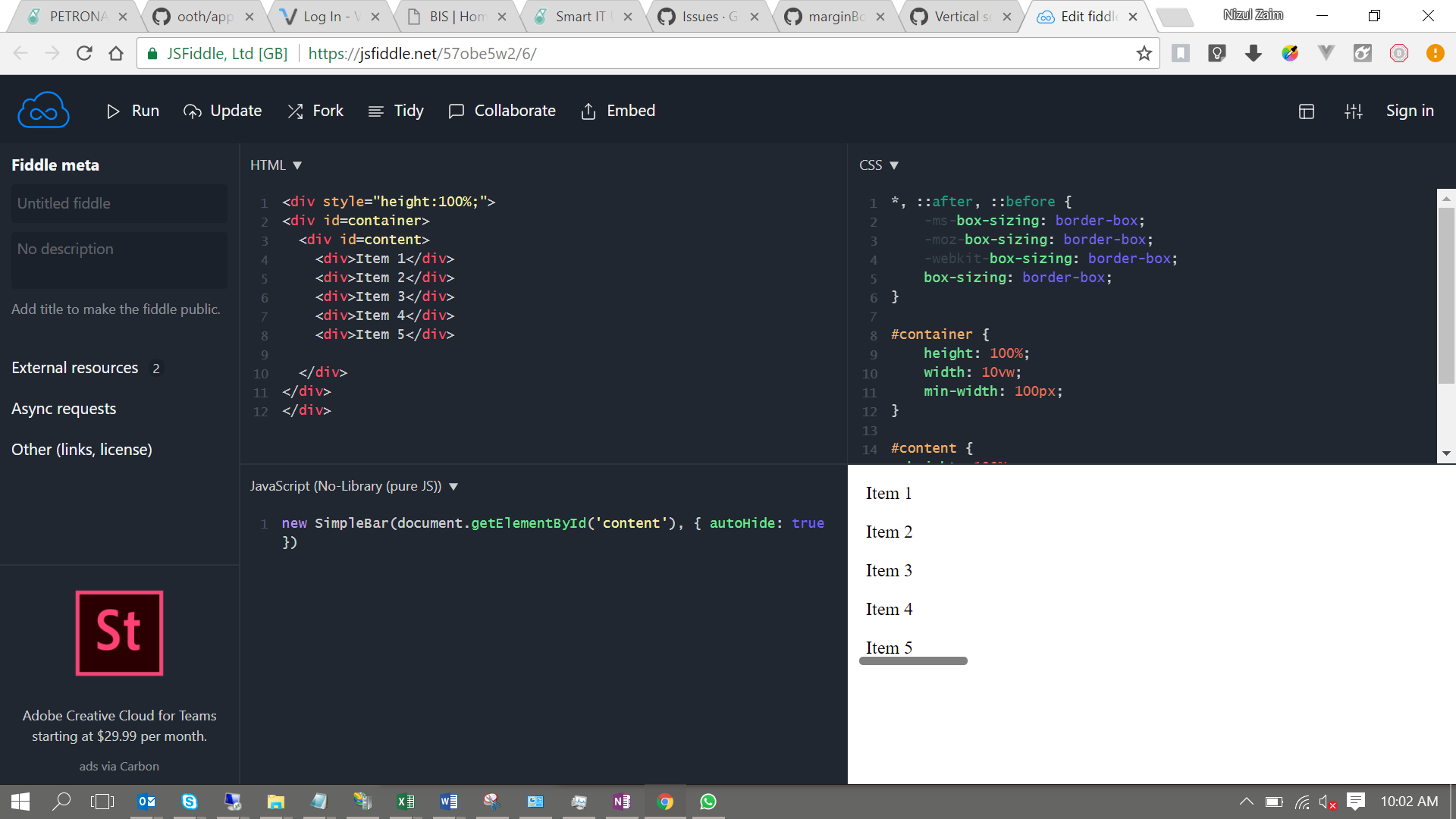
This is example from @MattCz jsfiddle.
nizulzaim
on 24 Jan 2018
Hi guys,
Any news / workaround on this issue?
We can reproduce it when you do browser zoom-in ( Chrome, IE, Firefox ): https://jsfiddle.net/57obe5w2/71/
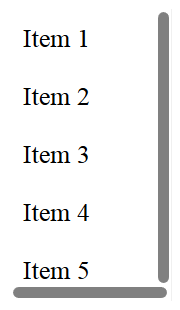
 scavenger
on 10 Apr 2018
scavenger
on 10 Apr 2018
I have noticed the same issue and it can happen in two cases:
when scrollHeight/scrollWidth is larger than offsetHeight/offsetWidth. It can happen even when it is not visible - for example when using inline-block elements in your content (stackoverflow). This can be solved by re-designing content element.
once a scrollbar become visible, it will stay visible even when your content stops overflowing (at least on hover). The reason is that even if track's element visibility is set to hidden, it's child element (scrollbar) will stay set as visible (it doesn't work like 'display' style property). This can be easily fixed in library at the end of resizeScrollbar method:
track.style.visibility = 'hidden';
scrollbar.style.visibility = 'hidden'; // this is required to hide as well
 marcel-dancak
on 11 Apr 2018
marcel-dancak
on 11 Apr 2018
Hey,
Just wanted to follow up on this, there are 2 issues happening here as you noticed it:
- This one is a duplicate of #11 . Unfortunately I still don't have a solution for this and I think this is absolutely breaking for the plugin. That's my absolute priority at the moment.
- This is a minor bug that appeared in the latest version. This kind of issue shouldn't happen anymore as I'm bringing automated tests to the plugin.
If you guys want to help on this, I think the main thing here is to find a solution for #11, if you have any idea on how to solve that, feel free to comment there!
Grsmto
on 11 Apr 2018
But isn't #11 related only to native scrollbar and using browser's zoom out/in function? I was able to reproduce described problem, but only when I was changing zoom after the page was loaded. If I open page and zoom is already set, native scrollbar is not visible, only custom scrollbar is sometimes visible, even if it shouldn't. In seems that at some zoom levels, scrollbarSize differs from contentSize by only 1 pixel, which may be related to numbers rounding, and it is easy to fix by adding 1 or 2 pixels tolerance for computing scrollbar visibility.
marcel-dancak
on 11 Apr 2018
Ok thanks for your detailed explanations @marcel-dancak . I've worked on it already and I think I may be close to a fix for both of these issues finally.
Thanks again guys for the help.
Grsmto
on 13 Apr 2018
Closed in [email protected].
Grsmto
on 14 Jul 2018
Related issues
 andrey-evstigneev
·
3Comments
andrey-evstigneev
·
3Comments
 idiotWu
·
3Comments
idiotWu
·
3Comments
 luky1984
·
5Comments
luky1984
·
5Comments
 adjourn
·
6Comments
adjourn
·
6Comments
 ghost
·
4Comments
ghost
·
4Comments
Most helpful comment
Ok thanks for your detailed explanations @marcel-dancak . I've worked on it already and I think I may be close to a fix for both of these issues finally.
Thanks again guys for the help.