Simple-tab-groups: Pressing Ctrl+9 switches to a specific group, instead of using the Firefox native go to last tab.
Bug description and reproduction
Title: Pressing Ctrl+9 switches to a specific group, instead of using the Firefox native go to last tab.
I have unset all keyboard shortcuts under settings, but still happens.
I think this is probably caused by the extension stealing a the hotkey.
Expected behavior
Hotkey doesn't get captured by STG and Firefox switches to the last tab.
Platform
- Fedora 31
- Firefox 72.0b11 (20191227034945)
- STG 4.3.6.2
 jtagcat
All 13 comments
I do not see that behavior on my system. As expected Ctrl+9 goes to the last tab that is "open" in a group. Did you previously have Ctrl+9 set in the hotkeys for STG?
- Windows 10 (1909)
- Firefox74.0a1 (2020-01-08) (64-bit)
- STG 4.3.6.2
 C-Meinert
on 9 Jan 2020
C-Meinert
on 9 Jan 2020
Have never set Ctrl+9 on STG
Also meanwhile platform changed to 73.0b3.
jtagcat
on 12 Jan 2020
@jtagcat What you have on this
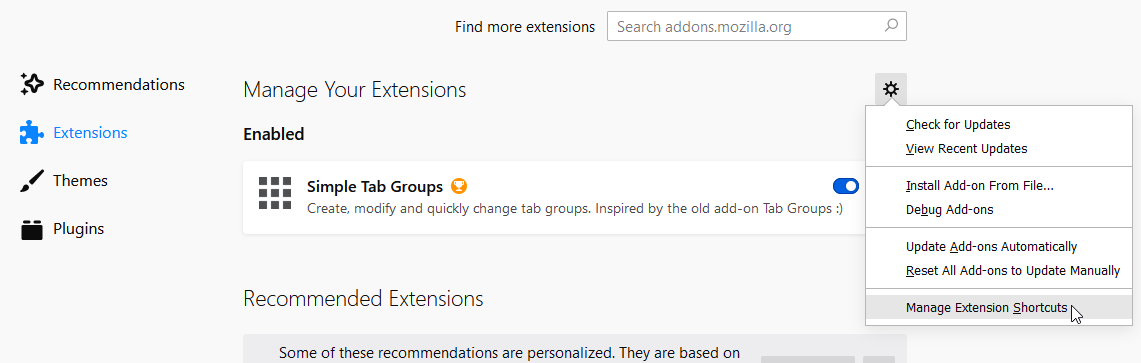
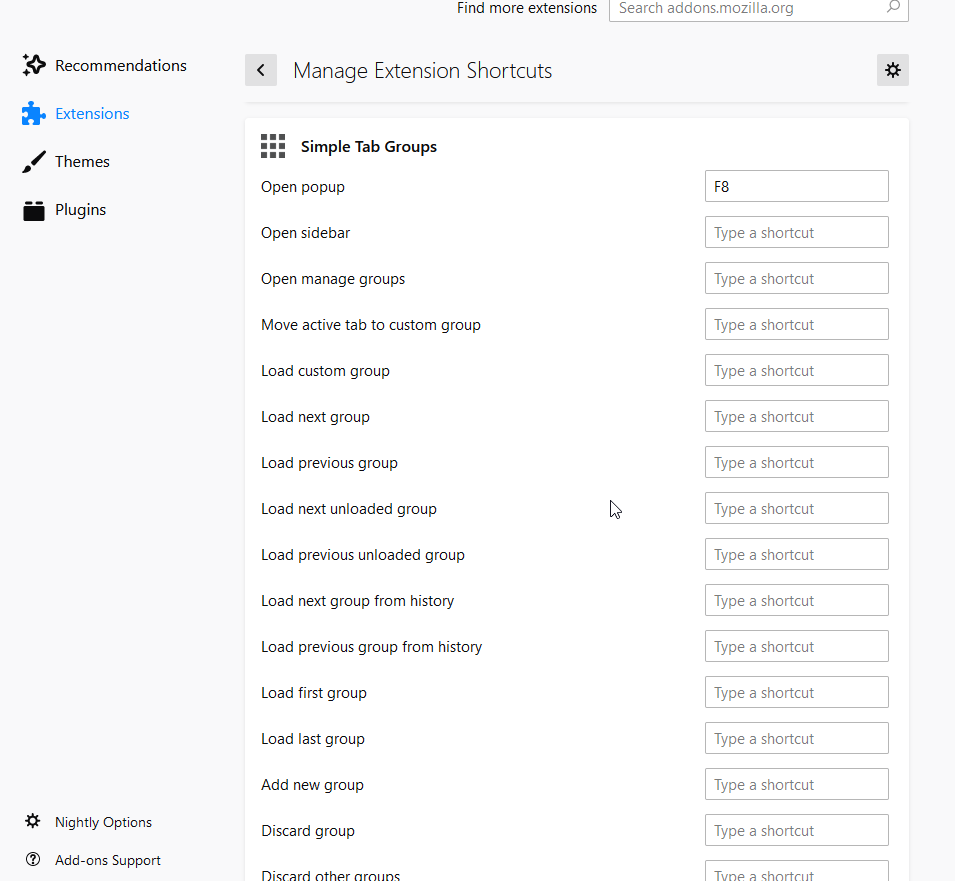
And what other add-ons do you have? And their hotkey settings.
 Drive4ik
on 23 Jan 2020
Drive4ik
on 23 Jan 2020
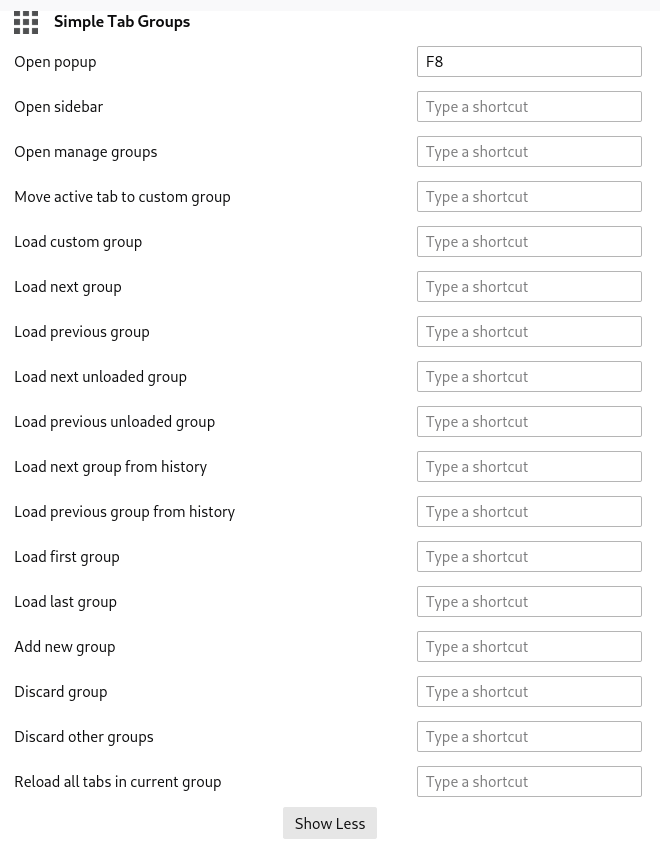
Other items in the hotkeys section do not have anything near Ctrl+9. Except the extension, what changes the Alt+n to Ctrl+n, but can confirm it's working with STG disabled.
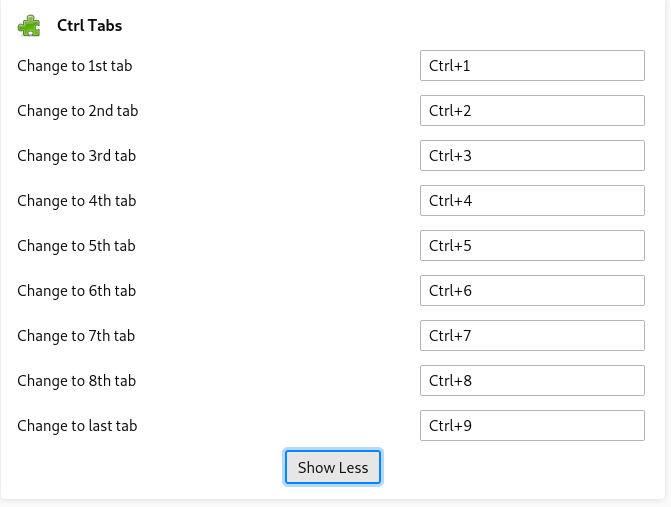
I think the cause might be, that STG works by hiding tabs and the last tab (including all visible and hidden tabs) just happens to be from an another group, thus a hidden tab from an another group is moved to the current one and also switched to.
I'm using the Ctrl Tabs extension, same behaviour with Ctrl+Number to switch tab, but with shortcuts it needs access to all tabs and switches to a whole an another group instead. None of them aren't unfortunately open-source, though I think it would be possible to ask the developers to release the code.
This thing feels like it should have an about:config variable, but I couldn't find it. The behavior of this supposed variable could be tested under Windows, where Ctrl+n is supported natively. This behavior does not seem to happen with Alt+n on Linux, so I would expect the same on Windows, if so, then find out a native way to switch to Ctrl+n on Linux.
jtagcat
on 25 Jan 2020
One more thing, I binded 'last tab' on Saka Key and tried that out. It seems that the behavior is the same.
jtagcat
on 25 Jan 2020
@jtagcat Hi. I create simple alternative addon aka Ctrl Tabs, but given hidden tabs
ctrl_tab-1.0-fx.zip
If you want, you can install and try it.
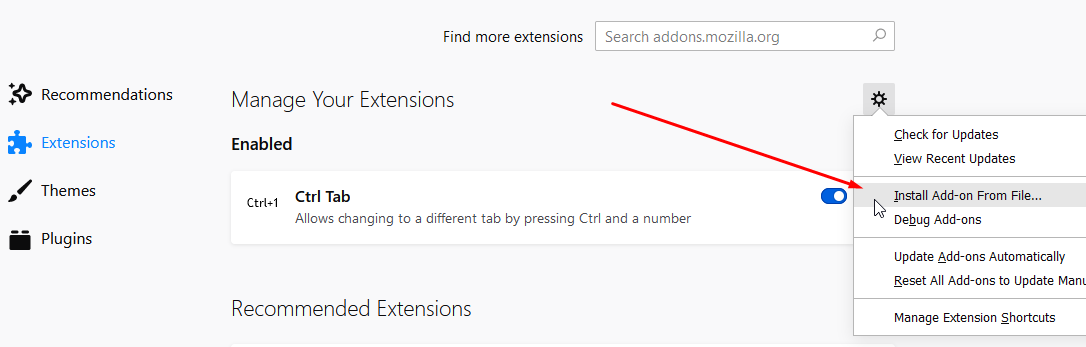
and select downloaded zip file
Drive4ik
on 4 Feb 2020
Thank you, it works!
Now get it to GitHub, to Firefox Add-ons and write something that it works with STG.
What's different with this extension, that it works?
jtagcat
on 4 Feb 2020
bit related
https://addons.mozilla.org/en-US/firefox/addon/copy-tab-urls-webex/
does not work, since it also takes all loaded hidden tabs
there probably should be an effort to make stuff compatible, I'm willing to (at least try) write copy-tab-urls compatible with stg
jtagcat
on 4 Feb 2020
Now get it to GitHub, to Firefox Add-ons and write something that it works with STG.
no) There are 10 lines of code, this is pointless
What's different with this extension, that it works?
now when selecting tabs, hidden tabs are skipped.
Just use newer addons.
Older addons do not support hidden tabs because there was no such functionality then.
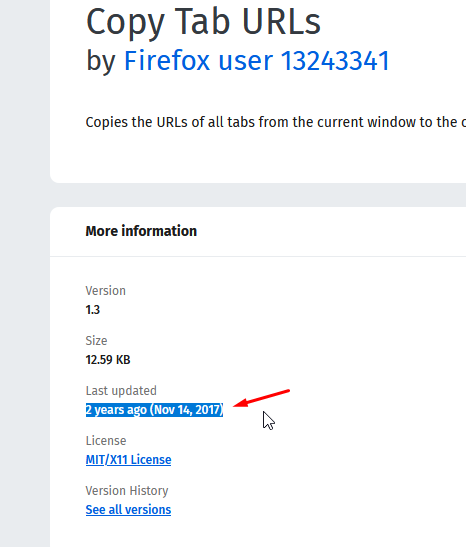
I will not redo add-ons anymore))
Drive4ik
on 5 Feb 2020
Congratulations, you made me get in to Firefox Add-on development!
Copy Tab URLs is available here: https://gitlab.com/jtagcat/copy-window-urls/
Ctrl, not Alt: https://gitlab.com/jtagcat/ctrl-not-alt
Tab numbering soon to be PR/Forked from https://github.com/tuomassalo/tab-numbering
jtagcat
on 9 Feb 2020
@jtagcat Well done! Keep it up!
Drive4ik
on 10 Feb 2020
@Drive4ik one question: how did you get the source code for Copy Tab URLs?
jtagcat
on 10 Feb 2020
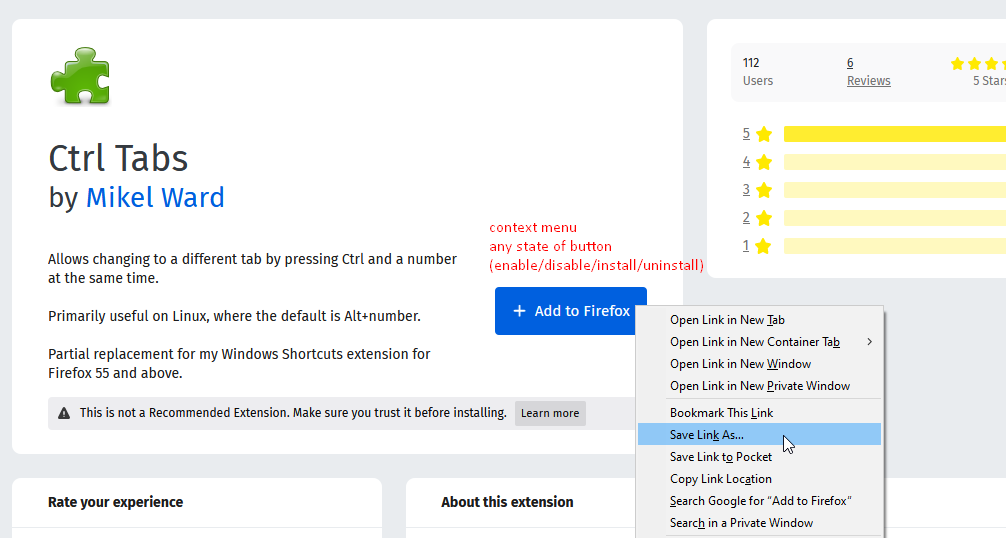
.xpi is zip archive
But, some add-ons have minimized code, and this will not help you much.
Drive4ik
on 10 Feb 2020
Related issues
 victoriastuart
·
5Comments
victoriastuart
·
5Comments
 HASJ
·
6Comments
HASJ
·
6Comments
 falolaf
·
4Comments
falolaf
·
4Comments
 tomaszkane
·
3Comments
tomaszkane
·
3Comments
 dlobue
·
3Comments
dlobue
·
3Comments