Simple-tab-groups: Simple question
Hi,
First, thank you for SimpleTabGroups (STG)! Excellent add-on. Congrats!
Please, I have a simple question:
How can I change the background and hovering colors inside the STG' icon "menu/popup"? In many ways I tried to change it, and I failed.
I am using Nightly latest version, with my own customized Dark Theme (chrome folder). All menu backgrounds and hovered elements (icons, buttons, menu items etc), everything at my customized layout has an unique color for hovering and for backgrounds.
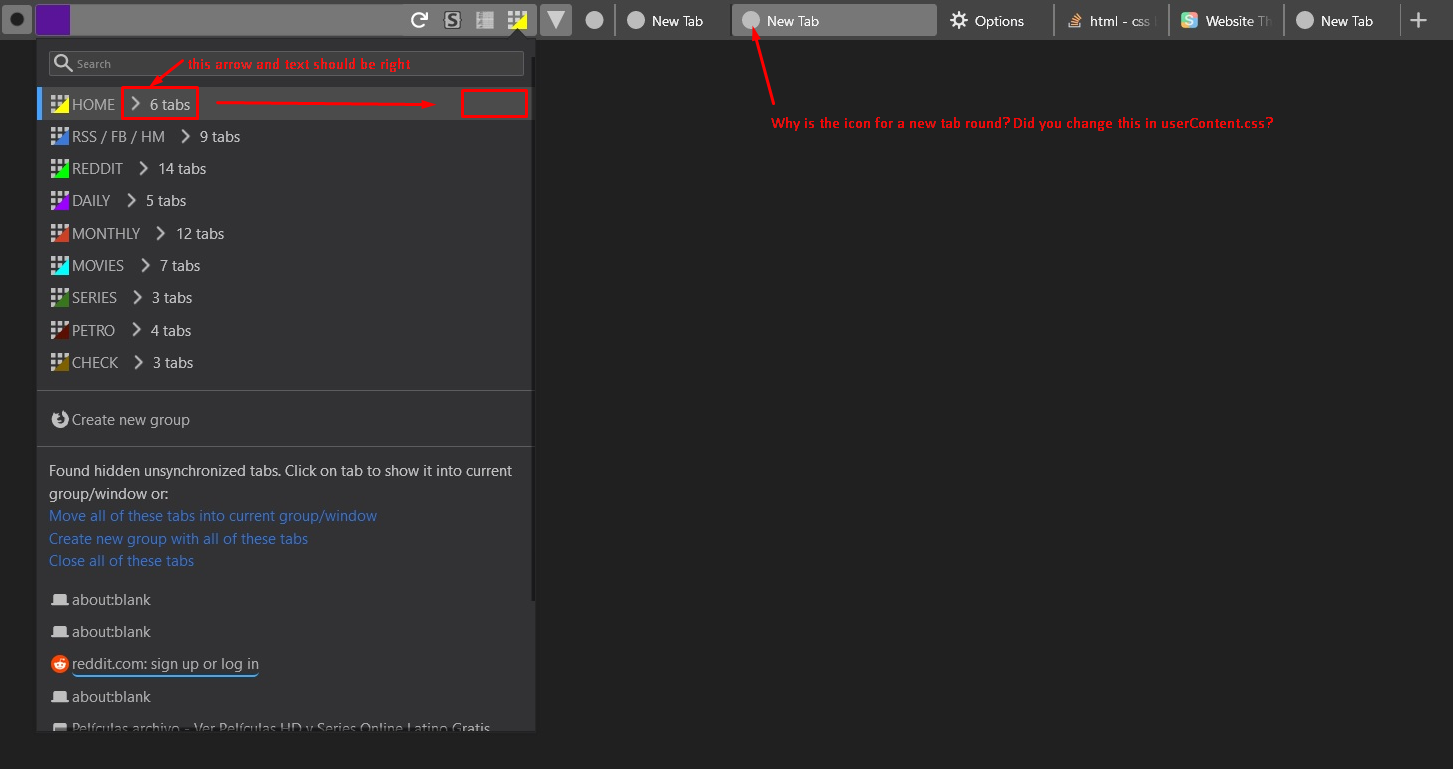
When I press STG' icon and the "menu/popup" opens, the gray background is slightly different than my layout. The same with its hovering color (a kind of light gray that I would like to change).
Just to be clear, I am not talking about the Sidebar context, neither about tab menu context etc. I am talking about the STG' icon menu/popup.
I will appreciate your help.
Thank you in advance!
 EstherMoellman
All 4 comments
Hi! First of all you have to set svg.context-properties.content.enabled to true in about:config page.
How to do it?
As far as I can know the color of the icon itself is the same as the text in the topbar and tabs.
But the internal colors are in the addon, and can not be changed by the theme of the browser. Correct me if it is somehow possible.
 Drive4ik
on 27 Feb 2019
Drive4ik
on 27 Feb 2019
Hi @Drive4ik , thank you for your prompt answer.
I already had "svg.context-properties.content.enabled" = true.
I don't want to change the color of the icon. No problem at all with this.
I just want to change the STG' icon background and hovering color of the menu/popup .
Your add-on has basically 4 menus:
1) Inside SideBar
2) Tab MenuContext
3) Inside a Firefox' new blank page
4) STG' icon in NavBar or TabBar. This is the one I want to change, the menu/popup background and hovering color of the STG' icon at NabBar or TabBar. Here is the image: https://imgur.com/a/264LzFk
Now, answering your question: Normally add-on customizations can be done through CSS inside chrome folder. The userChrome.css is used for CSS' customizations related directly to Firefox. And the userContent.css is used for other customizations (webpages, add-ons, and any external element to Firefox itself).
So, yes, add-ons can be customized through userContent.css.
Inside your XPI file I tried to identified the CSS component related to the STG' add-on icon, which includes your CSS' scripts defining the background and hovering color of the icon menu/popup. But the file is so big, that I couldn't find it. And also, I am not expert, I am a newbie at CSS. If you share with me the specific CSS' part of the STG' background & hovering color, I can put it inside my userContent.css, and I can change/customize its colors.
Thanks once again! :)
EstherMoellman
on 27 Feb 2019
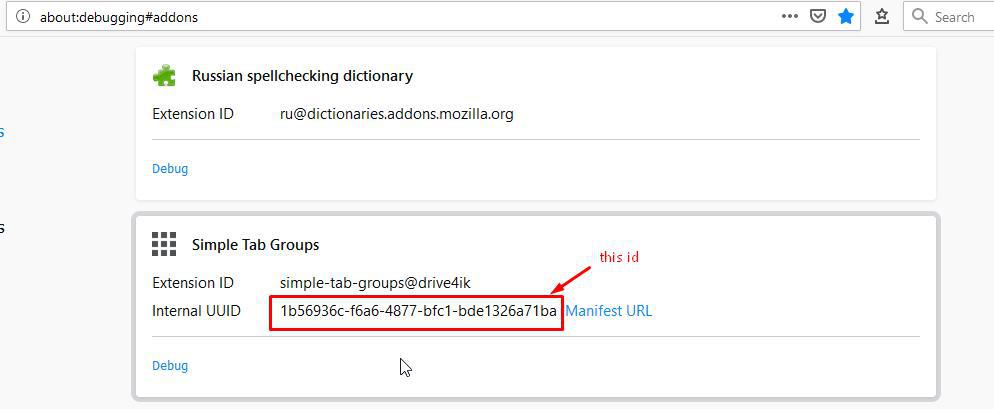
To be honest, I still do not understand what color you want to change)) But I can show you how to get the right CSS selector to search for it in the addon window.
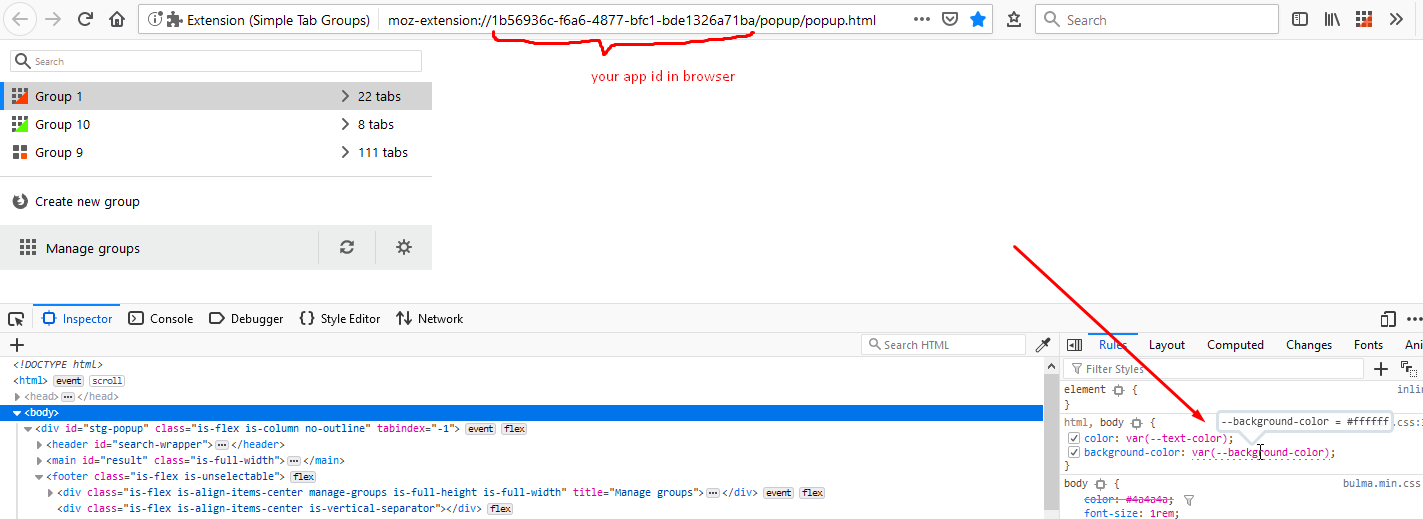
You can get the ID from here:
And to this picture I have a lot of questions:
Drive4ik
on 28 Feb 2019
@Drive4ik ... I love you Man! :)... it worked like a charm!... thank you!
EstherMoellman
on 28 Feb 2019
Related issues
 joepie91
·
4Comments
joepie91
·
4Comments
 ACB1337
·
5Comments
ACB1337
·
5Comments
 kstev99
·
4Comments
kstev99
·
4Comments
 ddTech
·
4Comments
ddTech
·
4Comments
 dlobue
·
3Comments
dlobue
·
3Comments