Signal-ios: Message doesn’t disappear
- [x] I have searched open and closed issues for duplicates
Bug description
I have created a group with the messages that must disappear after 30 s and I saw that some messages didn’t disappear even after 2 days.
Actual result: Message doesn't disappear when the time selected is gone
Expected result: The message should disappear when the time selected is gone
Device info
Device: iPhone 6s
iOS version: 10.3.3
Signal version: 2.22.0.4
Link to debug log
https://debuglogs.org/e153a19076371b95e02dfb8ae6ed5a3c55f1b23b65b00d80762082552f1381a6.zip
 leonardoporpora
All 5 comments
im seeing same! i had originally reported here https://github.com/signalapp/Signal-Desktop/issues/2181#issuecomment-376219114 pasted below
- [X] I have searched open and closed issues for duplicates
Bug description
Actual result:
message did not disappear
Expected result:
message should disappear
Screenshots
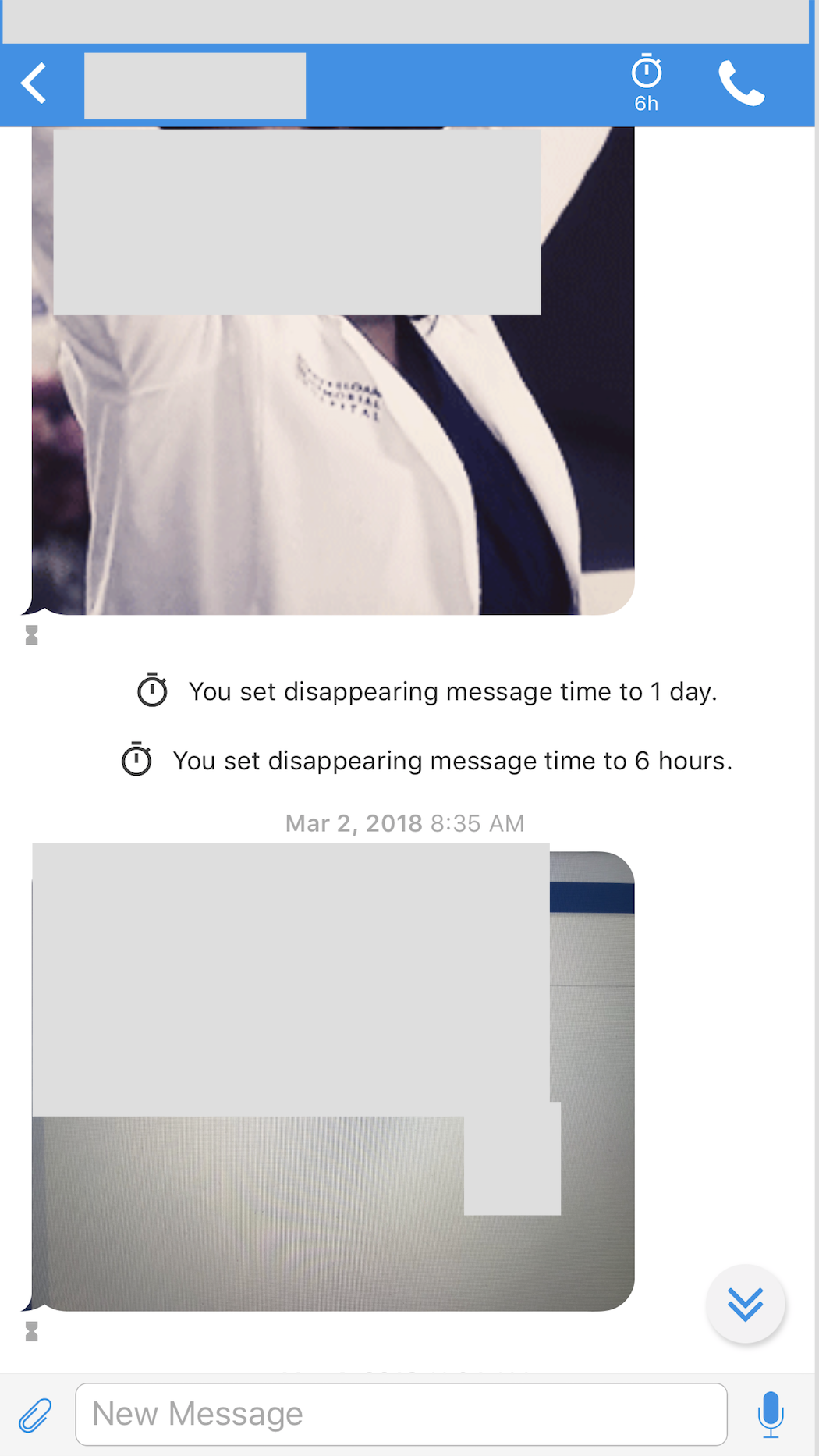
screenshot taken march 9 can still see a photo sent march 2 that was supposed to disappear after 6 hours...
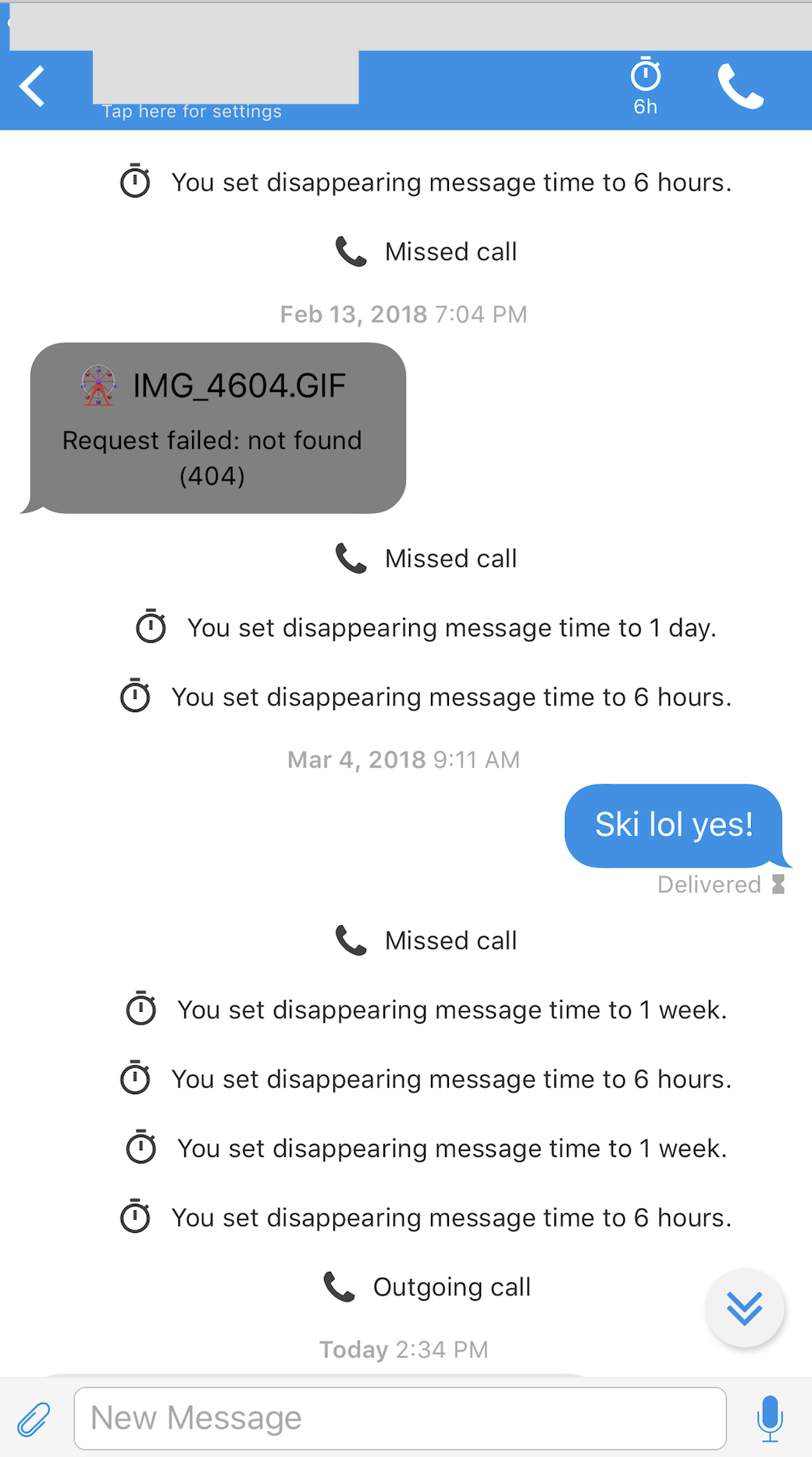
screenshot taken march 25 can still see a message sent march 4 that was supposed to disappear after 6 hours as well as an image placeholder from february 13 that was also supposed to disappear (it can't be downloaded which is goo)
Platform info
Signal version:
2.22.0.4
Operating System:
iOS
Linked device version:
10.3.3 (14G60)
Link to debug log
 dgobaud
on 26 Mar 2018
dgobaud
on 26 Mar 2018
A friend of mine is also experiencing this issue:
Steps:
- set DM to 5 minutes on Android
- send message to iOS from Android
- disable DM on Android
- message does not disappear on iOS
Debug log from iPhone where Messages do not disappear:
https://debuglogs.org/6d34af68dffe485cd738f61f39f64ccacd4f067fceac52127e800d0b80d3f80c.zip
Platform info
Signal version: 2.22.0.4
Linked device version: iPhone SE with iOS 11.0.2
Debug log from Android phone where Messages do disappear:
https://debuglogs.org/d00e339113a418ab59c143b7020ff74c756c0f770ac14e522c18480e5befd9bb
Platform info
Signal version: Signal 4.17.5 (beta channel)
Linked device version: Fairphone 2 with Android 6.0.1
Additional Info:
- Messages do also disappear on the Signal Desktop instance of the Android phone. The iPhone does not have any linked Signal Desktop instances.
- It might be unrelated, but my friend cannot toggle the disappearing message button on her own, because it is not completely visible. I added a screeenshot to the PR which should have fixed the layout issue https://github.com/signalapp/Signal-iOS/pull/1536
 rainerzufall
on 26 Mar 2018
rainerzufall
on 26 Mar 2018
Same issue
https://debuglogs.org/32916d6a637c9cfa6354e0b05cf9318aab5c3d5f6a8e7ab2a3eacb12110d3f79.zip
 littleporkchop
on 9 Apr 2018
littleporkchop
on 9 Apr 2018
I'm trying to come up with a reliable way to reproduce the issue.
 jlund-signal
on 26 Apr 2018
jlund-signal
on 26 Apr 2018
We reproduced this issue on a test device. Signal iOS 2.25 includes some changes to the way that timers are updated that should prevent this rare bug from happening again in the future. Version 2.25 will also retroactively address this for any errant messages that should have disappeared.
jlund-signal
on 3 May 2018
Related issues
 denver-s
·
4Comments
denver-s
·
4Comments
 ghost
·
4Comments
ghost
·
4Comments
 gonzalezb
·
5Comments
gonzalezb
·
5Comments
 jhwoodyatt
·
3Comments
jhwoodyatt
·
3Comments
 loki187
·
3Comments
loki187
·
3Comments
Most helpful comment
We reproduced this issue on a test device. Signal iOS 2.25 includes some changes to the way that timers are updated that should prevent this rare bug from happening again in the future. Version 2.25 will also retroactively address this for any errant messages that should have disappeared.