Signal-desktop: Sync issues between Mobile and Desktop App
- [X ] I have searched open and closed issues for duplicates
Bug description
Regularly experiencing sync issues between Mobile and Desktop. Desktop tends to lag behind on messages.
Steps to reproduce
- Send/Receive a message on mobile app.
- Start desktop app
- View messages
Actual result:
Messages start to load on desktop app but often stop before loading the most recent messages on mobile, i.e. they are not in sync so messages are missing.
Expected result:
Both mobile and desktop are synced and present the most recent messages in the chat.
Screenshots
Cannot provide without redacting information.
Platform info
Signal version:
Mobile - 2.28.0.15
Desktop - 1.15.2
Operating System: Mac OS X 10.13.6
Linked device version: iOS 11.4.1
Link to debug log
Desktop: https://debuglogs.org/0601e760812c9d946d7e98c01fadf19bb228f33c6fa1919c913a56fcbe7fb37b
Mobile: https://debuglogs.org/708079220da0dbced740cbac769a76369fb123bb6af0098d6e71422da8c1a47a.zip
 vaxus
vaxus
All 31 comments
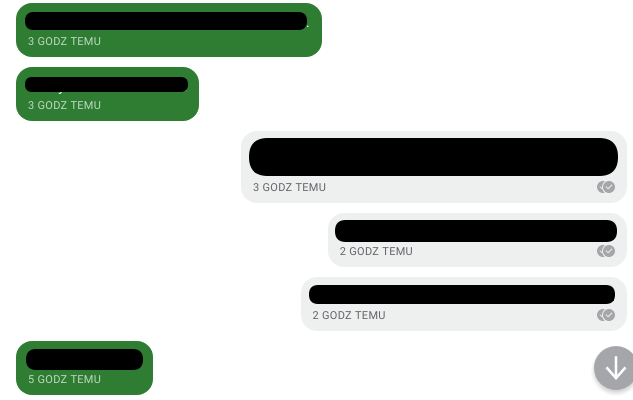
I have similar issue but I cannot say that this happens regularly, it occurs rather occasionally. When I launch desktop client, it synchronizes messages but sometimes it misses the latest ones. I'm not sure if debug logs include that, though. However, today synced messages were out of order, even though timestamp was correct.
Screenshots
Platform info
Signal version:
Desktop - 1.15.3
Mobile - 4.24.8
Operating System: Xubuntu 18.04
Linked device version: Android 8.1 - Android security patch level 1 July 2018
Link to debug log
Desktop:
https://debuglogs.org/fdeed9897aad2cbc9d926bae3d9226adbbd2b68051ead09b65ebdb82f68b8c27
Mobile:
https://debuglogs.org/bb0179d71a8ab08012b33ee2694ef47000053cb925349483ac968d81cf8a8d86
 pkorba
on 8 Aug 2018
pkorba
on 8 Aug 2018
@ondondil @vaxus Do the messages reappear when you restart? If they do, please grab their id (the long number on the More Info screen next to the 'Sent' header) and I can then cross-reference that with your provided debug logs.
 scottnonnenberg-signal
on 8 Aug 2018
scottnonnenberg-signal
on 8 Aug 2018
I don't remember exactly which messages were not synced and then appeared after restart, but if this happens again, I'll write their ID's down and provide them with new logs. As for that message from the screenshot, that appeared out of the order - it is still being displayed in the wrong order. Its ID is 1533712022473.
pkorba
on 8 Aug 2018
Add me to the list.
Signal version:
1.15.3
Operating System:
OSX 10.13.6
Linked device version:
Pixel 2, android 9.0
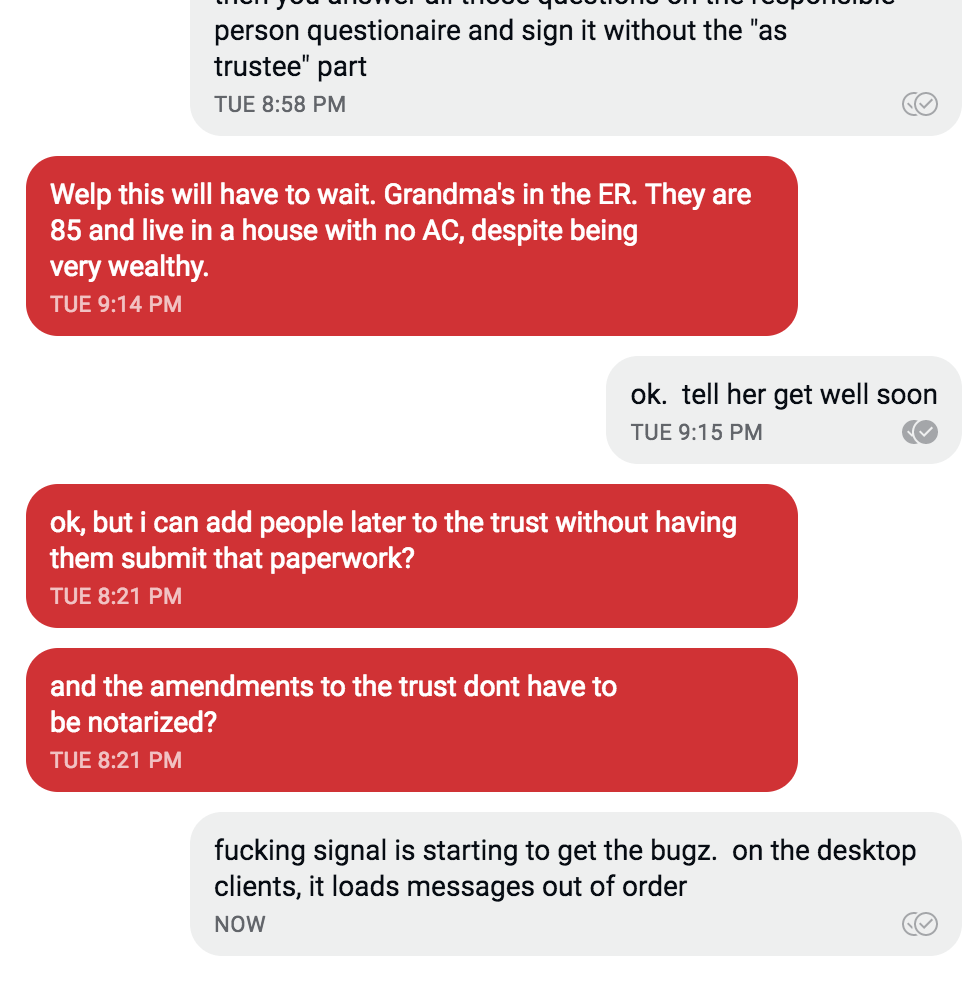
I had a conversation with somebody last night. Then today Signal said it needed to restart because it updated. When it restarted, 2 of the messages I read and responded to last night were now marked as unread. They appear under more recent ones.
Messages from 8:21PM showing up under those from 9:14PM and now being marked as unread.
 giantpune
on 8 Aug 2018
giantpune
on 8 Aug 2018
@giantpune My suspicion is that for some reason those messages failed to be processed correctly the first time, and were reprocessed on startup, which made them the most recently-processed messages.
The question is why they failed to process the first time. You can help track that down by providing your debug log (View -> Debug Log) then selecting More Info for each of those messages and providing the id next to the 'Sent' header. Then I can cross-reference those messages with your log. Thanks!
scottnonnenberg-signal
on 8 Aug 2018
log: https://debuglogs.org/74a2a9ecb25b2b77aa78eb2ee671689f20d182f9eff74ddccb08fb3c285f83ae
when I view signal on my phone or kubuntu, they appear in the right order. it was only the OSX client that thought they were unread today.
here's the 2 messages in this OSX.
Sent | Tuesday, August 7, 2018 8:21 PM (1533687669517)
Received | Wednesday, August 8, 2018 7:38 AM (1533728306439)

Sent | Tuesday, August 7, 2018 8:21 PM (1533687687065)
Received | Wednesday, August 8, 2018 7:38 AM (1533728307619)
@giantpune Well, the good news is that I see the specific error that caused those messages not to appear, and it was fixed in v1.15.3. Sorry that you ran into that!
scottnonnenberg-signal
on 8 Aug 2018
@scottnonnenberg-signal the messages don't re-appear after restarting the desktop app. They remain missing from the chat.
In one particular chat from yesterday there was inconsistency both ways. Messages missing on mobile and showing in desktop (and vice versa).
Some messages are also showing out of order as seen in the attached.
signal chat timestamp issue.pdf
vaxus
on 9 Aug 2018
@vaxus I can confirm the behaviour with Signal desktop app v1.15.3: messages that are shown in the Android app are missing in the desktop app. Furthermore some of the messages in the desktop app are out of order (with respect to the timestamp).
@scottnonnenberg Here is the debug log.
 CyBiS
on 9 Aug 2018
CyBiS
on 9 Aug 2018
@CyBiS If you go into the More Info screen for all the out-of-order messages, and grab the long ID number next to the Sent header, then provide me with both the wrong order and the proper order, I can cross-reference that with your log.
scottnonnenberg-signal
on 9 Aug 2018
@scottnonnenberg Thanks for the fast response. All IDs belong to the sent header visible in the desktop app.
Wrong order (Signal desktop app):
Message 1 ID: 1533812316806
Message 2 ID: 1533812400711
Message 3 ID: 1533812781689
Message 4 ID: 1533812826318
Message 5 ID: 1533812844155
Message 6 ID: 1533812943220
Correct order (Signal Android app):
Message 1 ID: 1533812316806
Message 2 ID: 1533812400711
Message 4 ID: 1533812826318
Message 5 ID: 1533812844155
Message 3 ID: 1533812781689
Message 6 ID: 1533812943220
EDIT: Are there any message IDs visible in the Android app (v4.24.8)? I wanted to provide the debug log from the Android app and the message IDs of the messages that are missing in the desktop app if this helps regarding the missing messages.
CyBiS
on 9 Aug 2018
Confirmed on iOS versus Windows. iOS has messages from this week, Windows client doesn't have anything since the end of June. Even when both apps are open, I can only see new received messages on iOS.
 gwerbin
on 12 Aug 2018
gwerbin
on 12 Aug 2018
@gwerbin Not seeing any message for over a month sounds like a different issue entirely. Please enter a new bug and be sure to follow the template - debug logs will be really useful here.
scottnonnenberg-signal
on 13 Aug 2018
@CyBiS I took a look at your log, and Signal Desktop queued those messages as they came in from the websocket in that order. Now, our websocket handling logic might be wrong, or the server might be sending them in the wrong order. There's additional logging in the latest builds; please continue to watch for this; more data will help us track this down. Thanks!
scottnonnenberg-signal
on 13 Aug 2018
On Signal desktop version v1.15.4 for OSX, I received a random message from 3 days ago inserted into my message feed.
This has been happening fairly frequently over the last week or two and occurs especially on closing/reopening signal.
 Fuzion24
on 14 Aug 2018
Fuzion24
on 14 Aug 2018
@Fuzion24 If it happens when you reopen signal, it might be because the message was re-processed after failing to be processed the first time. If this happens, the message will show up in the order it was processed (not in the right order). A log would help us figure out why that message failed the first time, and would also help verify that the out-of-order message did indeed come from a re-queue.
scottnonnenberg-signal
on 14 Aug 2018
Is there a reason you cant sort the messages by the timestamp of the message?
Fuzion24
on 15 Aug 2018
@Fuzion24 The reason we sort messages by local processing order is simply that we don't trust the timestamps put on messages by other clients (what if someone changes their system time?). We do, however, trust the order the messages are sent to us by the server.
scottnonnenberg-signal
on 15 Aug 2018
@scottnonnenberg I presume the additional logging was introduced in the desktop app v1.15.5? Are the message IDs also visible in the mobile app?
CyBiS
on 16 Aug 2018
@CyBiS Nope, no additional logging for this particular issue was added in v1.15.5. And there are no mobile app changes on this front that I know of.
scottnonnenberg-signal
on 16 Aug 2018
Which version is going to have the additional logging? So that I know when to provide further debug logs if I observe the issue again.
CyBiS
on 16 Aug 2018
@CyBiS There's ample logging in the desktop app to track this down. We can even do it if you just provide the Sent At timestamp for the missing message, it just takes a little bit more effort. The best is the Sent At ID, which is more precise. But we can still track it down either way. Please don't delay in sending logs and the specific messages which are missing.
scottnonnenberg-signal
on 16 Aug 2018
I see, then I think we can use this debug log I've already provided.
Here's a short chronological summary: the desktop app was actively used (in parallel to the mobile app) until July 26th. Till August 7th only the mobile app was used and on August 8th the desktop app was started again (with an immediate update to v1.15.3 as far as I can remember). At that point some of the messages that were sent/received via the mobile app didn't show up in the desktip app.
For example, a message that I've sent via the mobile app on July 27th at 09:42:11 CET (phone number digits: 440) doesn't show up in the dekstop app (I can't provide the message ID as the mobile app doesn't show any message IDs). The message prior to that missing message was sent on 26th July at 17:17:01 CET (phone number digits: 440, sent message ID 1532618221223) and is shown both in the mobile and the desktop app. The next message that is visible in both the mobile and desktop app was received on August 8th at 16:20:14 CET (phone number digits: 850, sent message ID 1533738014153) but all other messages between July 27th and August 8th are missing in the desktop app.
Hope this helps for your further analysis.
CyBiS
on 16 Aug 2018
@CyBiS One other thing I'll need is the last three digits of the sender's phone number.
scottnonnenberg-signal
on 17 Aug 2018
I've updated my previous comment with the phone number digits.
CyBiS
on 17 Aug 2018
@scottnonnenberg-signal Today I received a message in a group thread which appeared on my Android client, but not on Desktop (1.15.5). I captured logs on both clients; my friend's number's last three digits are 538.
_Edit:_
I think the respective message's ID must either be 1534695271569 or 1534697172725.
 AlfonsoMuskedunder
on 19 Aug 2018
AlfonsoMuskedunder
on 19 Aug 2018
I can confirm I suffer the same issue.
Brief System Info
Log from desktop: https://debuglogs.org/fc6ec17e41abbd6342bc290f8d62ea1e8c2a4d88755d327b3891ebe559873cb6
version: Signal-Desktop 1.15.4
os: Ubuntu 16.04 (most recent updates applied)
Log from Android: https://debuglogs.org/54a98bc9944393e60d63c0953866875ea54ce7ded36a5ea293ffcf71629902da
version: Signal 4.24.8 (installed from APK)
os: LineageOS 14.1 (Android 7.1.2)
Observation
The issue started occurring the same time the other issue #2613 appeared on the scene.
 vbspam
on 24 Aug 2018
vbspam
on 24 Aug 2018
Issue is still observed with Signal-Desktop v1.19.0 and Signal 4.30.8 on Android.
CyBiS
on 12 Dec 2018
I just experienced this issue this morning.
My wife and I were on video chat through desktop on both side.
While my wife sent me a message through her phone app, I received a notification on my desktop, but it took a couple of minutes for the messages to popup on my phone app. Also, during the time, the message I sent from my phone showed sent but not delivered at all.
Both my wife and I use the same versions of desktop and android apps.
Desktop v1.36.1
Signal on Android 4.70.5
 jamescjchan
on 14 Sep 2020
jamescjchan
on 14 Sep 2020
@jamescjchan It seems like message delivery was a bit slow for you? Is that what's happening? Have the messages you sent now progressed to delivered/read at this point?
I'm going to close this bug, since it hasn't been touched lately, and is too generic.
scottnonnenberg-signal
on 14 Sep 2020
@jamescjchan It seems like message delivery was a bit slow for you? Is that what's happening? Have the messages you sent now progressed to delivered/read at this point?
I'm going to close this bug, since it hasn't been touched lately, and is too generic.
Yes, it was kind of extremely slow this morning but was recovered after an hour or two. Also, around the time, it happened that when I called my wife with video chatting through the desktop app, she only got notifications from her phone. It took us a couple of retries to finally get connected through the desktop apps. Not sure if this might be related.
jamescjchan
on 14 Sep 2020
Related issues
 lokesh-krishna
·
3Comments
lokesh-krishna
·
3Comments
 shaaati
·
3Comments
shaaati
·
3Comments
 petcap
·
3Comments
petcap
·
3Comments
 PanderMusubi
·
3Comments
PanderMusubi
·
3Comments
 McLoo
·
3Comments
McLoo
·
3Comments
Most helpful comment
Issue is still observed with Signal-Desktop v1.19.0 and Signal 4.30.8 on Android.