Sidemenu: Dim presenting view when menu is showing
When the menu is shown, I want to dim the presenting view by changing its background color. I am happy to submit a PR for this. There are two ways we could do this:
- Add a property like
menuContainerBackgroundColorproperty to SideMenuManager. Then it would handle the presenting view background color change as part of its animation. - Add a delegate to SideMenuManager. It would call a method in the delegate when it is presented or dismissed. This allows us to animate the background color changes by responding to the delegate methods and animating using
menuAnimationPresentDurationormenuAnimationDismissDurationfor the duration.
Any preference?
 phatmann
All 8 comments
This is already possible with the existing properties. See menuAnimationBackgroundColor and menuAnimationFadeStrength for a very simple solution.
 jonkykong
on 10 May 2016
jonkykong
on 10 May 2016
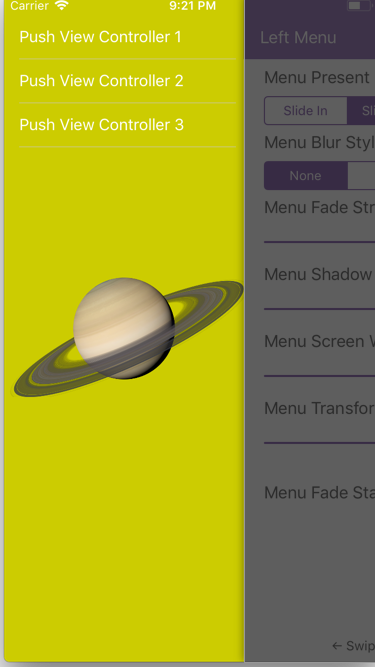
Those properties apply to the sidemenu instead of the viewcontroller that's showing the menu right? I would like to dim the view that's presenting the sidemenu, so it's clear to the user that they can't interact with the orginal viewcontroller.
 batjo
on 27 Nov 2017
batjo
on 27 Nov 2017
Try them for yourself.
jonkykong
on 27 Nov 2017
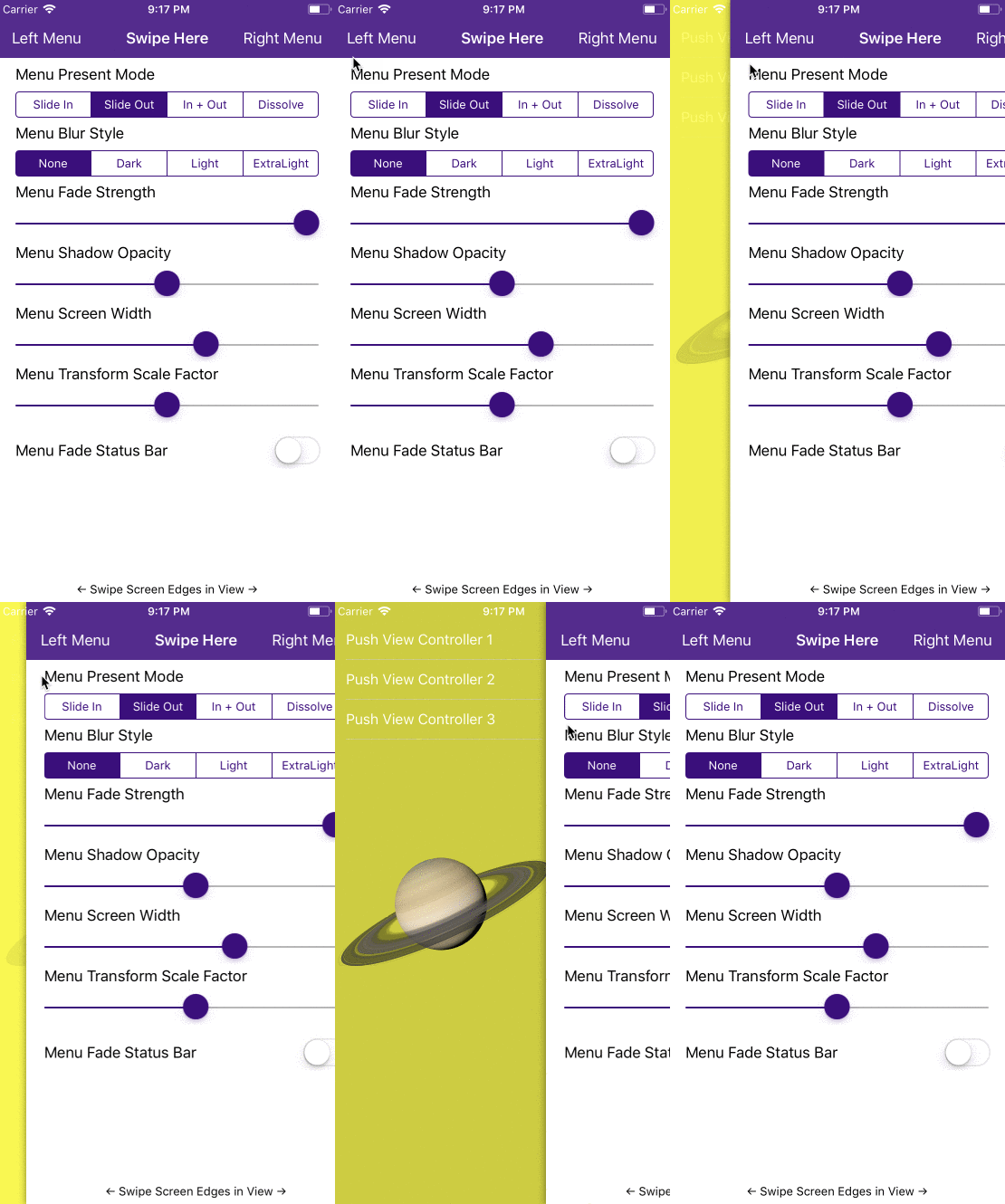
I did try it but I can't achieve the results I'm looking for. I did set menuAnimationBackgroundColor to UIColor.yellow and menuAnimationFadeStrength to 1.0 but only the color of the sidemenu changes and not the color of the viewcontroller that's presenting the sidemenu.
This is what's happening:
What I'm trying to achieve:
batjo
on 27 Nov 2017
@batjo SlideInOut will get you closer.
Otherwise make your changes in viewWillAppear and viewWillDisappear or use the delegate methods if that doesn't work.
jonkykong
on 27 Nov 2017
Thanks I figured it out!
batjo
on 28 Nov 2017
@batjo How did you do that. Is there an option, or did it using delegate
 beingbarath
on 26 Jun 2018
beingbarath
on 26 Jun 2018
@batjo How did you do that. Is there an option, or did it using delegate
Try
menuNavigationController.presentationStyle = .viewSlideOutMenuIn
menuNavigationController.presentationStyle.onTopShadowColor = .black
menuNavigationController.presentationStyle.presentingEndAlpha = 0.7
 au-au
on 23 Dec 2020
au-au
on 23 Dec 2020
Related issues
 BhavinBhadani
·
5Comments
BhavinBhadani
·
5Comments
 nahouto
·
4Comments
nahouto
·
4Comments
 szooky
·
3Comments
szooky
·
3Comments
 dattatrayParthenon
·
3Comments
dattatrayParthenon
·
3Comments
 joebenton
·
5Comments
joebenton
·
5Comments
Most helpful comment
Those properties apply to the sidemenu instead of the viewcontroller that's showing the menu right? I would like to dim the view that's presenting the sidemenu, so it's clear to the user that they can't interact with the orginal viewcontroller.