Shelly-homekit: Testing release 2.7
This issue will gather feedback on the upcoming 2.7 release.
What are we testing:
- Motion, occupancy and contact sensor modes for detached inputs (#294 #297)
- Shelly 1PM, Plug and PlugS power measurement support (#27)
- WiFi stability improvements from Espressif SDK update and use of all-channel scan - this should make the device connect to the AP with the strongest signal instead of the first matching the SSID.
- New temperature curve for NTC, improves system temperature measurement accuracy.
beta2:
- Fix flashing Shelly 1L running stock 1.9 and later (#323)
beta3:
- Fix leak of pbufs when closing UDP connections, should improve stability on networks that experience disconnections (#252)
Please install binaries from here: http://rojer.me/files/shelly/2.7.0-beta3/
If already on 2.7.0 pre-release, simply press "Check" on the Web UI.
 rojer
rojer
All 31 comments
ok, this is ready for testing now. fixed the regression which turned out to be caused by stack overflow.
there's a wider issue there that we have stack overflows happening routinely... i fixed a couple but not all.
this would definitely explain some of the instability. i will look into fixing more of them, but for now alpha7 shoul;d be an improvement already. please test and give your feedback.
deleted a bunch of earlier comments, let's focus on testing.
rojer
on 13 Dec 2020
Install unsuccessful on Shelly 1L.
__https://github.com/mongoose-os-apps/shelly-homekit/issues/323#issuecomment-744337914__
 freddair
on 14 Dec 2020
freddair
on 14 Dec 2020
Thanks @rojer for your hard work 👏
I have some feedback to report. I’ve installed the beta 1 on 4 Shelly 2.5s. I can confirm the temperature reading has dropped from by about 10-20 °C. However, I can also confirm that one of the Shellys has also crashed/rebooted as I can see its uptime is 3 hours as compared the other other Shellys that have been up for 20 hours (since I installed them).
Let me know if you’d like any more info. I’ll report back with any more findings.
 rudyemm
on 14 Dec 2020
rudyemm
on 14 Dec 2020
Hey @rojer , how can we validate this?
WiFi stability improvements from Espressif SDK update and use of all-channel scan - this should make the device connect to the AP with the strongest signal instead of the first matching the SSID.
I'm on 2.7-beta1 on every device and I don't see this happening, both on 1pm and 2.5.
It seems to be connecting to the first, even if with lower RSSI. After a few reboots, it will eventually connect to the strongest one.
Setup:
- have 3 APs at home.
- separate wifi for IOT
- hidden SSID
- only 2.4ghz active on that SSID
Maybe we are not giving enough time to scan all available networks?
How can I help with this?
 pivale
on 15 Dec 2020
pivale
on 15 Dec 2020
I'm testing beta. When i change switch mode (exemple in 2.5 from switch to roller shutter) don't compare the window for roller shutter but remain the windows input 1 and 2, i have to reboot device every change i save. Same thing in shelly 1 and shelly i3, when i change something need reboot to appear the dedicate windows... Is only my problem?
 lucaspinelli85
on 15 Dec 2020
lucaspinelli85
on 15 Dec 2020
ye definatly seeing some stackover flows
 andyblac
on 15 Dec 2020
andyblac
on 15 Dec 2020
Hi i find a bug. I'm testing shelly1 with auto off delay.
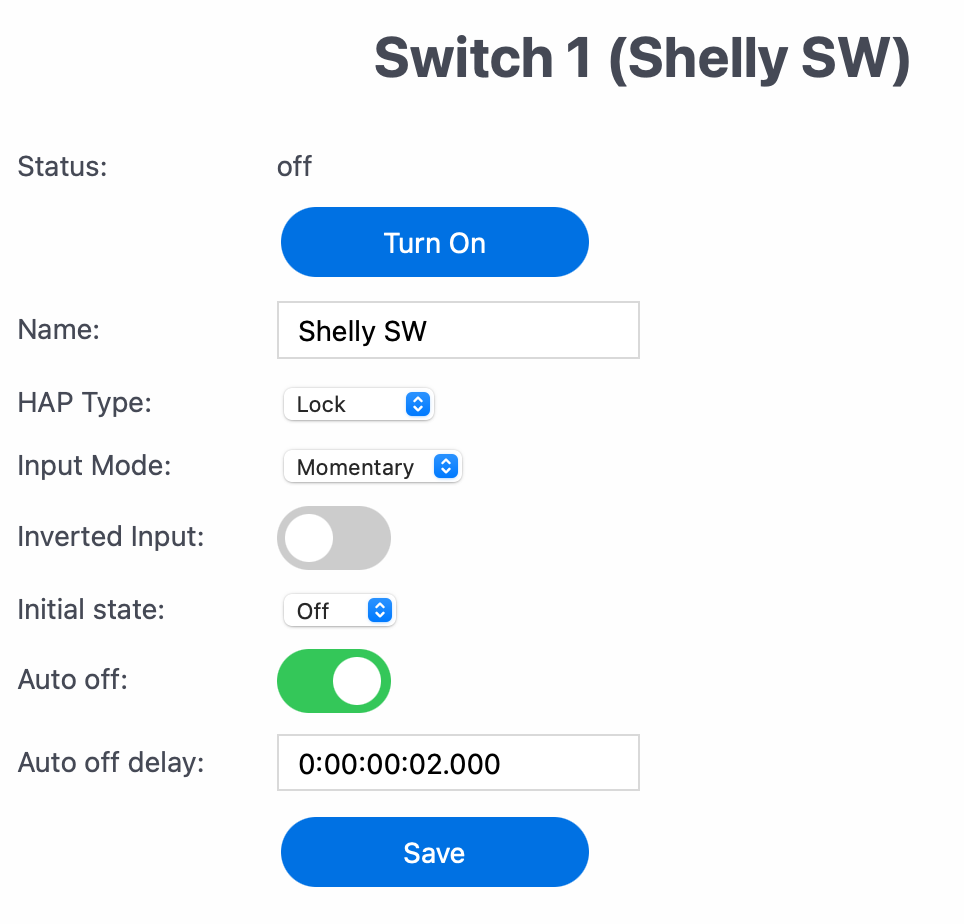
problem is with physical button. If I set auto off 1 sec, and i hold down physical button, auto off work and it go off although the button is still pressed.
If I set auto off > 1 sec, and I hold down button, auto off don't work, it stay always on although I no longer press the button. Need to press again to go off.
lucaspinelli85
on 15 Dec 2020
long press bypasses auto off this is correct behaviour for "Momentary" input mode.
example off normal use:
auto off set to 10 mins.
you enter room, turn on light,
walk out of room, forget to turn off light.
after 10mins light will turn off
example of long press:
auto off set to 10 mins.
you know you are going to be in room for more than 10mins,
so you long press button,
light turns on, and stays on after 10 mins.
you have to manually turn off the light when finished.
andyblac
on 15 Dec 2020
i should document this in wiki.
edit: done.
andyblac
on 15 Dec 2020
I did not know... therefore the problem is inverse, that is, by setting 1 sec delay, prolonged pressure does not bypass the auto-off... right?
lucaspinelli85
on 15 Dec 2020
I did not know... therefore the problem is inverse, that is, by setting 1 sec delay, prolonged pressure does not bypass the auto-off... right?
long press iirc requires a 1 sec hold, therefore it a matter of chicken and the egg. so in sort 1 sec delay is too short to be used with a long press.
andyblac
on 15 Dec 2020
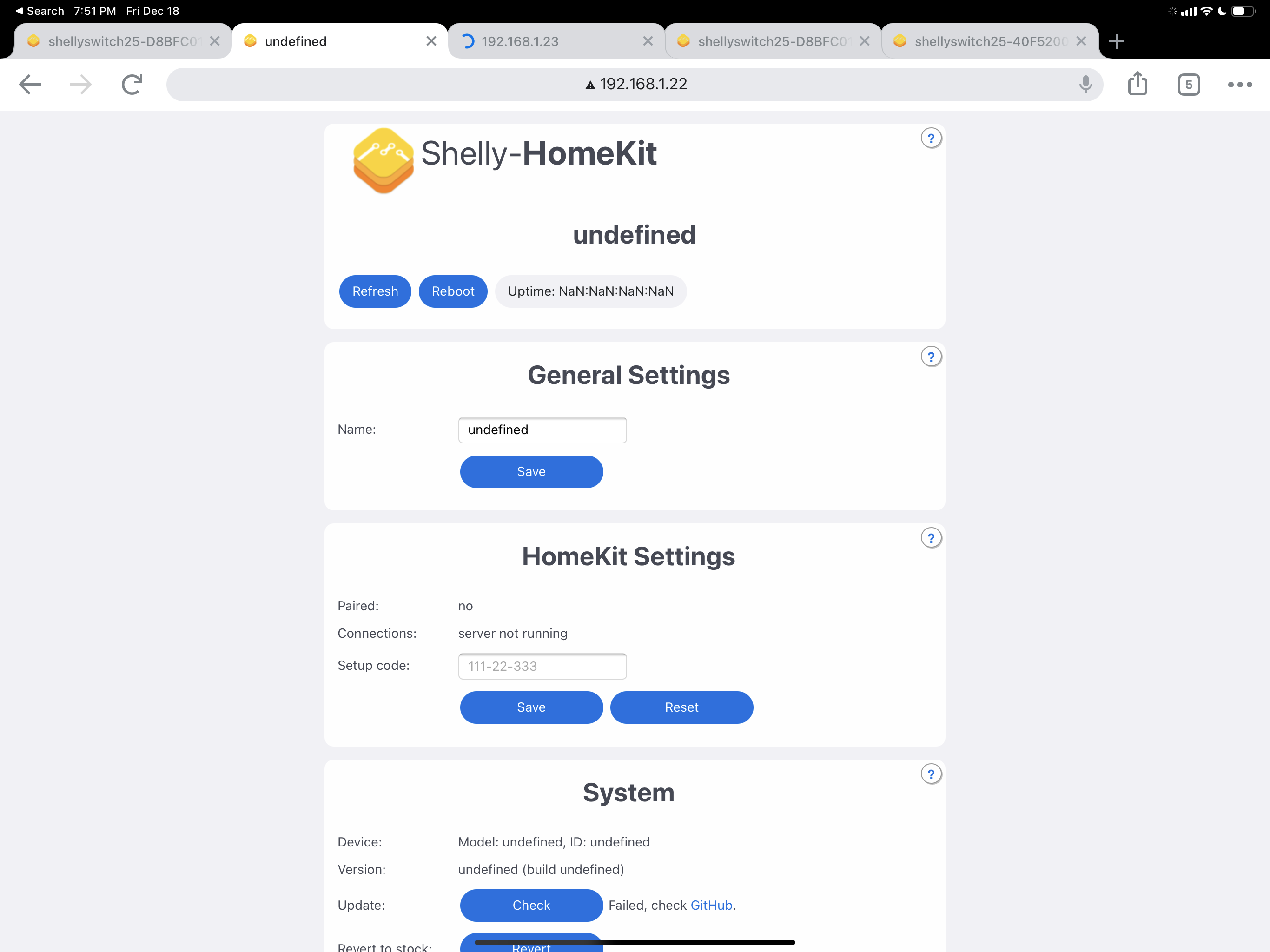
An update. I’ve got the bets on 4 devices now (all Shelly 2.5). Each has a different uptime, meaning they are rebooting themselves at various times. Also on of them only loads the top section of the UI and fails to load the rest of the page.
rudyemm
on 17 Dec 2020
Hello
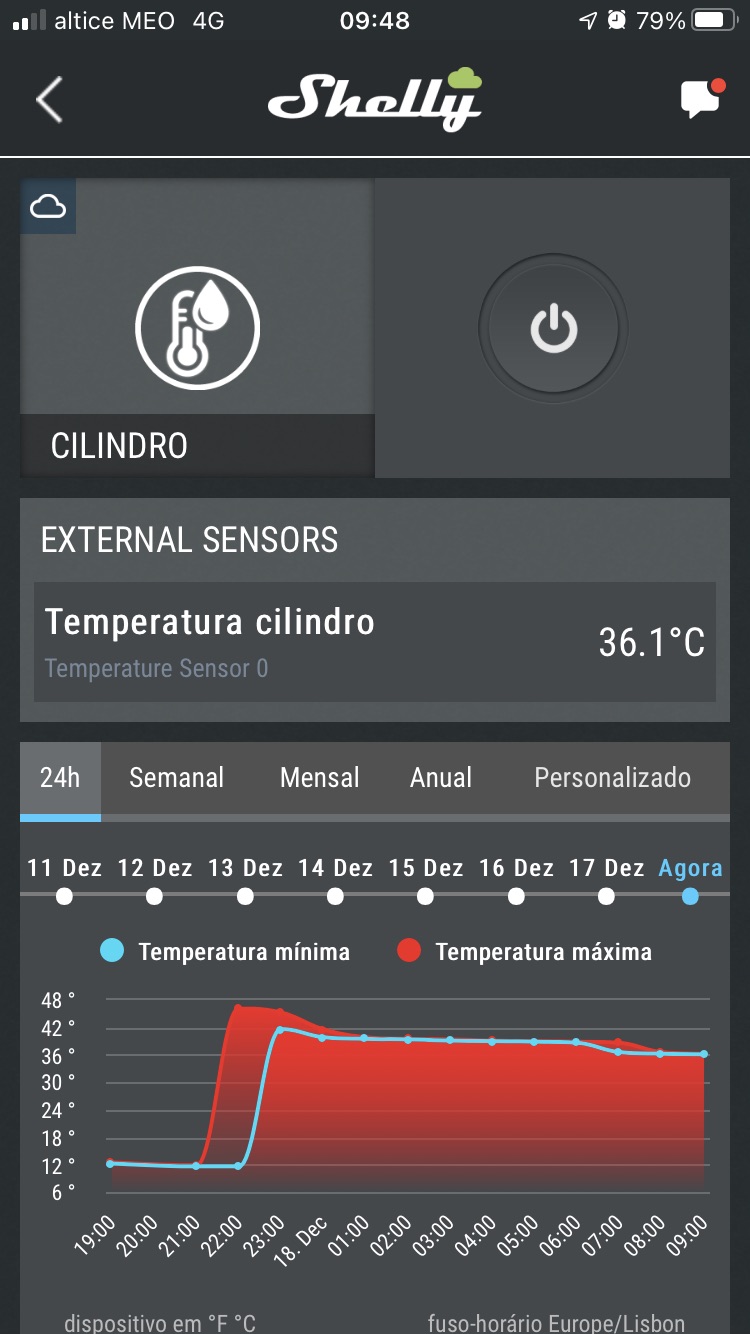
Temperature Sensor AddOn for Shelly 1/1PM, do you think you can do it soon?
Thanks
 SilvioMigu
on 18 Dec 2020
SilvioMigu
on 18 Dec 2020
won't be 2.7, for sure.
rojer
on 18 Dec 2020
I'll be waiting 😊
I'm looking forward to seeing it on the Homekit
I already have it working on the shelly app.
SilvioMigu
on 18 Dec 2020
I can’t wait to see this feature enabled being fundamental for my purposes!!!
🙏🙏🙏🙏
Inviato da iPhone
Il giorno 18 dic 2020, alle ore 10:53, Vitor notifications@github.com ha scritto:
I'll be waiting 😊
I'm looking forward to seeing it on the Homekit
I already have it working on the shelly app.
[Captura de ecrã 2020-12-18 à(s) 09 48 21]https://user-images.githubusercontent.com/67691682/102600470-c8454180-4116-11eb-90ab-ad807b817f94.png
—
You are receiving this because you are subscribed to this thread.
Reply to this email directly, view it on GitHubhttps://github.com/mongoose-os-apps/shelly-homekit/issues/330#issuecomment-747993303, or unsubscribehttps://github.com/notifications/unsubscribe-auth/ASCEUKBB6KH26RMZ6GBAIJDSVMRALANCNFSM4UXIKLJA.
 simonfield76
on 18 Dec 2020
simonfield76
on 18 Dec 2020
rudyemm
on 18 Dec 2020
If there’s a beta 2, I’m happy to test it more @rojer
rudyemm
on 18 Dec 2020
pushed beta2 with fix for #323
rojer
on 19 Dec 2020
@rudyemm can you please visit http://a.b.c.d/debug/core - do you get anything there? if yes, please send to [email protected]
rojer
on 19 Dec 2020
i am testing the beta 2.7.1 on more than 30 devices and noticed that WiFi disconnections still happens but much lesser. maybe its my infrastructure being a Unifi maybe not. Note: shelly ppl are struggling to fix this issue even on their official FW since they published 1.9.0!
just thought to run this by you.
 hfagelnour
on 19 Dec 2020
hfagelnour
on 19 Dec 2020
i am testing the beta 2.7.1 on more than 30 devices and noticed that WiFi disconnections still happens but much lesser. maybe its my infrastructure being a Unifi maybe not. Note: shelly ppl are struggling to fix this issue even on their official FW since they published 1.9.0!
just thought to run this by you.
my current setup is Unifi and i have no problems, but i do have AP's all over house. i have found that if RSSI reaches -80dB you will start to see disconects, this is true on Stock fw also, so i do not think it is a issue on this fw but more likely a chipset or core library issue.
i am in the progress of moving to Peplink hardware, but atm there is a firmware issue on the peplink AP's, that once you try to connect the device to HomeKit, the devcie fails to respond (no pings, no http access), even though the router shows it as connect and having been served a IP from the DHCP pool and continues to be served one. As of yet Peplink have not found the issue, but if i revert to their older fw it works fine.
andyblac
on 19 Dec 2020
i too have tons of APs at hone (18 HDs) .... disconnections is driving me crazy .... do u think having a minimum RSSI enforced fixes the matter?
hfagelnour
on 19 Dec 2020
i too have tons of APs at hone (18 HDs) .... disconnections is driving me crazy .... do u think having a minimum RSSI enforced fixes the matter?
yes def, i control all my AP's using that, and also control the power level, remember, too strong signal is just as bad as too weak, ie try not going below -20dB that could case issues too. most of my AP's are on low power. So it only serves that one room.
too strong and the AP's will be shouting at the client and it will cause RF Bleed, and client will have issue with understanding the request etc.
andyblac
on 19 Dec 2020
@andyblac thx for the advise .... i will try it hoping it fixes things up. How does this affect roaming between rooms though. my house is heavily built with concrete and bricks
hfagelnour
on 19 Dec 2020
@andyblac thx for the advise .... i will try it hoping it fixes things up. How does this affect roaming between rooms though. my house is heavily built with concrete and bricks
anther tip, try to only use 3 channels 1 / 7 / 11 or if in UK 3 / 8 / 13. these are the only chnnels that do not overlap
andyblac
on 19 Dec 2020
perfect.... will do that as well. i was leaving the WiFi manage things for me and apparently it is not mature enough
hfagelnour
on 19 Dec 2020
perfect.... will do that as well. i was leaving the WiFi manage things for me and apparently it is not mature enough
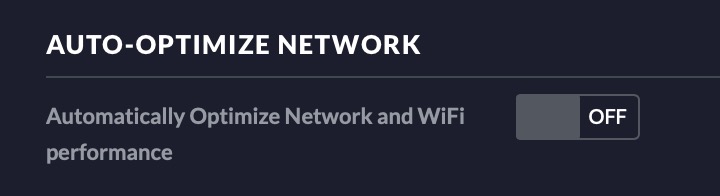
make sure you have this turned off, it's located in Site, if thats on, turn it off, that will cause you nothing but trouble.
andyblac
on 19 Dec 2020
got it... many thx again
hfagelnour
on 19 Dec 2020
got it... many thx again
np, repoort back how you get on, if you still have issue, we can try other things.
andyblac
on 19 Dec 2020
ok, i pushed 2.7.0, thanks everyone for testing.
rojer
on 23 Dec 2020
Related issues
 nightout80
·
3Comments
nightout80
·
3Comments
 italoc
·
3Comments
italoc
·
3Comments
 cschildhorn
·
7Comments
cschildhorn
·
7Comments
 miamilabs
·
8Comments
rudyemm
·
8Comments
miamilabs
·
8Comments
rudyemm
·
8Comments