Shelly-homekit: would it be possible to expose Single / Double / Long Press in HomeKit
as the title, would it be possible to expose Single / Double Press & Long Press actions in HomeKit, this would be handy to control the switch differently for those actions, obviously this would require push button type to be enabled.
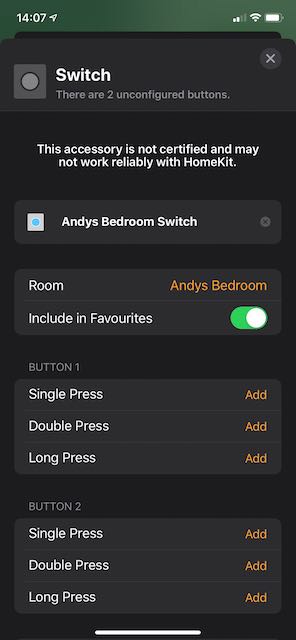
example that could be setup in HomeKit GUI.
Single Press = normal switch operation.
Double Press = turn off after xx
Long Press = invoke a HomeKit scene.
 andyblac
All 233 comments
when doing a double or long press, this would not have to switch the shelly, it would purely give HomeKit actions that you could use.
if you wanted the shelly to switch you could just link to the HomeKit Shelly switch.
andyblac
on 8 Feb 2020
this is what I mean

but Single press does not need to be editable. it could be locked to shelly switch action.
andyblac
on 8 Feb 2020
in terms of HAP services, that would mean implementing "8.37 Stateless Programmable Switch" instead of "8.38 Switch".
i think we can make it configurable, whether shelly switch exports a stateful or stateless HAP switch.
sure, it's possible, not that difficult either.
 rojer
on 8 Feb 2020
rojer
on 8 Feb 2020
but not both, understood. so shelly would become a virtual switch only, got it.
andyblac
on 8 Feb 2020
ok, i'm talking nonsense here. "Switch" is an output gadget, taking commands from the controller while "Stateless Programmable Switch" is an input gdaget, sending events to the controller.
so in fact, i think the right way to do is to export the input pin as a stateless programmable switch if the mode for it is set to "detached".
rojer
on 8 Feb 2020
It should be possible to deploy two HomeKit Services (e.g. 1: Stateless Programmable Switch and 2: Lightbulb) both on the same Accessory. So the input GPIO would correspond to the service 1 and the output to service 2. Now of course the input is not directly switching the Lightbulb anymore, but one can link that action as a single / double / long press in HomeKit. Otherwise the Lightbulb can be controlled only via HomeKit.
Pros:
Use different button actions
Cons:
Increased delay for switching Lightbulb
Only works over HomeKit protocol (e.g. not without WiFi and only with an 0iOS device available that executes the action)
 mgoeller
on 10 Feb 2020
mgoeller
on 10 Feb 2020
so manual button, ie Single Press would still require HomeKit, I could live with that tbh.
andyblac
on 10 Feb 2020
I would do both possibilities, the drawbacks are too huge. But some may need it: e.g. replace a switch next to the door:
-don't use the traditional switch anymore to switch the corridor light, instead do it motion based with a separate sensor
-use the traditional switch and link it with Homekit and single/double/long press to power off the whole house
That is basically what I have done using esp-homekit and a custom firmware. But all other switches that I replaced (not next to the apartment door) I used a single service to have the traditional switch working without delay and even if WiFi is down or similar.
mgoeller
on 10 Feb 2020
It should be possible to deploy two HomeKit Services (e.g. 1: Stateless Programmable Switch and 2: Lightbulb) both on the same Accessory.
that's right, that's the idea. but only do it if the user chooses the function for the input in the web interface. we have the "detached" mode for the input, so we can use that to mean "i want the input detached from the switch and exposed as a HAP button instead".
rojer
on 10 Feb 2020
in terms of implementation, it's not too difficult - there's already an example for switch service definiiton in the code, can be used as a template for the stateless switch as well.
a bit of tap-dancing will need to be done around adding and removing services from the accessory, including managing the HAP configuration version (so controller re-enumerates services), but it shouldn't be too difficult.
rojer
on 10 Feb 2020
this all sounds good, I'm trying to learn HAP / mongoose
andyblac
on 10 Feb 2020
Hey there,
I recently installed my shelly1 with the over the air update and it works very fine.
Just like @andyblac said I would love to activate HomeKit-scenes via the shelly switch.
I'm sorry but I didn't understand all of your chats - is it already possible to do so? Or will you implement this feature in one of the next versions?
Thanks!
 jonny9412
on 1 Apr 2020
jonny9412
on 1 Apr 2020
@rojer maybe an option would be to have a separate fw for each shelly that only allows HomeKit mode as laid out above, but on pressing the physical switch is just actions the HomeKit ie Single, Long, Double presses.
you could add new machines into build "shelly1-hk", "shelly25-hk", and so on, this would save ram on the devices ?
and yes, the downside to this would be that ALL actions would require a HomeKit Hub, but I think that would be acceptable.
andyblac
on 8 Apr 2020
Hello, so this ist my first post...
If that could be done... this will be the best solution for all HomeKit users.
The „Killer“ feature in my opinion.
The best would be to expose a virtual Switch (with single, double and long press function) and a second virtual switch, which controls the real relay to the Apple HomeKit System.
Both can enabled/disabled in the web gui. So the user can choose if he needs the relay variant and/or HomeKit function variant in HomeKit.
Why both:
I think not only me... so better „many“ are equipped with HomeKit smart bulbs
With „normal“ switches you can cut off the power to these bulbs - so the bulb is offline and can not be controlled via HomeKit.
With HomeKit Switches you can not cut off the power to these bulbs, you can „only“ control it Smart via HomeKit.
So that is the reason why many of us use actually only „normal“ switches and not HomeKit switches
So a combination would be the best solution...
Normally you control the Smart bulbs via the HomeKit functions, but when there is a fault/error you need the cut off the power for a restart, or if you are on holidays you want to cut off the power.
Best regards
PixelChris
 Pixel-Chris
on 14 Apr 2020
Pixel-Chris
on 14 Apr 2020
Seria interesante esta función
 Jaguaza
on 17 May 2020
Jaguaza
on 17 May 2020
The user should be able to select what he wants to see in HomeKit...
a) HomeKit Switch to switch the real relay
b) A HomeKit Switch (Single, Double, Longpress)
c) An extra dummy HomeKit Switch
So when a) and b) is active, the user can use for example the double press HomeKit switch (b) to control the real relay HomeKit Switch (a)
And the extra dummy HomeKit switch (c) can be used as an separate alarm switch for example. Actually I use a separate HomeKit Plug (with nothing pluged in)
And for the issue #5 on an Shelly 2.5:
d) Expose the Shelly as an roller shutter in HomeKit
Pixel-Chris
on 19 May 2020
+1, would be super interested as well.
 prrtzt
on 19 May 2020
prrtzt
on 19 May 2020
+1 ;-)
Pixel-Chris
on 19 May 2020
hi everyone.
I'd like to understand only one thing. is it possible to keep my Shelly 1 as a Simple switch (installed in momentary state) but add longpress for some scenarios activation? b/c I don't want to do single click for ON and double for "OFF", but want to make long press for "Leaving home" scenario activation.
Is it possible to make in Homebridge installation?
 geokvant
on 25 May 2020
geokvant
on 25 May 2020
you could try your shelly with original firmware and this https://www.npmjs.com/package/homebridge-shelly homebridge plugin.
andyblac
on 25 May 2020
you could try your shelly with original firmware and this https://www.npmjs.com/package/homebridge-shelly homebridge plugin.
I'm on original firmware now and see longpress option in shelly's admin page (I've activated it already) but this stuff has no options in homebridge page or in homekit app so setup.
should I do some additional settings in homebridge config to see options in homebridge/homekit?
geokvant
on 25 May 2020
looks like the answer is no then, you'll have to wait for @rojer to hopefully add this support to his firmware.
andyblac
on 25 May 2020
so the plan for this is to export a separate "stateless programmable switch" service when mode for the input is set to "detached". it will generate single, double and long press events that you can then use in your automations.
rojer
on 25 May 2020
hi everyone.
I'd like to understand only one thing. is it possible to keep my Shelly 1 as a Simple switch (installed in momentary state) but add longpress for some scenarios activation? b/c I don't want to do single click for ON and double for "OFF", but want to make long press for "Leaving home" scenario activation.
Is it possible to make in Homebridge installation?
In HomeKit you can use automations for that,
For example for the single press:
If lamp is off turn it on
If Kamp is on turn it off
So you can use it as a „normal“ switch
Two more examples:
Double press:
For controlling the relay in the Shelly to cut the power
(So the Shelly real relay Switch must also exposed to HomeKit)
If power is off turn it on
If power is on turn it off
Long press:
If Alarm scene is on turn it off
If Alarm scene is off turn it on
Or
If leaving home is off turn it on
If it is on turn it off
Pixel-Chris
on 25 May 2020
so the plan for this is to export a separate "stateless programmable switch" service when mode for the input is set to "detached". it will generate single, double and long press events that you can then use in your automations.
Will it be possible to control the relay in HomeKit?
All available HomeKit switches can only do one thing:
They can cut the power to the device
or they are only smart switches which can control smart devices over HomeKit.
So again (sorry for that):
If both is possible this would be the KILLER Feature !!!!
Can we speed it up?
Are here some more people, who need this feature? can we spend some money to rojer???
Pixel-Chris
on 25 May 2020
In HomeKit you can use automations for that,
...
If leaving home is off turn it on
If it is on turn it off
There is no option to setup long press in homekit in automation scenarios b/c there is no such event available for this Shelly 1 with original firmware.
I don't need double press, I just want to have in addition to standard function on/off (momentary setting) to get longress and bind some action for it in homekit (directly or over homebridge) but without any third party firmware
it can be even not available in homekit app as a switch with extra long press option. instead of that there can be added new button or switch with this feature option, or as an additional sensor to make a scenario based on this sensor|switch activity
Just to clarify my idea - double press in this case also can be added to this extra button or as a third sensor with it's own automation option, but single classical switch should continue to work as it was: first short click - ON, second short click - OFF (so every one short press just changes the current state for opposite)
is it possible to do with this or any other plugin?
the bottom line of idea is:
show in homekit one logical switch and one virtual button (so there will be two switches for one physical device) for one Shelly 1, or two logical switches and two virtual buttons for Shelly 2,5 over homebridge plugin installed on user's gateway (any kind of homebridge instance)
geokvant
on 25 May 2020
Original Firmware is Not HomeKit compatible!
Shelly-HomeKit is Not a Plugin !
Actually the „Shelly-HomeKit“ Firmware exposes a Shelly 1 only as a „normal“ switch to HomeKit - this switch controls the real relay.
So the idea behind this issue, is to expose a second switch to HomeKit (a smart switch) with single / double and long press function (see screenshot above)
So you can control the real relay switch and/or other things in HomeKit.
But for that it is necessary, that the relay is detached from the switch.
So you need to edit the single press to interact with the relay switch in HomeKit - so one Shelly 1 is exposing two HomeKit switches. (Relay Switch which can cut the power and the smart switch with single/double/long press)
Pixel-Chris
on 25 May 2020
Original Firmware is Not HomeKit compatible!
And actually this firmware „Shelly-HomeKit“ actually exposes a Shelly 1 only as a „normal“ switch - this switch controls the real relay.
Sorry for my misunderstanding.
I was talking about solution with external gateway based on Homebridge by nfafina and in this case you don't need to modify original firmware of Shelly devices, but you need external gateway. Thought that b/c found Long press detection today in original firmware
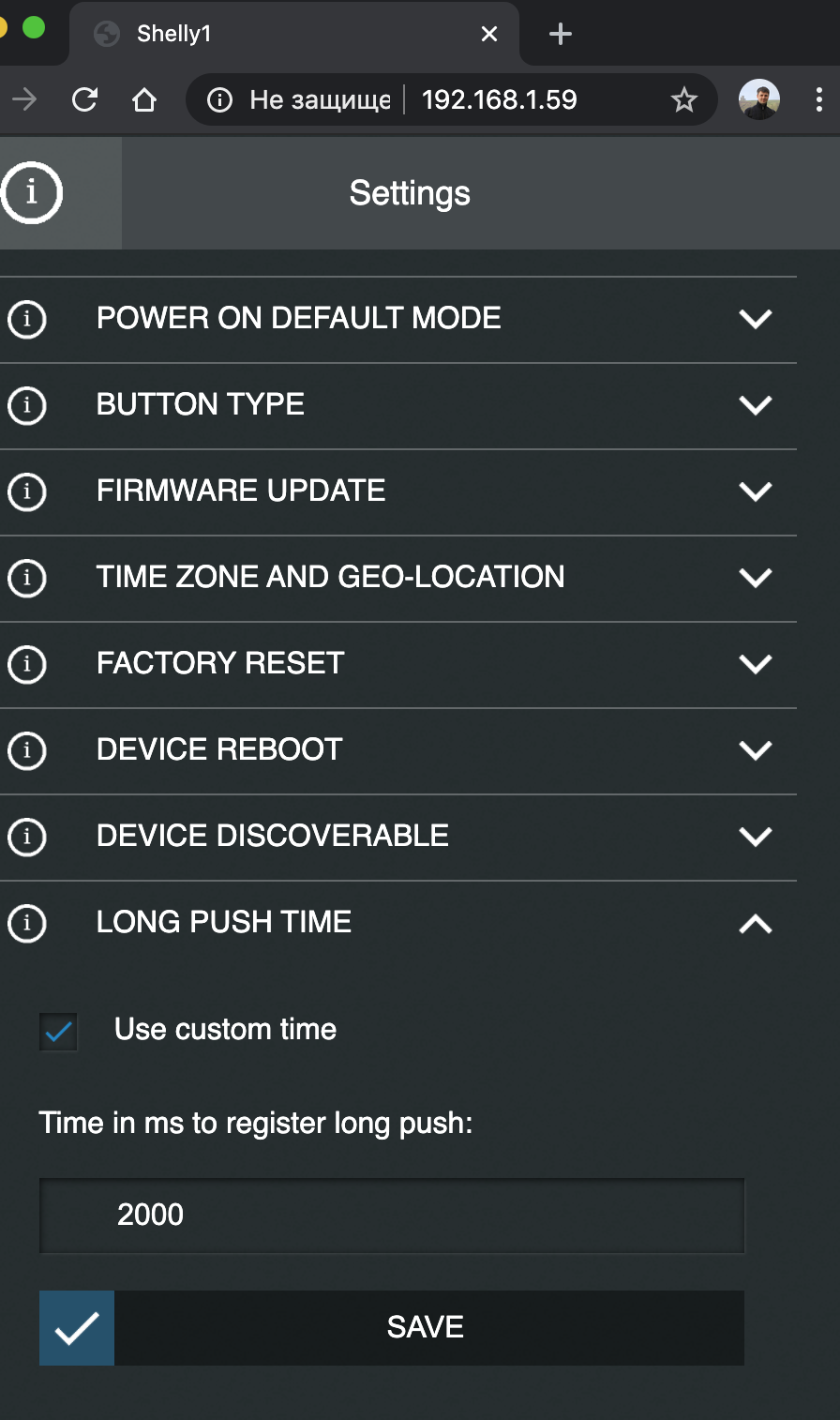
So I was thinking that there is a solution to keep an option for Sinlge Switch to work as it should do and just add another virtual button to homekit that will be programmable over homekit interface for long press as standard scenario. (without double press b/c for "8.38 Switch". it's not applicable in terms of Shelly)
So the idea in general sounds like this:
for one physical device (Shelly 1) to homekit interface should be added two items:
1) one logical switch - manages relay to on|of
2) one virtual switch - takes long press and sends info to homekit to start user scenario
NB) _NO double press in this case b/c there is no difference with single press_
This "two switches" option gives ability to control lights directly even without wifi, but adds one more option to initiate user scenario from any of switches.
geokvant
on 25 May 2020
So you Need a) and c)
a) HomeKit Switch to switch the real relay
b) A HomeKit Switch (Single, Double, Longpress)
c) An extra dummy HomeKit Switch
——
Rojer must answer that...
But I think that is not the intention of this firmware...
I think here the main System is HomeKit, and there you can use automations and scenes
Pixel-Chris
on 25 May 2020
I would say that I need A (relay switch) and C (dummy switch), but C should be linked to Longpress of Shelly's brain
if we talking about Shelly's modified firmware: when you add Shelly 1 to homekit - two switches should be provisioned: A (for relay) & C (dummy, for longpress)
I've also offered this functionality to be implemented in homebridge plugin here
geokvant
on 25 May 2020
I think that will not work
The relay needs to be detached from the switch for the „normal“ HomeKit smart switch to work (single/double/long press)
Pixel-Chris
on 25 May 2020
I think that will not work
The relay needs to be detached from the switch for the „normal“ HomeKit smart switch to work (single/double/long press)
b/t/w I've found solution for my "problem" with help of this plug-in
you can read it in this post
https://github.com/alexryd/homebridge-shelly/issues/118#issuecomment-640807308
geokvant
on 8 Jun 2020
@rojer
Will that be integrated in the next time?
Pixel-Chris
on 16 Jun 2020
yes, this is the next thing on my list
rojer
on 16 Jun 2020
Hi! IS this live in the latest build? Sorry for commenting on an old issue, but this is of high interest to me. Actually, I intend on purchasing around 20 Shellys for all my dumb light switches and this is the feature that will make it or break it.
I want to use the Shellys on dumb switches together with smart lights. The goal is to have dimmable/colored lights but also be able to control them via the old dumb switches. For that, I need to be able to re-write the single press on the switches to not trigger the relay and instead turn on my smart light via homekit (and ideally also be able to trigger the relay via a long switch, for redundancy).
If I understand correctly, this thread debates exactly that and the feature should be available. However, I want to make sure it is doable before purchasing the devices.
Thanks a bunch! This sounds like a lifesaver feature for me.
 vladbisceanu
on 3 Sep 2020
vladbisceanu
on 3 Sep 2020
no, it hasn't been implemented yet
rojer
on 3 Sep 2020
Thanks for the fast reply! Any idea when it will be implemented?
vladbisceanu
on 3 Sep 2020
absolutely no idea. i've been very busy at my day job lately, very little time and energy for side projects...
rojer
on 3 Sep 2020
Ok, mate. Can 100% understand how that feels. Thanks for letting me know and good luck with your work! Just to be aware of all the options here: is there any known way of disabling the relay switching on button press with this firmware and just have the button do something else entirely?
vladbisceanu
on 4 Sep 2020
not at present but that is exactly the plan - decouple input from output, export it as an independent hap service.
rojer
on 4 Sep 2020
Understood. Really looking forward to that feature, whenever you got the time for it. Would love to offer my support, but I truly have no clue what sorcery you did with this project so I'm at a loss. Again, thanks for being so responsive!
vladbisceanu
on 4 Sep 2020
Ok, mate. Can 100% understand how that feels. Thanks for letting me know and good luck with your work! Just to be aware of all the options here: is there any known way of disabling the relay switching on button press with this firmware and just have the button do something else entirely?
you can detach switch from relay over web-interface in original FW 1.8.3 by this menu
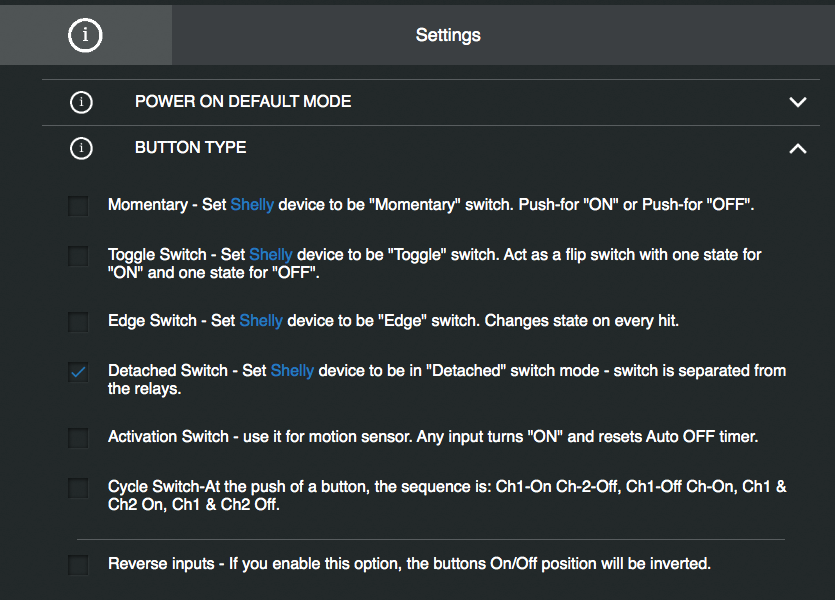
with this setup relay will be controlled only by button in web-interface or over API. I use for my needs this plugin in HB https://www.npmjs.com/package/homebridge-button-platform with Actions menu for every button.
This solution gives me Single press and Long press.
geokvant
on 4 Sep 2020
with this setup relay will be controlled only by button in web-interface or over API. I use for my needs this plugin in HB https://www.npmjs.com/package/homebridge-button-platform with Actions menu for every button.
This solution gives me Single press and Long press.
That's actually perfect as an alternative solution for me. I have a HB setup already running for PC control and other minor things. Can you share more details about how the plugin is configured in your case. I've ordered a Shelly 1 and a 2.5, which should arrive in 1-2 days and I'll be able to test this.
vladbisceanu
on 4 Sep 2020
In my case I've made usage only Long press for Actions, but Switches not detached. I wanted to add to my switches Long press Actions in HB, so I added 11 Virtual Buttons with those scenarios I wanted for LONG PRESS and added links for them as it described for homebridge-button-platform
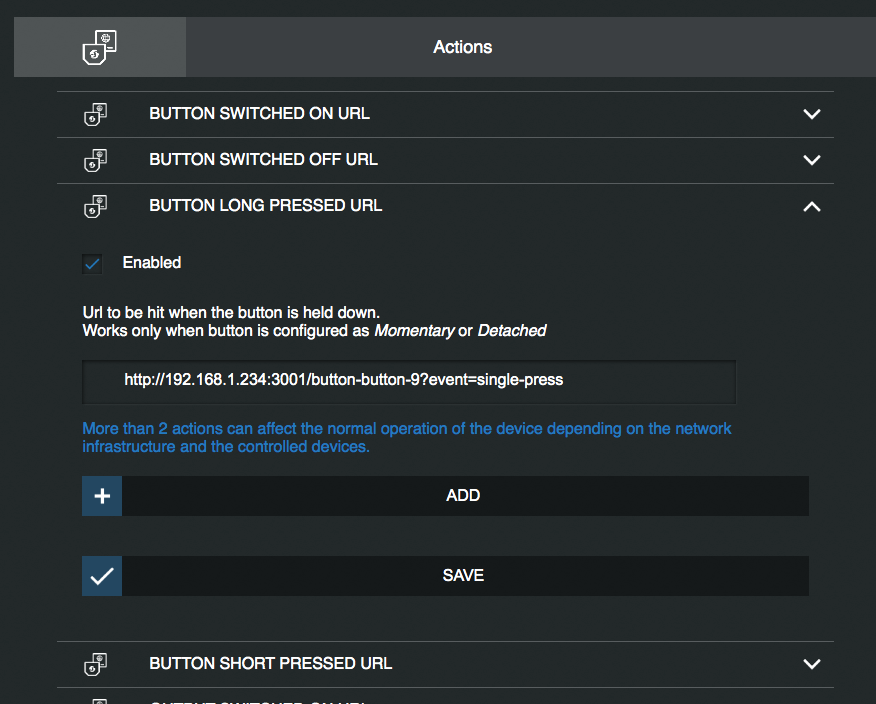
you can add (with Detached mode switch) short press for Switch to call process in homebridge-button-platform you want to
geokvant
on 4 Sep 2020
Ok, it all makes sense. Once I have my shellys I'll try this setup and post here on how it works, in case anyone else is interested in this. I might follow-up with noob questions here, if I get stuck. Many thanks for your help!
vladbisceanu
on 4 Sep 2020
here you can find solution how to setup for single short press of Switch (in detached mode) to send command for one of your virtual buttons so the button single (or double or long) press (they are just 3 virtual actions in this case) toggle any action you want to be done through the shortcuts automation
https://linkdhome.com/articles/how-to-toggle-in-homekit
my case for this is next:
I have a Philips hue light in bathroom that has no wired switch - so it's always powered on. But I can manage it over the Home App and Hue App. But I wanted to turn it on and off (without changing colors or brightness) with same Switch I use for real lights there. So I've added for long press of my Shelly switch this option to toggle my LED Light.
geokvant
on 5 Sep 2020
Hi everyone. Just following-up on the thread above, here are my updates:
I got my shelly 1 the other day and tried to install it with my dumb light switch. I am using a Livolo touch light switch like this one.
- The first thing I did was try and install it in my wall light box. However, there was not enough space in there for the shelly AND I did not have a neutral. Fortunately, I did have an additional phase wire I was not using, so I wired that to the power and decided to install the Shelly in my ceiling, where neutral is available.
- The installation went pretty smooth and in a few minutes I was able to boot up the shelly app and switch the lights on and off. However, the actual switch was not working. After some investigation, I found out that Shelly does not send enough power on the SW line to power the tactile switch I'm using (that also has a status LED on it). After some searching, I found an adapter that the guys from Livolo mentioned should solve the issue. I ordered that and it should arrive in a few days. Yes, the adventure continues.
- To still be able to test the "detached" integration mentioned above, I re-installed one of my old on/off light switched in place of the Livolo capacitive one. I then proceeded to install the button-platform plugin for Homebridge and setup a button, as per the instructions.
- In the Shelly interface, I switched to the Detached mode and configured the actions. Since I have an on/off switch, I configured actions for button on and button off, instead of the short/long press. I'm sending a double-press event on "turn off: because I need two separate triggers in Home. There is no actual double press happening.
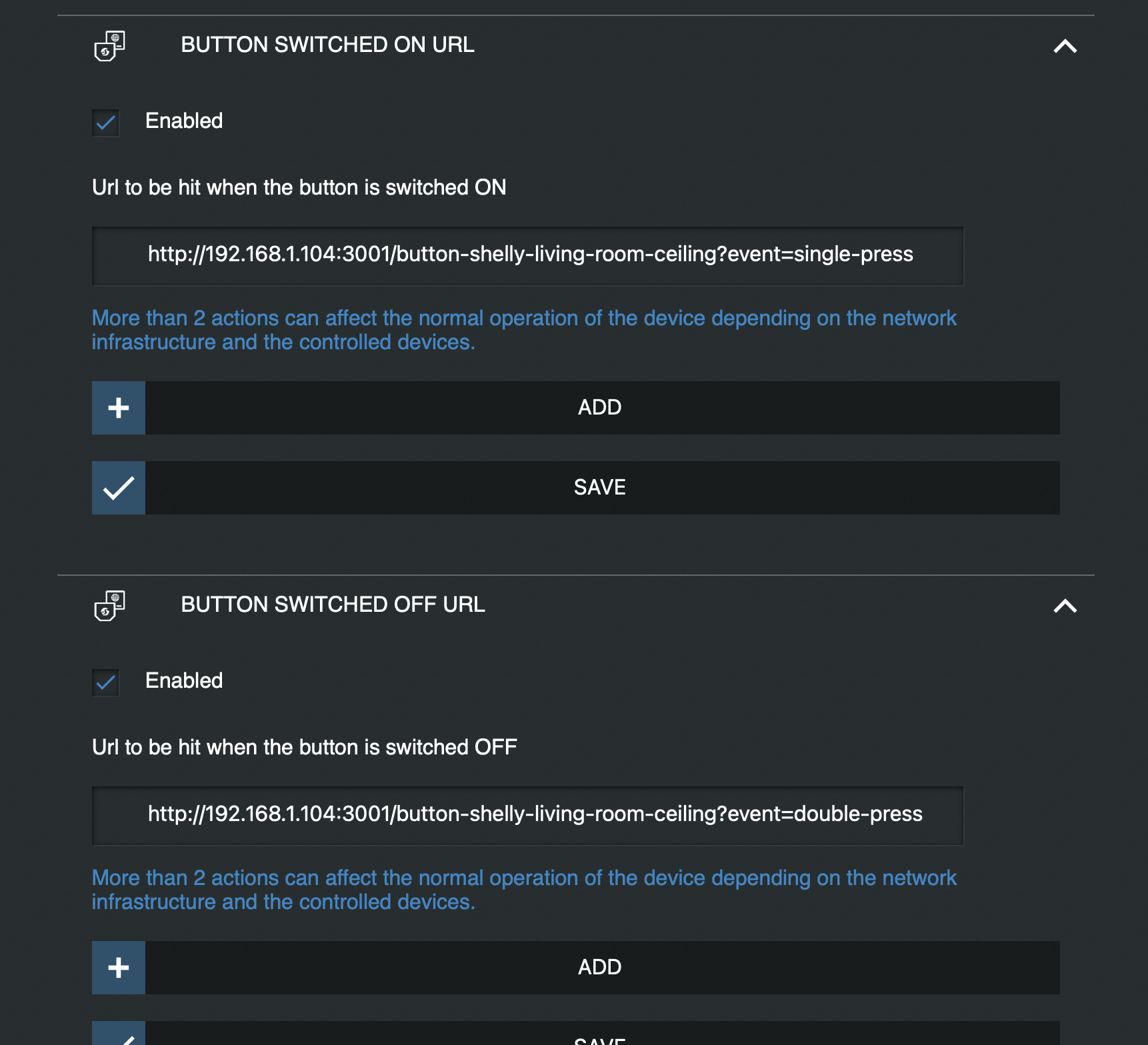
- In Home app, I simply added turn on and off actions of the button to the single and double press triggers.
All in all, the solution proposed here works great. I am able to control my smart lights with the physical buttons without messing them up. The only downside I can see is that I have no redundancy. In the event that my smart lights and shelly for some reason break, I need to re-wire stuff. However, the likelyhood of that happening is so low I am not concerned.
My end-goals was to use the Livolo touch switches with Shellys in my whole house. I still need to find a solution to make Shelly and Livolo cooperate, which I hope will be that adapter they recommended. I am no electrician, but from my understanding, that is supposed to add Null to the wire running between the light and the switch (sorry if I'm talking nonsense.
If anyone is interested, I can share pictures of my wiring and/or share more details on how that adapter works, once I have it.
Cheers!
vladbisceanu
on 12 Sep 2020
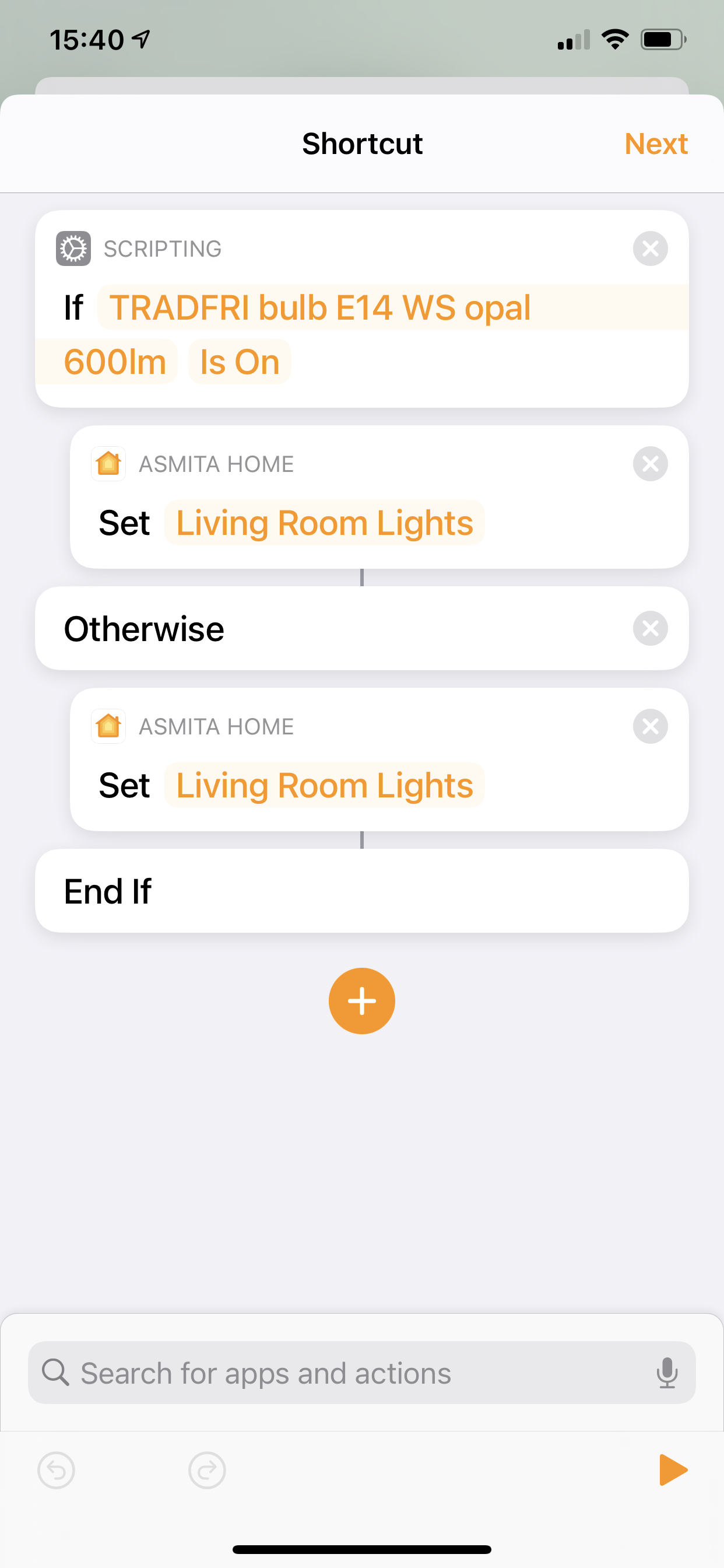
Later realised the single/double press approach is redundant, so I configured both turn on and turn off to call the single-press event and handled the toggle logic from Shortcuts, like a previous post was mentioning
vladbisceanu
on 12 Sep 2020
please test this firmware - https://rojer.me/files/shelly/2.1.0/
set input mode to "detached" and you should see a stateless switch show up in the app.
if everything is ok, this will become the next release.
rojer
on 14 Sep 2020
please test this firmware - https://rojer.me/files/shelly/2.1.0/
set input mode to "detached" and you should see a stateless switch show up in the app.
if everything is ok, this will become the next release.
got it loaded on Shelly 2.5 and have SW1 in momentary mode & SW2 in detached mode,
1st issue changing input 2 name in webUI overwrites SW1 name, and input reverts back to default.
2nd issue you now have double SW's in HomeKit, when in detached mode, can we hide the original SW please, so only the detached one shows. (this is confusing if you have 'show as separate tiles enabled)
3rd everything is treated as a Long Press, via physical switch, ie once you have setup the 3 mode options in homekit, pressing the physical switch everything acts what has been setup as Long Press
update:
checking the webUI after pressing single, double or long, everything shows as long press
andyblac
on 14 Sep 2020
please test this firmware - https://rojer.me/files/shelly/2.1.0/
set input mode to "detached" and you should see a stateless switch show up in the app.
if everything is ok, this will become the next release.
Tried to update as well, but I'm not getting the new version for some reason.
Used this URL http://192.168.1.2/ota?url=https://rojer.me/files/shelly/2.1.0/shelly-homekit-Shelly1.zip where 192.168.1.2 is my Shelly's IP. I get this message {"status":"updating","has_update":false,"new_version":"20200827-065344/v1.8.3@4a8bc427","old_version":"20200827-065344/v1.8.3@4a8bc427"} but nothing happens.
Do I need to first flash the stable build or something?
vladbisceanu
on 14 Sep 2020
please test this firmware - https://rojer.me/files/shelly/2.1.0/
set input mode to "detached" and you should see a stateless switch show up in the app.
if everything is ok, this will become the next release.Tried to update as well, but I'm not getting the new version for some reason.
Used this URL http://192.168.1.2/ota?url=https://rojer.me/files/shelly/2.1.0/shelly-homekit-Shelly1.zip where 192.168.1.2 is my Shelly's IP. I get this message{"status":"updating","has_update":false,"new_version":"20200827-065344/v1.8.3@4a8bc427","old_version":"20200827-065344/v1.8.3@4a8bc427"}but nothing happens.Do I need to first flash the stable build or something?
you have to manually upload via webUI, download the file 1st then open webUI, scroll to bottom click choose file and then upload.
andyblac
on 14 Sep 2020
Ok, found the issues. File needs to be HTTP, not HTTPS. This was mentioned in the instructions, but I missed it the first time. My bad.
vladbisceanu
on 14 Sep 2020
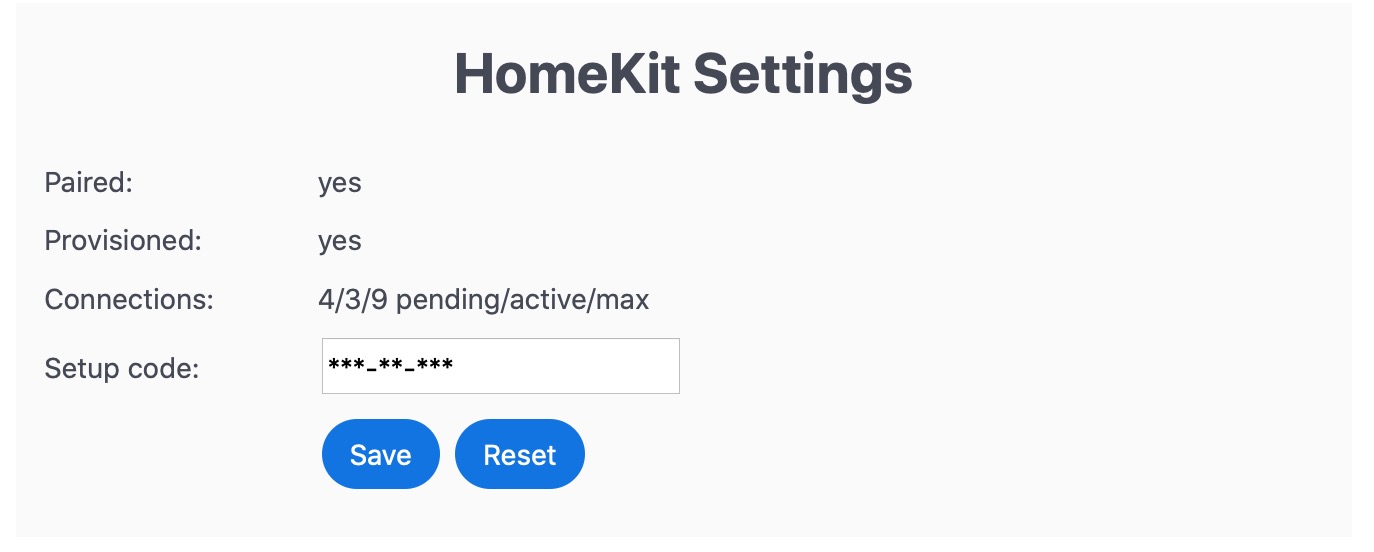
@rojer looks like the HomeKit connection has gone strange, I'll flash the dbg version so you can take a look
andyblac
on 14 Sep 2020
please test this firmware - https://rojer.me/files/shelly/2.1.0/
set input mode to "detached" and you should see a stateless switch show up in the app.
if everything is ok, this will become the next release.got it loaded on Shelly 2.5 and have SW1 in momentary mode & SW2 in detached mode,
1st issue changing input 2 name in webUI overwrites SW1 name, and input reverts back to default.
fixed this one, https://rojer.me/files/shelly/2.1.1/
2nd issue you now have double SW's in HomeKit, when in detached mode, can we hide the original SW please, so only the detached one shows. (this is confusing if you have 'show as separate tiles enabled)
well, it still works as an output via ui or homekit. if you want it hidden, set its HAP type to "disabled".
3rd everything is treated as a Long Press, via physical switch, ie once you have setup the 3 mode options in homekit, pressing the physical switch everything acts what has been setup as Long Press
update:
checking the webUI after pressing single, double or long, everything shows aslong press
how it's supposed to work:
- single press: input activated for less than 1s, then released
- double press: input activated for less than 0.5 s, released, activated again before 0.5.s, released before 1s
- long press: input held for 1 second or more
rojer
on 14 Sep 2020
@rojer looks like the HomeKit connection has gone strange, I'll flash the dbg version so you can take a look
4/3/9 pending/active/max
it's normal to have pending connections for a short time after reboot or reconfiguration. device will perform 1 new HAP handshake every 3 seconds to avoid resource spikes, newly acceptet connections will be held pending in the interim. it's only a problem if this persists.
rojer
on 14 Sep 2020
Ok, found the issues. File needs to be HTTP, not HTTPS. This was mentioned in the instructions, but I missed it the first time. My bad.
would adding a
testoption to my flash script be worth doing? so the script could flash test firmware.
we need to figure something out with beta/test firmware, yeah. what do you suggest? please file as a separate issue though.
rojer
on 14 Sep 2020
please test this firmware - https://rojer.me/files/shelly/2.1.0/
set input mode to "detached" and you should see a stateless switch show up in the app.
if everything is ok, this will become the next release.
Tested it myself just now. I can confirm the 1st and 3rd issues @andyblac found (name and long press). Will flash the new 2.1.1 to see if name issue is fixed.
I am also getting the pending connection indefinitely (up for 30 min now and still pending).
Additionally, I am using a traditional on/off switch (like this one). With the stock firmware, I would be able to trigger an action when the switch is turned either way (on and off). With this firmware, it seems that action is detected only when switch is turned from on to off. This might not be related to the test firmware just released, but guidance would be appreciated.
vladbisceanu
on 14 Sep 2020
loaded dbg version 2.1.1
saving names now fixed. did not noticed the new option to disable HAP thx. but 3 still exists, everything does Long Press actions.
andyblac
on 14 Sep 2020
@rojer can you take a look at switch shellyswitch25-8CAAB505B323 it still has 0/7/9 connections. whilst your in see if you see why everything is being actioned as Long Press
App: switch25 2.1.1 20200914-075243/2.1.1-1-g909fa7c-debug
Uptime: 602.53
RAM: 18320 free, 12952 min free
HAP config number: 27
HAP connection stats: 0/7/9
HAP connections:
 Total: 0
ok, let's figure out the single/double/long switch thing.
@andyblac what kind of a switch do you have?
@vladbisceanu you have what we call a _stateful_ switch. the HAP spec specifies a _stateless_ switch, a momentary one, that does not preserve its state. i guess you could still use this kind of switch to generate long-press events... the HAP service does not support reporting current state, the momentary switch only generates events.
rojer
on 14 Sep 2020
ok, let's figure out the single/double/long switch thing.
@andyblac what kind of a switch do you have?
Shelly 2.5 shellyswitch25-8CAAB505B323 debug firmware loaded
andyblac
on 14 Sep 2020
@andyblac
Shelly 2.5
no, i mean the physical input switch type. is it a button? a toggle switch?
rojer
on 14 Sep 2020
@andyblac
Shelly 2.5
no, i mean the physical input switch type. is it a button? a toggle switch?
ah sorry, momentary switch. push button
andyblac
on 14 Sep 2020
ok... i can see your device's logs. can you do a single press? i should see log entries and timestamps.
rojer
on 14 Sep 2020
see them?
andyblac
on 14 Sep 2020
want me to do a long press ?
andyblac
on 14 Sep 2020
yes.
[Sep 14 08:17:53.337] shellyswitch25-8CAAB505B323 1160 954.345 2 2|shelly_input.cpp:70     Input 2: change
[Sep 14 08:17:53.513] shellyswitch25-8CAAB505B323 1161 954.519 2 2|shelly_input.cpp:70     Input 2: change
[Sep 14 08:17:54.557] shellyswitch25-8CAAB505B323 1163 955.525 2 2|shelly_input.cpp:70     Input 2: long
indeed, this looks like a 200 ms press and release to me but for some reason we did not detect it as such. could be insufficient debouncing. let me add some more debug.
rojer
on 14 Sep 2020
Ok np
andyblac
on 14 Sep 2020
ok, a few more presses plz
rojer
on 14 Sep 2020
ok, let's figure out the single/double/long switch thing.
@vladbisceanu you have what we call a _stateful_ switch. the HAP spec specifies a _stateless_ switch, a momentary one, that does not preserve its state. i guess you could still use this kind of switch to generate long-press events... the HAP service does not support reporting current state, the momentary switch only generates events.
Understood. Makes complete sense. But shouldn't it generate an event when the switch is pressed either way? It can be the same event. My problem right now is that a long press is only generated when the switch moves from pos1 to pos2, but not from pos2 to pos1.
vladbisceanu
on 14 Sep 2020
ok, a few more presses plz
Done
andyblac
on 14 Sep 2020
[Sep 14 08:24:52.177] shellyswitch25-8CAAB505B323 1332 1373.167 2 3|shelly_input.cpp:129    Input 2: off, st 4
[Sep 14 08:24:52.177] shellyswitch25-8CAAB505B323 1333 1373.171 2 2|shelly_input.cpp:70     Input 2: change
[Sep 14 08:24:52.383] shellyswitch25-8CAAB505B323 1334 1373.373 2 3|shelly_input.cpp:129    Input 2: on, st 0
[Sep 14 08:24:52.383] shellyswitch25-8CAAB505B323 1335 1373.377 2 2|shelly_input.cpp:70     Input 2: change
[Sep 14 08:24:52.889] shellyswitch25-8CAAB505B323 1336 1373.883 2 3|shelly_input.cpp:177    Input 2: timer, st 1
[Sep 14 08:24:53.450] shellyswitch25-8CAAB505B323 1337 1374.388 2 3|shelly_input.cpp:177    Input 2: timer, st 4
[Sep 14 08:24:53.451] shellyswitch25-8CAAB505B323 1338 1374.392 2 2|shelly_input.cpp:70     Input 2: long
this tells me that your switch is "normally on" - when you press it, it goes from on to off briefly and then back. so either it's wired that way or my logic is backwards somewhere...
@vladbisceanu
But shouldn't it generate an event when the switch is pressed either way?
can you describe the behavior exactly? generate short press on any change?
rojer
on 14 Sep 2020
@rojer SW2 has nothing attached to the output of the physical switch, it is use to control my Soma Smart shades. On = Shades open, Off = Shade Closed.
andyblac
on 14 Sep 2020
@andyblac can you confirm whether your physical switch closes the "SW2" pin to "L" when pressed or does it keep normally closed and opens the circuit when pressed?
rojer
on 14 Sep 2020
@vladbisceanu
But shouldn't it generate an event when the switch is pressed either way?
can you describe the behavior exactly? generate short press on any change?
Long press event on position change from pos 1 to pos 2
No event on position change from pos 2 to pos 1
Also, here's what I see in the interface, if it helps:
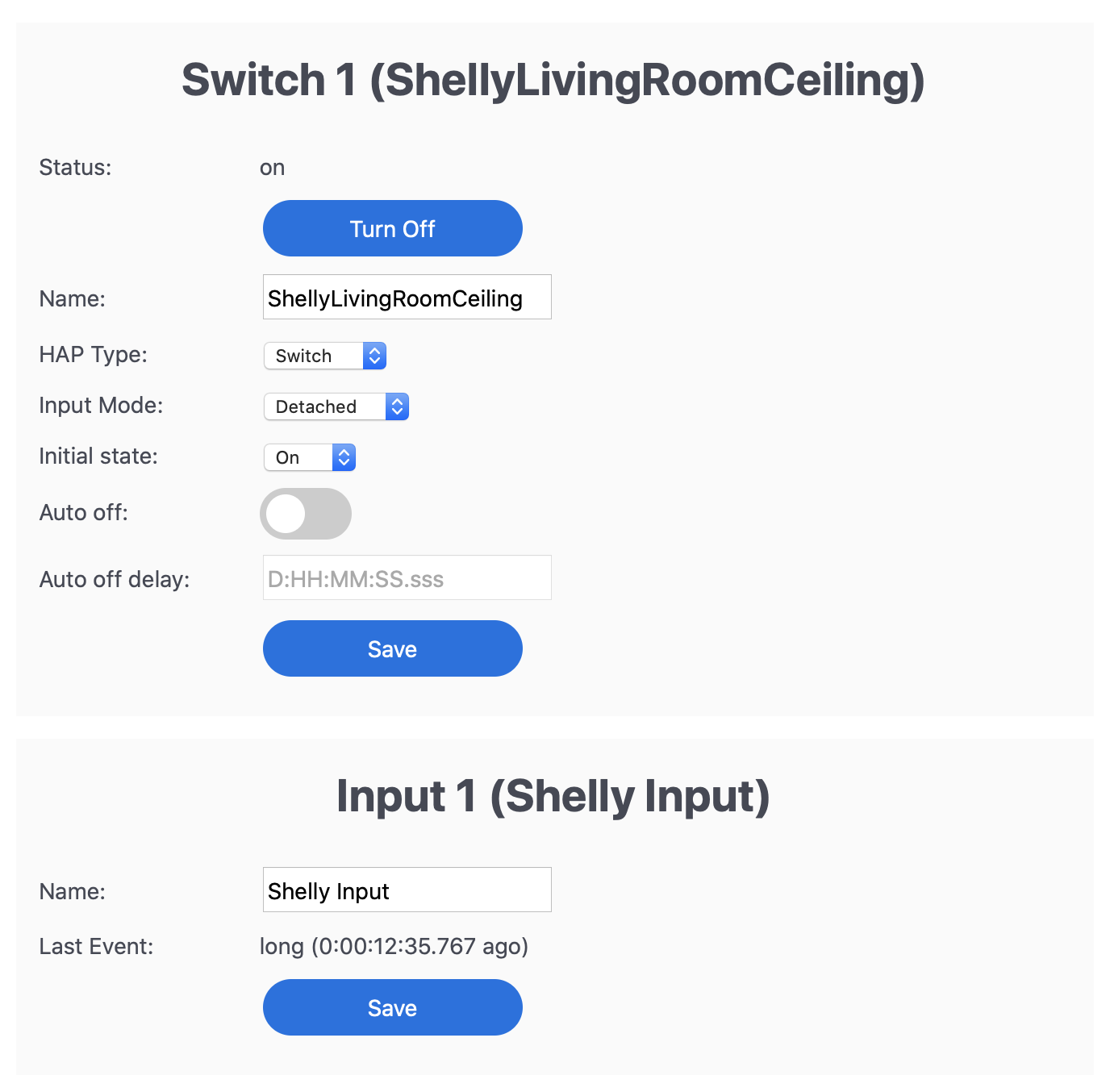
Was working fine detecting both on stock firmware one hour ago, so doubt it's my wiring (but I am a noob so that's still possible).
vladbisceanu
on 14 Sep 2020
@rojer let me setup SW1 to detached that has a light connected to the O on shelly.
andyblac
on 14 Sep 2020
@rojer SW2 has nothing attached to the output of the physical switch, it is use to control my Soma Smart shades. On = Shades open, Off = Shade Closed.
ok, i see. i will double-check my own setup here to verify the logic.
@vladbisceanu
Long press event on position change from pos 1 to pos 2
No event on position change from pos 2 to pos 1
this is the current behavior. but what do you ant it to be?
rojer
on 14 Sep 2020
@vladbisceanu
Long press event on position change from pos 1 to pos 2
No event on position change from pos 2 to pos 1this is the current behavior. but what do you ant it to be?
Oh, my bad.
Short/Long press on position change from pos 1 to pos 2
Short/Long press on position change from pos 2 to pos 1
This would be ideal, as then I would be able to build the logic inside Home app with a shortcut (if light on, turn off, if light off, turn on). Really, it doesn't matter what event are send. It can be the same event for both, it can be different. As long as an event IS sent for both presses. Hope it makes sense.
vladbisceanu
on 14 Sep 2020
It's worth mentioning that I fully intend on moving to momentary switches soon (see my comment above), so if this is hard to accomplish and/or I'm the only one asking for it, it is definitely not high priority. We're definitely talking uncommon edge cases here.
vladbisceanu
on 14 Sep 2020
@rojer setup SW1 in detached did it help ?
andyblac
on 14 Sep 2020
@vladbisceanu it's not difficult to implement, but i am struggling with how to explain and present it in the UI. it has to be an option, but how to call it? if you have an idea, let me know.
i also realized that we need an option for normally-closed setup.
setup SW1 in detached did it help ?
hm, still the same. i definitely need to take a close look at the logic.
rojer
on 14 Sep 2020
@vladbisceanu it's not difficult to implement, but i am struggling with how to explain and present it in the UI. it has to be an option, but how to call it? if you have an idea, let me know.
i also realized that we need an option for normally-closed setup.
how about if 'SWITCH' is chosen for HAP and "Detached" is chosen, you get a check box for "Stateless", and if ticked it actions the inout switch on every state change.
or simply add "Stateless" to INPUT modes.
andyblac
on 14 Sep 2020
@vladbisceanu it's not difficult to implement, but i am struggling with how to explain and present it in the UI. it has to be an option, but how to call it? if you have an idea, let me know.
i also realized that we need an option for normally-closed setup.how about if 'SWITCH' is chosen for HAP and "Detached" is chosen, you get a check box for "Stateless", and if ticked it actions the inout switch on every state change.
That sounds good. Or a dropdown for Switch Type - Momentary/Stateful. When stateful selected and detached is chosen, event is sent for every state change. Maybe less transparent at first, but it would also allow for future expansion, if that's ever desired.
vladbisceanu
on 14 Sep 2020
@vladbisceanu it's not difficult to implement, but i am struggling with how to explain and present it in the UI. it has to be an option, but how to call it? if you have an idea, let me know.
i also realized that we need an option for normally-closed setup.how about if 'SWITCH' is chosen for HAP and "Detached" is chosen, you get a check box for "Stateless", and if ticked it actions the inout switch on every state change.
That sounds good. Or a dropdown for Switch Type - Momentary/Stateful. When stateful selected and detached is chosen, event is sent for every state change. Maybe less transparent at first, but it would also allow for future expansion, if that's ever desired.
ye, or add a check box to INPUT 1 / 2 section for stateless.
andyblac
on 14 Sep 2020
here
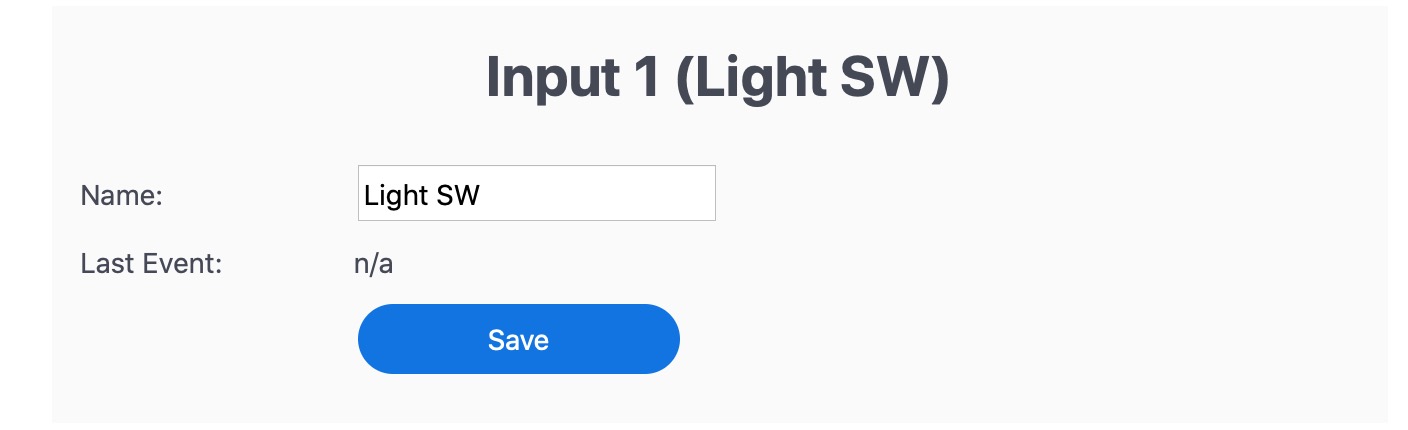
add a simple checkbox "Stateless"
andyblac
on 14 Sep 2020
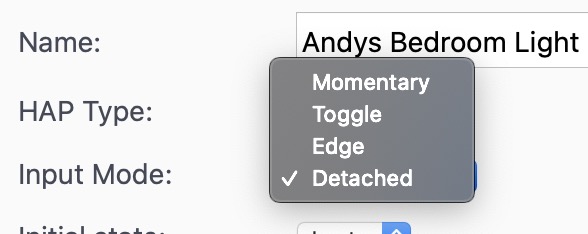
@vladbisceanu it's not difficult to implement, but i am struggling with how to explain and present it in the UI. it has to be an option, but how to call it? if you have an idea, let me know.
i also realized that we need an option for normally-closed setup.how about if 'SWITCH' is chosen for HAP and "Detached" is chosen, you get a check box for "Stateless", and if ticked it actions the inout switch on every state change.
That sounds good. Or a dropdown for Switch Type - Momentary/Stateful. When stateful selected and detached is chosen, event is sent for every state change. Maybe less transparent at first, but it would also allow for future expansion, if that's ever desired.
that would not work as Momentary and Detected is in the same drop down, and why I suggested a simple checkbox in Input section
andyblac
on 14 Sep 2020
@andyblac ok, looks like i got active state of inputs backwards, https://rojer.me/files/shelly/2.1.2/ is the fix. it whould start working for you now.
for detached switch modes, i'm thinking:
- momentary, normally off (default)
- momentary, normally on
- stateful, short press on change
- stateful, on = short / off = long
thoughts?
rojer
on 14 Sep 2020
@vladbisceanu it's not difficult to implement, but i am struggling with how to explain and present it in the UI. it has to be an option, but how to call it? if you have an idea, let me know.
i also realized that we need an option for normally-closed setup.how about if 'SWITCH' is chosen for HAP and "Detached" is chosen, you get a check box for "Stateless", and if ticked it actions the inout switch on every state change.
That sounds good. Or a dropdown for Switch Type - Momentary/Stateful. When stateful selected and detached is chosen, event is sent for every state change. Maybe less transparent at first, but it would also allow for future expansion, if that's ever desired.
that would not work as Momentary and Detected is in the same drop down, and why I suggested a simple checkbox in Input section
True. I think the Stateless checkbox you suggested is the most elegant one.
vladbisceanu
on 14 Sep 2020
@andyblac ok, looks like i got active state of inputs backwards, https://rojer.me/files/shelly/2.1.2/ is the fix. it whould start working for you now.
for detached switch modes, i'm thinking:
- momentary, normally off (default)
- momentary, normally on
- stateful, short press on change
- stateful, on = short / off = long
thoughts?
The 4 modes cover any use case I can think of. Sounds great. 👍
vladbisceanu
on 14 Sep 2020
@andyblac ok, looks like i got active state of inputs backwards, https://rojer.me/files/shelly/2.1.2/ is the fix. it whould start working for you now.
yup, fixed now thx.
andyblac
on 14 Sep 2020
for detached switch modes, i'm thinking:
- momentary, normally off (default)
- momentary, normally on
- stateful, short press on change
- stateful, on = short / off = long
thoughts?
IMO, too overly complicated, a simple checkbox in Input would service, I mean is stateless required outside a Detached mode ?
andyblac
on 14 Sep 2020
as if your using HomeKit shortcut to control the state
ie
If ww is xx do yy else zz
then state default state is irrelevant
andyblac
on 14 Sep 2020
the HAP service is a stateless switch, the physical switch we have connected can be stateless (momentary button) or stateful (toggle switch). momoentary button -> HAP stateless switch mapping is easy, perhaps adding normally closed option is of use, so that's option 2.
options 3 and 4 deal with mapping toggle switch to stateless switch events.
rojer
on 14 Sep 2020
ok, I'm little confused, as to why you would want the switch detached if something is connect to the O of the shelly ?
andyblac
on 14 Sep 2020
but anyway, imo these options should be included in the INPUT section of the webUI, and do not change the HAP or Type sections.
andyblac
on 14 Sep 2020
ok, I'm little confused, as to why you would want the switch detached if something is connect to the O of the shelly ?
In my use case, redundancy. I have smart lights connected to the Shelly. I'm using the shelly mostly to be able to control them via dumb wall switched in detached mode but still have direct control over the power, if needed (ex: bulb factory reset, smart bulb is broken and needs to be replaced with dumb one etc).
vladbisceanu
on 14 Sep 2020
@andyblac yep, i'll add a dropdown with these four into the section that appears when you detach the input.
rojer
on 14 Sep 2020
ok, thank you both for feedback, i have to "go" to my day job now, i'll get back to shelly this evening.
rojer
on 14 Sep 2020
ok, thank you both for feedback, i have to "go" to my day job now, i'll get back to shelly this evening.
Thanks a lot for the responsiveness and time! Looking forward to testing the next iteration. I finally placed my order for 20 shellys today and your firmware was the decisive factor.
Cheers!
vladbisceanu
on 14 Sep 2020
@rojer thanks for implementing this.
andyblac
on 14 Sep 2020
@rojer do you want me to open a HAP Connections issue for the new issue we have ?
edit:
hmm it seems to have fix itself in 2.1.2
andyblac
on 14 Sep 2020
mm... do we have a new issue? while your device was sending logs, i looked at the connection activity and it seemed normal.
one of the many changes in 2.1 (stateless input is the only new feature, but it's more or less a complete rewrite of the app) is that HAP server is now restarted as needed instead of asking the user to reboot the device. HAP server needs to be restarted when there are changes to services or characteristics. when server restarts, all the clients reconnect, and connection rate limiting logic keeps them queued until they are all admitted, one every 3 seconds. so after reconfiguring the device, you may see some pending connections that should slowly migrate into active. if that's not what you see - yeah, open a new issue.
rojer
on 14 Sep 2020
seem ok now in 2.1.2 but there was an issue in 2.1.0.
andyblac
on 14 Sep 2020
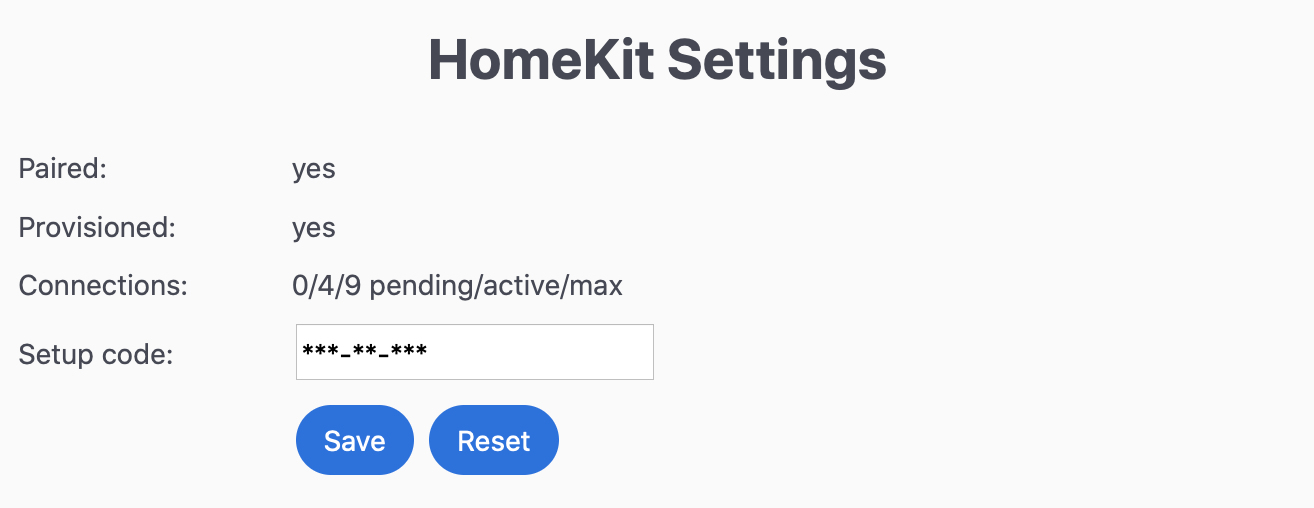
@rojer @andyblac stays like this for me as well in 2.1.2:
vladbisceanu
on 14 Sep 2020
Switch does appear to work as normal tho, maybe except for a 3-4 sec. delay from press to action. Not sure what the downside of this is. Will open a separate issue and we can debug later.
vladbisceanu
on 14 Sep 2020
@rojer @andyblac stays like this for me as well in 2.1.2:
thats ok 4 active with 9 max, we have no pending now like before.
andyblac
on 14 Sep 2020
Ok, my bad. Still piecing together how this works. Will close the other issue as well.
vladbisceanu
on 14 Sep 2020
@rojer slight issue with version number in 2.1.2
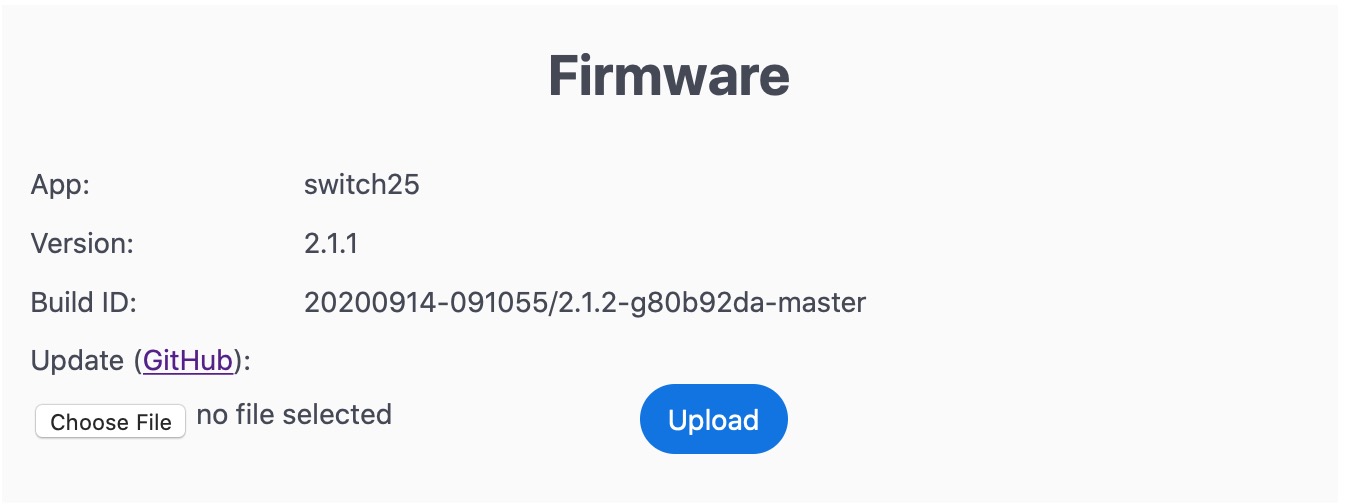
it been listed as 2.0.1
andyblac
on 14 Sep 2020
ok found a strange bug,
Shelly 2.5
when shown as separate tiles, and SW1 is using Momentary mode, and SW2 is using Detached mode. if you have SW1 included in Favourites and SW2 and INPUT2 as not included in favs, SW1 is indeed on front page in Home App, but so is INPUT2, if you go back into INPUT2 settings in Home App and disable it so "include in favs" is off, it removes both SW1 and INPUT2 from front page in Home App, but SW2 is not included as it should be.
so it seems INPUT2 is somehow linked to SW1.
andyblac
on 14 Sep 2020
@vladbisceanu try https://rojer.me/files/shelly/2.1.3/, it has toggle switch support as discussed. on further reflection, i decided not to do "momentary, normally on" support for now, it requires additional internal changes and there's no clear need for it.
@andyblac i can't reproduce the issue you described. i followed the steps exactly as well as tried some other permutations and i can control favorite status independently for all widgets with no apparent dependencies. so, not sure what to do here. @vladbisceanu , can you add/remove widgets to favorites independently or do you see issues like Andy does?
rojer
on 14 Sep 2020
@andyblac i can't reproduce the issue you described. i followed the steps exactly as well as tried some other permutations and i can control favorite status independently for all widgets with no apparent dependencies. so, not sure what to do here. @vladbisceanu , can you add/remove widgets to favorites independently or do you see issues like Andy does?
andyblac
on 14 Sep 2020
@andyblac i see but i do not understand... :) does it reproduce on other iDevices? with other switches?
rojer
on 14 Sep 2020
@andyblac i see but i do not understand... :) does it reproduce on other iDevices? with other switches?
no just INPUT2 and SW1, SW2 is fine it can be on or off front page
andyblac
on 14 Sep 2020
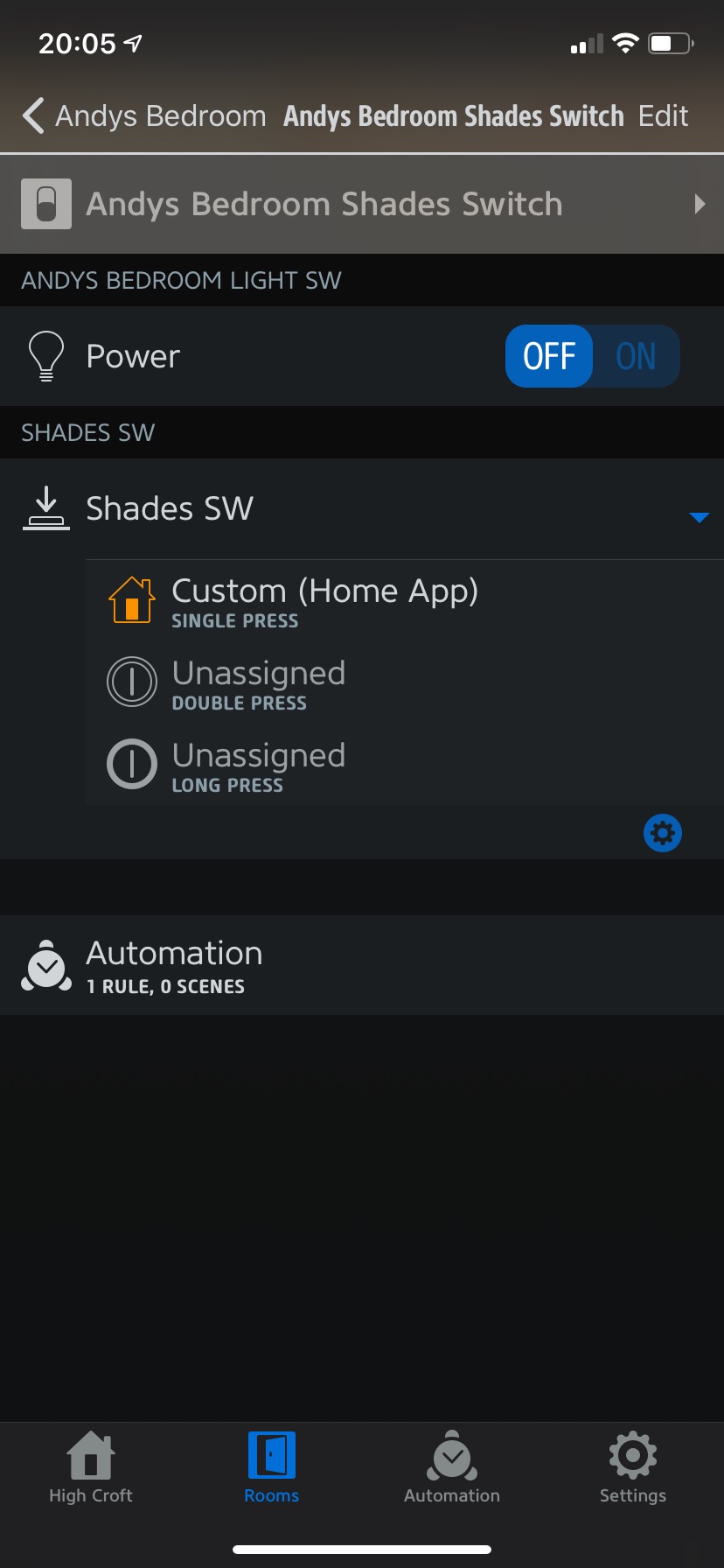
hmm look even Hue app see's them as one switch.
andyblac
on 14 Sep 2020
on further inspection, I think it the Accessory name, if you rename INPUT2 in homekit, it also renames the device name in HomeKit
andyblac
on 14 Sep 2020
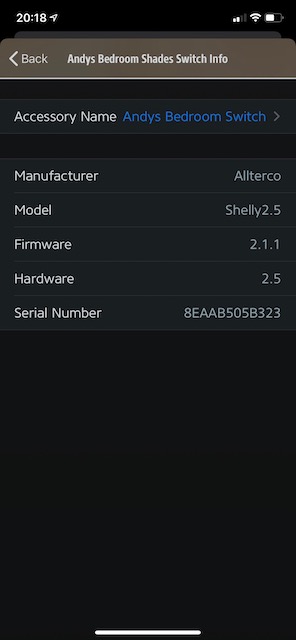
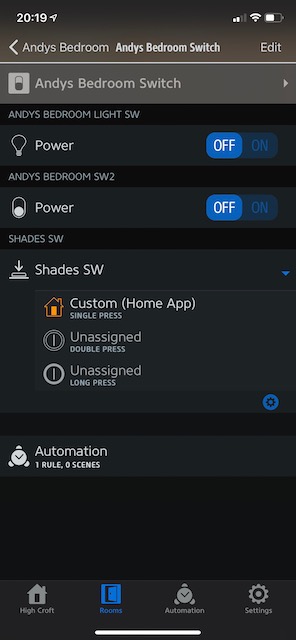
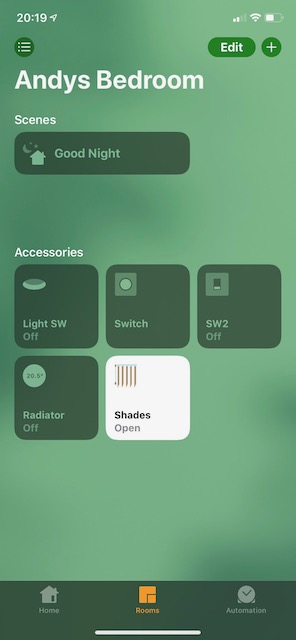
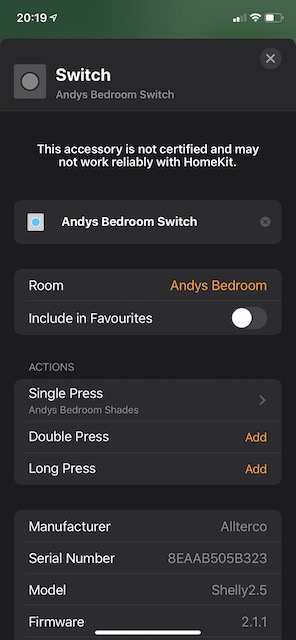
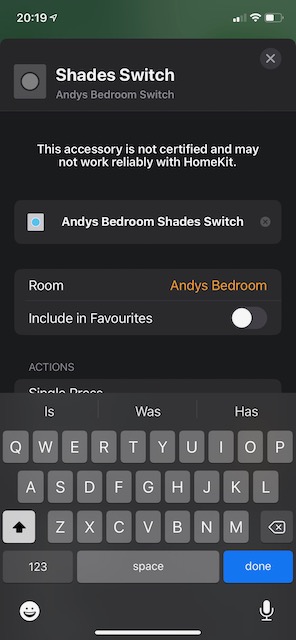
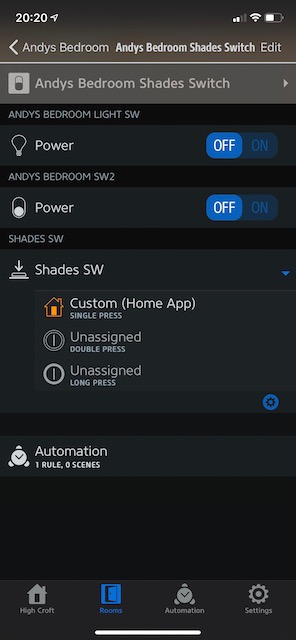
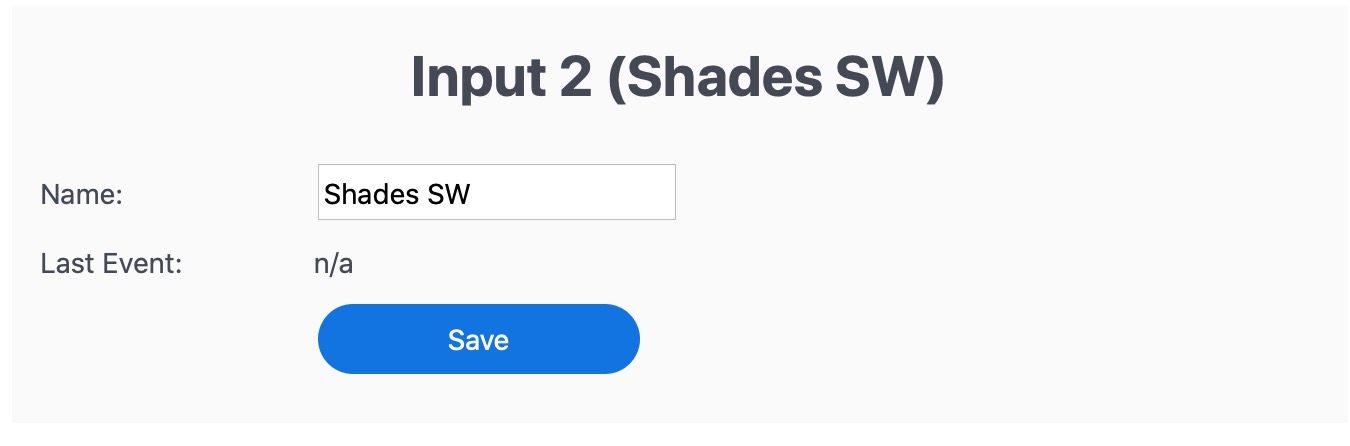
andyblac
on 14 Sep 2020
I think it the Accessory name, if you rename INPUT2 in homekit, it also renames the device name in HomeKit
sorry, i don't quite parse that. can you elaborate?
rojer
on 14 Sep 2020
I think it the Accessory name, if you rename INPUT2 in homekit, it also renames the device name in HomeKit
sorry, i don't quite parse that. can you elaborate?
in HomeKit if you have it as a single title thats the Device Name, but if you have as separate titles SW1 & SW2 can be renamed those are Accessories.
as INPUT2 is not part of show as separate tile it seems to be treated as part of the main device, so if you try to rename INPUT it also rename the Main Device.
andyblac
on 14 Sep 2020
also as INPUT is not part of show as separate title, it is always show, maybe make it part of the Main Device, ie make it have 3 tiles not 2 for a Shelly 2.5
andyblac
on 14 Sep 2020
i'm super confused now... can you confirm this behavior with a different shelly device?
also, do input detached from SW1 + SW2 behave the same way?
rojer
on 14 Sep 2020
@vladbisceanu try https://rojer.me/files/shelly/2.1.3/, it has toggle switch support as discussed. on further reflection, i decided not to do "momentary, normally on" support for now, it requires additional internal changes and there's no clear need for it.
@andyblac i can't reproduce the issue you described. i followed the steps exactly as well as tried some other permutations and i can control favorite status independently for all widgets with no apparent dependencies. so, not sure what to do here. @vladbisceanu , can you add/remove widgets to favorites independently or do you see issues like Andy does?
All right, I was in a few meetings so far so wasn't able to reply. Just installed 2.1.3 and:
- I can confirm that both toggle on=off=single and toggle on=single off=double work as expected. this is AWESOME
- I can also confirm that, like @andyblac mentioned, I am unable to remove the button/switch from favourites in the Home App independently. Both seem to be linked to the virtual button (the one with single, double and long press). IF I remove that from favs, both go away. IF I only remove the relay button, neither go away.
Hope this helps. Let me know if I can help with more debugging.
vladbisceanu
on 14 Sep 2020
yes same on Shelly 1
try yourself it easy on shelly1
flash it
put in Detached mode
save
go to homeKit, you will see accessories, try to rename the detached accessory, it will also rename the SW1 as well
andyblac
on 14 Sep 2020
Just to elaborate on my use case: I have a Shelly1 set in Detached Mode, so I am seeing 2 accessories in Home App. The virtual button linked to the physical switch, which has the single/double/long press actions AND the toggle that controls the Shelly relay in the Home App.
@andyblac , just renamed the detached accessory, as suggested. Indeed the other switch is renamed at the same time. The two seem to be linked.
vladbisceanu
on 14 Sep 2020
@vladbisceanu ok, thanks for confirming. i need to reproduce it somehow which so far i'm unable to.
can you try removing the accessory from home and re-adding it?
rojer
on 14 Sep 2020
@vladbisceanu ok, thanks for confirming. i need to reproduce it somehow which so far i'm unable to.
can you try removing the accessory from home and re-adding it?
@rojer try yourself it easy on shelly1
flash it
put in Detached mode
save
go to homeKit, you will see accessories, try to rename the detached accessory, it will also rename the SW1 as well
andyblac
on 14 Sep 2020
and now both are locked, the device icons no longer update if tap on then in HomeKit, and you can no longer rename them.
but device seem to be switching.
andyblac
on 14 Sep 2020
@vladbisceanu ok, thanks for confirming. i need to reproduce it somehow which so far i'm unable to.
can you try removing the accessory from home and re-adding it?
Ok, did the following:
- Removed accessories from Home App
- Restarted HomeKit from Shelly web interface
- Chose a different pin
- Re-added accessory in Home App
This seems to have fixed it. I am now able to rename one without affecting the other and keep only one in Favourites 👍🏻
@andyblac can you also try?
vladbisceanu
on 14 Sep 2020
Never mind. Turns out I just removed the SW1 and I had 2 detached switches. I also removed the old detached switch and now the current SW1 and detached are still linked, as mentioned above.
vladbisceanu
on 14 Sep 2020
@vladbisceanu ok, thanks for confirming. i need to reproduce it somehow which so far i'm unable to.
can you try removing the accessory from home and re-adding it?Ok, did the following:
- Removed accessories from Home App
- Restarted HomeKit from Shelly web interface
- Chose a different pin
- Re-added accessory in Home App
This seems to have fixed it. I am now able to rename one without affecting the other and keep only one in Favourites 👍🏻
@andyblac can you also try?
nope not work here
did the following:
Removed accessories from Home App
Restarted HomeKit from Shelly web interface
Chose a different pin
Made sure Mode was Momentary.
Re-added accessory in Home App
Changed Mode too Detached.
as issue.
andyblac
on 14 Sep 2020
ok, i see. and can you try removing and adding it with input already detached?
rojer
on 14 Sep 2020
Here's a recording of what's happening on my side: https://share.icloud.com/photos/0uEVBu5Rmn6YOuDH4lzikls6w
It's extra weird because in the SW accessory, the name IS different ("Ceiling Shelly"), but it's still being displayed with the name of the detached accessory ("Light Switch"). This kinda looks like a display issue. Like somehow HomeKit is drawing info for both from one entity.
vladbisceanu
on 14 Sep 2020
ok, i see. and can you try removing and adding it with input already detached?
Tried it. Same result on my side.
vladbisceanu
on 14 Sep 2020
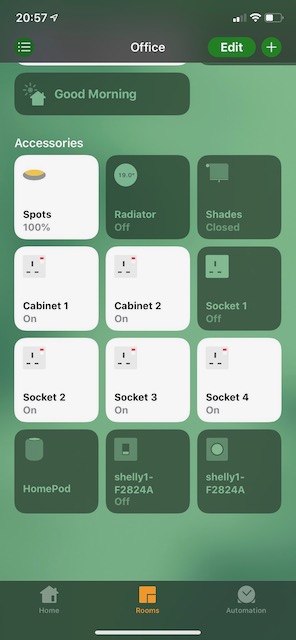
same but, if defiantly naming issue look at add screen then look at names when added.
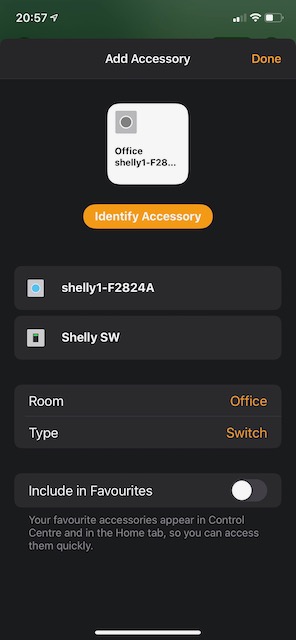
andyblac
on 14 Sep 2020
spent today on this. i still cannot reproduce it on either of my devices, with shelly1 or 2.5, in any combination.
re-read the spec and anything i could find related to stateless switch service.
fixed a minor issue with accessory schema, pushed 2.1.4 - https://rojer.me/files/shelly/2.1.4/
please try it.
one more experiment: please create a new, empty Home and add an accessory there, let me know if this reproduces the issue or not.
also, what iOS version are you using?
rojer
on 16 Sep 2020
@rojer good morning, I created a new home, update shelly1 to 2.1.4 and added it. sorry to say it behaves the same. I'm running iOS 13.7
andyblac
on 16 Sep 2020
I'm running iOS 13.7
hm, maybe that's the key difference? i'm using older ihone and ipad with iOS 12.4.8
rojer
on 16 Sep 2020
ye maybe, doesn't 12.xx not support show as separate tiles ?
andyblac
on 16 Sep 2020
ie, accessories are treated differently in 13 a single device with multiple accessories are now treated as a single device, but in 12.xx there where treated as separate devices.
andyblac
on 16 Sep 2020
how did you add the 2 switches in a shelly2.5, that does support the "Show as separate tiles" / "Show as single tile" but the new detached INPUT switch dose not, is it handled differently in the code compared to SW2 ?
andyblac
on 16 Sep 2020
can you try tweaking the code so that is treated as a 2nd SW in the shelly 1?, and in the shelly2.5 as 4 SW's
andyblac
on 16 Sep 2020
or if it is treated the same as the Shelly 2.5, try separate it, maybe a stateless switch is not support as single device ie one that supports "Show as single tile"
andyblac
on 16 Sep 2020
honestly, i don't know if there are any differences between 12 and 13.
can you try tweaking the code so that is treated as a 2nd SW in the shelly 1?, and in the shelly2.5 as 4 SW's
the thing is, they are already as independent as can be. completely independent services, there's nothing in the code that links them in any way. this is why it's so puzzling to me.
rojer
on 16 Sep 2020
honestly, i don't know if there are any differences between 12 and 13.
can you try tweaking the code so that is treated as a 2nd SW in the shelly 1?, and in the shelly2.5 as 4 SW's
the thing is, they are already as independent as can be. completely independent services, there's nothing in the code that links them in any way. this is why it's so puzzling to me.
hmm, when you add your does it rename the 2 accessories to the same name ?, if not it does sound like it is an iOS13 issue. how it is treating the accessories.
andyblac
on 16 Sep 2020
I have just enabled Detached on SW1 and SW2 on a shelly2.5, and it is treating the detached with as 1 accessory see below is yours ?
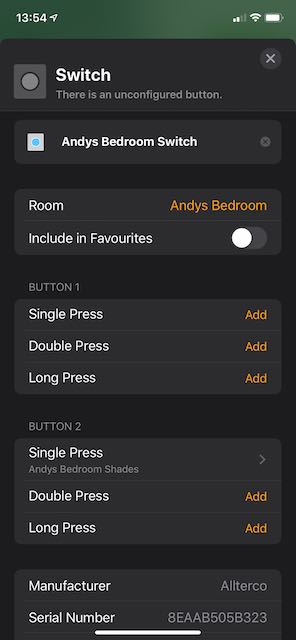
so, there is defiantly some links going on.
andyblac
on 16 Sep 2020
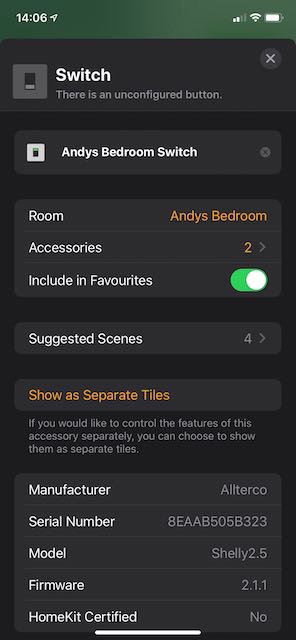
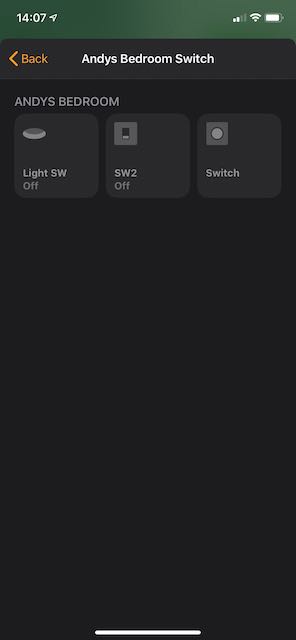
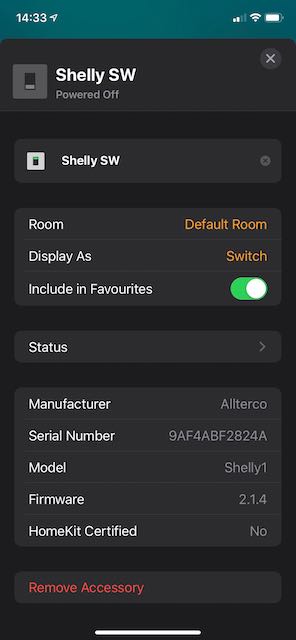
imo it seems iOS 13 is treating as a single device, and as such the favs and names are linked, to use different names for SW1 & SW2 in iOS you have to enable "Show as separate tiles" in settings, this then allows you to rename SW1 & SW2, but for some reason the detached switch is not part of this option, and thus it seems to be treating it as part of the main device.
see below, when you have as "Single tile" you will see that it only says it has 2 accessories, but when go into the setting it lists 3, and the detached title has the 2 switches one for each SW in detached mode.
andyblac
on 16 Sep 2020
so because the detached sw is not being separated it is not being allowed to be controlled separately. so maybe you can read in apple's HAP about grouped accessories ?
andyblac
on 16 Sep 2020
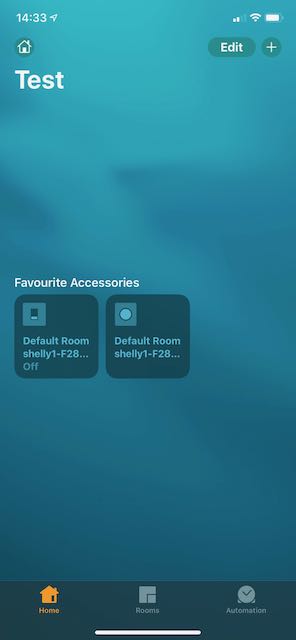
and shelly1 does not have the "Show as Separate Tiles"
andyblac
on 16 Sep 2020
here's how it behaves on my ipad mini 2 (ios 12): https://rojer.me/files/RPReplay_Final1600260988.mp4
everything is completely normal. it's even smart enough to not add the stateless switch to favorites by default...
rojer
on 16 Sep 2020
ye, thats 2 separate devices, in iOS13 it now 1 Device with 2 Accessories, in iOS13 we only see 1 Device when adding.
andyblac
on 16 Sep 2020
in the firmware we only export 1 accessory with separate services. either way, i need to get an ios 13 device to test.
rojer
on 16 Sep 2020
like this https://youtu.be/4G2JgdAIsXk
andyblac
on 16 Sep 2020
why and how it puts them together is beyond me... they are completely different services. yes, within the same accessory, but so are the normal switches, when inputs are not detached, and they behave normally.
rojer
on 16 Sep 2020
thats the thing iOS13 treats the single Accessory as just that 1 tile, unless you choose to separate, but it seems that you are not allowed to mix types ie switches and stateless, it seem it does not know how to mange them properly.
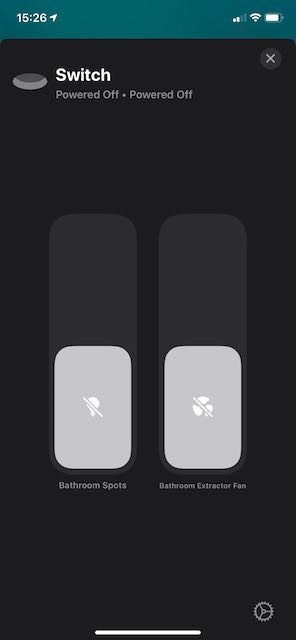
this is how a Shelly2.5 is shown in iOS13 as default (ie as a single tile)
andyblac
on 16 Sep 2020
oh, i see... so with ios 13 we need to split everything into separate accessories, is that what you're saying?
rojer
on 16 Sep 2020
or just the different types ie Switch / Sateless. then we should be able to manage correctly.
but, if it is easier yes, this would also fix the issue, that iOS13 does not allow a single Accessory (Shelly2.5) to be split into separate rooms.
andyblac
on 16 Sep 2020
or just the different types ie Switch / Sateless.
well, they are already different types. ok, so basically, having statefule and stateless switches within the same accessory confuses iOS 13. ugh.
this would also fix the issue, that iOS13 does not allow a single Accessory (Shelly2.5) to be split into separate rooms.
yeah, there's a separate issue about that.
i was under the impression that we need to run a separate server for each new accessory, we cannot afford more servers. but now i'm not so sure, it appears that you can register multiple accessories under one server. then it would be trivial. ok, i'll look into it later. thanks for bearing with me!
rojer
on 16 Sep 2020
no, we need to thank you for all the effort on this one.
so Big Thanks!!!
andyblac
on 16 Sep 2020
@rojer could you try just creating a new Accessory for the detached switch, then if that works, maybe a checkbox allowing user to choose to separate the Shelly2.5 SW's into separate accessories?
maybe try on Shelly 1 1st, as that only has a single switch.
andyblac
on 16 Sep 2020
i was going to try to split all the switches into separate accessories. do you see any disadvantage to that? is there a case where having two switches in the same accessory would be better?
rojer
on 16 Sep 2020
i was going to try to split all the switches into separate accessories. do you see any disadvantage to that? is there a case where having two switches in the same accessory would be better?
some people prefer the new iOS layout, have one tile for both switches, but still be able to ask Siri to switch them individually.
if you just use the old Grouping way you can't, as Siri just see's it as 1 switch. IIRC
but from a personal view point, no I don't mind either way.
andyblac
on 16 Sep 2020
also with grouping method you can't mix types, SW1 set to Light and SW2 set to Fan, you would not be able to Group them into 1 tile.
andyblac
on 16 Sep 2020
also please do not split up Detached Accessory in to 2 accessories for Shelly2.5, as IMO there is no point, as you can't interact with it in HomeKit. It can only be used to setup the actions.
andyblac
on 16 Sep 2020
please do not split up Detached Accessory in to 2 accessories for Shelly2.5
so in shelly 2.5 with both inouts detached, you suggest we create 3 accessoris: (sw1) (sw2) (in1 in2) - like that?
i looked into the question of multiple accessories. i think we can do it if we pretend we are a bridge. the protocol specofoes that an accessory can bridge other accessories, and export them in addition to itself.
the intention is to act as a proxy for accessories that do not support WiFi or BLE, but i guess we can pretend.
i am more concerned about the following statement:
Any accessories, regardless of transport, that enable physical access to the home, such as door locks, must not
be bridged. Accessories that support IP transports, such as Wi-Fi, must not be bridged. Accessories that support
Bluetooth LE that can be controlled, such as a light bulb, must not be bridged. Accessories that support Bluetooth LE
that only provide data, such as a temperature sensor, and accessories that support other transports, such as a ZigBee
light bulb or a proprietary RF sensor, may be bridged.
we do have a "lock" service for our switches, i wonder if iOS will refuse to recognize them if they are exported by a non-primary accessory...
i don't actually see any special treatment for bridged accessories in the library, they seem to be enumerated and handled in the same way as the primary.
rojer
on 16 Sep 2020
so in shelly 2.5 with both inouts detached, you suggest we create 3 accessoris:
(sw1) (sw2) (in1 in2)- like that?
yes, thats correct.
I am here to test anything you was me to, have spare Shelly 1 / Shelly 2.5 that I can test with.
andyblac
on 16 Sep 2020
Any accessories, regardless of transport, that enable physical access to the home, such as door locks, must not
be bridged. Accessories that support IP transports, such as Wi-Fi, must not be bridged. Accessories that support
Bluetooth LE that can be controlled, such as a light bulb, must not be bridged. Accessories that support Bluetooth LE
that only provide data, such as a temperature sensor, and accessories that support other transports, such as a ZigBee
light bulb or a proprietary RF sensor, may be bridged.
we do have a "lock" service for our switches, i wonder if iOS will refuse to recognize them if they are exported by a non-primary accessory...
i don't actually see any special treatment for bridged accessories in the library, they seem to be enumerated and handled in the same way as the primary.
thats strange, because Philips Hue new bulbs support BlueTooth and are still controlled for HomeKit via there Hue Bridge. So if they say you can not have a Bluetooth Accessory that is controlled via a Bridge how is Philips Hue doing it?
andyblac
on 16 Sep 2020
@andyblac @vladbisceanu ok, this is only for shelly1 and super hacky, but worth testing - https://rojer.me/files/shelly/2.1.5-alpha/
the way it works is: if input is not detached, it will create a single primary accessory, as before.
if input is detached, it will create a bridge with 2 accessories: a switch and a stateless input.
let me know if it behaves any better than 2.1.4
rojer
on 17 Sep 2020
just a update, it was even worse in iOS14, the detached switch would not show at all unless you used the setting "show as single tile".
anyway, I have update to 2.1.5-alpha and guess what.....
it works!!
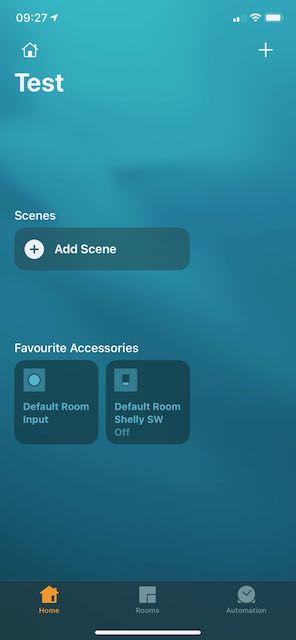
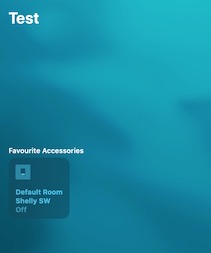
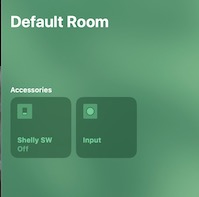
andyblac
on 17 Sep 2020
bridge does say it has 2 accessories, but when you go inside it only shows one, but every thing seems to be working.
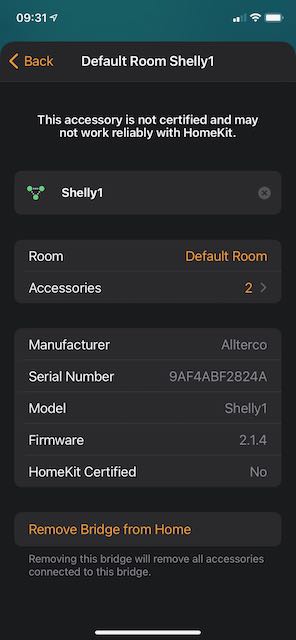
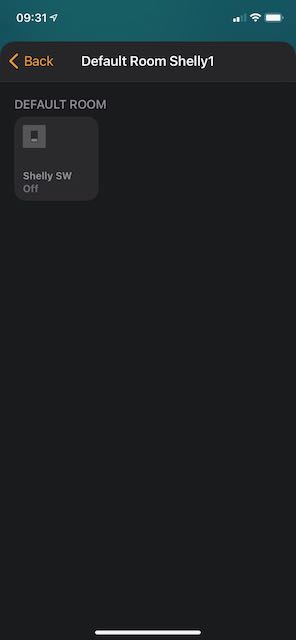
andyblac
on 17 Sep 2020
hm, for me it shows both.
ok, that's good news. now the tricky part: how to handle shelly 2.5 in default (no detached inputs) case and how to deal with existing accessories.
ideally, i think for shelly 2.5 we should start in bridge mode with two switches, which should also take care of https://github.com/mongoose-os-apps/shelly-homekit/issues/18. but i'm afraid if we make the change, accessories will lose their actions and other bits of user configuration on firmware update, which is not a good experience.
rojer
on 17 Sep 2020
hm, for me it shows both.
ok, that's good news. now the tricky part: how to handle shelly 2.5 in default (no detached inputs) case and how to deal with existing accessories.
ideally, i think for shelly 2.5 we should start in bridge mode with two switches, which should also take care of #18. but i'm afraid if we make the change, accessories will lose their actions and other bits of user configuration on firmware update, which is not a good experience.
try it I'll flash it to my 2.5 and report back, I think as long as you do not rest the HomeKit ID it should keep all the settings.
edit:
or did you mean in the webUI ?
andyblac
on 17 Sep 2020
as long as you do not rest the HomeKit ID it should keep all the settings
that's the thing though - accessory id will change. we used to shove everything into primary accessory (id 1), now we'll have separate accessory for each switch, and they are necessarily different.
or did you mean in the webUI ?
no i mean in the home app
rojer
on 17 Sep 2020
give it a go, I'll be your guinea pig. 😄
andyblac
on 17 Sep 2020
here's what i think should be guiding principles:
1) existing HAP setup must not break after firmware update.
(*) it's ok to break setups that have detached inputs already, i doubt there are many of them; preserving their HAP accessory setup would be just too cumbersome.
2) simple things should stay simple: a shelly1 with non-detached input should be represented by a single switch accessory
3) it's ok to break things after explicit user action (such as detaching an input)
so, given that, here's what i think we'll do:
- single-switch devices (1, 1PM, plug) are exported as a single accessory
- any additional service (such as resulting from detaching an input) puts device into a bridge mode, which forces services to be re-enumerated and things to break. but that's ok.
- multi-switch devices (2, 2.5) start in bridge mode when freshly set up
- when upgraded, their existing HAP service configuration will be preserved until a manual config change or HAP reset (via button on the web ui).
- unless one of the switches has a detached input, in which case we know it's going to be messed up, so better just to bite the bullet. again, there won't be many of these.
rojer
on 17 Sep 2020
sounds good.
andyblac
on 17 Sep 2020
please test https://rojer.me/files/shelly/2.1.5/
i am especially interested in upgrade testing as well as switching detached inputs on and off
rojer
on 18 Sep 2020
please test https://rojer.me/files/shelly/2.1.5/
i am especially interested in upgrade testing as well as switching detached inputs on and off
ok, updated to 2.15, 1st I down graded to 2.0.12, setup shelly, then proceeded to update to 2.1.5,
- All setting where lost as you expected (IMO not a big deal)
- The accessory is shown with 2 services
- Selecting "Show as separate tiles" works, it does show the 2 tiles in HomeKit Room.
- I then proceeded to try to move SW2 to a separate Room, that works now too.
- I then enabled "Detached" mode on SW2 (after moving it back to previous room, it does indeed show the INPUT tile.
- I proceeded to setup Button 2 Single Press, and try the physical switch it works. (I use a momentary switch type, so I can only test that, not the other 2 options)
- I then tried to disable Favourites for SW2 and the INPUT tiles, that works too.
so IMO everything works as expected, and IMO loosing settings on upgrade to 2.1.5 is not a big deal.
andyblac
on 18 Sep 2020
All setting where lost as you expected (IMO not a big deal)
did you have any detached inputs? this is not supposed to happen.
rojer
on 18 Sep 2020
All setting where lost as you expected (IMO not a big deal)
did you have any detached inputs? this is not supposed to happen.
I downgraded to 2.0.12, and when I upgrade back to 2.1.5, I had to set things up again ie switch names, separate tiles, set favs etc
andyblac
on 18 Sep 2020
i understand and that's what i would like to avoid in topical settings, that is unless the user has detached inputs.
so, if you upgrade shelly 2.5 from a simple 2 seitch configuration, everything should be preserved.
rojer
on 18 Sep 2020
but, as I said it didn't, I was on 2.0.12 simple config.
andyblac
on 18 Sep 2020
@andyblac the following is working for me with shelly 2.5:
- Flash 2.0.12
- Reset HAP from web UI, set new code (may be needed if going from later version, as server refuses to start up with downgraded version)
- Add to Home app
- Customize switches - give them non-default names, assign to a different room (they both get reassigned)
- Upgrade to 2.1.5
- Observe that nothing changes, accessories are preserved
- Change switch type of switch 1
- Customizations (though not room assignment) are lost due to conversion to a hub accessory at this point
rojer
on 18 Sep 2020
Ok I did not reset homekit code and remove and re add do you want me to test that ?
andyblac
on 18 Sep 2020
yeah, try what i did, i'd loike to know how it behaves on newer ios
rojer
on 18 Sep 2020
ok, it worse did the following
- Flash 2.0.12
- Reset HAP from web UI, set new code (may be needed if going from later version, as server refuses to start up with downgraded version)
- Add to Home app
- Customize switches - give them non-default names, assign to a different room (they both get reassigned)
- Upgrade to 2.1.5
when I got to here, this is what I got, but after about 20 secs, it corrected it self.
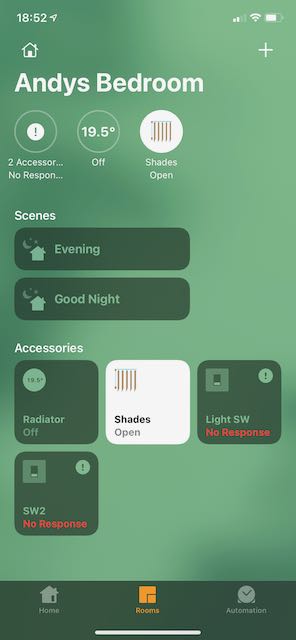
anyway, after It came back online. continued.
Observe that nothing changes, accessories are preserved
- noticed
- Display as separate tiles was kept.
- Switch names where reset to default in webUI
- "Display As" was unset (back to switch from light), and icon was back to Switch obviously.
redid config again in homekit
- Change switch type of switch 1
- Customisations are kept.
andyblac
on 18 Sep 2020
when I got to here, this is what I got, but after about 20 secs, it corrected it self.
you mean you got "no response" but it re-established connection in 20 seconds?
Switch names where reset to default in webUI
"Display As" was unset (back to switch from light), and icon was back to Switch obviously.
so you lost name customization on the accessories, right?
why does it happen, i wonder... ok, time to do a close schema comparison.
rojer
on 18 Sep 2020
when I got to here, this is what I got, but after about 20 secs, it corrected it self.
you mean you got "no response" but it re-established connection in 20 seconds?
yes
Switch names where reset to default in webUI
"Display As" was unset (back to switch from light), and icon was back to Switch obviously.so you lost name customization on the accessories, right?
why does it happen, i wonder... ok, time to do a close schema comparison.
names and types SW1 was set to "Light" and icon was changed from default to down light like this
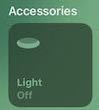
andyblac
on 18 Sep 2020
ok, i found a slight difference in service definition between 2.0.12 and 2.1.5 in compatibility mode.
built and pushed 2.1.6, please try it - https://rojer.me/files/shelly/2.1.6/
rojer
on 18 Sep 2020
getting his on webUI load
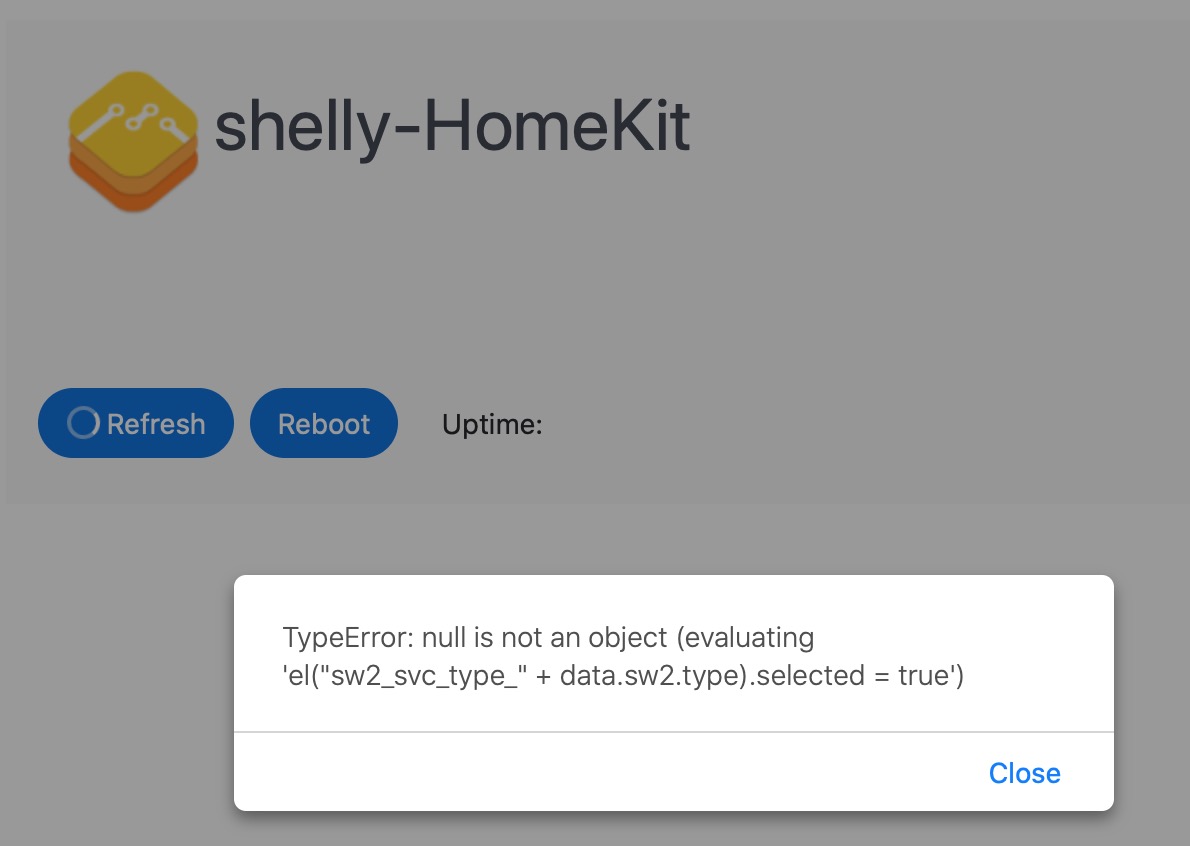
andyblac
on 18 Sep 2020
looks like old UI is fetching data from new firmware. refresh the page to update html.
rojer
on 18 Sep 2020
tried. won't load page fully.
andyblac
on 18 Sep 2020
happened when I flash 2.0.12 back to device.
I'll refresh again sec
andyblac
on 18 Sep 2020
it's definitely web page / fw mismatch, refresh a couple times
rojer
on 18 Sep 2020
tried different browser same....
andyblac
on 18 Sep 2020
i'l refresh 2.1.5 and disable detached maybe it that.
andyblac
on 18 Sep 2020
yup that was it.
andyblac
on 18 Sep 2020
oh, i see. 2.0.12 does not support the value for the switch, so the element cannot be resolved.
yeah... well, ok, i understand what happened, but i don't think it's worth fixing.
rojer
on 18 Sep 2020
hmm removed and re-added on 2.0.12 then updated to 2.1.6, got the "No response" this time it not going away, even tried force quit
andyblac
on 18 Sep 2020
and it still reverted names and switch type (back to switch from light in homekit)
andyblac
on 18 Sep 2020
need to pop out, I'll be back in couple of hours.
andyblac
on 18 Sep 2020
dammit. ok, maybe order of services _is_ important. i'll get you another build to try.
rojer
on 18 Sep 2020
https://rojer.me/files/shelly/2.1.7/ - now this one produces schema that really is the same, except for volatiles like version strings.
rojer
on 18 Sep 2020
ok back, just checked homekit, and switch seem to be back online. I'll refresh back 2.0.12 and try 2.1.17 for you.
andyblac
on 19 Sep 2020
OK,
- flashed back to 2.0.12
- step as normal
- then flashed to 2.1.7
- it did show "No Response" for about 12 seconds. but then came back online
- it still lost favourite setting, names, switch type and icon, but it did keep as separate tiles as config.
but IMO this is not a big deal, just warn people about it when firmware is released.
andyblac
on 19 Sep 2020
ok, thanks for testing. yeah, i give up. i don't understand why home app does it, but... oh well.
you are right, i will add a note to the release and move on.
thanks for all your help!
rojer
on 19 Sep 2020
np, anything else you need testing ?
andyblac
on 19 Sep 2020
no, i just published 2.1.7. this is now done
rojer
on 19 Sep 2020
I‘m missing the HAP Typ bulb or lamp when the relay controls a bulb an not an outlet.
Is that possible?
Pixel-Chris
on 20 Sep 2020
@Pixel-Chris yes, but please file a separate issue
rojer
on 20 Sep 2020
I‘m missing the HAP Typ bulb or lamp when the relay controls a bulb an not an outlet.
Is that possible?
you can change the switch type in HomeKit to light
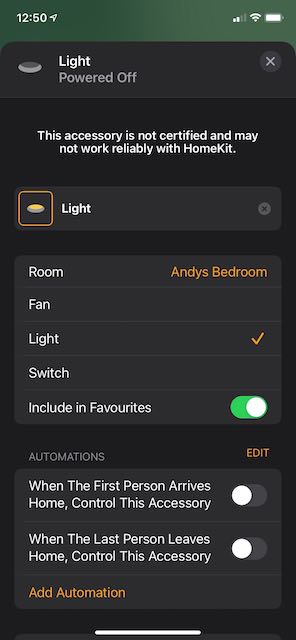
andyblac
on 20 Sep 2020
@Pixel-Chris yes, but please file a separate issue
imo allow "Bulb / Lamp" as a HAP type is bad idea, as HomeKit will think it has dimming capabilities.
andyblac
on 20 Sep 2020
i just checked and the brightness characteristic is optional, we won't be exporting it so i'm assuming it will be smart enough not to
rojer
on 20 Sep 2020
i just checked and the brightness characteristic is optional, we won't be exporting it so i'm assuming it will be smart enough not to
ok, but imo, it still unnecessary when you can do in HomeKit.
andyblac
on 20 Sep 2020
Oh yes
Sorry
I can change it in HomeKit
Pixel-Chris
on 20 Sep 2020
i just checked and the brightness characteristic is optional, we won't be exporting it so i'm assuming it will be smart enough not to
ok, but imo, it still unnecessary when you can do in HomeKit.
good point
rojer
on 20 Sep 2020
Oh yes
Sorry
I can change it in HomeKit
no apologies necessary, was a good question.
andyblac
on 20 Sep 2020
Great work !!!
But one last question....
For what can I choose
1) Momentary
2) Toogle, on = off = single press
3) Toogle, on = single, off = Double
??
Pixel-Chris
on 20 Sep 2020
Great work !!!
But one last question....
For what can I choose
- Momentary
- Toogle, on = off = single press
- Toogle, on = single, off = Double
??
this should help https://github.com/mongoose-os-apps/shelly-homekit/wiki/Switch
andyblac
on 20 Sep 2020
Sorry, not mentioned there...
When I have a momentary switch
I can use
Short/long/double press function in HomeKit
But with a toggle switch ?
Pixel-Chris
on 20 Sep 2020
only in "Detached" mode. then you will see those options. Wiki is still WIP thanks
andyblac
on 20 Sep 2020
Yes i know
But for what are these „toggle“ options?
Pixel-Chris
on 20 Sep 2020
Yes i know
But for what are these „toggle“ options?
I'm waiting for confirmation from @rojer but, I think
Toggle, on = off = single press: work normal switch type.
Toggle, on = single, off = double: mean a single action turns on, but to turn off it requires a double action.
andyblac
on 20 Sep 2020
With a Toogle switch
Single/double/long press will not work
And when I choose some of these Toogle switches
The HomeKit button style will not change it is still a „single/double/long-press“ switch
Pixel-Chris
on 20 Sep 2020
With a Toogle switch
Single/double/long press will not workAnd when I choose some of these Toogle switches
The HomeKit button style will not change it is still a „single/double/long-press“ switch
sorry I don't understand what you are trying to do, to use Single, Double, Long press, you have to 'detach' the physical switch from the shelly device.
if you think about it to use Single , Double, Long press correctly you need a physical switch type that can support this actions, ie a push button switch. this is why Momentary is the default option in INPUT 1
if you use a 'rocker' type switch, each action preforms a press, and it can not support Long Press, so to perform a Double action you would have to flip the switch to each position in a short period on time. Ie Down , then Up.
Edit:
you could get long press by
(start in up position)
1: flip down
2: wait 0.5 seconds
3: flip back up.
andyblac
on 20 Sep 2020
in detached mode, input becomes a separate stateless switch. it has no "on" and "off" mode as a HAP object, it's stateless and can generate 3 kinds of events: single press, double press and long press.
the physical switch it is connected to, however, can be (1) a momentary stateless button as well, or (2) a toggle switch.
if it (1), then you should select "momentary" input mode and then it will detect and pass on the presses: if you do a short press of the button, it will generate a short press event, etc.
however, if it's a toggle switch, you have two choices: generate short press on each state change, whether it's off -> on or on -> off, or generate single press for off -> on transition and double press for on -> off transition.
rojer
on 20 Sep 2020
in detached mode, input becomes a separate stateless switch. it has no "on" and "off" mode as a HAP object, it's stateless and can generate 3 kinds of events: single press, double press and long press.
the physical switch it is connected to, however, can be (1) a momentary stateless button as well, or (2) a toggle switch.
if it (1), then you should select "momentary" input mode and then it will detect and pass on the presses: if you do a short press of the button, it will generate a short press event, etc.
however, if it's a toggle switch, you have two choices: generate short press on each state change, whether it's off -> on or on -> off, or generate single press for off -> on transition and double press for on -> off transition.
updated https://github.com/mongoose-os-apps/shelly-homekit/wiki/Switch @rojer thanks for clarifying
andyblac
on 20 Sep 2020
Thank you all!!!
That works for me ;-)
So, „Toogle, on = off = single press“ is like the „Edge“ switch
Now I need some momentary switch hardware
Pixel-Chris
on 20 Sep 2020
So, „Toogle, on = off = single press“ is like the „Edge“ switch
yes, exactly
rojer
on 20 Sep 2020
Hi @rojer, thank you so much for this update, been waiting for it for a while.
I have two small suggestions that would benefit my setup, and I wonder what you think about them;
Extend this feature to Edge mode (with possibility of disabling the switch). Reason being, if shelly is currently functioning in detached mode, it adds more reliance on homekit doing the work. With both shelly and homekit still not being 100% reliable, this means that if either had to fail, you would lose the ability to turn on your light. So in edge mode, the light would still turn on via the physical switch, but you gain the benefit of being able to assign a shortcut to the switch.
Instead of exposing a stateless switch, could a stateful switch be exposed. ie: in edge mode, this would be expose as, ON when physical switch is in the on position, and OFF, when in the off position. This would mean that you could define the state of a room based on the state of the switch;
IE: If motion sensor triggers, and switch is in the off position, turn on lights, otherwise nothing.
This is of course now possible by adding an additional physical switch, and assigning a single press, to toggle the state of the switch, but it adds another tile that isn't really needed.
Would be great if we could get these bundled on in there. Again, thanks so much for this update
 Marfre888
on 21 Sep 2020
Marfre888
on 21 Sep 2020
@rojer would it be possible to add an additional mode to "Detached Input" options that only allowed Double and Long Press to be configured, and actioned Single press from physical switch (ie simply turned ON / OFF the relay) ? (even if you could not removed "Single Press" from detached button GUI in HomeKit, and it just simply ignored it.
I think this would be really useful.
andyblac
on 26 Sep 2020
@andyblac that's #147
rojer
on 26 Sep 2020
oh ye, doh!!
andyblac
on 26 Sep 2020
just having issue with HomeKit Automations atm since putting my iPhone on iOS14, and HomePod still no iOS13.4.8 as no updates, detached buttons keep failing, I keep having to reboot bloody HomePod to fix it.
andyblac
on 26 Sep 2020
Related issues
 miamilabs
·
8Comments
miamilabs
·
8Comments
 italoc
·
3Comments
italoc
·
3Comments
 rudyemm
·
8Comments
rudyemm
·
8Comments
 Baza207
·
5Comments
Baza207
·
5Comments
 Rappelsack
·
10Comments
Rappelsack
·
10Comments
Most helpful comment
All right, I was in a few meetings so far so wasn't able to reply. Just installed 2.1.3 and:
Hope this helps. Let me know if I can help with more debugging.