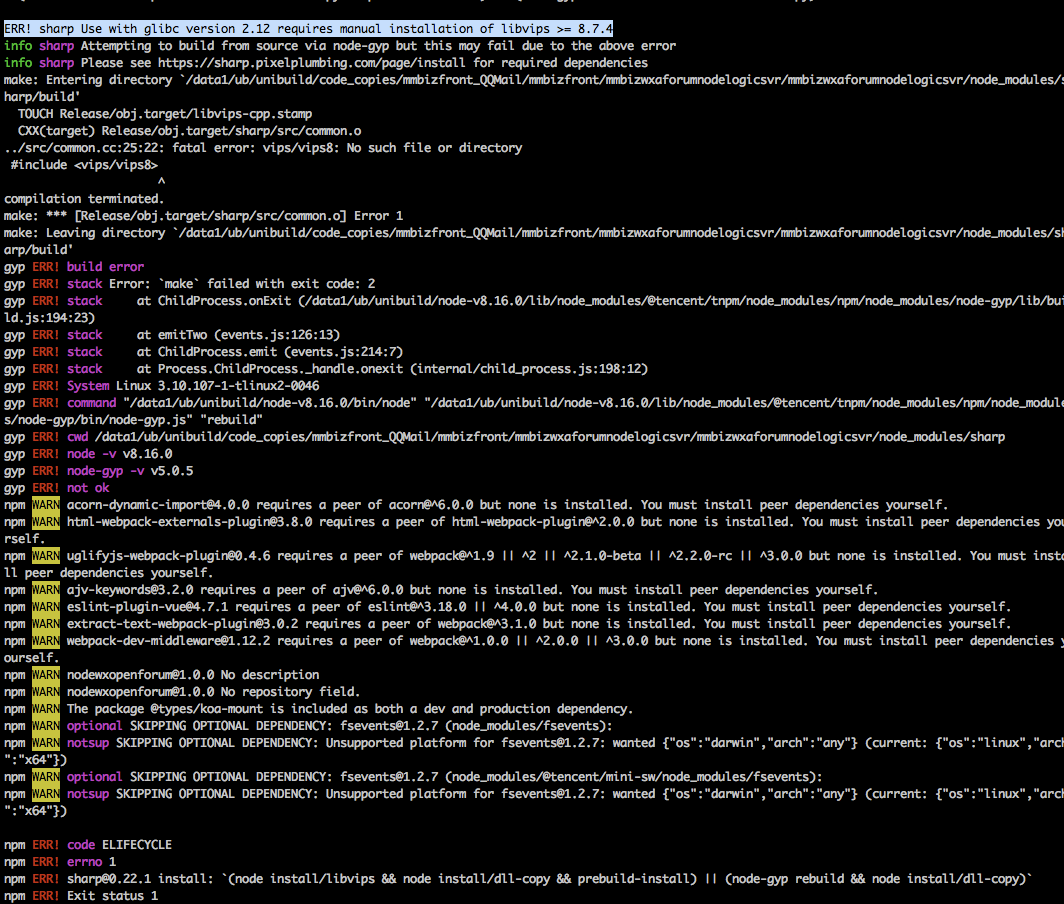
Sharp: ERR! sharp Use with glibc version 2.12 requires manual installation of libvips >= 8.7.4
I want to install sharp on the server,but when I execute the npm install sharp, I got this error message. Is this error because there is no dependency on the machine(libvips)? And the package was installed in the private internet? is it because installed private
 Jeromy-L
All 4 comments
The use of glibc 2.12, which is almost 10 years old, suggests this is RHEL/CentOS 6 so you'll need to install libvips yourself.
https://sharp.pixelplumbing.com/en/stable/install/#linux
For 32-bit Intel CPUs and older Linux-based operating systems such as those based on Red Hat Enterprise 6 (e.g. CentOS 6) compiling libvips from source is recommended.
https://libvips.github.io/libvips/install.html#building-libvips-from-a-source-tarball
Prebuilt binaries are provided for more recent operating systems.
 lovell
on 19 Nov 2019
lovell
on 19 Nov 2019
I hope this information helped. Please feel free to re-open with more details if further assistance is required.
lovell
on 2 Dec 2019
@lovell Dear Lovell,I came across same issue like above Jeromy , I saw you comment "install libvips by yourself" and I installed libvips already , but when i re-install sharp the same question also happen .Do you know what's the reason?Thanks for your reply advance.

 muzixiaosanshi
on 24 Nov 2020
muzixiaosanshi
on 24 Nov 2020
@muzixiaosanshi https://sharp.pixelplumbing.com/install#custom-libvips
To use a custom, globally-installed version of libvips instead of the provided binaries, make sure it is at least the version listed under config.libvips in the package.json file and that it can be located using pkg-config --modversion vips-cpp.
lovell
on 24 Nov 2020
Related issues
 jaekunchoi
·
3Comments
jaekunchoi
·
3Comments
 paulieo10
·
3Comments
paulieo10
·
3Comments
 zilions
·
3Comments
zilions
·
3Comments
 AVVS
·
3Comments
AVVS
·
3Comments
 genifycom
·
3Comments
genifycom
·
3Comments