Sharp: Text Problem when converting SVG to PNG on AWS Lambda
What is the output of running npx envinfo --binaries --languages --system --utilities?
My code is running on AWS Lambda Node 10, so I can not invoke this command.
What are the steps to reproduce?
On AWS Lambda I run the following function :
...
exports.handler = async function(event) {
  const result = await sharp("/tmp/ImageTemplateBis.svg").png().toBuffer();
  return {
    statusCode: 200,
    headers: {
      'Content-Type': 'image/png'
    },
    body: result.toString('base64'),
    isBase64Encoded: true
  }
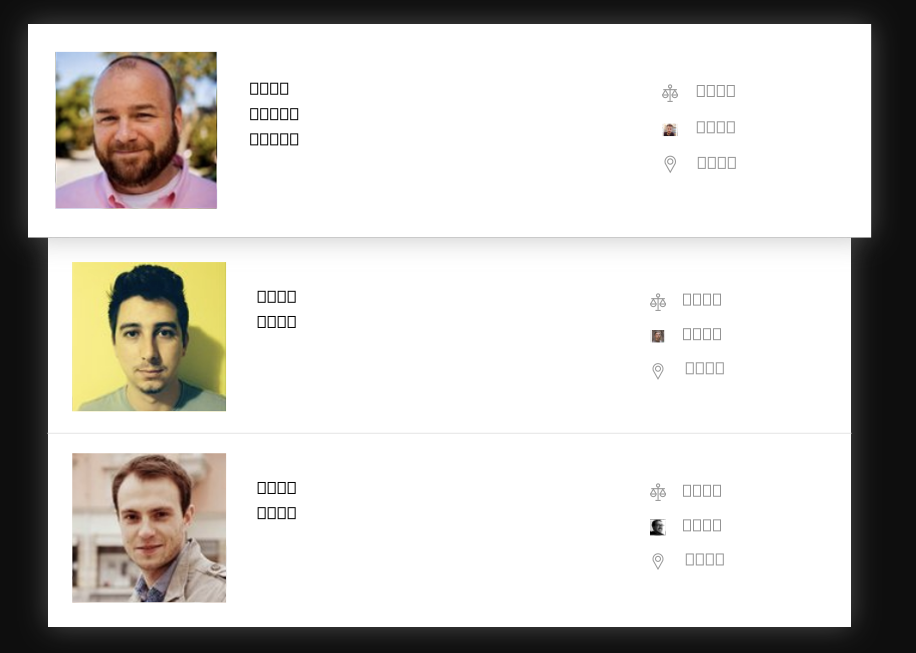
It works. The following image is returned. But the text rendering fails (I get rectangles instead of letters)
What is the expected behaviour?
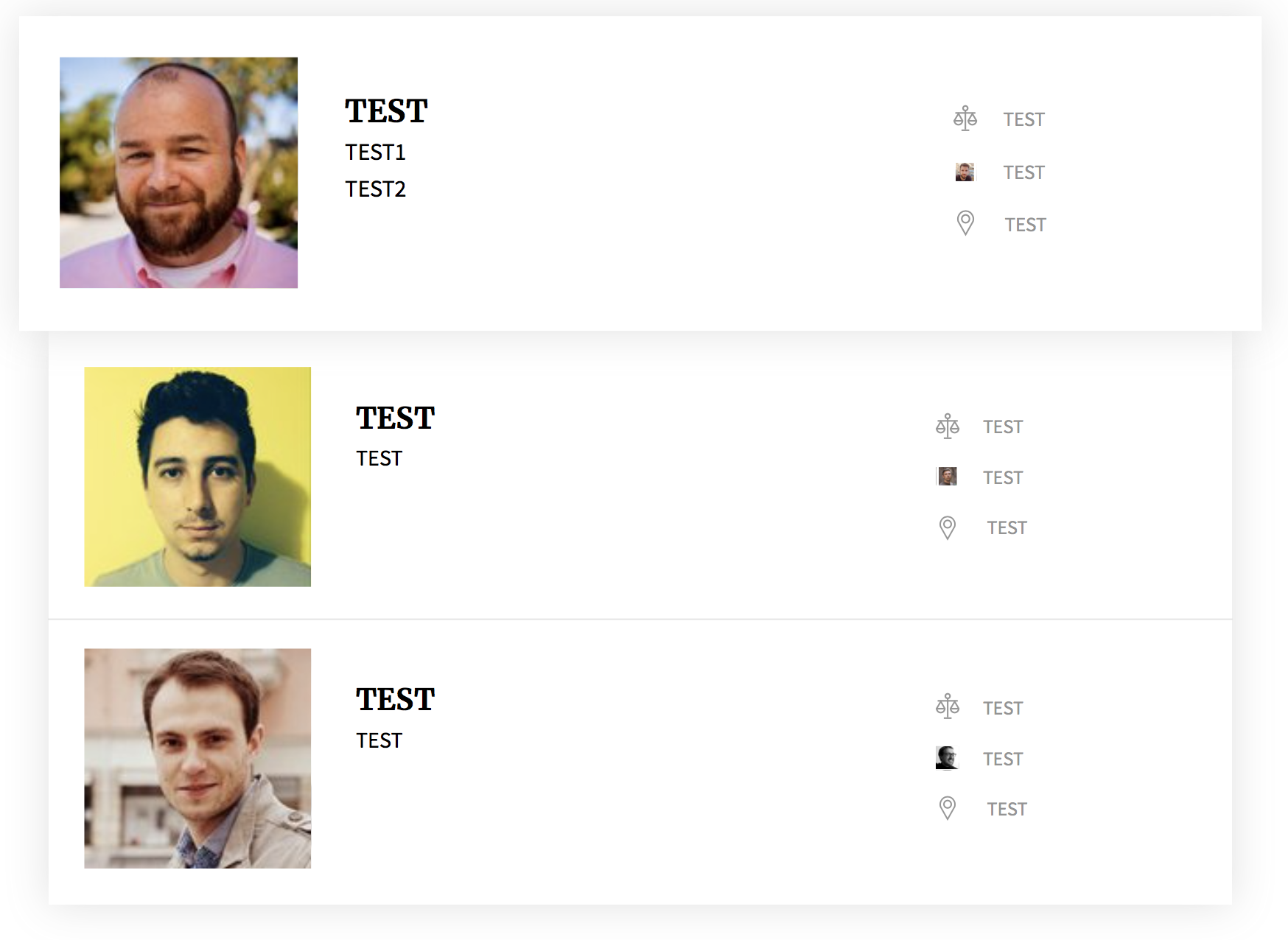
Running this code locally (on Mac) and storing it to a file results in the following png with pretty letters :
I attached the svg in case this helps.
ImageTemplateBis.svg.zip
Thank you!
 droegier
All 11 comments
The salient part of the attached SVG file is:
            @font-face {
                font-family: Merriweather;
                src: './fonts/Merriweather-Bold.ttf'';
            },
            @font-face {
                font-family: Source Sans Pro;
                src: './fonts/SourceSansPro-Regular.ttf'';
            }
You'll need to ensure fontconfig can find these two fonts in the Lambda environment - see #1565 for a previous example of a similar question.
 lovell
on 18 Sep 2019
lovell
on 18 Sep 2019
I just deployed your sample with font files and can see proper render result.

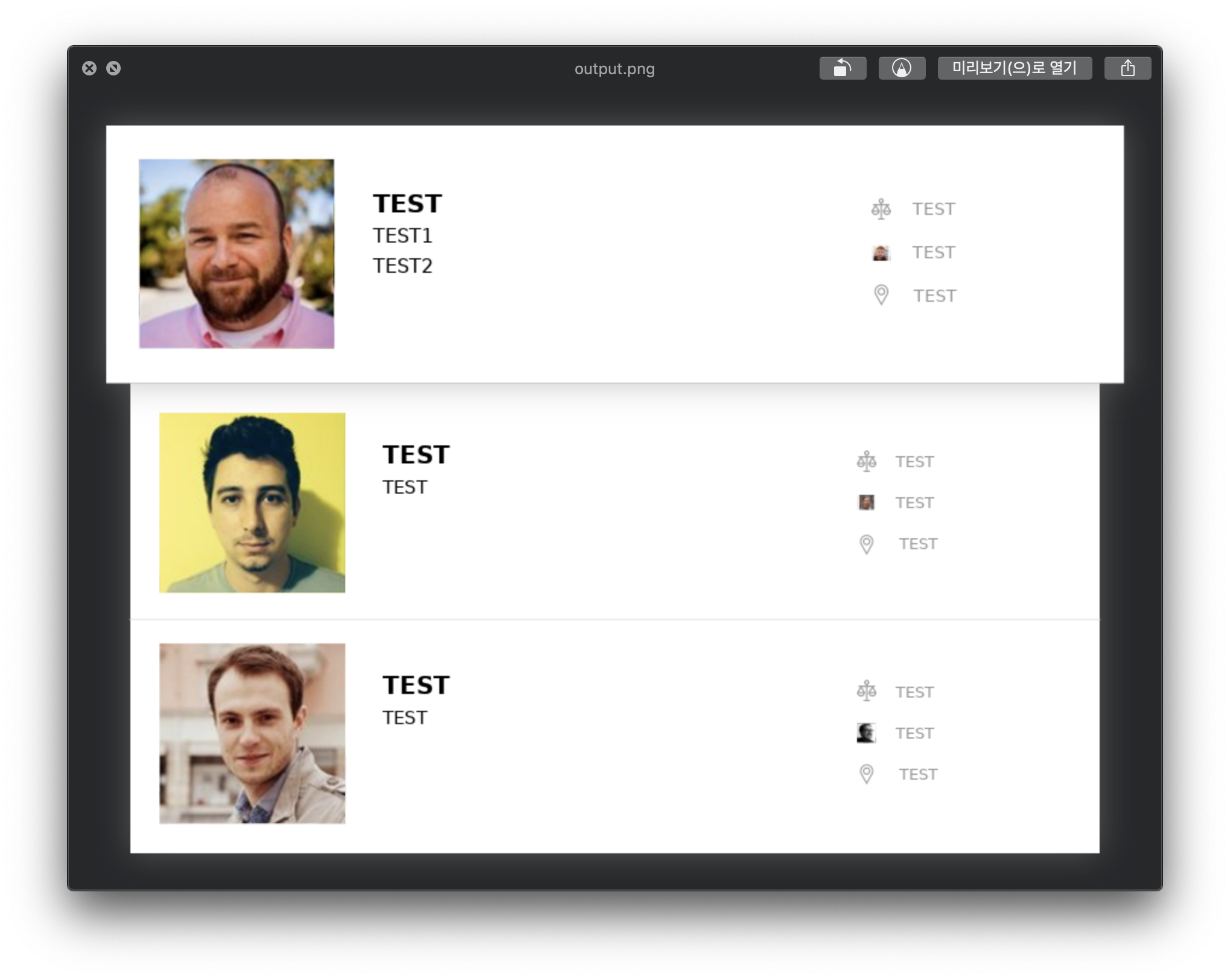
I had not to set any special configurations (e.g. fontconfig related environment setup) to render these results.
To @lovell : I can confirm this is not sharp's issue, nor AWS Lambda's environment issue. You can close this issue ;)
 mooyoul
on 29 Sep 2019
mooyoul
on 29 Sep 2019
@mooyoul what OS and sharp version are you running?
droegier
on 30 Sep 2019
I got rid of all font customisation by replacing all font-families in the svg by sans-serif.
Then I ran the above on lambda using sharp 0.23.0. Still get the same result.
Putting FC_DEBUG=1 I get, Fontconfig error: Cannot load default config file.
So I assume the problem has not to do with sharp, and we can indeed close this issue.
Would appreciate anything that sends me in the right direction though. AWS & FontConfig or rather librsvg?
droegier
on 30 Sep 2019
I'm using macOS Mojave 10.14.6, Node.js v8.14.0, NPM v6.11.3, Serverless v1.43.0 as default development environment.
I installed sharp with env npm_config_arch=x64 npm_config_platform=linux npm_config_target=8.10.0 npm i sharp@latest. and bundled font files to deployment package.
Here is provable project: https://test-mooyoul.s3-accelerate.amazonaws.com/public/sharp-issue-1875.zip
and full screen cast: https://asciinema.org/a/GnVxF3eVZiffcURn6Iul5ZZli
I never configured any fontconfig related environment variable.
mooyoul
on 30 Sep 2019
BTW, If your svg input location is /tmp/ImageTemplateBis.svg, font files should be located in /tmp/fonts (e.g. /tmp/fonts/SourceSansPro-Regular.ttf for Source Hans Pro)
mooyoul
on 30 Sep 2019
@droegier The FONTCONFIG_PATH environment variable can be used to provide fontconfig with an alternative location for its config file - see https://www.freedesktop.org/software/fontconfig/fontconfig-user.html#AEN266
lovell
on 25 Oct 2019
I hope this information helped. Please feel free to re-open with more details if further help is required.
lovell
on 5 Nov 2019
@font-face {
        font-family: "Intervar";
        src: url("data:font/woff2;base64,d09GM...") format("woff2");
        font-weight: 600;
        font-style: normal;
      }
What about when you want to go the base64 route?
 brandonros
on 9 Dec 2019
brandonros
on 9 Dec 2019
THANKS! Figured it out! Going to add my input here on how I got this to work incase anyone else is having trouble rendering fonts in AWS Lambda like this ticket describes. Also thanks to @lovell for being super responsive to all of the tickets and keeping up with the project.
Since the aws lambda environment doesn't seem like it has fonts, you have to download them, package them up with your project and reference the path to them (so sharp can get to them) with the FONTCONFIG_PATH env set to where the fonts will be.
So need to create a fonts.conf file that has this XML in it, in the same folder where you store the fonts. I stored mine in a folder called fonts
<?xml version="1.0"?>
<!DOCTYPE fontconfig SYSTEM "fonts.dtd">
<fontconfig>
  <dir>/var/task/fonts/</dir>
  <cachedir>/tmp/fonts-cache/</cachedir>
  <config></config>
</fontconfig>
Then in your function set the font path to this:
process.env.FONTCONFIG_PATH='/var/task/fonts'
the var/task/ path is where your lambda function lives on the aws lambda container. So you just need to create a folder in you project called fonts and put this fonts.conf file in it along with a font file. And boom, you've got fonts with your shiney new PNG image.
Note: that the font file has to be a .ttf font file type like Roboto-Regular.ttf from google fonts.
 matt-gohr
on 7 Feb 2020
matt-gohr
on 7 Feb 2020
@MattGohr First of all THANK YOU!!!!!!!!!!!
Second, its fonts.conf not font.conf. Can you please update your post. Thanks.
 corybill
on 5 Mar 2020
corybill
on 5 Mar 2020
Related issues
 knoxcard
·
3Comments
knoxcard
·
3Comments
 zilions
·
3Comments
zilions
·
3Comments
 sansroman
·
3Comments
sansroman
·
3Comments
 genifycom
·
3Comments
genifycom
·
3Comments
 paulieo10
·
3Comments
paulieo10
·
3Comments
Most helpful comment
@MattGohr First of all THANK YOU!!!!!!!!!!!
Second, its
fonts.confnotfont.conf. Can you please update your post. Thanks.