Hello.
                Sharp('dog.jpg')
                    .resize({width: 500, withoutEnlargement: true})
                    .jpeg({quality: 10, progressive: true})
                    .webp({quality: 50, lossless: true})
                    .png({quality: 50, compressionLevel: 8})
                    .toFile(path.join(filepath, fieldname, size, filename),
                        function (err) {
                            console.log(err);
                        });
Original: 44 KB

Quality 10%: 270 KB
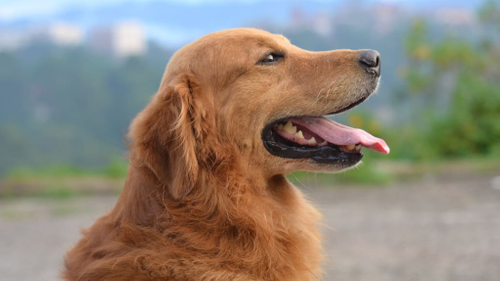
How to compress JPEG image?
question
 extensionsapp
All 2 comments
Hello, the output you've posted here is PNG rather than JPEG, hence the larger size. PNG is lossless and does not have a quality setting.
Did you see the force option on the jpeg(), webp() and png() functions? You'll probably want to set it to force: false for all three if you're specifying all three.
 lovell
on 30 Nov 2018
lovell
on 30 Nov 2018
@lovell Thank you very much.
                Sharp('dog.jpg')
                    .resize({width: 500, withoutEnlargement: true})
                    .jpeg({quality: 80, progressive: true, force: false})
                    .webp({quality: 80, lossless: true, force: false})
                    .png({quality: 80, compressionLevel: 8, force: false})
                    .toFile(path.join(filepath, fieldname, size, filename),
                        function (err) {
                            console.log(err);
                        });
Quality 80%: 18 KB
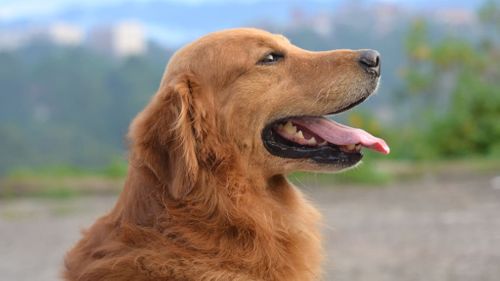
extensionsapp
on 30 Nov 2018
🎉1
👍1
Was this page helpful?
0 / 5 - 0 ratings
Related issues
 janaz
·
3Comments
janaz
·
3Comments
 jaekunchoi
·
3Comments
jaekunchoi
·
3Comments
 Andresmag
·
3Comments
Andresmag
·
3Comments
 AVVS
·
3Comments
AVVS
·
3Comments
 sansroman
·
3Comments
sansroman
·
3Comments
Most helpful comment
@lovell Thank you very much.
Quality 80%: 18 KB