See screenshot: https://i.imgur.com/d9fyUTw.png
How are we able to disable the recent tasks?
We are able to disable the image history, but so far I see not the recent tasks. Why?
Can there be a setting option to disable recent tasks. This is for privacy reasons.
 worldsdream
All 8 comments
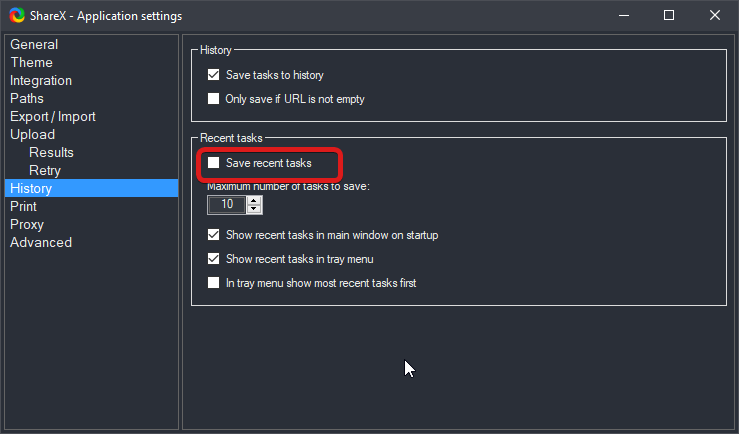
This?
 Jaex
on 13 Mar 2020
Jaex
on 13 Mar 2020
That's what I thought, I did uncheck it but it still is showing. I have shareX installed on 2 machines. Both are having this issue.
worldsdream
on 13 Mar 2020
I can confirm it doesn't work on my 2 devices too!
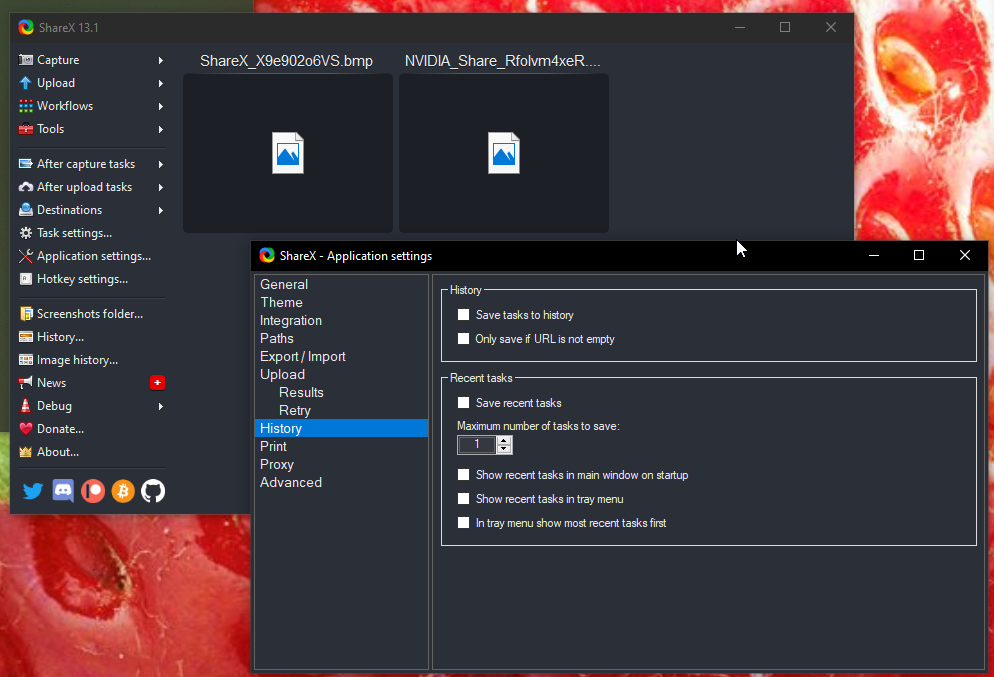
I disabled all checkboxes but tasks continue to appear:
 Ares9323
on 18 Mar 2020
Ares9323
on 18 Mar 2020
Thanks @Ares9323. I hope that @Jaex can reproduce and fix this.
worldsdream
on 19 Mar 2020
That option makes sure to not save recent tasks when you re open ShareX. You can't disable tasks showing for active instance.
Jaex
on 19 Mar 2020
If I kill the process and reopen it history is cleared, I didn't know I couldn't disable the current instance's tasks.
I think it's useful if you save every screenshot you take, but in my case (as you can see from my screenshot) history is just full of dead links with random names, i'd rather see the default page "Currently configured hotkeys"
I tried to fork and solve it by myself but I totally could not understand where to look for 😅
Ares9323
on 19 Mar 2020
The simplest solution I found is to add "Clear task list" to the "After capture tasks", it's not very professional but it does the job and you don't need to rewrite existing code!
Ares9323
on 20 Mar 2020
This issue has been automatically marked as stale because it has not had recent activity. It will be closed if no further activity occurs.
![stale[bot] picture](https://avatars3.githubusercontent.com/in/1724?v=4&s=40) stale[bot]
on 20 Sep 2020
stale[bot]
on 20 Sep 2020
Related issues
 coggy9
·
29Comments
coggy9
·
29Comments
 SKILLEDxKILLAH
·
19Comments
SKILLEDxKILLAH
·
19Comments
 bbigras
·
18Comments
bbigras
·
18Comments
 Zaczero
·
74Comments
Zaczero
·
74Comments
 EngineExt
·
18Comments
EngineExt
·
18Comments