Shairport-sync: tuneblade connection issues.
hi.
I'm running shairport-sync 3.2.1 from the moode audio project.
I have 5 pi's running and they all exhibit the same misbehaviour.
I also have a windows PC running tuneblade 1.7.8.0
after a few hours it seems tuneblade is unable to establish a connection with around 80% of the pi's.
tuneblade automatically retries the connection over and over again as can be seen in it's UI.
It works again for a few hours if I restart the shairport-sync process.
Maybe it's previous broken tuneblade connection that is still linkering on.
tuneblade does crash from time to time and it could leave shairport-sync in a bad state maybe ?
this is only me guessing here :)
logs attached from one of the faulting pi's.
shairport-sync.log
 gibman
All 198 comments
Thanks for the interesting conundrum. It seems to kick off with the
Error writing an RTSP packet -- requested bytes not fully written.
message. I don't know what the cause of the problem is, but it's compounded by the fact that Shairport Sync will not abandon the now-defective session. Let me look into that.
 mikebrady
on 12 Nov 2018
mikebrady
on 12 Nov 2018
Hi there. I've just pushed a development branch update which _should_ close a session in the above circumstances. That _should_ give the opportunity for a new connection to be established. I'd be obliged if you'd give it a try.
mikebrady
on 12 Nov 2018
thanks!..
Ill try it out asap and then let a few days go by before concluding anything.
Are you interested in the logs regardless ?
gibman
on 13 Nov 2018
Yes please; if it works, I'd expect it to log the fact that it dropped a session when that problem occurs. If it doesn't work, it wold be interesting to see what's happening.
mikebrady
on 13 Nov 2018
Looking at the log a bit more closely, I'm not sure the fix will work. So, just now, I've pushed another update with some more diagnostics in it. Hopefully it will give some indications as to what's causing Shairport Sync to hang when this error happens.
mikebrady
on 13 Nov 2018
no problem.
I just uploaded the new binary (with diags) on all 5 pi's :=)
lets wait and see what happens...
gibman
on 13 Nov 2018
Ok.. all 5 pi's exhibit same issue already.
here's some info from moode audio:
A I R P L A Y S E T T I N G S
Version = 3.3d21
Friendly name = Kitchen
ALSA device = hw:0
Volume mixer = software
Resume MPD = No
Output bit depth = S16
Output sample rate = 44100
Session interruption = yes
Session timeout (ms) = 120
Audio buffer (secs) = 0.0
I hope the log is sufficient.
gibman
on 13 Nov 2018
Thanks. I’m looking at the log on an iPhone and the first part of it, up to “Connection 184: new connection from 192.168.1.127:50127” is garbled. Is it me or is it the log file?
mikebrady
on 13 Nov 2018
aghh.. it looks like I haven't enabled debug level logging.
hang on...
gibman
on 13 Nov 2018
this is my how shairport-sync is started.
root 20639 1.0 0.7 8240 3232 ? S 19:19 0:00 sudo /usr/local/bin/shairport-sync -vv -a Kitchen -S soxr -w -B /var/local/www/commandw/spspre.sh -E /var/local/www/commandw/spspost.sh -- -d hw:0
root 20647 10.8 1.6 81380 7436 ? Sl 19:19 0:00 /usr/local/bin/shairport-sync -vv -a Kitchen -S soxr -w -B /var/local/www/commandw/spspre.sh -E /var/local/www/commandw/spspost.sh -- -d hw:0
so is the '-vv' parameter enough to get the wanted logging enabled ?
this is what the logs attached on the previous reply is based upon.
waiting for your feedback.
gibman
on 13 Nov 2018
Thanks. Yeah, that’s perfect. The problem was that there seemed to be a great deal of garbage characters in the start of the log. Maybe it’s the phone — I’ll get a chance to use a laptop later on.
mikebrady
on 13 Nov 2018
yeah its garbled at my end also.
Ive included another log from my livingroom pi.
seems to be the same issue regarding the garbled log.
I eyeballed the file manually over ssh/putty:
more /var/log/shairport-sync.log
the more command just display blanks instead of garbled stuff.
the file was retrieved using winscp.
gibman
on 13 Nov 2018
ok .. I deleted the log on the pi and restarted the process.
now I think we have a complete log to look at.
gibman
on 13 Nov 2018
Thanks for your efforts. I can read that last one alright.
mikebrady
on 13 Nov 2018
Okay, I’ll have to dig into this — I think you’ve given me enough information to try it here. I’ll keep you updated on progress. Meantime, I wonder what would happen if you disabled allowing a session to be interrupted?
mikebrady
on 13 Nov 2018
gibman
on 13 Nov 2018
I'm getting it to misbehave alright, but haven't nailed it down yet...
mikebrady
on 14 Nov 2018
I've noticed a few small issues and fixed them on a development version I've just pushed. TBH, I don't think they have fixed the problem, but no harm to try them out -- I haven't gotten a crash since.
I was in touch with the [very helpful] developer of TuneBlade about a new ("POST") message I noticed coming from TB. He replied with this:
Apologies for the POST message. I added this recently for some receivers which required it. Other receivers I tested simply ignored this request, so I released it. Later, I got reports from users complaining about breaking compatibility with some devices. So, I've added a check to make sure I send the request only to compatible receivers. The updated version can be found here:
http://files.breakfreeaudio.com/downloads/TuneBlade_Installer_1_7_9_0.exe
Feel free to share this link with anyone. I was hoping to add more features before making a release, but I think I'm going to release it without any further delay.
TBH, I don't think the extra message is causing the problem, but again, it can't hurt...
mikebrady
on 14 Nov 2018
cool.. thanks a lot.
I'll put on the new version of TB as well as a fresh compiled version of shairport-sync asap.
You will hear from me ...
gibman
on 14 Nov 2018
Here's the latest log showcasing the same issue.
Running on latest TB as well as the latest SP code.
gibman
on 16 Nov 2018
Thanks. But it seems to have those garbage characters at the start again.
mikebrady
on 16 Nov 2018
BTW, I've just pushed a small improvement to SPS, which just might be important. It imposes a timeout on SPS writing status information back to the source. This should remove one possible cause of hanging up.
mikebrady
on 16 Nov 2018
Very nice.
I will try it out asap.
Keep you posted.
gibman
on 16 Nov 2018
Regarding the garbled log.
Seems to appear after some time.
Maybe if the log gets above a certain threshold?
gibman
on 16 Nov 2018
Yes, I don't really know, TBH. The thing is, whatever happened, it seems to have happened up there in the garbled part.
mikebrady
on 16 Nov 2018
I'm actually a little intrigued by the garbling of the log and I wonder if it could be connected in any way with the problem. A scenario that might account for all SPS devices having the same problem might be if they are all affected by some common flaw. So, is it possible that they all have the same brand of power supply, or are using the same brand of SD card and that it might be problematic? A bit of a long shot, TBH.
mikebrady
on 16 Nov 2018
They all have different brands of 8 GB sd cards.
They also have different types of USB chargers and cables.
A few weeks ago I installed a vanilla image of raspian stretch on one of the pi's and hooked it up to the telly.
I seem to remember it coming up with textual warnings about undervolting.
More discussion here: https://www.raspberrypi.org/forums/viewtopic.php?t=210914
Remember, I have had the pi's working on raspian Jessie + an older version of shairport-sync.
It could run for days. But once in a while the issue could occur.
The issue is occurring within an hour when running the latest shairport-sync.
regards
gibman
gibman
on 17 Nov 2018
fresh logs, issue just happened.
gibman
on 17 Nov 2018
and logs for another device (bar)
edit: looking at the logs in L:374
we have the connection 2 teardown being initiated by tuneblade.
but it looks like the thread never completes as we have :
Connection 2: TEARDOWN
player_thread cancel...
player_thread join...
Connection 3: new connection from 192.168.1.127:2150 to self at 192.168.1.118:5000.
Looking elsewhere in the log for successful tear downs, and they look like this:
player_thread cancel...
player_thread join...
player_thread joined.
pend
What seems to be missing in the connection 2 TEARDOWN :
player_thread joined.
pend
could it be as simple as a deadlock, preventing further connections ?
Or am I on a wild goosechase here?
gibman
on 17 Nov 2018
Thanks. Your analysis is correct, I believe. The question is where the deadlock might be. I’m trying to replicate it here. From the information you gave earlier, it doesn’t seem as if there is some other cause that might be causing the problem. I’ll keep digging!
mikebrady
on 17 Nov 2018
Something that would be useful is to enable delta timing in the logs. For some time, Shairport Sync has been able to show the time an event is logged and/or the time since the last log entry. The settings are in the diagnostics past of the configuration file (you can see an example in /etc/shairport-sync.conf.sample). If you could set log_show_time_since_last_message = "yes” (don’t forget to uncomment it!) that’s would be very useful.
mikebrady
on 17 Nov 2018
done :)
Ive also bumped verbosity to level 3
It seems like tuneblade is able to establish the first connection.
this happens when I play some audio related on the host running TB.
Once I pause the audio on the PC then TB kicks into standby mode.
If I try and have TB connect again, simply by starting the same audio then we have the problem.
Now looking at the log I attached, it seems deadlocked at the last line. The log will not grow beyond this point even though TB tries and tries to connect.
I would think that under normal circumstances the log would be filled with these connection tries.
I even tried to restart TB on the windows PC, same stuff. Log is stuck.
so it seems deadlocked for sure here.
did you try and install TB and reproduce ?
I guess one could look at a wireshark dump as well, if this helps ?
gibman
on 17 Nov 2018
Thanks again, that's great -- the timings are useful. Indeed I have been using TB here, but I'll try the scenario you describe. No need for Wireshark just yet, thanks!
mikebrady
on 17 Nov 2018
An interesting thing that I'm trying to think through is that there's a pretty fast sequence here:
0.000156999|Connection 1: RECORD
1.309847869|pbeg
0.000983993|RTSP thread 1: RTSP Response:
0.000211998| Type: "CSeq", content: "4"
0.000141999| Type: "Server", content: "AirTunes/105.1"
0.000141999| Type: "Audio-Latency", content: "11025"
0.004631964|RTSP thread 1 received an RTSP Packet of type "SET_PARAMETER":
0.000260998| Type: "CSeq", content: "5"
0.000143999| Type: "Session", content: "1"
0.000260998| Type: "Content-Type", content: "text/parameters"
0.000503996| Type: "Content-Length", content: "19"
0.000146999| Type: "User-Agent", content: "TuneBlade/1.0 (Windows)"
0.000143999| Type: "Client-Instance", content: "56B6CB929BB20486"
0.000140998| Type: "DACP-ID", content: "13EE26B2E036204E"
0.000137999| Type: "Active-Remote", content: "1983426473"
0.000827994|RTSP thread 1: RTSP Response:
0.000208998| Type: "CSeq", content: "5"
0.000141999| Type: "Server", content: "AirTunes/105.1"
0.003446974|RTSP thread 1 received an RTSP Packet of type "TEARDOWN":
0.000258998| Type: "CSeq", content: "6"
0.000151998| Type: "Session", content: "1"
0.000372998| Type: "User-Agent", content: "TuneBlade/1.0 (Windows)"
0.000167998| Type: "Client-Instance", content: "56B6CB929BB20486"
0.000144999| Type: "DACP-ID", content: "13EE26B2E036204E"
0.000139999| Type: "Active-Remote", content: "1983426473"
0.000158999|Connection 1: TEARDOWN
0.000162999|player_thread cancel...
0.000399996|player_thread join...
A RECORD message comes in, basically the start of a session. It takes 1.3 seconds for the external command to complete, and then a flurry of messages -- probably setting the volume -- are followed by a TEARDOWN, all in a few milliseconds. I'll have to think a bit about that...
mikebrady
on 17 Nov 2018
When a Pi hangs up again, could you run top or htop to see if any core/cpu is stuck at 100% please?
mikebrady
on 17 Nov 2018
I'll do asap.
one thing Ive noticed is that killing the process by:
pkill -f shairport-sync
does not infact kill it.
it still remains.
doing a sudo reboot also takes forever.
Might be because the process is hanging ?
gibman
on 17 Nov 2018
btw .the TB issue is even more simple to repro. than the one I originally described.
1) start TB
2) wait until it says connection - standby
3) close TB
4) start TB
now it says connecting .. it does not come any further.
gibman
on 17 Nov 2018
nothing to see regarding cpu usage.
it only spikes during connection it seems.
gibman
on 17 Nov 2018
Thanks for those posts. I have noticed how hard it is to kill it. Once I know its Process ID I can use:
kill -9 <pid>
and it normally works.
mikebrady
on 17 Nov 2018
I can't reproduce the problem on my rig, so let me check your settings, please.
- Do you automatically connect to the devices on startup?
- And do you automatically reconnect on error?
mikebrady
on 18 Nov 2018
yes I have..
start at login
autoconnect to receivers when discovered
force reconnection on connection error
also in the airplay receivers section I have the checkbox 'autoconnect' enabled for each pi.
gibman
on 18 Nov 2018
I tried to disable those above settings and then manually within TB hit the playback/stop button in turn.
Effectively this disconnects and reconnects on demand.
Ive tried now 20times or so manically turning the connection on off and it does not produce the error.
I even tried and restart TB with these new settings, and the issue does not seem to appear.
Also tried to forcefully kill TB process and then restarting TB, still no sign of the issue.
food for thought huh ?
Is it time for wireshark ?
I guess this needs to be installed on the TB host, as the traffic is not multicast ? I cant capture it on some random laptop here.
I'll let the pi's + TB set for a while with these options off and then see how it goes.
Not having those options would have the sideeffect of me having to babysit the TB control panel and then manually connecting the PI's that have caused some hickup.
gibman
on 18 Nov 2018
Thanks again for all your efforts. At my end, I've found another error and pushed a fix to it. Basically, if SPS was flushing a sequence of audio packets and found a spurious "unready" packet in the sequence while doing so (possibly caused by a missing packet), it would get into an infinite loop that it would not cancel out of. You'd just never know if that condition is occurring in your situation, so I'm not too hopeful. But, it's good housekeeping to fix it. Whenever you got a chance to update to it, it would be great.
mikebrady
on 18 Nov 2018
gibman
on 18 Nov 2018
Thanks. This is my fault for not updating the version number, but, are you certain the log is from the latest version? If it is, it’s interesting!
mikebrady
on 18 Nov 2018
Actually, I can see that it is the latest version, thanks.
mikebrady
on 18 Nov 2018
Here's hopefully a more interesting log with log level set to 3.
gibman
on 19 Nov 2018
This one looks suspicious:
Nov 19 15:43:54 kitchen shairport-sync[20934]: 0.000133998|Join audio thread.
It seems stuck here, unable to release the audio thread.
The log above contains a lot of initial successful connect-disconnect sessions. Maybe about 20 good ones before one bad appeared.
/gibman
gibman
on 19 Nov 2018
Great, thanks, I'll have a look. I'm getting ready to push something with a bit more diagnostics shortly. No big developments at this end, though.
mikebrady
on 19 Nov 2018
Very interesting log thanks. BTW, the new code yesterday for handling "unready" frames is being used!
mikebrady
on 19 Nov 2018
I can't explain that audio thread hang, unless the recv call is hanging. That is not what I expect -- I understand that it is a cancellation point. Anyhow, I've pushed an update with a little more diagnostic output.
mikebrady
on 19 Nov 2018
great :) Ill try it out asap.
It would be nice if one could see what mutex (the name) was being locked/unlocked in the log file ?
gibman
on 19 Nov 2018
fresh logs.
gibman
on 19 Nov 2018
Fantastic work. Same problem, which is quite encouraging -- the audio thread just won't quit!
If I understand you correctly, it is possible to go to the line of code of the mutex lock or unlock. Is that what you mean?
mikebrady
on 19 Nov 2018
Sounds too good to be true hehe.
I did see the source line number in the log file.
It would be very useful to also be able to see the mutex variable name within the log alongside the line number.
One could easily spot a missing mutex this way.
gibman
on 19 Nov 2018
I'm not too familiar with how the threading model works.
So bear with me :)
But once a thread termination is requested (join) from the part of the code that consumes and instantiates the thread, how is the internal code of the thread supposed to detect this ?
Ideally I wanted to leave any ongoing processing/loops within player.c once a thread termination from the "outside" was requested.
an example could be:
void player_put_packet, it has several for loops.
I was thinking of adding a simple bool variable in
buffer_get_frame_cleanup_handler of player.c
a var that should keep track of the status of thread.
true = abort requested from the outside
false= default, still alive, keep processing
then you could have several critical places in player.c that could evaluate this bool and bail out if it was true (abort/join requested).
maybe the same approach for the other classes.
hope I make sense.
gibman
on 19 Nov 2018
Thanks for the updates. I've pushed yet another update to the development branch. This is trying to make the debug messaging itself a little safer -- there is a possibility that it is actually interfering with the program.
Your idea about using booleans to signal continue / stop is not a bad one, and in fact was used in earlier versions of Shairport Sync (inherited AFAIR from Shairport). It has some problems.
First, a good compiler may optimise access to the boolean variable, such that in a loop, it is not referenced from memory but read once and stored in a register. So, you have to be careful to tell the compiler not to do that.
But the real problem is if you have system calls that may block. If a thread is blocked on a system call, it will never see the boolean change value. You can set the value and then send a POSIX signal to the thread, but then there are still possible race conditions.
So, Shairport Sync has been moving over to using pthread_cancel and friends. It doesn't suffer from the blocking problem, but it's easy to miss something, and we may be suffering from something there.
mikebrady
on 19 Nov 2018
I'm almost certain that I owe you a Guinness - I think you have nailed it this time.
I have not succeeded in reproducing it one specific pi. Ive done something like 50 restarts of tuneblade.
It connects everytime.
Now I have updated the other pi's as well, although with log level 2 only as otherwise my SD card would run out of space.
lets see what the next few days will bring.,
Ill keep you posted.
gibman
on 19 Nov 2018
Okay. I might owe you one as well -- your prompting made me re-examine the debug messaging for mutexes, and I've added the names (I think) as you suggested. I'll push an update shortly.
mikebrady
on 19 Nov 2018
Yep, just pushed it, and it is an addition, for sure, thanks.
mikebrady
on 19 Nov 2018
I'm sad to be the bearer of bad news...
status this morning
1) had too little sleep
2) 3 out of 5 pi's disconnected and unable to reconnect
so 2 pi's are still connected.
Logs are worthless on all failed pi's as they have the garbled mess in the most interesting part of the log.
I'll try and gather some proper logs.
be right back.
gibman
on 20 Nov 2018
It might be worth looking through the logs of the Pis that survived to look for any anomalies.
mikebrady
on 20 Nov 2018
Also, I wonder if there are any relevant entries in any other logs.
mikebrady
on 20 Nov 2018
Attached all 4 logs, location named.
Only 2 connected are: kitchen + bar ( thank god :) )
It appears that the log file for the bar device is 0 bytes = empty file..
thats weird
anyway the rest are intact
bathroom-cellar-shairport-sync.log
bathroom.shairport-sync.log
livingroom.shairport-sync.log
kitchen.shairport-sync.log
gibman
on 20 Nov 2018
here's a fail.
only I havent yet deployed the newest version that contains the extra nice-to-have info about mutex name.
I will do this as the next step.
gibman
on 20 Nov 2018
Thanks for the logs. Still the same — TB does something bad, but SPS is unable to terminate the session, it seems.
mikebrady
on 20 Nov 2018
Some interesting news..
I'm now running latest sources. So the mutex names can easily be seen. Cool!
All 5 Pi's caused the error, this time more easy to repro.
repeat until failure:
1) start TB.
2) wait until it has connected to all pi's
3) windows cmd prompt : taskkill /f /im tuneblade.exe
It took me 2 tries, then all 5 PIs showcased the issue.
tuneblade does crash to desktop from time to time, preventing it from properly close down the connection on the SPS side.
Doing a taskkill tuneblade is somehow imitating this I guess.
bar-shairport-sync.log
bathroom.shairport-sync.log
bathroom-cellar-shairport-sync.log
kitchen-shairport-sync.log
livingroom-shairport-sync.log
gibman
on 20 Nov 2018
Okay. The earlier failed-bathroom-cellar-shairport-sync.log shows a familiar problem -- an incorrect cleanup of a play session's player thread when it's been pthread_canceled.
Here is a valid TEARDOWN sequence:
3.478962478|RTSP thread 1 received an RTSP Packet of type "TEARDOWN":
0.000077396| Type: "CSeq", content: "115"
0.000038593| Type: "DACP-ID", content: "777D92AB563BE9F8"
0.000027083| Type: "Active-Remote", content: "1065867941"
0.000025417| Type: "User-Agent", content: "AirPlay/373.8"
0.000034166|Connection 1: TEARDOWN
0.000028594|player_stop
0.000022551|player_thread cancel...
0.000216770|player_thread join...
0.000312862|mutex_unlock "&conn->ab_mutex" at "player.c:758".
0.000115676|Connection 1: player thread main loop exit via player_thread_cleanup_handler.
0.000087083|Playback Stopped. Total playing time 00:03:36. Input: 44100.23, output: 44100.46 frames per second.
0.000094009|avahi_dacp_dont_monitor
0.002218264|Avahi DACP monitor successfully stopped
0.000186197|avahi_dacp_dont_monitor exit
0.000032499|Cancelling timing, control and audio threads...
0.000026406|Cancel timing thread.
0.000045052|Join timing thread.
0.000143228|Timing Receiver Cleanup.
0.000267654|shutdown timing socket.
0.000060729|close timing socket.
0.000073645|Timing Receiver Cleanup Successful.
0.000131666|Timing thread terminated.
0.000037656|Cancel control thread.
0.000042343|Join control thread.
0.000405257|Control Receiver Cleanup.
0.000050417|shutdown control socket.
0.000078749|close control socket.
0.000126145|Control Receiver Cleanup Successful.
0.000236144|Control thread terminated.
0.000041302|Cancel audio thread.
0.000048958|Join audio thread.
0.000111145|Audio Receiver Cleanup.
0.000032343|shutdown audio socket.
0.000051094|close audio socket.
0.000093697|Audio Receiver Cleanup Successful.
0.000131822|Audio thread terminated.
0.000735827|mutex_lock "&alsa_mutex" at "audio_alsa.c:1051".
0.000417966|mutex_unlock "&alsa_mutex" at "audio_alsa.c:1070".
0.000045103|mutex_lock "&conn->reference_time_mutex" at "rtp.c:1031".
0.000039844|mutex_unlock "&conn->reference_time_mutex" at "rtp.c:1034".
0.000058281|Connection 1: player thread main loop exit via player_thread_initial_cleanup_handler.
0.000266508|player_thread joined.
0.000043281|RTSP thread 1: RTSP Response:
0.000033125| Type: "CSeq", content: "115"
0.000029895| Type: "Server", content: "AirTunes/105.1"
0.000029688| Type: "Connection", content: "close"
0.004237675|Connection 1: RTSP thread terminated.
Notice that line:
Connection 1: player thread main loop exit via player_thread_cleanup_handler.
That indicates that the expected pthread cancellation sequence is taking place -- it's the main cancellation cleanup routine pushed after initialisation. But there is another one:
Connection 1: player thread main loop exit via player_thread_initial_cleanup_handler.
This is an initial cancellation cleanup routine that was pushed as soon as the player thread started (and therefore pulled later -- cancellation cleanup routines are pushed on and popped off a stack).
Now, here is a TEARDOWN sequence from the failed-bathroom-cellar-shairport-sync.log:
Nov 20 10:08:46 Bathroom-cellar shairport-sync[30464]: RTSP thread 1 received an RTSP Packet of type "TEARDOWN":
Nov 20 10:08:46 Bathroom-cellar shairport-sync[30464]: Type: "CSeq", content: "6"
Nov 20 10:08:46 Bathroom-cellar shairport-sync[30464]: Type: "Session", content: "1"
Nov 20 10:08:46 Bathroom-cellar shairport-sync[30464]: Type: "User-Agent", content: "TuneBlade/1.0 (Windows)"
Nov 20 10:08:46 Bathroom-cellar shairport-sync[30464]: Type: "Client-Instance", content: "56B6CB929BB20486"
Nov 20 10:08:46 Bathroom-cellar shairport-sync[30464]: Type: "DACP-ID", content: "13EE26B2E036204E"
Nov 20 10:08:46 Bathroom-cellar shairport-sync[30464]: Type: "Active-Remote", content: "1918300648"
Nov 20 10:08:46 Bathroom-cellar shairport-sync[30464]: Connection 1: TEARDOWN
Nov 20 10:08:46 Bathroom-cellar shairport-sync[30464]: TEARDOWN: synchronously terminating the player thread of RTSP conversation thread 1 (2).
Nov 20 10:08:46 Bathroom-cellar shairport-sync[30464]: player_stop
Nov 20 10:08:46 Bathroom-cellar shairport-sync[30464]: player_thread cancel...
Nov 20 10:08:46 Bathroom-cellar shairport-sync[30464]: player_thread join...
Nov 20 10:08:46 Bathroom-cellar shairport-sync[30464]: Connection 1: player thread main loop exit via player_thread_initial_cleanup_handler.
Nov 20 10:08:46 Bathroom-cellar shairport-sync[30464]: player_thread joined.
Nov 20 10:08:46 Bathroom-cellar shairport-sync[30464]: pend
Nov 20 10:08:47 Bathroom-cellar shairport-sync[30464]: TEARDOWN: successful termination of playing thread of RTSP conversation thread 1.
Nov 20 10:08:47 Bathroom-cellar shairport-sync[30464]: RTSP thread 1: RTSP Response:
Nov 20 10:08:47 Bathroom-cellar shairport-sync[30464]: Type: "CSeq", content: "6"
Nov 20 10:08:47 Bathroom-cellar shairport-sync[30464]: Type: "Server", content: "AirTunes/105.1"
Nov 20 10:08:47 Bathroom-cellar shairport-sync[30464]: Type: "Connection", content: "close"
Nov 20 10:08:47 Bathroom-cellar shairport-sync[30464]: RTSP conversation thread 1 -- connection closed.
Nov 20 10:08:47 Bathroom-cellar shairport-sync[30464]: Synchronously terminate playing thread of RTSP conversation thread 1.
Nov 20 10:08:47 Bathroom-cellar shairport-sync[30464]: Successful termination of playing thread of RTSP conversation thread 1.
Nov 20 10:08:47 Bathroom-cellar shairport-sync[30464]: Request termination of RTSP conversation thread 1.
Nov 20 10:08:47 Bathroom-cellar shairport-sync[30464]: Unlocking play lock on RTSP conversation thread 1.
Nov 20 10:08:47 Bathroom-cellar shairport-sync[30464]: Connection 1: RTSP thread terminated.
The main cancellation cleanup routine isn't performed, but the "initial" one is -- the one that should have been popped and executed after the main cleanup routine. This means that there must be a cancellation point in between pushing the initial one and pushing the main one in the player thread, but I can't find one, unless there is one in the code for setting up an "mdns monitor", which relies on the Avahi library.
So, I've moved that code to after where the main cancellation cleanup is pushed, so that there should definitely (!) be no cancellation point in the player thread until after it has pushed the main cancellation cleanup routine. I think it's worth a try.
mikebrady
on 20 Nov 2018
Using your method, I can't get it to misbehave with the update. This is what I get:
0.007241848|RTSP thread 2 received an RTSP Packet of type "RECORD":
0.000043957| Type: "CSeq", content: "5"
0.000030677| Type: "Session", content: "1"
0.000042448| Type: "Range", content: "npt=0-"
0.000029739| Type: "RTP-Info", content: "seq=0;rtptime=705"
0.000030364| Type: "User-Agent", content: "TuneBlade/1.0 (Windows)"
0.000053697| Type: "Client-Instance", content: "56B6CB929BB20486"
0.000045937| Type: "DACP-ID", content: "2AC689493A9C30CD"
0.000025938| Type: "Active-Remote", content: "2062909773"
0.000071978|Connection 2: RECORD
0.000030989|Executing the run_this_before_play_begins hook, if any.
3.025893627|Create a player thread...
0.000247549|Player thread successfully created.
0.000098124|RTSP thread 2: RTSP Response:
0.000032343| Type: "CSeq", content: "5"
0.000066250| Type: "Server", content: "AirTunes/105.1"
0.000046822| Type: "Audio-Latency", content: "11025"
0.000124999|Error writing an RTSP packet -- requested bytes not fully written.
0.000089947|A communication error was detected. Closing the play session.
0.000085363|player_stop
0.000053750|player_thread cancel...
0.000074634|player_thread join...
0.002174924|Output frame bytes is 4.
0.000214321|Output bit depth is 16.
0.000148957|sync error in milliseconds, net correction in ppm, corrections in ppm, total packets, missing packets, late packets, too late packets, resend requests, min DAC queue size, min buffer occupancy, max buffer occupancy, source nominal frames per second, source actual frames per second, output frames per second, source clock drift in ppm, source clock drift sample count, rough calculated correction in ppm
0.000621034|Connection 2: player thread main loop exit via player_thread_cleanup_handler.
0.000088020|Playback Stopped. Total playing time 00:00:00. Input: 0.00 frames per second.
0.000178696|DACP Monitor already stopped
0.000167655|Cancelling timing, control and audio threads...
0.000142394|Cancel timing thread.
0.000272341|Join timing thread.
0.000136092|Timing Receiver Cleanup.
0.000383694|shutdown timing socket.
0.000042812|close timing socket.
0.000077238|Timing Receiver Cleanup Successful.
0.000171978|Timing thread terminated.
0.000037082|Cancel control thread.
0.000219321|Control Receiver Cleanup.
0.000034114|shutdown control socket.
0.000035052|close control socket.
0.000053177|Control Receiver Cleanup Successful.
0.000022812|Join control thread.
0.000268278|Control thread terminated.
0.000033437|Cancel audio thread.
0.000236925|Join audio thread.
0.000068853|Audio Receiver Cleanup.
0.000043697|shutdown audio socket.
0.000034271|close audio socket.
0.000049010|Audio Receiver Cleanup Successful.
0.000139009|Audio thread terminated.
0.000766606|mutex_lock "&alsa_mutex" at "audio_alsa.c:1051".
0.000157029|mutex_unlock "&alsa_mutex" at "audio_alsa.c:1070".
0.000144478|mutex_lock "&conn->reference_time_mutex" at "rtp.c:1031".
0.000145050|mutex_unlock "&conn->reference_time_mutex" at "rtp.c:1034".
0.000158332|Connection 2: player thread main loop exit via player_thread_initial_cleanup_handler.
0.000229581|player_thread joined.
0.000165102|Connection 2: RTSP thread terminated.
Notice that even though the player_stop request came in before the player thread had finished initialising, it actually went on to finish the initialisation before starting the cancellation, which is (a) just what is desired and (b) something that wasn't happening before. I must say, I'm modestly hopeful.
mikebrady
on 20 Nov 2018
updated to version 3.3d25
a few kills and one pi turned up with the problem.
gibman
on 20 Nov 2018
maybe I was too quick in my conclusion.
upon TB restart it looks like a few of the PI's needs a few reconnection retries before finally connecting.
As can be seen on the TB UI.
If I wait 10sec or so between killing TB and restarting it, then this behaviour is gone.
My guess is that SPS needs a few sec. to detect this connection interruption and cleanup session before getting properly ready again.
But the good thing is.. It seems to have been fixed now.
I think there have been more than one issue involved here.
1) properly disconnecting/connecting within TB, without forcefully killing TB
2) killing TB
both seem fixed to me.
gibman
on 20 Nov 2018
Hard to believe, but I think this is progress. Connection 1 took a long time to shutdown, but it eventually shut down correctly.
Let me check, but it looks like it was working through lots of transmission problems and ignored the request to cancel until all that was done. If so, that's progress, and (hopefully) easier to fix.
mikebrady
on 20 Nov 2018
Our posts crossed, and we've both seen the same thing, I believe. I'll try to figure out how to get it to pay attention more quickly.
mikebrady
on 20 Nov 2018
I just pushed another update which should allow the shutdown to happen much more quickly, even when there are lots of reception errors.
Whenever you got a chance, I'd be interested to know if it works.
mikebrady
on 20 Nov 2018
sadly it fails quickly when killing TB.. it didnt before.
gibman
on 20 Nov 2018
Thanks. It’ll be a couple of hours before I can get back to it. It seems to be in a tight loop — maybe there’s no yield point in that. Later!
mikebrady
on 20 Nov 2018
Found yet another bug, this time with code that is responsible for flushing frames, e.g. when you switch tracks. So I've pushed yet another update, and I'd be glad if you'd subject it to your torture tests at your convenience. I am really very grateful to you for this, and I hope you're not losing heart!
mikebrady
on 21 Nov 2018
I know that I have broken the ability to allow a session to be interrupted by another. The session is interrupted, but the interrupter doesn’t get the player. I’ll fix it tomorrow.
mikebrady
on 21 Nov 2018
The Spanish Inquisition will continue its work today.
Have no fear .. if those pi's have something to hide I will retrieve it for sure.
Ill get back to you later ...
gibman
on 21 Nov 2018
Its seems pretty solid to me :)
Tried the usual killing the TB process over and over again + closing TB gracefully.
Reconnection is happening fast and efficient and no pi is left behind :)
gibman
on 21 Nov 2018
Great stuff, thanks. There's probably a slogan in that - "No Pi Left Behind"...
Anyhow, later today, when I get a chance, I'll fix that session interruption stuff.
mikebrady
on 21 Nov 2018
Just pushed an update with the play interruption restored.
mikebrady
on 21 Nov 2018
I'll check it out asap.
Sadly this morning it seems only one pi is connected to tuneblade.
the logs are knackered.
it seems as though when the logs are written to daemon.log then no problem with garbled data, but once written using non daemon mode to its own log file, then it garbles up everytime.
damn.
gibman
on 22 Nov 2018
Hmmm, that's disappointing alright. I wonder if there is a possibility that logging itself is causing a problem. In the very latest version, if the logging verbosity is 1 (-v) or 2 (-vv), then when a read or write error is detected on the main RTSP connection -- the usual prelude to trouble -- it bumps the verbosity to 3. So it should make the logs shorter, but of course it's not guaranteed to catch every item...
mikebrady
on 22 Nov 2018
Here's a little Windows PowerShell script:
while ($true) {
$wait = Get-Random -Maximum 20 -Minimum 10
"Running TuneBlade for $wait seconds..."
C`:\Program` Files` `(x86`)\TuneBlade\TuneBlade\TuneBlade.exe Write-Host "Wait $wait seconds..."
sleep $wait
"Killing TuneBlade"
taskkill /f /im tuneblade.exe
}
The torture continues...
mikebrady
on 22 Nov 2018
looks like the script I used too :)
In what context should I run this in ?
with SPS in daemon mode or not ?
obviously I will pull latest 10010010010010 from git.
gibman
on 22 Nov 2018
Yes, I think it should be daemon mode, only because the logging seems more reliable. It might also be better setting the logging verbosity to 1.
mikebrady
on 22 Nov 2018
On a PI Zero, the log verbosity of 3 seems to overwhelm the device. I've also gotten errors from the DAC and from the Pi's interrupt system.
mikebrady
on 22 Nov 2018
Ok..several hours have passes with non daemon mode running with the ps kill script in service
Everything is peachie.
One thing maybe.. the win10box does goes in and out of standby during nighttime.
Maybe something goes awol here in relation to this?
gibman
on 22 Nov 2018
That’s good news indeed, thanks. I actually found a bug here which would rarely cause SPS to emit a fatal error message and shut down. It’s a Concurrency 101 error and I’ll fix it in a few hours. It’s one of those “nah, it’ll never happen” errors.
mikebrady
on 22 Nov 2018
So, some news. I've fixed the concurrency issue (haven't uploaded it yet, though). Now, an annoying problems has surfaced. Let me explain.
It would appear that it was never intended to be able to "break in" on an existing play session. That is, the facility to interrupt an existing session and start a new one does not seem to have been incorporated.
Shairport Sync (and older shairports) does allow you to break in on a session, essentially by closing the RTSP TCP connection. That's fine -- the player sees it and clears down. However, audio packets (and possibly sync and timing packets) are sent by UDP and might be in flight somewhere when the session is closed.
When you set up a new session, if you use the same ports (a desirable thing, generally), then these old packets may land in your new session. The sync and timing packets will be wrong, which isn't great. But the audio packets are typically encrypted, and if so, they will be encrypted using the agreed key from the previous session. When they are decrypted with the key from the new session, they will be garbage. When fed into the standard ALAC decoder, they will crash it. Quite a problem.
AFAIKS, there is no easy way to avoid this, other than using a different set of ports for the new session. This will have implications for users who have set up firewalls for ports 6001 -- 6003. So let me take a couple of days to think it out. It would be nice to continue to use the same ports if a session ends normally, so I need to think how to achieve that. Meantime, don't enable the "allow session to be interrupted" feature.
mikebrady
on 23 Nov 2018
Hi there. Actually I have done something with this and pushed another update. If a session is interrupted, new ports are used, going up through the range of UDP ports permitted. If a session starts without interrupting another, it will start, as usual, with ports at the lowest end of the permitted range. It seems pretty solid. The concurrency error is also fixed, I believe. I'll be torturing the thing over the weekend.
mikebrady
on 23 Nov 2018
Sounds too cool.
Im away this evening. Will try it out 'morrow.
gibman
on 23 Nov 2018
One thing -- the default range of allowable UDP ports is now 10, down from 100. This is to make the number of ports to be opened in a firewall as small and manageable as is reasonable. However, if your testing causes rapid session interruption, you might find that all 10 ports are occupied, so maybe set the range to 20 while testing. Also, the number of debug messages at levels 1 and 2 is considerably reduced, so don't worry!
A couple of other things:
- Just referring to something you wrote earlier --
pthread_joindoesn't request or force a thread to exit; it simply waits for it. Threads are not, by default, pre-emptable, so they must perform certain system calls that allow them to act on apthread_cancelrequest at regular intervals in their execution. Those calls are called cancellation points. - My Windows machines are all VMs, and they go to sleep from time to time, but it doesn't seem to cause any particular issues with testing -- the script just stops and continues when the machine is woken.
mikebrady
on 23 Nov 2018
thanks for the info!
btw. as of now Im running latest vers. on all pi's.
the previous version did not have any issues this morning (server resumed from standby).
all connected perfectly.
gibman
on 24 Nov 2018
So I ran the torture tests over the weekend with good results. One other thing that needs fixing is that the code to enforce the two minute timeout is not completely reliable, so I'll have to update it. That'll [really] be later this week.
mikebrady
on 26 Nov 2018
sounds good.
btw. been a few days since Ive looked at the pi / tuneblade status.
currently 4 is connected fine, 1 isnt :/
the logs from that specific machine is ofc. worthless.
I'll try the daemon mode on all 5 pi's in hope of the logs not overloading the 8 gb SD card :)
otherwise we wont get some useful logs.
gibman
on 26 Nov 2018
Thanks. Actually, if you set the log verbosity to 1, it might help. The log will be quiet, but should be worthwhile. I hope to have that updated timeout code later this week.
mikebrady
on 26 Nov 2018
4 PI's with problems
Just after a few hours sitting there idle, no music activated in tuneblade. no kill script, no standby/resume.
Im not sure that logs are worth much, although not garbled when running in daemon mode somehow.
log verbosity 1:
bathroom.daemon.log
livingroom.daemon.log
kitchen.daemon.log
bathroomcellar.daemon.log
gibman
on 27 Nov 2018
Yeah, sigh. The bathroomcellar one looks like it might have been working, no? It even seems to receive some audio...
The others have all failed the same way, e.g:
Connection 8341: failed because a connection is already playing.
I'm sure I've done something stupid...
mikebrady
on 27 Nov 2018
Okay, well part of the mystery is solved. The repeated "ANNOUNCE" requests, every three seconds, are coming from TuneBlade, even when it has been quit! Getting the same behaviour here, the repeated requests stopped when I shut down the Windows host. Wow.
Regarding the "already playing" thing, I'll have to keep digging. Something silly.
mikebrady
on 27 Nov 2018
Can you see if the message Error writing an RTSP packet -- requested bytes not fully written and/or Unable to write an RTSP message response appears somewhere in your logs, please? The logs seem to start after the pathology has set in. But here, the problem started right after them:
Nov 27 19:04:07 raspberrypi shairport-sync[792]: 12.330641399|Connection 710: rtsp_read_request_response_read_error 104: "Connection reset by peer".
Nov 27 19:04:16 raspberrypi shairport-sync[792]: 9.181471114|Connection 711: rtsp_read_request_response_read_error 104: "Connection reset by peer".
Nov 27 19:04:25 raspberrypi shairport-sync[792]: 9.150004380|Connection 712: rtsp_read_request_response_read_error 104: "Connection reset by peer".
Nov 27 19:04:35 raspberrypi shairport-sync[792]: 10.218254318|Connection 713: rtsp_read_request_response_read_error 104: "Connection reset by peer".
Nov 27 19:04:38 raspberrypi shairport-sync[792]: 2.364942938|Error writing an RTSP packet -- requested bytes not fully written.
Nov 27 19:04:38 raspberrypi shairport-sync[792]: 0.004784960|Connection 714: Unable to write an RTSP message response. Terminating the connection.
Nov 27 19:04:49 raspberrypi shairport-sync[792]: 11.569167858|Connection 715: rtsp_read_request_response_read_error 104: "Connection reset by peer".
Nov 27 19:04:54 raspberrypi shairport-sync[792]: 4.852325837|Connection 717: failed because a connection is already playing.
Nov 27 19:04:57 raspberrypi shairport-sync[792]: 3.150629273|Connection 718: failed because a connection is already playing.
Nov 27 19:05:01 raspberrypi shairport-sync[792]: 3.213792738|Connection 719: failed because a connection is already playing.
Nov 27 19:05:04 raspberrypi shairport-sync[792]: 3.452257714|Connection 720: failed because a connection is already playing.
making it seem like our old "friend" -- a thread being unable to respond properly to a cancellation request.
mikebrady
on 27 Nov 2018
another pi log this morning.
seems the log started at : Nov 28 05:39:02
thats very weird, as the SPS process was started yesterday evening.
so the logs should start out at the 27th.
Seems like the daemon logs somehow recycle.
I can see this issue on the other pi's as well.
Im by no means a linux expert. I have no idea about daemon log configuration.
gibman
on 28 Nov 2018
Thanks again. The logs general roll over periodically. The log file is closed to prevent it becoming too big and is stored in /var/log. The closed file becomes the most recent previous version and all the other previous versions are bumped backwards, with the oldest one being deleted after a while.
I'm working way here on my own rig. I hope to have something new tomorrow...
mikebrady
on 28 Nov 2018
Hello again. I hope to have yet another update ready later on today or early tomorrow. It has a better "watchdog" for an idle player, pays more attention to clearing down all connections, uses a different way of detecting errors discovered when writing back to the player, and incorporates some more "tidying up" changes. The logs are somewhat quieter too. It's performing well on my test rig, which has two instances of Windows each running that TuneBlade script.
mikebrady
on 29 Nov 2018
Looking forward to testing this new pupppy.
Just say the word..
gibman
on 30 Nov 2018
Thanks. There is an update on the development branch. It's got lots of fixes, but is only lasting five hours on my rig -- with two instances and with session interruption permitted. So, no mad rush on your part to try it, but feel free!
mikebrady
on 30 Nov 2018
Ok thanks.
All 5 pi's updated as of right now.
Lets see what happens :)
gibman
on 30 Nov 2018
Super! More to come...
mikebrady
on 30 Nov 2018
4 failed, 1 still connected (kitchen).
havent played any sounds on the windows host. atleast not on purpose :)
bar log seems like the only one that is interesting.
bathroomcellar.daemon.log
bar.daemon.log
livingroom.daemon.log
kitchen.daemon.log
gibman
on 30 Nov 2018
Thanks. It's interesting how quickly you can encounter the flaws (!). On that subject, I noticed a number of Large positive sync error: messages. Would you mind using basic rather than soxr interpolation, as sometimes if there's a lot of interpolation, the soxr calculation can seriously bog down the processor?
I've yet another development version uploaded. So far today, it hasn't misbehaved on me.
mikebrady
on 30 Nov 2018
I wil try out your suggestions asap.
I was just using the moode audio defaults.
Lets see.
gibman
on 30 Nov 2018
now running latest without soxr compiled and without the -s soxr flag at the commandline.
gibman
on 30 Nov 2018
caught one bad pi right in the act.. 4 still working.
logs attached.
livingroom.daemon.log
gibman
on 30 Nov 2018
Thanks. Just looking at this, I'm thinking it is the correct behaviour, because interruption of an existing play session is not allowed. See:
Nov 30 19:02:43 livingroom shairport-sync[24786]: allow a session to be interrupted: 0.
(…and that's why that prefix of settings and info is so useful in a log!) Zero means "false". To allow it to be interrupted you'd have to set the allow_session_interruption to "yes" in the configuration file. So I think we might still be in business!
A session I started around four hours ago is still going. Interruption is allowed and two (virtual) Windows TuneBlade sessions are hammering it. Log verbosity is 1. The diagnostic setting log_show_time_since_last_message is set to "yes". Here are the last few lines:
2.729784851|Connection 5880: SETUP with UDP ports Control: 6007, Timing: 6008 and Audio: 6009.
2.118962477|Connection 5881: SETUP with UDP ports Control: 6010, Timing: 6011 and Audio: 6012.
2.355258030|Connection 5882: SETUP with UDP ports Control: 6001, Timing: 6002 and Audio: 6003.
4.443832799|Connection 5883: SETUP with UDP ports Control: 6001, Timing: 6002 and Audio: 6003.
3.758173744|Connection 5884: SETUP with UDP ports Control: 6001, Timing: 6002 and Audio: 6003.
2.114571922|Connection 5885: SETUP with UDP ports Control: 6004, Timing: 6005 and Audio: 6006.
3.965803448|Connection 5886: SETUP with UDP ports Control: 6007, Timing: 6008 and Audio: 6009.
6.290932069|Connection 5887: SETUP with UDP ports Control: 6001, Timing: 6002 and Audio: 6003.
2.710459328|Connection 5888: SETUP with UDP ports Control: 6004, Timing: 6005 and Audio: 6006.
3.870789490|Connection 5889: SETUP with UDP ports Control: 6001, Timing: 6002 and Audio: 6003.
0.801092999|Connection 5890: SETUP with UDP ports Control: 6004, Timing: 6005 and Audio: 6006.
3.766691463|Connection 5891: SETUP with UDP ports Control: 6001, Timing: 6002 and Audio: 6003.
3.238969881|Connection 5892: SETUP with UDP ports Control: 6001, Timing: 6002 and Audio: 6003.
2.882170333|Connection 5893: SETUP with UDP ports Control: 6004, Timing: 6005 and Audio: 6006.
4.541786575|Connection 5894: SETUP with UDP ports Control: 6001, Timing: 6002 and Audio: 6003.
2.429925974|Connection 5895: SETUP with UDP ports Control: 6004, Timing: 6005 and Audio: 6006.
3.677462627|Connection 5896: SETUP with UDP ports Control: 6001, Timing: 6002 and Audio: 6003.
1.693383680|Connection 5897: SETUP with UDP ports Control: 6004, Timing: 6005 and Audio: 6006.
6.485431707|Connection 5898: SETUP with UDP ports Control: 6001, Timing: 6002 and Audio: 6003.
1.333334309|Connection 5899: SETUP with UDP ports Control: 6004, Timing: 6005 and Audio: 6006.
3.250571975|Connection 5900: SETUP with UDP ports Control: 6007, Timing: 6008 and Audio: 6009.
3.374193960|Connection 5901: SETUP with UDP ports Control: 6001, Timing: 6002 and Audio: 6003.
1.822392895|Connection 5902: SETUP with UDP ports Control: 6004, Timing: 6005 and Audio: 6006.
4.325838945|Connection 5903: SETUP with UDP ports Control: 6001, Timing: 6002 and Audio: 6003.
0.604818101|Connection 5904: SETUP with UDP ports Control: 6004, Timing: 6005 and Audio: 6006.
5.034038278|Connection 5905: SETUP with UDP ports Control: 6007, Timing: 6008 and Audio: 6009.
3.173760282|Connection 5906: SETUP with UDP ports Control: 6010, Timing: 6011 and Audio: 6012.
2.037776473|Connection 5907: SETUP with UDP ports Control: 6013, Timing: 6014 and Audio: 6015.
3.428819849|Connection 5908: SETUP with UDP ports Control: 6001, Timing: 6002 and Audio: 6003.
3.853449671|Connection 5909: SETUP with UDP ports Control: 6001, Timing: 6002 and Audio: 6003.
1.228362272|Connection 5910: SETUP with UDP ports Control: 6004, Timing: 6005 and Audio: 6006.
4.941942647|Connection 5911: SETUP with UDP ports Control: 6001, Timing: 6002 and Audio: 6003.
3.214973516|Connection 5912: SETUP with UDP ports Control: 6004, Timing: 6005 and Audio: 6006.
6.203311770|Connection 5913: SETUP with UDP ports Control: 6001, Timing: 6002 and Audio: 6003.
1.229458037|Connection 5914: SETUP with UDP ports Control: 6004, Timing: 6005 and Audio: 6006.
6.526410344|Connection 5915: SETUP with UDP ports Control: 6001, Timing: 6002 and Audio: 6003.
2.008316246|Connection 5916: SETUP with UDP ports Control: 6004, Timing: 6005 and Audio: 6006.
6.321500231|Connection 5917: SETUP with UDP ports Control: 6001, Timing: 6002 and Audio: 6003.
0.942023955|Connection 5918: SETUP with UDP ports Control: 6004, Timing: 6005 and Audio: 6006.
4.881037883|Connection 5919: SETUP with UDP ports Control: 6001, Timing: 6002 and Audio: 6003.
0.595665407|Connection 5920: SETUP with UDP ports Control: 6004, Timing: 6005 and Audio: 6006.
5.195551817|Connection 5921: SETUP with UDP ports Control: 6001, Timing: 6002 and Audio: 6003.
3.909387114|Connection 5922: SETUP with UDP ports Control: 6001, Timing: 6002 and Audio: 6003.
1.128430566|Connection 5923: SETUP with UDP ports Control: 6004, Timing: 6005 and Audio: 6006.
Notice the way it goes to the next set of ports if it has actually interrupted an existing session, but drops back to 6001... when possible.
mikebrady
on 30 Nov 2018
Update -- Okay, I see that Connection 2 was asked to clear down and it didn't. Sigh! Would love to get it to happen here.
mikebrady
on 30 Nov 2018
Quick question. What output device are you using, please? And, are you using a hardware mixer?
mikebrady
on 30 Nov 2018
Hdmi on one device
The rest are using hifi digi+..toslink
gibman
on 30 Nov 2018
Thanks. And are you using hardware or software volume control? My guess is that you are not.
The clue I'm chasing is in the latest "livingroom.daemon-2.log", where there is a call to the alsa_mutex lock:
Nov 30 19:20:39 livingroom shairport-sync[24786]: mutex_lock "&alsa_mutex" at "audio_alsa.c:950".
and no further mention of that lock. The corresponding mutex unlock is at line "audio_alsa.c:959".
It's a puzzle to me just now.
mikebrady
on 30 Nov 2018
Software mixer I think as I can control volume on my phone.
gibman
on 30 Nov 2018
Okay thanks. Perhaps you would be good enough to list the command-line parameters, and/or if there are any settings in the configuration file for the following settings in the alsa group: mixer_control_name, mixer_device. Again, my guess is "no" for stuff in the configuration file, but I'd just like to be sure.
mikebrady
on 30 Nov 2018
By the way, I can't tell you how great a help you have been. Apart from your direct testing and feedback, the TuneBlade trick you told me about means that I can really test Shairport Sync; clearly it was needed -- a myriad of bugs have been uncovered, and it's not over yet!.
mikebrady
on 30 Nov 2018
cmdline is:
sudo /usr/local/bin/shairport-sync -d -vvv -a Livingroom -w -B /var/local/www/commandw/spspre.sh -E /var/local/www/commandw/spspost.sh -- -d hw:0
config:
//
//
// 2018-01-26 TC moOde 4.0
//
//
// Commented out settings are generally the defaults, except where noted.
//
// General Settings
general =
{
// name = "%H"; // This means "Hostname" -- see below. This is the name the service will advertise to iTunes.
// The default is "Hostname" -- i.e. the machine's hostname with the first letter capitalised (ASCII only.)
// You can use the following substitutions:
// %h for the hostname,
// %H for the Hostname (i.e. with first letter capitalised (ASCII only)),
// %v for the version number, e.g. 3.0 and
// %V for the full version string, e.g. 3.0-OpenSSL-Avahi-ALSA-soxr-metadata-sysconfdir:/etc
// Overall length can not exceed 50 characters. Example: "Shairport Sync %v on %H".
// password = "secret"; // leave this commented out if you don't want to require a password
// interpolation = "basic"; // aka "stuffing". Default is "basic", alternative is "soxr". Use "soxr" only if you have a reasonably fast processor.
// output_backend = "alsa"; // Run "shairport-sync -h" to get a list of all output_backends, e.g. "alsa", "pipe", "stdout". The default is the first one.
// mdns_backend = "avahi"; // Run "shairport-sync -h" to get a list of all mdns_backends. The default is the first one.
// port = 5000; // Listen for service requests on this port
// udp_port_base = 6001; // start allocating UDP ports from this port number when needed
// udp_port_range = 100; // look for free ports in this number of places, starting at the UDP port base. Allow at least 10, though only three are needed in a steady state.
// statistics = "no"; // set to "yes" to print statistics in the log
// drift_tolerance_in_seconds = 0.002; // allow a timing error of this number of seconds of drift away from exact synchronisation before attempting to correct it
// resync_threshold_in_seconds = 0.050; // a synchronisation error greater than this number of seconds will cause resynchronisation; 0 disables it
// log_verbosity = 0; // "0" means no debug verbosity, "3" is most verbose.
// ignore_volume_control = "no"; // set this to "yes" if you want the volume to be at 100% no matter what the source's volume control is set to.
// volume_range_db = 60 ; // use this advanced setting to set the range, in dB, you want between the maximum volume and the minimum volume. Range is 30 to 150 dB. Leave it commented out to use mixer's native range.
// volume_max_db = 0.0 ; // use this advanced setting, which must have a decimal point in it, to set the maximum volume, in dB, you wish to use.
// The setting is for the hardware mixer, if chosen, or the software mixer otherwise. The value must be in the mixer's range (0.0 to -96.2 for the software mixer).
// Leave it commented out to use mixer's maximum volume.
// run_this_when_volume_is_set = "/full/path/to/application/and/args"; // Run the specified application whenever the volume control is set or changed.
// The desired AirPlay volume is appended to the end of the command line – leave a space if you want it treated as an extra argument.
// AirPlay volume goes from 0 to -30 and -144 means "mute".
// regtype = "_raop._tcp"; // Use this advanced setting to set the service type and transport to be advertised by Zeroconf/Bonjour. Default is "_raop._tcp".
// playback_mode = "stereo"; // This can be "stereo", "mono", "reverse stereo", "both left" or "both right". Default is "stereo".
// alac_decoder = "hammerton"; // This can be "hammerton" or "apple". This advanced setting allows you to choose
// the original Shairport decoder by David Hammerton or the Apple Lossless Audio Codec (ALAC) decoder written by Apple.
// interface = "name"; // Use this advanced setting to specify the interface on which Shairport Sync should provide its service. Leave it commented out to get the default, which is to select the interface(s) automatically.
// Set this offset to compensate for a fixed delay in the audio back end. E.g. if the output device delays by 100 ms, set this to -0.1.
audio_backend_latency_offset_in_seconds = 0.0;
// If set too small, buffer underflow occurs on low-powered machines. Too long and the response time to volume changes becomes annoying. Default is 0.15 seconds in the alsa backend, 0.35 seconds in the pa backend and 1.0 seconds otherwise.
audio_backend_buffer_desired_length_in_seconds = 0.15;
// audio_backend_silent_lead_in_time = 2.0; // This optional advanced setting, from 0.0 and 4.0 seconds, sets the length of the period of silence that precedes the start of the audio. The default is the latency, usually 2.0 seconds. Values greater than the latency are ignored. Values that are too low will affect initial synchronisation.
};
dsp =
{
//////////////////////////////////////////
// This convolution filter can be used to apply almost any correction to the audio signal, like frequency and phase correction.
// For example you could measure (with a good microphone and a sweep-sine) the frequency response of your speakers + room,
// and apply a correction to get a flat response curve.
//////////////////////////////////////////
//
// convolution = "yes"; // Activate the convolution filter.
// convolution_ir_file = "impulse.wav"; // Impulse Response file to be convolved to the audio stream
// convolution_gain = -4.0; // Static gain applied to prevent clipping during the convolution process
// convolution_max_length = 44100; // Truncate the input file to this length in order to save CPU.
//////////////////////////////////////////
// This loudness filter is used to compensate for human ear non linearity.
// When the volume decreases, our ears loose more sentisitivity in the low range frequencies than in the mid range ones.
// This filter aims at compensating for this loss, applying a variable gain to low frequencies depending on the volume.
// More info can be found here: https://en.wikipedia.org/wiki/Equal-loudness_contour
// For this filter to work properly, you should disable (or set to a fix value) all other volume control and only let shairport-sync control your volume.
// The setting "loudness_reference_volume_db" should be set at the volume reported by shairport-sync when listening to music at a normal listening volume.
//////////////////////////////////////////
//
// loudness = "yes"; // Activate the filter
// loudness_reference_volume_db = -20.0; // Above this level the filter will have no effect anymore. Below this level it will gradually boost the low frequencies.
};
// How to deal with metadata, including artwork
metadata =
{
// enabled = "no"; // set this to yes to get Shairport Sync to solicit metadata from the source and to pass it on via a pipe
// include_cover_art = "no"; // set to "yes" to get Shairport Sync to solicit cover art from the source and pass it via the pipe. You must also set "enabled" to "yes".
// pipe_name = "/tmp/shairport-sync-metadata";
// pipe_timeout = 5000; // wait for this number of milliseconds for a blocked pipe to unblock before giving up
// socket_address = "226.0.0.1"; // if set to a host name or IP address, UDP packets containing metadata will be sent to this address. May be a multicast address. "socket-port" must be non-zero and "enabled" must be set to yes"
// socket_port = 5555; // if socket_address is set, the port to send UDP packets to
// socket_msglength = 65000; // the maximum packet size for any UDP metadata. This will be clipped to be between 500 or 65000. The default is 500.
};
// Advanced parameters for controlling how a Shairport Sync runs
sessioncontrol =
{
// run_this_before_play_begins = "/full/path/to/application and args"; // make sure the application has executable permission. It it's a script, include the #!... stuff on the first line
// run_this_after_play_ends = "/full/path/to/application and args"; // make sure the application has executable permission. It it's a script, include the #!... stuff on the first line
// wait_for_completion = "no"; // set to "yes" to get Shairport Sync to wait until the "run_this..." applications have terminated before continuing
// set to "yes" to allow another device to interrupt Shairport Sync while it's playing from an existing audio source
allow_session_interruption = "no";
// wait for this number of seconds after a source disappears before terminating the session and becoming available again.
session_timeout = 120;
};
// Back End Settings
// These are parameters for the "alsa" audio back end.
alsa =
{
// output_device = "default"; // the name of the alsa output device. Use "alsamixer" or "aplay" to find out the names of devices, mixers, etc.
// mixer_control_name = "PCM"; // the name of the mixer to use to adjust output volume. If not specified, volume in adjusted in software.
// mixer_device = "default"; // the mixer_device default is whatever the output_device is. Normally you wouldn't have to use this.
// can be 44100, 88200, 176400 or 352800, but the device must have the capability.
output_rate = 44100;
// can be "U8", "S8", "S16", "S24", "S24_3LE", "S24_3BE" or "S32", but the device must have the capability. Except where stated using (*LE or *BE), endianness matches that of the processor.
output_format = "S16";
// disable_synchronization = "no"; // Set to "yes" to disable synchronization. Default is "no".
// period_size = <number>; // Use this optional advanced setting to set the alsa period size near to this value
// buffer_size = <number>; // Use this optional advanced setting to set the alsa buffer size near to this value
// use_mmap_if_available = "yes"; // Use this optional advanced setting to control whether MMAP-based output is used to communicate with the DAC. Default is "yes"
// Use this optional advanced setting to control whether the snd_mixer_selem_set_playback_switch_all call can be used for muting. Default is yes.
// TC set this to no to prevent ALSA output from being muted afer session ends. Upd: MikeB changed the default to unmuted so technically this is not needed anymore.
mute_using_playback_switch = "no";
};
// Parameters for the "sndio" audio back end. All are optional.
sndio =
{
// device = "snd/0"; // optional setting to set the name of the output device. Default is the sndio system default.
// rate = 44100; // optional setting which can be 44100, 88200, 176400 or 352800, but the device must have the capability. Default is 44100.
// format = "S16"; // optional setting which can be "U8", "S8", "S16", "S24", "S24_3LE", "S24_3BE" or "S32", but the device must have the capability. Except where stated using (*LE or *BE), endianness matches that of the processor.
// round = <number>; // advanced optional setting to set the period size near to this value
// bufsz = <number>; // advanced optional setting to set the buffer size near to this value
};
// Parameters for the "pa" PulseAudio backend.
pa =
{
// application_name = "Shairport Sync"; //Set this to the name that should appear in the Sounds "Applications" tab when Shairport Sync is active.
};
// Parameters for the "pipe" audio back end, a back end that directs raw CD-style audio output to a pipe. No interpolation is done.
pipe =
{
// name = "/path/to/pipe"; // there is no default pipe name for the output
};
// These are no configuration file parameters for the "stdout" audio back end. No interpolation is done.
// These are no configuration file parameters for the "ao" audio back end. No interpolation is done.
// Static latency settings are deprecated and the settings have been removed.
Great, thanks. I'll digest all that. BTW, the session I started yesterday is still going:
7.596561478|Connection 17999: SETUP with UDP ports Control: 6001, Timing: 6002 and Audio: 6003.
0.629748131|Connection 18000: SETUP with UDP ports Control: 6004, Timing: 6005 and Audio: 6006.
4.548167249|Connection 18001: SETUP with UDP ports Control: 6001, Timing: 6002 and Audio: 6003.
3.074191236|Connection 18002: SETUP with UDP ports Control: 6004, Timing: 6005 and Audio: 6006.
3.331595335|Connection 18003: SETUP with UDP ports Control: 6001, Timing: 6002 and Audio: 6003.
5.601978892|Connection 18004: SETUP with UDP ports Control: 6001, Timing: 6002 and Audio: 6003.
0.647311772|Connection 18005: SETUP with UDP ports Control: 6004, Timing: 6005 and Audio: 6006.
5.666031641|Connection 18006: SETUP with UDP ports Control: 6001, Timing: 6002 and Audio: 6003.
1.840468333|Connection 18007: SETUP with UDP ports Control: 6004, Timing: 6005 and Audio: 6006.
5.824777375|Connection 18008: SETUP with UDP ports Control: 6001, Timing: 6002 and Audio: 6003.
1.496838151|Connection 18009: SETUP with UDP ports Control: 6004, Timing: 6005 and Audio: 6006.
2.954764993|Connection 18010: SETUP with UDP ports Control: 6001, Timing: 6002 and Audio: 6003.
2.577910376|Connection 18011: SETUP with UDP ports Control: 6004, Timing: 6005 and Audio: 6006.
3.751248161|Connection 18012: SETUP with UDP ports Control: 6007, Timing: 6008 and Audio: 6009.
5.631603006|Connection 18013: SETUP with UDP ports Control: 6010, Timing: 6011 and Audio: 6012.
3.795638798|Connection 18014: SETUP with UDP ports Control: 6013, Timing: 6014 and Audio: 6015.
4.231287878|Connection 18015: SETUP with UDP ports Control: 6001, Timing: 6002 and Audio: 6003.
0.930805478|Connection 18016: SETUP with UDP ports Control: 6004, Timing: 6005 and Audio: 6006.
5.790547441|Connection 18017: SETUP with UDP ports Control: 6001, Timing: 6002 and Audio: 6003.
0.577757933|Connection 18018: SETUP with UDP ports Control: 6004, Timing: 6005 and Audio: 6006.
3.791102645|Connection 18019: SETUP with UDP ports Control: 6001, Timing: 6002 and Audio: 6003.
1.371156234|Connection 18020: SETUP with UDP ports Control: 6004, Timing: 6005 and Audio: 6006.
3.377552114|Connection 18021: SETUP with UDP ports Control: 6001, Timing: 6002 and Audio: 6003.
4.163485172|Connection 18022: SETUP with UDP ports Control: 6004, Timing: 6005 and Audio: 6006.
2.441166062|Connection 18023: SETUP with UDP ports Control: 6007, Timing: 6008 and Audio: 6009.
3.575483948|Connection 18024: SETUP with UDP ports Control: 6010, Timing: 6011 and Audio: 6012.
5.477734952|Connection 18025: SETUP with UDP ports Control: 6001, Timing: 6002 and Audio: 6003.
1.637761136|Connection 18026: SETUP with UDP ports Control: 6004, Timing: 6005 and Audio: 6006.
3.980291699|Connection 18027: SETUP with UDP ports Control: 6001, Timing: 6002 and Audio: 6003.
0.522755521|Connection 18028: SETUP with UDP ports Control: 6004, Timing: 6005 and Audio: 6006.
3.987525748|Connection 18029: SETUP with UDP ports Control: 6001, Timing: 6002 and Audio: 6003.
3.647137515|Connection 18030: SETUP with UDP ports Control: 6001, Timing: 6002 and Audio: 6003.
2.849112067|Connection 18031: SETUP with UDP ports Control: 6004, Timing: 6005 and Audio: 6006.
5.527913979|Connection 18032: SETUP with UDP ports Control: 6001, Timing: 6002 and Audio: 6003.
0.801849527|Connection 18033: SETUP with UDP ports Control: 6004, Timing: 6005 and Audio: 6006.
3.203102680|Connection 18034: SETUP with UDP ports Control: 6001, Timing: 6002 and Audio: 6003.
4401.858297638|Connection 18035: SETUP with UDP ports Control: 6004, Timing: 6005 and Audio: 6006.
15.574059252|Connection 18036: SETUP with UDP ports Control: 6001, Timing: 6002 and Audio: 6003.
2086.617511848|Connection 18037: SETUP with UDP ports Control: 6001, Timing: 6002 and Audio: 6003.
1.922019541|Connection 18038: SETUP with UDP ports Control: 6004, Timing: 6005 and Audio: 6006.
Apparently, the windows instances sleep and wake from time to time. So progress is occurring.
mikebrady
on 1 Dec 2018
Thanks for the settings information. I should be able to replicate that here.
mikebrady
on 1 Dec 2018
(I may not have a lot of time over this weekend to do much, but we'll set up the rig with the new settings and see what happens...)
mikebrady
on 1 Dec 2018
I pushed another update with one small error -- an uninitialised data structure -- and some extra diagnostics. So, whenever you got a chance, I'd be grateful if you would give it a try. Hope springs eternal, and all that. I'm not getting any faults on the rig, but somehow your tests are more searching.
mikebrady
on 1 Dec 2018
thanks mate.. I just updated to the latest version on all pi's this afternoon.
So pretty excited to see the outcome.
btw. the last version was working on all pi's this morning, something is changing for the better now it seems :)
keep up the good work!
Ill keep you posted - as usual.
gibman
on 2 Dec 2018
This morning all 5 pi's are connected.
2 of them are sadly not playing any audio (logs attached):
bar.daemon.log
kitchen.daemon.log
Only silence even though tuneblade seems to be connected and actively transmitting audio packets. Atleast according to the tuneblade stats screen (monitor tab).
gibman
on 3 Dec 2018
Thanks for the update and the logs.
What appears to be happening in both logs is that the output device -- the DAC -- is misbehaving, in that it is not processing the samples written to it correctly. For example, from bar.daemon.log:
Dec 3 08:22:03 bar shairport-sync[25423]: mutex_unlock "&conn->reference_time_mutex" at "rtp.c:417".
Dec 3 08:22:03 bar shairport-sync[25423]: write 281 frames.
Dec 3 08:22:03 bar shairport-sync[25423]: prsm
Dec 3 08:22:03 bar shairport-sync[25423]: write 352 frames.
Dec 3 08:22:03 bar shairport-sync[25423]: write 352 frames.
Dec 3 08:22:03 bar shairport-sync[25423]: write 352 frames.
Dec 3 08:22:03 bar shairport-sync[25423]: write 352 frames.
Dec 3 08:22:03 bar shairport-sync[25423]: write 352 frames.
Dec 3 08:22:03 bar shairport-sync[25423]: write 352 frames.
Dec 3 08:22:03 bar shairport-sync[25423]: write 352 frames.
Dec 3 08:22:03 bar shairport-sync[25423]: write 352 frames.
Dec 3 08:22:03 bar shairport-sync[25423]: write 352 frames.
Dec 3 08:22:03 bar shairport-sync[25423]: write 351 frames.
Dec 3 08:22:03 bar shairport-sync[25423]: write 351 frames.
Dec 3 08:22:03 bar shairport-sync[25423]: write 351 frames.
Dec 3 08:22:03 bar shairport-sync[25423]: write 351 frames.
Dec 3 08:22:03 bar shairport-sync[25423]: write 351 frames.
Dec 3 08:22:03 bar shairport-sync[25423]: Large positive sync error: 3073.
Dec 3 08:22:03 bar shairport-sync[25423]: Flush requested up to 117050394. It seems as if 0 is special.
Dec 3 08:22:03 bar shairport-sync[25423]: mutex_lock "&conn->flush_mutex" at "player.c:2719".
Dec 3 08:22:03 bar shairport-sync[25423]: mutex_unlock "&conn->flush_mutex" at "player.c:2725".
Dec 3 08:22:03 bar shairport-sync[25423]: Flush request made.
Dec 3 08:22:03 bar shairport-sync[25423]: mutex_lock "&alsa_mutex" at "audio_alsa.c:1058".
Dec 3 08:22:03 bar shairport-sync[25423]: mutex_unlock "&alsa_mutex" at "audio_alsa.c:1077".
Dec 3 08:22:03 bar shairport-sync[25423]: syncing to seqno 4225.
Dec 3 08:22:03 bar shairport-sync[25423]: Dropping flush request in buffer_get_frame
Dec 3 08:22:03 bar shairport-sync[25423]: pffr
It appears to show that Shairport Sync is outputting a packets of 352 or 351 frames of audio -- about 7.8 milliseconds each -- but it is taking so long to apparently accept them that the next 3000 or so frames -- about 70 milliseconds -- have to be dropped. My theory is that the DAC has entered a broken state. My bet is that if you quit Shairport Sync on those devices and then tried to play something through the DACs with another audio application, e.g., aplay, it wouldn't work; you'd actually have to restart the Pi completely to get the DAC to work again.
I have had similar experiences with a pHAT DAC, which is similar to the and uses a hifiberry overlay.
After a good deal of stopping and starting Shairport Sync, I'll get something like this, repeatedly, in the the log files:
bcm2835-dma 20007000.dma: DMA transfer could not be terminated
followed by sequences of writes followed by positive sync error messages just like you have above. I have to restart the Pi. These messages appear in my log, accessed using sudo journalctl -n 500 -f. They also appear in the dmesg log.
For testing, I've therefore avoided using the pHAT DAC. Instead I'm using the built-in not-very-good-quality DAC, and these problems have disappeared.
There is quite a bit of chatter about this DMA transfer could not be terminated on the internet, so it seems to be a genuine issue.
[Updated] From Shairport Sync's point of view, I had been trying to ensure that any calls made to the DAC were uncancellable until completion, but it didn't seem to make a difference, to I reverted those changes. Now that SPS is a good bit more reliable, I'll be looking again at that code, but for the present, my guess is that it's a non-SPS problem.
In other news, at this end, SPS is surviving 14 hours of torture, still working and still outputting audio. I did discover a further error which might cause SPS to generate lots of threads and then to run out of the ability to create more under unusual circumstances, and have addressed it in the latest development update.
To see if your copies of SPS are suffering from this problem, you can use the htop utility to see how many threads are running in SPS:
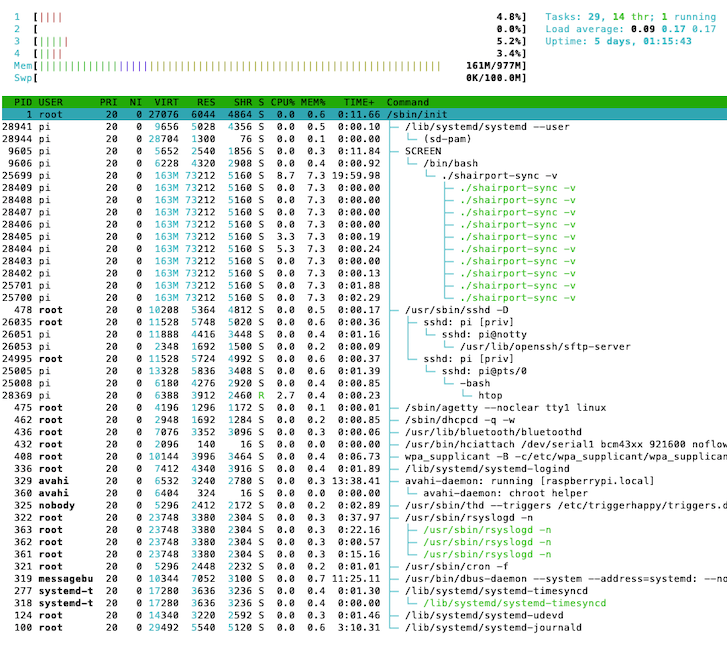
(Inside htop, I used the command F5 and the command H to get this display.) The number of threads could be 10 (11 counting the main thread) or 2 (3). It certainly shouldn't be hundreds, as it was for me yesterday.
mikebrady
on 3 Dec 2018
thanks for the info.
looks like they are talking about it here:
https://support.hifiberry.com/hc/en-us/community/posts/115004515909-DMA-transfer-could-not-be-terminated-My-audio-drops-out-briefly-but-not-often-Sometimes-it-never-recovers-and-I-have-to-reboot-
although I dont not have that specific DMA string in my logs.
hmm what to do about this ?
I will update the pi's later today.
gibman
on 3 Dec 2018
Yeah, it's troubling alright. And it's always easy to blame someone else's software. So, as mentioned above, I'm looking to ensure that none of the interactions with the ALSA subsystem are cancellable and that a short gap (around 0.2 seconds) is left after operations where possible. TBH, I'm not hopeful, but it's worth trying out.
mikebrady
on 3 Dec 2018
Still some unhappiness about closing a play session...
mikebrady
on 3 Dec 2018
What happens regarding the alsa subsystem when the stream from the airplay transmitter is lagging behind.. lost packets etc.
Does sps send silent audio to alsa? Or is alsa starved for a while?
Maybe likes a steady stream. Can this be faked?
gibman
on 3 Dec 2018
So, I've been experimenting with adding delays, hopefully to allow the ALSA system to "settle" in the hope of avoiding a DMA error, but no luck I'm afraid. I'll upload the modifications later for you to try.
To answer your questions above:
- SPS does send silent audio to make small sync adjustments and at the lead-in to a playing session. But if a large correction is required or if there is a pause, it stops the player and starts it later on. So, from time to time, the flow of audio to ALSA will stop, especially in these tests.
- It would be extremely difficult to fake a continuous audio stream, because working out when to do it and when not to do it would be essentially impossible. A problem is that the AirPlay source doesn't reliably distinguish between the start of a short pause and the permanent end of a session.
Apart from that, I've also made a further improvement to the watchdog timer.
mikebrady
on 4 Dec 2018
What about this as a workaround?
One of the features of the bcm2835-dma 20007000.dma: DMA transfer could not be terminated
problem is that the watchdog's attempt to cancel the play session does not succeed. So, one could add a feature to Shairport Sync such that if cancellation of a play session does not succeed, it should execute a command, like a script. That script could reboot the whole device, which is what is necessary to clear the fault. What do you think?
mikebrady
on 4 Dec 2018
I've implemented it and will post it a little later. It's certainly effective.
mikebrady
on 4 Dec 2018
I've pushed this version on a branch called more_danger.
If the watchdog timer is unable to terminate a play session, (as happens with the bcm2835-dma 20007000.dma: DMA transfer could not be terminated condition), it will execute the run_this_if_an_unfixable_error_is_detected if provided.
It's not really dangerous, except that if you set the new run_this_if_an_unfixable_error_is_detected setting to "/usr/bin/sudo /sbin/reboot", it will reboot the machine without warning. Any unsaved work will be lost!
Separately, the rest of my test rig experiments are going great. The two competing instances of TuneBlade are interrupting each other to get access to the SPS device, and it's still running and producing audio. So, for me at least, great progress.
mikebrady
on 4 Dec 2018
Thanks for the heads up.
Yes by all means. It sounds like the better evil.
I will try it out 2morrow morning.
Cant wait.
Havent had any issues this morning.
All pi's seem good.
gibman
on 4 Dec 2018
Thanks. It's actually a bit tricky to get Shairport Sync to be allowed to reboot the device when it's running as a service. I'll need to check what has to be done, but the sudo trick above doesn't work when SPS is a service. [Update -- fixed below.]
mikebrady
on 4 Dec 2018
ahh ok I see.. Should I wait with updating the boxes today ?
No problems this morning either.. All connected and audio is working.
gibman
on 5 Dec 2018
That’s great. Thanks, yeah, if you wouldn’t mind, I need to work out the correct Unix incantations...
mikebrady
on 5 Dec 2018
Easy you just recite: "Klaatu Varada Nikto"
or just follow this:
https://www.youtube.com/watch?v=zgvXtexdgAM
:)
gibman
on 5 Dec 2018
Okay. The problem with getting Shairport Sync to reboot the device when it's working as a service is that it is forbidden to execute the reboot program. However, even if it was given permission, the reboot program has to be executed as root user to be effective. To get around this, the user shairport-sync has to be given the ability to use the sudo utility to execute reboot without a password. This is done by adding an entry to sudoers.
There are guides for doing this on the internet, and I used this one. Although it doesn't mention it, it's very important to use the special editing utility called visudo when you are creating or editing sudoer items.
Anyway, with all that said and all those caveats, here is a suggestion. Create a file called shairport-sync inside the directory /etc/sudoers.d with the following command:
$ sudo visudo -f /etc/sudoers.d/shairport-sync
Here are the file contents:
# This permits the user shairport-sync to invoke sudo to reboot the system without a password
shairport-sync ALL = NOPASSWD: /sbin/reboot
Having rebooted, if you set the run_this_if_an_unfixable_error_is_detected setting to make it look like this: [Updated]
run_this_if_an_unfixable_error_is_detected = "/usr/bin/sudo /sbin/reboot --no-wall";
the Shairport Sync service, running as user shairport-sync, will be able to restart the machine.
The new run_this_if_an_unfixable_error_is_detected setting is part of the sessioncontrol group of settings in the configuration file. If you have done a full $ sudo make install, then the file /etc/shairport-sync.conf.sample (or /usr/local/etc/shairport-sync.conf.sample) will show where it goes.
(Remember, for the present, this is only in the branch more_danger. It's not yet in the development branch.)
mikebrady
on 5 Dec 2018
It still not right, I'm afraid. It worked on one Pi but not another. Still trying to get a general solution. [Update -- fixed below.]
mikebrady
on 5 Dec 2018
Just updated it, and it seems to work across two different Pis. Works on Ubuntu 18.04 too, where sudo normally needs a password, so I'm happy.
mikebrady
on 5 Dec 2018
As well as causing a play session to hang up, the bcm2835-dma 20007000.dma: DMA transfer could not be terminated problem can affect Shairport Sync in another way, causing it to repeatedly back up and consequently flush lots of audio. As discussed above, Shairport Sync can detect when the play session hangs up, but it does not detect this new mode of failure. So, it will be necessary to think of new criteria for detecting this...
mikebrady
on 8 Dec 2018
Just pushed an update to check the time taken to write packets of audio to the ALSA subsystem. It's only to gather information first, maybe to be the basis of an approach to the problem above.
Also to make the system a little less sensitive to brief outages on the main RTSP connection.
mikebrady
on 8 Dec 2018
Cool.. ill check it out.
All looking good here for several days now.
gibman
on 8 Dec 2018
So, I think a symptomatic feature of the bcm2835-dma 20007000.dma: DMA transfer could not be terminated error is that when the DAC is in this state, it stalls -- it refuses to take any further output from Shairport Sync. So, working on something to detect this.
mikebrady
on 10 Dec 2018
Okay. I've written some extra code to detect the stall that occurs with the bcm2835-dma 20007000.dma: DMA transfer could not be terminated error, pushed it out on the unstable branch. and am testing it now on my torture rig. If a stall of 200 milliseconds is detected, it will execute the run_this_if_an_unfixable_error_is_detected program, if available.
It seems pretty solid overall now, so I think it might be nearly time to declare victory on this battle. What do you think?
mikebrady
on 11 Dec 2018
sounds good.
I haven't had any issues since I last reported it.. ages ago :)
I think you have nailed it for sure.
gibman
on 11 Dec 2018
Cool. I’ve pushed a development update and updated the Release Notes.
mikebrady
on 11 Dec 2018
Hi,
This issue, or something like it, is not fixed for me -- it's also not a SPS issue per se.
I'm running SPS on an audioinjector (stereo) on a pi zero W. The dma issue drove me crazy. Of course the solution (in my case) was stupid simple: Run alsamixer and unmute (press M) on the "Output Mixer HiFi". Then run sudo alsactl store to enable these settings post-reboot.
I will put an issue on the audioinjector forum as this should be included, at the very least, in the setup instructions.
My theory: dma termination won't work if there is no endpoint. And that endpoint, for some reason beyond my understanding, doesn't exist/enumerate/etc. until the target output is UN-muted.
 jshep321
on 21 Dec 2018
jshep321
on 21 Dec 2018
Just had one pi bail out on me.
It was just playing audio fine .. then I returned some minutes later, and no audio.
The pi responds to telnet is alive and well but SPS rejects reconnections.. again again.
damn :(
gibman
on 21 Dec 2018
Thanks. A couple of quick observations. Lots of funny characters at the start of the log.
Second, it looks like Shairport Sync was actually working and starting and stopping properly. After the last log entries:
0.000173998|Connection 22: Unlocking play lock.
0.000168998|Connection 22: RTSP thread terminated.
It should have been accepting connections. Was that how it was behaving?
The messages:
6.781994209|Error -32 writing 353 samples in play(): "Broken pipe".
0.000674992|delay not available -- state is SND_PCM_STATE_PREPARED
0.000201997|Delay error -5 when checking running latency.
seem to indicate something was happening with the output device. What output device are you using?
mikebrady
on 22 Dec 2018
Its the digi+ toslink card on that specific pi.
gibman
on 22 Dec 2018
First of all.. Merry Christmas to you :)
I think the problems started since I disabled the script that took care of killing and restarting tuneblade each morning just as the windows PC would resume from standby.
Of course I could just re-enable my script, but I guess it would be more interesting to get to the bottom of this.
Anyways I now I have 2 PI's that showcase the reconnection problem within the tuneblade UI.
Funny thing is; they were just fine playing audio fine merely minutes prior to this.
I then restarted tuneblade and the 2 problematic PI's would reconnect, although no audio is heard from neither of the PI's.
The other 3 PIs have no issues both before and after.
I dont know if it's tuneblade handling of resume from standby that is buggy ?
logs:
gibman
on 24 Dec 2018
Thanks, and the compliments of the season to yourself! There won't be a whole lot or work done on this in the next few days, I'm thinking :)
A question I'd have is whether there are any differences of any kind of systematic basis between the three that work and the two problematic ones. For example, do the problematic ones use one type of DAC and the others use a different type?
mikebrady
on 24 Dec 2018
Can I just verify with you what version of SPS you are using on the systems? Is it 3.3d40? The reason I ask is to ensure that it includes the code for checking if the DAC has stopped accepting frames -- I notice in the bar.shairport-sync.log that there a lots of Large positive sync error: xxxx messages, indicating perhaps that the DAC isn't accepting frames. It may be that it accepts them slowly, which my code wouldn't register as a problem... It's the same with the kitchen.shairport-sync.log.
mikebrady
on 24 Dec 2018
Finally had the time to check up.. They are all running: 3.3d32-OpenSSL-Avahi-ALSA-soxr
here is the hw config of each of the 5 pi's
kitchen: digi+ toslink, wifi
bar: digi+ toslink, wifi
livingroom: HDMI, ethernet
bathroom: digi+ toslink, wifi
bathroom-cellar: digi+ toslink, ethernet
I will update to latest version of SPS.
gibman
on 25 Dec 2018
bathroom PI had an "illness" while I was present this time.
I had just hard booted the PI.
Then music was working for around 5min. with the occasional interruption in audio (1-2 sec silence) before picking up again.
But at some point the audio just died.
The wifi led still blinks like it use to do when packets are received by tuneblade.
The pi is still responding to telnet/web etc.
tuneblade suggests its still connected and bytes are transmitted.
restarting TB did not help.
restarting SPS process does not help either.
gibman
on 26 Dec 2018
Thanks for the information. Is there anything in the log like this?
bcm2835-dma 20007000.dma: DMA transfer could not be terminated
The numbers 20007000 may be different...
mikebrady
on 26 Dec 2018
Just searched the log using my phone..it doesnt seem to be there..sadly.
gibman
on 26 Dec 2018
Hmm, might have to get one of these to try them out. Is this it?
mikebrady
on 26 Dec 2018
I just looked through my purchase history..
pifi 1.1, hifi berry clones
I have both of these:
https://www.aliexpress.com/item/PiFi-Digi-HIFI-Digi-Digital-Audio-Card-with-I2S-to-S-PDIF-for-Raspberry-PI-B/2039911407.html?spm=a2g0s.9042311.0.0.27424c4dNVDlBG
I guess either would do fine for testing.
gibman
on 27 Dec 2018
Thanks. Both items are "No Longer Available".
But before plunging into that, you referred to the idea of faking a steady stream of audio. In fact, I've actually recently implemented something quite like that for a different purpose: to eliminate DAC state transitions that might be causing tiny audible pops -- see #780.
The relevant thing is, if you enable it, the DAC will be fed a continuous feed, either of audio from the AirPlay source, or else it will be fed with silent frames. If you're interested, please have a look at #780 to see how to set it up. Also, BTW, I've just pushed a bug fix, bringing the development version to 3.3d41
mikebrady
on 27 Dec 2018
thanks. Ive applied this silent frames feature on all pi's now.
Although this morning 2 pi's with reconnect issues as we know them.
Sadly the logs seemed garbled.
gibman
on 28 Dec 2018
Thanks for the updates. It is a pity that the logs are garbled. I'm sure you noticed that both logs exhibit the same problem, e.g:
Connection 812 ANNOUNCE is waiting for connection 1 to shut down.
Connection 812: ANNOUNCE failed to get the player
Connection 812: failed because a connection is already playing.
and in both cases the connection being waited for is a low number – 1 or 2. I don't know what that means, TBH.
I guess at this stage that one has to suspect the DACs. Would it be difficult to change the DACs between a functional and a faulty system, so see whether the problem follows the DAC to the previously functional system or whether the problem remains with the faulty system?
If the fault followed the DAC, I think it might be suggestive of a faulty device. (Maybe you've done this already?)
mikebrady
on 28 Dec 2018
I decided on running all pi's again in daemon mode, as we then have good working logs.. dont ask me how or why :)
A few hours later and the bathroom pi exhibit the reconnection issue. This time I think we have working logs.
Haven't yet ventured into moving the dac's around the house.
gibman
on 28 Dec 2018
Thanks for that. It seems the problem starts pretty quickly, in Connection 3.
Dec 28 11:00:59 Bathroom shairport-sync[30226]: delay not available -- state is SND_PCM_STATE_PREPARED
Dec 28 11:00:59 Bathroom shairport-sync[30226]: Delay error -5 when checking running latency.
This means that SPS appears to have found the DAC in an unexpected state. It should be in the state SND_PCM_STATE_RUNNING, but it reports that it is in the state SND_PCM_STATE_PREPARED. You can see that it recurs intermittently. After the AirPlay source stops sending audio, the watchdog times out and finds that it can't kill the player thread so puts out an unrecoverable error message.
Dec 28 11:31:02 Bathroom shairport-sync[30226]: Connection 3: As Yeats almost said, "Too long a silence / can make a stone of the heart".
Dec 28 11:31:02 Bathroom shairport-sync[30226]: Connection 3: rtsp_conversation_thread_func_cleanup_function called.
Dec 28 11:31:02 Bathroom shairport-sync[30226]: player_stop
Dec 28 11:31:02 Bathroom shairport-sync[30226]: player_thread cancel...
Dec 28 11:31:02 Bathroom shairport-sync[30226]: player_thread join...
Dec 28 11:31:06 Bathroom shairport-sync[30226]: an unrecoverable error, "unable_to_cancel_play_session", has been detected.
so, at least, if an appropriate script was hooked up to SPS, the device could be rebooted. However, that still doesn't tell us why the problem is actually occurring. If the DAC is genuinely going into the SND_PCM_STATE_PREPARED state, then it looks like a fault in the device. Hmm.
mikebrady
on 28 Dec 2018
I may have asked this before, and apologies if I have, but when a problem like the one above occurs, am I right to assume that no other audio player, e.g. aplay, is able to use the DAC until it is rebooted?
mikebrady
on 28 Dec 2018
hi Mike..
The affected PI is still able to play music.
I just had to kill off SPS using a suitable command. As I am using that new silent frames feature that would otherwise occupy the audio hardware.
Then started using the spotify connect client that is also running on the PI.
Audio comers out fine it seems.
weird.
gibman
on 28 Dec 2018
Thanks. That’s surprising, and therefore interesting!
mikebrady
on 28 Dec 2018
Okay. Another question.
As you've written, when SPS on the Pi is affected, if you kill SPS and use Spotify, the hardware produces sound.
My question is, if you then stop Spotify and restart SPS, does SPS now work? That is: sequence SPS-->(fails)-->(killed)-->Spotify-->(works)--(stop)-->restart SPS--(does it work?).
From what you've written before, my guess is that it won't work, but it would be very interesting to know.
mikebrady
on 28 Dec 2018
A good question indeed.
And the answer is: yes sps also produces audio.
gibman
on 28 Dec 2018
Wow! Much head-scratching ahead! 😊
mikebrady
on 28 Dec 2018
From the recent bathroom.daemon.log, I missed this:
Dec 28 11:29:02 Bathroom shairport-sync[30226]: pffr
Dec 28 11:29:02 Bathroom shairport-sync[30226]: frame size (fs) < 0 with max_dac_delay of 4410 and dac_delay of 6509
Dec 28 11:29:02 Bathroom shairport-sync[30226]: frame size (fs) < 0 with max_dac_delay of 4410 and dac_delay of 6509
Dec 28 11:29:02 Bathroom shairport-sync[30226]: frame size (fs) < 0 with max_dac_delay of 4410 and dac_delay of 6509
Dec 28 11:29:02 Bathroom shairport-sync[30226]: frame size (fs) < 0 with max_dac_delay of 4410 and dac_delay of 6509
Dec 28 11:29:02 Bathroom shairport-sync[30226]: frame size (fs) < 0 with max_dac_delay of 4410 and dac_delay of 6509
Dec 28 11:29:02 Bathroom shairport-sync[30226]: frame size (fs) < 0 with max_dac_delay of 4410 and dac_delay of 6509
Dec 28 11:29:02 Bathroom shairport-sync[30226]: frame size (fs) < 0 with max_dac_delay of 4410 and dac_delay of 6509
Dec 28 11:29:02 Bathroom shairport-sync[30226]: frame size (fs) < 0 with max_dac_delay of 4410 and dac_delay of 6509
Dec 28 11:29:02 Bathroom shairport-sync[30226]: frame size (fs) < 0 with max_dac_delay of 4410 and dac_delay of 6509
Dec 28 11:29:02 Bathroom shairport-sync[30226]: frame size (fs) < 0 with max_dac_delay of 4410 and dac_delay of 6509
Dec 28 11:29:02 Bathroom shairport-sync[30226]: frame size (fs) < 0 with max_dac_delay of 4410 and dac_delay of 6509
Dec 28 11:29:02 Bathroom shairport-sync[30226]: frame size (fs) < 0 with max_dac_delay of 4410 and dac_delay of 6509
Dec 28 11:29:02 Bathroom shairport-sync[30226]: frame size (fs) < 0 with max_dac_delay of 4410 and dac_delay of 6509
Dec 28 11:29:02 Bathroom shairport-sync[30226]: frame size (fs) < 0 with max_dac_delay of 4410 and dac_delay of 6509
Dec 28 11:29:02 Bathroom shairport-sync[30226]: frame size (fs) < 0 with max_dac_delay of 4410 and dac_delay of 6509
Dec 28 11:29:02 Bathroom shairport-sync[30226]: frame size (fs) < 0 with max_dac_delay of 4410 and dac_delay of 6509
Dec 28 11:29:02 Bathroom shairport-sync[30226]: frame size (fs) < 0 with max_dac_delay of 4410 and dac_delay of 6509
Dec 28 11:29:02 Bathroom shairport-sync[30226]: frame size (fs) < 0 with max_dac_delay of 4410 and dac_delay of 6509
Dec 28 11:29:02 Bathroom shairport-sync[30226]: frame size (fs) < 0 with max_dac_delay of 4410 and dac_delay of 6509
Dec 28 11:29:02 Bathroom shairport-sync[30226]: frame size (fs) < 0 with max_dac_delay of 4410 and dac_delay of 6509
Dec 28 11:29:02 Bathroom shairport-sync[30226]: frame size (fs) < 0 with max_dac_delay of 4410 and dac_delay of 6509
Dec 28 11:29:02 Bathroom shairport-sync[30226]: frame size (fs) < 0 with max_dac_delay of 4410 and dac_delay of 6509
Dec 28 11:29:02 Bathroom shairport-sync[30226]: an unrecoverable error, "output_device_stalled", has been detected.
In other words, it appears that the output device froze or stalled for 200 milliseconds -- i.e. that it didn't output any frames for a fifth of a second.
Now, of course it is possible that the stall detection code is faulty, so when you are running these experiments again, it would be very useful to set the diagnostics setting called log_show_time_since_last_message to "yes" (don't forget to uncomment it :)). This would offer some relatively independent timing data to check if indeed 200 milliseconds went past.
I may not get too much time looking at this over the next few days...
mikebrady
on 29 Dec 2018
an unrecoverable error, "output_device_stalled", has been detected.
this time audio doesnt work with spotify or anything else.
reboot is the cure.
hmm.. what does it take to get proper stable audio in a pi ?
Seems silly,,. but maybe I should just take the audio from the hdmi port and then buy an HDMI to optical converter.. it gets more and more clunky hehe. But no more I2C interface :)
All PI's are running the raspbian stretch OS.
Could it be a driver issue ?
havent tried these yet:
sudo apt-get update
sudo apt-get -y dist-upgrade
logs:
gibman
on 31 Dec 2018
Thanks for this. I'm still working on the theory that there is some fault in the output device, but whether it's the device hardware or driver I don't know.
The output_device_stalled condition is detected when the output device doesn't consume any frame whatever for 200 milliseconds. The reasoning is that, as best I understand it, this is clearly a faulty situation, since frames should be consumed at the nominal rate, say 44,100 frames per second. Now, even if the firmware doesn't update the number of frames remaining very often, one would imagine that it would definitely be updated in a 200 millisecond interval; for instance, the built-in DAC updates around every 11 milliseconds. I2S and USB devices normally update much more quickly.
However, I'm not happy about the way SPS responds to a stalled_output_device condition. I must admit that I assumed that it was sufficient to simply detect this condition and possibly run a script, but I didn't give thought to what would happen if no script was executed. So I need to make SPS behave a bit better when the output_device_stalled condition persists. I suspect that SPS is hanging up when the DAC's buffer fills, but I haven't done all my checks yet.
Could it be a driver issue? Certainly it could, but it could also be a hardware issue.
Hypothetically, even if SPS was driving the device in an improper manner (and, BTW, I don't think it is), then, when SPS is quit, the fact that the device does not recover clearly points to a fault in the device and/or its firmware. The fact that it only seems (?) to happen on particular machines suggests a hardware or configuration issue with those machines. However, it is always possible that the machines are running different revisions of firmware, so perhaps doing the sudo apt update and sudo apt upgrade is a good idea; the firmware will be updated to the latest official release by the upgrade step, so then the configurations of all the devices should (?) be the same.
mikebrady
on 31 Dec 2018
Hi
I am not so good with Linux. But I would like to use shairport-sync on Gentoo.
Any chance to let me know how to install it?
Thank you,
patrik
 primip
on 31 Dec 2018
primip
on 31 Dec 2018
Hi I am not so good with Linux. But I would like to use shairport-sync on Gentoo. Any chance to let me know how to install it? Thank you, patrik
Thanks for the post, Patrik, but this thread has nothing to go with Gentoo. I suggest you open a new issue.
mikebrady
on 31 Dec 2018
I just pushed a slightly hacky update into the unstable branch. If the output device is stalled, the update will prevent frames being sent to it, thus preventing SPS from hanging up when the device's buffers fill up. It should mean that, at worst, SPS will eventually become available again by timing out two minutes after the audio source stops sending data. If I'm right, it won't fix the problem, but it should make SPS a little better behaved.
mikebrady
on 31 Dec 2018
Happy new year Mike!
... and thanks for the work.
It looks like all PI's with that digi+ device exhibit the same misbehaviour more or less.
The livingroom pi, is the only one using HDMI as its connected to a AVR with HDMI inputs and it seems to lead a much healthier life than the digi+ PI's do.
All PIs are running the same moode audio image which is based on raspian stretch.
I haven't done any custom firmware updates to any of them...yet
The weird thing is: Prior to all these problems the 5 x PI's did run on an earlier version of raspian (Jessie I think it was + some older version of SPS as well) and there were no problems like this (audio disappearing).
Yesterday I killed the SPS process on the bathroom pi and instead started some random internet radio station using the moode audio web UI.. It has been playing all night and is still outputting audio.
I guess I could do the same test for the other digi+ based PI's.
To me it looks like SPS does not cause issues with HDMI audio.
But it does seem to have some issues with digi+ (PIFI clone) and/or I2S devices.
It just seems weird that the HW should be faulty when they can playback internet streams just fine ?
I also had the WIFI connection under heavy suspicion. So I took the BAR pi and removed the wifi dongle and inserted a ethernet cable. Did not change anything.
Another culprit could be tuneblade itself.
What if I removed all SPS clients from the tuneblade but one ?
Maybe it works with one SPS client connected ?
How many PIs are you testing with ?
Just some random thoughts and observations...
gibman
on 1 Jan 2019
Thanks, and the same to yourself -- all the best for 2019.
In reply to your musings, here are some of mine; not really going anywhere with them, just writing what I think at present.
It does seem to be associated with those PiFi devices, and more generally there seems to be an issue with I2S devices using the hifiberry driver. If the pHAT DACs I used were absolutely faultless, then I'd be saying there was a problem with your hardware devices, but occasionally I get the DMA error, as mentioned below.
I'm testing with Shairport Sync running on a VMWare Ubuntu 16.04.5 installation, a Pi 3+, a Pi 3 and a Pi Zero W. I'm running TuneBlade out of two Windows instances in two locations. The WiFi networks are very good in both locations.
Since all the issues you brought to light have been addressed, Shairport Sync has been very solid indeed for me, far more so than in the past. However, prior to these bug fixes, Shairport Sync was also very reliable in normal operation. The difference is that now -- thanks to your work -- SPS is much more reliable in unusual circumstances. So, the situation now is that, apart from hanging up due to blocking on output when the output device appeared to stall (which I think is fixed in the current unable branch), I think SPS is working pretty well.
Regarding the comparison with the Internet Radio, I gather that you just run the radio all night, without continually stopping and starting it. I guess that if you ran Shairport Sync without stopping and starting it, it would be just as reliable; that certainly has been my experience at this end. In fact, I have been unable to get Shairport Sync to put a foot wrong in the last week or so, on any of the devices, even with starting and stopping TuneBlade on multiple devices, interrupting existing sessions, etc. The pattern is that if the output device is a hifiberry-driver-using device, it will hang up after anything from an hour to two days of continual starting and stopping. But if it's the built-in audio of a Pi or the simulated audio device of VMWare Fusion, it's absolutely rock-solid.
As I mentioned, the only fly in the ointment for me is that the hifiberry-driver-using devices I use occasionally stop working properly, logging the following message repeatedly:
bcm2835-dma 20007000.dma: DMA transfer could not be terminated
This can't be cleared without rebooting the Pi. I really think that it indicates that the driver or device has failed.
It is possible that SPS exercises parts of the driver that, say, an Internet radio does not because it (SPS) continually asks the driver for the number of frames left to play (the "delay"), whereas I'd say the radio app does not.
mikebrady
on 1 Jan 2019
Several days now and the internet radio is still working, Think I'll stop this specific test for now hehe.
Also had tuneblade connect to only one digi+ pi and it has been working for a few days as well.
During new years eve I was using the PI's intensively. The bar located PI more so than the others hehe.
Anyways, the BAR pi I had to reboot 3-4 times. It would play fine for 1hr or so.. then it would disrupt the audio like the tuneblade process was unable to establish a proper connection, like a bad wifi reception etc. Lost packets could be an issue with a WIFI pi, but I just recently upgraded it with ethernet - so it shouldn't be it.
This audio interruption problem would happen for time to time until at some point the audio would not recover and would thus stay silent.
Obviously I had to reboot. This happened a lot during the evening.
The bar PI had an active connection with tuneblade all the time, so no stopping starting cycles.
It does look like the issue is a lot easier to reproduce with tuneblade if you have multiple concurrent airplay receivers into play (eg 5x PI units).
If you keep it simple and only broadcast to one device, then it will play happily.
I will test this more in depth.
Back to the theory about the hifiberry drivers being faulty,
How can I go about and change the driver to another version either newer or older ?
I know how to do this in the windows OS, but not in the Linux domain.
I agree with you in regards with the difference in complexity in playing back an internet radio station vs SPS.
SPS could use the audio driver in away that is not typical for other applications. In other words it could reveal bugs present in the driver not yet seen elsewhere.
How hard would it be to create a dummy application that would render some mp3/wave file in a way that is similar to how SPS uses the driver ? eg. doing the same sample queries, stopping and starting the audio etc.
The point of this would be to isolate the issue and maybe involve the team behind the driver ?
gibman
on 2 Jan 2019
Food for thought here, as ever.
All of my tests have involved only one target at a time. It will be next week before I can put together a bunch of four or five devices. It's not something i had thought of, but of course it may be causing TuneBlade to change its behaviour and exercise some different part of SPS that is faulty. OTOH, it could be TuneBlade itself that is misbehaving. Next week...
It would be a pretty major piece of work to build a testing app version of SPS, tbh.
Regarding the hifiberry drivers. My understanding of the situation is that the drivers are part of the Raspberry Pi firmware, which will be updated when you do the apt update / apt upgrade stuff and reboot. I don't know which drivers are used, but I suspect that they are the PCM512x drivers. I'm not sure where this stuff is being looked at right now. Maybe the Alsa Development guys might know.
mikebrady
on 2 Jan 2019
Another piece of similar software for windows is AirFoil
https://rogueamoeba.com/airfoil/
They even have an airplay receiver for linux.
for now I'll try and swap it out with tuneblade.. then have all 5 PI's run concurrently.
I'll report back my findings.
Next week is going to be interesting :)
Thanks.
gibman
on 2 Jan 2019
I think a major culprit here is the usage of the soxr parameter.
With it enabled some of the slower gen 1 PI's would peak on CPU usage from time to time.
With it disabled cpu usage would be around 10% for the SPS process and no more jittery audio.
Also the seem to be a lot more stable. No DAC stalls,
right now TB seems to be rocking since last evening all looking good so far
Ive created a post about this on the moode audio forum as well
for reference: http://moodeaudio.org/forum/showthread.php?tid=858&pid=6926#pid6926
as the soxr parameter is hardcoded in moode audio, so everytime I reboot a moode audio based device it would start up with SOXR enabled.
Lot of the time during these testing sessions I have manually started SPS without soxr.
But why would the DAC cease up during a maxed out CPU - thats the golden question ?
or is it the soxr feature itself ?
gibman
on 3 Jan 2019
Soxr interpolation can overwhelm a first generation Pi or a Pi Zero. The interpolation of a packet of frames can take about three times as long as the packet takes to play, so a succession of frames needing interpolation could starve the DAC.
When the DAC starves, it goes into the underrun state: SND_PCM_STATE_XRUN. According to the ALSA documents, it is necessary to execute the snd_pcm_recover call to recover from this, but in testing, I have found that, to clear the condition, it is also necessary to execute the snd_pcm_prepare call. This latter call is one that should be used after a DAC has been opened to prepare its settings. So, effectively, after each underrun, the DAC is restarted. If the DAC driver has an occasional problem with [re]starting, then this behaviour of SPS gives it lots of opportunities to misbehave.
So, I need to revisit my assumptions and experiments, and see if I have misunderstood something.
mikebrady
on 4 Jan 2019
Well, some progress can be reported.
It would seem that the
snd_pcm_recovercall works _after_ you have sent frames to the DAC and discovered an underrun ("XRUN"). In other words, if you try to recover from an XRUN _before_ attempting to send frames,snd_pcm_recoverwon't work -- the XRUN condition will remain and, what's more important, if you send frames you'll get an error. But if you send frames, even when the device is already in an XRUN state, and then discover an XRUN,snd_pcm_recoverwill work. Go figure...I've added code to check the size of the delay before using
soxrinterpolation on a packet of frames; if less than 0.1 seconds is left, it will choosebasicinterpolation automagically. This should prevent a first generation Pi from starving the DAC. It works well on a First Generation Pi B and on a Pi Zero running the latest Raspbian.I'm not sure about the interplay between the new "disable standby" feature,
soxrinterpolation and the number of cores on the Pi processor. First generation Pis and the Zero have just one core. Basically, if the delay drops below about 30 ms, which could happen with a longsoxrinterpolation calculation, a thread -- the "silence" thread" -- will add frames of silence. However, with only one core, if it possible that the silence thread might not get scheduled quickly enough, resulting in XRUNs. It might be better to leave this feature unused for the present.
The code has been updated to reflect these new ideas, and is available on the unstable branch. It's working nicely on all my devices, but it does incorporate quite a few significant changes. Whenever you got a chance to try it, I'd be grateful for your response.
mikebrady
on 7 Jan 2019
The unstable branch has been a little, uh, unstable for the last few days, but should be a bit more settled now. It’s at 3.3d45. I have to leave it for a few days anyway...
mikebrady
on 10 Jan 2019
[Update -- changed the settings, more details.]
So now I have a menagerie of five Shairport Sync devices. There are four Pis – a Zero W with a pHAT DAC, a B, a 3B, a 3B+ with a pHAT DAC – and a C.H.I.P., all running simultaneously. The pHAT DACs use the hifberry-dac overlay. All are set to 44.1/16 bit.
All settings are defaults, except to choose the output devices, use soxr interpolation and enable some diagnostics: set log_verbosity to 1 and log_show_time_since_last_message to "yes". Connections are via WiFi.
All are being driven through repeated test sequences by two Windows 10 VMs running PowerShell scripts to repeatedly start and abruptly kill TuneBlade over pseudo-random intervals of up to 20 seconds. TuneBlade is set to grab all AirPlay devices. Thus, TuneBlade on one VM could try to grab the Shairport Sync players already playing a TuneBlade session from the other VM.
On the Pi Zero W, the pHAT DAC has stalled twice over the weekend (stalling was detected successfully by Shairport Sync), requiring a reboot each time. Everything else is fine.
What settings are you using?
mikebrady
on 11 Jan 2019
A progress report. As of now, all five systems have been running continuously for twenty four hours or more – one for over 66 hours.
- As mentioned above, the PI Zero W with pHAT DAC had a DAC stall twice over the weekend, and each time Shairport Sync detected the condition and could have rebooted the machine.
- A double free memory error occurred on the Pi3B and the PI3B+, and it was then caught using
gdb. It seems to have been caused by a race condition due to faulty control over access to a retention count variable used to determine when it's safe to free an RTSP message. This has been a very elusive issue, present for at least a year on multicore machines. It hasn't recurred since the fix.
mikebrady
on 14 Jan 2019
Further progress. Apart from a few more DAC stalls on the Pi Zero, no further crashes have occurred. I've hooked up a script to automagically reboot the Pi Zero when a stall is detected.
Something unexpected that has surfaced, however, is that using the OpenSSL library seems to cause a huge memory leak. Shairport Sync on the C.H.I.P was compiled with mbed-tls rather than OpenSSL support, and it has been completely stable in terms of memory usage. By contrast, SPS has been compiled with OpenSSL support on all the Pis, and as the hours have gone by, the amount of memory taken by SPS has risen. Recompiling to support mbed-tls or polarssl (on the Zero Pi and on PiB) has eliminated the phenomenon. Quite a discovery. So, the longest running device is the C.H.I.P. at 97 hours. The Pi3B and Pi3B+ will run out of RAM soon, and I'll recompile SPS to use mbed-tls.
mikebrady
on 15 Jan 2019
hi Mike.. sorry for my absence.
Been too busy lately.
Haven't had the time to update the PI's yet, so Im still running on whatever version I last reported to you and I havent rebooted a single device since ages in fact :)
nice discoveries you made there regarding mem leaks.
gibman
on 18 Jan 2019
Good stuff. I haven’t looked at the OpenSSL leaks yet. Maybe this weekend.
mikebrady
on 18 Jan 2019
Closing this issue. What a great sequence, thanks!
mikebrady
on 9 Jun 2019
Related issues
 moritzmhmk
·
6Comments
moritzmhmk
·
6Comments
 asakaev
·
7Comments
asakaev
·
7Comments
 ContraVarus
·
7Comments
ContraVarus
·
7Comments
 purefan
·
5Comments
purefan
·
5Comments
 vasilisvg
·
8Comments
vasilisvg
·
8Comments
Most helpful comment
Thanks for the updates. It is a pity that the logs are garbled. I'm sure you noticed that both logs exhibit the same problem, e.g:
and in both cases the connection being waited for is a low number – 1 or 2. I don't know what that means, TBH.
I guess at this stage that one has to suspect the DACs. Would it be difficult to change the DACs between a functional and a faulty system, so see whether the problem follows the DAC to the previously functional system or whether the problem remains with the faulty system?
If the fault followed the DAC, I think it might be suggestive of a faulty device. (Maybe you've done this already?)