Shairport-sync: Airplay 2 Support ?
Any Plans?
 timstans
All 437 comments
+1
That'll be awsome! Looking for to control multiroom audio via io.broker / homekit for a long time.
- That'll need ability to receive multiple streams.
- Support of homekit
 dennydeutscher
on 6 Jun 2017
dennydeutscher
on 6 Jun 2017
Really more interested in the specifications. Hopefully it breaks free from the 44.1/16 limit that Airplay currently suffers.
 rockrabbit
on 6 Jun 2017
rockrabbit
on 6 Jun 2017
I'm afraid I don't know yet whether iOS 11 will do multiroom with existing AirPlay devices or whether the new protocol is needed.
My iOS developer membership has lapsed, so, unless one of you guys has access to the iOS preview and can try it out, we will have to wait, I guess, until the public beta.
It would be great if it was backward compatible!
 mikebrady
on 6 Jun 2017
mikebrady
on 6 Jun 2017
I've set up the iOS 11 beta on my iPhone, can confirm it's not allowing multiroom audio playback on two shairport-sync RPis I have running. It basically works the same as it did on iOS 10.
A few minutes of googling on Reddit will get you an iOS developer profile easily enough ;)
 mynameisdaniel32
on 6 Jun 2017
mynameisdaniel32
on 6 Jun 2017
Still don't get what they mean by multi room support. Isn't that what shairport-sync already does?
rockrabbit
on 6 Jun 2017
Thanks @mynameisdaniel32. That's disappointing, but not unexpected. To answer your question @rockrabbit, Shairport Sync does permit multiroom support, but the client must actually request it. So iTunes can request it, but iOS has never done so, and it looks like Apple are using a new protocol for multiroom capability in iOS 11.
mikebrady
on 6 Jun 2017
Multiroom has been introduced in Airplay 2
so I guess new protocols?
timstans
on 6 Jun 2017
Explain multi room. Right now I have a pi in my living room and another in my bathroom. Using Shairport-Sync I can play my music to both and independently adjust the volume through iTunes or using the Remote app on my phone.
I can use iTunes on my Mac to play X to the living room and using AirPlay from my phone to play Y to the bathroom.
If this is not multi room, what exactly is Apples definition?
rockrabbit
on 6 Jun 2017
Hi @rockrabbit. What you say is true as far as it goes, but at present you can not play music from your phone to, for instance, the living room and bathroom at the same time. iOS 11 will change that.
mikebrady
on 6 Jun 2017
There is an interesting article on it at AppleInsider.
mikebrady
on 6 Jun 2017
Ha! If that doesn't say we all made the right choice using pi's and like, all using your brilliant software Mike; I'm not sure I'll ever need AirPlay 2 unless it support wireless hi rez audio!
rockrabbit
on 6 Jun 2017
Well, let's see what happens. It would be super if Apple allowed iOS multiroom to happen on "legacy" AirPlay.
mikebrady
on 6 Jun 2017
My understanding was that iOS never supported multi-room AirPlay because the protocol requires the sending device to send duplicate packets to all receivers, which was perhaps too much load for battery (and once upon a time, CPU and bandwidth) constrained mobile devices.
Apple’s promotional material for HomePod includes this sentence (emphasis mine): “When you add HomePod to multiple rooms, the speakers communicate with each other through AirPlay 2 — so you can play your music all around the house.” My guess is that AirPlay 2 has the receiving devices (speakers) duplicate packets and forward them on to the next receiver, shifting the load from the sending device.
Although, unless AirPlay 2 speakers are creating some sort of peer-to-peer mesh network then the scheme I hypothesised above would surely put much more load on the main Wi-Fi network, by necessitating a bunch of additional round trips to the router. I’d love to know what’s really going on. Maybe someone can use this as justification to grab a couple of HomePods. For science.
 AndrewC-B
on 6 Jun 2017
AndrewC-B
on 6 Jun 2017
@mynameisdaniel32: so in iOS 11 Beta shairport ist still working? So hopefully AirPlay 2 is compatible to AirPlay 1. But I think we need to wait until GM to be Sure.
 maumi
on 6 Jun 2017
maumi
on 6 Jun 2017
I recently checked on an iOS 11 beta iPad and Shairport Sync continues to work as normal, which is a relief. No multiroom facility in evidence though.
mikebrady
on 6 Jun 2017
@Subject22 Don't forget that current Apple TVs are also going to be Airplay 2 capable. A funny thing I noticed with the Apple TVs is the ability to airplay to it without the iphone/ipad source being on the same wifi network the Apple TV is on. So maybe Airplay 2 will be creating a p2p mesh network using this same tech?
 DietShasta
on 7 Jun 2017
DietShasta
on 7 Jun 2017
It looks like Airplay 2 may be incorporating some HomeKit functionality around the iOS on-screen controls, giving the ability to add devices to a playback group, control volume, etc.
No idea what's going on with the inter-device communications, protocols, etc. Apple is putting some developer info out there, available on the Developer's website, but also through the WWDC iOS app, and via streamable videos (but only in Safari). Here's the Airplay 2 web video page (still awaiting video content): https://developer.apple.com/videos/play/wwdc2017/509/
Will be interesting to see how much detail is given, and whether they open source the protocol. It does look like it's being implemented by a lot of Apple's hardware partners, with a lot of legacy Airplay hardware able to be updated to Airplay 2 via firmware updates.
 rthigpen
on 7 Jun 2017
rthigpen
on 7 Jun 2017
Thanks for the information. My guess it'll be from a developer's perspective, but we can live in hope!
mikebrady
on 7 Jun 2017
@DietShasta That’s pretty interesting. I hadn’t noticed that before, but it explains a few things, now that I think about it. That’s a great feature for lots of reasons. It’ll be advertising and setting up the ad-hoc connections via Bluetooth, much like AirDrop.
AndrewC-B
on 7 Jun 2017
@Subject22 I'm kind of thinking the same way you are. It must offload the heavy work to the individual devices or maybe now it does some sort of multicast stream and use HomeKit as a way to tell the individual speakers to subscribe to the multicast stream. When I first saw them talking about AirPlay 2 I figured they would leverage the ATV4 as a proxy/hub to handle the heavy work. Similar to how the ATV4 is used as a HomeKit hub for remote access. I just loaded iOS11 and was relieved that it still connects to shairport-sync. I wish Apple would just opensource AirPlay1/2.
 noelhibbard
on 8 Jun 2017
noelhibbard
on 8 Jun 2017
The current iOS11 beta does not support multi-room audio, it will be enabled in a later Beta
Would be nice if it was backwards compatible to Airplay1, but can't see it.
 ghost
on 10 Jun 2017
ghost
on 10 Jun 2017
Thanks for the information!
mikebrady
on 10 Jun 2017
New info is available now: https://developer.apple.com/videos/play/wwdc2017/509/
Click the resources tab.
noelhibbard
on 12 Jun 2017
Thanks for the heads up. Two things emerge from it:
- AirPlay and AirPlay 2 are both supported.
- Multiroom isn’t enabled yet – it will be in a later beta as @adamcollier1 mentioned above.
So, Apple hasn’t closed the door on multiroom audio with regular AirPlay yet.
mikebrady
on 12 Jun 2017
Be aware that if you want to test Airplay 2 in the current betas, you need to enable your device for development, then go to Settings, Developer, in order to actually enable it.
 hopkapi
on 30 Jul 2017
hopkapi
on 30 Jul 2017
Thanks. I didn't realise this, but then I haven't been in a position to try the most recent betas. I'll be able to try them in about two weeks. Is there anything interesting to report?
mikebrady
on 30 Jul 2017
Not sure to be frank, though you can get the beta via Apple's public beta program, though I'm also not sure if you can get the version of Xcode needed to then enable development etc.
hopkapi
on 30 Jul 2017
I’m not sure, but I think it’s probably against some NDA or other to discuss the details of this stuff publicly. I don’t expect anyone to enforce that, but better to be safe than sorry.
I was able to download the latest beta of Xcode 9 from Apple’s developer portal using my free dev account, provision my iPad (which is running the iOS 11 beta) for development, and enable AirPlay 2. So if anyone wants to try it out, I can verify that it’s possible to do so. I wouldn’t drop what I was doing to rush to try it out though.
AndrewC-B
on 30 Jul 2017
Many thanks @Subject22. I think it is right to honour the NDA, TBH, and thanks for the suggestion that it's not necessary to rush...
mikebrady
on 30 Jul 2017
Indeed, though the WWDC video linked doesn't seem to require a login to watch, so I'm not sure if it's under NDA.
hopkapi
on 31 Jul 2017
Any news on Airplay 2 support?
My iPad is on iOS 11 Beta 8 and still can only select one instance at a time. Not the end of the world for me as I use my Mac + Remote App and have multiple room support there!
rockrabbit
on 3 Sep 2017
@rockrabbit have you enabled Airplay 2 in developer settings?
ghost
on 3 Sep 2017
@adamcollier1 Running the Public Beta. Evidently I need to download Xcode 9 Beta and go from there... no big rush seeing as we are a few weeks away from iOS 11 GM!
rockrabbit
on 3 Sep 2017
I don't remember seeing anything about AirPlay 2 in the Keynote or announcements yesterday. Did anyone pick up any information?
mikebrady
on 13 Sep 2017
The event was focused on the new hardware. There was no mention of AirPlay.
 echamberlain
on 13 Sep 2017
echamberlain
on 13 Sep 2017
Yeah so nothing was mentioned in the event but I have recently had chance to test Airplay 2 on iOS 11 Developer Beta and can confirm airplay to shairport just works the same as before.
Airplay 2 works a bit differently where the speakers communicate to each other instead of the device to each individual speaker.
So hopefully some genius will be able to make a raspberry pi Airplay 2 compatible! ;)
ghost
on 13 Sep 2017
Most of the coverage of Airplay 2 is concerning the multiroom stuff, which I guess is fine if you have rooms :)
I'm more interested in the increased audio buffer size and "real time" playing. I'd love to use Airplay to stream from my computer to my speakers while watching movies, and the lag on normal Airplay is about a second long. Is this on the agenda for Shairport?
 EricWVGG
on 19 Sep 2017
EricWVGG
on 19 Sep 2017
Just to clarify — AirPlay negotiates a delay at present of two seconds, or a little more with iTunes. If you are playing a video on a Mac using iTunes or QuickTime player or Safari, then the video will be delayed by two seconds so that it will be in sync with the audio delivered by AirPlay.
I don’t know anything about AirPlay 2, e.g. whether it offers zero latency playback.
mikebrady
on 19 Sep 2017
Just saw this at AppleInsider: https://forums.appleinsider.com/discussion/201903/.
mikebrady
on 20 Sep 2017
Has anyone done a network packet analysis of Airplay 2? Any information on how amenable it will be to reverse engineering _de novo_? I understand for Airplay 1 this took digging out the private device encryption key.
 jdtsmith
on 20 Sep 2017
jdtsmith
on 20 Sep 2017
Looks like multiroom audio is coming in iOS 11.2
AndrewC-B
on 1 Nov 2017
someone has any news about airplay 2?
 Oggymator
on 28 Nov 2017
Oggymator
on 28 Nov 2017
Apple removed it from iOS 11.2 with beta 5. There won’t be much more public details on it, until we get closer to the HomePod release in 2018.
echamberlain
on 2 Dec 2017
Thanks for the update, Eric.
mikebrady
on 2 Dec 2017
It’s now available again in iOS 11.2.5 beta
 jeremybdk
on 19 Dec 2017
jeremybdk
on 19 Dec 2017
Just updated to 11.2.5 beta 2 - It's not available
 alexey-zhukov
on 2 Jan 2018
alexey-zhukov
on 2 Jan 2018
How about iOS 11.2.5 beta 5? Anybody tried it?
 iNorD
on 15 Jan 2018
iNorD
on 15 Jan 2018
IOS 11.2.5 beta 6 still not available.
 alecs2287
on 19 Jan 2018
alecs2287
on 19 Jan 2018
Oh, news are saying that airplay2 support is in 11.2.5 release version(build 15D60) !
https://www.macrumors.com/2018/01/23/apple-releases-new-beta-software-for-homepod/
Anybody tried this?
iNorD
on 24 Jan 2018
Not me, I'm afraid. But Shairport Sync works as well as ever with the updated mac OS, iOS and iTunes.
mikebrady
on 24 Jan 2018
It’s in iOS 11.3 beta 1. Remember you’ll need an Apple TV also running tvOS 11.3 to get it working 👍
 simonrb2000
on 25 Jan 2018
simonrb2000
on 25 Jan 2018
It’s in iOS 11.3 beta 1. Remember you’ll need an Apple TV also running tvOS 11.3 to get it working 👍
Without a screen shot this statement is worthless!
rockrabbit
on 25 Jan 2018
How is the above comment worthless? Its documented within the change log To use AirPlay 2 you need to have an AirPlay 2 player and currently the Apple TV is the only one on the market and to get AirPlay 2 on the Apple TV its bundled in the latest beta which is 11.3 beta.
Last time I try and help out on here if people are rude!
simonrb2000
on 25 Jan 2018
Oh and you want proof, check this link and watch the video - go to the 5 minute mark
https://9to5mac.com/2018/01/24/ios-11-3-whats-new-hands-on-top-features-video/
simonrb2000
on 25 Jan 2018
Thanks everyone. There is some information out there now alright. It seems that it must be a fourth generation Apple TV (which I don't have). Anybody know if you need to be a paid Apple developer to do this stuff?
mikebrady
on 25 Jan 2018
There isn’t any public beta yet so officially you need to be a paid developer. However there are ways of getting the developer beta profile onto your devices 🤭
simonrb2000
on 25 Jan 2018
The public beta was just released: https://9to5mac.com/2018/01/25/ios-11-3-public-beta-1/
 TheE
on 25 Jan 2018
TheE
on 25 Jan 2018
Just seen this! Thanks
simonrb2000
on 25 Jan 2018
Just updated to iOS 11.3 public beta 1.
Airplay 2 option Not present.
iPhone X or iPad
rockrabbit
on 25 Jan 2018
Rockrabbit You need an Airplay 2 compatible player for it to show. Have you got one?
simonrb2000
on 25 Jan 2018
simonrb2000
First want to apologize for offending you, was not the goal at all. I have watched the WWDC key note enough times to know to look for the select dots. This is why I asked for screen shot.
Secondly, can you define what you mean by Airplay 2 compatible player?
Right now I have two Raspberry Pi's running Shairport Sync and a 4th Gen Apple TV running the latest public Beta
rockrabbit
on 25 Jan 2018
rockrabbit
on 25 Jan 2018
Airplay two is a completely new protocol and wont work with existing AirPlay players. Everything on the market now is AirPlay 1. Only AirPlay 2 players will show up as AirPlay two players on iOS 11.3. tvOS 11.3 beta for Apple TV 4th/5th gen enable the AirPlay 2 protocol. Then they will show up as AirPlay 2 on your iOS 11.3 public beta.
Basically you need AirPlay 2 players to show up on iOS 11.3 public beta. If you uptake your Apple TV to 11.3 beta then AirPlay 2 will work on your iOS 11.3 public beta device. Be warned it is a little buggy..
Does this make sense, and apology accepted :D
PS. Your Apple TV is probably running tvOS 11.2.5 which is the latest public beta, you need the developer tvOS 11.3 beta 1 to enable AirPlay 2 on your 4th Gen TV
simonrb2000
on 25 Jan 2018
tvOS 11.3 public beta 1 is now out.. check for update then you shall be able to use AirPlay 2 to your Apple TV
simonrb2000
on 26 Jan 2018
https://i.imgur.com/ZcwaDlS.jpg
Confirmed! Updated my ATV4 to the latest beta and now have the Circle Option.
This Thread should be closed and a new one requesting that the Genius that is Mike begins his magic and turns our Shairport-Sync Devices into Airplay 2 compatible ones!
rockrabbit
on 26 Jan 2018
Haha, thanks, but to be honest, I would not be very hopeful. AFAIK, no third parties have successfully developed full access to the AppleTV's video facilities...
On a more positive note, it does look like Apple are going to some lengths to retain compatibility with AirPlay "1".
mikebrady
on 26 Jan 2018
I guess we have to wait for AirPlay 2 to be reverse engineered. Not sure how long that will be. No doubt Apple up’d the security on it.
simonrb2000
on 26 Jan 2018
Apple really should open up the protocol to developers. I know they are looking to keep people buying their products but they can’t possibly expect people to buy individual Apple TV’s for each room in there house. I have ceiling speakers in most of my rooms that are all wired into a central closet where I have a machine running a bunch of instances of shairport-sync. Does Apple really expect me to have a stack of Apple tv’s in this closet that aren’t even connected to tvs? Now they are going to release this HomePod thing. I don’t want a single dinky speaker in each room. What about my back porch, am I going to put a HomePod out there? Apple needs to release a minimal AirPlay device for audio only. Similar to the old AirPort Express but even more minimal and cheaper. Otherwise, open it up!
noelhibbard
on 26 Jan 2018
Strongly agree that all parties involved (consumers, devs, Apple, etc…) would benefit from this being an open and well-documented protocol, preferably with a reference implementation maintained by Apple.
From: noelhibbard [mailto:[email protected]]
Sent: Friday, January 26, 2018 1:45 PM
To: mikebrady/shairport-sync shairport-sync@noreply.github.com
Cc: Thigpen, Ron rthigpen@rti.org; Comment comment@noreply.github.com
Subject: Re: [mikebrady/shairport-sync] Airplay 2 Support ? (#535)
Apple really should open up the protocol to developers. I know they are looking to keep people buying their products but they can’t possibly expect people to buy individual Apple TV’s for each room in there house. I have ceiling speakers in most of my rooms that are all wired into a central closet where I have a machine running a bunch of instances of shairport-sync. Does Apple really expect me to have a stack of Apple tv’s in this closet that aren’t even connected to tvs? Now they are going to release this HomePod thing. I don’t want a single dinky speaker in each room. What about my back porch, am I going to put a HomePod out there? Apple needs to release a minimal AirPlay device for audio only. Similar to the old AirPort Express but even more minimal and cheaper. Otherwise, open it up!
—
You are receiving this because you commented.
Reply to this email directly, view it on GitHubhttps://github.com/mikebrady/shairport-sync/issues/535#issuecomment-360869746, or mute the threadhttps://github.com/notifications/unsubscribe-auth/AIfh8OotbH1grocg9X2eVXo490B0tQ0Jks5tOh05gaJpZM4Nwfua.
rthigpen
on 26 Jan 2018
Air Play 2 is open and available to any developers in the MFi program. Sonos, for example, has announced that it’s higher end speakers will support Air Play 2.
Apple has a track record of not opening its protocols for third-party integrators that want to cut corners, don’t expect that to change now.
echamberlain
on 26 Jan 2018
But when it comes down to it AirPlay on any of Apple’s own hardware has been very unstable. Shairport-sync has been the most reliable airplay implementation I’ve used. As a matter of fact today I was AirPlaying to my Apple TV and it just randomly dropped the connection. AirPlay is also unstable in Sony receivers. And so is my dads Bose speaker that has AirPlay support. Seems the big guys are the ones cutting corners and giving it a bad rep. It needs to be open as in open to the public. Not just people with big checkbooks.
noelhibbard
on 26 Jan 2018
The latest ATP podcast goes into a good amount of detail over the differences between Airplay 2 and old Airplay. It would certainly make my life a lot better... but none of the Apple hardware (Apple TV, HomePod) fits my needs, so I certainly hope a future version of Shareport can fulfill this dream.
EricWVGG
on 27 Jan 2018
@mikebrady hey Mike are you saying you’re not interested to add AirPlay 2 support to shairport-sync? As far as I understand AirPlay 2 support will be part of iOS 11.3. I’m hoping that it would be possible to add support since Airplay 2 will enable native multi-room music playback to iOS.
 VeniceNerd
on 5 Feb 2018
VeniceNerd
on 5 Feb 2018
Of course we’d all be interested, but we have no information at all about its implementation. On past experience, Apple will not release enough information to figure it out.
mikebrady
on 5 Feb 2018
Sorry, dumb question, but didn’t someone also figure out how AirPlay 1 works?
VeniceNerd
on 5 Feb 2018
Sure, but more recently it seems nobody has figured out the AppleTV...
mikebrady
on 5 Feb 2018
I assume since Airplay 2 is available for third party implementation it shouldn’t be impossible to get information?
QUOTE:
As AirPlay 2 is an open API, any developer or manufacturer can apply with Apple to add support to their app or device, so unlike Sonos (for example), you won’t need to play music from one specific app.
SOURCE:
https://www.digitaltrends.com/home-theater/apple-airplay-2-explained/
VeniceNerd
on 16 Feb 2018
It’s not impossible to get implementation details. The challenge is getting the vendor specific authentication working.
While the implementation is available for members of Apple’s MFi program, they are not free to share it with third-parties.
echamberlain
on 16 Feb 2018
 Dangoo
on 21 Feb 2018
Dangoo
on 21 Feb 2018
Yeah, it's hard to know what's happening. Maybe someone should tell the 9to5Mac guys what you can do with a Raspberry Pi and an amp 🙂.
mikebrady
on 21 Feb 2018
Apparently it's back in the 11.4 beta 1: https://9to5mac.com/2018/04/02/stereo-homepod-pairing-ios-11-4-beta/
 messismore
on 2 Apr 2018
messismore
on 2 Apr 2018
Hey @mikebrady have you been able to look into the Airplay 2 functionality in iOS 11.4 by any chance yet? I’d looooooove to run a couple of shairport-sync boxes in my house and be able to tell Siri to play music “in the living room and kitchen”. :)
VeniceNerd
on 9 May 2018
Airplay 2 is officially here in iOS 11.4!
 hennessyevan
on 29 May 2018
hennessyevan
on 29 May 2018
I have 2 iPhones, updated the one from work to 11.4 and Volumio with Airplay is not working anymore. So guess people should wait upgrading.
 fluppie
on 29 May 2018
fluppie
on 29 May 2018
Hmm. I’ve just updated to iOS 11.4 on an iPhone 6 and an iPad Pro 12” first generation and everything is working as before.
mikebrady
on 29 May 2018
I'm running 3.1.7 on 3 different Raspberry Pis running Raspbian Stretch and all are working fine since upgrading my iPhone 8 to iOS 11.4
 kevocl
on 29 May 2018
kevocl
on 29 May 2018
Hmm indeed, after a reboot off my iPhone 7 all is working now :). Now explore that AP2 protocol ;-)
fluppie
on 29 May 2018
Oops -- didn't mean to close this. Finger trouble.
mikebrady
on 29 May 2018
Hi a link to give you some money?
story we all participate in your work
 gat45
on 29 May 2018
gat45
on 29 May 2018
 roblan
on 30 May 2018
roblan
on 30 May 2018
Thanks -- it's kind of you to ask, and it really isn't necessary, but if you insist, I have a link at https://paypal.me/UMBr.
mikebrady
on 30 May 2018
Yikes, @roblan, you beat me to it!
mikebrady
on 30 May 2018
Hey @mikebrady, I read this on James Laird blog about one of the first release of shairport:
My girlfriend moved house, and her Airport Express no longer made it with her wireless access point. I figured it'd be easy to find an ApEx emulator - there are several open source apps out there to play to them. However, I was disappointed to find that Apple used a public-key crypto scheme, and there's a private key hiding inside the ApEx. So I took it apart (I still have scars from opening the glued case!), dumped the ROM, and reverse engineered the keys out of it.
I am very new to this kind of dev (used to be a web dev, mostly), and don't know much about the history of the Shairport project, but do you have an idea about whether this could be done, today, with another device (Apple TV for example) ?
And, would it be needed to get AirPlay 2 to work using Shairport ?
Anyway, thanks a lot for your work 👌
 fabienheureux
on 30 May 2018
fabienheureux
on 30 May 2018
I don't really know about the earlier versions of Shairport, Fabien, as I became interested in the project much later on. Many people have been trying and are still trying to reverse-engineer the AppleTV and undoubtedly are trying to do the same with AirPlay 2. However, there has been no reported success yes, and I'm certain Apple have learned from their experiences with the AirPort Express.
mikebrady
on 30 May 2018
and with the jailbraik it would help?
gat45
on 30 May 2018
To be honest, I don't really know. It's not my area of expertise, I'm afraid. But you can be sure lots of people are trying...
mikebrady
on 30 May 2018
Donated! It's absurd that Apple wants $150 for an audio bridge (the Apple TV) when Google charges $35 for a Chromecast Audio that's been out since September 2015.
Hardware has advanced / gotten cheaper since then. There's no reason a Raspberry Pi 3 Model B couldn't handle the hardware requirements associated with buffering/storing a few minutes of lossless audio.
 akarpo
on 31 May 2018
akarpo
on 31 May 2018
I would love to contribute funds [and prayers] to see AirPlay 2 support for Raspberry Pi! I know its a stretch but I have 3 Apple TVs in my house an a HomePod and can say honestly that AirPlay 2 is super neat. I would like to expand it to more speakers (preferably my outdoor speakers) soon!
 andrewsiemer
on 6 Jun 2018
hennessyevan
on 9 Jun 2018
andrewsiemer
on 6 Jun 2018
hennessyevan
on 9 Jun 2018
It will be interesting to see how this develops...
mikebrady
on 10 Jun 2018
I've just updated my iPhone SE to 11.4 and i dont get the selection circle :/
On a second iPhone 7 with 11.4 the same.
I Have two Raspberry Pi's running both shairport-sync 3.2RC10.
Multiroom works fine with Itunes from my Windows Computer. There I can select everything, and it's synchronous.
But no way to get this working on mobile devices with 11.4 :( Maybe I configured smth. wrong?
 Vaskyy
on 11 Jun 2018
Vaskyy
on 11 Jun 2018
It’s normal, it’s not implemented in Shairport Sync. You can get the circle on Apple HomePod or Apple TV 4, at the moment.
 lionep
on 11 Jun 2018
lionep
on 11 Jun 2018
Is it going to be implemented?..
Vaskyy
on 11 Jun 2018
@Vaskyy
Read the complete issue/thread ;)
Oggymator
on 11 Jun 2018
I feel bad for Mike here. People seem to think he is going to work miracles. A little history on AirPlay1. The original hack of AirPlay1 came as a hardware hack of an AirPort Express. Someone was able to do a raw dump of a chip on the APE which gave them the encryption keys needed for AirPlay. This information was shared and eventually lead to the reverse engineering of AirPlay1. Mike as far as I know had zero involvement in this process. All of this work will need to happen all over again before AirPlay 2 can become a reality. It's been a long time since the original AirPort Express, I suspect Apple will make this task much more difficult than before. This discovery of AP2 support on the APE sounds exciting but I suspect it's not going to be implemented on the current hardware but on an entirely new device.
Long story short, I'm not going to hold my breath on seeing AP2 support in shairport-sync anytime soon. No disrespect to Mike. I just don't think this is his area of expertise.
noelhibbard
on 11 Jun 2018
To add to this, I mainly use shairport-sync over an APE or Apple TV (any generation) due to it being significantly more stable. The APE is a pile of crap reliability wise. The ATV isn't much better. shairport-sync on the other hand is rock solid. I am crossing my fingers that the new APE will be more stable and if so I don't mind buying several of them to run all my rooms.
noelhibbard
on 11 Jun 2018
Potentially we could have some luck that reverse engineering the protocol gets a bit easier, not to say it would be easy, since AirPlay 2 is going to be implemented by all kinds of manufacturers. The Future will tell us.
However I think the bigger part will be the implementation itself. AirPlay 2 seems pretty complex.
 Supereg
on 11 Jun 2018
Supereg
on 11 Jun 2018
Noel has summarised the situation perfectly. And, to my knowledge, nobody has hacked even the video part of Apple TV, so I suspect even expert hackers will have the greatest difficulty. IMO, it won't be the complexity, it will be security and encryption that will put it out of reach.
mikebrady
on 11 Jun 2018
Alright guys, thank u for the quick responses.
And thank u mike for your really great work!
I love shairport-sync, it’s really rock solid!
Vaskyy
on 11 Jun 2018
Apple has moved the authentication to hardware. Approved vendors can buy the chips from select vendors.
echamberlain
on 12 Jun 2018
Sounds Not suitable because also old Hardware uses AirPlay 2.
maumi
on 12 Jun 2018
That doesn't make sense to me. How can MacOS offer multi-speaker output via Airport 1 but iOS isn't able to do the same (through software) with Airport 2?
akarpo
on 12 Jun 2018
OSX and iTunes support multirooms via AirPlay1 by creating multiple streams. This requires lots of bandwidth (it’s a lossless stream), CPU and battery. Not the sort of thing Apple wanted to allow on a mobile device. AirPlay2 no doubt handles this differently. I suspect it does a single broadcast of the stream and sends out another packet telling individual speakers to subscribe to the stream. In addition to that, AirPlay2 works more like Chromecast where the stream can actually be handed off to the individual speakers so the mobile device can actually be turned off and the stream keeps going.
AirPlay2 is entirely new. It isn't like Apple is just pulling some sort of marketing trick over on us.
noelhibbard
on 12 Jun 2018
Another thing to consider is Apple's chip design team. The original airport express was released prior to Apple making their own silicon and uses a Broadcom chip. The Homepod uses their A8 chip, which includes the secure enclave coprocessor. The key in there will be pretty secure.
It would be nice if Apple opened things up a bit for hobbyists as they did with homekit.
 LambdaDriver
on 12 Jun 2018
LambdaDriver
on 12 Jun 2018
That makes sense. I'm wondering though if there's such a thing 'Airplay 2 lite' and 'Airplay 2 Plus' for the Airplay 2 reference specification. For 'Airplay 2 lite', The iOS device can send a URL string to the Airplay 1 devices - the music _doesn't_ go from the iOS device to each Airplay receiving point, but from the iOS device to Apple music (very briefly) and then the URL to the stream is passed to each device. Each device has clock synchronization (ensuring timing is right / output is uniform between speakers), and the music plays on each device. 'Airplay 2 lite' would lack the large buffering feature that's present in the plus specification.
Why is this necessary? I honestly have no idea how the older Airplay 1 speakers (right now I think the only OEM thats announced Airplay 2 compatibility for an older speaker is SONOS. Bose has said they would but has to provide a timeline or confirm support is coming to older Soundtouch devices ) are going to gain Airplay 2 compatibility if they lack the horsepower to do multi-minute buffering of lossless audio.
'Airplay 2 plus' is the spec that has the new chips that are able to handle parsing the streams directly from the iOS device and storing the data on-board.
All I'm really looking for is a cheap dongle (exactly what a Chromecast Audio does) to connect existing speakers to make them Airplay 2 compatible. I feel like there are many people who are looking for something similar.
akarpo
on 12 Jun 2018
Looks like the Airport Express is getting Airplay 2 in iOS 12: https://i.redd.it/xvm3ggcu20511.jpg . Might make reverse engineering the new protocol easier.
 LP0101
on 20 Jun 2018
LP0101
on 20 Jun 2018
Well I'll be damned. They might actually update an EoL'ed product to support Airplay 2 - never thought I'd see the day Apple might do this, especially after some other decisions during the Tim Cook era.
I guess we may get our Chromecast Audio - esque dongle after all!
akarpo
on 20 Jun 2018
Sonos just released their firmware update that adds Airplay 2 to some of their speakers:
http://9to5mac.com/2018/07/11/sonos-airplay-2-update/
Do you guys think that something can be learned from looking into this for AirPlay 2 support?
VeniceNerd
on 11 Jul 2018
@mikebrady Thanks for your hard work and those who went before you! I am using this in my own house and have two Pi 1 model b's running it.
 JugglerMaster
on 17 Jul 2018
JugglerMaster
on 17 Jul 2018
So is it still working?
I read this thread since the release of 11.4, but i find that some people (@fluppie , @mikebrady) say they have it working on 11.4, while some others don't? (@Vaskyy )
I'm new to Shairport, but would like to know if it has a future before getting too much involved :)
Also i'm thinking that apple has only released it for expensive receivers so far to try and push the impatient consumers towards the expensive products. I think that a cheaper line of products might come afterwards.
 wiegell
on 17 Jul 2018
wiegell
on 17 Jul 2018
Yep it is still working wonderfully :). I am on IOS 11.4.1
Christopher Dadisman
On Jul 17, 2018, at 10:02 AM, hvedemelsbof <[email protected]notifications@github.com> wrote:
So is it still working?
I read this thread since the release of 11.4, but i find that some people (@fluppiehttps://github.com/fluppie , @mikebradyhttps://github.com/mikebrady) say they have it working on 11.4, while some others don't? (@Vaskyyhttps://github.com/Vaskyy )
I'm new to Shairport, but would like to know if it has a future before getting too much involved :)
Also i'm thinking that apple has only released it for expensive receivers so far to try and push the impatient consumers towards the expensive products. I think that a cheaper line of products might come afterwards.
—
You are receiving this because you commented.
Reply to this email directly, view it on GitHubhttps://github.com/mikebrady/shairport-sync/issues/535#issuecomment-405614297, or mute the threadhttps://github.com/notifications/unsubscribe-auth/AFcLbRSAHe22af2TLz4o8AVLugVj1quVks5uHfxugaJpZM4Nwfua.
JugglerMaster
on 17 Jul 2018
Running iOS 12.0 on my iPhone SE and it works perfectly :)
Vaskyy
on 17 Jul 2018
Can someone running iOS 12 Beta 4 confirm that there's no longer a prompt in HomeKit to upgrade the firmware on the Airport Express? https://forums.macrumors.com/threads/ios-12-beta-4-%E2%80%95-bug-fixes-changes-and-improvements.2127977/page-15#post-26264477
This would be a huge bummer, things were looking so promising...It's crazy that we still don't have a decent aux out commercial solution for AirPlay 2. I did try using the Apple TV 4 as a target - the problem is that the HDMI -> 3.5mm converter (https://www.amazon.com/gp/product/B079HSZYLV/ref=oh_aui_detailpage_o02_s00?ie=UTF8&psc=1) I picked up to output audio to a set of speakers introduces lag, the music is out of sync with a Sonos One I recently bought (which does have Airplay 2, and is great).
akarpo
on 22 Jul 2018
Which version of shairport-sync should multi room (AirPlay 2) compatible?
I tried out 3.2.1 but, it seems to be only AirPlay 1.
 Marvo2011
on 23 Jul 2018
Marvo2011
on 23 Jul 2018
Thanks for the post. Shairport Sync is only compatible with AirPlay 1. It is multi-room capable, but not from iOS devices. It works great with iTunes, ForkedDaapd and the like.
mikebrady
on 23 Jul 2018
I can confirm iOS 12 dev beta 4 still prompts for an update on the airport express in HomeKit for AirPlay 2.
 oobidub
on 27 Jul 2018
oobidub
on 27 Jul 2018
I remember when Apple had a CEO who was also an audiophile. With the issues that crop up on macOS machines running as an iTunes media server (interruptions via notifications etc), I’m not convinced that people on the iTunes development team run networked iTunes music at home. Not only is it time to fully enable distribution of 24-bit mulitroom streams, but to open AirPlay 2 up lest we be restricted to using these mega brand FauxFi solutions like Sonos or B&O, Bose and NAIM squawk-boxes.
 DomusDigital
on 29 Jul 2018
DomusDigital
on 29 Jul 2018
Unfortunately I think all audio is trans-coded (even if you used desktop iTunes to get ALAC files on your phone) to 256 Kbit AAC before being sent via Airplay 1 / Airplay 2. I can't find a reference technical sheet beyond what's listed in the 2017 WWDC session, which just mentions pre-buffering of the next minute of the music for the next song in queue to play.
But I agree, it would be nice to have 24bit audio support. We're probably another Airplay generation away from that though, we would need a 2GB of storage for buffering the next song. The minimum required hardware spec for Airplay 2 (I'm guessing here) doesn't have the CPU/storage to do 24bit audio.
akarpo
on 29 Jul 2018
Alex, I don't think that's quite right. In AirPlay 1, material is transcoded, if necessary, to Apple Lossless 16-bit interleaved stereo, not to 256k AAC. If you have your audio in ALAC/16/Stereo, you lose nothing in the transfer. Support for different depths and rates would be nice alright.
mikebrady
on 30 Jul 2018
Oh, interesting. Is that true for the Music app only, or for any app? I'm not going to subject myself to the pain that is trying to sync ALAC files over USB through iTunes, but I do have some ALAC on my Plex server I can try to Airplay.
akarpo
on 30 Jul 2018
For all apps and sources that I've looked at, ALAC/16/Stereo is used for transport in AirPlay 1. The audio is transferred over the network in packets containing frames encoded in ALAC/16/Stereo. If I remember rightly, it's bit-faithful from CD -> ALAC -> iTunes -> AirPlay 1 -> DAC. This is before any synchronisation is done on it.
mikebrady
on 30 Jul 2018
I am interested in Airplay 2 support as well. Anything we can do to make it happen?
 kdomke
on 30 Jul 2018
kdomke
on 30 Jul 2018
If you read all the entries in this thread, I think you'll see the issue has been well aired...
mikebrady
on 30 Jul 2018
Denon just released their firmware update for AirPlay 2 as well. Tested it last night and works perfect!
With both Denon and Sonia releasing firmware updates for their existing hardware it should be possible to reverse engineer the protocol, right? At least it should only be a matter of time?
VeniceNerd
on 12 Aug 2018
 lexam79
on 28 Aug 2018
lexam79
on 28 Aug 2018
Good job Apple!
mikebrady
on 28 Aug 2018
At this point it should only be a matter of time until someone reverse engineers the AirPlay 2 code, right?
VeniceNerd
on 29 Aug 2018
AP2 for Airport Express is interesting. Still can somebody shed any info if AP2 >16/44.1? The Developer Conference material mentions 44.1 + 48k and "various bit-depths" as supported.
 NoisyNarrowBandDevice
on 29 Aug 2018
NoisyNarrowBandDevice
on 29 Aug 2018
@VeniceNerd, I wish that were true...
mikebrady
on 29 Aug 2018
@NoisyNarrowBandDevice
Pulled from Airport Express(K31) firmware:
ROM:80B78D8C    0000000E    C   PCM/8000/16/1
ROM:80B78D9C    0000000E    C   PCM/8000/16/2
ROM:80B78DAC    0000000F    C   PCM/16000/16/1
ROM:80B78DBC    0000000F    C   PCM/16000/16/2
ROM:80B78DCC    0000000F    C   PCM/24000/16/1
ROM:80B78DDC    0000000F    C   PCM/24000/16/2
ROM:80B78DEC    0000000F    C   PCM/32000/16/1
ROM:80B78DFC    0000000F    C   PCM/32000/16/2
ROM:80B78E0C    0000000F    C   PCM/44100/16/1
ROM:80B78E1C    0000000F    C   PCM/44100/16/2
ROM:80B78E2C    0000000F    C   PCM/44100/24/1
ROM:80B78E3C    0000000F    C   PCM/44100/24/2
ROM:80B78E4C    0000000F    C   PCM/48000/16/1
ROM:80B78E5C    0000000F    C   PCM/48000/16/2
ROM:80B78E6C    0000000F    C   PCM/48000/24/1
ROM:80B78E7C    0000000F    C   PCM/48000/24/2
ROM:80B78E8C    00000010    C   ALAC/44100/16/2
ROM:80B78E9C    00000010    C   ALAC/44100/24/2
ROM:80B78EAC    00000010    C   ALAC/48000/16/2
ROM:80B78EBC    00000010    C   ALAC/48000/24/2
ROM:80B78ECC    0000000F    C   AAC-LC/44100/2
ROM:80B78EDC    0000000F    C   AAC-LC/48000/2
ROM:80B78EEC    00000010    C   AAC-ELD/44100/2
ROM:80B78EFC    00000010    C   AAC-ELD/48000/2
ROM:80B78F0C    00000010    C   AAC-ELD/16000/1
ROM:80B78F1C    00000010    C   AAC-ELD/24000/1
ROM:80B78F2C    0000000D    C   OPUS/16000/1
ROM:80B78F3C    0000000D    C   OPUS/24000/1
ROM:80B78F4C    0000000D    C   OPUS/48000/1
ROM:80B78F5C    00000010    C   AAC-ELD/44100/1
ROM:80B78F6C    00000010    C   AAC-ELD/48000/1
 Wh1terat
on 30 Aug 2018
Wh1terat
on 30 Aug 2018
@Wh1terat very interesting thx! Which version of the firmware is this? 7.8?
NoisyNarrowBandDevice
on 30 Aug 2018
@NoisyNarrowBandDevice Yep, 7.8
Wh1terat
on 30 Aug 2018
Let's set up a bounty for the first one who reverse engineer airplay 2?
EDIT: Not a lawyer and I’m not sure if this is even legal. Lawyers on Github can chip in.
 zllovesuki
on 18 Sep 2018
zllovesuki
on 18 Sep 2018
@zllovesuki A bounty for a particular issue could be set up on BountySource: https://www.bountysource.com/issues/45920762-airplay-2-support
 philfreo
on 10 Dec 2018
philfreo
on 10 Dec 2018
Airplay 2 is now on its way to smart TVs. https://www.apple.com/airplay/
 fobin
on 7 Jan 2019
fobin
on 7 Jan 2019
This could be interesting.
mikebrady
on 11 Jan 2019
This could be interesting.
But we need to hope in AirPlay 2
"Whether VLC will support AirPlay or the latest AirPlay 2 specification remains unclear."
 M4RC02U1F4A4
on 11 Jan 2019
M4RC02U1F4A4
on 11 Jan 2019
"This will make it possible for Android users to beam videos from their mobile devices to Apple TVs" - iDB
That at least puts it above the old AirTunes reverse engineering that's in shairport-sync currently. As far as I know there's no non-licensed way to send video to Apple TVs.
 cdlenfert
on 11 Jan 2019
cdlenfert
on 11 Jan 2019
This could be interesting: https://www.frontiersmart.com/frontier-smartsdk-adds-support-apple-airplay , but it apparently has to be licensed: https://www.frontiersmart.com/sdk-licensing
 TorbenMichler
on 18 Jan 2019
TorbenMichler
on 18 Jan 2019
This could be interesting.
I am only able to find a reference for airplay v1, not v2 -- https://patches.videolan.org/project/vlc-devel/list/?q=airplay&archive=both
 tjfontaine
on 19 Jan 2019
tjfontaine
on 19 Jan 2019
Thanks – agreed. It does look like they might have gotten some kind of video working though. Has anyone used it (for video)?
mikebrady
on 19 Jan 2019
The videolan website is currently being hugged to death because of HN nonsense, so I can't describe exactly what their solution is doing, but I can describe how I've previously used VLC to stream content to Apple devices previously.
The TL;DR is to use configure VLC to export your desired content in an appropriate format and have VLC host that as a URI either in terms of an m3u8 or an HLS much of this is documented on Apple's site: https://developer.apple.com/streaming/
Since the result of configuring VLC to do this is some URI that is ultimately being served by VLC, so the next step is to do the AirPlay discovery, negotiation/handshake, and then sling the URI to the device where finally the Apple device is responsible for displaying the content.
If I had to guess, the solution that VLC is adding is bringing in scope discovery/negotiation and some sane defaults and dynamic m3u8 generation to their sout pipeline such that it's much easier for consumers to handle this with having to stitch it all together themselves. In other words, I'm not expecting them to have any net new discoveries/solutions in their implementation.
tjfontaine
on 19 Jan 2019
I red whole discussion. But I still don’t know If there’s a chance to get AirPlay 2 to the raspberry?
 fundix
on 20 Jan 2019
fundix
on 20 Jan 2019
Hello, I wanted to say that I have an AirPort express and I noticed that Apple has it set so it cannot do hand offs (only my Apple TV can take a hand off). I don't have a HomePod, but i've been to the Apple store many times and I know that the HomePod and the AppleTV allow hand offs.
 Bubba8291
on 21 Jan 2019
Bubba8291
on 21 Jan 2019
Ok, I've reviewed the patch, it's a bit convoluted if you're not familiar with how the sout pipeline works for VLC, but you can look at the function startSoutChain in https://patches.videolan.org/patch/21908/ for confirmation that they're just using HLS for passing the video. There are other bits that demonstrate what this particular sink is capable of in terms of audio and video containers and codecs, if the incoming source doesn't match that the VLC pipeline will automatically convert (and also issue a modal/dialog/warning telling you it may steal all your CPU to achieve that).
I'd be surprised if much of this negotiation and URI driven workflow changes between AirPlay v1 and v2 (especially for video), but is probably not the information folks here are looking for in terms of "How does multi-room audio work in AirPlay 2, and how can I enable it for other devices"
tjfontaine
on 21 Jan 2019
I feel like what should be reverse-engineered is this piece of proprietary sofware. It runs on Embedded Linux (though having it requires an enterprise contract/license). The Xbox and Surface Hub versions have support for Multiroom AirPlay audio.
 TheManchineel
on 12 Feb 2019
TheManchineel
on 12 Feb 2019
I feel like what should be reverse-engineered is this piece of proprietary sofware. It runs on Embedded Linux (though having it requires an enterprise contract/license). The Xbox and Surface Hub versions have support for Multiroom AirPlay audio.
Am I missing something? Isn't this just a linux version of their AirServer product but aimed at hardware venders? It's still AirPlay 1 though.
noelhibbard
on 12 Feb 2019
@nohelhibbard yes you're right, the thing is, if I understood correctly, the Xbox and Surface Hub versions have AirPlay 2 (or at least claim to have "Multiroom Audio support"). And also, AirServer and Reflector have support for screen mirroring, which isn't yet supported by Shairport either.
TheManchineel
on 13 Feb 2019
No it’s Airplay 1 for Xbox and Surface as well. Airplay 1 supports Multiroom audio, but only from desktop iTunes, not iOS.
Quote from the AirServer Xbox page:
AirServer for Xbox One also brings multi-room AirPlay audio support. If you own a set of AirPlay speakers, and use iTunes, be sure to try out the multi-room AirPlay audio feature in iTunes.
kevocl
on 13 Feb 2019
Maybe what they are saying is that the Xbox "client" supports the ability to stream to multiple AirPlay 1 endpoints (servers) similar to how iTunes, OSX and forked-daapd do. But that isn't really what we are searching for. We (or at least me) are searching for the ability to stream to multiple endpoints from the iPhone which is never going to happen unless we can reverse engineer an AirPlay 2 endpoint. For now the best work around I have been able to come up with is AirPlay from my phone to forked-daapd and then let forked-daapd stream to multiple endpoints. It's just a pain to have to start AirPlaying and then switch to the Apple Remote app and then select the endpoints and volume levels in there. It would be nice to have it all integrated into the control center like AirPlay 2 does.
noelhibbard
on 13 Feb 2019
So there are no sofware/desktop endpoints for AirPlay 2?
TheManchineel
on 13 Feb 2019
Hey!
Wondering if anyone is quietly working on this behind the scenes and if someone's keeping a repository somewhere of findings. For now, I've done a brief WireSharking of traffic, and found that airplay 2 apparently includes some _airplay_.tcp.local mDNS SRV records, as well as what appears to be a bunch of PTPv2 (IEEE1588) time-syncing, which isn't all that surprising. Might start trying to shoehorn in whatever is necessary to convince an iOS 12 device that Shairport is airplay2 compatible, even if it's not "perfect". I think a good indicator of progress would be iOS showing a radio button next to a Shairport target, implying that it "thinks" it's Airplay 2-compatible.
 iostat
on 19 Apr 2019
iostat
on 19 Apr 2019
If you start coding, could you start on the development branch please? It’s got a lot of changes over the current master and will soon be the basis for a new masterrelease.
mikebrady
on 19 Apr 2019
Hey I wrote the Airplay patch for VLC during GSoC last year. Here are some notes in case they are of any use (mainly about the api / pairing process and SRP6). I don't know how similar the connection protocol in airplay 2 is; I don't have any airplay 2 compatible devices.
https://code.videolan.org/GSoC2018/arlyon/vlc/wikis/home
It is correct that we are essentially wrapping it in a HLS stream. I tried plain mp4 but was unable to find a configuration that worked. Let me know if you'd like any more info
 arlyon
on 20 Apr 2019
arlyon
on 20 Apr 2019
ok so it seems like sending the right stuff over mDNS is enough to get radio button, and the first thing it does when you try to select it is connect to RAOP (not even airplay!). so... good start?
(bedroomz is an airport express 2nd gen, buyers-remorse is my laptop)
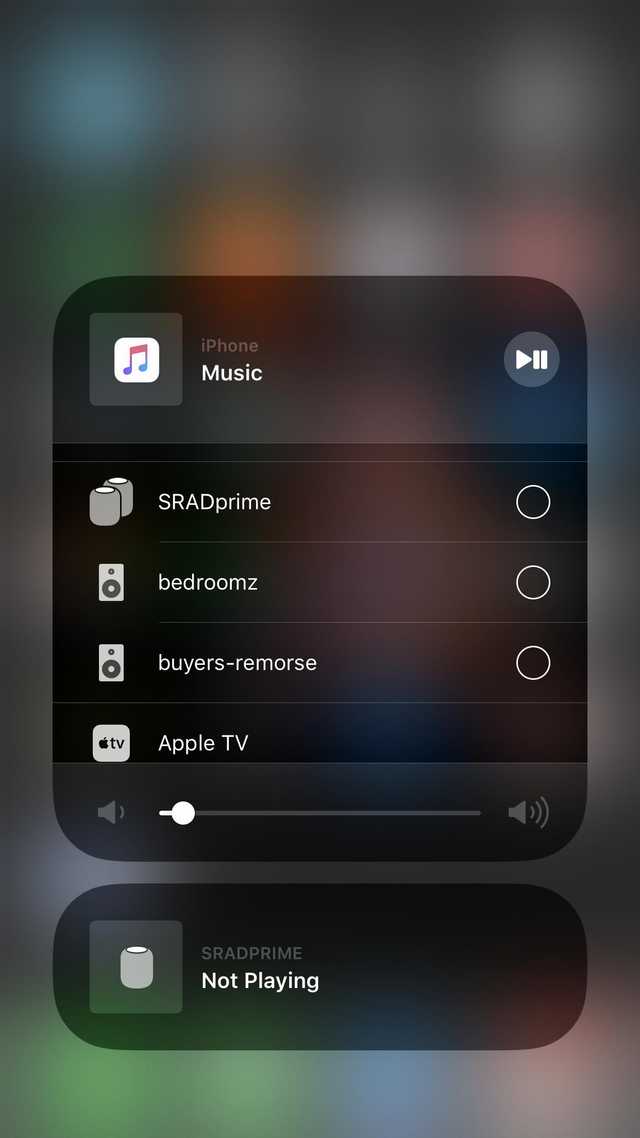
iostat
on 21 Apr 2019
I have a wireshark capture of an Airplay 2 multi-room session from my iPhone to my Denon receiver and an AirServer trial running on my MacBook. I had to fudge the mDNS record to get iOS to send multi-room audio to AirServer and all I got from my MacBook was noise but it kinda worked.
I tried to use shairport-sync instead of AirServer but that failed.
 griff
on 21 Apr 2019
griff
on 21 Apr 2019
Interesting. Could you post the changes you made to mDNS please?
mikebrady
on 21 Apr 2019
@mikebrady I used avahi-publish-service on a linux box to make an extra mDNS record for AirServer on my MacBook and I have tried to reduce the mDNS record to just what is needed for multi-room airplay audio to be able to play noise.
This is what I came up with:
avahi-publish-service -H Arlen.local -s Junking _airplay._tcp 5000 \
    "deviceid=28:CE:E9:26:D8:85" \
    "srcvers=366.0" \
    "features=0x40180200,0x300"
Normally deviceid is the MAC addresse of the device but it doesn't have to be and it is used by iOS to make the device list unique so that only one entry with the same deviceid is shown. srcvers must be 366.0 or higher (my AppleTV uses 380.20.1) for multi-room to be enabled. For features I have reduced it to just the bits that need to be set for multi-room audio to work.
Bit 9 is documented here as audio support and without it the device doesn't show up in the list.
Bits 19 & 20 are needed for the connection to work. Without them the device shows up in the list but iOS doesn't even try to connect to the port.
Bit 30 seems related to RAOP support since when that is set a _raop._tcp record is not needed.
For the second feature flags bits 8 & 9 are related to multi-room support since when either of them are not set the device doesn't show up as multi-room audio capable.
For completeness these are the complete mDNS records for my AppleTV (Stue.local), AirServer (Arlen.local) and my Denon receiver (Daemon.local):
Service type=_airplay._tcp.
Service name=Stue
Hostname=Stue.local.
Address=10.42.0.162:7000
Address=[fe80::6d:759e:1697:4dc1]:7000
pi=de159742-c022-4514-915b-203cb99f8b71
acl=0
gid=88F8A010-E450-4539-AEC8-CF478F4CD4FA
flags=0x10644
igl=1
gcgl=1
features=0x4A7FFFF7,0x4155FDE
deviceid=90:DD:5D:98:F0:0A
model=AppleTV6,2
protovers=1.1
psi=24609858-187F-424E-814B-A45B0C756B22
pk=23a4f82385f4de8f68888908d72d6cb5d229e0ee50fb9359b6b2807e68f4aa23
srcvers=380.20.1
osvers=12.2.1
vv=2
Service type=_airplay._tcp.
Service name=Arlen
Hostname=Arlen.local.
Address=10.42.0.17:5000
Address=fe80::418:2080:4601:5efb:5000
pk=b4bf1e47e6aac0b5bb7cf9e2cd0fe5994d4d2f508a5bc6d518856c8842f69c0a
pi=f27fd22b-2569-4f65-aa03-1c13dabf49b3
vv=2
flags=0x4
model=AppleTV5,3
srcvers=220.68
features=0x4A7FFFF7,0xE
deviceid=28:CF:E9:19:D6:86
Service type=_airplay._tcp.
Service name=Daemon
Hostname=Daemon.local.
Address=10.42.0.166:43529
fv=p20.1.493.180
acl=0
rsf=0x0
flags=0x4
model=AVR-X3500H
srcvers=366.0
features=0x445F8A00,0x1C340
deviceid=00:05:CD:D4:42:96
protovers=1.1
pi=c99b4a46-bb38-4daa-89f1-0946a5425d53
serialNumber=BBW36181212364
manufacturer=Sound United
gid=c99b4a46-bb38-4daa-89f1-0946a5425d53
gcgl=0
pk=703381a8ee96ea4e5e67f33de75ea2c32a0b96831b89402554ec2bc0be182b89
Service type=_raop._tcp.
Service name=90DD5D98F00A@Stue
Hostname=Stue.local.
Address=10.42.0.162:7000
Address=[fe80::6d:759e:1697:4dc1]:7000
md=0,1,2
da=true
et=0,3,5
cn=0,1,2,3
ft=0x4A7FFFF7,0x4155FDE
sf=0x10644
am=AppleTV6,2
pk=23a4f82385f4de8f68888908d72d6cb5d229e0ee50fb9359b6b2807e68f4aa23
tp=UDP
vn=65537
vs=380.20.1
ov=12.2.1
vv=2
Service type=_raop._tcp.
Service name=28CFE919D686@Arlen
Hostname=Arlen.local.
Address=10.42.0.17:5000
Address=[fe80::418:2080:4601:5efb]:5000
am=AppleTV5,3
da=true
et=0,3,5
cn=0,1,2,3
ft=0x4A7FFFF7,0xE
md=0,1,2
pk=b4bf1e47e6aac0b5bb7cf9e2cd0fe5994d4d2f508a5bc6d518856c8842f69c0a
sf=0x4
tp=UDP
vn=65537
vs=220.68
vv=2
Service type=_raop._tcp.
Service name=0005CDD44296@Daemon
Hostname=Daemon.local.
Address=10.42.0.166:43529
md=0,1,2
da=true
et=0,4
cn=0,1
ft=0x445F8A00,0x1C340
fv=p20.1.493.180
am=AVR-X3500H
sf=0x4
tp=UDP
vn=65537
vs=366.0
pk=703381a8ee96ea4e5e67f33de75ea2c32a0b96831b89402554ec2bc0be182b89
Thanks. I managed to get that working. When I select it on the iPhone, the iPhone sends a GET with a plist, which Shairport Sync doesn't handle. Here is the transaction:
         0.000849472|RTSP Message Received: "GET /info RTSP/1.0".
         0.000093593|    X-Apple-ProtocolVersion: 1.
         0.000034688|    Content-Length: 70.
         0.000029895|    Content-Type: application/x-apple-binary-plist.
         0.000031354|    CSeq: 0.
         0.000026302|    DACP-ID: 850B36B81E0F08D3.
         0.000025416|    Active-Remote: 3115640704.
         0.000026823|    User-Agent: AirPlay/380.10.1.
         0.000050000|Connection 1: Received an RTSP Packet of type "GET":
         0.000032708|  Type: "X-Apple-ProtocolVersion", content: "1"
         0.000023698|  Type: "Content-Length", content: "70"
         0.000021822|  Type: "Content-Type", content: "application/x-apple-binary-plist"
         0.000027396|  Type: "CSeq", content: "0"
         0.000024844|  Type: "DACP-ID", content: "850B36B81E0F08D3"
         0.000022395|  Type: "Active-Remote", content: "3115640704"
         0.000021563|  Type: "User-Agent", content: "AirPlay/380.10.1"
         0.000028541|Connection 1: Unrecognised and unhandled rtsp request "GET".
         0.000121822|Content: "62706C6973743030D10102597175616C6966696572A1035A747874416972506C6179080B15170000000000000101000000000000000400000000000000000000000000000022".
         0.000030781|Connection 1: RTSP Response:
         0.000023698|  Type: "CSeq", content: "0"
         0.000024218|  Type: "Server", content: "AirTunes/105.1"
         0.035432228|RTSP conversation thread 1 -- connection closed.
Does anyone have an angle on this?
mikebrady
on 21 Apr 2019
That plist above turns out to be the following:
<?xml version="1.0" encoding="UTF-8"?>
<!DOCTYPE plist PUBLIC "-//Apple//DTD PLIST 1.0//EN" "http://www.apple.com/DTDs/PropertyList-1.0.dtd">
<plist version="1.0">
<dict>
    <key>qualifier</key>
    <array>
        <string>txtAirPlay</string>
    </array>
</dict>
</plist>
@griff, maybe you can see the appropriate response on the Wireshark transcript. (?)
mikebrady
on 21 Apr 2019
I have saved a full RTSP conversation in several formats (ascii, hexdump, raw client requests & raw server responses) RTSP.zip
griff
on 21 Apr 2019
Super, thanks. It might take a while to digest – work commitment will take me out of circulation for a week or so.
mikebrady
on 21 Apr 2019
I have also sent an RTSP GET to all my devices using netcat and saved the response from each:
RTSP-get.zip
griff
on 21 Apr 2019
@griff this is all incredibly helpful, thank you so much! I myself was at the “what’s the minimal set of mDNS records to get multi-room” point so your info is super valuable. the conversation dumps are also handy, my next goal after establishing some connection was to get it to start performing ptp, which might just be doable using the reference ptpd implementation.
really excited to see this issue picking up :)
iostat
on 21 Apr 2019
A final analysis of the GET /info requests. I have pulled out the data from the responses in the previous zip file and saved them as plist files Info-plists.zip
They just look to be more or less the same info stored in the mDNS record. The one key txtAirPlay where the value is data turned out to exactly be the mDNS txt info stored in the format <next kv length as byte>key=value<next kv length as byte>key=value
griff
on 21 Apr 2019
Wishing all who are working on this good luck! I’m loving all the new activity on this thread.
 magichew
on 21 Apr 2019
magichew
on 21 Apr 2019
Great stuff, @griff, thanks. As a matter of interest, how are you getting the plists out so quickly?
mikebrady
on 21 Apr 2019
@iostat, you got SRADprime to appear in a separate panel. Can you share what mDNS stuff you used, please?
mikebrady
on 21 Apr 2019
@mikebrady SRADprime is a HomePod stereo pair, I haven’t done anything specific to get that there other than setting up the HomePods. I imagine there’s some other HomeKit specific stuff going on there.
iostat
on 21 Apr 2019
I believe the reason they separate it like that is because the HomePod can play music/access Apple Music separate from what’s playing on your phone.
iostat
on 21 Apr 2019
Curiously enough, the HomePod’s panel also has choices for what to stream to, I wonder if it has something to do with controlling the rumored P2P aspect of airplay 2
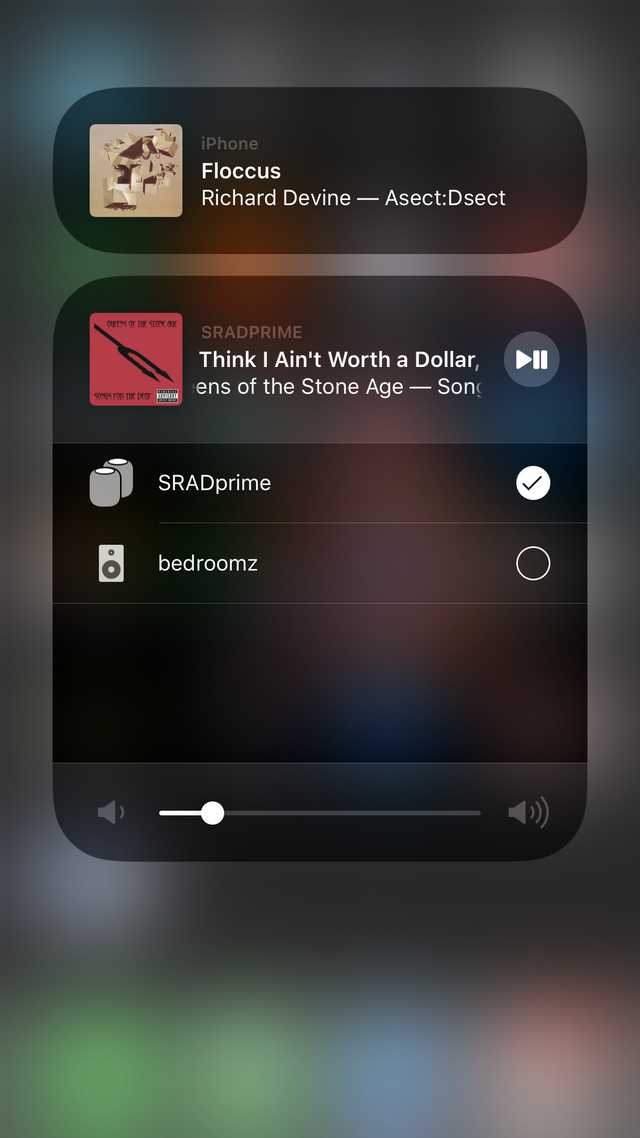
iostat
on 21 Apr 2019
@mikebrady As I understand it, the separate 'panel' is reserved for AirPlay 2 devices which are capable of _transmitting_ audio (e.g. HomePod or Apple TV). As a result, by clicking onto the panel, you can potentially group other AirPlay 2 speakers with it - separately from the music coming from your iPhone:
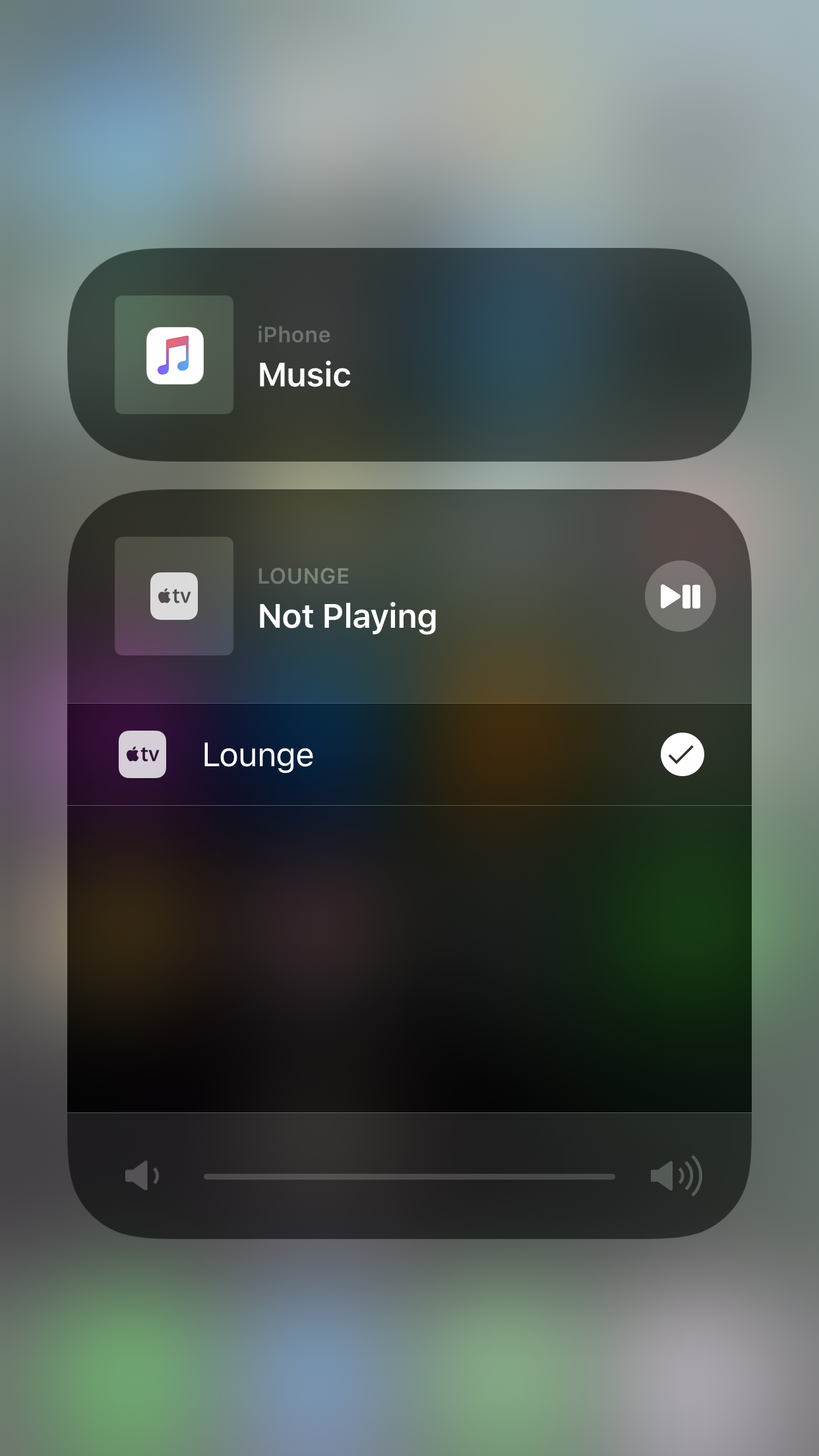
As @iostat said, I'm sure there's some further mDNS stuff going on which advertises the fact that these types of devices are capable of producing audio, but I don't think this functionality would be helpful for shairport considering that we are looking to _recieve_ audio - not transmit it. However, I could potentially see a use-case for this feature with something like a DIY AirPlay 2 TV audio transmitter, radio or vinyl player etc.
 Tommrodrigues
on 21 Apr 2019
Tommrodrigues
on 21 Apr 2019
Thanks for the clarification.
mikebrady
on 21 Apr 2019
@mikebrady I use an old-school hex editor to analyze binary data and pull out snippets like the plist data. Since I am on macOS I use 0xED
griff
on 21 Apr 2019
@mikebrady I pushed my tweaks to the ap2 branch on my fork, which is based off development. So far I've added mDNS support for the avahi backend and started writing a handler for the GET request in rtsp.c, using libplist for plist parsing. lemme know if you need push permissions or w/e, you should have them as the original author I think.
iostat
on 22 Apr 2019
@mikebrady @Tommrodrigues: The AirPlay 2 panels you’re talking about also let other AirPlay 2 devices control output on a shared device. For example, if you play audio iPhone → AP2 Speaker, then an iPad on the same LAN would see a panel for “AP2 Speaker” and be able to pause, play, skip, adjust volume etc. This would be reflected on the audio source (in this case, the iPhone). I use this behaviour at home with a 2nd gen AirPort Express.
I can’t quite remember (and I’m not at home to check) but I think that it’s possible to select additional AP2 outputs for some AP2 sources (e.g. Apple TVs). E.g. If you were playing iPhone → Apple TV, then you could open the “Apple TV” panel on your iPad and toggle “AP2 Speaker” as an output for the Apple TV.
I have no idea what’s involved in making these features work, but I think they are relevant to shairport, contrary to @Tommrodrigues’s comment.
AndrewC-B
on 22 Apr 2019
handy command:
cat your-weird-request.bin| nc your-ap2-receiver-address 7000 | sed -n '/bplist/,$p' >/tmp/res && truncate -s -1 /tmp/res && plutil -convert xml1 -o - /tmp/res; rm -f /tmp/res
if you're not a mac and don't have plutil, you can also use plistutil from https://github.com/libimobiledevice/libplist
e.g. (aeeee is the hostname of the bedroomz Airport Express)
$ cat RTSP-get-req.bin| nc aeeee 7000 | sed -n '/bplist/,$p' >/tmp/res && truncate -s -1 /tmp/res && plutil -convert xml1 -o - /tmp/res; rm -f /tmp/res
<?xml version="1.0" encoding="UTF-8"?>
<!DOCTYPE plist PUBLIC "-//Apple//DTD PLIST 1.0//EN" "http://www.apple.com/DTDs/PropertyList-1.0.dtd">
<plist version="1.0">
<dict>
    <key>audioLatencies</key>
    <array>
        <dict>
            <key>inputLatencyMicros</key>
            <integer>0</integer>
            <key>outputLatencyMicros</key>
            <integer>0</integer>
            <key>type</key>
            <integer>100</integer>
        </dict>
        <dict>
            <key>audioType</key>
            <string>default</string>
            <key>inputLatencyMicros</key>
            <integer>0</integer>
            <key>outputLatencyMicros</key>
            <integer>0</integer>
            <key>type</key>
            <integer>100</integer>
        </dict>
        <dict>
            <key>audioType</key>
            <string>media</string>
            <key>inputLatencyMicros</key>
            <integer>0</integer>
            <key>outputLatencyMicros</key>
            <integer>0</integer>
            <key>type</key>
            <integer>100</integer>
        </dict>
        <dict>
            <key>audioType</key>
            <string>telephony</string>
            <key>inputLatencyMicros</key>
            <integer>0</integer>
            <key>outputLatencyMicros</key>
            <integer>0</integer>
            <key>type</key>
            <integer>100</integer>
        </dict>
    </array>
    <key>build</key>
    <string>28.0</string>
    <key>deviceID</key>
    <string>7C:D1:C3:C8:56:8A</string>
    <key>features</key>
    <integer>496155768982016</integer>
    <key>firmwareBuildDate</key>
    <string>Jul 19 2018</string>
    <key>firmwareRevision</key>
    <string>78000.12</string>
    <key>keepAliveLowPower</key>
    <true/>
    <key>keepAliveSendStatsAsBody</key>
    <true/>
    <key>manufacturer</key>
    <string>Apple Inc.</string>
    <key>model</key>
    <string>AirPort10,115</string>
    <key>name</key>
    <string>bedroomz</string>
    <key>pi</key>
    <string>1698df64-e8c9-4e4f-9663-5797ee57dceb</string>
    <key>protocolVersion</key>
    <string>1.1</string>
    <key>sdk</key>
    <string>AirPlay;2.0.2</string>
    <key>sourceVersion</key>
    <string>366.0</string>
    <key>statusFlags</key>
    <integer>4</integer>
    <key>txtAirPlay</key>
    <data>
    BWFjbD0wGmRldmljZWlkPTdDOkQxOkMzOkM4OjU2OjhBG2ZlYXR1cmVzPTB4NDQ1RDBB
    MDAsMHgxQzM0MAdyc2Y9MHgwD2Z2PXAyMC43ODAwMC4xMglmbGFncz0weDQTbW9kZWw9
    QWlyUG9ydDEwLDExNRdtYW51ZmFjdHVyZXI9QXBwbGUgSW5jLhlzZXJpYWxOdW1iZXI9
    Qzg2SjJTSE1EVjJSDXByb3RvdmVycz0xLjENc3JjdmVycz0zNjYuMCdwaT0xNjk4ZGY2
    NC1lOGM5LTRlNGYtOTY2My01Nzk3ZWU1N2RjZWIoZ2lkPTE2OThkZjY0LWU4YzktNGU0
    Zi05NjYzLTU3OTdlZTU3ZGNlYgZnY2dsPTBDcGs9MjczM2M3NWNhNmNlNjc1MjU1MGRh
    MjI2ODdhZGY5YjI5YjE4ZTQ2YzBmY2U4YTczNjkwODNhMDg0N2RkODdlZg==
    </data>
</dict>
</plist>
Fantastic, thanks. I’m travelling all week, so I’ll be able to look but not do much for the next 10 days or so...
mikebrady
on 22 Apr 2019
Sounds good. I haven’t written C in years so I’m a little rusty, and if you feel like you want to make some parts less vile feel free to push. I also didn’t implement the _airplay advertisement for mDNS backends other than Avahi so I could use a hand with that.
iostat
on 22 Apr 2019
@iostat I was testing your ap2 modification of the original script, and it wasn't working. I'm assuming you're not finished with it. Even though you haven't completed it yet, it does show up in Homekit as a speaker. I was using my raspberry pi to test this.
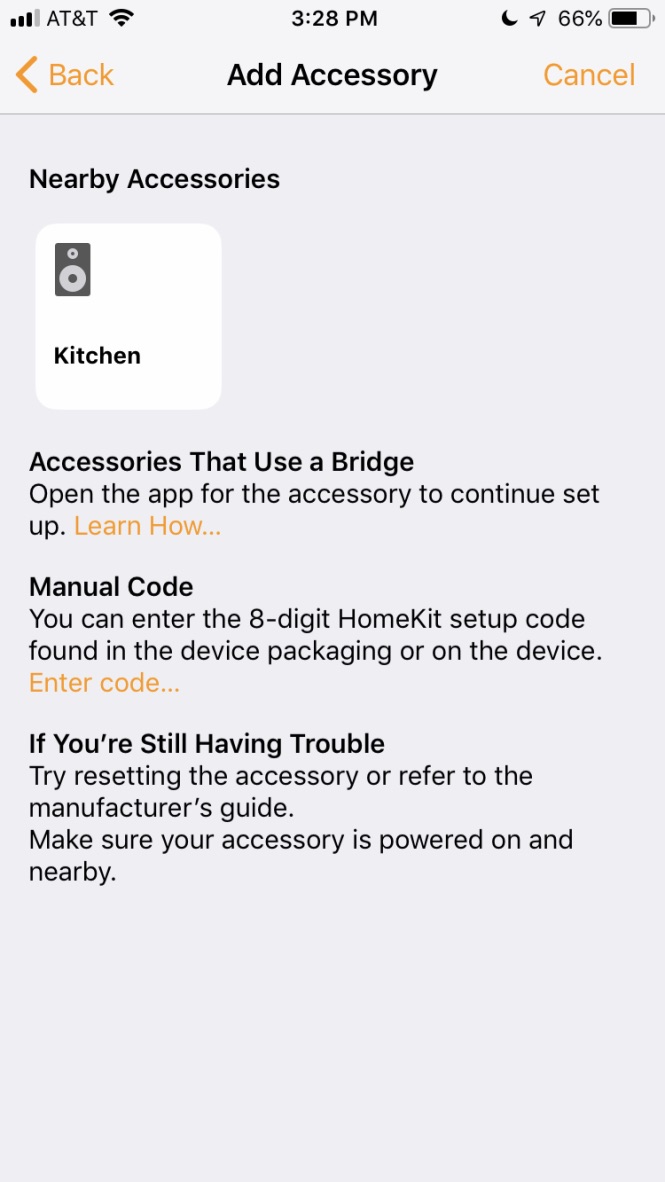
Bubba8291
on 23 Apr 2019
@Bubba8291 yeah it’s far from finished. Though that’s an interesting find, I believe I used @griff’s minimal mDNS record set and I guess some of those features bits correspond to HomeKit compatibility as well!
iostat
on 23 Apr 2019
@Bubba8291 @iostat that is weird since my Denon receiver has those same feature bits set but doesn’t show up in HomeKit.
If I can find the time I’ll play around some more with the mDNS records and some prototype code to see if I can replicate both the normal AirPlay remote control and the extended remote control that the AppleTV and the HomePod have.
griff
on 23 Apr 2019
pushed some more changes, mostly to replicate the behavior seen on an Airport Express (close connection after GET, no CRLF terminator for the binary data), and a bunch of primitives for building the response plist and such.
it's still failing to connect for me but I suspect its because it doesn't see a pk or something important like that. i'm slowly poring over the iOS system logs as I attempt to see where it's actually failing. (protip, if you're on a mac, open Applications/Utilities/Console and you should see your iDevice show up if its unlocked on the left side, then you'll be able to tail its syslog ;)
Perhaps someone with more iOS exp. might be able to help make heads or tails of this? (see all above highlight)
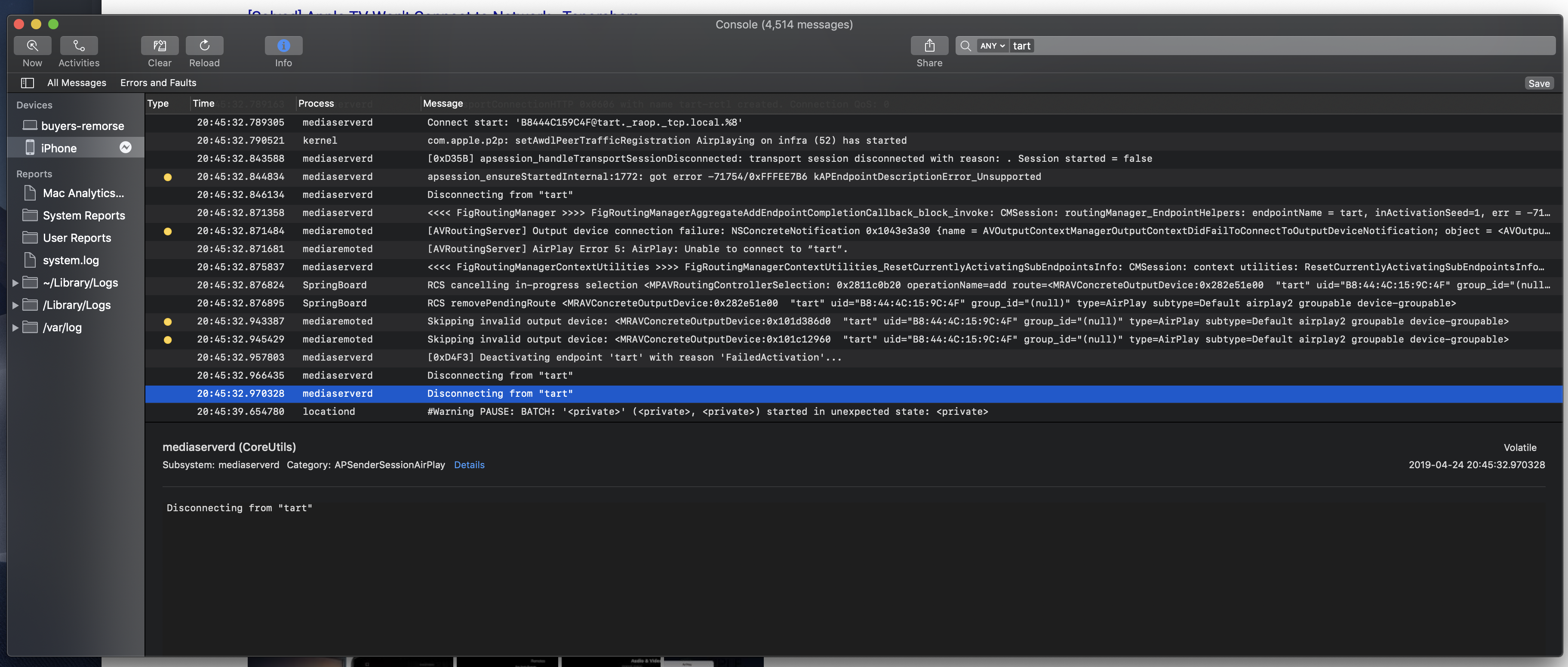
iostat
on 25 Apr 2019
yeah, really starting to think its the lack of pk:

iostat
on 25 Apr 2019
@iostat I am pretty sure that you need pk and probably other options/flags for it to actually make a connection. But it gets the pk and the knowlege of the authentication options and flags from the GET /info request not the mDNS record itself.
griff
on 25 Apr 2019
@iostat When I looked the the trafik capture from my semi-working session the next requests after GET /info were POST /pair-verify and then POST /fp-setup. Both of which are related to FairPlay authentication as discussed here juhovh/shairplay#61
griff
on 25 Apr 2019
@iostat but your logs are helpful. It sugests that there is a flag for airplay2, groupable & device-groupable. And it might be that the gid=<uuid> in the mDNS record corresponds to the group_id reported as null in the log since it is missing.
On a related note I have found that when playing music on my Denon receiver it adds isGroupLeader=0 to the AirPlay mDNS record and that combined with some other parts of the mDNS record (probably some feature flags) are what causes iOS to contact the device using RTPS to show the control panel where you can see what is playing, pause, skip and etc.
griff
on 25 Apr 2019
I think the pk might be a sha256 hash. Why do I think this? I have two airplay 2 enabled devices in my home. Both of them have the pk record and the length of both of them is 64 characters. There might be something in the mdns record that they hash to make the pk record.
Bubba8291
on 28 Apr 2019
@Bubba8291 I think the pk is public key, in the cryptographic sense of the term.
I just finally found a hint in my system logs as to why in spite of me copying just about every pertinent-seeming record into both mDNS and the txtAirPlay it still refuses to pair:
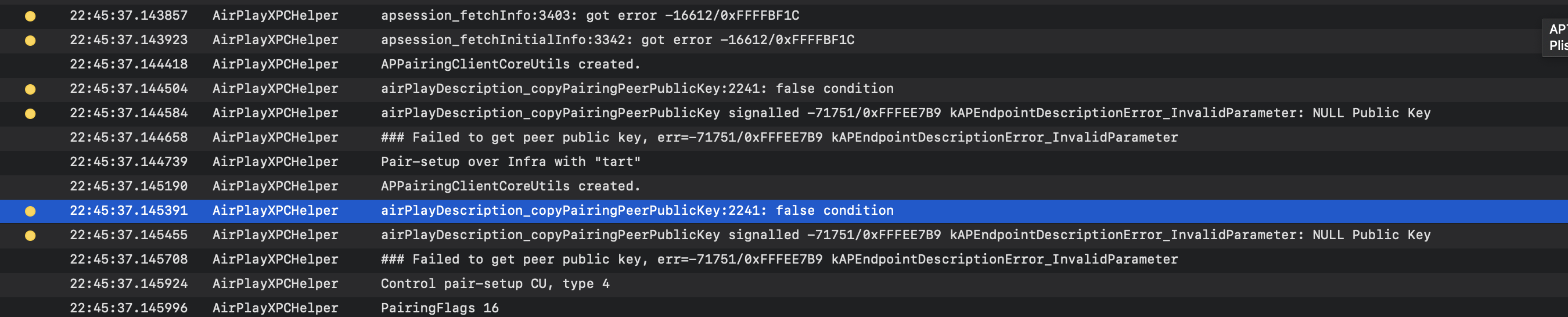 .
.
Note that this is despite the fact that this /HAS/ to be a legitimate public key, seeing as the value I've been using to get this far is ripped straight from my Airport Express' pk record... In the interim I've been running AirPlaySender.framework through ghidra trying to figure out exactly why its refusing to accept this pub key (if that's even where its getting it from)
@griff I've actually found that setting gid doesn't change it. I think it only matters when gpn=<group name> is applicable which I think is something like Stereo Pairing, and the device has igl=0|1 (in-group leader?). My Airport Express has its gid set to equal its pi, despite the fact that it's not in any group... My HomePods on the other hand both have the same gid and gpn, but the HomePod whose role is my HomeKit hub and the one which responds to "Hey Siri" has igl=1 while other is 0
iostat
on 28 Apr 2019
@Bubba8291 however, you might not be far off the mark. An Ed25519 signature is also 64 bytes. They're not EC pubkey recoverable though as far as I'm aware, so that would imply that the real public key is hiding elsewhere. pi perhaps? Though it seems like it's a UUID (16 bytes) whereas an Ed25519 PK would be 32 bytes
iostat
on 28 Apr 2019
@iostat I have done some more digging and pi is the group_id that was null in your previous logs.
These are my preliminary findings:
pi=group_id
gid=group uuid
gcgl=group contains group leader
igl=is group leader
isGroupLeader=? also is group leader ?
pk=Curve25519 public key (mine are 32 bytes = 64 hex digits)
yeah igl and isGroupLeader being the same makes sense. different versions of the AirPlay SDK presumably advertise differently. for example, my HomePods include PK in the txtAirPlay plist as a \
iostat
on 28 Apr 2019
Another notable find is that bit 11 of flags i.e. 0x800 is relayable and is the bit (maybe in combination with igl and gcgl) that makes iOS try and make an RTPS connection to the server to get Now Playing and to show controls for the device.
griff
on 28 Apr 2019
@iostat could you post the full mDNS records for your HomePod and Airport Express either here og send me a mail? brian at maven-group dot org
I really want to compare the flags and features with my own Apple TV and Surround Receiver.
griff
on 28 Apr 2019
Check your email. Didn't post it just cause I don't want my serial numbers floating around :P
iostat
on 28 Apr 2019
If you're interested, I've made a channel on the homebridge slack called airplay-2 where it might be a better environment to continue development. You can also start direct messages. All you need to do is sign up to the homebridge slack using your email and then join the airplay-2 channel.
Hopefully that helps streamline the process of reverse engineering the protocol :)
Tommrodrigues
on 28 Apr 2019
For those interested I have updated a fork of the Unofficial AirPlay Protocol Specification with some preliminary findings for features, flags and AirPlay mDNS fields: https://griff.github.io/airplay-spec/#servicediscovery-airplayservice
griff
on 30 Apr 2019
If anybody wants to help out who has some Airplay compatible hardware we can always use some more data. Primarily we right now need mDNS records and the results from RTSP GET /info/ requests. If you have a computer other than a windows machine I have written some short guides in the spec to help.
griff
on 1 May 2019
If anybody wants to help out who has some Airplay compatible hardware we can always use some more data. Primarily we right now need mDNS records and the results from RTSP
GET /info/requests. If you have a computer other than a windows machine I have written some short guides in the spec to help.
Do You mean AirPlay device or AirPlay 2 ?
fundix
on 1 May 2019
I have two Sonos One's (not grouped/linked) and a Sonos Beam connected to a TV. Both have Airplay 2 support. Should they be in use (playing music) or not streaming any content?
BTW, how long should it take to generate the files (Ubuntu 18.04.2) ? It takes forever atm?
fluppie
on 2 May 2019
@fluppie There is actually a small bug in the RTSP request so that netcat never terminated. I have pushed a new version of the request that should cause the server to close the connection after it has sent the response if it is compliant.
griff
on 2 May 2019
@fundix the most relevant are of cause AirPlay 2 compatible devices but if you have old AirPlay devices and want to send the data I will include it in the spec.
griff
on 2 May 2019
@griff from an Onkyo Receiver AirPlay 2 compatible:
<?xml version="1.0" encoding="UTF-8"?>
<!DOCTYPE plist PUBLIC "-//Apple//DTD PLIST 1.0//EN" "http://www.apple.com/DTDs/PropertyList-1.0.dtd">
<plist version="1.0">
<dict>
<key>PTPInfo</key>
<string>SUE PTP 1.0</string>
<key>audioLatencies</key>
<array>
<dict>
<key>inputLatencyMicros</key>
<integer>0</integer>
<key>outputLatencyMicros</key>
<integer>0</integer>
<key>type</key>
<integer>100</integer>
</dict>
<dict>
<key>audioType</key>
<string>default</string>
<key>inputLatencyMicros</key>
<integer>0</integer>
<key>outputLatencyMicros</key>
<integer>0</integer>
<key>type</key>
<integer>100</integer>
</dict>
<dict>
<key>audioType</key>
<string>media</string>
<key>inputLatencyMicros</key>
<integer>0</integer>
<key>outputLatencyMicros</key>
<integer>0</integer>
<key>type</key>
<integer>100</integer>
</dict>
<dict>
<key>audioType</key>
<string>telephony</string>
<key>inputLatencyMicros</key>
<integer>0</integer>
<key>outputLatencyMicros</key>
<integer>0</integer>
<key>type</key>
<integer>100</integer>
</dict>
<dict>
<key>audioType</key>
<string>speechRecognition</string>
<key>inputLatencyMicros</key>
<integer>0</integer>
<key>outputLatencyMicros</key>
<integer>0</integer>
<key>type</key>
<integer>100</integer>
</dict>
<dict>
<key>audioType</key>
<string>alert</string>
<key>inputLatencyMicros</key>
<integer>0</integer>
<key>outputLatencyMicros</key>
<integer>0</integer>
<key>type</key>
<integer>100</integer>
</dict>
<dict>
<key>inputLatencyMicros</key>
<integer>0</integer>
<key>outputLatencyMicros</key>
<integer>0</integer>
<key>type</key>
<integer>101</integer>
</dict>
<dict>
<key>audioType</key>
<string>default</string>
<key>inputLatencyMicros</key>
<integer>0</integer>
<key>outputLatencyMicros</key>
<integer>0</integer>
<key>type</key>
<integer>101</integer>
</dict>
<dict>
<key>audioType</key>
<string>media</string>
<key>inputLatencyMicros</key>
<integer>0</integer>
<key>outputLatencyMicros</key>
<integer>0</integer>
<key>type</key>
<integer>102</integer>
</dict>
</array>
<key>build</key>
<string>17.0</string>
<key>deviceID</key>
<string>00:00:00:00:00:00</string>
<key>features</key>
<integer>496155769145856</integer>
<key>firmwareBuildDate</key>
<string></string>
<key>firmwareRevision</key>
<string>3.01/19409ASO</string>
<key>hardwareRevision</key>
<string>L2</string>
<key>keepAliveLowPower</key>
<true/>
<key>keepAliveSendStatsAsBody</key>
<true/>
<key>manufacturer</key>
<string>Onkyo & Pioneer</string>
<key>model</key>
<string>Onkyo TX-L20D AV Receiver</string>
<key>name</key>
<string>Room Speakers</string>
<key>nameIsFactoryDefault</key>
<true/>
<key>pi</key>
<string>00000000-0000-0000-0000-000000000000</string>
<key>protocolVersion</key>
<string>1.1</string>
<key>sdk</key>
<string>AirPlay;2.0.2</string>
<key>sourceVersion</key>
<string>366.0</string>
<key>statusFlags</key>
<integer>4</integer>
<key>txtAirPlay</key>
<data>
BWFjbD0wGmRldmljZWlkPTAwOjA5OkIwOkYwOkFBOkU4G2ZlYXR1cmVzPTB4NDQ1RjhB MDAsMHgxQzM0MAdyc2Y9MHgwFGZ2PXAyMC4zLjAxLzE5NDA5QVNPCWZsYWdzPTB4NB9t b2RlbD1Pbmt5byBUWC1MMjBEIEFWIFJlY2VpdmVyHG1hbnVmYWN0dXJlcj1Pbmt5byAm
IFBpb25lZXIZc2VyaWFsTnVtYmVyPTAwMDlCMEYwQUFFOA1wcm90b3ZlcnM9MS4xDXNy Y3ZlcnM9MzY2LjAncGk9YTNmYTRmMjItMzE0NC00OGYxLTg3YmItNjYyMWY0NjA4NmU1 KGdpZD1hM2ZhNGYyMi0zMTQ0LTQ4ZjEtODdiYi02NjIxZjQ2MDg2ZTUGZ2NnbD0wQ3Br
PWQyMDc0Zjk5NmUyOWZiMTMxMzFhMWNiOTM1ODEzYTI1YjA5NTBkYTY0YTkzYmVjNDI3 NzFhYzk3YzVmNDA1Y2I=
</data>
</dict>
</plist>
 ruimarinho
on 2 May 2019
ruimarinho
on 2 May 2019
Optimus Player added experimental Airplay 2 support: https://github.com/Optimus-Player/AirPlay-Enabler
Edit: It uses private APIs in macOS, so it's probably not that useful to us.
messismore
on 9 May 2019
@ruimarinho
Sorry, I'm a bit new to this hopefully these aren't dumb questions.
Is that key the actual airplay 2 key? can we use that key to decrypt the protocol data sent over the network? basically, could I capture packets from my phone streaming music to an airport express with airplay 2 and use that key to reverse engineer the protocol?
 JackDarnell
on 22 Jun 2019
JackDarnell
on 22 Jun 2019
I don't think that would be possible, but I don't know enough about AirPlay to provide insightful comments on the reverse engineering process.
ruimarinho
on 22 Jun 2019
If anyone’s been following the Slack group, it appears that the AirPlay2 pairing process is a variant of the HomeKit Accessory Protocol pairing mechanism, which you can find the full spec for on Apple’s developer website. There are no keys to extract, as the encryption parameters are unique between any two devices and are generated as part of that pairing process.
iostat
on 24 Jun 2019
If it turns out that AP2 uses even more of HAP’s facilities, then it’s very likely that stream data is encrypted with ChaCha20/Poly1305 AEAD using keys exchanged in the pairing process.
iostat
on 24 Jun 2019
@JackDarnell not exactly, although we have been using packet captures so far to try to tease out information about the shape/kind of data exchanged during an AirPlay session.
iostat
on 24 Jun 2019
So I found this repository that has AirPlay for the raspberry pi. I changed some of the mdns values and lines of code, and it says connected on my iPhone, but in the logs, it says HPE_INVALID_METHOD. The code I forked is here: https://github.com/Bubba8291/RPiPlay.
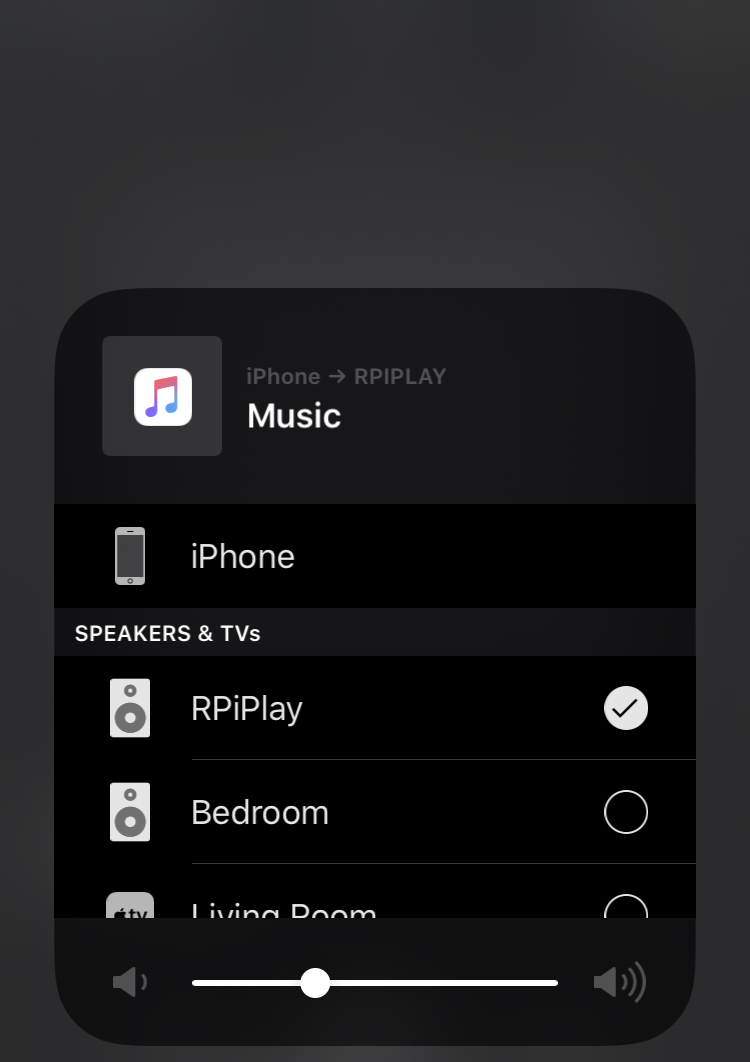
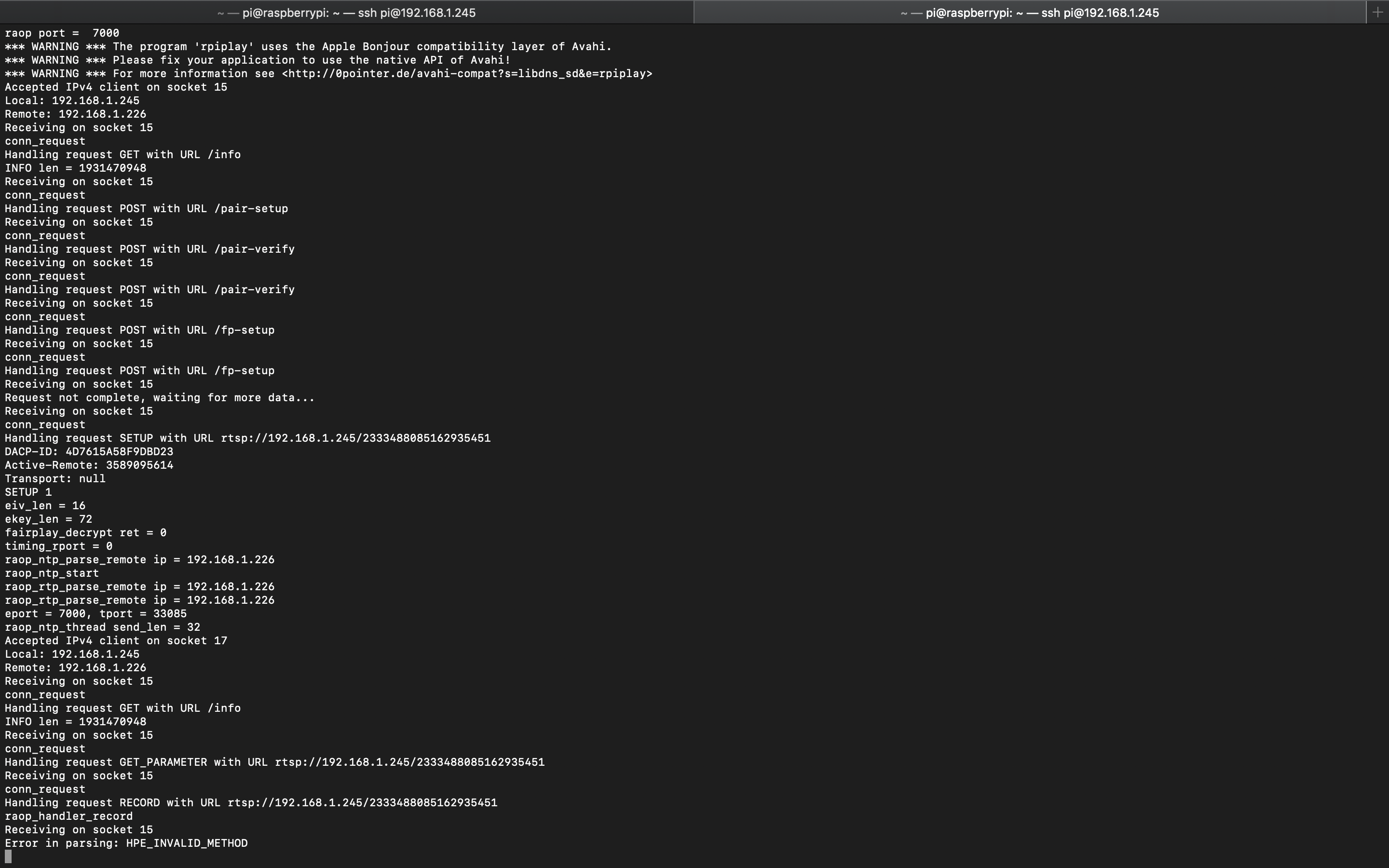
I tried changing some of the HTTP methods in http_parser.c, but it would still give that error. Maybe we are missing a HTTP method for the airplay 2 protocol because I looked on @griff airplay protocol specifications and all of the methods that are in section 5.1 are in the http_parser.c file.
Bubba8291
on 8 Jul 2019
Not sure if it helps or not, but it's super easy to pull the binary of the daemon that appears to run everything Airplay related from the Airport Express.... I could post instructions here on how to do so if it would be helpful.
 dronenb
on 12 Jul 2019
dronenb
on 12 Jul 2019
@dronenb that would be INCREDIBLY helpful. I'm really curious how they do MFiSAP on the AP2 without an MFi authentication chip, and I have a spare one I don't mind taking apart laying around if I need hook up an FT232RL to it or something
iostat
on 12 Jul 2019
@iostat I'll type up a full instruction set when I get a chance, but all you have to do is enable SSH/root access using AirPryt Tools as described in this thread. I forget where exactly the binary is on the device, but it's called airtunesd. If you do a kill on the process all Airplay communications cease, and if you start the process everything appears to work again. I think you can even start it manually in a verbose mode, but it's been a few months since I looked at it (I was interested in reverse engineering it precisely for Airplay 2, but I haven't had time to crack it very much so I figured I'd share my work here).
You can just copy it off the device using scp.
Supposedly the 802.11ac Airport Express units run NetBSD 6.0, I have the 802.11n Airport Express, which I can confirm runs NetBSD 4.0.
dronenb
on 12 Jul 2019
@dronenb good stuff, many thanks! it's good to know anyway, you never know what kind of services/daemons airtunesd might be interacting with so being able to poke at the FS is handy.
iostat
on 12 Jul 2019
Is there a place that the work to make Shairport-sync airplay 2 compatible is being actively discussed/coordinated?
 wolfspyre
on 31 Jul 2019
wolfspyre
on 31 Jul 2019
@iostat @dronenb You can check out this crunchprog executable extracted from an AE2. One of its components is airtunesd which advertises the AP2 receiver, establishes AP2 connections and forwards the audio data packets as an I2S stream to /dev/iis0. You can use Ghidra to decompile it.
More info on crunchprog
Open Source C implementation of AWDL (Apple Wireless Direct Link)
 maksymtrilenko
on 31 Jul 2019
maksymtrilenko
on 31 Jul 2019
Hi all,
I'm the author of the RPiPlay AirPlay mirroring server for the Raspberry Pi. I somehow stumbled upon this thread and thought maybe I can give some info I came across while writing RPiPlay (though most protocol-related stuff was done by @dsafa22 in the AirplayServer project).
Here are some thoughts I had while reading through the thread:
1) The handshake protocol as included in @griff's capture above seems almost identical to that of the AirPlay mirroring protocol as implemented by dsafa22. From my observation, it seems the communication differs in two points: The SETPEERS message that likely somehow manages group participants and the POST /command message (probably that one replaces the SET-PARAMETERS kind of way for playback control?).
One thing I noticed is that the server identifies as AirPlay/220.68, which AFAICT is the AirPlay version the AppleTV 3 (the last to not run tvOS) uses. I assume that was because the capture is from iOS <-> AirServer with manually modified mDNS entries? In that case, I'm not sure how much definitive information about the AirPlay 2 protocol can be extracted from that log. I found communication between recent tvOS and iOS is much more encrypted (at least for mirroring UPDATE: also for audio).
2) I think @dsafa22 has already figured out the pk stuff (It seems using a certain static value was enough?). Apparently it's only used in the mDNS entry, the info plist's pk field and the info plist's txtAirPlay field.
3) The error as received by @Bubba8291 while experimenting with my RPiPlay program indicates that a non-HTTP request was sent to the HTTP server socket. This could mean many things, so a Wireshark capture or similar would be needed to tell what the issue was.
 FD-
on 7 Aug 2019
FD-
on 7 Aug 2019
@FD- I figured out why the experimental code wasn't working, but I ran into more errors after I fixed the issue. @griff helped me out on the Slack, and he told me to add SETPEERS to the http_parser.c and http_parser.h. That fixed the HPE_INVALID_METHOD error, but it gave more issues when connecting. Here is the console after I fixed the HPE_INVALID_METHOD error:
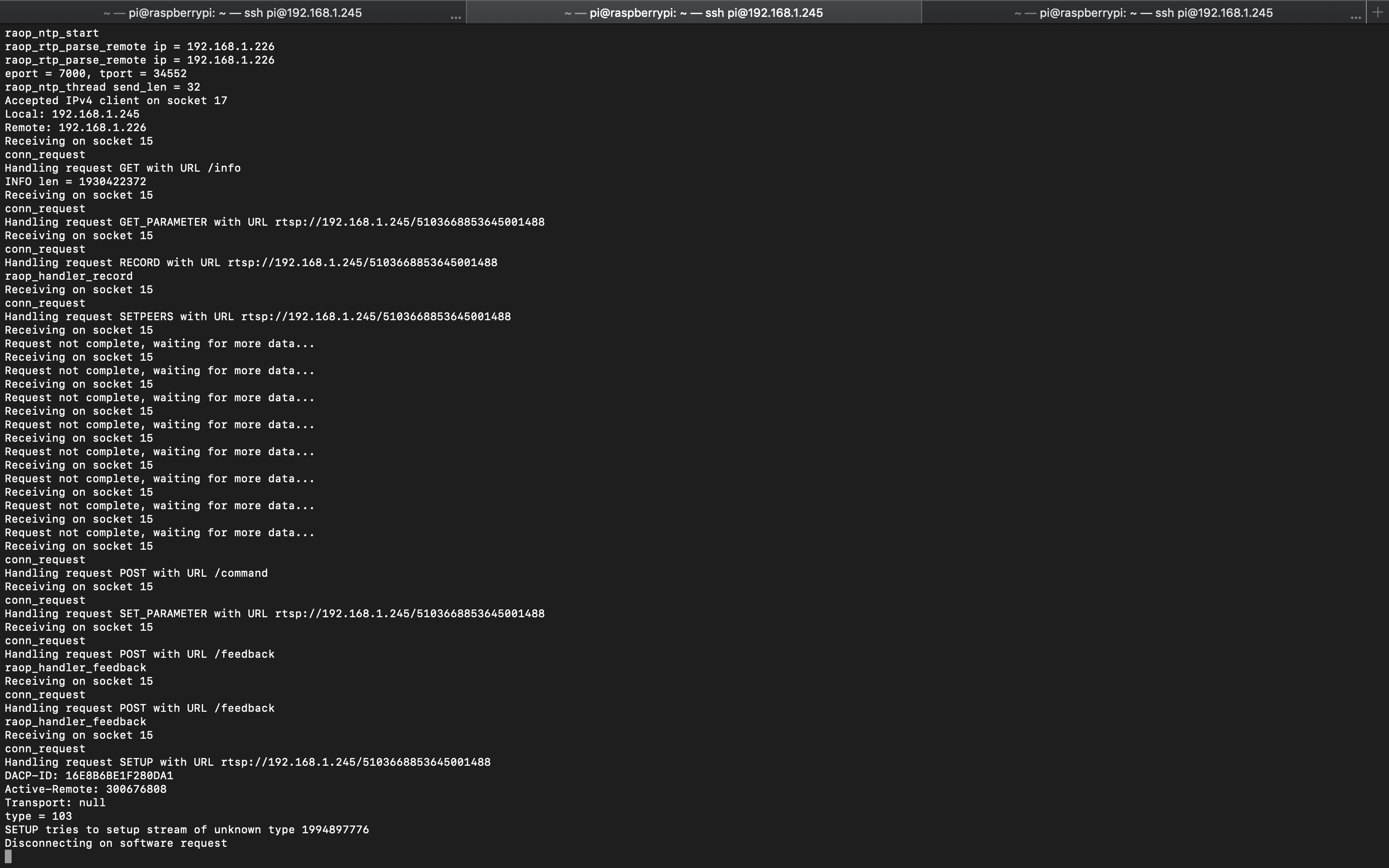
Also, I'll push the changes I made to GitHub.
Bubba8291
on 7 Aug 2019
@Bubba8291 Great to hear you figured out the http_parser part, I'm not really familiar with that part of the code base. The http parser seems to be used for parsing RTSP actually (so it's not about a non-HTTP message), and I forgot about that in my previous comment.
Regarding the current issue you're seeing, I'd say that's already a great progress! All the tricky handshaking parts (key exchanges and fairplay setup) appear to work.
The issue you're seeing is rather expected. I mean, it was obvious AirPlay 2 would contain some modifications to the older protocol, and we should be glad they seem to be mostly in the communication after the handshake!
At the moment, RPiPlay only supports AirPlay mirroring, and that has two consequences for your efforts:
The AirPlay mirroring protocol consists of only two data streams: The audio stream (stream type 96) and the video stream (stream type 110). The unknown type (103) you're seeing that causes the issue shown in the screenshot seems to indicate a new stream type likely introduced with AirPlay 2. Given AirPlay 2 seems to use a different encoding scheme (ALAC in a few different possible bitrates IIRC), it doesn't come as a surprise they added a new stream type for that. You could try to change the switch case for 96 to 103 and see how far that gets you. Can you possibly post the SETUP plist sent by the client? Does it contain a data and a control port? Also timing and event ports?
The audio for AirPlay mirroring is encoded with AAC-ELD, while AirPlay 2 audio apparently uses ALAC. This means that the renderer in renderers/audio_renderer_rpi.c has to be replaced/modified to support ALAC.
FD-
on 8 Aug 2019
@FD- I figured out why the experimental code wasn't working, but I ran into more errors after I fixed the issue. @griff helped me out on the Slack, and he told me to add
SETPEERSto thehttp_parser.candhttp_parser.h. That fixed theHPE_INVALID_METHODerror, but it gave more issues when connecting. Here is the console after I fixed theHPE_INVALID_METHODerror:
Also, I'll push the changes I made to GitHub.
@Bubba8291 This sounds great@ I was wondering if you have uploaded the patch with the progress you have made so far. Was interested in taking a stab at adding ALAC codec
 adigandhi
on 11 Sep 2019
adigandhi
on 11 Sep 2019
Hi all and @FD- and @Bubba8291 what’s your estimate on bringing AirPlay 2 support on the Pi or elsewhere?
It looks like reverse engineering the protocol is stuck at the encryption keys?
 maxscience
on 16 Oct 2019
maxscience
on 16 Oct 2019
@maxscience AFAICT all crypto stuff seems to be the same as before. It's rather that the protocol stuff (joining etc) hasn't been figured out.
FD-
on 16 Oct 2019
@maxscience actually @griff already got that part figured out in the
rareport codebase, and it’s been simmering there for a few weeks now.
there’s still FairPlay as stream encryption scheme as in AP1, but there are
other key exchange mechanisms based around HAP as well for actually having
all communications encrypted. i’ve been too busy with work and life stuff
to do anything about tying it together, but the crypto is more or less
figured out. tag me in a comment if you want access to the repo, the crypto
code is fairly straightforward to follow along — it’s just not implemented
to activate past the handshake. the big roadblock is the library we used to
do RTSP which makes layering in the kind of encryption AP2 needs a
nightmare. i’ll — hopefully — be having free time again soon to keep
building rareport out with the encryption layer, proper PTP time sync and
all the other goodies you need to do a proper AP2 server, but, yeah, the
crypto stuff which is arguably the hardest part is sorted in theory — again
major thanks to @griff
On Wed, Oct 16, 2019 at 11:54 FD- notifications@github.com wrote:
@maxscience https://github.com/maxscience AFAICT all crypto stuff seems
to be the same as before. It's rather that the protocol stuff (joining etc)
hasn't been figured out.—
You are receiving this because you were mentioned.
Reply to this email directly, view it on GitHub
https://github.com/mikebrady/shairport-sync/issues/535?email_source=notifications&email_token=AAWKUU6KKUP7ZZNHTSHJYLLQO42KVA5CNFSM4DOB7ONKYY3PNVWWK3TUL52HS4DFVREXG43VMVBW63LNMVXHJKTDN5WW2ZLOORPWSZGOEBNAE7Q#issuecomment-542769790,
or unsubscribe
https://github.com/notifications/unsubscribe-auth/AAWKUU2Q3WAICLZ44DIZSQLQO42KVANCNFSM4DOB7ONA
.
iostat
on 16 Oct 2019
yeah, the crypto stuff which is arguably the hardest part is sorted in theory — again major thanks to @griff
(@iostat @griff ) All the pieces at hand in theory.... this is major news! Are there any incentive channels (patreon, GitHub Sponsor, etc.) that interested users can use to help support implementation of the remaining pieces? I suspect not just a few people watching this space would love to pitch in.
jdtsmith
on 16 Oct 2019
yeah, the crypto stuff which is arguably the hardest part is sorted in theory — again major thanks to @griff
(@iostat @griff ) All the pieces at hand in theory.... this is major news! Are there any incentive channels (patreon, GitHub Sponsor, etc.) that interested users can use to help support implementation of the remaining pieces? I suspect not just a few people watching this space would love to pitch in.
There's this one that I'm aware of but not sure who sees the money...
https://www.bountysource.com/issues/45920762-airplay-2-support
magichew
on 24 Oct 2019
@iostat : Sorry what is rareport that you are refering to ?
 ckdo
on 29 Oct 2019
ckdo
on 29 Oct 2019
@ckdo rareport is a prototype airport implementation that @iostat and I have been working on to test ideas and reverse engineer the protocol. It is a private github repository at the moment but it is where we have a working implementation of the pairing protocol.
griff
on 30 Oct 2019
Ok, thank you. I'm actually currently working on AP2 support for pulseaudio. It's easier since pulseaudio act as device, and just have to do auth-setup.., but I'm interesting in understanding the full protocol regarding the new features and wonder how these new AP2 features could be used through the pulseaudio module.
I have on additionnal question after having browsed briefly forked-daap source code. It seems that 4th generation of ATV requires pairing before accepting Airplay request. Do you confirm ? Is it for audio or other streams or mirroring ?
ckdo
on 30 Oct 2019
@ckdo I am pretty sure that most officially supported Airplay devices (so ATV and all the devices that are made using Apples Airplay SDK) require both pairing and authentication for both audio and video streams.
griff
on 31 Oct 2019
For those who don't follow, major news over on slack... Lots to be done yet, so please don't pile on with "give me give me give me" but maybe offer if you can contribute anything meaningful.
jdtsmith
on 2 Dec 2019
@jdtsmith thanks. this link leads to a Slack conversation which is not publicly available. Care to share the news over here as well for us plebs who are not part of this particular Slack org?
 saschamt
on 2 Dec 2019
saschamt
on 2 Dec 2019
News is that AirPlay2 with multi room is working.
 invano
on 2 Dec 2019
invano
on 2 Dec 2019
That's fantastic news. Thanks!
saschamt
on 2 Dec 2019
EDIT: And I see he's commented here. Congrats to @invano, @iostat, and @griff!
+++
Oops, didn't realize. invano (one of the developers working hard on the AP2 protocol) reports:
guys… ready? I can finally confirm I got airplay2 working, including multi-room! Audio streaming data correctly recovered, decrypted and decoded!
and later clarifies:
The code I have is rather a python prototype for debugging/reversing not meant for running in "production". You might have read in this channel that @iostat is working on a cool Rust implementation of AirPlay 2. A bit of patience and I'm sure it will happen :slightly_smiling_face:
jdtsmith
on 2 Dec 2019
Congratulations to you guys, @invano, @iostat, and @griff! I'd love to see the details! Is there anywhere we can see some working code – even exploratory or temporary stuff?
mikebrady
on 2 Dec 2019
Oh the suspense. Hahaha. Great work guys!
noelhibbard
on 3 Dec 2019
I literally couldn’t sleep last night because of this. Would love to see what you have so far.
Great work!
maksymtrilenko
on 3 Dec 2019
Been following this since the start of the issue, but does this add an accessory into HomeKit since AirPlay 2 seems to rely more on HAP as far as I can see. If so can you control it from the Home App such as a HomePod or Apple TV?
 iRayanKhan
on 4 Dec 2019
iRayanKhan
on 4 Dec 2019
Not quite — it just so happens that Apple reused some primitives from HomeKit for certain modes of handshaking/encryption setup. In fact, I don’t actually see how an AirPlay speaker would tie into the Home app (granted, the only AirPlay 2 device I own (not counting Airport Expresses) is a set of HomePods, but their HomeKit integration extends into being a Gateway as well). From what I’ve gathered/understand, you can implement the full suite of MediaRemote and AP2 Relay to potentially get play/pause/seek capability as well as reporting what you’re playing on your device. But stuff like playing directly from Apple Music like you can do with HomePods would require certain features advertised like SupportsPlayingFromiCloud — unlikely to be implementable by third parties outside of partnerships with Apple — but not a HomeKit-specific feature either
iostat
on 4 Dec 2019
So if I understand correctly the phone doesn’t hand off a URL but instead sends the raw stream as ALAC like AP1 but how does it handle a second room? Does the phone stream to the first room and then the first room handles the stream to the second room?
Now that we have beta.music.apple.com maybe it would be possible to hand off a URL. Of course I know nothing about how AP2 works so I’m probably way off.
noelhibbard
on 4 Dec 2019
So if I understand correctly the phone doesn’t hand off a URL but instead sends the raw stream as ALAC like AP1 but how does it handle a second room? Does the phone stream to the first room and then the first room handles the stream to the second room?
It's like AP1 in that sense: the client sends raw stream of data. Re multi-room so far I've seen that the iOS device acts as master clock (over PTP) and all the others within the "room" get their own stream. Might be different if you take HomePod in consideration (?).
Now that we have beta.music.apple.com maybe it would be possible to hand off a URL. Of course I know nothing about how AP2 works so I’m probably way off.
You could hand off a URL only if you implement the client (sender).
invano
on 4 Dec 2019
In fact, I don’t actually see how an AirPlay speaker would tie into the Home app (granted, the only AirPlay 2 device I own (not counting Airport Expresses) is a set of HomePods, but their HomeKit integration extends into being a Gateway as well).
I meant like Automations in the Home App due to it being an AP2 device. If not I am working on a TV plugin and using this and home bridge to get AirPlay 2 TV's.
iRayanKhan
on 4 Dec 2019
Unfortunately, direct streaming from Apple Music only works with HomePod and Apple TV devices. Regular AirPlay 2 compatible speakers don’t provide this functionality. So if there was a way to emulate an Apple TV 4 that would be incredibly useful.
Ironically, Apple Music for Android is compatible with Google Cast where the app simply hands off the stream to a Chromecast or Google Home (like Spotify Connect). Ridiculous.
maksymtrilenko
on 4 Dec 2019
@maksymtrilenko I've streamed to an AirPort express directly from Apple Music, same as an AirPlay 2 TV. So it should work for direct streaming... This project is essentially "emulating" an AirPort Express.
iRayanKhan
on 4 Dec 2019
Unfortunately, direct streaming from Apple Music only works with HomePod and Apple TV devices. Regular AirPlay 2 compatible speakers don’t provide this functionality. So if there was a way to emulate an Apple TV 4 that would be incredibly useful.
But if this new code becomes a valid emulated AP2 _target_, then anyone with an Apple TV 4 or above can stream from their Apple TV to the new target, same as I can do for e.g. my Denon receivers. Very useful when roaming around the yard in and out of Wifi with your phone.
Are the developers thinking about how to leverage the incredible amounts of work which went into shairport-sync in terms of time syncing, etc. to avoid wheel reinvention? Will rareport plug into shairport-sync? Inquiring minds (with little otherwise to contribute) want to know ;)...
jdtsmith
on 4 Dec 2019
AP1 doesn't really have any sort of timesync requirements -- you can only stream to one receiver at a time. With that said, I don't believe in reinventing the wheel either, which is why I'm building the actual audio (and possibly eventual video) functionality around GStreamer.
iostat
on 4 Dec 2019
Rayan,
I believe you're misunderstanding what folks are referring to as "direct
streaming". Yes, you can stream music directly from a device to an AirPort
Express. However, with the AppleTV and HomePod, you can send a 'URL' from
your phone to those devices and they will handle the entire connection.
Your phone is no longer involved, after starting the stream.
- Brian
On Wed, Dec 4, 2019 at 2:26 PM Rayan A. Khan notifications@github.com
wrote:
@maksymtrilenko https://github.com/maksymtrilenko I've streamed to an
AirPort express directly from Apple Music, same as an AirPlay 2 TV. So it
should work for direct streaming... This project is essentially
"emulating" an AirPort Express.—
You are receiving this because you are subscribed to this thread.
Reply to this email directly, view it on GitHub
https://github.com/mikebrady/shairport-sync/issues/535?email_source=notifications&email_token=AABIW7OTMXDBSTHX6NC3KV3QW7777A5CNFSM4DOB7ONKYY3PNVWWK3TUL52HS4DFVREXG43VMVBW63LNMVXHJKTDN5WW2ZLOORPWSZGOEF6GTRI#issuecomment-561801669,
or unsubscribe
https://github.com/notifications/unsubscribe-auth/AABIW7OZFAIF4RTPHOMS4LDQW7777ANCNFSM4DOB7ONA
.
 sysrage
on 4 Dec 2019
sysrage
on 4 Dec 2019
AP1 doesn't really have any sort of timesync requirements -- you can only stream to one receiver at a time. With that said, I don't believe in reinventing the wheel either, which is why I'm building the actual audio (and possibly eventual video) functionality around GStreamer.
iDevices can only stream to one target at a time but iTunes (and forked-daapd) is capable of streaming to multiple AP1 targets at once but the sync isn't right unless the target handles the timecode. shairport-sync does this hence the -sync on the name.
noelhibbard
on 4 Dec 2019
Rayan, I believe you're misunderstanding what folks are referring to as "direct streaming". Yes, you can stream music directly from a device to an AirPort Express. However, with the AppleTV and HomePod, you can send a 'URL' from your phone to those devices and they will handle the entire connection. Your phone is no longer involved, after starting the stream. - Brian
…
Ah yes I did get that part wrong, thanks for the explanation.
iRayanKhan
on 4 Dec 2019
Ah, gotcha. AP2 sends normal RTP timestamps in the media stream, along with
a special RTCP “Time Announce” packet which maps RTP timestamps to sender
time. You can use that to calculate a “presentation timestamp” (PTS) to
give to GStreamer, which will also run PTP for you to synchronize to the
sender’s clock and play your PTS exactly when the sender intended.
Multiroom’s not-so-secret sauce is just IEEE1588 PTP for syncing your
receiver’s to the sender time. Besides that, it looks like multiroom to the
extent that I care about supporting is just a fanout of the same RTP stream
to multiple receivers from the same source (i.e., your iDevice)
On Wed, Dec 4, 2019 at 14:33 noelhibbard notifications@github.com wrote:
AP1 doesn't really have any sort of timesync requirements -- you can only
stream to one receiver at a time. With that said, I don't believe in
reinventing the wheel either, which is why I'm building the actual audio
(and possibly eventual video) functionality around GStreamer.iDevices can only stream to one target at a time but iTunes (and
forked-daapd) is capable of streaming to multiple AP1 targets at once but
the sync isn't right unless the target handles the timecode. shairport-sync
does this hence the -sync on the name.—
You are receiving this because you were mentioned.
Reply to this email directly, view it on GitHub
https://github.com/mikebrady/shairport-sync/issues/535?email_source=notifications&email_token=AAWKUU2YDZPQVYKBRODILQDQXAAY5A5CNFSM4DOB7ONKYY3PNVWWK3TUL52HS4DFVREXG43VMVBW63LNMVXHJKTDN5WW2ZLOORPWSZGOEF6HICQ#issuecomment-561804298,
or unsubscribe
https://github.com/notifications/unsubscribe-auth/AAWKUU7F33BOPA22PJ2DBNTQXAAY5ANCNFSM4DOB7ONA
.
iostat
on 4 Dec 2019
AP1 doesn't really have any sort of timesync requirements -- you can only stream to one receiver at a time. With that said, I don't believe in reinventing the wheel either, which is why I'm building the actual audio (and possibly eventual video) functionality around GStreamer.
But you can send simultaneous streams from iTunes to AP1 end points (I do this all the time, including a shairport-sync target), and it's pretty crucial that they play in sync! Since multi-room will be even more common now, I'd guess it will be even more important.
jdtsmith
on 4 Dec 2019
With all of that mentioned, my immediate goal isn’t even to support AP1 in addition to AP2. I really only started doing this cause I wanted to stream stuff multiroom from outside iTunes (and on my iDevices) to my Pi with XLR studio monitors and not use floating ground connections due to noise (otherwise, I would’ve just bought an Airport Express and called it a day) If someone cares enough to implement AP1 in rareport or port AP2 into shairport from rareport’s code once it’s done — that’s on them.
iostat
on 4 Dec 2019
I really only started doing this cause I wanted to stream stuff multiroom from outside iTunes (and on my iDevices) to my Pi with XLR studio monitors
Multi-room with our amp-enabled PI's sans iTunes is the dream of us all! Thanks for not taking the easy-out of an APE on eBay (like I did for two of my zones)!
Once AP2 is implemented and stable, I can't see a lot of appetite for AP1... In particular AP2 buffering is far superior to AP1, and pausing/resuming/altering playback doesn't have the annoying up to 2sec delay that AP1 bakes in. It's just better.
Thanks very much for your work on this. Looking forward to seeing it come to life.
jdtsmith
on 4 Dec 2019
If someone cares enough to implement AP1 in rareport or port AP2 into shairport from rareport’s code once it’s done — that’s on them.
re this: I'll publish some set of docs/specs I'm writing along this rev journey as soon as we approach the end of the tunnel. There are still unanswered questions at the moment that it's better to address instead of rushing with unusable projects/code. This will help everyone out there to make their own implementations.
I also agree that porting AP2 code to existing AP1 is not one-shot easy peasy.
invano
on 4 Dec 2019
With all of that mentioned, my immediate goal isn’t even to support AP1 in addition to AP2. I really only started doing this cause I wanted to stream stuff multiroom from outside iTunes (and on my iDevices) to my Pi with XLR studio monitors and not use floating ground connections due to noise (otherwise, I would’ve just bought an Airport Express and called it a day) If someone cares enough to implement AP1 in rareport or port AP2 into shairport from rareport’s code once it’s done — that’s on them.
You and I have the same goal. I'm kind of bummed that the iDevice sends a separate stream to each target though. That could get heavy over WiFi. I was really hoping it would be a multicast and then use HAP to instruct the targets to pickup/drop the multicast stream and also pause/play/skip/vol.
noelhibbard
on 4 Dec 2019
You and I have the same goal. I'm kind of bummed that the iDevice sends a separate stream to each target though. That could get heavy over WiFi. I was really hoping it would be a multicast and then use HAP to instruct the targets to pickup/drop the multicast stream and also pause/play/skip/vol.
To be fair, I have 6 AirPlay 2 devices. 2 HomePods, 2 Apple TV 4K's, 1 AirPort Express, and 1 AirPlay 2 TV. I obviously wanted to experiment what it would be like to AirPlay to the whole house. It worked well and had little to no load on my router. The AirPort was behind by a fraction of a second, which was noticeable, but other wise it worked great for me. I plan to add 2 more AirPlay 2 devices, and with this maybe 5 more devices.
My router is a Wi-Fi 6 (802.11ax) Netgear RAX router, and I use Pi-Hole (Which may not make a difference).
Tldr; I have 6 AirPlay 2 speakers and playing on them showed little to no usage overload on my router.
iRayanKhan
on 4 Dec 2019
Tldr; I have 6 AirPlay 2 speakers and playing on them showed little to no usage overload on my router.
Call me old school, but if it can go over a wire then I do it over a wire. That and my cheap ass is still running 802.11n. Hahaha. Anyways, I've never looked at the bitrate on an AP1 ALAC stream but I have visions of streaming to three targets at once and then doing a large xfer with a laptop and then having the music go out of sync.
Currently for multiroom I AirPlay to forked-daapd via a target that I named [multiroom]. Then I launch the Apple Remote app to select multiple rooms. All my shairport-sync instances are running on a single Debian machine with multiple multichannel cards so I only really have a single ALAC stream running over the WiFi to hit every room in the house.
noelhibbard
on 4 Dec 2019
AP1 doesn't really have any sort of timesync requirements -- you can only stream to one receiver at a time. With that said, I don't believe in reinventing the wheel either, which is why I'm building the actual audio (and possibly eventual video) functionality around GStreamer.
Just an FYI, AP1 actually does have a timesync and uses a variant of NTP to sync devices. And you can stream to multiple receivers from iTunes, just not from iOS.
mikebrady
on 5 Dec 2019
9to5mac article: "AirPlay 2 cracked, will allow multiroom play to non-supported speakers"
mikebrady
on 5 Dec 2019
What I would be curious about: will AirPlay 2 be able to send music data with higher resolution than 44.1/16 to the receiver? This would be a real improvement over the existing AirPlay 1 limitation.
 mgoemmel
on 5 Dec 2019
mgoemmel
on 5 Dec 2019
You and I have the same goal. I'm kind of bummed that the iDevice sends a separate stream to each target though. That could get heavy over WiFi. I was really hoping it would be a multicast and then use HAP to instruct the targets to pickup/drop the multicast stream and also pause/play/skip/vol.
I'm super bummed. I have 24 audio zones in my house, powered by a stack of connected, matrixing amps, so only 6 inputs total. Besides the hurdles of handling a dozen audio streams (it's very rare to be using _all_ zones) over wifi, I would need the receivers to cooperate. Right now I do this with a single shairport-sync instance labeled "House", and a separate UI (built in OpenHAB) to turn on/off individual zones. The ideal would be if all 24 zones were listed as airplay 2 speakers on ios, then as you turn on each zone it receives the instructions, checks if another zone is playing the same thing, and just switches the inputs correctly. Otherwise it would allocate the next available sound card to the unique stream.
I actually had this working for a bit with shairport-sync with a 4x6 matrix (4 soundcards on my pi; 6 output zones), but obviously with duplicate streams, and only able to target multiple at once via iTunes.
 ccutrer
on 5 Dec 2019
ccutrer
on 5 Dec 2019
No eta right now. Not until some small pieces of the puzzle are cleared. It's all downhill after that.
invano
on 5 Dec 2019
Guys some off topic question: does anybody of you interested in have some enthusiasm in similar hacking of Chromecast protocol?
If Airplay 2 and Chromecast will be both cracker it will be possible to create from Raspberry Pi universal machine that able to connect and automatically switch between multiroom protocols Airplay 2 and Chromecast and non-multiroom Spotify Connect (that available for RPi), Bluetooth and HDMI inputs. Now all these inputs available only in Onkyo AV receivers that are very buggy (Integra and Pioneer are Onkyo daughter companies and their AVRs are also capable of all these inputs buy also buggy).
 chasylexus
on 5 Dec 2019
chasylexus
on 5 Dec 2019
does anybody of you interested in have some enthusiasm in similar hacking of Chromecast protocol?
There seems to be a lot of interest in this but unlike Apple, Google seems to play the cat and mouse game with the Chromecast protocol. It's hard to get developers invested when there is such a high chance of of all your work being defeated down the road. AP1 on the other hand has been relatively untouched for many many years.
noelhibbard
on 5 Dec 2019
What I would be curious about: will AirPlay 2 be able to send music data with higher resolution than 44.1/16 to the receiver? This would be a real improvement over the existing AirPlay 1 limitation.
This is also exactly what I would love to do. I've tried a lot so far to stream 24bit music over Airplay2 (I even opened a bug with Apple and wrote some lines to Tim). No luck so far. :-(
 Nomis101
on 6 Dec 2019
Nomis101
on 6 Dec 2019
@mikebrady @iostat
You guys are doing Gods' work, the prospect of full-blown AP2 receiver functionality is pure bliss!
 sidneys
on 7 Dec 2019
sidneys
on 7 Dec 2019
9to5mac article: "AirPlay 2 cracked, will allow multiroom play to non-supported speakers"
Heise.de (famous german IT magazine) reported as well - no pressure 😁
Dangoo
on 7 Dec 2019
Amazing job! I’m dreaming about video functionality
 Vannixxo
on 7 Dec 2019
Vannixxo
on 7 Dec 2019
I'm planning on Installing Shiarport-sync on a Pi currently, and if along the lines a new version comes out when the AP2 protocol is released, would it be as simple (for the end user) to just update ShairPort, or will there be a whole new version? I'm asking Since I have 2 Pi's running HomeBridge and want to use one with HomeBridge and ShairPort running together.
iRayanKhan
on 7 Dec 2019
I'm planning on Installing Shiarport-sync on a Pi currently, and if along the lines a new version comes out when the AP2 protocol is released, would it be as simple (for the end user) to just update ShairPort, or will there be a whole new version? I'm asking Since I have 2 Pi's running HomeBridge and want to use one with HomeBridge and ShairPort running together.
I'd say it's far too early to tell how shairport-sync and the new AP2 capability would interact. But shairport-sync is easy to get running and VERY stable, so don't hesitate to move ahead with your plan.
jdtsmith
on 7 Dec 2019
Sorry for the off but since the thread is drifting...
Is iPhone ->shairport-sync -> forked daapd-> many AirPlay + shairport sync + chromecast the best option now? I’ve played with snapcast too but this wasn’t as good as forked daapd
 glmnet
on 7 Dec 2019
glmnet
on 7 Dec 2019
Can’t wait to use my 4 Sonos Play:1 with my ATV as a surround system, or am I mistaken here?
 Larsn1
on 8 Dec 2019
Larsn1
on 8 Dec 2019
I don’t believe that is possible unless airplay 2 supports it
Christopher Dadisman
On Dec 8, 2019, at 4:38 AM, Larsn1 notifications@github.com wrote:
Can’t wait to use my 4 Sonos Play:1 with my ATV as a surround system, or am I mistaken here?
—
You are receiving this because you commented.
Reply to this email directly, view it on GitHubhttps://github.com/mikebrady/shairport-sync/issues/535?email_source=notifications&email_token=ABLQW3PXDVW5K52LLXXUSNLQXTFD3A5CNFSM4DOB7ONKYY3PNVWWK3TUL52HS4DFVREXG43VMVBW63LNMVXHJKTDN5WW2ZLOORPWSZGOEGG22AQ#issuecomment-562932994, or unsubscribehttps://github.com/notifications/unsubscribe-auth/ABLQW3KRJOJU42RIXWCOMATQXTFD3ANCNFSM4DOB7ONA.
JugglerMaster
on 8 Dec 2019
Can’t wait to use my 4 Sonos Play:1 with my ATV as a surround system, or am I mistaken here?
Should work if it has an aux input.
What would be even cooler is to add a Pi to every TV in the house and have it support video in the future.
iRayanKhan
on 8 Dec 2019
This is all pretty exciting obviously. While I don't want to sound greedy, can anyone with intimate knowledge of this speculate as to how long from this breakthrough until we might see the results integrated into @mikebrady world? I've personally go all RPi4 as music endpoints (Roon & AP1) and upgrading these via software to get AP2 is a dream. Looking forward to donating to the cause once I understand that it will result in usable software. Thanks!
 misterwiggles
on 8 Dec 2019
misterwiggles
on 8 Dec 2019
Where can I donate? Shairport has been one of the most stable pieces of software I run and I would love to buy @mikebrady a coffee.
LambdaDriver
on 9 Dec 2019
@LambdaDriver: The "Sponsor" button in the page header gives a link to @mikebrady's PayPal.
 qerub
on 10 Dec 2019
qerub
on 10 Dec 2019
@LambdaDriver: The "Sponsor" button in the page header gives a link to @mikebrady's PayPal.
I sent a coffee :-) you are great!
fundix
on 10 Dec 2019
Sent a pack of coffee :-)
Good work guys!!
 neophilipp
on 11 Dec 2019
neophilipp
on 11 Dec 2019
Likewise, great job so far guys. Super exciting to read about all the process :-)
saschamt
on 11 Dec 2019
Sent a pizza :-)
Keep up the good work!
mgoemmel
on 11 Dec 2019
Be sure to acknowledge also the guys working on actually implementing Airplay2
 ageorgios
on 11 Dec 2019
ageorgios
on 11 Dec 2019
How? Do you have a link?
mgoemmel
on 11 Dec 2019
Thanks for all the interest, everyone.
TBH It's much too early to speculate on any kind of time line.
The situation at present, as I understand it, is that the three developers @invano, @iostat, and @griff are checking what they've done and are documenting it so that it can be understood and hopefully used as the basis for an implementation effort. Also, one of them is working on a Rust implementation.
When we get to see the details, then we can get busy!
mikebrady
on 11 Dec 2019
Now let’s wait for the “Can I be a beta tester early?” In the replies 🙄
Sent with GitHawk
iRayanKhan
on 11 Dec 2019
For anyone anxious to help, one of the developers is asking for access to a Sony TV recently updated to have AP2 capabilities over on Slack. EDIT: And see this link for info on how to contribute data from your AP2-enabled devices (esp. TVs).
jdtsmith
on 12 Dec 2019
Hi @jdtsmith I have 3 Sony TV’s none with AP2. I also have a Samsung TV with AP2, 2PI 3B+’s. If that helps I’m willing to help.
Sent with GitHawk
iRayanKhan
on 12 Dec 2019
I'm not familiar with their precise needs, but I bet the Samsung could be of use. Just follow the directions at this link. Sony's might get updated with AP2 shortly, in which case give them the same treatment and send it along.
jdtsmith
on 12 Dec 2019
Thanks for the help @jdtsmith. I have notifications on this thread so if there is something I need, I’ll personally post here.
Anyway.. I wanted to check something with TVs that were born without AP2, later updated to support it. Like the Sony that was on the news 1w ago.
invano
on 12 Dec 2019
@invano Sony seems to have pulled the AP2 Update, so anyone who got it, got it. As I mentioned earlier I have a Samsung TV with AP2 (after a software Update). I'm planning on emailing (The AP2 Log info stuff) to Griff this weekend with the link JD shared.
Update:
(The Link JD shared doesn't seem to work anymore?) I bet it's the school Wi-Fi blocking it.
iRayanKhan
on 12 Dec 2019
I have access to a few Vizio TVs that were updated to support AP2 if there is anything I can do to help. They are connected via WiFi but I can jump on whatever AP they are on and do a tcpdump.
noelhibbard
on 12 Dec 2019
Don't know if that may help, but Apple just released HomeKit Accessory Development kit following yesterday's announcement on OpenSourcing Home protocol.
jeremybdk
on 19 Dec 2019
Thanks @jeremybdk, yes I already cloned that. It's internals were already clear but having an official source is not bad at all.
invano
on 19 Dec 2019
I'm planning on Installing Shiarport-sync on a Pi currently, and if along the lines a new version comes out when the AP2 protocol is released, would it be as simple (for the end user) to just update ShairPort, or will there be a whole new version? I'm asking Since I have 2 Pi's running HomeBridge and want to use one with HomeBridge and ShairPort running together.
I'm planning on Installing Shiarport-sync on a Pi currently, and if along the lines a new version comes out when the AP2 protocol is released, would it be as simple (for the end user) to just update ShairPort, or will there be a whole new version? I'm asking Since I have 2 Pi's running HomeBridge and want to use one with HomeBridge and ShairPort running together.
I am new to Homebridge so curious on why you have two Pi’s running HomeBridge?
Also what do you think of Hoobs? It is for newbies lol and I might consider it but it is $199 for the kit but $169 on sale right now so... it is pricey. If I skip Hoobs I can get a Pi 4B instead of theirs which is Pi 3 I believe so I can run HomeBridge AND this AirPlay 2 on non supported speakers in the future.
What are your thoughts? Thanks a bunch ☺️
 gleeglee217
on 26 Dec 2019
gleeglee217
on 26 Dec 2019
Hi @gleeglee217
I have 2 Pi’s for HB due to the following.
Pi 1: Runs Pi-Hole and 10 HomeBridge instances (1 instance per plugin so it’s easy to isolate issues)
Pi 2: Homebridge-Camera plugin runs on here and since it takes a lot of GPU I have a pi dedicated for it. This Pi also runs shairport.
Both Pi’s are 3B+’s, I recommend the 4 due to the ram choices and better GPU.
Also it’s really easy to setup HomeBridge, a simple video on YT showed me how, now I maintain HomeBridge plugins and learned linux. So you save money and pick up a few tricks going DIY.
If you need any help feel free to message me.
Sent with GitHawk
iRayanKhan
on 26 Dec 2019
AirPlay 2 notes: https://emanuelecozzi.net/docs/airplay2
AirPlay 2 poc: https://github.com/invano/airplay2-receiver
These links are a starting point to study AirPlay 2 and to implement it. Have fun!
p.s. The poc is only for debugging/reversing. Don't expect support.
invano
on 26 Dec 2019
Holy shit. Merry Christmas. I actually got a gift today now
Sent with GitHawk
iRayanKhan
on 26 Dec 2019
Hi @gleeglee217
I have 2 Pi’s for HB due to the following.
Pi 1: Runs Pi-Hole and 10 HomeBridge instances (1 instance per plugin so it’s easy to isolate issues)
Pi 2: Homebridge-Camera plugin runs on here and since it takes a lot of GPU I have a pi dedicated for it. This Pi also runs shairport.
Both Pi’s are 3B+’s, I recommend the 4 due to the ram choices and better GPU.Also it’s really easy to setup HomeBridge, a simple video on YT showed me how, now I maintain HomeBridge plugins and learned linux. So you save money and pick up a few tricks going DIY.
If you need any help feel free to message me.
Sent with GitHawk
Oh I see thanks. I am planning to add a few Wyze v2 cameras and a few Amazon smart plugs & Tp link kasa mini smart plugs and maybe Ring video doorbell 2 so what will be the best approach? 1st Pi 4B 2gb for the Wyze v2 cameras & smart plugs, 2nd Pi 4B 2gb for the Ring?
Also for future Airplay 2 on a non-Airplay speaker do I use 1st or 2nd Pi? In the meantime I will look at Youtube lol 👍
gleeglee217
on 26 Dec 2019
Not to be a grinch on Christmas, but can we please attempt to stay on topic?
 sjefen6
on 26 Dec 2019
sjefen6
on 26 Dec 2019
Yes, @sjefen6 sorry. @gleeglee217 if you’d like to continue this convo feel free to email me at:
rayankhan04(at)iCloud(dot)com
Anyways back on track, I’m going to gather dump logs of my AP2 TV to aid in Video support.
Sent with GitHawk
iRayanKhan
on 26 Dec 2019
Not looking for support but figured I would share my experience with the POC. I can connect and I can see the events thrown when changing vol and stuff like that but when I hit play it throws an exception at line 13 in stream.py. Did some debugging and it looks like controlPort doesn't exist in the plist from my phone. I'm on an iPhone 7 running iOS 13.3. I am streaming from Apple Music.
noelhibbard
on 26 Dec 2019
Never mind, I see you did another commit which addresses this exact problem. I can now start playback.
noelhibbard
on 26 Dec 2019
As this is not an issue for the Shairport Sync project, can we move comments on the POC to its repo? https://github.com/invano/airplay2-receiver.
 charlesvestal
on 26 Dec 2019
charlesvestal
on 26 Dec 2019
My version of the Unofficial AirPlay Specification has a new home and has been reformatted to be individual pages and is now written in markdown. Next step is for me to incorporate the notes @invano has written, put my own notes into more coherent form and to anonymise and incorporate all the example data that all of you have sent me.
The new spec is at https://openairplay.github.io/airplay-spec.
griff
on 27 Dec 2019
@iostat, is there some place to track the progress of the rust version you are working on?
noelhibbard
on 8 Jan 2020
Yes, the project tracker is right next to the paycheck I receive for working on it.
iostat
on 8 Jan 2020
@iostat I think the broader question is if you intend a github repo where others can gauge progress, and more importantly help with testing and PRs.
 breyed
on 8 Jan 2020
breyed
on 8 Jan 2020
The broader answer is that the reason the repo is still private is because people evidently have trouble understanding that this is a hobby project and I have other priorities in my life. It's irritating enough to see a "when airplay?!?1/!11/" every other day -- now imagine having to field questions about how to build it or use until it works with a reasonable degree of stability and quality. Everyone that has demonstrated a willingness and capacity to contribute thus far has received access to my repo. The spec of the protocol and PoC implementations have been published by invano and griff for anyone who wants to build their own implementation.
iostat
on 8 Jan 2020
Cool story bro
noelhibbard
on 8 Jan 2020
I've done plenty of personal projects for hobby and been asked to release publicly and sometimes understand it's not worth the hassle. On some projects I say yeah I will try to work towards a public release but real life gets in the way and it never surfaces. I've never gone into attack mode when asked about the status though. I am assuming the article at 9to5mac drew attention to the project and people must be contacting you directly because I see very little pestering going on in this thread. I wasn't sure if your repo was opened up so figured I would make a peep. Sorry to strike a nerve.
noelhibbard
on 8 Jan 2020
As this is not an issue for the Shairport Sync project, can we move comments on the POC to its repo? https://github.com/invano/airplay2-receiver.
@invano’s repo returns 404
 RealDyllon
on 28 Jan 2020
RealDyllon
on 28 Jan 2020
@invano’s repo returns 404
People interested in the theory know how to take their own way. My goal was to push theory, not to give support for practice. Since people confused the two things, I confirm the 404 and I confirm it will remain like this.
invano
on 28 Jan 2020
I have a progress on airplay 2 server part
https://github.com/serezhka/java-airplay-server
 serezhka
on 10 Feb 2020
serezhka
on 10 Feb 2020
@invano I’d love to help somehow. Is there a way for me to do something to help you?
 Patrik-svobodik
on 29 Feb 2020
Patrik-svobodik
on 29 Feb 2020
Would this help at all?
http://www.programmersought.com/article/2084789418/
It was made by @serezhka
iRayanKhan
on 21 Mar 2020
It looks quite interesting, yeah. I’ll have a good look over the next few days, thanks.
mikebrady
on 21 Mar 2020
Is that of interest to anyone https://github.com/KhaosT/HAP-NodeJS/pull/798?
HAP added a SmartSpeaker service in iOS 13.4
Supereg
on 31 Mar 2020
Any news ?
Airplay is still not supported?
 NicolasLourenco
on 12 May 2020
NicolasLourenco
on 12 May 2020
@mikebrady I’m also curious how close you are to adding Airplay 2 support — do you need any help with the implementation?
 ColinHaas
on 22 Jun 2020
ColinHaas
on 22 Jun 2020
@ColinHaas I don't think he can really add AP2 to the project, because AP2 hasn't even been fully cracked. The only working implementations of an AP2 receiver are buggy, as they're in beta, and is just a quick write-up project. Mike in theory could add AP2 to an experimental branch, but it's not worth the time for anyone to add to an AirPlay project since it's very basic.
iRayanKhan
on 22 Jun 2020
@iRayanKhan Makes sense — thanks for the clarification. I was under the mistaken impression that it had been more completely cracked already.
ColinHaas
on 22 Jun 2020
@ColinHaas IMHO I think any contribution is welcome, and I also think we have the main parts of the puzzle to make it work in shairport-sync.
@iRayanKhan What do you think we miss (except implementation of course...) ?
ckdo
on 1 Jul 2020
I would like to contribute aswell. We need to find out which puzzel pieces are missing and then prototype it i guess...
 sagar361
on 2 Jul 2020
sagar361
on 2 Jul 2020
Lintech announced that they will bring Airplay2 to Airlino soon. As far as I know its running linux as well.
 mwegener-com
on 12 Jul 2020
mwegener-com
on 12 Jul 2020
Looks like the Github repo mentioned is gone. What happened, did Apple threaten (wouldn't surprise me).
 forrie
on 20 Jul 2020
forrie
on 20 Jul 2020
@forrie I assume you're talking about invano's github repository.
No due to Apple, invano explained why he removed the repository here https://github.com/mikebrady/shairport-sync/issues/535#issuecomment-579148797
ckdo
on 20 Jul 2020
@forrie I assume you're talking about invano's github repository.
No due to Apple, invano explained why he removed the repository here #535 (comment)
Thank you, I didn't see the comment.
forrie
on 20 Jul 2020
Hello everyone, i'm building a domotic hub & infrastructure to control my airplay streams going around through Amazon Echo + Shairplay. I am definitely following this thread and hope we can get some airplay2 support soon to see in the hub the streams i send to the amazon echo
 samuele2723
on 22 Jul 2020
samuele2723
on 22 Jul 2020
Hello everyone!
I am developing the AirPlay sender app, the main purpose of which is to play videos from Mac on AirPlay-enabled devices.
I would like to add support for AirPlay 2 to my app.
I've already successfully passed the /pair-setup and /pair-verify challenge.
But now I don't know how to send the link to a video to a device.
When I send the POST /play request, the device responds with the 404 Not Found error.
Meanwhile the RTSP SETUP request succeeds.
Here is the link to my repo
https://github.com/ViktoriiaKh/ap2-sender.git
Can anybody help?
Any help would be greatly appreciated.
 ViktoriiaKh
on 17 Aug 2020
ViktoriiaKh
on 17 Aug 2020
@ViktoriiaKh Perhaps this project has some hints.
 flatsiedatsie
on 22 Aug 2020
flatsiedatsie
on 22 Aug 2020
@flatsiedatsie, that project has been linked in this thread before.
iRayanKhan
on 23 Aug 2020
Ah, sorry :-)
flatsiedatsie
on 26 Aug 2020
Assuming efforts like this are successful in working out all the AP2 authentication and command kinks, are the Shairport-Sync developers interested in implementing it in the present codebase, or would that need to be separate?
[For those of you who haven't tried it, that python-based experimental AP2 receiver can create and publish an AP2 receiver endpoint, and for me appears to authenticate successfully with an iOS device, but then the RTSP connection gets a TEARDOWN after Post /command]
jdtsmith
on 1 Oct 2020
@jdtsmith this is the most updated fork. It supports playback, but not sync and no HomeKit yet.
iRayanKhan
on 2 Oct 2020
@jdtsmith this is the most updated fork. It supports playback, but not sync and no HomeKit yet.
Hey that's great, thanks for the pointer. I had to add -n en0 to run it on MacOS. Same result (TEARDOWN after Post/command). Will continue on that fork.
Still quite interested what the shairport-sync developers think of all this AP2 work. There would be no shame in wanting to focus the tool on AP1 where it is already working so well, but I know people would be interested!
jdtsmith
on 2 Oct 2020
That project seems to have been abandoned for now. The owner has more important priorities and he's done a lot to further AP2.
Yeah, that is my understanding too -- some great work has been done, but AFAIK it doesn't work with updated versions of iOS and macOS.
mikebrady
on 4 Oct 2020
@jdtsmith I will check the working state on macOS. If you want to help you're welcome. Join https://app.slack.com/client/T07RU912T/CHX5DKFEF
@mikebrady no for the "sender", it works on latest version, but it's limited (so real sync for instance...).
ckdo
on 6 Oct 2020
Hello, i'm following this thread till the beginning, any new hope of seeing AirPlay 2 support ?
Did my new house with Raspberrys as audio receivers for the different rooms, would be great to be able to sync some different rooms with AirPlay 2 🙂
 acresp
on 13 Nov 2020
acresp
on 13 Nov 2020
@acresp you’re project looks nice! Do you have more infos to share?
lionep
on 13 Nov 2020
@acresp that looks so cool wow!! I'm keen to see more info too 👍
 daniel2029
on 14 Nov 2020
daniel2029
on 14 Nov 2020
Here's something that may speed up AirPlay 2 reverse engineering for y'all with HomePods https://www.macrumors.com/2020/11/20/first-homepod-jailbreak-announced/
Bubba8291
on 20 Nov 2020
@Bubba8291 technically couldn't they have reversed AirPlay 2 via the AppleTV jailbreaks?
iRayanKhan
on 22 Nov 2020
How the heck did we figure out AirPlay 1? Like there are quite a few apps that have AirPlay 1 capabilities. I'm genuinely curious!
 ApplebaumIan
on 22 Nov 2020
ApplebaumIan
on 22 Nov 2020
How the heck did we figure out AirPlay 1? Like there are quite a few apps that have AirPlay 1 capabilities. I'm genuinely curious!
This happened because Airplay 1 had public/private encryption, and as mentioned here ( https://apple.slashdot.org/story/11/04/11/1320246/apple-airplay-private-key-exposed ), someone took the private key out of an airport express.
It is very unlikely that Apple will ever let that type of thing happen again.
 Joshfindit
on 22 Nov 2020
Joshfindit
on 22 Nov 2020
@Joshfindit Wow that's nuts! AirServer has been selling that hack for years then! lol Thanks for sending the article! super interesting
ApplebaumIan
on 22 Nov 2020
 john-clark
on 24 Nov 2020
john-clark
on 24 Nov 2020
@invano your doc is up-to-date with: https://github.com/openairplay/airplay-spec?
cc @griff / @ckdo / @Argyropus.
 Neustradamus
on 27 Nov 2020
Neustradamus
on 27 Nov 2020
@Neustradamus it is more the other way around. airplay-spec is not entirely up to date with @invano since I was gonna integrate his texts into the spec but never got that finished. @ckdo has written some sections of the spec that deal with authentication and encryption.
griff
on 27 Nov 2020
@acresp you’re project looks nice! Do you have more infos to share?
@acresp that looks so cool wow!! I'm keen to see more info too 👍
It's based on 5 Raspberry Pi with 5 HifiBerry Amp2 daughter cards.
There is also one big (and 1U flat) 24V PSU to power up the 5 RPi and an ethernet switch (used a EdgeRouter X SFP from Ubiquiti, I removed the case and configured the 6 ports as a L2 switch), and I use, the SFP to uplink it to my network (not necessary in fiber, but I had the modules in the drawer...). 5 RPis + 1 uplink port = 6 ports switch needed.
On the screenshot I had wired a home push button (belgian "Niko" brand) in the idea to have some GPIs wired in some push buttons sockets of the home, to control the volume of each rooms & play/stop web radios, but It was too much pain of wiring, so I simply used a ESP32 chipset, wired in ethernet + PoE in some push buttons sockets, and wrote a simple arduino code to send the commands with the Volumio REST API. So in each rooms I have a 4 touch (like the screenshot) but connected, in the wall, to a simple ESP32 based circuit, which is wired with PoE Ethernet, no use of the GPIs 🙂
Here is a pic of the ESP32 "remote control module"
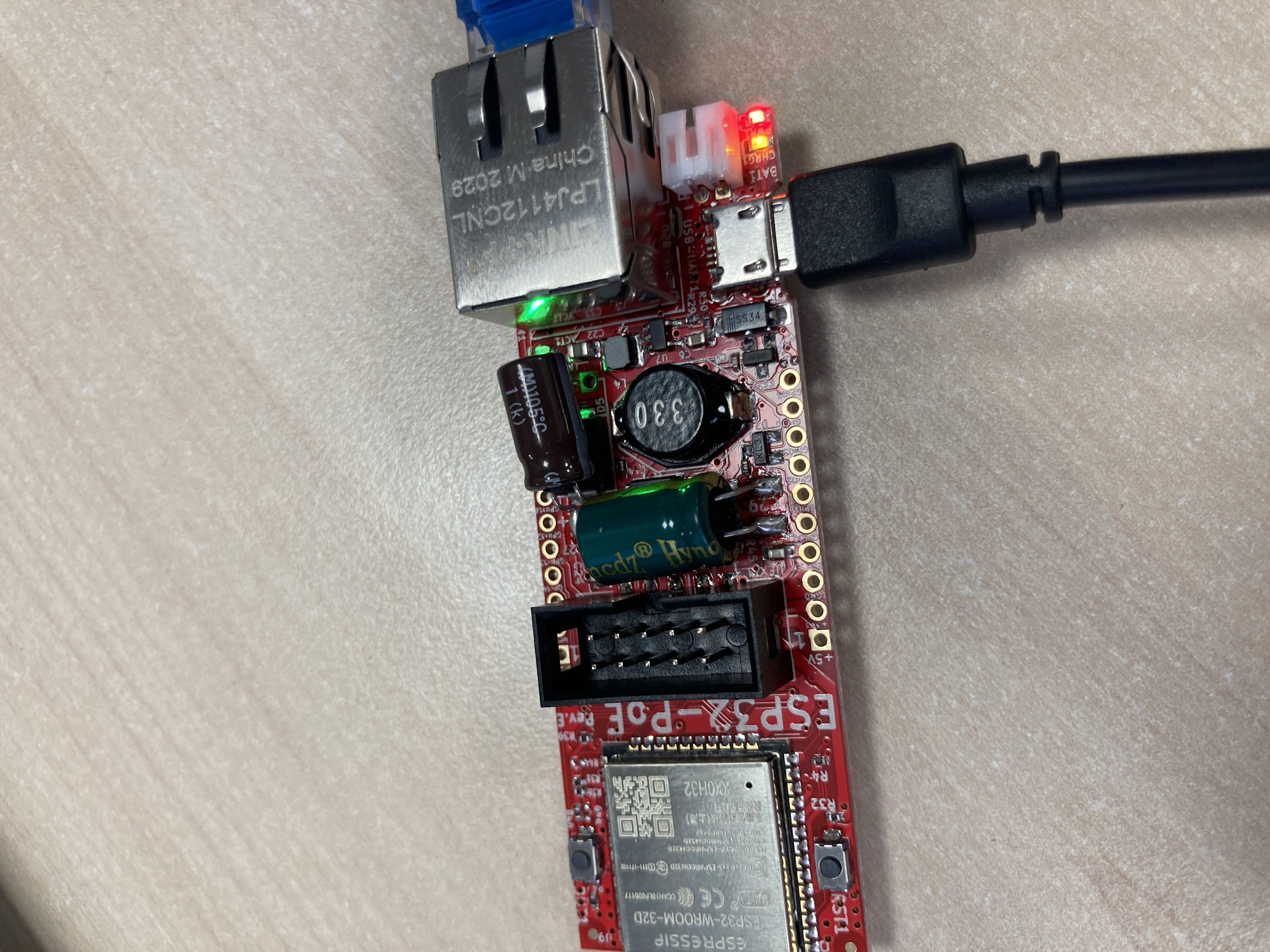
So the last thing I need is the AirPlay 2 support to have a great multiroom 😜
Hope some guys will be able to crack it and port it to shairport-sync one day, because lot of distrib (like Volumio) use shairport-sync for the AirPlay compatibility.
acresp
on 9 Dec 2020
Nice project @acresp ! Have you checked out snapcast? I am doing something similar to you only I'm not using RPi's. Instead, I have one Debian server with a 7.1 channel soundcard and use ALSA to bust it up into 4 stereo pairs and then have 4 instances of shairport-sync running for each pair. To get multiroom audio I have another shairport-sync instance named "Whole Home" which pipes to a snapcast server (physically running on the same machine). Then I have 4 instances of the snapcast client running for each zone. So when I want to AirPlay to a single room I do it directly. If I want to AirPlay in multiple rooms I set the output to "Whole Home" and then use snapcast to select which rooms to output to. To make it easy to control I wrote a Homebridge plugin that interfaces with snapcast so I can use Siri to turn a room on and off. "Hey Siri set the bathroom speaker to 50%".
I also have 4 instances of librespot running so I can directly play Spotify in a room. This is my primary way of playback these days. It's lag free because the work is done on the server and the phone is just a remote control. So if you are a Spotify user, look into that. I also have Spotify enabled in snapcast and named it "Whole Home". So just like AirPlay I can select "Whole Home" in Spotify and then use Siri to select which rooms to play in.
I really wish Apple would stop the BS and open source AirPlay 2. I could greatly simplify my multiroom audio setup.
On another topic, Roku added AirPlay 2 support to all of their 4K products. I have a 4K TV with built in Roku that got the update about a month ago and all my other 4K Rokus also have it. The cheapest 4K Roku is $27 right now. I picked one up along with an HDMI to VGA with audio adapter ($7) with the idea of using it to get multiroom audio. The problem is there is the Roku ignores AirPlay volume control requests so it's kind of useless. I was so close to having a cheap AirPlay 2 solution.
noelhibbard
on 9 Dec 2020
On another topic, Roku added AirPlay 2 support to all of their 4K products. I have a 4K TV with built in Roku that got the update about a month ago and all my other 4K Rokus also have it. The cheapest 4K Roku is $27 right now. I picked one up along with an HDMI to VGA with audio adapter ($7) with the idea of using it to get multiroom audio. The problem is there is the Roku ignores AirPlay volume control requests so it's kind of useless. I was so close to having a cheap AirPlay 2 solution.
Airport Expresses have updated AP2 firmware, and analog or optical output. They are often found on eBay for <$40.
But really, it seems the various developers are so close to fully implementing AP2 that people just need some clarity on status, and maybe an incentive structure. Perhaps we should crowd-fund a bounty program with individual reward levels, with the goal of incentivizing a complete working AP2 solution.
If @ckdo, @invano, @griff, and any others in the know could comment on:
- What steps in the pairing/authentication/decryption chain are _reliably and completely solved_ now where reliable means a stable algorithm exists to complete the step.
- What steps are _theoretically solved_, but not yet reliable or fully implemented in code.
- What steps are _likely solvable_ — a sketch of a solution is available, but it's not yet clear how a complete solution will look.
- What critical steps are _entirely unsolved_: it's clear what is needed, but no solution is at hand.
- What steps are optional, _would be nice to have_ parts of the protocol that do not yet have a solution, for example multi-device play queueing, etc.
How many people here would support a developer bounty if we could lay out the goals and targets clearly? Vote with thumbs up/down.
jdtsmith
on 10 Dec 2020
How many people here would support a developer bounty if we could lay out the goals and targets clearly? Vote with thumbs up/down.
That's a great response, thanks all. I've had a good conversation with one of the devs in the know, and I now understand the status better. It's a good news/bad news situation.
First the good news: there are apparently no major blockers now to implementing AP2 using Fairplay authentication. Decryption is also well understood and documented, and in fact, at least for older AirPlay devices (like an older iTunes on MacOS), the entire proof-of-concept code is working at a basic level (I have verified that myself!).
But there is a _lot_ more to do: newer AirPlay devices cannot connect, sync and timing are not implemented at all, and are quite tricky and time-consuming to develop. So it requires quite a high skill level across a wide range of protocols. And likely lots of different AP2 sender devices. I'm personally hopeful much of the amazing work @mikebrady did on the sync side of AP1 could be reused, but that's pure conjecture on my part.
And here's the unfortunate/bad news bit: apparently, from my limited understanding, _none_ of the devs who have worked on it have AP2 support as a _personal need_. Instead they were mostly satisfying curiosity or taking it on as a challenge. So as you might expect, once it was working in principle, motivation wanes.
So the key to making progress for end users is I think identifying developers who have the skills _and_ a strong personal interest (e.g. they really want iOS multi-room playback or another of the new AP2 features), to pick up the sort-of-working proof-of-concept code and run with it. It's possible an incentive could help with identifying such a person or persons. But it's by no means guaranteed.
jdtsmith
on 13 Dec 2020
Chiming in here, I'd contribute. Say a kickstart or through a similar
larger venue. Promote it. I am not a developer, but someone that would
benefit.
One concern I have is Apple. Even if it's perfectly legal, they could
create problems with what they would consider reverse engineering, etc.
I grew frustrated with AP2 and multiple devices, such that I ditched my
HomePod and now have a Sonos ecosystem -- but, Sonos has their own
proprietary algorithms and APIs that enable them seamless sync'd
playing, too. Even Google has allegedly attempted to rip them off.
Does anyone in-the-know understand Apple's direction with the AP
protocol evolution, as in future direction. (sorry the last two items
are OT).
_F
On 12/13/20 1:11 PM, JD Smith wrote:
>
*How many people here would support a developer bounty if we could
lay out the goals and targets clearly? Vote with thumbs up/down.*
That's a great response, thanks all. I've had a good conversation with
one of the devs in the know, and I now understand the status better.
It's a good news/bad news situation.First the good news: there are apparently no major blockers now to
implementing AP2 using Fairplay authentication. Decryption is also
well understood and documented, and in fact, at least for older
AirPlay devices (like an older iTunes on MacOS), the entire
proof-of-concept code is working at a basic level (I have verified
that myself!).But there is a /lot/ more to do: newer AirPlay devices cannot connect,
sync and timing are not implemented at all, and are quite tricky and
time-consuming to develop. So it requires quite a high skill level
across a wide range of protocols. And likely lots of different AP2
sender devices. I'm personally hopeful much of the amazing work
@mikebrady https://github.com/mikebrady did on the sync side of AP1
could be reused, but that's pure conjecture on my part.And here's the unfortunate/bad news bit: apparently, from my limited
understanding, /none/ of the devs who have worked on it have AP2
support as a /personal need/. Instead they were mostly satisfying
curiosity or taking it on as a challenge. So as you might expect, once
it was working in principle, motivation wanes.So the key to making progress for end users is I think identifying
developers who have the skills /and/ a strong personal interest (e.g.
they really want iOS multi-room playback or another of the new AP2
features), to pick up the sort-of-working proof-of-concept code and
run with it. It's possible an incentive could help with identifying
such a person or persons. But it's by no means guaranteed.—
You are receiving this because you were mentioned.
Reply to this email directly, view it on GitHub
https://github.com/mikebrady/shairport-sync/issues/535#issuecomment-744046256,
or unsubscribe
https://github.com/notifications/unsubscribe-auth/AABX4ZY3UHK6LF7QLNTXHVLSUT7WPANCNFSM4DOB7ONA.
forrie
on 13 Dec 2020
Create a Patreon. I'd contribute!
 swing7wing
on 13 Dec 2020
swing7wing
on 13 Dec 2020
It looks like someone _beat me to it_ by 2 years! CLICK HERE TO CONTRIBUTE TO THE BOUNTY for this issue on bounty source. I just contributed.
You can withdraw after some time if there is no action (free to re-allocate to another bounty program, 10% to cash back out). Let's see if we can drive this bounty above $1k!
jdtsmith
on 13 Dec 2020
Thanks all. Bounty is up to ~$280 with 11 backers. Who else can incentivize development?
jdtsmith
on 15 Dec 2020
I've chipped in on the bounty. Thanks for all the great updates, @jdtsmith.
Whatever it is, the first step is getting a test setup working that people can clone and hack with.
I don't know nearly enough about the protocol, but is there a captured session we can replay? Perhaps we can offer a trivial emulation of some basic functionality and use that for testing?
 varon
on 15 Dec 2020
varon
on 15 Dec 2020
Hi everyone. TBH, I'm a little uncomfortable with this conversation. While it is interesting to be talking about AirPlay 2 in a general sense, I think that promoting a bounty is not really an appropriate Shairport Sync issue. Would it be possible for you guys to set it up somewhere else?
mikebrady
on 15 Dec 2020
@mikebrady: The goal is only to have AirPlay 2 in shairport-sync, the goal of this ticket...
Neustradamus
on 16 Dec 2020
Apologies @mikebrady, certainly didn't intend any discomfort. Everyone interested in the bounty (amount, progress, etc.), please move discussion over to the slack airplay2 channel.
In the meantime, I think many people would be interested to know of your take on AP2 in Shairport Sync given progress over the past couple years. If for example you are definitely not interested, that would be germane. Or if you think technical or legal issues are too daunting, that would be useful to know too. Basically there is lots of interest and not much information from anyone, leading to confusion all around.
Thanks for all your efforts. Using Shairport Sync via AP1 daily in my home.
jdtsmith
on 16 Dec 2020
@jdtsmith sorry, I am struggling to join that channel. Slack always asks me to enter a workspace URL. Might be an issue on my end, but I tried different browsers, also in incognito modes.
 tkothe
on 16 Dec 2020
tkothe
on 16 Dec 2020
Channel is in the Homebridge Slack: https://homebridge-slackin.glitch.me/
 kkaefer
on 16 Dec 2020
kkaefer
on 16 Dec 2020
Contributed to the bounty 🙂
acresp
on 16 Dec 2020
There's also a Homebridge Discord server with an AirPlay 2 channel https://discord.gg/BWBAu3pydz
Bubba8291
on 16 Dec 2020
Thanks everyone.
In the meantime, I think many people would be interested to know of your take on AP2 in Shairport Sync given progress over the past couple years.
So, I think the big issue with AirPlay 2 at the moment is (AFAIK!) nobody seems to have managed to work around Apple's ability to restrict activity to Apple-approved devices.
mikebrady
on 17 Dec 2020
So, I think the big issue with AirPlay 2 at the moment is (AFAIK!) nobody seems to have managed to work around Apple's ability to restrict activity to Apple-approved devices.
Chiming in from the dead here. Some skillful googling reveals an old datasheet for the apple secret sauce auth chip which can be ripped out of basically anything that's HomeKit/madeForiPhone approved (or, with skillful googling, how it can be bought from questionable links in the supply chain). Some further skillful googling reveals how to get stuff signed by said chip on an embedded device. Even further skillful googling reveals how to use a common off the shelf chip from FTDI which is frequently sold in hobbyist-friendly modules to perform the same kind of interactions with the apple chip as in the embedded device example. A steady hand and a hot iron let you physically connect the two (the technique for which can be learned via skillful googling and practice).
iostat
on 17 Dec 2020
Thanks everyone.
In the meantime, I think many people would be interested to know of your take on AP2 in Shairport Sync given progress over the past couple years.
So, I think the big issue with AirPlay 2 at the moment is (AFAIK!) nobody seems to have managed to work around Apple's ability to restrict activity to Apple-approved devices.
Let's try to clarify the situation about that (critical I agree) point, and limitation I was able to see on airplay2-receiver:
Firstly, yes... no work around for MFi auth. And I think we won't have this ever.
- iOS devices (until14.X version) supports MFi, FairPlayV3 (+v2?), RSA. For using Airplay2, only FairPlay and MFi are allowed.
- iTunes/win supports MFi, FairPlayV2, RSA. But Airplay2 protocol is not used on iTunes/win, instead multiple Airplay1 streams are sent at the same time.
- iTunes/macos:
- Until Catalina (iTunes) -> supports MFi, FairPlayV3, RSA. For using Airplay2, only FairPlay and MFi are allowed.
- Big Sur (Music app) -> supports MFi, RSA. As far as I have seen: Do not use Airplay2 protocol, instead multiple Airplay1 streams are sent at the same time.
So for me the questions are :
- Can Fairplayv2/3 support be considered as enough to implement a fully opensource airplay2 receiver ? (music app would not be supported)
- Will Apple remove this FairPlay support on iOS devices ?
ckdo
on 17 Dec 2020
Picking up on what @ckdo said...
So, I think the big issue with AirPlay 2 at the moment is (AFAIK!) nobody seems to have managed to work around Apple's ability to restrict activity to Apple-approved devices.
That's what I thought too, but my current testing of @ckdo's Python proof-of-principle AP2 receiver code (based on @invano's original) indicates to me that that's not true.
In fact this receiver is working end to end, but in addition to its _not for real use_ status (you've been warned!), it has other limitations. For example, devices running newer versions of the AirPlay protocol get booted _after authentication succeeds_, possibly because timing sync is advertised (as it has to be), but not actually implemented using PTP. But no apparent deal breakers.
In fact I'm streaming to a Python-based ap2-receiver.py access point (pyAP2) right now, from an old iPod Touch running iOS 12.4.5. For good measure, I'm _also_ streaming from the Touch to another device: a Sonos with AP2 compatibility. Volume control even works. Sync is, not surprisingly, not great. And playback via Python stutters when I do anything with my Mac where ap2-receiver.py is running. And I can't connect to pyAP2 with newer iOS devices, or the Music app under Catalina. But it _~works_!
Here are a couple of screenshots (don't judge the musical choice: pre-teen's old device!):
Selecting the access point:
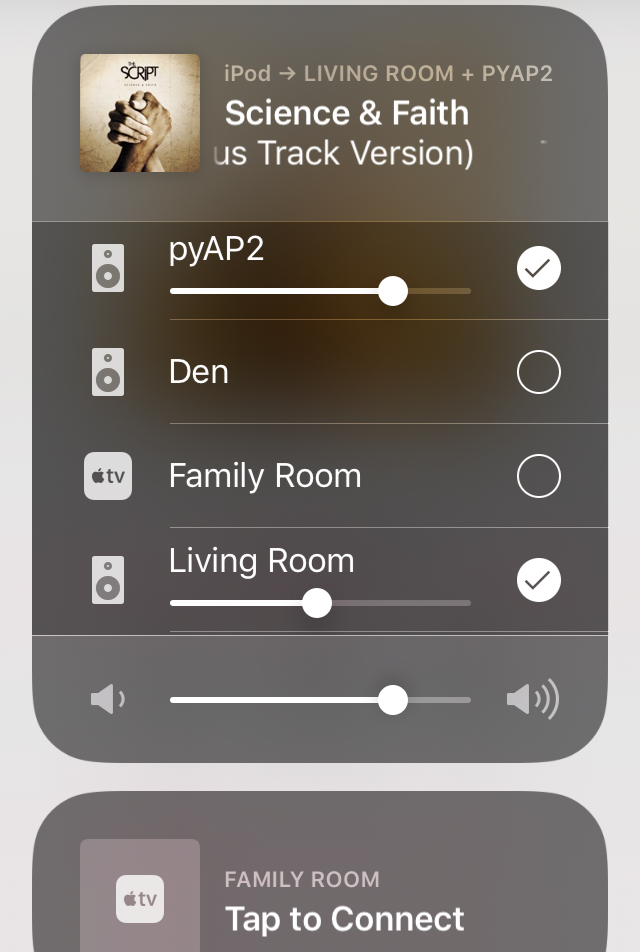
and the log output from ap2-receiver (blurred for privacy):
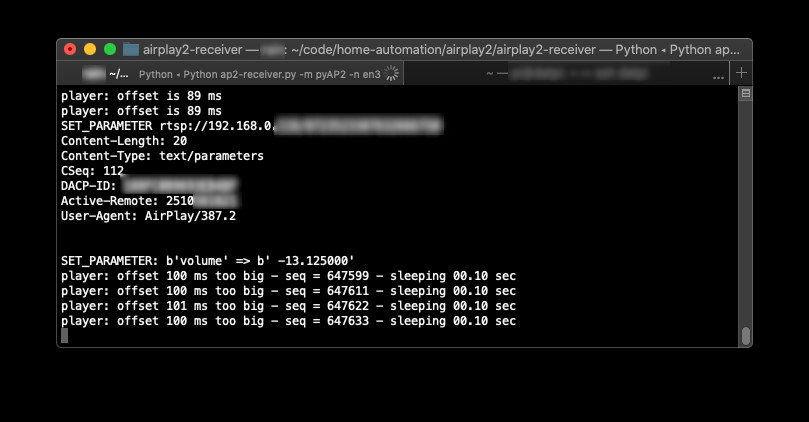
jdtsmith
on 17 Dec 2020
- Can Fairplayv2/3 support be considered as enough to implement a fully opensource airplay2 receiver ? (music app would not be supported)
I don't see why this would be so (see below).
- Will Apple remove this FairPlay support on iOS devices ?
I think the AP2 capability of the old Airport Express (released 2012) is instructive here. It doesn't have the auth chip @iostat alludes to, but nonetheless it accepts and authorizes all AP2 streams happily from all versions of Music App + iOS I've ever thrown at it. So FairPlay is I'd guess a requirement to keep the Airport Express happy. And that is working right now today.
jdtsmith
on 17 Dec 2020
Picking up on what @ckdo said...
So, I think the big issue with AirPlay 2 at the moment is (AFAIK!) nobody seems to have managed to work around Apple's ability to restrict activity to Apple-approved devices.
That's what I thought too, but my current testing of @ckdo's Python proof-of-principle AP2 receiver code (based on @invano's original) indicates to me that that's not true.
In fact this receiver is working end to end, but in addition to its _not for real use_ status (you've been warned!), it has other limitations.
[snip]
And I can't connect topyAP2with newer iOS devices, or the Music app under Catalina. But it _~works_!
Unfortunately, as pointed out, it does not work on later versions of iOS and macOS, and AFAIK nobody has gotten past this point.
mikebrady
on 17 Dec 2020
@mikebrady You were referring to authenticating devices, and this point AFAIK works on latest iOS devices with FPv3. I did see logs from jdsmith tests and we pass authentication.
So... for me the actual playing is currently not working but as it is a prototype, it may be due to numerous other factors (I actually suspect an additionnal check to be done relating to the PTP to be there in newest iOS device.. TBC) actually solvable.
But... my wonderings still remains.
ckdo
on 17 Dec 2020
This is a stupid question, but AFAIK is "as far as I know", right?
Bubba8291
on 18 Dec 2020
AFAIK... yes. 😉
noelhibbard
on 18 Dec 2020
Unfortunately, as pointed out, it does not work on later versions of iOS and macOS, and AFAIK nobody has gotten past this point.
Indeed. I'm optimistically (and perhaps naively) placing this issue in the "wrinkles to be ironed out" vs. "impossible cliffs to scale" category. In favor of optimism: during my trial connections with an iOS14.2 device, it appears to get _past_ both pairing and FairPlay authentication and to the RTSP SETPEERS stage before dropping.
It might be worth someone trying to implement PTP in the Python proof-of-principle to see if that leads to progress, on the theory that newer AP senders test for correct PTP traffic and drop otherwise, as @ckdo conjectures.
jdtsmith
on 18 Dec 2020
forked-daapd is now supporting Airplay 2 (cf https://github.com/ejurgensen/forked-daapd/issues/1010), maybe it can help for shairport ?
 tazounet
on 4 Jan 2021
tazounet
on 4 Jan 2021
Very interesting. If I understand it properly, it looks as if forked-daapd supports _sending_ to some AirPlay 2 devices, not _receiving_ from AirPlay 2 sources, as would be useful for Shairport Sync. Thanks for the link — I’ll have a close look at it.
mikebrady
on 4 Jan 2021
Hi @mikebrady, hope you are doing well. Yes, forked-daapd only supports sending, and it is pretty new, so not tested very well yet. I'm not sure it will help a lot with receiving. I would guess that Apple has more road-blocks for receivers (e.g. auth-setup and fp-setup), both for business reasons and DRM reasons.
 ejurgensen
on 4 Jan 2021
ejurgensen
on 4 Jan 2021
Yes, forked-daapd is a _sender_ and shairport-sync is a _receiver_ but if both can communicate using Airplay 2, i thought it will be a first step :-)
tazounet
on 4 Jan 2021
Hi @mikebrady, hope you are doing well. Yes, forked-daapd only supports sending, and it is pretty new, so not tested very well yet. I'm not sure it will help a lot with receiving. I would guess that Apple has more road-blocks for receivers (e.g. auth-setup and fp-setup), both for business reasons and DRM reasons.
Hi @ejurgensen. Doing just fine thanks, and I hope your are the same in these peculiar times. Thanks for the clarification.
mikebrady
on 4 Jan 2021
@ejurgensen Good job... I agree with your remarks. Just to be sure... implemented with REALTIME/NTP ?
ckdo
on 4 Jan 2021
Yes, right now it is realtime + NTP + 44100/16 ALAC, so except for encryption the audio packets and timing packets are the same as Airplay 1. As a sender, it is interesting that Airplay 2 possibly supports higher audio qualities, so that might be the next thing to add. So if only for a strong forked-daapd + shairport-sync combination I would hope shairport-sync also gets Airplay 2 :-)
ejurgensen
on 4 Jan 2021
I’m here to report some very good news on the AP2 front. A group of several people has been working with @ckdo's Python-based AP2 test receiver based on @invano’s early work. Making use of some of @ejurgensen’s recently added forked-daapd AP2 capabilities, they've been able to fully diagnose the prior connection issues. I've been helping with some simple testing and logic using my several AP2 devices.
The current status is that the AP2 receiver can successfully authenticate, pair, and stream music with all tested versions of iOS and macOS, _including iOS 14_. As guessed, the prior issue with iOS14 and other recent clients was not related to pairing or authentication, but instead involved problematic parsing of less important command info. No timing sync (e.g. PTP) was required for it to function. Multi-room works well, and the tool supports both buffered (e.g. Music app) and realtime (Spotify, etc.) streams.
_It’s important to understand that this is not a production tool, merely a proof of concept._ But the concept has been proven! This is just a first step. What’s needed next is to find developers with the skill and interest and time to port this working example into a performant tool (whether shairport-sync, or elsewhere), implement PTP timing and audio sync, and perhaps add Homekit pairing and event response (“Siri, play Party playlist in the Living Room”). There are no obvious technical hurdles in the way, and testing reveals the current methods for interacting with AP2 senders are reliable and likely to remain available long-term.
So if you know of any developers interested in this problem, or are one yourself, head over to ap2-receiver and take it for a test run. Also feel free to join the Slack Channel if interested in contributing to the bounty for this effort.
jdtsmith
on 14 Jan 2021
That’s great news. You and everyone involved in creating this proof of concept might also be eligible for the bounty mentioned above.
https://www.bountysource.com/issues/45920762-airplay-2-support
Larsn1
on 14 Jan 2021
@jdtsmith , is the repo you linked to the one with the fixes? I ask because looking through the commits I don't see any significate changes since July last year.
noelhibbard
on 14 Jan 2021
Hello World !
I don't understand why @jdtsmith 's system refers to a sonos one.
If a person can explain to me?
Thank ! and gg !
 tom-theret
on 14 Jan 2021
tom-theret
on 14 Jan 2021
The Sonos One has AirPlay 2 support built in. Someone probably had access to one to do some Wireshark dumps with. So they must be spoofing the Sonos One in this proof of concept.
noelhibbard
on 14 Jan 2021
So that means he might have a way to dump the speaker OS to extract its data ...?
tom-theret
on 14 Jan 2021
Doubtful, they just have the ability to watch mDNS advertisements and stuff like that. I suspect most of the traffic is encrypted so sniffing that probably isn't that helpful. I believe if you read this thread from start to finish you will see some talk about it.
noelhibbard
on 14 Jan 2021
@jdtsmith , is the repo you linked to the one with the fixes? I ask because looking through the commits I don't see any significate changes since July last year.
The fixes required were actually quite small (just hard to discover), so you may have missed them; I'll leave it to @ckdo if he wants to describe the details.
jdtsmith
on 14 Jan 2021
@jdtsmith , is the repo you linked to the one with the fixes? I ask because looking through the commits I don't see any significate changes since July last year.
The fixes required were actually quite small (just hard to discover), so you may have missed them; I'll leave it to @ckdo if he wants to describe the details.
So the repo you linked to is in working order?
Edit: To answer my own question, yes this repo works. I managed to get it running on Windows 10 on Python 3.7.9. I didn't have luck however on Python 3.9. I'm going to play around tonight on my Debian machine with multiple instances and see how well it syncs without PTP.
noelhibbard
on 14 Jan 2021
Yes !
tom-theret
on 14 Jan 2021
@ all, the upstream is https://github.com/openairplay/airplay2-receiver.
@ckdo is an OpenAirPlay member but he has not merged into upstream yet.
Neustradamus
on 15 Jan 2021
So the repo you linked to is in working order?
Yes, "working" in the proof-of-principle, testing-only way. I have gotten it to run on my Mac (Catalina, others report unrelated audio issues with Big Sur), but haven't managed on linux. It's also a bit of a CPU-hog, and as, as mentioned, no real sync.
jdtsmith
on 15 Jan 2021
So I've been playing around with this a bit and got it running on Debian. I made some code changes so I can specify the output device and alsa mixer name so volume control works. I need to make some changes to how it handles ports so I can run multiple instances and see if it's in sync with out official PTP support. So far it's super buggy. If I disconnect and the reconnect it never reconnects and I have to kill it and restart it. The problem is I can't restart it right away because it says the port is in use.
I like how pause, play, seeking and volume control is all instant. No more 2sec lag when seeking or resuming playback like on AirPlay2.
The readme says it supports HomeKit but when I tried to add the accessory it saw it listed but it wouldn't pair. I saw some log output that said "not implemented".
All in all I think this is a great proof of concept. Other than bugginess it really works.
It didn't take much effort to get it running on Debian. I took notes and will post them tomorrow some time.
Thanks to everyone for their time on this project!
noelhibbard
on 16 Jan 2021
@noelhibbard Your remarks are relevant, thanks for testing.
As for me the goal of this repo is more educational/prototype, I mentionned HomeKit transient pairing for referring to HAP which is used partially for AP2, so that other devs can pick up the appropriate code samples. Also, about real hkp devices pairing, there's for me no blocking point for implementation (non transient pairing..)
ckdo
on 16 Jan 2021
@ckdo, yeah I totally understand the goal of your project. You've given a great example of everything needed to create a production ready project. I mainly wanted to share my thoughts to draw some more attention to the fact that it really works and that there is no reason for someone not to make a production ready project.
noelhibbard
on 16 Jan 2021
No more 2sec lag when seeking or resuming playback like on AirPlay2.
Did you mean AP1?
jdtsmith
on 16 Jan 2021
No more 2sec lag when seeking or resuming playback like on AirPlay2.
Did you mean AP1?
Yeah, my mistake. I meant to say AP1. Although my Apple TV still lags about 2secs even with AirPlay2. Maybe that is part the synchronization which isn't present in this proof of concept.
noelhibbard
on 16 Jan 2021
Guys, that all looks quite interesting. I’ll try and get a look at it in the next few weeks.
mikebrady
on 16 Jan 2021
So, I got it to build and run as a docker image on a Raspberry Pi 4, but unfortunately it doesn’t work properly yet. It get to this point on the log:
GET_PARAMETER: b'volume'
Volume Management is disabled
which seems sensible, but then the connecting device (iOS 14.3) reports that it can’t connect. I’ll try @noelhibbard’s approach on Debian next week.
mikebrady
on 19 Jan 2021
@mikebrady , I assume you saw my post over on ckdo's repo with the steps I went through to install it on Debian. I just loaded Debian 10.7 in VBox and tested my steps to be sure I didn't miss anything and found a few more packages that were missing so I updated my instructions. While testing in this VM I noticed audio will not start up if I connect while playback is in a stopped state. It works fine if audio is already playing when I connect. I didn't notice this at my house on a bare metal machine running Debian 10.7. It's buggy for sure but it seems most of the bugginess is related to the audio stack which you have covered really well in shairport-sync. There seems to be something odd with POST:/pair-setup the second time you connect but something tells me that would be easy to troubleshoot and resolve. I feel like we are supper close to the holly grail. Hahaha
noelhibbard
on 19 Jan 2021
Hello @mikebrady . I have fixed the bug you were facing to.
ckdo
on 19 Jan 2021
Thanks. I’ll have a go at it tomorrow!
mikebrady
on 19 Jan 2021
Hi @ckdo — I managed to get it working, thanks. It seems to work with iOS, macOS System Sounds (playing a YouTube movie from Safari) and the macOS Music app. Of course — as has been pointed out — it’s not really usable, but it does demonstrate a lot of functionality. So, very well done!
mikebrady
on 21 Jan 2021
It demonstrates everything that is needed to make a project that is usable in a production environment though. Did you see something missing that would be needed for a production ready project? Everything I tested worked. It pairs, it plays from every app I tested on my phone (iOS 14.3), volume control worked, transport controls worked. All the meta data is sent to the console. Artwork was dumped to the disk. Aside from bugs it does everything it needs to do.
noelhibbard
on 21 Jan 2021
I think that means it's just not stable or performant, and doesn't manage reconnects, etc. But a good proof of principle of all the basic functionality as you say. There are also some "value added" features with AP2 that would be great to have as well, including Homekit pairing (for Siri/automation/scene control). It looks like those features are likely quite possible to add, but aren't in there yet.
jdtsmith
on 21 Jan 2021
About the PTP, did someone looked in the repository here:
https://github.com/barrycool/aptp
Seems it’s 2 years old and there is no special informations, maybe it could be interresting to dig.
acresp
on 23 Jan 2021
Anyone tested docker based ap2-receiver on Raspberry Pi 3?
Can see 'ap2' as an airplay source on my apple device, but failed during paring without any error.
MY apple devices are iPhone w/ 14.4, iPad w/ 14.4 and iMac w/ Bigsur.
Below is the last log from docker.
POST /command
{'params': {'mrSupportedCommandsFromSender': [{'kCommandInfoCommandKey': 0,
'kCommandInfoEnabledKey': True},
{'kCommandInfoCommandKey': 1,
'kCommandInfoEnabledKey': True},
{'kCommandInfoCommandKey': 2,
'kCommandInfoEnabledKey': True},
{'kCommandInfoCommandKey': 8,
'kCommandInfoEnabledKey': True},
{'kCommandInfoCommandKey': 9,
'kCommandInfoEnabledKey': True},
{'kCommandInfoCommandKey': 10,
'kCommandInfoEnabledKey': True},
{'kCommandInfoCommandKey': 11,
'kCommandInfoEnabledKey': True},
{'kCommandInfoCommandKey': 24,
'kCommandInfoEnabledKey': True},
{'kCommandInfoCommandKey': 24,
'kCommandInfoEnabledKey': True}]},
'type': 'updateMRSupportedCommands'}
TEARDOWN rtsp://192.168.123.62/12170682563501050740
Content-Length: 42
Content-Type: application/x-apple-binary-plist
CSeq: 10
DACP-ID: A8918204AAA26668
Active-Remote: 2755753415
User-Agent: AirPlay/535.3
{}
 najihun
on 3 Feb 2021
najihun
on 3 Feb 2021
This was the type of error @ckdo fixed with iOS 14.1/Big Sur/etc.; are you sure you have the latest master?
jdtsmith
on 3 Feb 2021
This was the type of error @ckdo fixed with iOS 14.1/Big Sur/etc.; are you sure you have the latest master?
Yes! I just tried to get zip again and run docker image, still same issue with same part. Did I miss something?
The zip file from 'https://github.com/openairplay/airplay2-receiver'
++ maybe I got wrong zip. Let me try zip from ckdo's
najihun
on 3 Feb 2021
@ckdo: Can you update the upstream please?
There is a problem here, I have already informed you before...
Neustradamus
on 3 Feb 2021
Yeah try https://github.com/ckdo/airplay2-receiver, that has the recent fixes.
jdtsmith
on 3 Feb 2021
Yeah try https://github.com/ckdo/airplay2-receiver, that has the recent fixes.
Finally It worked with ckdo's zip!
But here is new issue :( If I reconnect to ap2, then paring failed.
Checked logs, it shows pairing step 1/2 and stuck..
POST /pair-setup
00000000: 00 01 00 06 01 01 13 01 10 .........
----- Pair-Setup [1/2]
00000000: 8F B1 1A 91 EE 0B F4 86 65 A6 50 54 6E 8E 03 0A ........e.PTn...
00000010: 8B B9 AE BB 49 15 AD 63 92 C3 8F 55 59 A1 0F 44 ....I..c...UY..D
00000020: 33 79 75 CD 93 54 D6 33 14 C6 85 03 01 28 CB 38 3yu..T.3.....(.8
00000030: 7E A5 41 F7 C0 E4 77 19 9F 3B 2C 03 C1 2A D9 5C ~.A...w..;,..*.\
----- ENCRYPTED CHANNEL -----
najihun
on 3 Feb 2021
Good. As mentioned, this isn't a production tool at all, but simply a _proof of concept_ demonstrating how AP2 pairing, authentication, command control etc. can be accomplished. And for that it works well. Lots of things you'd absolutely expect out of a production tool don't work, including reconnecting after disconnects, playback sync, low CPU overhead, etc. But again, actual deployed use awaits development of these methods and techniques in a tool designed for performant end-user use.
One of the reasons that I think @invano decided to take down the original proof of concept tool is that people could not or did not understand this basic distinction. So please be advised!
jdtsmith
on 3 Feb 2021
Anybody working on an implementation based on this proof of concept? Just asking because I think everyone interested in this would be reading here.
Larsn1
on 22 Feb 2021
@Larsn1 I know right! They're taking forever. It should've been done a long time ago. It's almost like the devs are on a high dosage of adderall.
Bubba8291
on 23 Feb 2021
@Larsn1 I know right! They're taking forever. It should've been done a long time ago. It's almost like the devs are on a high dosage of adderall.
I'm not sure if this was serious or not but please respect the fact this work is being done by developers for free. If you'd like to contribute, I'm sure help would be appreciated. Comments like this do not help and deter people from even wanting to help...
For those who are interested, the fantastic @mikebrady has stated here that it's being worked on. Patience is key.
 charlesomer
on 23 Feb 2021
charlesomer
on 23 Feb 2021
This is a really good article about what it feels like to be an open source maintainer. Definitely worth a read if you are a user of open source software. Pause a moment to thank the maintainers of your favorite open source packages today. And then pause another moment and think "how can I contribute back, where I have been given so much?". And if nothing comes to mind, at least grant them the favor of quiet and respectful waiting.
jdtsmith
on 23 Feb 2021
Thanks for the additional information. The intention of my message was not to push or out of being impatient. Of course we all love to get our hands on something, but what we love more is software that works and given the fact that devs are creating this in their free time it takes as long as it takes.
Larsn1
on 23 Feb 2021
I am not a python dev - but I was able to get @ckdo 's fork of the airplay2-receiver to reconnect by destroying the hap() object on teardown, thus forcing a new one to be created on reconnect.
What I observed is that during the initial connection & pairing a check is made to see if a hap() object exists, and if not, create one.
and when attempting to reconnect, self.server.hap is already set. This was one major difference between the initial connection and a reconnection.
My hypothesis is that something about this object is in a state where the reconnect fails.
By adding self.server.hap = None to the end of the do_TEARDOWN routine, a new hap() object is created on reconnect and the reconnect succeeds.
I do not want to add this to a pull request just yet because I'm suspicious that this is treating the symptom and not the cause, but wanted to share in case someone here (who knows more about python than I do) might have an idea of what's going on.
EDIT: Upon further testing, it seems that each disconnect causes a child python process to hit 100% CPU usage. So with each connect and subsequent disconnect, a new process is left running that pegs the CPU.
EDIT2: Adding self.event_proc.terminate() to do_TEARDOWN seems to solve the hanging 100% CPU process issue, but requires further testing to make sure it hasn't broken something else.
 PaulWieland
on 23 Feb 2021
PaulWieland
on 23 Feb 2021
I created a PR with some fixes for those of us who want to use the proof of concept while waiting for shairport-sync to implement airplay 2.
PaulWieland
on 1 Mar 2021
@PaulWieland's PR was merged yesterday… does this mean we'll see AirPlay 2 support in the next release?
 lukecarbis
on 4 Mar 2021
lukecarbis
on 4 Mar 2021
@lukecarbis No. ckdo's fork is a proof of concept, that's all. It demonstrates how to get ap2 functionality, but its not something that can just be copied and pasted into shairport-sync. My PR is just fixing two really minor bugs with it to make it somewhat more usable as a proof of concept (or in my case a temporary solution until something more robust is built).
PaulWieland
on 4 Mar 2021
I think that was an important part of the things that are necessary, but still just a part. Many more PRs are required to actually release something to the public
Larsn1
on 4 Mar 2021
I created a PR with some fixes for those of us who want to use the proof of concept while waiting for
shairport-syncto implement airplay 2.
Thanks for this PR. It's working well so far. I also did a quick and dirty --device and --mixer option for specifying the output device and ALSA mixer control. I'm going to create some systemd services and see how well it works when multiple instances are running and pointed to multiple output devices.
noelhibbard
on 10 Mar 2021
@PaulWieland: Thanks for your work!
Can you create PR in upstream?
There is currently a problem between forks and upstream...
Thanks in advance.
Neustradamus
on 10 Mar 2021
Related issues
 ContraVarus
·
7Comments
ContraVarus
·
7Comments
 pawpawhe
·
6Comments
pawpawhe
·
6Comments
 mc002b
·
7Comments
mc002b
·
7Comments
 LinusU
·
4Comments
LinusU
·
4Comments
 Bazmundi
·
6Comments
Bazmundi
·
6Comments
Most helpful comment
News is that AirPlay2 with multi room is working.